







Table of Contents

  • ‌
  • ‌
  • ‌
  • ‌
  • ‌
  • ‌
  • ‌
  • ‌

Your Essential Guide to Standard Gift Card Dimensions

user icon

Emma Davis

Content Writer

Mar 17, 20267 views

Mar 17, 20267 views

Your Essential Guide to Standard Gift Card Dimensions

Table of Contents

  • ‌
  • ‌
  • ‌
  • ‌
  • ‌
  • ‌
  • ‌
  • ‌

If you've ever wondered about the standard gift card dimensions, there’s one number you need to know: CR80. This is the universal format for gift cards, measuring exactly 3.375 x 2.125 inches (or 85.6mm x 54mm). It’s no coincidence that this is the same size as a credit card—it’s a design choice rooted in pure practicality.

This standard sizing ensures that every card fits perfectly into wallets, standard retail displays, and point-of-sale card readers everywhere. It's the go-to for a reason, making it the bedrock of the entire gift card industry.

A CR80 standard card showing its exact dimensions in millimeters and inches, next to a metal ruler for scale.

The consistency of the CR80 size is a huge advantage for businesses and designers. It streamlines everything from production to the customer experience. This standard was formally established back in 1985 under the ISO/IEC 7810 ID-1 specification, which is why everything from your driver's license to your bank card shares these exact dimensions. It’s a simple, global solution that just works.

Quick Reference for Standard CR80 Gift Card Dimensions

For anyone designing a gift card, getting the print specifications right is non-negotiable. Sticking to the correct measurements for the final trim, the bleed, and the safe zone is what separates a professional-looking card from a printing mistake. This table breaks down the essential numbers you'll need.

Here are the key measurements for a standard CR80 gift card, covering the final size, the document size with bleed, and the safe area where you should keep all your important text and logos.

Specification Imperial (Inches) Metric (Millimeters)
Final Trim Size 3.375" x 2.125" 85.6mm x 54mm
Full Bleed Size 3.5" x 2.25" 88.9mm x 57.15mm
Safe Printing Area 3.125" x 1.875" 79.38mm x 47.63mm

Following these specs ensures your design looks sharp and clean, with no awkward white borders or chopped-off elements. Once you have your design ready, you can explore our full range of custom gift card printing options to bring it to life.

Preparing Your Artwork for Flawless Printing

Getting your design file ready for the printer is the single most important part of the process. Think of it as the blueprint for your gift cards—if the blueprint is off, the final product will be too. A properly prepared file is your best defense against common printing mistakes like surprise white borders or a logo that gets chopped off.

To get that professional finish and avoid the headache of a reprint, you need to design with the physical cutting process in mind. This really boils down to three key concepts: the trim line, the bleed area, and the safe area. Once you master these, you’re set for a perfect print run.

Understanding Bleed and Safe Areas

Picture a big machine slicing through a huge stack of printed gift cards. Even the best-calibrated equipment can have tiny, microscopic shifts during the cutting process. Bleed and safe areas are your design’s built-in insurance policy against this.

  • Trim Line: This is the final edge of your card, exactly where the blade will cut. For a standard CR80 card, the trim line creates the final gift card dimensions of 3.375" x 2.125".
  • Bleed Area: This is extra background color or imagery that you extend beyond the trim line. We recommend adding a 0.125" bleed on all four sides. This makes your total file size 3.5" x 2.25" and guarantees no unprinted white slivers appear if the cut is slightly off.
  • Safe Area: This is the protected zone inside the card where all your critical elements—logos, text, barcodes, and QR codes—must live. Keep everything important at least 0.125" inside the trim line, within a space of 3.125" x 1.875". This ensures nothing vital gets accidentally trimmed away.

Following these specs creates a buffer that allows for minor machine variations, giving you a flawless cut every single time.

Core Technical File Requirements

Beyond the physical layout, your digital file itself needs to meet some technical standards for color and sharpness. This is where many projects run into trouble, leading to dull colors or blurry results that just don't match what you saw on screen.

First, always set your design file to CMYK (Cyan, Magenta, Yellow, Key/Black) color mode. This is the four-color standard for professional printing. If you design in RGB (Red, Green, Blue), which is meant for digital screens, the colors will shift during printing and often look muted or muddy.

Pro Tip: Make a habit of setting your software’s color profile to CMYK right when you start a new project. Converting an RGB file to CMYK at the very end can cause unpredictable color changes you can't control.

Finally, resolution is everything when it comes to clarity. All your images and graphics need a minimum resolution of 300 DPI (dots per inch) at their final print size. Anything less will look pixelated and unprofessional. When you're ready to export, stick to accepted formats like a high-quality PDF or an Adobe Illustrator (AI) file with all fonts outlined and images embedded. If your cards include unique serial numbers or names, you may want to learn more about how variable data printing works to make sure each card is personalized correctly.

Choosing the Right Materials and Thickness

Getting the dimensions right is the technical part, but the material you choose is what creates that crucial first impression. The feel of a card in a customer’s hand—its weight, its rigidity, its texture—says a lot about your brand before a dollar is even spent. A flimsy card can feel cheap, while a more substantial one instantly signals quality and value.

The two most common choices are durable PVC plastic and premium paper cardstock. Each has its own strengths, and the best one for you really comes down to your brand, your budget, and how you expect the cards to be used.

Plastic Versus Paper Gift Cards

PVC plastic is the industry workhorse, and for good reason. It’s the same stuff your credit cards are made of, which means it offers incredible durability and longevity. Plastic cards can easily handle being tossed in a wallet for months or years, making them perfect for reloadable loyalty programs or high-value gift cards.

On the other hand, paper cardstock offers a more tactile, and often more eco-friendly, option. You can find it in a wide range of thicknesses and even from recycled sources, which can be a huge plus for sustainability-focused brands. It may not be as tough as plastic, but a thick, high-quality paper card has a premium feel that can make it feel special and unique.

No matter which material you land on, prepping your print file correctly is key. This infographic walks you through the essentials.

Infographic explaining print file preparation steps: bleed, trim, and safe area guidelines.

Following the process from bleed to trim to the safe area ensures all your important design elements are exactly where they need to be for a professional result.

Understanding Card Thickness and Its Impact

We measure card thickness in points (pt), where one point equals 0.001 inches. This measurement makes a big difference in how substantial a card feels.

  • 20pt to 24pt: This thickness is fairly common for single-use or more budget-conscious cards. It's cost-effective, but it won’t have the same rigid feel as a standard credit card.
  • 30pt (0.03 inches): This is the gold standard for plastic cards. At the same thickness as a bank card, it has that familiar, sturdy, and professional feel most customers expect.
  • 16pt to 32pt Cardstock: For paper, 16pt is a solid starting point that balances cost and quality well. If you want to create a true sense of luxury, thicker stocks like 30pt or even 32pt "ultra-thick" paper feel incredibly premium.

Think about what your material and thickness choice communicates. A high-end spa, for example, might go with a 32pt textured paper card to reflect luxury, while a busy retail store would probably stick with durable 30pt PVC for their reloadable cards.

Ultimately, your material should help tell your brand’s story. If you need maximum durability and a classic professional look, you can't go wrong with PVC. You can explore a variety of durable plastic card printing options to find the perfect match for your business. This choice, combined with any specialty finishes, is what turns a simple card into a memorable brand asset.

Creative Alternatives to the Standard Gift Card

While the standard CR80 size is universally accepted, sometimes you need a gift card that refuses to blend in. Stepping away from the norm with creative gift card dimensions can turn a simple card into a powerful branding tool—a unique piece customers will remember and even show off. These alternatives are how you make a statement.

Ditching the traditional rectangle opens up a whole new world of design. You can finally create a card that mirrors your brand’s personality, whether it's a playful shape for a toy store or a slim, elegant design for a luxury boutique. It’s about making sure your card isn't just another piece of plastic in a wallet.

Exploring Mini and Square Gift Cards

Two of the most common alternatives are mini and square gift cards. Each one offers a distinct look and feel that can serve a very specific purpose for your business.

  • Mini Keychain Cards: These compact, perforated cards are made to live on a key ring. Their convenience is perfect for loyalty and rewards programs, since customers will almost always have them on hand. A common size is around 2.125" x 1.125", basically a pocket-sized version of the standard card.

  • Square Gift Cards: If you’re going for a modern, stylish vibe, square cards are a fantastic choice. Common dimensions like 2.5" x 2.5" give you plenty of room for eye-catching designs while feeling unique and substantial in hand.

These shapes can definitely boost brand recall, but it's smart to weigh the trade-offs. While innovation is great, practicality drove the evolution of standard gift card dimensions for a reason. Globally, an astonishing 75% of unclaimed gift card funds are tied to lost or misplaced odd-sized cards, compared to just 12% for standard sizes. This just goes to show how important it is to balance creativity with convenience.

The Ultimate Customization: Die-Cut Shapes

For the biggest brand impact, nothing comes close to a fully custom die-cut gift card. This process lets you cut the card into nearly any shape you can dream up.

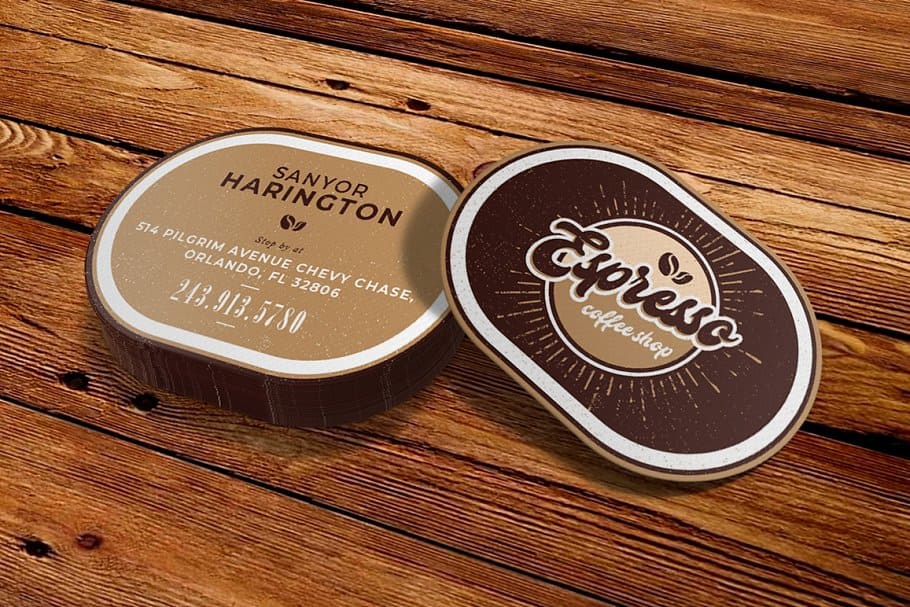
A coffee shop could have a card shaped like a coffee cup, a pet store could use a bone shape, or a real estate agency could create cards shaped like a house key. The only limit is your imagination and the practical need for the card to be functional.

This level of personalization forges a direct, powerful link to your brand identity. A uniquely shaped card becomes a conversation piece and a tangible part of your brand’s story. They might not slide neatly into a wallet slot, but their novelty is exactly what makes them so effective. If you’re ready to explore beyond the rectangle, you can check out our guide on custom die-cut shape printing to see what's possible.

Elevating Your Design with Specialty Finishes

Getting the right gift card dimensions is step one, but that just covers the practical side. If you want to turn a simple card into something people remember—and even keep—it's all about the finish. High-impact printing techniques add a tactile quality that makes your card feel truly special.

These details transform a basic piece of plastic or paper into a powerful branding tool. By adding layers of texture and visual pop, you create a card that doesn't just hold value but also tells your brand's story at a glance.

Three white cards demonstrate premium printing finishes: gold foil, glossy spot UV, and elegant embossing.

From a subtle shimmer to an interactive effect, the right finish can take your design from everyday to extraordinary. Let's look at a few popular options.

Metallic Foil Stamping for a Touch of Luxury

Foil stamping is a classic for a reason. It involves applying metallic or pigmented foil to the card's surface using heat and pressure, instantly adding a sense of elegance and creating a high-end feel.

This technique is perfect for making key design elements stand out, like a logo, brand name, or a distinct graphic pattern. The foil’s bright, reflective surface catches the light and draws immediate attention, making the card itself feel more valuable. It’s an easy win for luxury brands, spas, and upscale boutiques. You can explore the stunning effects of foil stamping to get a better idea of its impact.

To set up your artwork for foiling, you'll need to supply a separate "mask" file. This is a simple black-and-white file where the black areas show the printer exactly where the foil should be applied.

Creating Contrast with Spot UV

Spot UV is a clear, glossy coating that you apply to specific parts of your design. It creates a beautiful, subtle contrast between matte and shiny surfaces, adding depth and a sophisticated feel that people notice when they touch it. Imagine a matte black card where only your logo has that high-gloss finish—it's an understated but very powerful effect.

This finish works great for:

  • Drawing attention to logos: Make your brand mark pop without having to add more color.
  • Creating "hidden" patterns: A pattern in clear gloss over a solid color can be a fantastic surprise for the customer.
  • Highlighting contact information: Give a subtle emphasis to your website or social media handles.

Just like with foil, you’ll need to provide a mask file to specify exactly where the spot UV coating should go. The final result is a multi-dimensional card that gets people to take a closer look.

Dynamic Motion with 3D Lenticular Effects

If you really want a showstopper, 3D lenticular printing creates an illusion of depth or motion as the card is tilted. This is done by printing an image onto a special lens material, which can make your design appear to flip, animate, or even pop out in 3D.

This advanced finish is guaranteed to get noticed. A travel agency could show a scene that shifts from day to night, or a tech company could have its logo animate. It turns your gift card from a static object into an interactive experience.

While the design process is more involved, the payoff in brand recall is huge. The standard gift card dimensions of 85.6 x 54 mm are a great fit here, as they help streamline printing for complex jobs like this and reduce waste. Printers can achieve nearly 99% color accuracy on this format, which is essential when you're working with detailed brand assets.

Your Final Pre-Print Design Checklist

Alright, you've put the finishing touches on your gift card design. Before you hit 'send' to the printer, there's one last crucial step that separates a smooth run from a costly headache. A final pre-print review can save you from frustrating errors and expensive production delays.

Think of this as the final pre-flight check every seasoned designer runs through. Taking a few minutes to verify these details ensures your design translates perfectly from the screen to the physical card, bridging the gap between your creative vision and the technical realities of professional printing.

File Setup and Specifications

First things first, let's look at the digital file itself. Getting these foundational elements right is absolutely critical for achieving sharp details and accurate, vibrant color.

  • Color Mode is CMYK: Double-check that your document is set to CMYK (Cyan, Magenta, Yellow, Key/Black), not RGB. This is essential for proper color reproduction on a printing press.
  • Resolution is 300 DPI: All raster images and graphics must be at least 300 Dots Per Inch at their final printed size. Anything lower will look blurry or pixelated in the final product.
  • File Format is Correct: Export your final design as a high-quality, press-ready PDF. Some printers might accept an Adobe Illustrator (AI) or EPS file, but it’s always best to confirm their specific guidelines first.

Layout and Design Elements

Next up is verifying the placement of every single visual element. This step is all about protecting your design from the mechanical trimming process and ensuring everything looks just as you intended.

Final Checkpoint: Have you accounted for all production margins? Being off by even a millimeter can throw off the entire design. Double-checking your safe area and bleed is the most critical step before you place your order.

1. Bleed is Included: Your design's background must extend 0.125 inches (3.175mm) past the final trim line on all four sides. For a standard gift card, this makes your total document dimensions 3.5" x 2.25".

2. Content is in the Safe Area: Make sure all your important text, your logo, and any scannable codes (like barcodes or QR codes) are kept at least 0.125 inches inside the trim line. This is your insurance that nothing critical gets accidentally chopped off.

3. Fonts are Outlined: Convert all text in your design to outlines or curves. This simple action turns the text into a vector shape, which completely prevents font substitution errors if the printer doesn’t have the exact font you used.

4. Images are Embedded: Ensure any linked images are fully embedded within your file. This prevents them from going "missing" when the print shop opens the file on their end, which can bring production to a halt.

By methodically working through each item on this list, you can confidently submit your artwork. You'll know you’ve done everything on your end to set the stage for a flawless print run.

Frequently Asked Questions About Gift Card Printing

Even after you've nailed down the main design, a few last-minute questions always seem to pop up before hitting "print." This section is here to give you quick, straightforward answers to those common queries about gift card specs, materials, and file setup. Think of it as your final checklist to make sure every detail is spot on.

We'll cover everything from the ideal card thickness to where that barcode needs to go, so you can finalize your order with total confidence. Let’s get into the nitty-gritty details that can make or break your finished product.

What Is the Best Thickness for a Plastic Gift Card?

Choosing the right thickness is all about the feel and perceived value of your card. For almost every situation, 30pt plastic is the gold standard. It’s the same thickness as a credit card, which gives it that familiar, substantial feel customers already associate with quality and durability.

That said, you do have other options depending on your goal and budget:

  • 20pt Plastic: This is a thinner, more budget-friendly choice. It’s a great fit for single-use promotional cards or temporary passes where long-term sturdiness isn't the top priority.
  • Thicker Cards (40pt+): While not as common, an extra-thick card can feel incredibly premium. This is a solid choice for high-end VIP programs or exclusive gift cards where you really want to make a memorable impression.

Ultimately, 30pt plastic hits that perfect sweet spot between a professional feel, durability, and cost-effectiveness that works for most businesses.

Where Should I Place the Magnetic Stripe or Barcode?

Getting the placement of functional elements like magnetic stripes and barcodes right is absolutely critical. If they can’t be scanned, the card is useless. Your printer will always provide a detailed template, but there are some universal industry standards to keep in mind.

Magnetic stripes are extremely precise. They’re almost always found on the back of the card and must follow strict placement rules to work with readers. A magnetic stripe needs its own clear space, typically positioned 0.3125 inches (5/16") from either the top or bottom edge.

Barcodes offer a little more flexibility, but you still need to be careful. The key is to place them somewhere with high contrast (think a black barcode on a plain white box) and keep them well inside the safe area of your design. Never put them too close to the edge or over a busy background, as this can easily cause scanning errors.

Can I Print Different Designs on the Front and Back?

Absolutely! Printing on both sides isn't just possible—it's the professional standard for gift cards. In fact, we highly recommend it because it lets you use the card’s space for both branding and all the necessary functional info.

Using both sides lets you create a clean, powerful design. The front is your billboard for branding, while the back handles all the practical details.

This approach gives you a clear separation between style and substance:

  • Front Side: This is your main marketing real estate. Use it for your logo, brand imagery, and a design that really captures your business's vibe. Keep it clean and eye-catching.
  • Back Side: This side is for all the practical stuff. It’s where you’ll put the barcode or magnetic stripe, terms and conditions, your website or address, and any instructions on how to use the card.

By using both sides, you end up with a much more polished and complete product without cluttering your beautiful design.

What Is the Difference Between CR80 and CR50 Card Sizes?

While both are standard card sizes, they have very different jobs, and you definitely don't want to mix them up for your gift card project. The main difference is their dimensions and how they're typically used.

Here's a quick side-by-side look at the two:

Feature CR80 Card CR50 Card
Dimensions 3.375" x 2.125" 3.5" x 1.75"
Primary Use Gift Cards, Credit Cards, IDs Key Tags, Membership Cards
Wallet Fit Standard, fits all wallet slots Does not fit standard slots
Industry Standard Yes, for gift & credit cards No, for gift cards

The CR80 is the universal standard for gift card dimensions. That specific size is what ensures it fits perfectly into any wallet and in standard retail display holders. The CR50, on the other hand, is a bit shorter and wider and is often used for things like loyalty tags that go on a keychain. It is not the right choice for a gift card, as customers won't be able to store it properly. For gift cards, you should always stick with the CR80 standard.


Ready to create gift cards that perfectly represent your brand? With a deep understanding of dimensions, materials, and finishes, you can design a card that stands out. 4OVER4 offers a huge range of high-quality, customizable printing options to bring your vision to life. Explore our solutions at https://4over4.com.

More from

Bottle Label Making Your Ultimate Guide to Professional Results
story
Bottle Label Making Your Ultimate Guide to Professional Results

17

When you’re launching a product, your bottle label is often the first thing a customer sees. Think of it as your silent salesperson

author avatarEmma Davis

Mar 16, 2026

Inspiring Ideas for Landscaping Business Cards That Win Clients
story
Inspiring Ideas for Landscaping Business Cards That Win Clients

44

When you're brainstorming ideas for landscaping business cards, it helps to think beyond just contact information. Your c

author avatarEmma Davis

Mar 15, 2026

A Guide to Standard Yard Sign Size and Dimensions
story
A Guide to Standard Yard Sign Size and Dimensions

132

When you think of a yard sign, the classic 18"x24" is probably what comes to mind. It’s the industry workhorse fo

author avatarEmma Davis

Mar 14, 2026

A Frame Sign Size A Guide to Choosing the Right Dimensions
story
A Frame Sign Size A Guide to Choosing the Right Dimensions

75

When you’re ready to invest in an A-frame sign, the first question you'll ask is, "What size do I need?" It usually comes down

author avatarEmma Davis

Mar 13, 2026

A Guide to Postcard Sizes and Postage Rates for 2026
story
A Guide to Postcard Sizes and Postage Rates for 2026

774

The real secret to mastering your direct mail budget isn't complicated. It comes down to one simple fact: a standard 4" x 6&q

author avatarEmma Davis

Mar 12, 2026

Tear off Flyers: How to Use tear off flyers for local results
story
Tear off Flyers: How to Use tear off flyers for local results

122

Tear-off flyers are a classic for a reason. They’re a tangible marketing tool, designed with perforated, removable tabs at the bottom. Each

author avatarEmma Davis

Mar 11, 2026

How to Print Stickers at Home: A Quick DIY Guide
story
How to Print Stickers at Home: A Quick DIY Guide

201

Printing stickers at home is a seriously fun and rewarding project. It boils down to four main parts: designing your image, picking the right

author avatarEmma Davis

Mar 10, 2026

Your Guide to Transparent Label Stickers
story
Your Guide to Transparent Label Stickers

126

Ever seen a logo that seems to float right on the glass of a jar or bottle? That’s the work of transparent label stickers.

author avatarEmma Davis

Mar 9, 2026

Home
Products
Cart
Account