
How to Print Large Posters That Stay Razor Sharp


A large poster follows its own rules: resolution judged at full size, bleed and margin with room to spare, and a choice between paper, mounted, and framed. Here is how to prepare and print one that stays sharp on the wall.
Print a large poster by choosing the size for the viewing distance, from 18 by 24 up to 40 by 60 inches. Hold 150 DPI at final size (300 for close-up reading), add 0.125 inch of bleed and a 0.25 inch safe margin, work in CMYK, decide paper, mounted, or framed, and export a flattened press-ready PDF to order.

Start here
Large poster printing in one paragraph
Large posters run 18 x 24, 24 x 36, 27 x 40, 36 x 48 and 40 x 60 inches, and each one prints sharp only when the file is built for its finished size. Choose the size by viewing distance, hold 150 DPI at full scale (300 for close reading), add bleed and a generous safe margin, work in CMYK, and pick paper, mounted, or framed. Then export a press-ready PDF and order from 4OVER4.COM. The chart below maps the common sizes to where each belongs, and the complete chart of every poster format sits in our poster sizes and dimensions guide.
Sizes
Standard large poster sizes
Five sizes cover almost every large poster job. Pick by how far away the poster gets read, then build the file at that size rather than scaling up later.
| Size | Typical use | Read from |
|---|---|---|
| 18 x 24 in | Lobby, retail counter, elevator wall | Close in, from a step or two away |
| 24 x 36 in | The classic wall poster, film and gig art | Across a room |
| 27 x 40 in | Cinema one-sheet, event and campaign posters | Down a corridor or across a lobby |
| 36 x 48 in | Conference boards, window displays, sale announcements | Across a wide room or the far side of a store |
| 40 x 60 in | Trade-show booth, event backdrop, storefront | Across an aisle or a sidewalk |
All five hold 150 DPI at full scale, so a 24 x 36 wants an image around 3600 by 5400 pixels and a 40 x 60 wants 6000 by 9000. Custom dimensions are available on many products when a wall will not take a standard size, and the full poster size chart covers the smaller and in-between formats this page leaves out.
Why printing large posters is its own kind of file prep
A large poster is not just a small poster scaled up. The moment you go from a letter-size print to a 24 by 36 or 40 by 60 sheet, the rules that felt forgiving get strict: resolution has to hold across a much bigger area, big color fields print differently than small ones, and a design that looked sharp on a laptop can go soft the instant it fills a wall.
The good news is that a handful of decisions cover almost every job. Pick the right size for the distance people will read it, hit the resolution that size needs, add bleed and a generous safe margin, work in CMYK, and choose whether the poster ships as loose paper, mounted, or framed. This guide walks those decisions in order, ending at a printed run of large format posters.
If you would rather not build the file yourself, our free online designer and design templates set the size and bleed for you, so you can focus on the message instead of the mechanics.
Choose the size by how far away it will be read
Size is the first and most important decision, and the best way to pick it is viewing distance. An 18 by 24 inch poster suits close reading at a counter or in a lobby. A 24 by 36 inch poster is the classic wall size that reads comfortably across a room and frames easily. When a poster has to command attention from across a hall or an aisle, step up to 27 by 40 or the room-dominating 40 by 60 inch size.
Also weigh the physical space and whether you plan to frame the poster. Standard sizes make off-the-shelf framing simple, while a custom size may need a custom frame. If a series of posters will hang together, keeping them all one size makes the wall look intentional rather than accidental.
For a full rundown of dimensions and where each belongs, pair this with our large format poster sizes guide and the broader poster sizes and dimensions reference.
Get the resolution right for the distance
Resolution trips up more poster jobs than anything else, usually because people apply small-print rules to a large sheet. Since large posters are viewed from several feet away, 150 DPI at the final printed size reads as perfectly sharp. Pushing to 300 DPI at 40 by 60 inches creates an enormous file with no visible improvement, because the eye cannot resolve that detail at distance.
The one caveat is close-up posters. A detailed map, an event menu board, or fine-art reproduction that people will stand next to should hold to 300 DPI at final size. When in doubt, ask how close the nearest viewer will get, and set the resolution to match.
Whatever number you target, it has to hold at the full finished size, not at a smaller export that gets scaled up on the press. Vectors, logos, and type should stay as vector art so they render razor-sharp at any scale, exactly as covered in our note on DPI vs PPI.
Bleed, safe margin, and color at large scale

The three lines from small-format printing still apply, just with a little more room. Run any background or photo that touches an edge 0.125 inch past the trim for bleed, and keep headlines, logos, and key text at least 0.25 inch inside the trim in the safe margin. A large sheet allows slightly more cutting drift, so that extra margin protects your most important elements.
Color needs attention at scale too. Design in CMYK and pay special attention to big solid fields, which show unevenness far more than small ones. For a deep background, use a rich black build rather than plain 100 percent K so the ink lays down even across the whole sheet. Our guide on CMYK vs RGB covers why colors shift in conversion.
If exact color matters, remember that a big field of a brand color is unforgiving, so confirm it against a printed reference before committing to a large run. The same bleed and trim discipline is explained end to end in our bleed and trim guide.
Paper, mounted, or framed: pick for durability
How the poster is finished matters as much as how it is printed, because it decides how the piece survives and displays. Loose paper is the lightest and most affordable route, ideal for short-term promotions and easy to ship rolled in a tube. It is the right call when the poster only needs to last a campaign.
Mounting to foam core keeps the poster perfectly flat and rigid, which makes it far better for easels, presentations, window displays, and anything handled repeatedly. A framed poster protects the print and gives it a finished, permanent look that suits offices, lobbies, and long-term display.
Match the finish to the lifespan and setting rather than defaulting to the cheapest option. A poster that will hang for a year earns a mount or a frame, while a weekend event flyer does not. Explore the options across our posters and wall art range, and see hanging a poster without a frame for damage-free display ideas.
Export a press-ready PDF and print with 4OVER4

With size, resolution, bleed, and color handled, the last move is packaging it into one file the press can print without touching. Flatten the artwork, convert to CMYK, and export a press-ready PDF with bleed and crop marks included, at full size or a clean fraction of it. The industry-standard preset for commercial printing is PDF/X-1a.
Upload that file in the configurator, then set your size, paper or substrate, and any mounting or framing while the price updates live. Because poster cost scales with size, quantity, and finish, you can see exactly what stepping up to 40 by 60 or adding a foam-core mount does to the number before you commit.
A run of large format posters is priced live in the panel below, and mounted and framed options sit alongside it in the posters range. If you want the poster on a wall fast, our where to print posters guide covers turnaround and pickup options.
Wally prints big without going soft
Size for the distance, resolution for the size
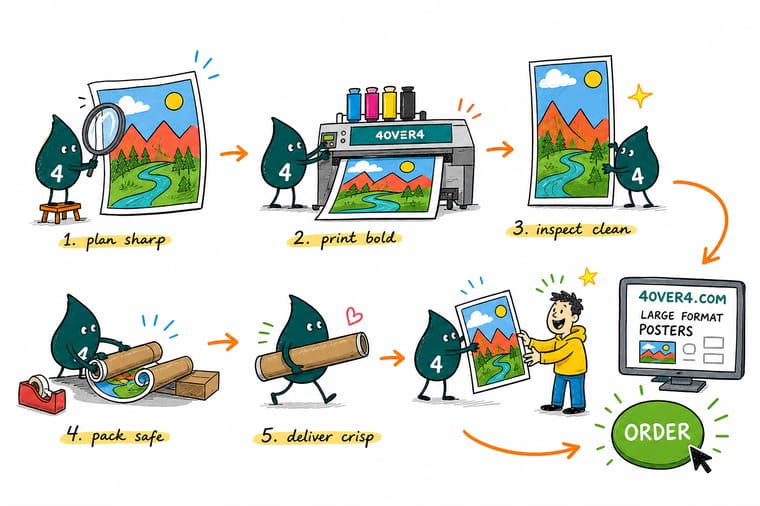
Wally picks the poster size by how far away people stand, then locks 150 DPI across the whole sheet so it stays crisp from across the room. Bleed runs past the edge, headlines sit inside the margin, and the color is set in CMYK. Choose paper, mounted, or framed, export one flattened PDF, and 4OVER4 prints it large and sharp.
Print your large poster →Quick reference
The large poster file setup, at a glance
Every large poster comes down to the same handful of settings. Match these and your artwork is ready for the wide-format press.
| Setting | Get it to | Why it matters |
|---|---|---|
| Common sizes | 18x24, 24x36, 27x40, 40x60 in | Match the size to how far away people will read it, from a hallway to a trade-show booth. |
| Resolution | 150 DPI at final size | Large posters are viewed at a distance, so 150 DPI at full size stays sharp while keeping files manageable. |
| Close-up work | 300 DPI at final size | For posters read up close, like a menu board or fine art print, hold to 300 DPI for crisp detail. |
| Bleed | 0.125 in past every edge | Backgrounds that reach the edge run past the trim so no white border appears after cutting. |
| Safe margin | 0.25 in inside the trim | Keep headlines and logos well clear of the edge, since a large sheet leaves more room for cut drift. |
| Color mode | CMYK | Large-format presses print with process ink, so convert from RGB and check bright blues and greens. |
| Finish or mount | Paper, mounted, or framed | Choose loose paper for value, foam-core mounting for rigidity, or a frame for lasting display. |
| File format | Flattened PDF (PDF/X-1a) | A single self-contained PDF at full or scaled size prints predictably every time. |
Step by step
Print a large poster in 7 steps
- Choose the size for the space Pick the finished dimensions based on viewing distance: 18 by 24 for close reading, 24 by 36 for a standard wall poster, and 27 by 40 or 40 by 60 to dominate a large room or booth.
- Set the document at full size or a clean fraction Build at the final dimensions when your software allows, or work at half or quarter scale and note the ratio, then export at full size so nothing has to be guessed later.
- Hit the right resolution for the distance Aim for 150 DPI at the final printed size for posters read from a few feet away, and step up to 300 DPI for anything people will study up close.
- Add bleed and a generous safe margin Extend background art 0.125 inch past the trim and keep headlines and logos at least 0.25 inch inside it, since a large sheet allows a little more cutting movement.
- Work in CMYK and mind big color fields Convert to CMYK before export and check large solid areas, using a rich black for deep backgrounds so the ink lays down even across a wide sheet.
- Decide paper, mounted, or framed Choose loose paper for the most affordable option, foam-core mounting to keep the poster flat and rigid for display, or a frame for a finished, long-lasting look.
- Export a press-ready PDF and upload Flatten the artwork, export a CMYK PDF with bleed included at full or scaled size, then upload it in the configurator and set your stock and finish.
Specs and pricing
Large format poster specs and live pricing
Once your file is ready, the print decisions come down to size, paper, and finish. Here are the live specs and price-per-unit for large format posters at 4OVER4.COM, straight from the configurator.
| Quantity | Price Per Unit | Total |
|---|---|---|
| 1 | $25.00 | $25.00 |
Print it
Bring your poster to 4OVER4


See it in use
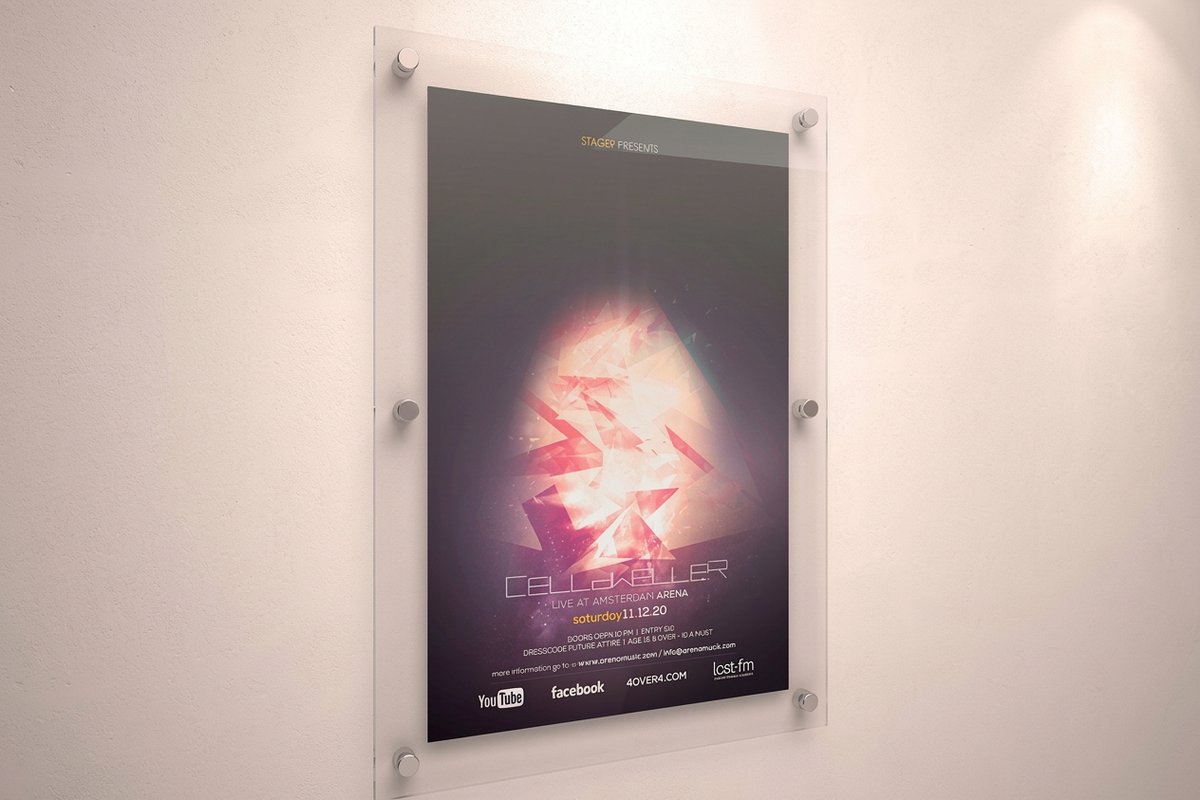
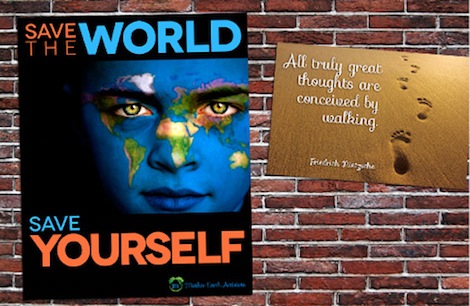
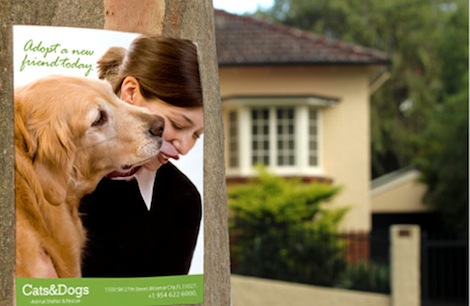
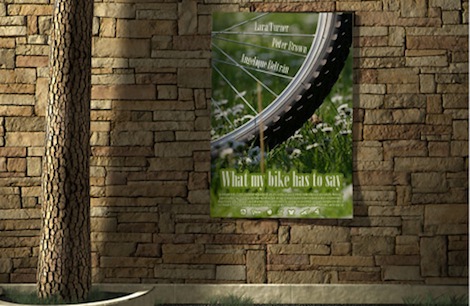
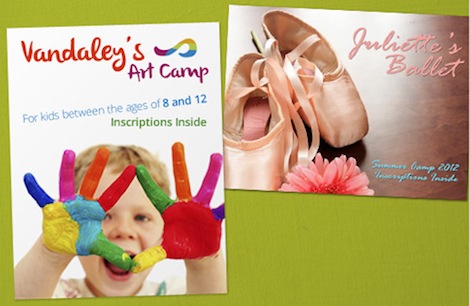
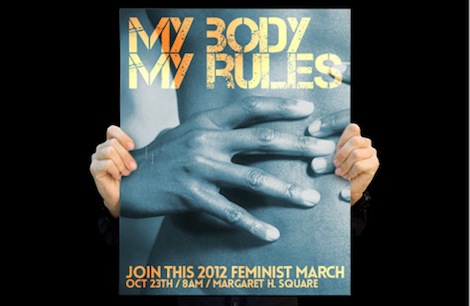
Real large-format posters, printed in-house



Explore more
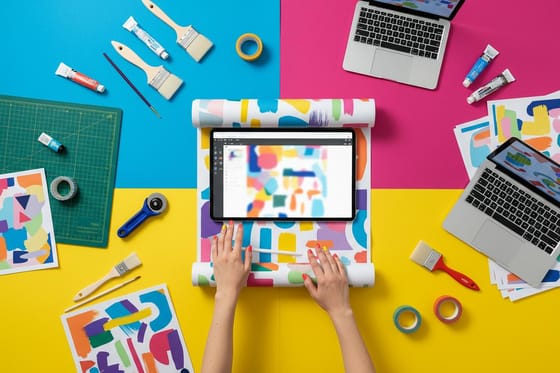
Where to go next



By the numbers
Large format printing you can count on at 4OVER4
Common Questions
Common questions about printing large posters
What is large poster printing?
Large poster printing is large-format printing that produces posters bigger than a standard sheet, typically from 18 by 24 inches up to 40 by 60 inches and beyond. It uses wide-format presses that lay ink across a much larger area than an office printer, on paper or on rigid substrates. The key difference from small printing is that resolution and color are judged at the finished size and viewing distance, so a file that looks fine small can still print sharp when it is built and exported correctly at full scale.
How do I choose the right large poster size?
Match the size to how far away people will read the poster. An 18 by 24 inch poster works well where viewers stand close, like a lobby or a retail counter. A 24 by 36 inch poster is the classic wall size, readable across a room. When you need a poster to command a space from a distance, a trade-show booth or an event backdrop, step up to 27 by 40 or 40 by 60 inches. Also weigh the wall or display area you have and any frame you plan to use, since standard sizes make framing easier.
What are the standard large poster sizes?
Five sizes cover almost every large poster job: 18 by 24 inches for a lobby or retail counter where people stand close, 24 by 36 inches as the classic wall poster read across a room, 27 by 40 inches for the cinema one-sheet and event posters seen down a corridor, 36 by 48 inches for conference boards and window displays, and 40 by 60 inches for trade-show booths and event backdrops read across an aisle. Custom dimensions are available on many products when a wall will not take a standard size, and every one of these sizes frames easily because off-the-shelf frames are cut to them.
What resolution do I need for a 24 by 36 inch poster?
Build the file at the finished size and hold 150 DPI across the whole sheet, which puts a 24 by 36 inch poster at roughly 3600 by 5400 pixels. That is the working number for a poster read from a few feet away or further. If it will be read up close, at a counter or in an elevator lobby, double it to 300 DPI, or 7200 by 10800 pixels. Vector logos and type stay sharp at any size, so the resolution rule really applies to photographs and raster artwork.
What is the largest poster you can print?
The largest standard poster size is 40 by 60 inches, and many products also take custom dimensions beyond the standard list, so the practical ceiling is set by the product you pick rather than by the press. Choose the size in the configurator and the live price and production time move with it. Past a certain span it pays to change material rather than stretch paper: a wide backdrop reads better on a rigid mounted board or a vinyl banner, both of which hang and travel better at that scale than a loose sheet.
What does large poster printing cost, and how are prices set?
Poster price scales with size, quantity, the paper or substrate you choose, and any mounting or framing. A larger sheet uses more material and press area, so a 40 by 60 costs more than an 18 by 24, while ordering more copies lowers the unit price. Mounting to foam core or adding a frame raises the price but adds rigidity and longevity. You set each option in the configurator and the total updates live as you go, so you can see exactly what a bigger size or a mounted finish does to the number before ordering.
What sizes, stocks, and finishes are available for large posters?
Standard poster sizes include 18 by 24, 24 by 36, 27 by 40, and 40 by 60 inches, with custom dimensions available for many products. Stocks range from lightweight poster paper to heavier photo and semi-gloss papers, plus rigid options like foam core and mounted boards. Finishes include matte and gloss lamination for protection and framed presentation for lasting display. The live specs and pricing panel below lists the exact sizes, papers, and finishes and shows how each choice changes the price.
How long do large posters take to print and ship?
Turnaround depends on the size, the substrate, and any mounting or framing, plus the shipping speed you pick at checkout. A loose paper poster moves quickly through production, while mounted or framed posters need extra finishing time, and very large sizes ship in protective tubes or flat packaging. Once you set your specs in the configurator you will see the available production and delivery options, so you can plan the order around the date you need the poster on the wall.
What resolution do I need for a large poster?
For most large posters, aim for about 150 DPI at the final printed size. Because these posters are viewed from several feet away, 150 DPI reads as perfectly sharp while keeping the file a manageable size, whereas forcing 300 DPI at 40 by 60 inches creates an enormous file for no visible gain. The exception is a poster people will study up close, like a detailed map or menu board, where you should hold to 300 DPI. The rule that matters most is that the resolution has to hold at the full finished size, not at a smaller export.
Should I print my poster on paper, mounted, or framed?
It depends on how long the poster needs to last and how it will be displayed. Loose paper is the lightest and most affordable choice, ideal for short-term promotions and easy shipping in a tube. Mounting to foam core keeps the poster perfectly flat and rigid, which is better for easels, presentations, and repeated handling. A frame protects the poster and gives it a finished, permanent look for offices, lobbies, and long-term display. Match the option to the lifespan and setting rather than defaulting to the cheapest.
Get Started
Ready to print a large poster that stays sharp?
Upload your press-ready PDF or start from a template, then print it at the size, paper, and finish your space calls for. Adjust every option and watch your price update live.
Legal Disclaimer
Gold Standard guarantees apply to all standard orders placed through 4over4.com. Price match requires verifiable proof of a competitor's published price for an equivalent product with matching specifications and turnaround time. Satisfaction guarantee covers manufacturing defects and print quality issues. Contact support with order number and documentation. On-time delivery rate based on tracked orders 1999 to 2026. Individual results may vary based on shipping carrier performance.
