
Web to Print Solutions That Simplify Business Ordering


Web to print puts a pre-approved version of your print in a browser, so anyone on the team can order it without a designer, a proof email or a chase for the file. Five models cover the field, and the one that fits you is decided by two things: how many people order, and how much of the artwork they are allowed to change.
Web to print models at a glance
| Model | Team size it suits | What it costs you | How ordering works | Who it is for |
|---|---|---|---|---|
| Open storefront | One or two buyers | Nothing beyond the print itself | Configure, upload a PDF, check out | Anyone ordering for a single office |
| Branded portal | Ten to a few hundred | Setup, plus someone to keep the catalog current | Logged-in catalog, fixed prices, many ship-to addresses | Multi-location and franchise teams |
| Locked template editor | Anyone who personalizes | Layout time up front, then almost none | Fixed artwork, editable name, title, phone | Business cards, name badges, signage |
| Plugin on your own shop | Your own customers | Plugin cost plus shipping rules to maintain | A print configurator inside a store you already run | Resellers and agencies |
| Direct integration | High, repeating volume | Developer time on both sides | Orders raised in your own purchasing system | Companies whose spend must run through an ERP |
Start at the top of the table and move down only when something forces you to. Most teams buying a portal are solving a version-control problem that a locked template would have fixed on its own. You can order classic business cards straight from the configurator to see how the plain storefront route behaves.
The five web to print models, and what each one is for
Almost every product marketed as web to print is one of five things, and the labels vendors use blur them together. Sorting them out first saves you from buying a portal when a bookmark would have done.
An open storefront is the simplest: public product pages, pick your size and quantity, upload artwork, pay. Nobody logs in and nothing is locked. That is what most companies actually need, and it is how you order classic business cards or anything else in our business card printing range.
A branded portal puts a logged-in catalog in front of your team: only approved items, at agreed prices, often with cost centers and a list of ship-to addresses. A locked template editor is the piece that sits inside the portal and lets a branch manager type a name into a layout they cannot otherwise touch. A plugin bolts a print configurator onto a store you already run, which matters if you resell print rather than buy it. A direct integration pushes orders from your own purchasing system into the printer, and it only pays back at real volume.
Where the storefront stops being enough
The tipping point is not headcount, it is versions. One buyer with one logo file is fine forever. The moment three branches each keep their own copy of the logo, and one of them is the old one, you are paying for a portal whether or not you have bought one.
The other trigger is shipping. If an order has to arrive at eleven addresses, a storefront makes you place eleven orders. A portal splits one order across an address book, prints it once, and ships it out separately.
What the locked editor really controls
A locked template exposes a short list of fields and freezes everything else: typeface, sizes, logo placement, colour, bleed. The person ordering fills in the fields and sees a preview. They cannot move the logo, and that is the point.
Build the fields around your worst case, not your average. A three-line name with credentials after it, a second phone number, an office address longer than the one you designed with: each of those breaks a layout that was tested on a short name. If you also want the trade-offs of doing this at home instead, our guide to printing business cards at home covers where that route stops making sense.
What gets simpler, and what gets slower
Four things get genuinely easier. Reorders become a click instead of a hunt for last year’s file. Version control stops being a conversation, because there is one approved item and no second copy. One order can ship to many addresses. And spend becomes visible per location instead of arriving as a pile of receipts at quarter end.
Two things get slower, and vendors rarely lead with them. Approval routing is the first: one approver adds about a day, three approvers can add a week, and most teams switch approvals on for everything and then complain about the delay they asked for. Turn it on where spend or compliance justifies it, and leave it off everywhere else.
The second is maintenance. A template library rots without an owner. When the catalog holds last season’s offer and nobody has updated it, people go back to emailing the designer, and the portal you paid for sits unused. Name the person who owns the templates before you sign anything.
Print on demand against one long run
On demand costs more per unit. That is not a flaw in the pricing, it is what short runs cost. What you buy back is the box of dead stock nobody wants to admit to: cards for a person who left, a flyer with the old phone number, a rate sheet from before the price change.
A workable rule: if the item carries a person’s name or changes more than once a year, print it on demand. If it is stable and you consume it by the thousand, run it long and store it. Our notes on printing cheap business cards walk through where the quantity breaks fall.
What a browser preview cannot catch
An online editor checks the things it can measure: does the text fit, is the bleed there, is the field filled. It cannot tell you that the logo somebody uploaded came off a website at 72 DPI and will print soft, because at preview size it looks fine.
Feed the portal one print-ready logo file, supplied once by whoever owns the brand, and take upload rights away from everyone else. If you want the underlying reason resolution behaves differently on paper than on screen, read image resolution in print against web.
Choosing the model that fits how your team orders
Six questions settle it, and they take about ten minutes to answer honestly. How many people place an order in a month? What do they change, if anything? Does something need approving before it prints? Does one order ship to one address or many? Does purchasing insist the order is raised in your own system? And who maintains the catalog?
Under five orderers who change nothing: a storefront and a saved cart. Personalized details but no approvals: a locked template. Many locations, agreed pricing, split shipping: a portal. Purchasing rules that will not bend: an integration, and budget for the developer time on both sides. Anything else is buying features you will not switch on.
One limit worth saying out loud. Web to print is bad at unusual work. Die cuts, odd bindery, a stock nobody stocks, a job that wants a press check: none of that belongs in a template, and forcing it there produces a reprint. Keep a direct line to a person for those, and let the portal handle the repeat items it is good at.
Pilot with one item before you build a catalog
Pick the item you reorder most, usually business cards, and run it through the process end to end for one office. You will find the field lengths that break, the approver who is always away, and the address list that was never accurate, and you will find them on one item rather than forty.
Keep the pilot cheap. Free business cards are listed at $0.00 and classic business cards start at $17.57, which is small enough that testing the process costs less than the meeting about it. Where to print business cards compares the routes if you are still deciding who prints them.
Business card pricing and specs at 4OVER4.COM
Whatever ordering system sits on top, someone still has to budget the print. The numbers below come from the live configurator for the item most teams reorder, so you can price a rollout per person rather than guessing at a portal quote.
Quantity and price
Business card pricing and specs
Real configurator numbers, where the per unit cost drops as the run grows, which is the trade every on-demand programme is making.
| Quantity | Price Per Unit | Total |
|---|---|---|
| 100 | 17.6¢ | $17.57 |
| 200 | 11.5¢ | $23.07 |
| 300 | 9.15¢ | $27.46 |
| 400 | 7.96¢ | $31.86 |
| 500 | 7.25¢ | $36.26 |
| 600 | 6.77¢ | $40.64 |
Reordering is where a system pays for itself, and it is worth checking how it handles the small stuff too. Card-size business card stickers from $10.76 are how a lot of teams patch a changed phone number without scrapping a run, and the same logic runs through business label printing for anything that gets applied rather than handed over.
What a locked template can and cannot hold
A template holds the things that should never vary: typeface, type sizes, logo file and placement, colour build, bleed and safe margin. It exposes the handful of fields that must vary per person. That split is the entire mechanism, and it works until somebody needs something the fields do not cover.
Print it
Business cards, ready to reorder
The standard sizes and stocks most teams standardize on before they build a catalog around them.
Test the layout against your longest name with credentials after it, a two-line job title, and a second phone number. Those three break more templates than anything else, and they only show up once real people start ordering. Stock is the other decision the template freezes: 14pt or 16pt cardstock is the usual choice, and 16pt is noticeably more rigid in the hand, which matters when the card is the only physical thing a client keeps. A design-led layout like artist business cards from $17.57 shows how much personality survives a fixed grid.
Choosing a setup for your kind of business
The right model depends less on company size than on how the work moves, so here is the breakdown by business type.
- Multi-location retail and franchise. The strongest case for a portal. Agreed pricing, a fixed catalog, and one order that splits across every store address rather than each manager buying their own version.
- Real estate brokerages. Agents come and go, so cards and riders are personalized and printed on demand. Lock everything except name, licence number and phone, and never keep stock.
- Clinics and healthcare groups. Approval routing earns its delay here, because a claim on a printed sheet has to be signed off. Keep the approver list to one person per item or the queue stalls.
- Agencies and print resellers. A configurator inside your own store, priced with your margin, so the client orders from you and the file reaches the press without you rekeying it.
- Trades and service companies. Vans, uniforms and yard signs move around, so the reorder matters more than the design. See cleaning services business cards for a layout built to be reordered as crews change.
Templates and print-ready blanks
You do not need a portal to get the benefit of a locked layout. Start from a template, keep it as the master file, and every reorder lands on the same grid. 4OVER4.COM sizes its blanks to exact product specs so artwork lines up with the cut lines and bleed on the first proof.
Start fast
Templates and print-ready blanks
Card layouts plus exact-size blanks with trim and bleed already marked, so the file is right before anyone orders.





Wally locks the layout and leaves three fields open
Freeze what should never move, open only what must
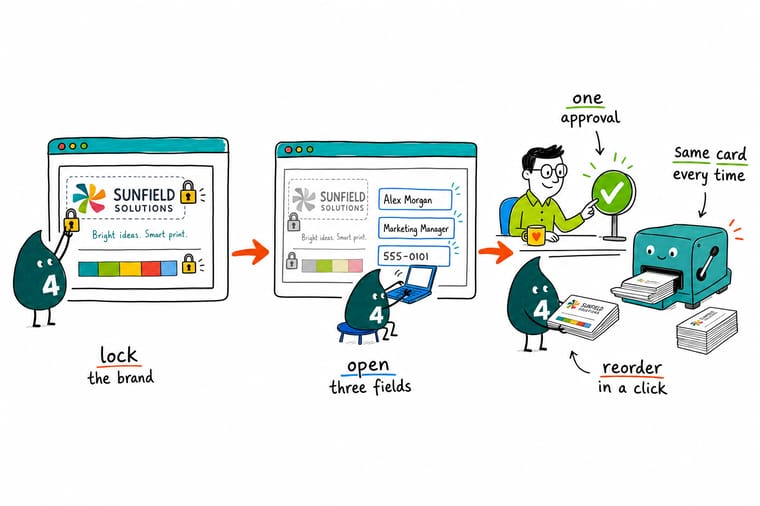
Fix the typeface, the logo placement, the colour build and the 0.125 inch bleed in the template, then expose name, title and phone as the only editable fields. Test it against your longest name with a two-line job title before anyone orders, supply one print-ready logo centrally, and 4OVER4.COM prints the reorder on 14pt or 16pt stock without a new proof round.
Order business cards →What to remember about web to print
Rules that keep a print ordering system working
- Name the template owner first. A catalog without a maintainer is out of date within two quarters, and people quietly go back to email. Decide who owns it before you choose a vendor.
- Size fields for the longest name. Test the layout with your longest name, a two-line job title and a second phone number. Short names never reveal anything.
- Approvals only where spend justifies them. Each approver adds roughly a day. Switch routing on for the items that need it and leave the rest to order straight through.
- One brand file, supplied once. Take logo upload away from the people ordering. A 72 DPI logo pulled off a website looks fine on screen and prints soft.
- Keep a human route for odd jobs. Die cuts, unusual stocks and press checks do not belong in a template. Route them to a person and keep the portal for repeat items.
Explore more
More ways to print and promote
Related products, categories and guides on 4OVER4.COM, one card each, so you can keep planning the rollout.
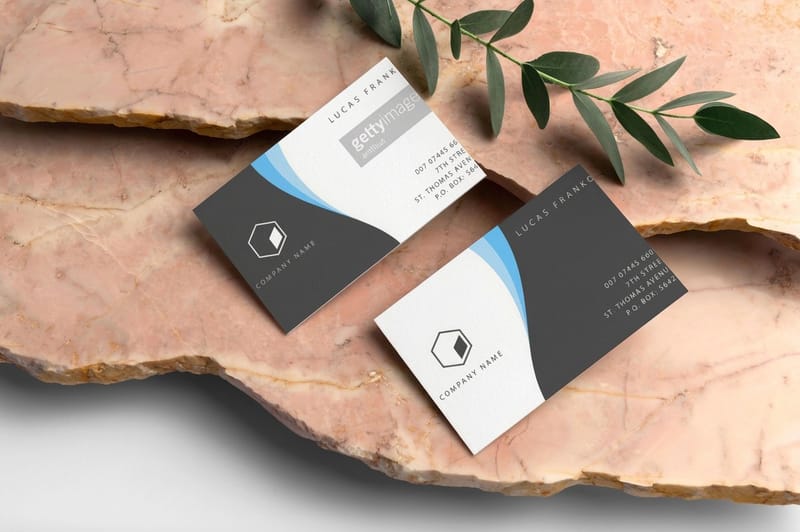 Product Classic Business Cards The item most teams reorder, from $17.57.
  Product Free Business Cards Listed at $0.00, a cheap way to pilot a reorder process.
 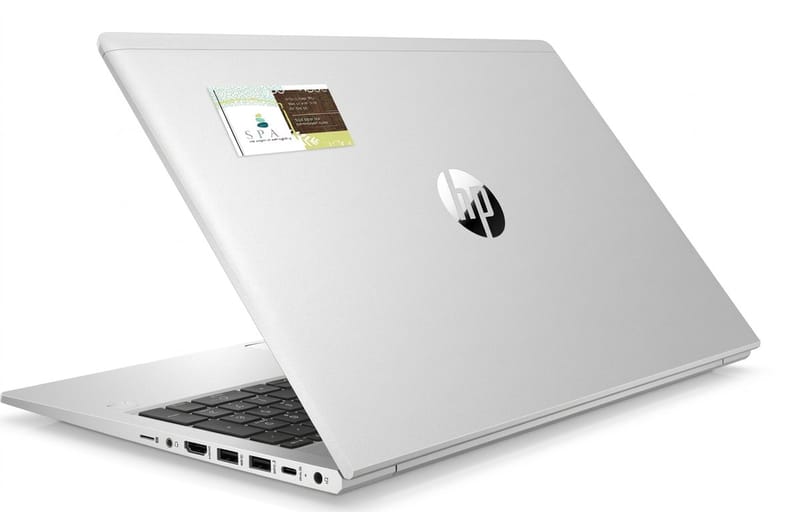 Product Business Card Stickers Card-size stickers from $10.76 for updates and add-ons. Category Business Card Printing Every stock, size and finish in one catalog.
 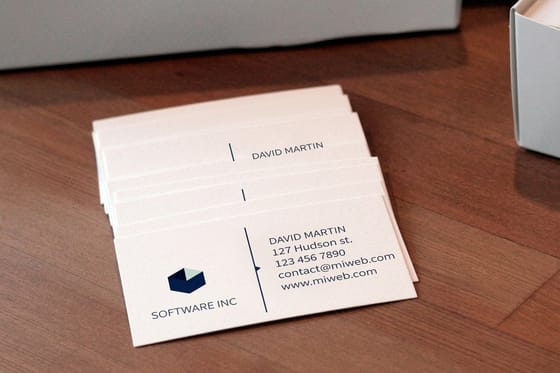 Guide How to Print Business Cards File setup to finished cards, step by step.
 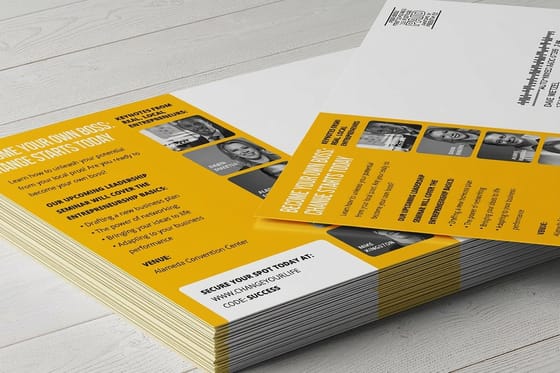 Article Print Marketing Tips What to print once the ordering is sorted.
 Ready to standardize how your team orders print?
Pick the item you reorder most, lock the layout, and 4OVER4.COM prints it sharp on premium stock as fast as your deadline needs.
Common questions about web to print
What is the difference between a web to print storefront and just ordering online?
Ordering online is one person configuring a job and uploading a file. A web to print storefront adds control: a logged-in catalog of approved items, agreed prices, locked artwork, an address book to ship against, and a record of who ordered what against which cost center. If one or two people order for a single office, the difference buys you nothing and a saved cart is faster. If several locations order the same items and each keeps its own copy of the artwork, the control is the whole point.
How do we stop staff changing the logo on their business cards?
Use a locked template that exposes only the fields a person needs, usually name, job title, phone and email, and freezes typeface, sizes, colour and logo placement. Supply one print-ready logo file centrally and remove upload rights from the people ordering. The honest limit is that a lock only holds while the template is maintained and while the fields cover real needs. If somebody genuinely needs a second phone number and there is no field for it, they will find a way around your process rather than go without.
Do we actually need an approval workflow?
Usually less than you think. Each approver in the chain adds roughly a day to every order, and teams that switch routing on for the whole catalog end up complaining about the delay they created. Use approvals where the spend is large enough to matter or where a claim on the printed piece has to be signed off, such as clinical or regulated copy. For a reorder of business cards on an already approved layout, there is nothing left to approve, so let it go straight through.
Is print on demand more expensive than ordering one big run?
Per unit, yes, because short runs cost more to set up and produce. Over a year it is often cheaper, because a long run of anything carrying a person’s name or a current offer ends up part-used in a cupboard when the person changes role or the price changes. A practical split is to print anything personal or time-bound on demand, and to run long only on stable items you consume by the thousand. Business cards at 4OVER4.COM start at $17.57, which keeps short reorders affordable.
What file do we upload if the design already exists?
A print-ready PDF in CMYK, with 0.125 inch bleed on every side, images at 300 DPI at final size, and fonts embedded or outlined. Keep text a safe distance inside the trim so nothing is cut close. The single most common failure is a logo pulled off a website at screen resolution: it looks correct in an online preview and prints soft, because the preview is rendered at a fraction of the printed size. Ask whoever owns the brand for the original vector file and use that instead.
More frequently asked questions →
Keep reading: print marketing campaigns for local business, 20 places to leave print flyers, and 30 small business quotes worth printing.
