4OVER4 Tools
Print Sizes and Standards
BetaTwelve free tools covering every size and standard we print to. Each one draws the piece with its bleed and safe zone, gives you the dimensions in inches, millimetres and pixels, and links to the product that prints it and the free blank template that is already set up.

I measure twice so you only print once. My tape measure is my best friend.
BetaThis is in beta, so some things may not work yet. We’d love your feedback.Send feedback
14 free sizes & standards tools

Business Card Size
Standard, square, round, oval and rounded-corner cards, with the bleed and safe zone drawn on each.
Covers 16 formats from 1.5 x 3.5 in slim to a 6 in round card
Leads to Standard Business Cards

Envelope Sizes
The envelopes 4OVER4 prints, matched to whatever you are mailing.
Covers 24 envelopes from #6 1/4 to 13 x 10 in booklet
Leads to Printed Envelopes

Poster Sizes
Every poster size we print, from 8 x 10 in mounted to 48 x 96 in large format, drawn to scale.
Covers 13 sizes from 8 x 10 in mounted to 48 x 96 in
Leads to Standard Posters
Postcard Size
Every postcard size, and the USPS rule that decides what it costs to mail.
Covers 14 sizes from 2.5 x 2.5 in to 6 x 11 in
Leads to Standard Postcards

Flyer Size
Letter, half, quarter, 4x6, 5x7, legal and tabloid flyers with the right bleed on each.
Covers 9 sizes from 4.25 x 5.5 in to 11 x 25.5 in
Leads to Standard Flyers

Sticker Sizes
Every sticker and label size, with the cut line, bleed and safe area drawn.
Covers 35 sizes across die cut, circle, oval and bumper
Leads to Die-Cut Stickers

Banner Sizes
Vinyl banner sizes to scale, plus the letter height that makes them readable.
Covers 10 sizes from 12 x 24 in indoor to 4 x 12 ft vinyl
Leads to Vinyl Banners

Retractable Banner Size
Roll-up stand sizes with the printed area and the hidden area both marked.
Covers 9 stands from an 8.25 x 12 in mini to 47 x 79 in
Leads to Retractable Banner Stands

Yard Sign Sizes
Yard sign sizes to scale, with the drive-by readability check.
Covers 4 sizes: 12 x 18, 12 x 24, 18 x 24 and 24 x 18 in
Leads to Yard Signs
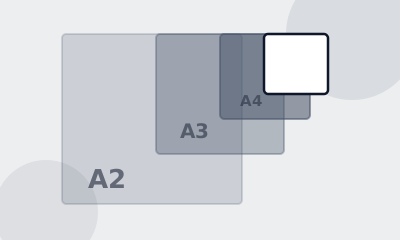
Paper Sizes
ISO A, B and C series and the North American sizes, in inches, mm and pixels.
Covers ISO A, B and C plus the North American sizes
Leads to Standard Flyers

Brochure Sizes
Brochure sizes and the exact panel widths for every fold, including the narrow fold-in panel.
Covers 6 sheets and 7 folds, with exact panel widths
Leads to Folded Brochures

Rack Card Size
Rack cards, menus, door hangers and table tents, with the sizes and the dies.
Covers rack cards, menus, door hangers and table tents
Leads to Standard Rack Cards
Door Hanger Sizes
Every door hanger size, with the hanger hole drawn where it really lands.
Covers four door hanger sizes from the configurator
Leads to Door Hangers
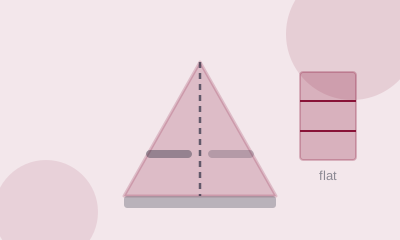
Table Tent Sizes
The flat size and the score positions, so both faces land the right way up.
Covers the flat table tent size and its two scores
Leads to Table Tents
Common questions
What is the standard size for my print job?
Each tool here answers that for one product, drawn to scale, with the document size, the bleed and the safe area from the 4OVER4 configurator.
Why is the document size bigger than the finished size?
Because of bleed. Artwork has to run past the trim so a cut that lands a hair off still finds ink instead of white paper.
Do these sizes match what 4OVER4 prints?
Yes. Every size is read from the product configurator, so nothing here describes a product or a size we do not print.
What resolution do I need?
300 DPI at the finished size for anything read in the hand, and 150 DPI for posters, signs and banners read from a distance.
Why a size chart is not enough
Knowing that a business card is 3.5 x 2 inches does not get a file to press. The document has to be 3.75 x 2.25 inches, because of bleed. The text has to stop 0.125 inches inside the trim, because of the blade. The file has to be 1125 x 675 pixels, because of the resolution. Three numbers, and a chart gives you one of them.
Every tool here gives you all of them, draws the piece so you can see what they mean, and sends you to the free blank template we already publish for that product.
What bleed, trim and safe actually mean
Trim is where the blade cuts. Bleed is the artwork you extend past that line so a cut that lands a hair off still finds ink instead of white paper. Safe is the margin inside the trim where nothing important may sit, for the same reason in the other direction.
Small-format work uses 0.125 inches of bleed and a 0.125 inch safe margin. Large format uses 0.25 inches of bleed, and on a hemmed banner the safe margin jumps to 2 inches, because the hem folds the edge over and the grommets punch through it.
Resolution follows viewing distance, not habit
300 DPI is right for anything read in the hand: cards, postcards, flyers, brochures, rack cards, stickers. 150 DPI is right for posters, signs and banners, which are read from feet away. A 24 x 36 inch poster at 300 DPI is a 7200 x 10800 pixel file and nobody will ever see the difference.
The number that matters is DPI at the finished size. A 4000 pixel image is 300 DPI on a postcard and 50 DPI on a banner.
Print it with us
Every one of these tools ends at a real product. Standard Business Cards are printed to the specifications these tools give you.