
Printing 101, the Industry Knowledge Base


Marcus is our print marketing voice, built from the knowledge of our production team, with over 20 years in printing.
From the press that lays down the ink to the paper it prints on and the file that starts it all, here is the whole field explained simply, so you can order any printed piece with confidence.
Printing 101 is the short course on how a printed piece is made: a design file is set to CMYK color at 300 DPI with bleed, then printed by offset for large runs or digital for small ones, on a paper stock chosen for weight and finish, before it is coated, cut, and shipped. Learn those five stages, processes, materials, finishing, color, and prepress, and you can order any print job well.
The short version
Setup, plates, press, finishing
Printing turns a design file into ink or toner on a material, then trims, coats, and ships it. Offset printing is cheapest for large runs and digital is best for small ones. Files should be built in CMYK at 300 DPI with bleed, then proofed before the full run. Paper weight sets sturdiness, finish sets the look, and touches like coating and foil set a piece apart. 4OVER4.COM handles all of it in-house, with 60+ paper stocks across its 1,000+ products.
What print production really is

Every printed piece you have ever held, a menu, an event ticket, a shipping label, a full-color flyer, went through the same rough journey. A design file becomes ink or toner on a chosen material, then gets trimmed, coated, and shipped. Printing 101 is simply understanding that journey well enough to make smart calls at each step.
You do not need to run a press to benefit from the basics. Knowing why 300 DPI matters, why your screen colors look brighter than the printed result, and why 500 flyers cost far less per piece than 50 will save you money and prevent reprints. This page walks the whole field, then points you to the closest 4OVER4.COM product when you are ready to order.
Think of it as a map. The sections below cover how printing works, what it prints on, how it is finished, how color is controlled, and how files are prepared. If you would rather jump straight into a project, our guide library has step-by-step walkthroughs for almost every product we make.
The main printing processes, explained

There is no single thing called "printing." There are several processes, each suited to different jobs, and the one your order uses depends mostly on quantity, material, and how fast you need it.
- Offset lithography transfers ink from a plate to a rubber blanket to paper. It is the method for large runs of cards, brochures and booklets because the per-piece cost drops sharply as volume climbs. Our offset printing explainer unpacks why it is called four-color process.
- Digital printing skips plates and prints straight from the file, which makes short runs, quick reprints, and personalized pieces affordable.
- Screen printing pushes ink through a mesh stencil, one color at a time, and shines on fabric and specialty surfaces. See how screen printing works.
- DTF and transfer methods put full-color art onto garments and odd shapes with no minimums. Our direct-to-film guide shows where it fits.
For a wider tour, the article on the different types of printing lines up offset, digital, screen, and more so you can see the tradeoffs at a glance.
The equipment behind a finished print job
A print shop is a chain of machines, and a rough picture of the lineup explains both lead times and pricing. It begins with a RIP, a raster image processor that turns your PDF into instructions the press understands, handling color separation and imposition, which is the craft of arranging many small pieces onto one large sheet to cut waste.
From there the sheet meets a press, either an offset unit with plates and ink rollers or a digital engine with toner or inkjet heads. After printing, it moves to the bindery: guillotine cutters trim to size, folders crease brochures, and laminators, die-cutters, and scoring machines add the finishing work.
You will never touch this hardware, but it is why turnaround has a floor. A rush is possible, yet plates, drying, coating, and cutting each take real time. Our note on printing turnaround times and order tracking explains what happens between checkout and your doorstep.
Paper, stocks, and the material your print lives on

Material is where a print job gets its feel. Across its whole catalog, 4OVER4.COM prints on 60+ paper stocks alone, from lightweight text sheets to rigid cover cardstock, plus vinyl, fabric, magnet, and rigid substrates for signage.
Two numbers describe most papers: weight and finish. Weight, measured in pounds or GSM, is thickness and sturdiness. A takeaway flyer can ride on lighter text stock, while a business card wants heavy cover stock. Our paper weight guide and the deeper paper stocks and materials guide help you choose without guessing.
Finish is the surface. Matte reads soft and writable. Gloss makes color pop. The matte vs gloss comparison shows how the same design changes on each. If you are unsure, order free paper samples and feel the difference before you commit, or read the article on the best paper for printing, which weighs seven common stocks.
Finishing: coatings, foil, and the final shape

Finishing is everything that happens after the ink dries, and it is often what separates an ordinary print from a memorable one.
Coatings protect and change the look. A water-based aqueous coating guards against smudging, while a thicker UV coating adds a high-gloss shine that makes colors jump. For a soft, tactile surface, laminates and soft-touch films feel premium in hand.
Special finishes add craft. Foil stamping presses metallic accents into the sheet, and die-cutting trims a piece into any custom shape, while folding and scoring turn a flat sheet into a brochure or folder.
Not every job needs the works. A simple gloss keeps a flyer vivid and cheap, while a wedding invitation might earn foil on a heavy uncoated stock. Match the finish to the moment, and to the budget.
Color management: why the print looks different from your screen
The most common surprise in printing is color. Your monitor glows in RGB, made of red, green, and blue light, while a press lays down CMYK, made of cyan, magenta, yellow, and black ink. Some bright screen colors simply cannot be reproduced with ink, so they shift toward their nearest printable neighbor.
The fix is to design in the right space from the start. Our CMYK vs RGB guide explains when each mode belongs, and the Pantone to CMYK conversion guide shows how to translate a brand color safely.
When a color has to land exactly, a logo blue your customers recognize, spot color printing uses a pre-mixed ink instead of a four-color blend. It costs a little more and hits the color every time. Consistency at this level is why 4OVER4.COM builds to a controlled color standard on every run.
Prepress and quality control: getting the file press-ready
Prepress is the quiet stage where files are checked and corrected before anything prints. Skip it and you risk white edges, blurry photos, or clipped text. Get it right and the press runs clean.
Three ideas cover most of it. Bleed extends artwork past the trim line so no white slivers appear after cutting, which our bleed and trim guide walks through. Resolution keeps images sharp, and 300 DPI at final size is the standard, as the print resolution guide and image resolution guide lay out.
The last piece is proofing: reviewing a digital or physical proof so you catch typos and color surprises before the full run commits. A few minutes here prevents an expensive reprint. If your results ever look soft or muddy, our tips on how to improve print quality walk through the usual culprits.
What printing is actually used for

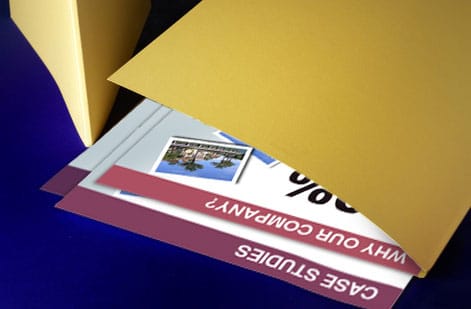
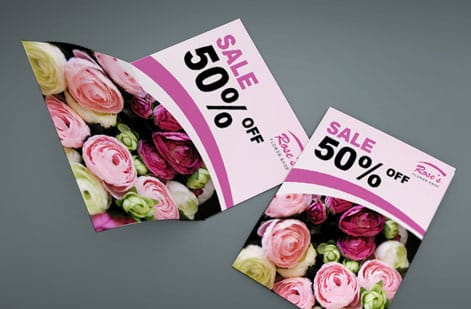
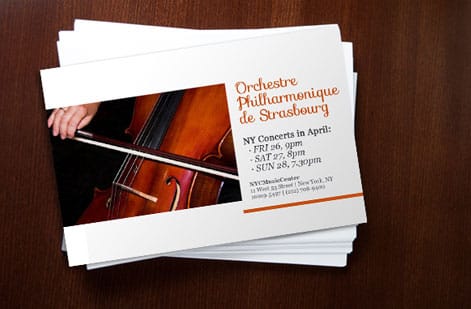
All of this theory exists to serve real jobs. Marketing leans on flyers, brochures, and postcards. A handyman flyer shows the range on one product: nine sizes from 4.25 x 5.5 in to 11 x 25.5 in, seven stocks from 70# uncoated text to 14pt gloss cover, and printing on one side or both. Business identity runs on cards, letterhead, and envelopes. Retail and events depend on signage, banners, and labels.
Flyers make a perfect teaching example because they touch every topic above: a stock choice, a finish, a CMYK file with bleed, and a size that fits the message. To see the ideas in action, our how to make flyers and how to design flyers walkthroughs cover layout and setup, while the best paper weight for flyers and the flyer size guide handle the specifics. Once the size is set, our walkthrough on making a flyer that stands out and gets results covers the headline, offer and layout.
To apply it, browse flyer printing on 60+ stocks, or explore the full marketing materials range. You can even add a scannable link with our guide to QR codes on flyers and brochures.
The modern printing industry: trends, data, and events
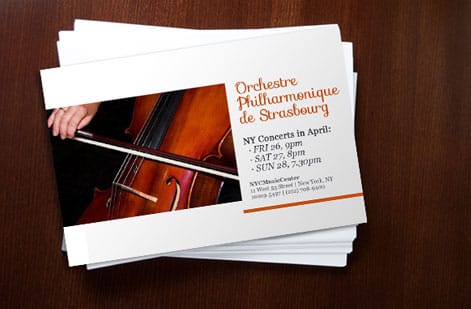
Printing is far from a fading trade. It has quietly modernized around print on demand, web-to-print ordering, and variable data that personalizes every piece in a run. On 4OVER4.COM a handyman flyer order starts at 50 pieces for $39.54 and climbs to 25,000 in the same configurator. Short digital runs and same-day options have made small orders practical for the first time.
The numbers back it up. Our printing industry market data tracks size and growth, while the print vs digital marketing comparison and the print advertising effectiveness data show why physical mail and handouts still convert.
The field also gathers in person. Trade shows like PRINTING United and drupa, along with associations such as the PRINTING United Alliance, set benchmarks like the G7 method for consistent color across shops. You do not have to attend any of them to benefit, since the quality standards they define show up quietly in your finished order.
Wally explains printing, start to finish
Learn the basics once, order with confidence forever
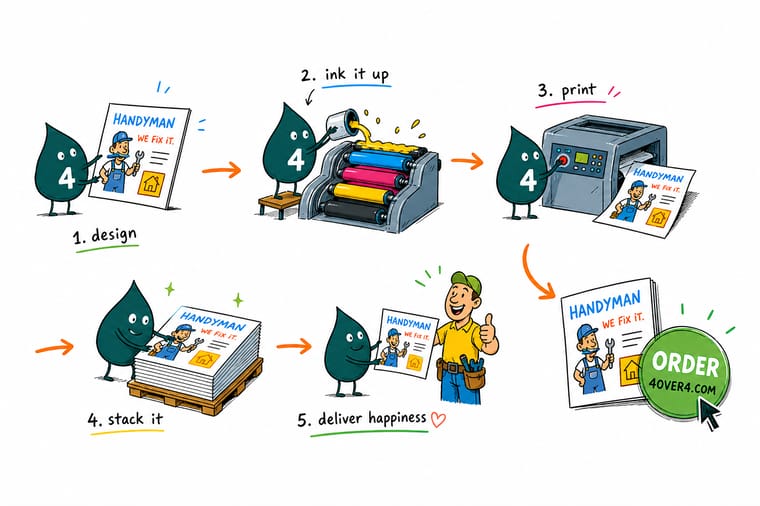
Wally likes to say a print job is a relay race: your file hands off to prepress, prepress to the press, the press to finishing, and finishing to the delivery truck. Learn what each runner does and you stop guessing, you pick the right stock, the right finish, and the right quantity the first time. When you are ready to put it into practice, 4OVER4 prints it in-house on 60+ paper stocks.
Browse flyer printing →The whole journey
How a print job flows, from file to doorstep
Every order moves through the same six stages, from a CMYK file at 300 DPI with bleed to a tracked box at your door. A handyman flyer order has a standard turnaround of 3 business days before it ships. Knowing the sequence is the fastest way to understand where time, cost, and quality come from.
Setup-heavy stages one through three are why higher quantities cost less per piece: that work is done once, then spread across the whole run.

Specs and pricing
See how a real flyer order is priced
Printing 101 clicks fastest with a live example. Handyman flyers run 50 for $39.54, which is $0.79 each, and the per-piece cost falls as the quantity climbs.

| Quantity | Price Per Unit | Total |
|---|---|---|
| 50 | 79.1¢ | $39.54 |
| 100 | 57.1¢ | $57.11 |
| 200 | 37.3¢ | $74.69 |
| 300 | 28.6¢ | $85.68 |
| 400 | 24.4¢ | $97.76 |
| 500 | 21.8¢ | $108.75 |
| 600 | 18.7¢ | $112.03 |
| 700 | 16.5¢ | $115.33 |
Print it
Popular flyer formats we print



See it in use
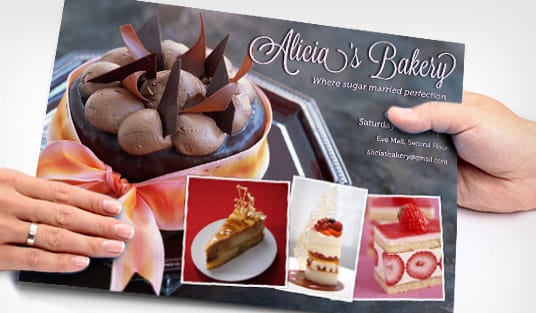
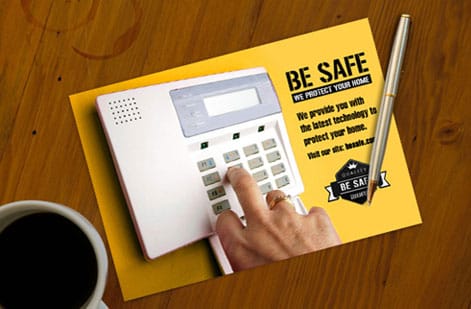
Everyday jobs from our own press floor




Explore more
Where to go next




By the numbers
Standard flyers at $0.79, staggered cut at $4.37
Common Questions
Common questions about printing basics
What does "printing 101" actually cover?
Printing 101 is a plain-language overview of how commercial printing works: the process that lays down ink or toner, the material it prints on, the coatings that protect it, the color system that keeps it accurate, and the file prep that makes it all come out right. The goal is to give you enough of the fundamentals to order with confidence, not to turn you into a press operator.
What is the difference between offset and digital printing?
Offset printing transfers ink through metal plates and a rubber blanket, which makes it very economical for large runs and excellent for precise color on cards, brochures, and booklets. Digital printing prints straight from your file with no plates, so it is faster and cheaper for short runs, quick reprints, and pieces where every copy changes. As a rough rule, higher quantities favor offset and smaller ones favor digital.
How is print pricing set, and why does the per-piece cost drop with quantity?
Most of a print job cost is setup: preparing files, making plates, and dialing in the press. That cost stays the same whether you print 50 pieces or 5,000, so spreading it across more copies lowers the price per piece. Material, size, ink coverage, finishing, and turnaround speed factor in too. This is why 500 flyers often cost only a little more than 100.
What sizes, paper stocks, and finishes can I choose from?
4OVER4.COM offers 1,000+ products on 60+ paper stocks, in sizes from small cards to large-format banners, with finishes that include matte, gloss, soft-touch, UV coating, foil, and custom die-cut shapes. The right combination depends on the project, since a mailer, a menu, and a storefront sign each call for a different stock and finish. Order free samples if you want to compare in hand before buying.
How long does printing take, from file to delivery?
Turnaround has two parts: production and shipping. Production is the time to print, coat, cut, and finish your order, and it depends on the product and the options you pick. Shipping is the transit time to your address. Many products offer fast or same-day production, and you can track an order the whole way. Building your file correctly the first time avoids delays from proof revisions.
What should I check before sending artwork to print?
Four habits prevent most problems: build the file in CMYK so colors print accurately, set images to 300 DPI at final size so nothing looks soft, add bleed so no white edges appear after trimming, and review a proof to catch typos and color surprises. A few minutes of prepress checks saves the cost and the delay of a reprint.
Get Started
Order 50 landscaping flyers from $39.54
Pick a product, choose your stock and finish, upload a print-ready file, and 4OVER4 handles the rest in-house.
Legal Disclaimer
Gold Standard guarantees apply to all standard orders placed through 4over4.com. Price match requires verifiable proof of a competitor's published price for an equivalent product with matching specifications and turnaround time. Satisfaction guarantee covers manufacturing defects and print quality issues. Contact support with order number and documentation.
