
The AI Prompt Engineering Ebook in Print, 6 Products That Sell It and Keep It Current
The AI prompt engineering ebook in print comes down to six products. A prompt guide is reference material, so the printed pieces that matter are the ones a reader keeps within reach of a keyboard. These six cover the whole path, from a card propped against a monitor to the paperback edition that sells at the back of a room.
Print the method, and keep the prompt strings behind a link you can edit. Six pieces do it: a bookmark that holds one framework beside the keyboard, a saddle stitch workbook people write in, a perfect bound edition for the chapters that stay true, a postcard carrying the QR to the live library, a business card for the handoff after a talk, and a die-cut sticker for the laptop lid.

The picks
The 6 picks, numbered and priced live
Print them in this order, cheapest and most used first. The bookmark and the workbook get read every week; the bound edition is the one to hold back until the manuscript stops changing. Prices come straight from the configurator and drop per piece as the quantity climbs.
Standard bookmarks from $16.48 for 50
A prompt framework is used at a keyboard, not read in an armchair. The starting price buys the 2 by 6 in size; the 2 by 8 in card stands taller against the monitor for one structure plus five checks.
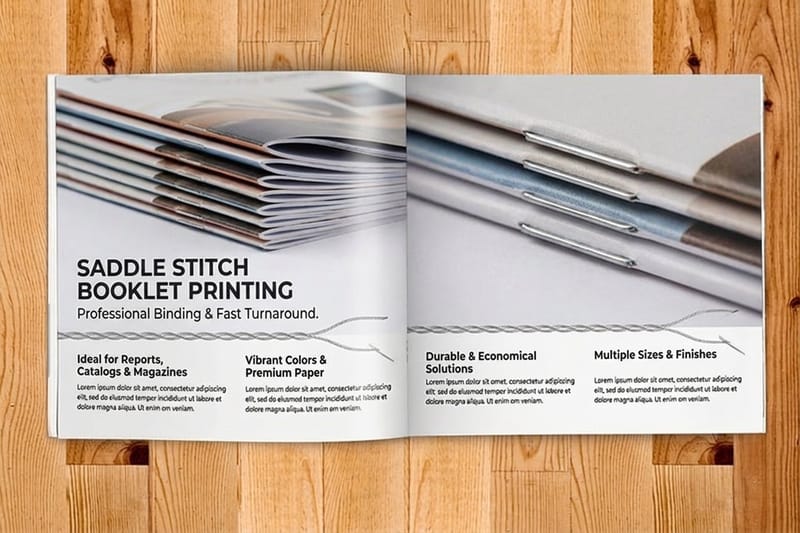
Saddle stitch booklets from $240.55 for 25
The workbook people write in during a session. Stapled, 8 to 60 pages, and cheap enough to reprint when the tooling moves under you.
Perfect bound book from $375.05 for 10
The paperback edition with a printable spine, for the chapters that are method rather than model. It sells at the back of a room where a PDF cannot.
Standard postcards from $16.48 for 50
Goes in the box with every printed order carrying a QR to the live prompt library, and doubles as the mailer to buyers whose address you already hold.
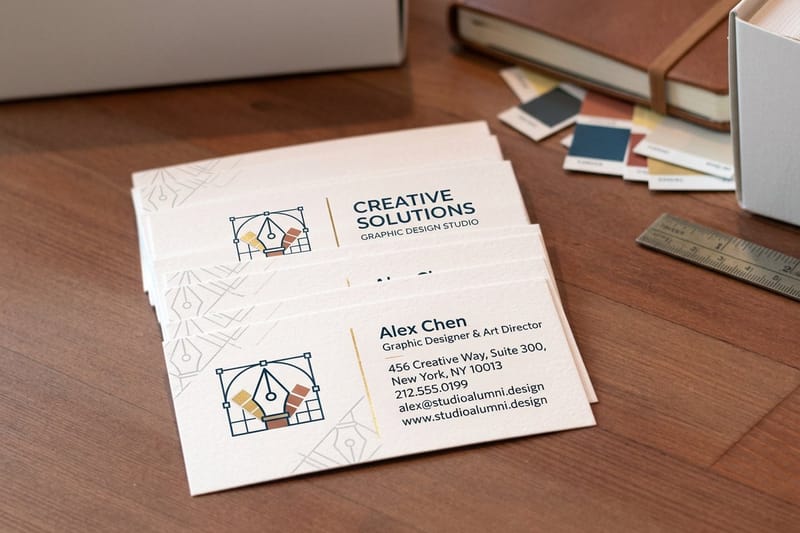
Classic business cards from $17.57 for 100
The handoff after a workshop question. A blank back with one code beats spelling a domain name out loud over a room of laptops.
Die-cut stickers from $93.37 for 25
Cut to the outline of your mark, for the laptop lids and cases of your readers. Swag, not teaching.
Before you send a file
Split the manuscript before you print any of it
This is the decision that determines whether the printed edition is still useful in a year, and it takes an afternoon.
Go through the manuscript with two highlighters. One color for what will still be true when the tooling has moved twice: the way you decompose a task, the checks that catch a confident wrong answer, the worked examples where the reasoning matters more than the wording. The other color for anything naming a model, quoting an exact string, or showing an interface. The first color goes on paper. The second goes on a page at a short URL you own.
Then print one QR code on every piece in the kit, pointing at that URL. Not at a raw file link, not at a marketplace listing, at a path on your own domain that redirects. A printed run has no edit button, and the day a model name in chapter four stops existing is the day a book with the strings printed in it becomes a support problem. With the redirect in place you change one page and every copy already sold catches up.
Give the bookmark, the postcard and the sticker separate paths that end at the same page, then compare the scan counts to see which piece produced readers. The complete guide to QR codes covers error correction and the minimum size that still scans first try.
What each piece does
The six pieces and what each one holds
Each piece carries a different part of the ebook and lives in a different place. Read the row, tap the piece to jump to its section, and start with whichever part of your material is currently trapped in a PDF.
| Piece | What it holds | Where it lives |
|---|---|---|
| Bookmarks | One framework and the checks that catch a bad answer | Propped against a monitor, or inside the printed edition as the index card |
| Saddle stitch booklets | The exercises, with room to write the output in | A workshop table, a cohort onboarding pack, a paid course |
| Perfect bound book | The method chapters, the ones still true next year | A shelf, a back-of-room table, a review copy in the mail |
| Standard postcards | A QR to the current prompt library and the update list | Inside every shipped order, and in the mailbox of past buyers |
| Classic business cards | Your name and one scannable link, nothing else | A pocket after a talk, a conference table, a coworking desk |
| Die-cut stickers | Your mark, and nothing that needs reading | A laptop lid, a hard case, a whiteboard frame |
1. Bookmarks: the prompt card that lives beside the keyboard
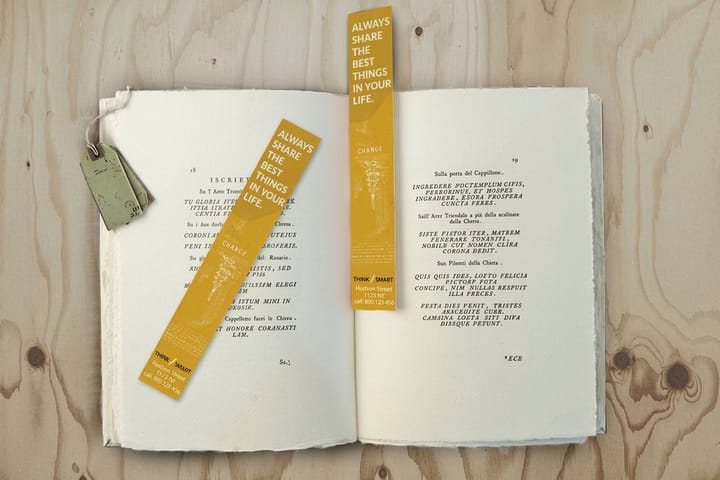
A prompt engineering ebook gets opened while something is half written: the reader looks for the structure and goes back to typing. That is why standard bookmarks from $16.48 for 50 are the first thing to print.
Size decides what fits. Bookmarks print at 2 by 6 in or 2 by 8 in, plus a custom size, and the extra two inches on the taller size is the difference between one framework with room to breathe and a card nobody can read at desk distance. Put the structure on the front, in a size that survives being propped against a monitor, and use the back for the five checks that catch a bad output before it gets pasted into a document. Resist the urge to squeeze twelve prompts on. A card that has to be picked up and held close has lost to the screen already. Our bookmark sizes guide has the trim, bleed and safe margin figures, and how to design a bookmark covers the layout side.
Here is the finishing trade-off, and it is a real fork. High Gloss UV coating gives the card a shine that makes it feel like a product rather than a handout. It also kills any chance of writing on it. Ballpoint skates, pencil will not take, and only a permanent marker holds. If the point of the card is that a reader adds their own two prompts to the back, order it uncoated and accept that it will look tired by spring.
Bookmarks also earn their place inside the printed edition. Tuck one into every copy of the book or the workbook, print the QR for the live prompt library on it, and the card becomes both the index and the piece that survives after the book goes on a shelf.
2. Saddle stitch booklets: the workbook that gets written in

A prompt engineering ebook teaches a skill, and skills are learned by trying, failing and comparing. That needs paper with space on it. A saddle stitch booklet is the exercise book for a workshop, a cohort, or the onboarding pack you send with a paid course.
Two specs govern the format. Saddle stitch folds sheets and staples through the spine, so every sheet carries four pages and the total page count must land on a multiple of four. Plan an 8, 12, 16, 24 or 32 page piece; a 30 page manuscript becomes 32 with two pages of notes, not a special order. The second spec is the ceiling: the configurator stops at 60 pages, and past that the book needs a glued spine. The page counts and creep guide explains why thicker booklets also need the inner pages nudged inward before trimming, and what a saddle stitched booklet is covers the format end to end.
Print this one, not the book, when your material is still moving. A short stapled run costs less than a perfect bound run at small counts, so a revision after every cohort is an ordinary expense rather than a decision. Anything model specific goes in as a QR code and a short URL, never as a screenshot, because a screenshot of an interface is the fastest way to date a page.
The honest limit: a stapled booklet will not lie flat on a desk while someone types. It springs shut at the page they were on. If the piece is meant to sit open next to a laptop for an hour, a spiral coil book from $423.28 for 10 does that and a saddle stitch never will. Choose staples for the run of 200 you hand out, coil for the deluxe copy you sell.
3. Perfect bound book: the edition with a spine on it

At some point the ebook wants to exist as a paperback, and that means a glued flat spine. Perfect bound book printing trims the page block, glues it to a wrap-around cover, and gives you a spine you can print a title on, which is the whole reason the format matters. A book with a printed spine can sit on a shelf and still be found. A stapled booklet on the same shelf is invisible.
The format has a floor and a ceiling. The configurator starts at 40 inside pages, enough paper for the glue to hold a square spine, and runs to 300. Between 40 and 60 pages both bindings are available and the choice is about what the piece is for: staples for something disposable and cheap to revise, glue for something someone paid for. Our guide on what perfect bound printing is walks the process, and the binding types guide compares it against coil and wire-o.
Lock the interior before you pay $375.05 for the first ten bound copies. Spine width follows the page count and the interior stock, 40 inside pages on 100# gloss text as the starting spec here, so the cover artwork waits until the interior is final. Add a chapter after the cover is drawn and the title creeps off the spine and onto the front. Set the interior first, get the spine measurement, then draw the cover. How to print a book online covers the file setup in order.
This is also the piece to hold back the longest. It is the most expensive of the six and the one that dates worst, so it should carry the method chapters, the failure modes and the worked examples, and leave the current prompt library to a URL. Print a version number on the spine. It costs nothing and it means the second edition looks like progress rather than a reprint.
4. Postcards: the update link that ships in the box
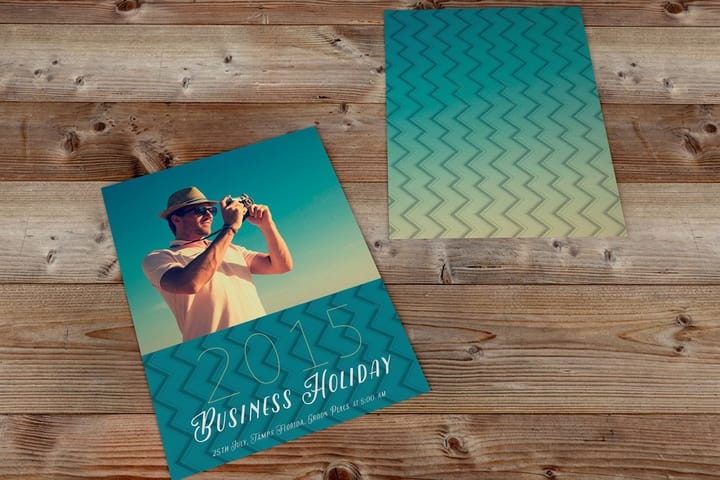
A printed book about a moving subject needs a route back to the current version, and a standard postcard from $16.48 for 50 is the cheapest one. Drop a card in with every physical order: a QR to the live prompt library on one side, one sentence explaining that the list gets updated and the book does not.
Standard postcards come in 14 sizes from 2.5 by 2.5 to 6 by 11 inches, so a pack-in card can match the book's trim. If you are mailing rather than packing, keep the code, the offer and the artwork on the design side and leave the address panel and the barcode clear zone alone, or a sorting machine prints straight across your QR. Adding a QR code to postcards shows exactly where the code can sit.
The mailing use is narrow. Cold direct mail to a rented list does not pay for a digital product at ebook prices; the postage alone outruns the margin. Where it does work is past buyers whose address you already hold from a physical order, and a second edition, a workshop date or a companion workbook is a real reason to write to them. For a full mailing run rather than a pack-in card, direct mail postcards from $89.68 for 500 handle the addressing and the postal requirements as one job.
5. Classic business cards: one code instead of a spelled-out domain

After a talk, three people come up with the same question and none of them will type a domain name correctly from memory. Classic business cards from $17.57 for 100 solve exactly that, and nothing else, which is why the design should be almost empty.
Give the whole back of the card to the code and one line saying what the scan opens: the prompt library, a booking page, the next chapter. Keep the code large, dark on a plain light area, and clear of the trim and of any photograph. Our notes on QR code business cards that convert go through the layouts that hold up in print, and the complete guide to QR codes covers error correction and quiet zones.
Point the code at the prompt library through a path of its own, so you can count how many readers came from the card. If you would rather not build the layout from scratch, our design templates already respect the trim and the quiet zone.
6. Die-cut stickers: the only wall this audience owns
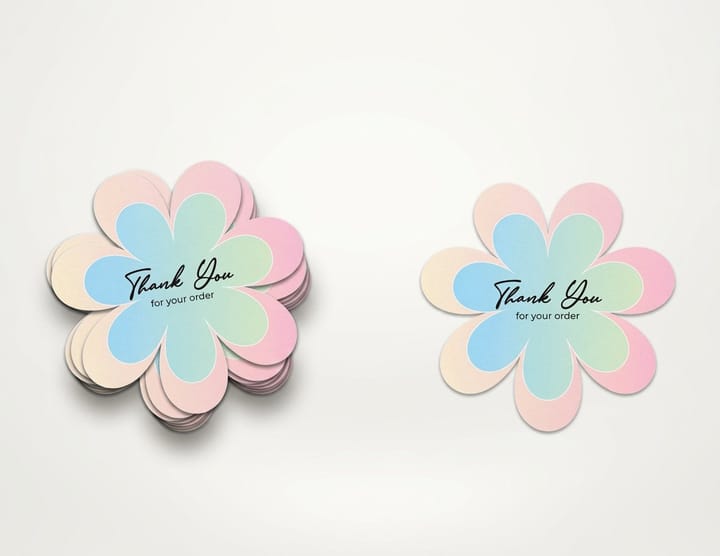
Readers of a prompt engineering ebook work on laptops, and a laptop lid is a natural place for a sticker. Die-cut stickers are cut to the outline of your mark instead of a square, which is what makes the difference between merch and a label.
Be clear about what this piece does. It cannot teach and it cannot explain; there is no room for a sentence anyone will read at laptop-lid distance. It works only on people who already know who you are, which makes it a retention piece and a conference giveaway rather than an acquisition tool. If you print a QR on it, keep it large and give it a clean border, and expect most of the value to come from the person carrying your mark into rooms you are not in. How to print QR code stickers covers the contrast and the size floor.
The cheaper option is worth naming. Circle stickers start lower, at $23.88 for 25, and the round shape gives a QR code its quiet zone for free. Print circles when the sticker is a free extra in a shipping box and volume is the point. Pay for the die cut when the sticker is the thing people asked for and has to win a spot against stickers they chose themselves.
Specs and pricing
The two bound formats, side by side
The workbook and the bound edition are the two decisions with real money attached, and page count drives both. Saddle stitch workbooks come in 5.5 by 8.5, 8.5 by 11 or 11 by 11 inches or a custom size, and perfect bound books start with 40 inside pages and a 14pt gloss cover. Here are the live specs and price ladders straight from the configurator.

| Quantity | Price Per Unit | Total |
|---|---|---|
| 25 | $9.62 | $240.55 |
| 50 | $6.04 | $302.06 |
| 100 | $3.61 | $361.37 |
| 200 | $2.22 | $444.85 |
| 300 | $1.65 | $495.38 |
| 400 | $1.29 | $515.14 |
| 500 | $1.06 | $531.61 |
| 600 | 91.5¢ | $549.19 |
| Quantity | Price Per Unit | Total |
|---|---|---|
| 10 | $37.51 | $375.05 |
| 15 | $27.86 | $417.92 |
| 20 | $23.04 | $460.78 |
| 25 | $20.15 | $503.65 |
| 30 | $18.22 | $546.51 |
| 40 | $15.54 | $621.52 |
| 50 | $14.57 | $728.68 |
| 60 | $13.93 | $835.83 |
Wally splits the book in two
Method on paper, prompt strings behind a link
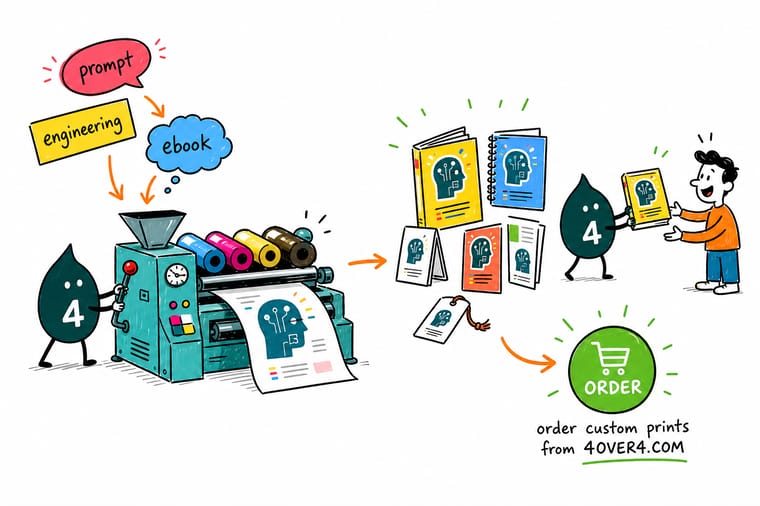
Wally printed 500 copies with the exact prompt strings set in chapter four. Four months later half of them named a model that no longer answered, and there is no edit button on a paper page. Now the frameworks and the checks go on the printed page, the strings live at one short URL he controls, and every piece in the kit carries a QR pointing at it. One edit, and 500 books are current again. Print the half that lasts, link the half that moves.
Shop the creative professionals collection →See it in use
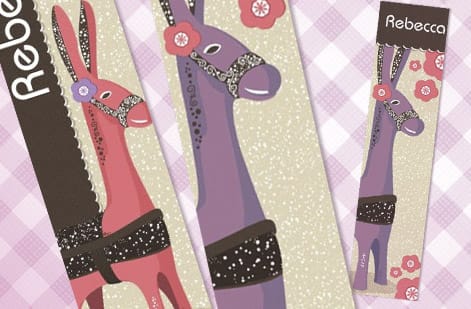
Bookmark designs printed for readers
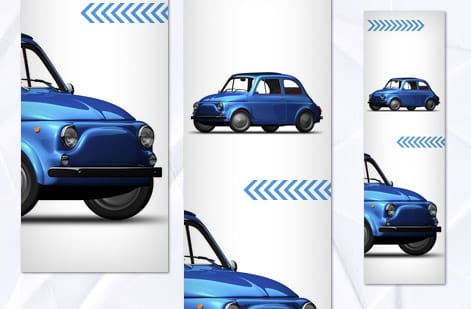
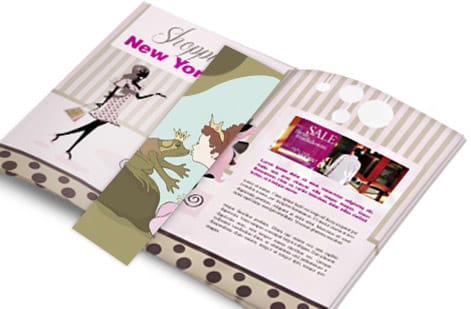
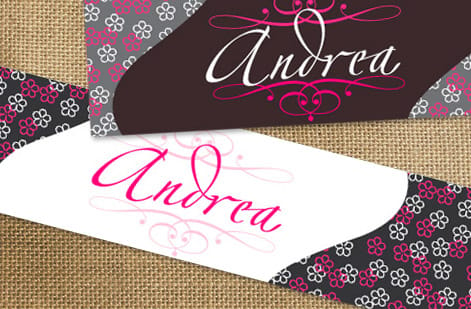
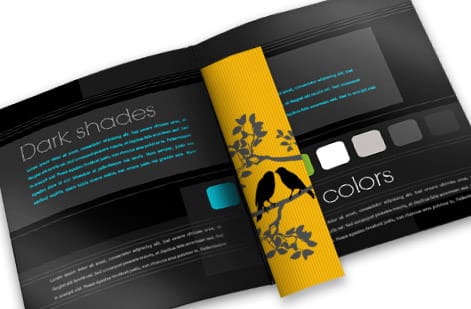
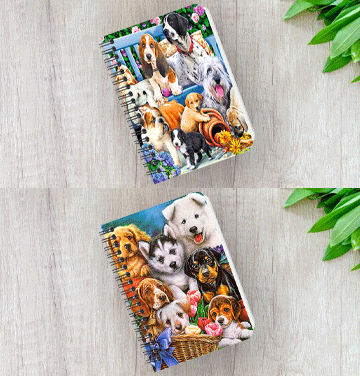
These are bookmarks printed at our plant for customers; ours run 2 by 6 or 2 by 8 inches.



Explore more
Where to go next
Read the book printing guide before you set the spine, and the booklet page count guide before you size the workbook.

By the numbers
Printing that keeps the ebook and its kit in stock
Common Questions
Common questions about printing a prompt engineering ebook
Should an AI prompt engineering ebook be printed at all?
Parts of it should. The frameworks, the checklists, the failure modes and the worked examples stay true and read better on paper, especially beside a keyboard. The prompt library itself does not: model names change, syntax shifts, and an interface screenshot is out of date the month you print it. Split the manuscript in two, print the durable half, and put the volatile half behind a short URL that a QR code on the printed piece points at. That way one edit fixes every copy already in the wild.
Saddle stitch or perfect bound for a prompt workbook?
Saddle stitch folds and staples sheets, works from 8 to 60 pages, and is cheap enough to reprint after every cohort. Perfect binding glues a flat spine and runs from 40 to 300 inside pages. Between 40 and 60 pages both are available, so decide by use: staples for the workbook people write in and you revise often, glue for the edition you sell and want on a shelf.
Why does a booklet page count have to be a multiple of four?
Because saddle stitch prints on folded sheets, and one folded sheet carries four pages: two on the front, two on the back. There is no way to add a single leaf without leaving a stub. Plan for 8, 12, 16, 24 or 32 pages and fill any gap with a notes page, a prompt log or a colophon rather than trying to order an odd count. Thicker booklets also need creep compensation, where the inner pages shift outward at the fold and get trimmed narrower.
What size bookmark holds a prompt framework?
Order 2 by 8 in when the card has to carry a structure plus checks. The 2 by 6 in size is fine for a single list, but the extra height is what lets the type stay big enough to read while propped against a monitor. One framework on the front, five checks on the back, nothing else.
Should the bookmark be coated?
Only if nobody needs to write on it. High Gloss UV coating makes the card shine and feel like part of the product, but ballpoint skates off it and pencil will not mark it at all. If part of the idea is that a reader adds their own two prompts to the back, order it uncoated and accept that it will look worn within a few months. That is a fair trade for a card that gets used.
What does the six-piece ebook print kit cost to start?
At 4OVER4.COM: bookmarks from $16.48 for 50, saddle stitch booklets from $240.55 for 25, a perfect bound book from $375.05 for 10, standard postcards from $16.48 for 50, classic business cards from $17.57 for 100, and die-cut stickers from $93.37 for 25. Every price falls per piece as the quantity climbs, and the configurator updates live as you change size, stock and finish.
When can I draw the cover for a perfect bound edition?
After the interior is locked, not before. Spine width is a function of the page count and the interior stock, so adding or cutting a chapter changes it and pushes the title off the spine onto the front. Set the interior, get the spine measurement, then build the cover as one flat piece across back, spine and front. Print a version number on the spine while you are there, so a second edition is visibly a second edition.
Is direct mail worth it for a digital ebook?
Not to a cold list. Postage on a rented mailing list outruns the margin on an ebook long before the response comes back. It works in one place, which is people who already bought something physical from you and whose address you therefore hold, and only when you have a real reason to write: a second edition, a workshop date, a companion workbook. For that audience a postcard from $16.48 for 50 packed into an order, or direct mail postcards from $89.68 for an addressed run, is the sensible spend.
Get Started
Put the durable half on paper
Print the durable half of the ebook at 4OVER4.COM, one product page at a time, and keep the volatile half behind a link you can edit.
Legal Disclaimer
Gold Standard guarantees apply to all standard orders placed through 4over4.com. Price match requires verifiable proof of a competitor's published price for an equivalent product with matching specifications and turnaround time. Satisfaction guarantee covers manufacturing defects and print quality issues. Contact support with order number and documentation.
