
How to Add a QR Code to Your Postcards


Nadia is our customer education voice, built from the knowledge of our production team, with over 20 years in printing.
Generate the code, link it to a mobile page, size it large with a clear border, keep it high contrast, then test the printed card. A code under 0.8 inches square is the single most common reason a scan fails.
To add a QR code to a postcard, generate a code that links to a mobile-friendly landing page, then place it on the card at roughly 0.8 inches or larger with a clear quiet zone and dark-on-light contrast. Keep it inside the safe print area, add a short "scan for" label, and test the printed proof before you run the full order. Use a dynamic code if you want to edit the link or track scans. Our free QR code generator makes the code for you.
Quick tips
Size, contrast and a quiet zone in one answer
Link your QR code to a fast, mobile-friendly page and keep the code at least 0.8 inches with a clear quiet zone around it. Use a dark code on a light, uncluttered background, add a short call to scan, and place it inside the safe print area away from the trim. Choose a dynamic code when you want to edit the link or track scans, and always scan the printed proof before running the full order.
Why put a QR code on your postcards
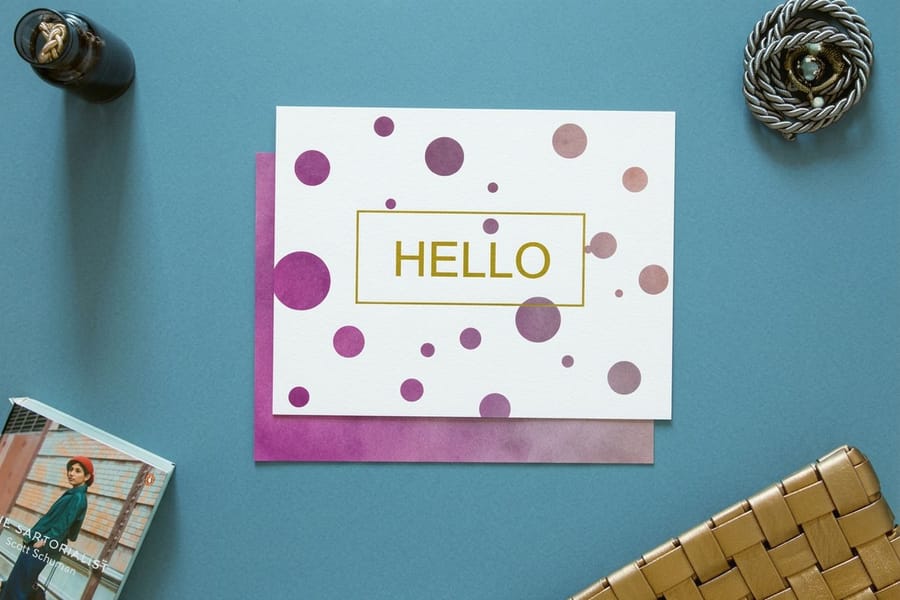
A postcard lands in someone's hand, but the sale, the booking, or the sign-up usually happens online. A QR code closes that gap. One scan carries the reader straight from the mailbox to the exact page you want them on, with no typing a long web address and no hunting for your site.
The short version of how to add one: generate the code (static if the destination will never change, dynamic if you want to edit it or count scans later), export it as vector art in solid black rather than a screenshot, then place it on the back of the card at 0.8 inches square or larger, on a flat light area, with clear space around it and one line telling people what they get for scanning. The rest of this guide walks each of those steps in the order you will hit them, then covers file setup, mailing, and tracking. The same rules hold for a code on a label, and how to print QR code stickers that scan every time covers that version.
That single bridge does three useful things. It shortens the path from interest to action, it makes a print mailing measurable, and it lets you update the offer without reprinting a thing when you use a dynamic code. For any campaign built on postcard printing, a QR code is the cheapest upgrade you can add to lift response.
It also plays to the strength of the format. Direct mail gets opened and noticed, and pairing it with a scan is one of the highest-response tactics around, as the most effective direct mail formats show. The postcard earns the attention, and the code turns that attention into a click.
How a postcard QR code actually works
A QR code is just a web address written in a pattern of squares. When a phone camera looks at it, the camera decodes the pattern back into that address and offers to open it. On a postcard, that pattern prints at 0.8 inches square or larger in solid black on the back of the card. Nothing gets installed, and on almost every modern phone the camera app reads codes with no extra download.
There are two kinds of code to know about. A static code has the destination baked into the pattern itself, so it never expires but can never be changed. A dynamic code points at a short redirect that you control, which means you can swap the destination later and count every scan. Choose static for a permanent link like your homepage, and dynamic for a campaign you may want to edit or measure.
Whichever you pick, generate the code as a crisp vector or high-resolution file so it stays sharp in print. If you are laying the card out yourself, the online designer lets you place the code and preview the whole postcard before you order.
What to link your QR code to
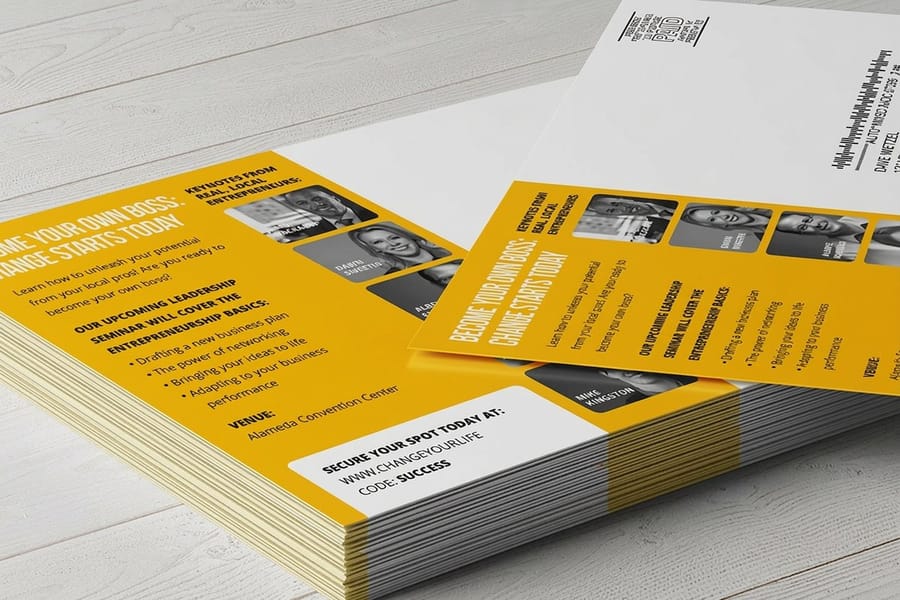
The code is only as good as the page behind it. Match the destination to the one action you want the reader to take, and send them to a page built for a phone, not a slow desktop homepage. Give each drop its own page: a run of 500 direct mail postcards points to one, and the next run to another.
- A dedicated landing page that repeats the postcard offer, so the scan feels continuous rather than confusing.
- A coupon or promo code that redeems in one tap, which gives you a clean way to attribute sales to the mailing.
- A booking or appointment form for services, so interest turns into a scheduled visit on the spot.
- A menu, catalog, or video that would never fit on a card but sells the product once they are looking.
- A review or contact page to collect feedback or save your details as a contact.
Keep the landing page short, fast, and mobile-first. The reader is standing at a mailbox or a counter, so one headline, one offer, and one button beat a wall of text every time. If you run several offers, a QR code shines because you can point different direct mail postcards at different pages without changing the print.
Designing and placing the QR code
A QR code that fails to scan is worse than no code at all, because it breaks trust. A few layout rules keep yours reliable.
- Size it generously. Aim for at least 0.8 inches (2 cm) square. Larger postcards such as oversized formats give you room to make the code bigger without crowding the design.
- Leave a quiet zone. Keep a clear margin of empty space around all four sides of the code so the scanner can find its edges.
- Hold high contrast. Use a dark code on a light background. Light-on-dark and low-contrast color pairs are the most common reason a code will not read.
- Avoid busy backgrounds. Do not drop the code over a photo, gradient, or pattern. A flat, calm area wins.
- Add a call to scan. A short label like "Scan for 20% off" tells people why the code is worth their time.
Position matters too. The back of the postcard, near your offer and contact details, is the natural home for the code. Order the card as 4/1, full color on the front and black on the back, and the code prints in the solid black it needs. If you are building a coordinated set of marketing materials, keep the code style and the call to scan consistent across every piece so the brand reads as one.
Postcard QR code size and placement rules
These are the numbers to build to, before anything goes on the page. Print the code at 0.8 inches (2 cm) square minimum, keep a quiet zone of four modules (four of the small squares in the pattern) of empty paper on every side, hold at least 30 percent contrast between the code and the stock behind it, and keep the whole code 0.25 inches inside the safe area so nothing gets clipped when the card trims. The code never crosses a fold, a score, a perforation, or the address block.
Those five rules cover almost every failed scan we see on press. A code that is a touch too small still reads on a desk under a lamp and then dies in a hallway with a phone held at arm's length, so treat 0.8 inches as the floor, not the target.
| Postcard size | Minimum QR size | Recommended QR size | Where to place it |
|---|---|---|---|
| 4 x 6 | 0.8 in | 1 in | Back of the card, lower right, beside the offer line and clear of the address panel |
| 5 x 7 | 0.8 in | 1.2 in | Back of the card, lower left, directly under the call to scan |
| 6 x 9 | 0.9 in | 1.5 in | Right third of the back panel, under the headline, 0.25 in inside the safe area |
| 6 x 11 | 1 in | 1.75 in | Center or right of the design panel, well away from the indicia and address block |
The card you order decides the rest of the spec. For a code on the back, pick a back that takes a clean black: a matte, silk or uncoated stock, or a 4/1 print with black ink only on the back.
| Postcard | Sizes | Stocks for a code on the back | Starts at | Production |
|---|---|---|---|---|
| Standard postcards | 14 sizes, 2.5 x 2.5 up to 6 x 11 in | 100# silk or matte cover, 14pt to 18pt uncoated | 50 for $16.48 | 3 business days |
| Oversized postcards | 5.5 x 8.5, 6 x 8, 6 x 9, 6 x 11 in | 100# silk or matte cover, 14pt to 18pt uncoated | 50 for $51.62 | 3 business days |
| Direct mail postcards | 9 sizes up to 6 x 11 in | 14pt or 16pt matte or silk, 14pt uncoated | 500 for $89.68 | 4 business days |
Upload a print-ready PDF with the code placed as vector art in 100 percent black, then scan the proof before you approve it.
Read the table as a floor and a preference: the minimum column is what will still scan, the recommended column is what scans on the first try. The bigger formats do not need a bigger code for technical reasons, they simply give you the room, so use it. If you would rather we print, address, and drop the run in one go, order postcards with mailing and the print and mail service runs from a single order instead of two.
File setup: printing QR codes that always scan

Export the code as vector art (EPS, SVG, or PDF) built in 100 percent black, and never scale up a rasterised PNG to fill the space, because most QR failures start in the file, not the printer. Solid 100 percent black holds a sharper edge on press than a four-color rich black, which can shift a hair and soften the modules. Set the artwork up correctly and the code reads every time.
- Use a vector or 300 dpi code. A blurry, upscaled screenshot will not resolve cleanly on paper.
- Keep it inside the safe area. Place the code well away from the trim edge and the bleed so it never gets clipped. Our bleed and trim guide shows exactly where those lines sit.
- Mind the color build. Printing pulls to CMYK, so a dark, solid code color holds contrast better than a light or pastel one.
- Watch the finish. Heavy gloss or reflective foil over a code can cause glare. Keep the code on a matte or uncoated zone of the card.
- Proof the real thing. Order a sample or scan a printed proof with more than one phone before you commit to the full run.
4OVER4.COM prints postcards on 60+ paper stocks at a high-resolution offset and digital standard, so a well-built code lands crisp on the page. When the file is right, the print will not be the weak link.
QR codes and direct mail postcards
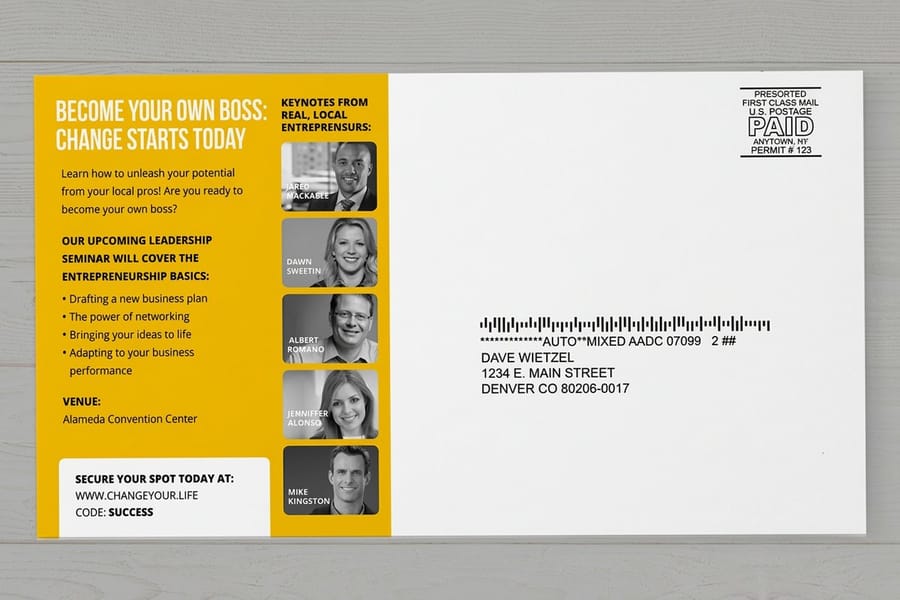
Direct mail and QR codes were made for each other. A mailed postcard gets noticed, and the code gives the recipient something to do the moment they are interested, which lifts response over a card that only lists a phone number. For more uses beyond the mailer, 15 creative QR code ideas that get scanned on printed marketing collects them, and our A to Z guide covers all QR codes, static and dynamic.
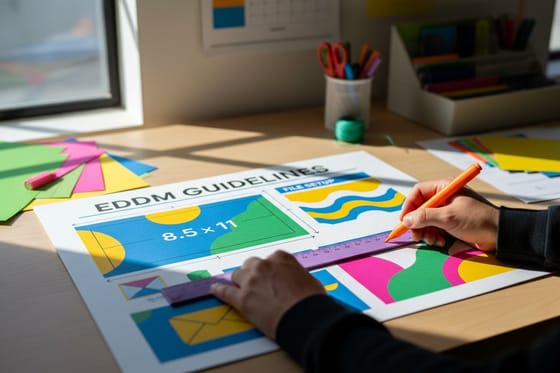
If you are running an Every Door Direct Mail campaign, follow the EDDM guidelines for size and layout, then place the QR code in the design area away from the address block and indicia. That keeps the code clear of postal markings and easy to scan.
For measurement, give each mailing its own dynamic code or its own tagged link. Send this month's direct mail postcards to one page and next month's to another, and your analytics will show which drop pulled better. The best direct mail examples almost always tie the print piece to a trackable digital step.
Tracking scans and measuring results
A dynamic code gives a print mailing numbers. It counts every scan, and adding UTM tags to the link shows those scans inside your normal analytics as a clear traffic source.
Decide what a win looks like before the postcards ship. Scan count tells you how many people engaged, but the conversion on the landing page, whether that is a purchase, a booking, or a form fill, tells you whether the campaign paid off. Compare that back to how many cards you mailed and you have a real cost per action for the channel.
Keep a few habits in mind. Use one code per campaign so the data stays clean, keep the destination page live for the whole run, and check your dashboard in the first days after the drop while scans peak.
Common QR code postcard mistakes to avoid
Seven errors account for nearly every QR postcard that fails to scan, and each one is cheaper to fix in the file than on a reprint.
Printing the code too small. Below roughly half an inch, many cameras struggle. When in doubt, go bigger.
Forgetting the quiet zone. Butting text or a border right against the code hides its edges from the scanner.
Low contrast or color-on-color. A light code, or a code over a photo, is the number one reason a scan fails.
Linking to a slow, non-mobile page. If the destination loads badly on a phone, the scan is wasted.
No call to action. A bare code gives no reason to scan. Tell people what they get.
Never testing the printed piece. On-screen success does not guarantee print success, so scan the physical card first.
Using a static code you later need to change. If the offer might move, use a dynamic code from the start. Get the print right with 4OVER4.COM and the code will carry the rest.
Wally explains QR postcards
One scan is the shortest path from mailbox to click
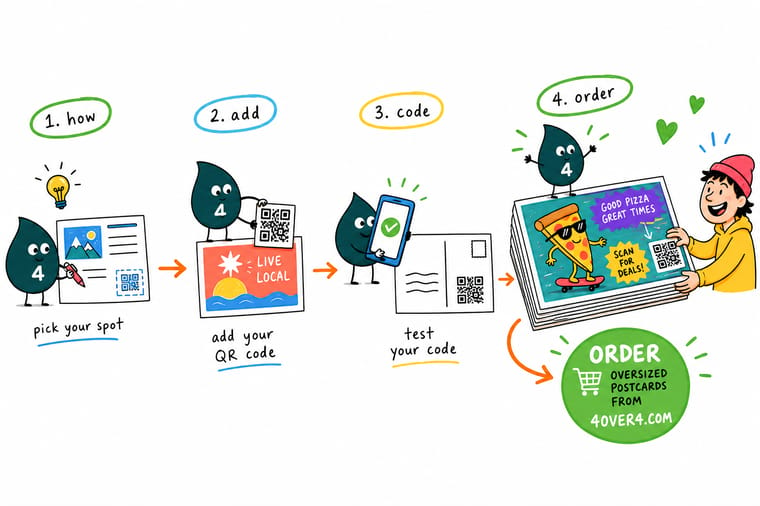
Wally treats the QR code as the postcard's handshake with a phone: keep it big, dark on light, with a clear border, and every scan lands your reader on the right page. Static codes never expire, dynamic codes let you change the link and count the scans. Get the print sharp first, and order oversized postcards with room for the code at 4OVER4.
Order oversized postcards →%22%2F%3E%3Ccircle%20cx%3D%2248%22%20cy%3D%2220%22%20r%3D%2223%22%20fill%3D%22%23334155%22%20opacity%3D%220.15%22%2F%3E%3Ccircle%20cx%3D%2254%22%20cy%3D%2227%22%20r%3D%22-3%22%20fill%3D%22%23334155%22%20opacity%3D%220.1%22%2F%3E%3Crect%20x%3D%2278%22%20y%3D%22-9%22%20width%3D%2233%22%20height%3D%2220%22%20rx%3D%224%22%20fill%3D%22%23334155%22%20opacity%3D%220.08%22%20transform%3D%22rotate(43%2080%2030)%22%2F%3E%3C%2Fsvg%3E)
Specs and pricing
Oversized postcard specs and pricing
Oversized postcards give a QR code room to stand next to your headline. Oversized postcards run 50 for $51.62, which is $1.03 each, with live specs and price-per-unit below. They come in 5.5 by 8.5, 6 by 8, 6 by 9 and 6 by 11 inches, room for the 1.5 to 1.75 inch code the size table recommends, on 14pt to 24pt stock, printed in 3 business days.
| Quantity | Price Per Unit | Total |
|---|---|---|
| 50 | $1.03 | $51.62 |
| 100 | 62.4¢ | $62.40 |
| 200 | 39.1¢ | $78.20 |
| 300 | 31.3¢ | $94.02 |
| 400 | 27.5¢ | $109.84 |
| 500 | 25.1¢ | $125.65 |
| 600 | 24.5¢ | $146.74 |
| 700 | 24.0¢ | $167.84 |
Print it
Postcards built for a scannable QR code
See it in use
Coded cards we printed and mailed
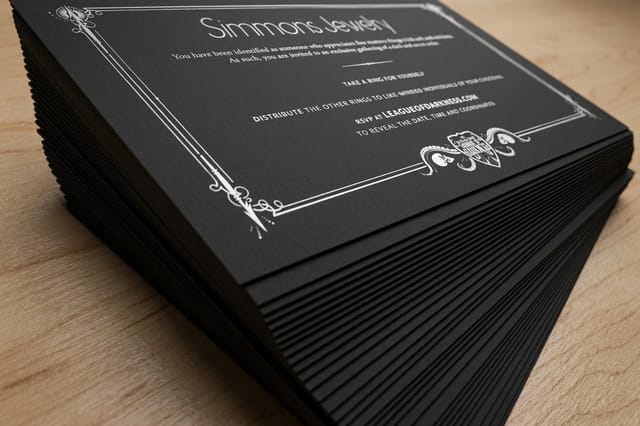
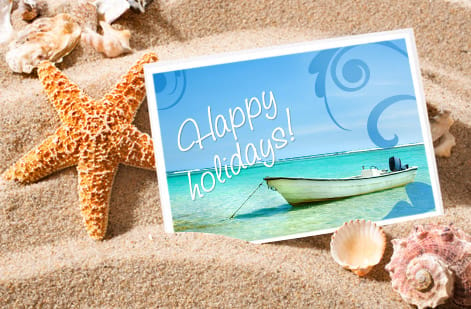
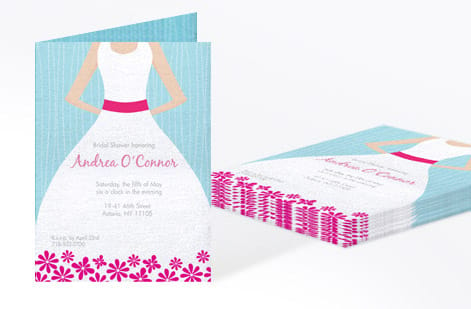
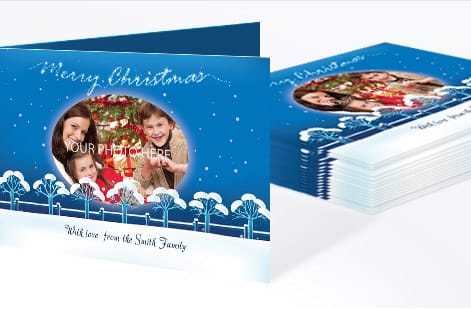
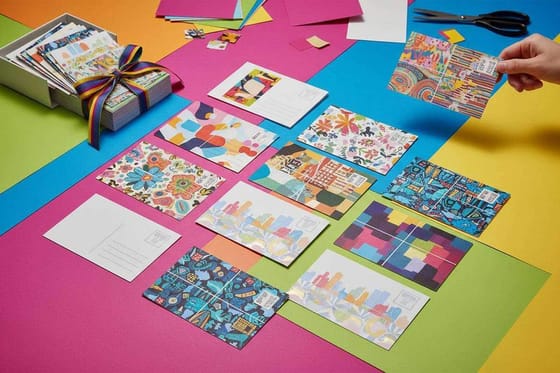
Customer postcards from 4 by 6 to 6 by 11 inches. Look at where each code sits on the back and how much clear paper it keeps around its edges.





Explore more
Where to go next

By the numbers
Standard, oversized, black and magnet cards
Common Questions
Common questions about QR codes on postcards
What is a postcard with a QR code?
It is a printed postcard that carries a scannable QR code, a small square barcode that links the physical card to a web destination. When someone points a phone camera at the code, it opens a landing page, offer, menu, or booking form. The postcard delivers your message in the mailbox, and the QR code gives the reader an instant next step online. It is the simplest way to bridge print and digital on a single piece.
How big should a QR code be on a postcard?
Print it at 0.8 inches (2 cm) square at the absolute minimum. In practice give it about 1 inch on a 4 x 6 card, 1.2 inches on a 5 x 7, 1.5 inches on a 6 x 9, and 1.75 inches on a 6 x 11 oversized card, because the code has to read from a phone held at arm length, often in poor light. Leave a quiet zone of four modules, roughly the width of four of the small squares in the pattern, clear on all four sides, hold at least 30 percent contrast between the code and the stock, and keep the whole code 0.25 inches inside the safe area so trimming never clips it.
Where should the QR code go on a direct mail postcard?
Put it on the back of the card, in the design panel next to your offer and your call to scan, and keep it out of the address block and clear of the indicia and any postal barcode area. If you are mailing Every Door Direct Mail, lay the address side out to the EDDM rules first and then place the code in the space that is left. Hold it 0.25 inches inside the safe area, never let it cross a fold, a score, or a perforation, and set it on a flat, light background rather than over a photo so the contrast stays high.
Which postcard size leaves room for a scannable code?
Pick a size and stock that leaves a clean, light area for the code. Standard postcards work well, and larger formats like oversized postcards give the code more room to breathe next to your headline. Uncoated or matte stocks scan a little more reliably than heavy gloss because they cut down on glare. Browse the full range on the 4OVER4.COM postcards page and choose the format that fits your layout and your campaign.
What does a QR code postcard cost, and how are prices set?
Generating the QR code itself is free with most online generators, so the cost is simply the postcard printing. At 4OVER4.COM, standard postcards start around $16.48 and oversized postcards start around $51.62. Your final price is set by the size, paper stock, quantity, finish, and turnaround you choose. Ordering in larger quantities lowers the price per card, so a mailing run is more economical than a small batch.
What sizes, stocks, and finishes work best for QR codes?
Any postcard size can hold a QR code as long as you keep the code around 0.8 inches or larger. Matte, silk, and uncoated stocks scan cleanly because they scatter less light. If you choose a glossy or laminated finish, keep the code on a flat, light area and away from heavy reflective ink. Avoid placing the code over dark photos or busy patterns, which lower the contrast a scanner needs.
How long does it take to print and ship QR code postcards?
Turnaround depends on the product, quantity, and shipping method you select at checkout. Many 4OVER4.COM postcards offer fast production with same-day options on select items, followed by standard or expedited shipping. The configurator shows live production and delivery estimates for your exact order before you pay, so you always know the timeline before the postcards leave our Queens, NY facility.
Do QR codes on postcards expire or stop working?
A static QR code never expires on its own. It keeps working for as long as the web address it points to stays live, so the risk is a dead landing page, not a dead code. A dynamic QR code depends on the service that hosts it, so keep that account active. Whichever type you use, make sure the destination page stays online for the full life of the campaign.
Can I track how many people scan my postcard QR code?
Yes, with a dynamic QR code or by adding UTM tags to the link. A dynamic code routes through a tracking service that counts every scan, and UTM parameters let your analytics tool show scans as a traffic source. Either method tells you how many people acted on the postcard, which turns a print mailing into a measurable channel you can compare against email or ads.
Get Started
Order 50 standard postcards from $16.48
Pick your size and stock, drop in your artwork and the code, and we print crisp, scannable postcards that connect print to your landing page.
Legal Disclaimer
Gold Standard guarantees apply to all standard orders placed through 4over4.com. Price match requires verifiable proof of a competitor's published price for an equivalent product with matching specifications and turnaround time. Satisfaction guarantee covers manufacturing defects and print quality issues. Contact support with order number and documentation.
