
How to Create a QR Code for Business Cards That Customers Actually Scan


Emma is our prepress and print production voice, built from the knowledge of our production team, with over 20 years in printing.
A card gets three seconds and a pocket. A code on it turns that pocket into a booking, a saved contact or a review, but only if you build it at the right size and print it the right way.
Generate the code from the shortest possible link, print it at 0.8 inch square or larger with four blank modules of quiet zone on every side, and keep it 100% K black on a matte surface. Use the free QR code generator at 4OVER4.COM, download the vector file rather than a PNG, point the code at one specific action instead of your homepage, and scan a printed proof at arm reach before the job goes to press.
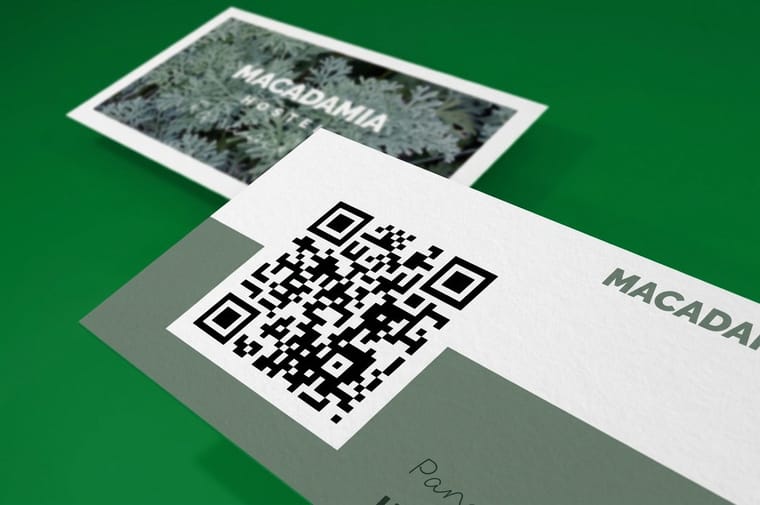
Quick answer
Short link, 0.8 inch, four blank modules, matte black
A printed QR code fails for physical reasons, not creative ones. Keep the destination link short so the grid stays coarse, print the symbol at 0.8 inch square or larger on a card, leave four modules of white on every side, build the dark squares from a single black plate, and stay away from gloss coating. Point the code at one job the customer already wants done, such as saving your contact or booking a slot, then scan a printed proof before you approve the run.
What a QR Code Holds, and Why Your Link Length Decides the Size
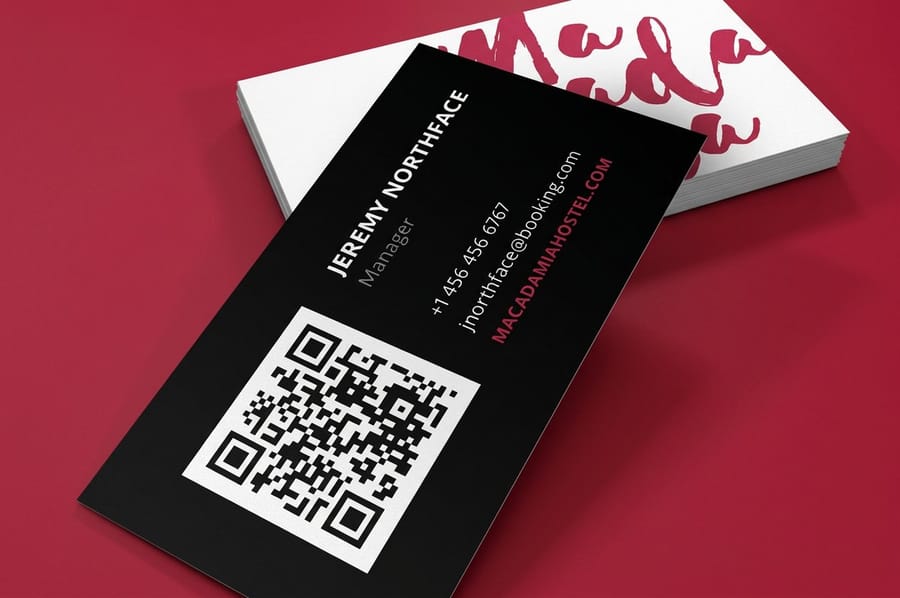
A QR code is a grid of black and white squares called modules, and the grid grows in fixed steps as you feed it more characters. The smallest grid, version 1, is 21 modules across. Version 40 is 177. Every step up packs more squares into the same physical space on your card.
That is the whole reason link length matters. Print a 30 character link at 0.8 inch and each module lands at roughly one millimeter, which any phone camera resolves without trying. Take the same 0.8 inch square and load it with a tracking link carrying five UTM parameters, and the grid climbs to 41 modules or more, so each square drops to half a millimeter. The code still looks fine on your monitor. In a customer hand, in a bar, at an angle, it hunts.
The other setting worth knowing is error correction. QR codes carry four levels, L, M, Q and H, which recover roughly 7, 15, 25 and 30 percent of a damaged symbol. Higher correction survives a scratch or a small logo overlay, and it also adds modules, so it costs you size. Level M is the sensible default for a card. Reach for H only when you are placing a logo in the middle.
None of this changes what you print the card on. A code prints the same on standard business cards as it does on a heavier stock, so pick the paper for the handshake and set the code up properly on top of it.
How to Create a QR Code for Free, and What to Point It At
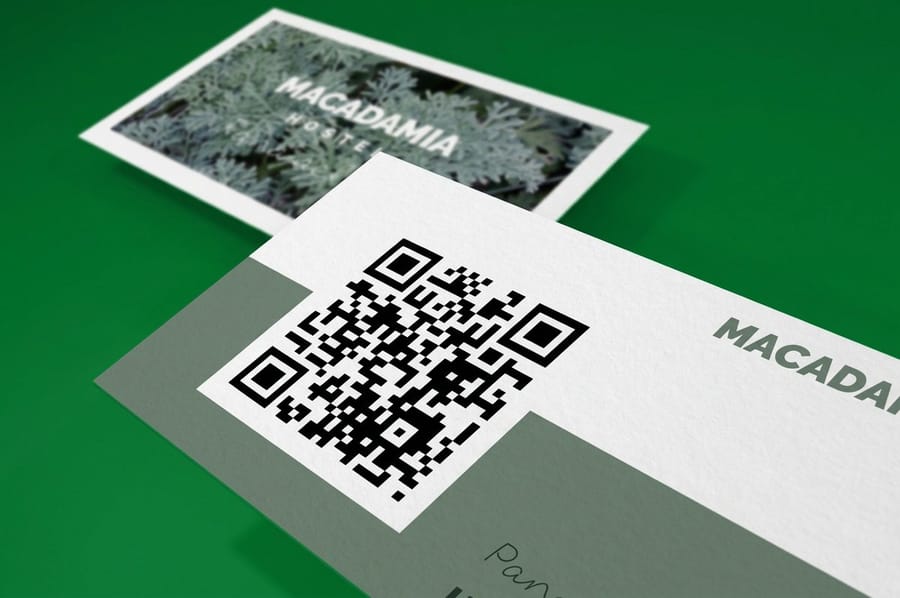
Open the free QR code generator at 4OVER4.COM, paste your destination, generate, and download the file. Take the vector version, SVG or EPS, and place that in your artwork. A 300 by 300 pixel PNG stretched to fit a print layout gives you soft module edges, and soft edges are the single most common reason a printed code fails.
Then decide what sits on the other end, because a code that opens your homepage wastes the square. The best destinations are the ones that finish a job the person already wanted to do: a vCard file that saves your contact in one tap, a booking page, a review link, a menu, a portfolio, a payment page. A restaurant putting a code on postcards should land on the menu, not the About page.
Static or dynamic is the real decision. A static code carries the URL inside the symbol, works forever, and answers to nobody. A dynamic code points at a redirect that a vendor owns, which buys you scan counts and the ability to change the destination later. It also means the 500 cards in your drawer stop working on the day that account lapses. We tell customers to use static for anything they will hand out for a year or more, and dynamic only for a campaign with an end date and a paid subscription behind it.
If you go dynamic on a big run, put the redirect on a short domain you own, so the cards keep working if you ever leave the vendor. Then add a caption of three or four words under the code saying what the scan does, such as "Book an appointment" or "Leave a review". People skip a code with no label. The QR code for Google reviews guide walks through building the most useful destination of all, and the A to Z of QR codes explains what every generator setting does to the pattern.
Whichever you choose, test the link on a phone before you generate the code. A destination that renders as a desktop page or a downloadable PDF on mobile turns a good scan into a dead end.
Where the Code Goes on the Card, and How Big
A business card trims at 3.5 by 2 inches. Build the artboard at 3.75 by 2.25 to carry the bleed, and keep everything you care about inside the 3.25 by 1.75 inch safe zone, which sits 0.125 inch in from trim on all four sides. The code and its quiet zone both live inside that safe zone. A code pushed out to the edge loses part of its quiet ring when the cutter drifts by a hair, and a card that scanned on the proof stops scanning on the run.
The back is usually the right home. The front carries the name, the logo and the hierarchy you spent time on; the back is mostly empty and a code there gets a clean field of white with nothing crowding it. If the card has to be single sided, park the code in a bottom corner with a two or three word instruction beside it, such as "Scan to book" or "Scan to save my contact". A bare code invites nothing.
Size comes from distance. Divide the distance a person scans from by ten and you have the smallest width that reads, so a card held 8 inches away wants a code near 0.8 inch. That is where the numbers below come from, and it is why the same code that works on a card is useless on a banner.
| Where the code prints | Typical scan distance | Minimum code width | Watch for |
|---|---|---|---|
| Business card | 6 to 12 inches | 0.8 in | Gloss coating and a crowded quiet zone. |
| Postcard or flyer | 8 to 15 inches | 0.9 in | Aqueous gloss over the code panel. |
| Table tent or menu | 18 to 24 inches | 1.8 in | Low restaurant light and steep viewing angle. |
| Poster or window graphic | 3 to 5 feet | 4 to 6 in | Reflections off glass and daylight glare. |
| Banner or yard sign | 6 to 10 feet | 8 to 12 in | Wind movement and phones that cannot hold focus. |
Scale it up honestly. A code that sits happily on a card at 0.8 inch has to grow to four inches or more on a poster, and putting a card sized code on flyers pinned to a board is why so many of them go unscanned.
Other pieces follow the same distance rule with their own placement. A rack card trims at 4 by 9 inches and wants a 1.25 to 1.5 inch code in the lower third, where it stays visible while the card sits in the rack; standard rack cards start at $42.84. On a 4 by 6 postcard the code goes on the address side at 0.9 inch, clear of the barcode band the post office needs. A card that lives in a wallet and gets scanned at every visit needs a tougher body more than a coating, which is why plastic discount cards at $226.11 hold up where a coated paper card goes soft at the corners within a month. For where the codes go across a whole business, read how to use QR codes to grow a small business.
To put a QR code on a business card with us, upload a print ready PDF with the code placed as a vector inside the safe zone, and choose a stock that keeps the code panel matte.
| Card | Size and a matte code panel | First run and time |
|---|---|---|
| QR code business cards | 2 x 3.5 inches on 14pt or 16pt uncoated, 18pt kraft, linen or 32pt UltraWhite uncoated cover, standard finish rather than high gloss UV | 100 cards, 3 business days |
| Standard business cards | 2 x 3.5, 2 x 2, 1.5 x 3.5 or 2.125 x 3.375 inches on the same uncoated stocks | 100 cards, 3 business days |
| Postcards | 4 x 6 up to 6 x 11 inches on 14pt or 16pt uncoated cover or 100# silk/matte cover | 50 cards, 3 business days |
The Print Rules That Decide Whether the Scan Works
What a phone camera measures is the brightness gap between neighboring squares, and every rule below protects that gap.
- Build the dark modules from 100% K. A rich black mixes four inks, and any registration shift on press softens each module edge. One black plate stays crisp.
- Keep it dark on light, never light on dark. The specification expects dark modules on a light background. Many readers handle an inverted code, plenty do not, and there is no reason to gamble on which phone the customer holds.
- Colored codes need real contrast. If you must brand the code, use a deep color on white and check the pair converts to a strong gray difference. A mid tone teal on cream looks handsome and scans badly.
- Leave the quiet zone empty. Four modules of white on every side is part of the symbol, not decoration. A border rule or a stray line of text pushed into it kills the read.
- Skip gloss over the code. UV, high gloss and spot UV all reflect. Print the code panel matte, or put the code on the matte side.
- Place a vector, at 100 percent. Drop in the SVG or EPS, do not scale a raster up, and do not let a design tool re-render the code as a screened image.
Two more traps that are specific to particular products. Do not run a code across a fold, because the crease breaks the module grid down the middle. And on a die-cut piece such as die-cut stickers, keep the code well away from the cut path, since the shape can shave the quiet zone even when the artwork looked safe. Our business card file setup guide covers bleed and safe zones in full, and you can start from a correctly sized layout in the blank template library.
Testing the Code Before You Order 500 Cards
Every failed QR job we see could have been caught in five minutes with a home printer. Export the card at final size, print it at 100 percent with scaling turned off, and cut it out. Now test it the way a customer will, not the way a designer does.
- Scan it at arm reach, not two inches away. If it needs a close approach, the code is too small.
- Scan it at an angle of about 30 degrees, the way a card gets held while somebody talks.
- Scan it in a dim room. Bars, trade show halls and restaurants are where cards change hands.
- Try an older phone, ideally one three or four years old with a scratched lens. That is the hardest reader you will meet.
- Open the destination on the phone and time it. If the page is a desktop layout or a slow PDF, fix the landing page, not the code.
- Check the printed proof for anything sitting inside the quiet zone, then check the file again.
When all six pass, order. If you want the card to do more than one job, our guide to QR card ideas that convert covers what to point the code at for different trades, and business cards with social media icons explains when icons do the job better than a code. Ready to print, QR code business cards start at $17.57 and ship from our Queens plant, and the full business card printing range lists every stock and finish we run.
Wally explains the quiet zone
The white ring around a code is part of the code
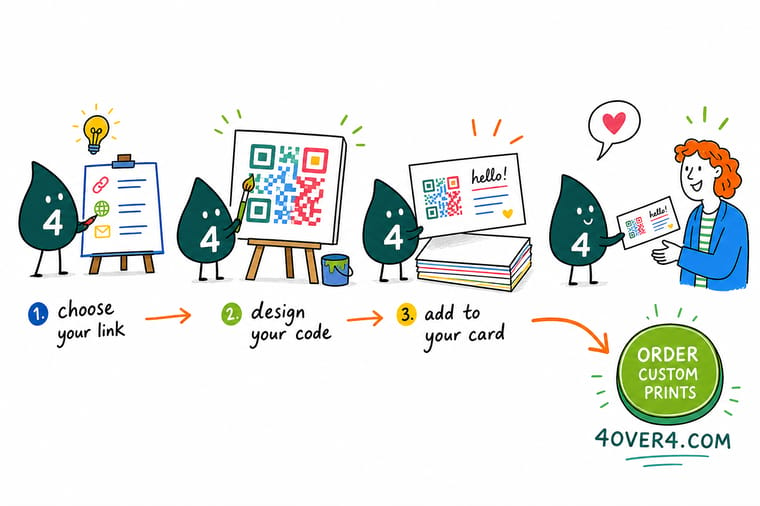
Wally keeps four blank modules of white on all four sides of every code he prints. Crowd that ring with a logo, a border or a phone number and the camera stops finding the symbol, even though the code still looks perfect on the screen. He also keeps the link short, so the grid stays coarse and each printed square stays fat, and he prints the dark squares from one black plate instead of four inks so the edges land sharp.
Order QR code business cards →%22%2F%3E%3Ccircle%20cx%3D%2247%22%20cy%3D%2220%22%20r%3D%2222%22%20fill%3D%22%23a78bfa%22%20opacity%3D%220.15%22%2F%3E%3Ccircle%20cx%3D%2254%22%20cy%3D%2227%22%20r%3D%22-3%22%20fill%3D%22%23a78bfa%22%20opacity%3D%220.1%22%2F%3E%3Crect%20x%3D%2277%22%20y%3D%22-9%22%20width%3D%2232%22%20height%3D%2220%22%20rx%3D%224%22%20fill%3D%22%23a78bfa%22%20opacity%3D%220.08%22%20transform%3D%22rotate(42%2080%2030)%22%2F%3E%3C%2Fsvg%3E)
Specs and pricing
Sizes, stocks and starting prices for a card that carries a code
Configure the print the same way you would any card, then set the code up on top of it. QR code business cards print at 2 x 3.5 inches from 100 cards in 3 business days, and flyers run from 4.25 x 5.5 to 11 x 25.5 inches from 50 for a code that has to read from farther away. Live options and starting prices come straight from the 4OVER4.COM configurator.

Print it
Print the code on something worth handing over
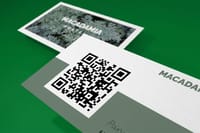
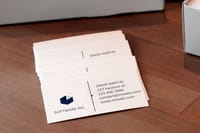
Put a 0.8 inch code on a 2 x 3.5 inch QR code business card or a standard card, both from 100, and give it 0.9 inch on a 4 x 6 to 6 x 11 inch postcard from 50.



Explore more
Where to go next
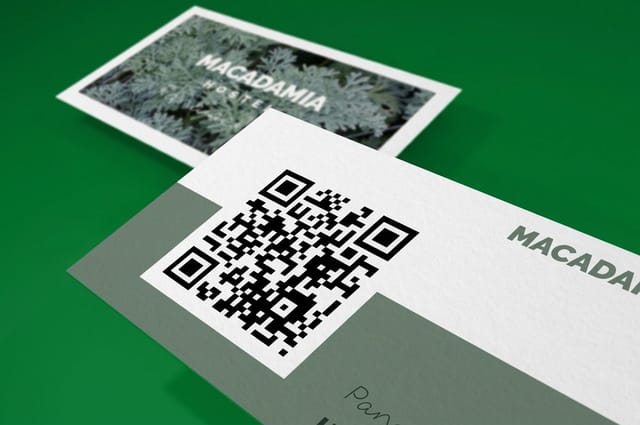
Place a code inside an InDesign layout, set bleed and the safe zone in the business card file setup guide, and decide when social icons do the job instead of a code.


By the numbers
Card printing measured in years and deliveries
Common Questions
Your QR code questions, answered
How do I create a QR code for free?
Use the free QR code generator at 4OVER4.COM. Paste the destination link, generate the symbol, and download it. Two things matter more than the tool you pick. Download a vector file, SVG or EPS, because a small PNG blown up for print blurs the edge of every module. And use the shortest destination link you can live with, since fewer characters means fewer modules and fatter printed squares.
How big does a QR code have to be on a business card?
Keep it at 0.8 inch square or larger, and count the quiet zone as part of that footprint. The working rule in print is 10 to 1: a code reads from roughly ten times its own width, so 0.8 inch gives you about 8 inches of reading distance, which covers somebody holding your card. Below about 0.6 inch the modules on a longer link get small enough that older phone cameras start hunting for focus.
Should I use a static or a dynamic QR code?
A static code carries the URL inside the symbol itself. It works forever and depends on no service, but the destination can never change. A dynamic code points at a redirect owned by a third party, so you can repoint it later and count scans. The catch is that every card you printed dies the day that account lapses or the vendor shuts down. For a card you hand out for years, static wins. For a campaign you plan to redirect, dynamic is worth the risk, but keep the subscription paid.
Can I put my logo in the middle of a QR code?
Yes, within limits. Generate the code at error correction level H, which allows recovery when part of the symbol is obscured, and keep the logo small and centered. Never let it touch one of the three big corner squares, because those finder patterns are how the camera locates and orients the code. A logo that overlaps a finder pattern makes the code unreadable no matter how strong the error correction is.
Why does my QR code scan on screen but not after printing?
Four causes cover almost all of it. The code was placed as a low resolution raster and the module edges printed soft. The dark modules were built as rich black and shifted on press. Something crossed into the quiet zone. Or a gloss coating over the code is throwing glare back at the camera. Print a proof at 100 percent on a home printer and scan it before the job goes to press, and you find the problem while it is still free to fix.
Does a QR code cost extra to print on a business card?
No. A code is ink, not a finishing pass, so QR code business cards start at $17.57 at 4OVER4.COM, the same starting price as standard business cards. What can add cost is the choice you make around the code, such as a heavier stock or a coating, and a matte finish over the code panel costs nothing extra while giving you a better scan than gloss.
Get Started
Order 100 QR code business cards from $17.57 and test the scan
Make the code free, drop the vector into your layout, pick a matte finish over the code panel, and we print cards that read at arm reach on the first try.
Legal Disclaimer
Gold Standard guarantees apply to all standard orders placed through 4over4.com. Price match requires verifiable proof of a competitor's published price for an equivalent product with matching specifications and turnaround time. Satisfaction guarantee covers manufacturing defects and print quality issues. Contact support with order number and documentation.
