
How to Build a Website That Brings In Real Customers


Marcus is our print marketing voice, built from the knowledge of our production team, with over 20 years in printing.
How to build a business website, start to finish: the build order, the platform trade, the pages you actually need, the launch checks, and how the first visitors find a site nobody has heard of yet. Six steps build it: name the one action, register the domain, choose the platform, map the URLs, write the pages, then launch and check. The first visitors arrive from the URL printed on your business cards, postcards and flyers.
Build a website in this order: name the single action the site must produce, register the domain, choose the platform, map the URLs, write the pages, then launch and check. Copy and design are cheap to change afterwards. The platform, the URL structure and the domain are the three decisions that cost redirects and rebuilds to reverse, so settle those before page one is written. Launch itself creates no traffic, which is why the first visitors come from your existing list and from printed pieces carrying a short URL or a QR code.
Quick answer
Six steps, and three of them are hard to undo
Name the action, buy the domain, pick the platform, map the URLs, write the pages, launch and check. That sequence exists because three of the six decisions are expensive to reverse. Rewriting a paragraph or swapping a theme is an afternoon. Changing the platform, the URL structure or the domain means migrations, a redirect for every old address, and reprinting whatever already carries the old one. The diagram below places each decision by how much work it takes to undo.
Print the URL
The size, stock and file for each piece that carries the address
Give every printed piece its own short URL or QR code, pointed at its own page, so you can tell which one earned the visit. Type the URL large enough to read at arm length and test the printed address on a phone before the full run.
Cards at 3.5 by 2 inches on 14pt or 16pt gloss, with the code on the back, from 100. Postcards at 4 by 6 or 5 by 7 inches with the offer and the URL on the same side, from 50. Flyers at 8.5 by 11 inches on 100# gloss text for counters and boards, from 50. Send each as a print-ready PDF with 0.125 inch bleed.
The Build Order That Saves You a Rebuild
Most website projects go wrong at the same point: the template gets picked before anyone has agreed what the site is for. Work in this order instead.
One, name the single action. Book a call, buy a thing, request a quote, join a list. One primary action per site, and every page either performs it or points at the page that does. If you cannot name it in a sentence, you are not ready to build.
Two, register the domain. Short, spellable out loud, and matching the name on your sign and your paperwork. Buy it before you print anything, because a domain change after the cards are boxed is an expensive lesson.
Three, choose the platform. This is the decision that locks in your maintenance burden for years, and the next section lays out the real trade.
Four, map the URLs before writing. Sketch the address of every page on one sheet. Keep them short, lowercase, and descriptive of what is on the page rather than of your internal department names. This costs ten minutes now and saves a redirect map later.
Five, write the pages, then build. Draft in a plain document with no styling to distract you. When the words are settled, the build is assembly rather than invention.
Six, launch and check. Not launch and celebrate. The checklist further down is short and every item on it has sunk a real launch.
If your site has to take payment, the sequence gains a whole layer of decisions about catalog, tax and shipping, which is covered in the guide to building an ecommerce store that sells. If the site is part of a wider identity you are still shaping, settle the name and voice first with build a brand that sells.
Which Platform to Build On, and What Each One Costs You
Every platform argument is really an argument about who does the maintenance. Read the last column before the first.
| Option | Best for | Where it stops | Who maintains it |
|---|---|---|---|
| Hosted builder | A five page site nobody wants to administer. Fastest route from nothing to live. | Custom URL rules, unusual page types, and moving the site somewhere else later. | The vendor, inside a monthly fee you keep paying. |
| WordPress | Sites that publish often and need control of templates, URLs and redirects. | Plugin sprawl. Every extra plugin is another thing that can break on update. | You, or someone you pay. Updates and backups are yours. |
| Ecommerce platform | Anything selling more than a handful of products, with tax and shipping rules. | Content marketing. The blog and guide side is usually the weakest part. | The vendor, plus transaction fees on what you sell. |
| Static site generator | Marketing sites that must be fast and are edited by people comfortable with code. | Anyone who wants to edit a paragraph without a build step. | You, entirely, including the deploy pipeline. |
Two rules keep this decision cheap. First, whichever you pick, own the domain in your own account rather than your developer's, and keep the login. Second, make sure you can export your content. A platform that will not hand back your pages in a portable format has quietly made itself permanent.
Performance is not a platform feature so much as a discipline. Google's Core Web Vitals thresholds are a Largest Contentful Paint under 2.5 seconds, an Interaction to Next Paint under 200 milliseconds, and a Cumulative Layout Shift under 0.1. The two things that break them on small sites are uncompressed hero photographs and images published without width and height attributes, which lets the layout jump as they load.
The Pages a New Site Actually Needs
A new site does not need a large menu. It needs a small number of pages that each do one job properly.
- Home. What you do, who for, where, and the primary action. A visitor who cannot answer those four in five seconds leaves.
- One page per thing you sell. Not a single combined services page. Search engines and customers both want a page that is clearly about the one thing they asked for.
- About. A real photograph and a real name. This page is read far more than people expect, usually just before someone decides to trust you with money.
- Contact. Phone number as selectable text, not baked into an image. An address if you have one. A form that you have submitted yourself at least once.
- A landing page per campaign. One page per offer, with the offer at the top and nothing competing with it. The frameworks in the landing page guide cover the structure.
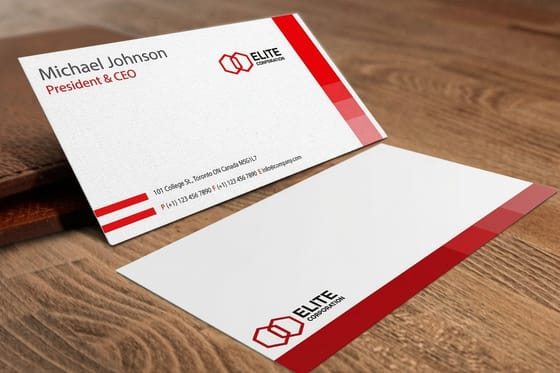
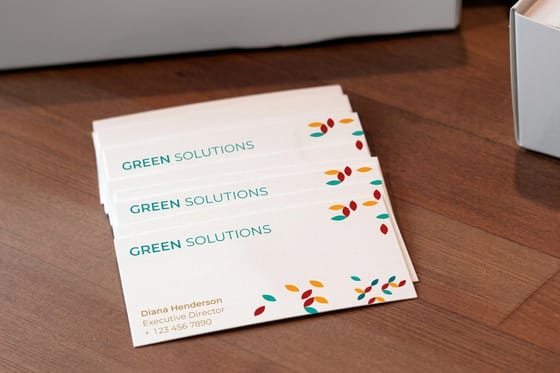
That last one matters more than it looks, and it is where the printed half of your marketing plugs in. When somebody hands out a card, the URL on it should land on a page that continues the conversation they just had. Standard business cards start at $17.57, and adding a QR code to the back costs nothing extra in printing while giving you a destination you can track separately. The QR code card guide covers where to place the code and how large it needs to be to scan reliably.
Write the pages before you build them. If you want the search side considered while you draft rather than bolted on afterwards, SEO driven storytelling is the companion piece, and the principles of logo design will stop you commissioning a mark that falls apart at favicon size.
Where the First Visitors Come From
Most website guides skip this part. Publishing a site does not put anyone on it. A new domain has no search history, no links pointing at it, and no reason for anyone to type it, so for the first few months your traffic comes from people you can reach directly.
Start with the list you already have. Existing customers, past inquiries, suppliers, the group chat. One plain email that says the site is live and links to the one page you want them on will outperform anything else you do that week. The sequencing for the follow up messages is in the email nurture guide.
Then use the offline surfaces, because they reach people search cannot. Every printed piece is a place to put a short URL or a QR code, and each one should point at its own page so you can tell which surface earned the visit.
- Cards. The URL travels in a wallet. Give it a page that matches the conversation that produced the handover, not the homepage.
- Postcards. Standard postcards start at $16.48 and work for a neighborhood drop or a mailing to past customers, with the offer and the URL on the same side.
- Flyers. Standard flyers start at $39.54 and suit counters, events and community boards where somebody will read for longer than a card allows.
- Stickers. Die-cut stickers start at $93.37 and put the URL on laptops, packaging and shop windows where it stays visible for months.
- The guide itself. If you have written something worth downloading, a printed edition works as the version people keep. Standard booklets start at $240.55 and turn a PDF nobody opened into an object on a desk.
Search comes third, not first, and it arrives slowly. Publish the pages that answer real questions your customers ask, connect Google Search Console on launch day, and give it months rather than weeks. Long form posts that rank and starting a small business blog cover that work in detail. If you want the full printed set assembled for you rather than picked item by item, the brand launch essentials kit collects it, and every piece can start from a correctly sized layout in the design template library. For the printed side of a content plan, 6 Print Picks for Long-Form Blog Posts That Rank lists the pieces.
Launch week
The eight checks worth doing before you announce it
None of these are clever. Every one of them has quietly ruined a real launch, usually the first one on the list.
- Search engines are allowed to index the live site. In WordPress this is the Discourage search engines checkbox under Settings and Reading, and it ships enabled on a surprising number of launches.
- One version of the domain wins. Pick www or non www, and 301 redirect the other to it so links and rankings do not split across two addresses.
- Every page loads over HTTPS with no mixed content warning. Certificates are free through Let's Encrypt and most hosts issue them automatically.
- You have submitted your own contact form and received the message in the inbox that is actually monitored.
- The phone number is selectable text and is tappable on a phone.
- Every image has width and height attributes, so the layout does not jump while it loads.
- A sitemap exists and is submitted in Google Search Console, and analytics is recording before the first campaign runs.
- The URL printed on your cards, postcards and packaging resolves to a live page, not a redirect chain and definitely not a 404.
Wally explains the build order
Words first, template second, traffic third
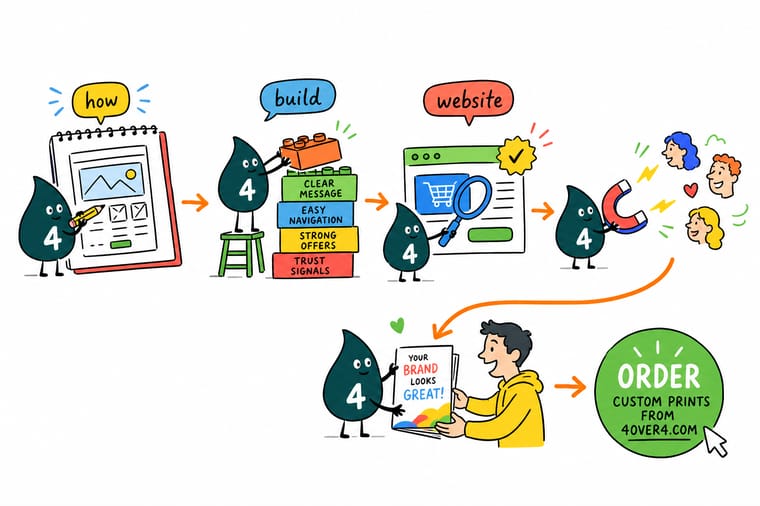
Wally starts every site the same way. He writes down the one thing the site has to make happen, then buys the domain, then argues with himself about the platform, and only then opens a template. He maps every URL on a single sheet before writing a word, because he has renamed pages after printing them and does not intend to do it twice. On launch day he checks that search engines are allowed in, that one version of the domain redirects to the other, and that his own contact form actually lands in his inbox. Then he goes and tells people, because a site nobody has been told about gets visited by nobody.
Print business cards with your new URL →
Specs and pricing
The printed pieces that send people to a new site
Sizes, stocks and starting prices for the three pieces that carry a URL best, straight from the 4OVER4.COM configurator. Cards run 3.5 by 2 inches on 14pt to 24pt cover from 100, postcards 14 sizes from 2.5 by 2.5 up to 6 by 11 inches from 50, and flyers nine sizes from 4.25 by 5.5 up to 11 by 25.5 inches on 100# gloss or silk text from 50.


Print it
Give your launch something people can hold
Cards, postcards and flyers each print in 3 business days and booklets in 7, so order the print the week the site passes its launch checks, with the URL on each piece already tested live.



Explore more
Where to go next
Add a store that takes payment, structure one landing page per campaign, keep a blog on a schedule, write pages that answer a search, and order the printed launch kit and business cards.



By the numbers
The print half of your launch, handled
Common Questions
Your website build questions, answered
How long does it take to build a business website?
The build is rarely the slow part. On a hosted builder or a standard theme, a five page site can be assembled in a weekend once the words and images exist. What stretches the timeline is content: photographs of real work, prices you are willing to publish, and copy that says what you actually do. Write the pages first in a plain document, then build. Teams that build first and write later usually stall for weeks looking at half filled templates.
Should I use a website builder or WordPress?
Pick the builder if nobody on your team wants to maintain software, and you can live inside the templates it gives you. Pick WordPress if you expect to publish regularly, need control over URL structure and page templates, or want to move the site elsewhere later. The honest trade is maintenance against control. A builder does the updates, backups and security for you and charges rent for that. WordPress hands you the keys and the responsibility for plugin updates, backups and the occasional broken theme.
Do I still need a website if I have social media and a Google Business Profile?
Yes, for one structural reason. On a social platform your reach, your layout and your contact button are decided by someone else and can change without warning. A domain you own is the only address in the mix that keeps working the same way next year. A Google Business Profile is excellent for local discovery and should be filled out completely, but it links out to a website for anything longer than a phone number and a set of hours.
How many pages does a new website need?
Five or six is enough to launch. A homepage that says what you do and where, one page for each distinct service or product family, an about page with a real photograph and a real name, a contact page with a phone number in plain text, and a landing page for the campaign you are about to run. Add pages when a customer asks the same question twice. A thin page written to fill a menu slot competes with your good pages instead of helping them.
What breaks most often on launch day?
Three things, in this order. The staging site ships with search engines still blocked, which in WordPress is the Discourage search engines checkbox under Settings and Reading, so the site never gets indexed. The www and non www versions both resolve and neither redirects to the other, splitting links between two addresses. And the contact form was never submitted once from a real inbox, so nobody notices the messages are going nowhere. Check all three before you announce anything.
What should I measure in the first month?
Two numbers, not twenty. How many people reached the page you actually care about, and how many completed the action on it. Everything else is diagnostic. Connect Google Search Console on day one so the site starts collecting query data while it has none, and give a new domain a few months before you judge search performance. For the offline half, use a different short URL or QR destination on each printed piece so the traffic tells you which one earned it.
Get Started
Site going live? Give it something people can carry.
Cards, postcards and flyers that put your new address in a hand, on a counter and in a mailbox, printed and shipped from our own presses.
Legal Disclaimer
Gold Standard guarantees apply to all standard orders placed through 4over4.com. Price match requires verifiable proof of a competitor's published price for an equivalent product with matching specifications and turnaround time. Satisfaction guarantee covers manufacturing defects and print quality issues. Contact support with order number and documentation.
