
How to Work Smarter With a Virtual Assistant


Marcus is our print marketing voice, built from the knowledge of our production team, with over 20 years in printing.
Which tasks move first, how to write a process someone else can run, and the access and authority rules that keep the arrangement working past the first month. The first handoff is usually the print reorder, so the guide spells out the spec an assistant needs for business cards, postcards, notepads and letterheads: size, stock, quantity and file.
Hand a virtual assistant the tasks that repeat the same way every week and need no judgment from you, and write the steps down before they start. Everything else stays with you, or gets split so they do the work up to the decision and you make the call. Expect the first few weeks to cost time rather than save it, set one authority level per task and raise it only after a clean run, and sort named logins and revocable permissions on day one.

Quick answer
Repetition earns the handoff, judgment decides how much of it moves
Delegate what repeats, keep what needs your call, and split anything in between. A weekly task pays back the cost of documenting it inside a month. A quarterly one does not, so you keep it. A business card restock before each event, 100 standard cards on 14pt gloss cover for $17.57, is the classic first handoff. Where a task ends in a decision only you can make, the assistant runs every step up to that point and you supply the answer. Write the steps from a screen recording rather than from memory, name the authority level for each task, and raise that level only after the work has come back clean.
Sort the Work Before You Hire Anyone
Most people hire an assistant and then try to think of things for them to do. Do it the other way round. Spend two weeks writing down every task you touch, with a rough time next to it, and you will end up with a list that sorts itself.
Two questions do the sorting. Does this repeat? and does it need my judgment? Repetition is what pays for the cost of explaining. A task you do once a quarter takes forty minutes to document and ten minutes to do, so you keep it. A task you do every Monday morning pays that documentation back inside a month.
Judgment decides how much of the task moves. Quoting a job needs your pricing sense, but gathering the specification, checking the client's file, and drafting the email around your number does not. Split it. The assistant does everything up to the decision, you make the decision, they finish. That split is more useful than the usual advice to delegate whole tasks, because almost no task in a small business is entirely free of judgment.
Three categories are worth naming because owners hold on to them for no good reason: scheduling and rescheduling, chasing overdue invoices, and reordering the physical things the business runs on. All three are pure process, all three are quietly expensive in hours, and all three feel like they need you because you have always done them. They do not. The office printing checklist is a good example of exactly this kind of list: a set of recurring reorders that never needed the owner's attention in the first place.
Write the Process First, Then the Job Post

The biggest predictor of whether this works is whether the process exists in writing, as numbered steps rather than a list of responsibilities, before the assistant starts. For a card reorder that means the product page, the stock (14pt gloss cover), the quantity, the approved file and the shipping address.
The fastest way to write one is to record yourself doing the task once and then write the steps from the recording. Writing from memory skips the small decisions, and small decisions are where the work goes wrong. You will be surprised how many forks you take without noticing: which folder, which template, what to do when the file is the wrong size, who to copy in.
Then set the level of authority explicitly, task by task. Vague authority is what produces both the assistant who checks in about everything and the one who books a flight you did not want.
| Level | What they do | What you do | Fits |
|---|---|---|---|
| Do exactly this | Follow the written steps, change nothing. | Check the output the first few times. | Data entry, uploads, repeat orders with a fixed spec. |
| Do it, then tell me | Complete the task and report what happened. | Read the report, correct the process if needed. | Inbox triage, scheduling, supplier chasing. |
| Recommend, I decide | Gather everything and propose one option. | Approve, adjust, or reject with a reason. | Quotes, artwork proofs, vendor selection. |
| Own the outcome | Run it end to end, escalate exceptions only. | Review a number, not the work. | Anything they have run cleanly for a month or more. |
Move a task up one level at a time, and only after it has run clean. Skipping straight to the bottom row on week one is how good assistants get blamed for a bad handoff. Keep the written procedures somewhere both of you can edit, and let the assistant add the answer to every question they had to ask. After two or three runs the document stops changing, and that is your signal the task is genuinely off your desk. If you have already written a brand style guide, point to it here rather than repeating the rules, so there is one place where fonts, colors and logo use are settled.
The Recurring Print and Mail Work an Assistant Should Own

Physical marketing is the part of a small business that stays stubbornly manual, which makes it an ideal early handoff. Every one of these tasks has a fixed specification, an online checkout, and a delivery date you can verify without an opinion.
Order online rather than through a local counter and the whole job becomes a repeatable procedure. Once the artwork is approved and the specification is written down, a reorder is a login, a quantity, and an upload. Standard business cards start at $17.57, so restocking before an event is a task with a known cost that an assistant can place without a conversation. Standard postcards start at $16.48, which is why a monthly mailing survives being handed over. It is small enough that a mistake is a cheap lesson.
| Recurring job | Typical cadence | What the assistant needs from you | Starts at |
|---|---|---|---|
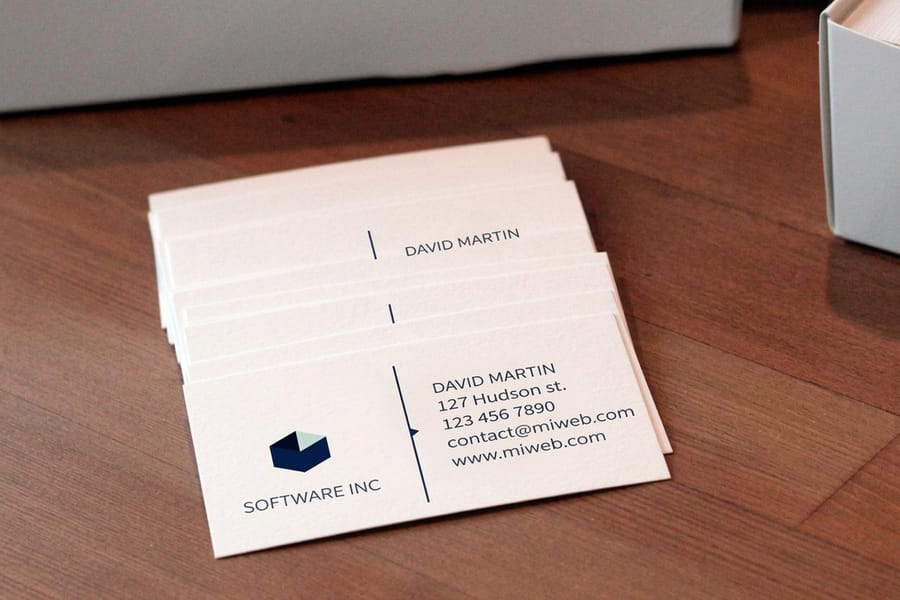
| Business card restock | Before each event, or when the box runs low | Approved file, stock, finish, quantity, shipping address | $17.57 |
| Postcard mailing | Monthly or per campaign | Artwork, the cleaned mailing list, the drop date | $16.48 |
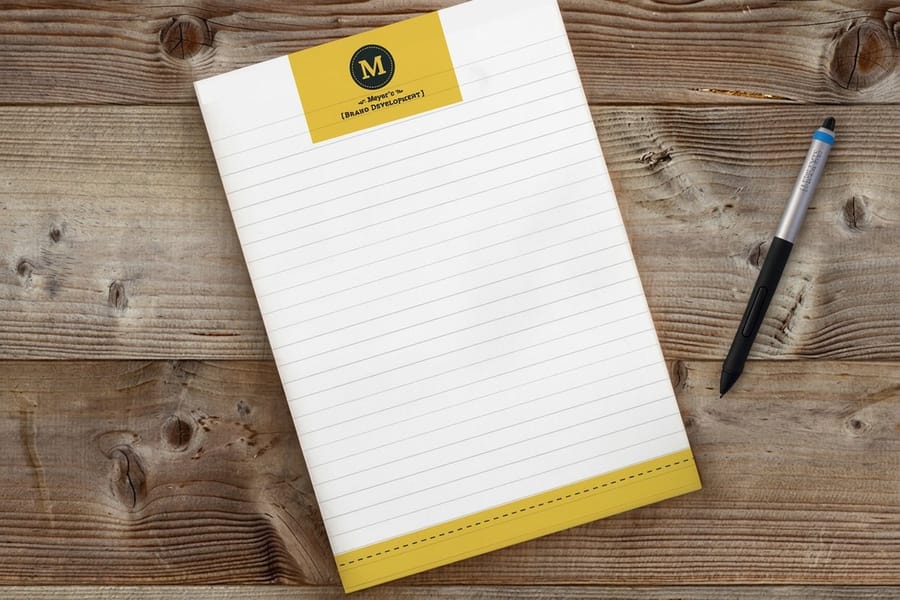
| Notepad and desk stock | Quarterly | Sheet count, size, logo placement | $93.37 |
| Letterhead and envelopes | Twice a year | Current address block, approved layout | $99.95 |
Two rules keep this safe. Keep artwork approval yourself until the assistant has caught a mistake on their own, because a wrong phone number or a missing bleed is the one error a reprint cannot fix cheaply. And give them the exact product page rather than a description, since standard notepads and letterheads both come in several configurations and "order some notepads" is not an instruction.
When the mailing side grows past a list you maintain by hand, look at direct mail services, where printing, addressing and postage happen in one pass rather than three. The case for keeping any of this physical at all is argued properly in direct mail versus digital marketing, and the wider reasoning behind sending production out instead of building it in house is in the benefits of outsourced printing.
Making the Working Relationship Survive Month Three
Most virtual assistant arrangements do not fail on skill. They fail on communication drift, and the shape of the failure is predictable enough to plan around.
Pick one channel and use it for everything. Work split across email, chat, a project tool and voice notes means nobody can find the decision that was made three weeks ago, and both sides start assuming the other one is handling it. One channel, one place where tasks live, one weekly review that takes fifteen minutes. If a task is not in that place it does not exist.
Overlap matters more than time zone. A few shared working hours a day is enough for real questions to get answered the same day, and it is the difference between a two hour delay and a two day one. Agree the response expectation in plain terms, both ways, and write down what counts as urgent so the word keeps its meaning.
Handle access properly from day one. Named logins, a password manager rather than a chat message, permissions narrow enough that a mistake stays small, and an offboarding list you write while you are still happy with them. Doing this on the first day is neutral and administrative. Doing it later feels like an accusation, so it usually does not get done at all.
Review the arrangement on a real schedule rather than when something goes wrong. Every quarter, look at what the assistant now runs without you, what still comes back for correction, and what you are still doing that should have moved by now. If the list of tasks they own has not grown in three months, either the processes were never written or you never let go, and both are yours to fix. Budget it like any other recurring cost using the approach in the cash flow system for small businesses, and if you are still building the plan they will execute, start with how to create a small business marketing plan. More on the operational side sits in the business applications guides.
Wally explains delegation
Sort the pile before you hire the help
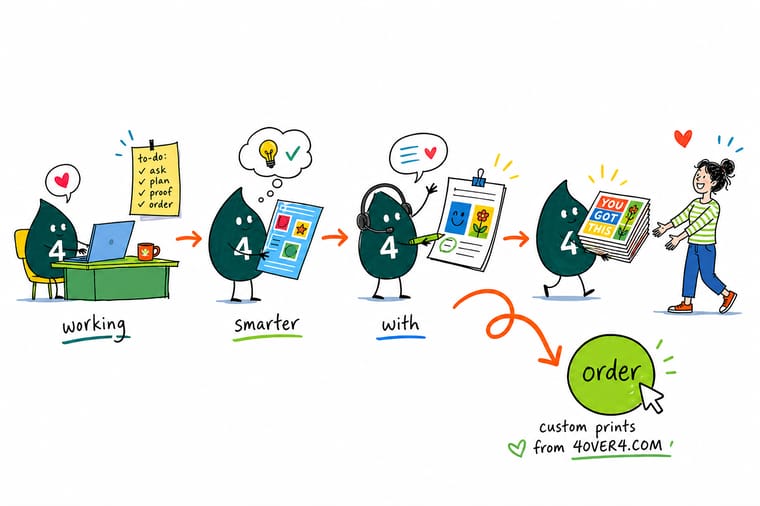
Wally writes down every job he touched for two weeks, then splits the pile in two. Anything that repeats the same way each week goes in the hand over stack, with the steps written out from a screen recording so nothing gets skipped. Anything that needs his own call stays on his desk, and the jobs in between get cut in half so the assistant does the work and Wally makes the decision. The card reorders and the monthly postcard drop were the first to go, and he has not missed them once.
Reorder business cards in a minute →
Specs and pricing
The recurring orders worth handing over, with live specs
These are the three reorders that come up most often once an assistant owns the supply calendar: business cards from $17.57 for 100 at 3.5 by 2 inches on 14pt gloss cover, postcards from $16.48 for 50 on 14pt gloss cover, and notepads from $93.37 for 25 pads of 50 sheets on 70# uncoated text. Sizes, stocks and starting prices come straight from the 4OVER4.COM configurator, so the specification you write down is the one they will see at checkout.



Print it
Give them a product page, not a description
Send the assistant a link: standard business cards from $17.57, postcards from $16.48 and brochures from $57.11 for 50 on 100# gloss text each open with a default stock already set, so the order starts from a known spec.



%22%2F%3E%3Ccircle%20cx%3D%2248%22%20cy%3D%2220%22%20r%3D%2223%22%20fill%3D%22%23334155%22%20opacity%3D%220.15%22%2F%3E%3Ccircle%20cx%3D%2254%22%20cy%3D%2227%22%20r%3D%22-3%22%20fill%3D%22%23334155%22%20opacity%3D%220.1%22%2F%3E%3Crect%20x%3D%2278%22%20y%3D%22-9%22%20width%3D%2233%22%20height%3D%2220%22%20rx%3D%224%22%20fill%3D%22%23334155%22%20opacity%3D%220.08%22%20transform%3D%22rotate(43%2080%2030)%22%2F%3E%3C%2Fsvg%3E)
Explore more
Where to go next
Read the cash flow guide before you budget the assistant as a recurring cost, and the marketing plan guide before you hand over the campaign calendar.





By the numbers
The print side your assistant can hand to 4OVER4
Common Questions
Your virtual assistant questions, answered
What should I delegate to a virtual assistant first?
Start with the task you do most often and enjoy least, as long as it follows the same steps every time. Inbox triage, calendar scheduling, invoice chasing, data entry, and recurring supply or print reorders all qualify. The test is simple: could you write it as a numbered list where every fork has a rule instead of a judgment call? If yes, hand it over. If a step ends in "it depends on the client," keep that step and delegate everything around it.
How long before a virtual assistant actually saves me time?
Plan on losing time for the first few weeks. You are writing processes, reviewing output, and answering questions that you used to answer by just doing the work. The turn comes when the assistant handles a normal week without asking you how, and that arrives faster for narrow, repetitive work than for anything touching clients. If you are still correcting the same mistake after a month, the problem is usually your written process, not the person.
What should a virtual assistant never have access to?
Banking, payment processor withdrawal settings, tax filings, and your own password manager master key. Everything else goes through named logins with the narrowest permission that lets the job get done, shared through a password manager rather than a chat message, and revocable in one click the day the contract ends. If a tool has no per-user seats, that is a reason to move tools, not a reason to share yours.
How do I write a process a virtual assistant can follow?
Do the task once with a screen recorder running, then write the steps from the recording rather than from memory. Memory skips the small decisions, and the small decisions are exactly where the work goes wrong. Number the steps, name the tool for each one, and write a rule for every fork, including what to do when nothing matches. Then have the assistant run it and edit the document with the questions they asked. After two or three runs it stops changing.
Can a virtual assistant handle print jobs and mailings?
Yes, and it is one of the cleanest handoffs there is. Ordering online is a checkout flow, not a craft, so once you have approved the artwork and set the specification, the assistant can place a repeat order, upload a mailing list, and track delivery. Give them the exact product page, the quantity, the stock, and the approved file. Keep the artwork approval yourself until you trust their eye, because a wrong bleed or an outdated phone number is the one mistake a reprint cannot fix cheaply.
Is a virtual assistant cheaper than an agency?
On hourly rate, usually. On total cost, only if you supply the process. An agency prices its own systems, quality control, and cover for holidays into the fee. A virtual assistant gives you the hours and expects you to bring the method, so the true comparison is your hourly rate multiplied by the time you spend writing procedures and reviewing work, added to theirs. For repeatable admin the assistant wins easily. For specialist work you cannot describe, the agency usually does.
Get Started
Notepads run 25 for $93.37, brochures 50 for $57.11
Set the stock, the quantity and the artwork once, then let your assistant place the same order whenever the box runs low. Cards, postcards and stationery ship from our own presses.
Legal Disclaimer
Gold Standard guarantees apply to all standard orders placed through 4over4.com. Price match requires verifiable proof of a competitor's published price for an equivalent product with matching specifications and turnaround time. Satisfaction guarantee covers manufacturing defects and print quality issues. Contact support with order number and documentation.
