
How to Make a Brochure From Blank Page to Printed Fold


Sofia is our design and templates voice, built from the knowledge of our production team, with over 20 years in printing.
The typical brochure is a flat 11 by 8.5 inch sheet folded into three panels. Here are the five steps to make one, in order, with the panel measurements, the margins and the file settings a press actually needs, written for the person who has to hand the finished thing to a customer.
Making a brochure is five decisions taken in order: the fold, the panel grid, the copy, the print ready file, then the stock and quantity. Pick the fold first, because it sets how many panel faces you have and how wide each one is. Lay the piece out as one flat sheet with the real panel widths, since any panel that tucks inside is trimmed about a sixteenth of an inch narrower. Write one idea per panel. Export a CMYK PDF with 0.125 inch bleed and live text held 0.25 inch inside the trim.
Quick answer
Fold, grid, copy, file, stock, in that order
Choose the fold before anything else. One fold gives four printed faces, two give six, three give eight, and that number decides how the content has to be broken up. Lay the brochure out as one flat sheet with the true panel widths, because a panel that tucks inside is trimmed narrower than the ones around it. Write each panel as a self contained idea with its own heading. Export a CMYK PDF with 0.125 inch bleed, hold live text 0.25 inch inside the trim and 0.125 inch back from every fold. Then pick the stock, because 80 lb text folds clean and a heavy coated cover can crack.
| Step | What you set | The number to use |
|---|---|---|
| 1. Fold and size | Fold type and flat sheet | Tri fold on 11 x 8.5 in, 6 panel faces |
| 2. Panel grid | Fold guides on one flat sheet | 3.6875, 3.6875 and 3.625 in panels |
| 3. Copy | One idea per panel | One heading per panel face |
| 4. File | CMYK PDF with bleed | 0.125 in bleed, text 0.25 in inside the trim |
| 5. Stock and quantity | Paper, finish and run size | From $57.11 for 50, 3 business days standard |
Typical brochure size
The brochure sizes people order, flat and folded
The typical brochure size is 8.5 x 11 inches flat, folded in three to about 3.67 x 8.5. It fits a literature rack, a number 10 envelope and a jacket pocket. Our brochures print in six flat sizes, all on 100# Gloss Text, 100# Silk/Matte Text, 70# Uncoated Text or 14pt Gloss Cover, from $57.11 for 50.
| Flat size | Common fold | Closed size | Good for |
|---|---|---|---|
| 8.5 x 11 in | Tri fold | About 3.67 x 8.5 in | Racks, envelopes, counters |
| 8.5 x 14 in | Tri fold | About 4.67 x 8.5 in | More room per panel |
| 11 x 17 in | Half fold | 8.5 x 11 in | Photography and full page spreads |
| 5.5 x 8.5 in | Half fold | 4.25 x 5.5 in | Menus, programs, handouts |
| 9 x 12 in and 11 x 25.5 in | Flat or custom fold | Set by the fold | Maps, timelines, long lists |
Step 1: Pick the Fold and the Size Before You Open a Layout File
The fold is the only decision that changes every other decision, so it goes first. It fixes the number of panel faces you have to fill, the width of each one, and the order the reader meets them in. Designers who skip this step end up rebuilding the layout after the quote comes back, because the piece they drew has four panels and the fold they wanted has six.
| Fold | Panel faces | Panel widths on an 11 x 8.5 in sheet | Use it when |
|---|---|---|---|
| Half fold | 4 | 5.5 and 5.5 inches, equal | One strong cover image and a single inside spread. |
| Roll (tri) fold | 6 | 3.6875, 3.6875 and 3.625 inches | A sequential story with a cover that stays closed until opened. |
| Z fold | 6 | 3.667 inches, all three equal | A price list or comparison where all three inside faces show at once. |
| Gate fold | 8 | 2.688, 2.812, 2.812 and 2.688 inches | A reveal, when the extra folding cost is worth the moment. |
Size is the second half of the same decision. The 11 by 8.5 inch tri fold is the default because it fits a literature rack, a number 10 envelope and a jacket pocket, which is three logistics problems solved by one choice. A legal 14 by 8.5 inch sheet folded in three gives 4.67 inch panels that feel noticeably less cramped, and a 17 by 11 inch half fold gives you a full 8.5 by 11 inch page for photography. If you are still deciding between formats entirely, the brochure, booklet and flyer comparison is the faster way to settle it. For the fold mechanics in detail, see brochure fold types explained.
Step 2: Build a Panel Grid With the Real Panel Widths
Set up the document as one flat sheet, not as separate pages. A tri fold brochure is a single 11 by 8.5 inch sheet with two guides on it, and treating it as three 3.667 inch pages is the mistake that produces the bowed, badly nested brochure that will not close flat.
Place the fold guides at the real measurements. On the outside of a roll fold, working left to right, the panels are 3.625, 3.6875 and 3.6875 inches, and on the inside they mirror. The narrow one is the panel that tucks inside, and it needs that sixteenth of an inch of clearance because paper has thickness. A Z fold skips the adjustment entirely: nothing nests, so three equal 3.667 inch panels fold flat.
Then set three margins and respect all three. Bleed runs 0.125 inch past the outside trim on all four edges for any background that touches the border. The safety margin holds live content 0.25 inch inside the trim, so a small shift in the cutter never shaves a phone number. The third is the one people forget: keep text roughly 0.125 to 0.1875 inch back from each fold line, because folding equipment also has tolerance and a crease landing through a word looks like a defect even when the cutting was perfect. The bleed, cut line and safety checklist covers all three lines with measurements.
Start from a file that already has this geometry rather than drawing it. Our blank template library has the flat sheets with the guides in place, and the brochure blank template set covers every fold on this page, and the online designer holds the panel widths and margins for you if you would rather not open InDesign at all. If you want the single fold worked through end to end, the bifold setup and dimensions guide does that.
Step 3: Write Copy That Works Panel by Panel
A brochure is not a page with creases in it. The reader meets one panel at a time, in the order the folds reveal them, and each panel has to make sense on its own. Copy written as continuous flowing text gets cut in half by a crease and reads like a mistake.
Give every panel a job and a heading that states it. On a standard tri fold that usually runs: cover panel earns the open, inside left sets up the problem, inside center and inside right carry the offer or the detail, back panel takes contact information and the call to action, and the panel that tucks in takes something short because it is the one the reader sees least. Write the cover last, once you know what the inside actually says.
Budget the words honestly. A 3.667 inch panel with a 0.25 inch safety margin has about 3.17 inches of live width, which at 10 point body type is a line of roughly 40 characters. That is a heading, a short paragraph and a four item list per panel, not three paragraphs. The temptation when copy overruns is to drop to 8 point. Resist it: a brochure is read standing up at arm's length, and small type is the fastest way to make an expensive print run invisible.
- One idea per panel. If a panel needs two headings, it is really two panels.
- Front load every heading. The reader scans the first three words of each panel and decides whether to keep unfolding.
- Put the action on the panel that faces up when closed. A phone number on an inside panel is a phone number nobody dials.
- Read it aloud in fold order. Anything that only makes sense flat on your screen will not survive the crease.
Step 4: Export a File the Press Can Run Without Emailing You Back
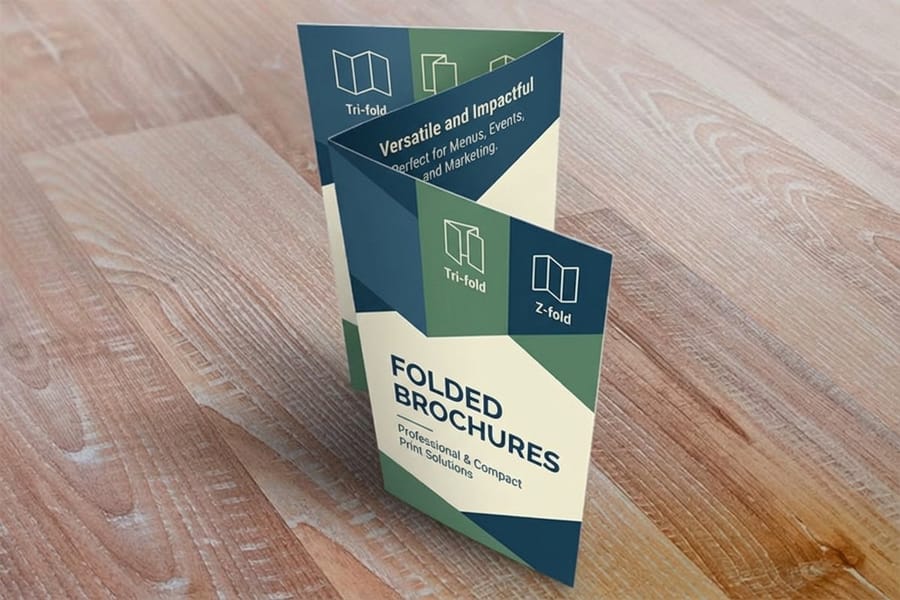
Most delayed brochure orders are held up by the file, not the press. Five checks catch nearly all of it.
Export as a flat PDF with bleed and no fold marks drawn in the artwork. Send the sheet as single pages, outside and inside, at final size plus 0.125 inch bleed. Do not draw your own crop or fold marks into the design area, because they get printed. Tell us the fold in the order instead.
Convert to CMYK and check the deep colors. RGB files get converted anyway, and the conversion is where a bright screen blue turns muddy. Rich black for large solid areas holds better than 100 percent K on its own. Our guide to the best color profile for printing gives the working profile and where the conversion goes wrong.
Outline the fonts or embed them. A missing font substitutes silently and the first evidence is a proof with the wrong typeface. Supply images at 300 dpi at final size. A logo pulled off a website is usually 72 dpi and will look soft on paper no matter how good it looks on screen. Proof the folded piece, not the flat sheet. Print the outside and inside on a home printer, fold it by hand, and read it. Panel order errors are almost invisible flat and obvious the second the paper is folded.
That hand fold catches the classic mistake, where the panel meant to tuck inside has been placed on the wrong end of the sheet and the brochure opens backwards. Two minutes with an office printer is cheaper than reprinting a thousand pieces.
Step 5: Choose Stock and Quantity, Then Order
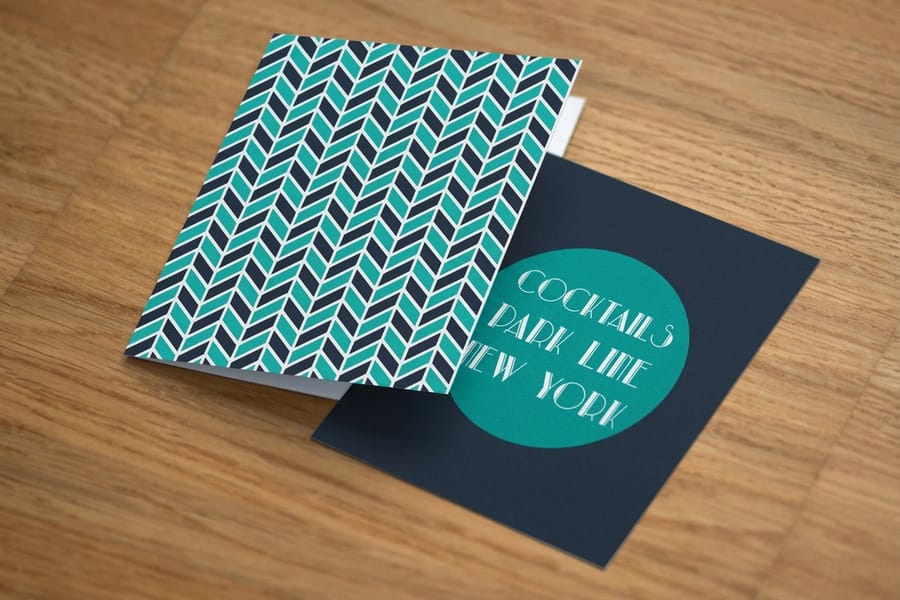
Stock is where a brochure feels cheap or does not. 80 lb text is the everyday choice: it folds cleanly, mails at sensible weight, and holds color well on a gloss or matte coating. Step to 100 lb text when the piece is handed over in person, because the extra stiffness is noticeable the moment someone picks it up. Cover weights look impressive flat, but they must be scored before folding and a heavy coated cover can still crack along the crease. The brochure paper guide compares them with the trade-offs named.
On price, standard brochures start at $57.11 and folded brochures start at $57.11 as well, so the fold itself is not what moves the number. Quantity is. Brochure printing runs on offset presses where the setup cost is fixed, which means the second thousand costs far less per piece than the first, and ordering 250 when you will clearly need 1,000 within the quarter is the most common way to overpay. If your content has grown past eight panels, stop folding and switch: standard booklets start at $240.55 and give you a real page count with a proper spine. A half fold gives you 4 faces, a tri fold or Z fold 6 and a gate fold 8; booklets start at 8 pages (a cover plus 4 inside) and run in steps of 4 up to 60, saddle stitched, at 5.5 x 8.5, 8.5 x 11 or 11 x 11 inches. If it has shrunk to one message, a standard flyer at $39.54 does the same job for less.
Set the quantity against a real distribution plan rather than a comfortable number. Rack stock, a trade show, and a mailing list are three different quantities, and a brochure sitting in a cupboard because the offer changed is the only genuinely wasted print run. Browse everything we fold, in every size and stock, on the brochure printing category.
Wally explains the brochure that closes flat
Three panels, and one of them is narrower on purpose
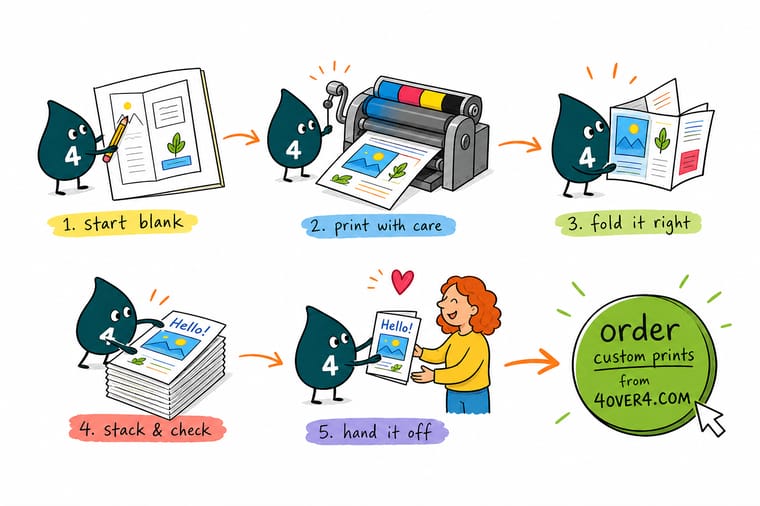
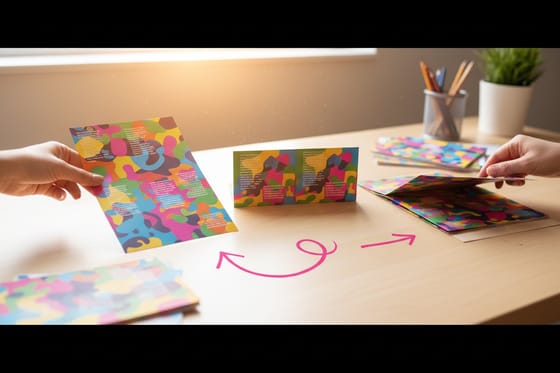
Wally lays the sheet out flat and measures before he draws anything. Two outer panels at 3.6875 inches, one tucked panel at 3.625 inches, because paper has thickness and the inside panel needs somewhere to sit. He runs the background art a sixteenth past the trim so the blade never finds white paper, keeps the phone number a quarter inch inside the edge, and pulls the headline back from the crease. Then he prints it at home, folds it by hand, and reads it in fold order before anyone touches a press.
Price a brochure →
Specs and pricing
Brochure sizes, stocks and starting prices
Brochures and folded brochures both start at $57.11 for 50 in six sizes from 5.5 x 8.5 to 11 x 25.5 inches, on four papers with 3 business days of standard production. Booklets start at $240.55 for 25 with 8 to 60 saddle stitched pages. Compare them side by side, with live configuration choices and starting prices straight from the 4OVER4.COM configurator.


Print it
Order the brochure you just designed
Order standard brochures for a flat or half fold sheet, folded brochures when the panels read in sequence, and booklets once the content passes eight panel faces.


Explore more
Where to go next
Read the fold types guide before Step 1, the bifold setup guide if you chose a half fold, and the paper guide before you pick the stock in Step 5.





By the numbers
Panel widths scored to the fold you picked
Common Questions
Your brochure questions, answered
What is the standard brochure size?
The default is a flat 11 by 8.5 inch sheet folded into three panels, which closes to roughly 3.67 by 8.5 inches and fits a standard rack, a business envelope and a coat pocket. Two other sizes come up often. A flat 17 by 11 inch sheet with a single fold gives a large 8.5 by 11 inch bifold, useful when you need big product photography. A flat 14 by 8.5 inch legal sheet folded in three gives 4.67 by 8.5 inch panels, which reads more spacious than the standard tri fold without moving to a bigger piece.
Which fold should I choose?
Match the fold to the reading order. Use a roll fold when the story is sequential and you want a cover panel that stays hidden until the reader opens it. Use a Z fold when all three inside faces should be visible at once, which suits a price list or a comparison. Use a half fold when the piece leads with one strong image. Use a gate fold when you want a reveal, and accept that it costs more to fold and is easy to get wrong. Our guide to brochure fold types walks through each one with the panel maths.
Why is one panel a different width from the others?
Because paper has thickness. Any panel that folds inside another one needs about one sixteenth of an inch of clearance or it fights the spine when the brochure closes. On the standard 11 inch tri fold that means 3.6875, 3.6875 and 3.625 inches rather than three panels of 3.667. A Z fold does not need the adjustment, because nothing nests inside anything, so all three panels stay equal at 3.667 inches.
How much copy actually fits on a brochure panel?
Less than most first drafts assume. A 3.667 inch wide tri fold panel with a 0.25 inch safety margin leaves about 3.17 inches of live width, which at 10 point body type is a comfortable line of roughly 40 characters. In practice that is one heading, one short paragraph and a three or four item list per panel with room to breathe. If your text does not fit at 10 point, cut the text rather than dropping to 8 point, because a brochure nobody can read at arm's length has failed before the paper cost matters.
Do I need bleed on a brochure, and how much?
Yes, whenever any color or image touches the finished edge. Extend that artwork 0.125 inch past the trim on all four sides of the flat sheet, not per panel, since the folds are inside the sheet and never get cut. Keep everything you want to keep at least 0.25 inch inside the trim line. Panel gutters need the same discipline: pull text back roughly 0.125 to 0.1875 inch from each fold so a small folding shift never lands a crease through a word.
What paper weight works best for a folded brochure?
80 lb text is the everyday choice and folds without any special handling. Step up to 100 lb text when the piece is handed over in person and you want it to feel substantial rather than flimsy. Cover weights look good flat but need a score before folding, and a heavy coated cover can crack along the crease no matter how carefully it is folded. The paper types for brochure printing guide compares the finishes side by side.
Can I design the brochure without a layout program?
Yes. Start from a correctly sized template in the blank template library if you are working in InDesign or Illustrator, or build the piece in the online designer, which already has the panel widths, bleed and safety margins in place so the geometry cannot drift. Either route ends in the same place: a print ready PDF with the folds where the press expects them.
Get Started
Pick the fold, then order 50 from $57.11
Pick the fold, choose 80 lb or 100 lb text, upload the flat sheet with bleed, and we print panels that line up and folds that close flat.
Legal Disclaimer
Gold Standard guarantees apply to all standard orders placed through 4over4.com. Price match requires verifiable proof of a competitor's published price for an equivalent product with matching specifications and turnaround time. Satisfaction guarantee covers manufacturing defects and print quality issues. Contact support with order number and documentation.
