
Cutting and Trimming Machines Explained


Tobias is our voice for cutting, binding and large format, built from the knowledge of our production team, with over 20 years in printing.
Guillotines, die cutters, lasers, and three-knife trimmers are the machines that turn a printed sheet into a finished product. Cutting frees a shape, trimming squares a stack, and the edge is what makes a print look made rather than merely printed.
A cutting machine reduces a large printed sheet to size. A trimming machine squares the edges to the exact final dimension. Cutting separates the many-up press sheet into individual pieces, most often with a programmable guillotine, a shaped steel die, or a laser. Trimming then shaves a thin, even margin so every side is flush and true, which is essential for anything bound or folded. Cutting gets you close, trimming gets you exact, and a clean edge is what makes print feel professional.
Start here
Blade, die, laser, three-knife
Cutting machines size the sheet and trimming machines square the edge. A cutting machine, usually a programmable guillotine, separates a large press sheet into individual pieces. A trimming machine then shaves a thin, even margin so every side is flush and exact, which matters most on booklets and anything bound. Add die cutters and lasers for custom shapes, corner rounders for softer corners, and you have the small family of machines that turn ink on paper into a finished product. The infographic further down maps them all at a glance.
Why the cut is the last thing anyone touches, and the first thing they judge

A printed piece can be flawless right up to the final step and still fall apart at the edge. A soft corner, a cut that drifts a hair off square, a white sliver where the color should have run past the trim line because the file carried no 1/8 inch bleed: none of it shows on screen, and all of it shows in the hand. Cutting and trimming are where a design stops being a file and becomes an object, which is exactly why the machines that do it matter more than most people realize.
Commercial printing almost never prints one piece at a time. Dozens of business cards, a run of postcards, or a sheet of labels are printed together on one large press sheet, then separated and squared afterward. That separating and squaring is the job of cutting and trimming equipment, and how well it is done is the difference between a print that looks bought and one that looks made.
This guide walks through what a cutting machine is, what a trimming machine is, the main types of each, and how they work together at the end of the line. If you already know you want a clean, precisely cut result, our die cutting collection and the full library of printing guides pick up where this leaves off.
What is a cutting machine?

A cutting machine is finishing equipment that reduces a large printed sheet to a smaller size. It takes the press sheet, which may hold many copies of your piece ganged together, and separates it into the individual pieces you ordered. In a working print shop it is one of the busiest machines on the floor, because almost nothing ships without passing through it first.
The defining feature of a cutting machine is force applied along a line. Whether the blade is a long straight knife, a shaped steel die, or a focused laser, the goal is the same: a clean, controlled separation exactly where the design says the edge should be. Getting that line in the right place, run after run, is the whole craft.
Cutting sits alongside the other finishing steps that turn ink on paper into a product you can use, from coating and lamination to folding and binding. If you want the wider picture of how a job moves from press to package, the article on the different types of printing is a useful map, and our notes on aqueous coating cover the finish that often protects a fresh cut.
The main types of cutting machines

No single machine cuts every shape, stock, and volume well, so print shops keep a few. These are the ones that do the bulk of the work:
- Guillotine cutter. One long, heavy blade drops through a clamped stack in a single stroke. A programmable model stores your cut positions and repeats them precisely across the whole run, which makes it the standard for straight cuts.
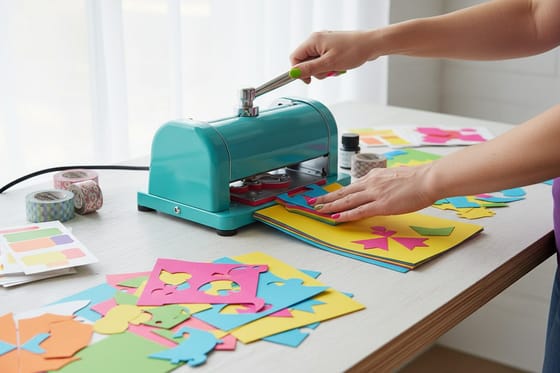
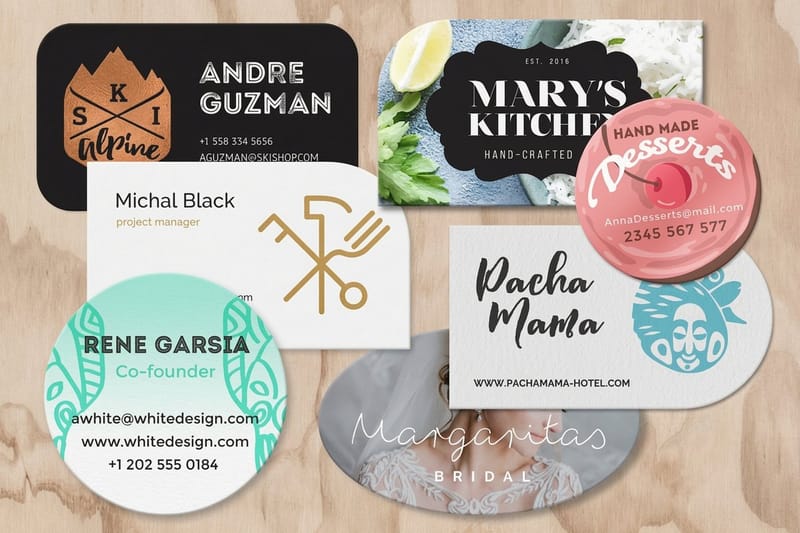
- Die cutter. A custom steel rule, bent into the outline of your shape, is pressed through the stock to punch out anything that is not a plain rectangle. This is how rounded, tabbed, and fully custom shapes are made, and it is the heart of our die cutting process.
- Laser cutter. A focused beam burns the cut line with nothing physically touching the stock, which allows fine detail that a blade could never hold.
- Rotary cutter. A rolling circular blade makes continuous straight cuts, well suited to lighter material and long, uninterrupted edges.
Which one your job meets depends on the shape you designed and the stock you chose. Heavier boards behave very differently under a blade than a light text weight, which is one more reason the paper weight you pick matters well before the file reaches the cutter.
What cutting machines actually do in a print shop

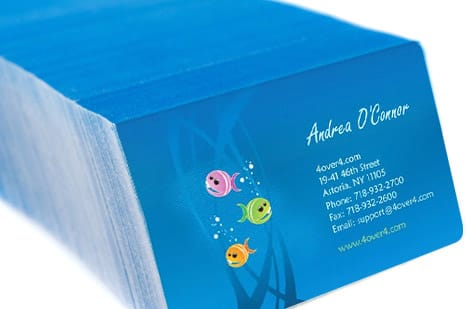
The everyday job of a cutting machine is separating a ganged sheet. Business cards, postcards, and stickers are laid out many-up on one sheet to keep press costs down, then the cutter breaks the sheet apart into the finished stack. The same machine squares up the edges of a plain rectangular product so every card in the box is identical.
Beyond simple separation, cutting is what makes non-standard products possible at all. A die cutter turns a flat rectangle into a shaped label, a tabbed card, or a folder with a built-in pocket. Precise, repeatable cutting is also what keeps folded and scored pieces lining up, since a fold only looks clean if the panel it lives on was cut true in the first place.
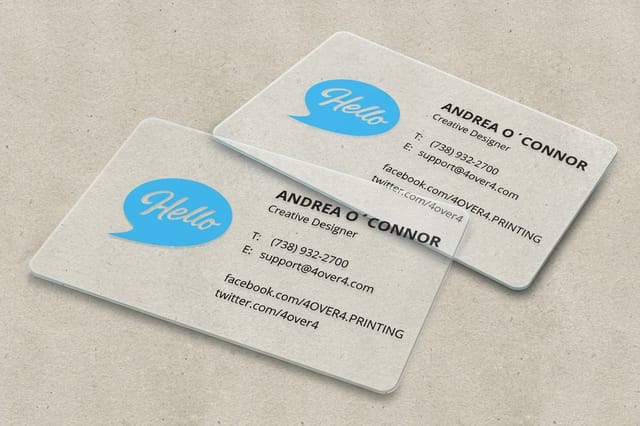
You can see the payoff in products where the edge is the point. Crisp, square plastic cards, contour-cut stickers, and cleanly hemmed banners all depend on cutting done right. When it is, the product reads as considered before anyone has read a single word on it.
What is a trimming machine?

A trimming machine is finishing equipment that shaves the edges of a piece to its exact final dimension. Where a cutting machine gets you close, a trimmer gets you exact: it removes a thin, even margin so every side is flush, square, and true to the size you ordered. Trimming is the polish step, the one that turns a roughly sized stack into a precise, professional block.
The distinction sounds subtle, and in practice it often is, but it matters most on anything bound or multi-page. A booklet printed and folded is never perfectly even at the open edge, because the outer pages sit slightly proud of the inner ones. Trimming shaves that face flush so the whole thing closes clean, which is why the step is sometimes called facing off.
For flat, single-sheet products the cutting and trimming steps can blur into one pass, but the intent stays the same: hit the final size with a clean edge. That final size is worth planning around from the start, which is why setting the right dimensions and bleed, covered in our die cutting guide, saves grief at the trimmer.
The main types of trimming machines
Trimmers specialize by what they are squaring up. The common types are:
- Three-knife trimmer. Trims the top, bottom, and open face of a bound piece in one operation, so all the pages of a booklet or book line up flush. It is the standard finishing step for anything with a spine.
- Face or single-knife trimmer. Shaves one edge at a time, used for trimming off the folded lip of a booklet or squaring a single side of a flat piece.
- Rotary trimmer. A rolling wheel runs along a rail to produce a clean, continuous straight edge, ideal for lighter stock and shorter runs.
- Corner rounder. Presses a rounded radius onto sharp corners, a small trimming touch that changes how a card feels and wears in a wallet.
Most of these live at the very end of the line, after printing, coating, folding, and binding are done. That order is not arbitrary: you trim last so the final edge is cut through every layer at once, laminate included, for a finish that will not peel or fray. Our guide to liquid laminate explains why the trim has to come after the film goes on.
Cutting vs trimming: where one ends and the other begins
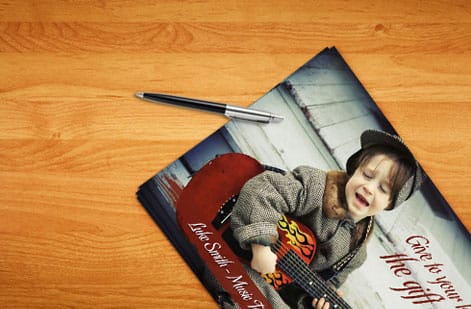
The clearest way to hold the two apart is by their job. Cutting is about separation and rough size: take one big sheet, get the pieces out of it. Trimming is about precision and finish: take those pieces, or a bound block, and square them to the exact final dimension with a clean edge. Cutting reduces, trimming refines.
On a simple flat product the two can happen in the same pass on the same machine, which is why the words often get used interchangeably. The moment a piece is folded, bound, or laminated, though, they split apart into distinct steps with distinct equipment, and skipping the trim is exactly what leaves a booklet with a ragged, uneven face.
Guillotine cutter vs rotary trimmer
A guillotine cutter drops one long blade through a clamped stack, so it cuts the whole pile to the same line in a single stroke, which is what a print shop runs production on. A rotary trimmer rolls a circular blade along a rail through a few sheets at a time, which suits proofs, mounting, and one-off desk work.
| Machine | What it cuts | Stack capacity | Edge quality | Where it sits in the bindery |
|---|---|---|---|---|
| Guillotine cutter | Straight lines through flat sheets | A full clamped stack in one stroke | Clean and square, repeatable to the millimeter on a programmable model | First station after the press, sizing the sheet |
| Rotary trimmer | Straight lines on lighter material | A few sheets at a time | Clean on thin stock, drifts if the pile is too thick | Proofing, mounting, and small hand work |
| Three-knife trimmer | Three sides of a bound block at once | One book or booklet per cycle | Flush and square across every page | After binding, as the final trim |
| Die cutter | Custom shapes pressed from a steel rule | A stack pressed under the die | Exact to the die line, internal cutouts included | After printing, for anything that is not a rectangle |
| Laser cutter | Fine detail and intricate outlines, no blade contact | One sheet at a time | Very fine detail, and a sealed edge on some materials | Specialty work a die cannot hold |
Both steps share one requirement above all: the edge has to be true. That is a standard, not a feature, and it is the baseline every job is held to. If you want the vocabulary that surrounds these steps, from bleed to gutter to crop marks, the printing terms glossary is the reference to keep open.
Where cutting and trimming sit in the bindery
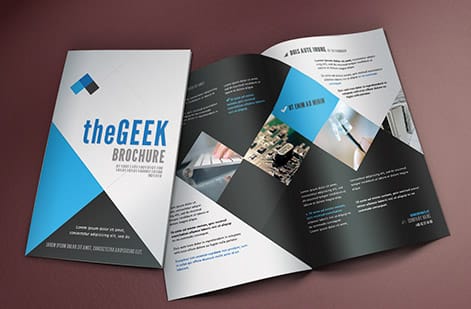
Cutting and trimming are two stations in a larger part of the shop called the bindery, the department that handles everything after ink is on the sheet. Alongside the cutters and trimmers sit folders that crease panels, scorers that prepare heavy stock to fold without cracking, and binders that assemble multi-page pieces with staples, coils, or glue.
These stations depend on each other. A fold only lands where it should if the sheet was cut square first, and a bound book only trims flush if the pages were gathered evenly. That is why the order of operations in the bindery is fixed, and why a small error early, like a cut a millimeter off, compounds into a visible fault by the time the piece is finished.
Understanding this sequence helps you design for it. Knowing that scoring precedes folding, or that trimming comes after lamination, tells you where to place your bleed and how much safe margin to leave. Our guides on paper stocks and cardstock versus paper stock round out the material side of the same picture, and every one of our guides on paper sits in one index.
What clean cutting means for your printed piece, and what it costs
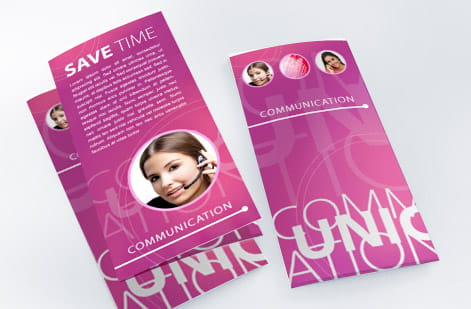
For you as the person ordering, all of this equipment resolves into one thing: an edge you can trust. You should not have to think about which blade squared your cards, only that they arrive flush, square, and identical. That is the outcome the whole bindery exists to produce, and it is the standard 4OVER4.COM finishes every order to. Our clear plastic cards show it in numbers: every card lands at 2.125 by 3.375 inches, with a 1/8 inch rounded corner when you tick that option.
On price, the logic is easy to follow. Standard straight cuts on a guillotine are already built into the cost of the product. The extras that add to it are the ones that need their own tooling or slower handling: a custom die for an unusual shape, rounded corners, or fine laser detail. You choose these in the configurator and the price updates live as you go, so what you see is what you pay.
The best way to judge a finish is to hold it. Order free paper samples to feel the stock and the edge before you commit, browse our full range of service catalogs and printing features to see what is possible, then set your options in the specs and pricing panel just below.
Wally explains the cut
The edge is the last step and the first impression
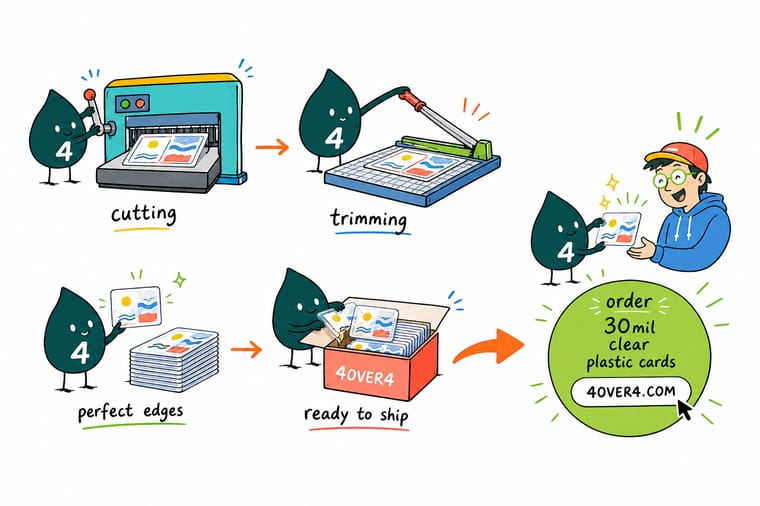
Wally thinks of finishing as two jobs, not one: the cutting machine sizes the big sheet into pieces, then the trimming machine squares the edges until every side is flush. Get both right and a card feels made instead of merely printed. Design with your bleed and safe margin in place, then let 4OVER4 handle the blades so your finished piece arrives clean, square, and consistent.
Order clean-cut printing →%22%2F%3E%3Ccircle%20cx%3D%2241%22%20cy%3D%2249%22%20r%3D%2226%22%20fill%3D%22%2314b8a6%22%20opacity%3D%220.15%22%2F%3E%3Ccircle%20cx%3D%2278%22%20cy%3D%2258%22%20r%3D%2214%22%20fill%3D%22%2314b8a6%22%20opacity%3D%220.1%22%2F%3E%3Crect%20x%3D%2271%22%20y%3D%2228%22%20width%3D%2226%22%20height%3D%2234%22%20rx%3D%224%22%20fill%3D%22%2314b8a6%22%20opacity%3D%220.08%22%20transform%3D%22rotate(36%2080%2030)%22%2F%3E%3C%2Fsvg%3E)
Infographic
Cutting and trimming machines at a glance
One frame, the whole print finishing line: the guillotine that squares a full clamped stack in one stroke, the die and the laser that cut shapes, the three-knife trimmer that faces a bound booklet on three sides in one cycle, and the corner rounder that sets a 1/8 inch radius on a card. Save it as a quick reference the next time you spec a job or plan a shape that is not a plain rectangle.
Cutting sizes the sheet, trimming squares the edge, and die and laser cutters handle the shapes a straight blade cannot. Together they are the finishing line that turns a printed sheet into a product you can hold.
Specs and pricing
Plastic card specs and live pricing
Clean-cut plastic cards are a good example of cutting and trimming done right, with crisp square edges at 2.125 by 3.375 inches, a 1/8 inch rounded corner as an option, and a lanyard slot punched on the short or the long side. Clear plastic cards run 500 for $529.26, which is $1.06 each, on 30mil Clear Plastic.

| Quantity | Price Per Unit | Total |
|---|---|---|
| 500 | $1.06 | $529.26 |
| 1,000 | 63.0¢ | $630.31 |
| 2,000 | 56.8¢ | $1,135.55 |
| 2,500 | 53.0¢ | $1,325.02 |
| 3,000 | 50.5¢ | $1,514.49 |
| 3,500 | 48.7¢ | $1,703.96 |
| 4,000 | 47.3¢ | $1,893.44 |
| 4,500 | 45.6¢ | $2,051.33 |
Print it
Products finished with a clean, precise edge


Explore more
Where to go next

By the numbers
The finishing equipment your job passes through here
Common Questions
Common questions about cutting and trimming machines
What is a cutting machine in printing?
A cutting machine is finishing equipment that reduces a large printed sheet to a smaller size. In commercial printing many pieces are printed together on one big sheet, so the cutting machine separates them and squares up the stack. The most common type is the programmable guillotine, which drops a single long blade through the whole pile at once for a clean, repeatable cut.
What is the difference between cutting and trimming?
Cutting sizes the sheet and trimming cleans the edge. A cutting machine takes a printed press sheet and breaks it down into the rough pieces you need. A trimming machine then takes those pieces, or a bound book, and shaves the edges to the exact final dimension so every side is flush and square. In short, cutting gets you close and trimming gets you exact.
What are the main types of cutting machines?
The four you will meet most often are the guillotine cutter for straight cuts through a stack, the die cutter for pressing custom shapes from a steel rule, the laser cutter for fine detail with no blade, and the rotary cutter for continuous straight cuts on lighter material. Each one exists because no single method handles every shape, stock, and volume well.
What is the difference between a guillotine cutter and a rotary trimmer?
A guillotine cutter clamps a stack of paper and drops one long blade straight through it, cutting every sheet to the same line in a single stroke, which is why it handles production runs. A rotary trimmer runs a circular blade along a rail and cuts a few sheets at a time, which makes it the right tool for proofs, mounting, and small hand work but the wrong one for a full stack. Edge quality is comparable on thin stock. On a thick pile, only the guillotine stays square.
How do print shops cut a full stack of paper at once?
They clamp it first. On a programmable guillotine the operator enters the cut positions, the machine pushes the stack against a moving back gauge, a clamp presses the pile flat so no sheet can shift, and then the blade comes down through the whole stack in one stroke. The clamp is the part that matters, because without it the top sheets slide and the cut drifts. Since the positions are stored, the same cut repeats across the run, which is what makes every card in a box identical.
What is a guillotine cutter?
A guillotine cutter is a machine with one long, heavy blade that comes down through a clamped stack of paper in a single stroke. A programmable model stores your cut positions and repeats them to the millimeter across the whole run, which is why nearly every print shop still runs one for straight cuts.
What is a three-knife trimmer?
A three-knife trimmer is a machine that trims three sides of a bound piece, such as a booklet or a book, in one operation. It squares the top, the bottom, and the open face at once so all the pages line up flush. It is the standard finishing step for anything with a spine, and it is what gives a booklet its clean, professional block of pages.
Do I need to worry about the cut when I set up my file?
Yes, and it is simpler than it sounds. Add bleed so your background runs past the trim line, keep important text and logos inside a safe margin, and supply artwork at the right resolution. That way a tiny, normal shift on the cutting machine never leaves a white sliver or clips your text. Our guide on die cutting and our resolution notes cover the setup in detail.
How does cutting affect the price of my print order?
Straight cuts on a guillotine are standard and already built into the price. Extras add cost when the job needs its own tooling or slower handling, such as a custom die for an unusual shape, rounded corners, or laser detail. At 4OVER4.COM you pick these options in the configurator and watch the price update live, so there are no surprises at checkout.
Get Started
Ready for print finished with a clean edge?
Bring your design to 4OVER4.COM and let our finishing line square every edge to the exact size you set. Adjust size, stock, corners, and shape, and watch your price update live.
Legal Disclaimer
Gold Standard guarantees apply to all standard orders placed through 4over4.com. Price match requires verifiable proof of a competitor's published price for an equivalent product with matching specifications and turnaround time. Satisfaction guarantee covers manufacturing defects and print quality issues. Contact support with order number and documentation.
