
Rich Black Explained and the CMYK Recipe for Deep Solid Blacks


Plain black ink looks thin over large areas. Rich black adds color underneath for a deep, even solid. Here is the CMYK recipe, when to use it, and the file setup that avoids muddy or off register prints.
Rich black is a deep black built from all four CMYK inks instead of black alone. A common recipe is C60 M40 Y40 K100. The extra color under the black makes large solid areas print deep and even rather than thin and grayish. Use it for big black fills and backgrounds, keep plain K100 for small text, and stay under the total ink limit to avoid muddy results.

Start here
Rich black in one paragraph
Rich black is a deep, solid black built from all four CMYK inks rather than black on its own. Plain black, K100, prints thin and grayish over large areas because it is a single ink. Adding cyan, magenta and yellow underneath, in a recipe such as C60 M40 Y40 K100, gives a deeper and more even black. Use rich black for large fills and backgrounds, keep small text as plain K100 for crisp edges, and hold the total ink under the press limit so the result stays clean rather than muddy.
What rich black is and why plain black falls short

On a press, black comes from the K ink in CMYK. Print a large area with black alone, K100, and it often looks thinner than expected, a dark gray rather than a true deep black, sometimes uneven or streaky. That is because a single layer of ink can only lay down so much density.
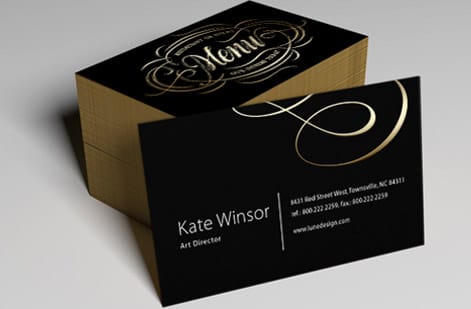
Rich black solves this by printing color under the black. Adding cyan, magenta and yellow beneath the K builds up more ink, producing a black that reads as deep, even and premium across a big solid. On a classic business card with a black background, the difference between plain and rich black is immediately visible.
So rich black is not a different color, it is a build. The rest of this guide gives the recipe, tells you when to use it and when not to, and covers the file setup that keeps it clean. It pairs closely with our broader print ready files guide.
The rich black CMYK recipe

The most reliable everyday recipe for rich black is C60 M40 Y40 K100. The full K100 gives the base black, and the 60 40 40 of color underneath deepens it evenly without overloading the paper. Copy those four values into your black fill and you have a rich black that prints deep on almost any commercial job.
You will see other builds. A cool rich black leans on cyan, for example C60 M0 Y0 K100, for a black with a slight blue depth, while a warm rich black adds more magenta and yellow. The neutral 60 40 40 100 recipe is the safest default because it stays balanced and predictable across stocks.
Whatever build you pick, apply it only to your large black areas, and set the value directly in your design software's color mixer rather than relying on a swatch named black. Get the four numbers right in the file and the press reproduces the same deep black every time.
When to use rich black and when to use plain black

Use rich black for large solid areas: full black backgrounds, big blocks of color, oversized display type, and anywhere a flat, premium black matters. These are the places plain black looks thin, so the extra ink pays off in depth and evenness.
Use plain black, K100, for small text and fine lines. Because rich black stacks four inks, any tiny misregistration on press can leave color fringes around small type, making it look fuzzy. Single color K100 has no layers to misalign, so it keeps fine text crisp and sharp.
The simple rule: big and bold gets rich black, small and fine gets plain black. Body copy, captions and thin rules stay K100, while hero backgrounds and large graphics get the rich build. Following that split gives you deep solids and clean text on the same page.
Black in photographs versus black you build
A black inside a photograph is not something you build. When an image is separated to CMYK, its dark areas already come out as a mix of all four inks, so the picture carries its own deep black before it ever reaches the press. Applying the recipe on top of an image, or laying a black fill over it, only pushes the ink higher and flattens the detail in the shadows.
Where this bites is the seam between a photo and a flat black panel. The image black and a C60 M40 Y40 K100 fill rarely land in the same place, so the join shows as a warm or cool shift. Two ways out: sample the dark area of the picture and build your fill to those four values, or let the image run to the trim so there is no join to match.
Leave the photograph alone and control only the black you draw. Shadow detail survives, the sheet stays inside the ink limit, and neither black looks dusty next to the other.
File setup to avoid muddy or off register prints

Two problems can spoil rich black: too much ink, and misregistration. Guard against the first by watching your total ink coverage, the sum of the four CMYK values. Keep it under roughly 240% for most commercial stocks. The C60 M40 Y40 K100 recipe totals 240%, which is why it is a safe default; pushing higher risks a muddy, slow drying, smudge prone result.
Guard against the second by keeping small text and thin elements in plain K100, as covered above, so there are no layers to misalign. For rich black areas that sit against other colors, a small trap or overprint setting can help, though for most jobs the standard recipe on a properly prepared file is enough.
Finally, build the file correctly overall: work in CMYK, not RGB, so your black values are true, and export a flattened, press ready PDF. Our guides on creating print ready files and choosing the right file type cover the surrounding setup that keeps rich black printing predictably.
Rich black and registration black are not the same
Design software ships a swatch called Registration, and picking it by accident is one of the quickest ways to spoil a job. Registration black is every ink at full strength, C100 M100 Y100 K100, and it exists for the crop marks, fold marks and color bars the press uses to line the plates up. It was never meant to appear inside artwork.
Put it in a solid panel and the sheet carries far more ink than any stock can absorb. It stays wet, it sets off onto the sheet stacked above it, and it cracks along a fold. That is the opposite of what the C60 M40 Y40 K100 build does, which is add just enough color under the K to deepen it while staying inside the limit.
Before you export, open the swatch panel and read the four values sitting behind every black in the file. Anything showing 100 across all four inks belongs to the press, not to your design.
Rich black across products
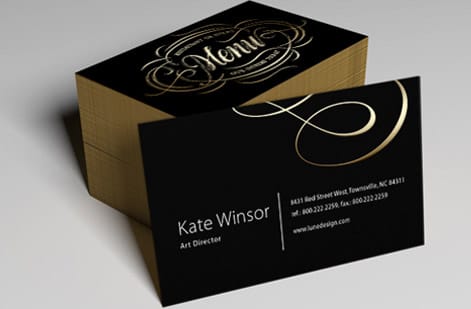
Rich black earns its keep anywhere a design leans on solid black. On business cards, a rich black background reads as premium and deep in the hand, where a thin plain black would look flat. On brochures and flyers, large black panels and headers hold their density instead of graying out.
Because rich black is a file setting, it travels across every product and stock. The only adjustments are practical: heavier coated stocks hold dense ink well, while very absorbent or uncoated stocks may benefit from staying at or just under the ink limit to avoid over saturation.
Whatever you print, the workflow is the same: apply the rich black recipe to large solids, keep small text at K100, respect the ink limit, and send a clean CMYK PDF. Do that and your blacks come back deep and even on any 4OVER4 product.
Proofing and ordering with rich black

Because black is so central to a design, it is worth confirming before a full run. If a job depends on an exact deep black, order free samples or review a proof so you can judge the black on the actual stock, since coated and uncoated papers render the same build a little differently.
When you order, your correctly built file does the work: the rich black recipe is baked into the artwork, so the press reproduces it faithfully. Every order can also run through our free file check, which flags issues like a small text set in rich black or total ink over the limit before printing.
Ready to print? Start with our classic business cards to see rich black on a premium card, or apply it to brochures and other products. Use the live specs and pricing below to set the stock and finish that will carry your black best.
Wally mixes a deeper black
Rich black is a recipe, not a swatch named black
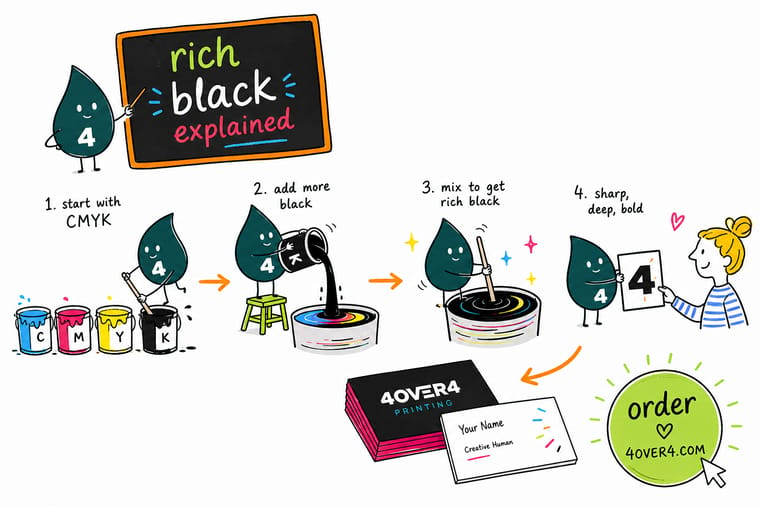
Wally shows why plain K100 looks thin and how a build like C60 M40 Y40 K100 lays down a deep, even black. He keeps small text single color for crisp edges, holds the total ink under 240% so it never goes muddy, and sends a clean CMYK PDF. Build it right in the file and 4OVER4 prints the same rich black every time.
Print in rich black →Quick reference
Rich black recipes at a glance
Copy these CMYK values into your black fills, keeping total ink under the press limit.
| Use | CMYK build | Notes |
|---|---|---|
| Standard rich black | C60 M40 Y40 K100 | Neutral, safe default at 240% total ink |
| Cool rich black | C60 M0 Y0 K100 | Slight blue depth for a cooler black |
| Warm rich black | C40 M60 Y40 K100 | Adds warmth, watch total ink |
| Small text and lines | C0 M0 Y0 K100 | Plain black keeps fine type crisp |
| Total ink limit | Under 240% | Prevents muddy, slow drying prints |
Step by step
How to use rich black in your file in 6 steps
- Work in CMYKSet the document color mode to CMYK so your black values print true, not converted from RGB.
- Apply the recipe to solidsFill large black areas and backgrounds with C60 M40 Y40 K100 for a deep, even black.
- Keep small text plainSet fine type and thin lines to C0 M0 Y0 K100 so edges stay crisp with no color fringing.
- Check total inkConfirm the summed CMYK values stay under about 240% to avoid a muddy result.
- Export a press ready PDFFlatten the file and export a CMYK PDF so the build reaches the press exactly as set.
- Proof before a big runOrder a sample or proof to judge the black on your actual stock, then order with confidence.
Specs and pricing
Business card specs and live pricing
Rich black looks its best on premium stock. Here are the live specs and price per unit for our standard business card at 4OVER4.COM, straight from the configurator.

| Quantity | Price Per Unit | Total |
|---|---|---|
| 100 | 17.6¢ | $17.57 |
| 200 | 11.5¢ | $23.07 |
| 300 | 9.15¢ | $27.46 |
| 400 | 7.96¢ | $31.86 |
| 500 | 7.25¢ | $36.26 |
| 600 | 6.77¢ | $40.64 |
| 700 | 6.43¢ | $45.04 |
| 800 | 6.18¢ | $49.43 |
Print it
Print deep rich black at 4OVER4
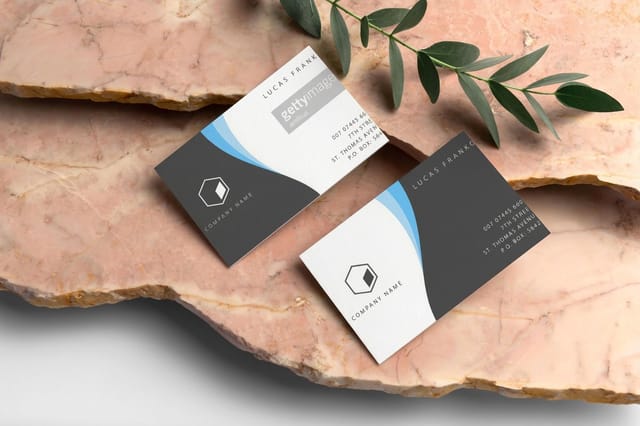


See it in use
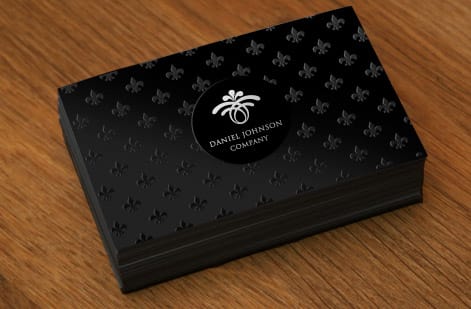
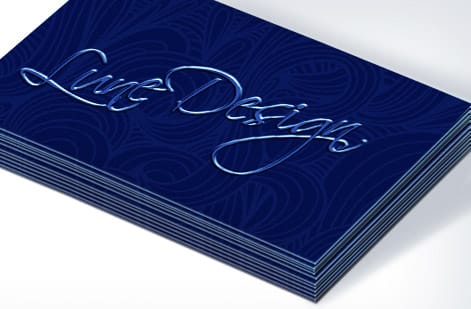
Real prints with deep black, produced in-house





Explore more
Where to go next




By the numbers
Stock choice and the delivery record behind a solid black print
Common Questions
Common questions about rich black
Is rich black the same as true black?
The two names get used loosely, so read the numbers rather than the label. Some people say true black and mean plain K100, the single black ink, while others use it for a four ink build. Rich black has a definition you can check in the file: cyan, magenta and yellow printed under K100, in a build such as C60 M40 Y40 K100. If a file arrives with a swatch called true black, open it and read the four values before it goes to press.
Why does rich black look different on my screen than in print?
A monitor makes black by switching light off and a press makes it by putting ink on paper, so the two never agree exactly. On screen a rich build and a plain K100 can look almost identical, which is why the gap surprises people once the sheet comes off the press. Judge the black by the four values in your file rather than by what the screen shows you. If the exact depth matters, order free samples or a proof and look at it on the stock you plan to use.
How do I set rich black in Illustrator or InDesign?
Open the color panel for the object, put the mixer in CMYK, and type the four numbers in rather than clicking a swatch named Black. In Illustrator that is the Color panel with the CMYK sliders showing, and in InDesign it is the Color panel or a new swatch set to Process CMYK. Save it as a named swatch once and reuse it, so every large black area in the document carries the same build. Then confirm your small type is still sitting on C0 M0 Y0 K100.
What is rich black?
Rich black is a deep, solid black built from all four CMYK inks rather than black alone. Plain black, printed as K100, uses only the black ink and can look thin or grayish over large areas. Rich black adds cyan, magenta and yellow underneath the black, in a recipe such as C60 M40 Y40 K100, so more ink lays down and the black prints deep and even. It is not a different color but a build, used for large solid black areas where plain black would look flat.
What is the best rich black CMYK recipe?
The most reliable everyday recipe is C60 M40 Y40 K100. The full K100 provides the base black and the 60 40 40 of color beneath deepens it evenly, totaling 240% ink coverage, which stays within the safe limit for most commercial stocks. A cool variant like C60 M0 Y0 K100 gives a slightly blue black, and a warmer build adds magenta and yellow. The neutral 60 40 40 100 recipe is the safest default because it stays balanced and predictable across different papers.
When should I use rich black instead of plain black?
Use rich black for large solid areas such as full black backgrounds, big color blocks and oversized display type, where plain black would look thin. Use plain black, C0 M0 Y0 K100, for small text and thin lines, because rich black stacks four inks and any slight misregistration on press can leave color fringes that make fine type look fuzzy. The simple rule is that big and bold gets rich black, while small and fine stays plain black for crisp, sharp edges.
How do I avoid muddy or off register rich black prints?
Two things cause problems: too much ink and misregistration. Keep your total ink coverage, the sum of the four CMYK values, under about 240% for most stocks, which the standard C60 M40 Y40 K100 recipe respects exactly. Keep small text and thin lines in plain K100 so there are no layers to misalign. Build the file in CMYK rather than RGB so the values are true, and export a flattened, press ready PDF. Following those steps keeps rich black deep and clean rather than muddy or fringed.
Does rich black cost more to print?
No. Rich black is a file setting, not a premium option, so it does not change the price of your print job. The cost of printing still depends on the product, quantity, size, stock and finish you choose, and you set those in the configurator with the price updating live. Rich black simply changes how you build the black in your artwork, using four inks instead of one, so it prints deeper. There is no extra charge for using the recipe.
What stock is best for rich black?
Rich black looks its best on coated stocks, which hold dense ink well and give a smooth, deep result, so premium coated cards, brochures and flyers show the recipe off nicely. Very absorbent or uncoated stocks can soak up ink, so on those it helps to stay at or just under the total ink limit to avoid over saturation. If an exact deep black matters, order free samples or a proof to judge the build on your chosen stock, since coated and uncoated papers render the same rich black a little differently.
Get Started
Ready to print a black that actually looks black?
Build rich black into your file and print it at 4OVER4.COM on the product, stock and finish that carries deep ink best. Adjust every option and watch your price update live.
Legal Disclaimer
Gold Standard guarantees apply to all standard orders placed through 4over4.com. Price match requires verifiable proof of a competitor's published price for an equivalent product with matching specifications and turnaround time. Satisfaction guarantee covers manufacturing defects and print quality issues. Contact support with order number and documentation. On-time delivery rate based on tracked orders 1999 to 2026. Individual results may vary based on shipping carrier performance.
