
The Best Logo Design Apps and Makers of 2026


Sofia is our design and templates voice, built from the knowledge of our production team, with over 20 years in printing.
Four Ways to Get a Logo and What Each One Really Costs
The best logo maker apps of 2026 split by price. Canva, Adobe Express, Hatchful by Shopify and LogoMakr have free tiers that export files you can work with, while Looka, Brandmark, Tailor Brands and Wix Logo Maker charge at the moment you download the vector files and the brand kit. Every logo starts as the same decision. You can hire an agency, brief a freelancer, run a design contest, or open a logo maker app and build the mark yourself in an afternoon. All four end with a file on your screen, and that is where the similarity stops. What separates them is how much of the thinking someone else does for you, and what you are allowed to do with the file afterward.
Whichever route you take, ask for the same deliverables: a vector master in SVG, EPS or PDF, a one color version, and the color values, because a printer needs those to put the mark on a 3.5 x 2 inch business card from $17.57, or a 2 sided blockout banner from $108.75, the pieces that travel beside a ready-made wireless charger at $15.00. A bakery owner who builds a mark in Canva on Monday can print it on 100 cards and see it at arm's length before paying anyone for a brand kit.
Most people pick based on budget alone, then discover the real constraint later. A logo is not finished when it looks good in a browser tab. It is finished when it survives a foil stamp, a one color screen print, an embroidered polo, and a banner seen from thirty feet away. Route decides how likely that is.
We look at logos from the far end of that pipeline. 4OVER4.COM has printed 10 billion+ cards and print products since 1999 for 150,000+ businesses, which means we see the files that work and the ones that come back. The pattern is consistent. Logos that fail on press are almost never ugly. They are low resolution, locked in RGB, built from a raster PNG with soft edges, or missing the plain one color version that packaging and apparel need. A good app can avoid all four. A rushed export cannot.
The agency route
An agency sells strategy, not a picture. You get positioning research, naming input, a full identity system, and usage rules that keep the brand consistent across a dozen touchpoints. It is the slowest and priciest path, and it earns that when the logo will front a funded company for the next decade.
The freelancer route
A good independent designer gives you original thinking with a shorter timeline and a flatter cost. The trade is variance. Portfolios differ wildly, and you carry the project management yourself. Ask for the source files and the print ready pack in writing before work starts.
The design contest route
Contests hand you volume, dozens of concepts from dozens of hands. The catch is that most entries are surface level because designers are working blind on spec. You also inherit an originality risk, since nobody is verifying that a submitted mark is not a lightly redrawn stock icon.
The logo app route
An app collapses the whole process into a session at your desk. You describe the business, pick a direction, and edit a generated mark until it fits. It is the fastest and cheapest option by a wide margin, and for a new shop, a side project, or a brand test, it is often the correct answer.
Print the mark
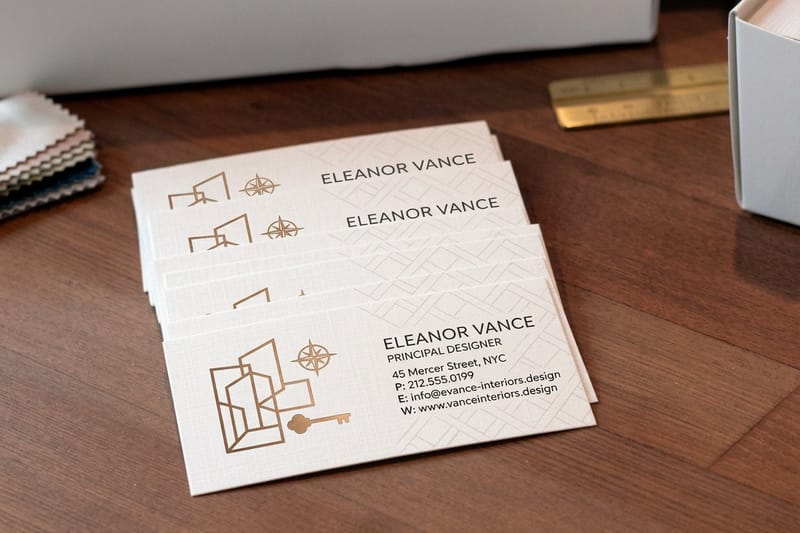
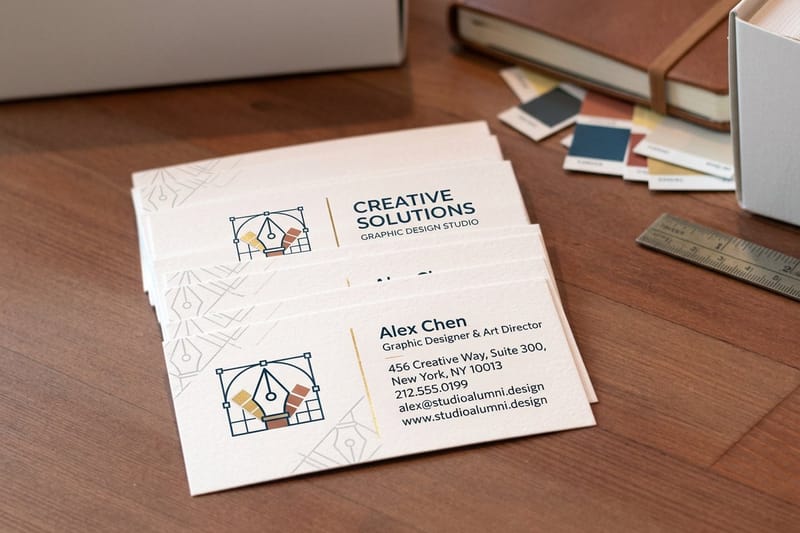
Business cards for design studios
The fastest honest test of a new logo, printed at the size that punishes weak detail.

What a Logo Design App Actually Does Under the Hood
A logo maker app is a guided design tool wrapped around a library. You answer a few questions about your industry, name, and taste, and the app assembles candidate marks from vector icon sets, curated type pairings, and layout rules that keep spacing and alignment sane. Newer tools add a generative layer that drafts shapes rather than only retrieving them, but the editing model is the same. What matters for print is the file the app hands back: a vector SVG, EPS or PDF scales from a card to a banner, while a low resolution PNG turns soft past business card size.
Nothing about that is dishonest, and it is worth understanding rather than fearing. The app is doing what a junior designer does in the first hour, exploring combinations quickly so you can react to something concrete. Your job is the part it cannot do, which is judging whether the result says the right thing about your business.
- Intake. Business name, tagline, industry, and a few style choices narrow the pool before anything is drawn.
- Generation. The engine pairs an icon or a generated shape with type and a palette, then produces a grid of variants.
- Editing. You adjust the mark, swap the typeface, shift color, and change the lockup between stacked and horizontal.
- Brand kit. Better apps output a favicon, social avatars, letterhead, and a simple style sheet alongside the logo.
- Export. The step everyone rushes. This is where you either receive a real vector file or a flattened image that cannot be rescued.
Treat the generated grid as a starting point rather than a menu. The strongest results come from picking one direction and editing it hard, shrinking the icon, tightening letter spacing, cutting a color, until it stops looking like a template and starts looking like yours.
Print picks
Three ways to put a finished logo to work
Live prices, ready to customize with the vector file you just exported.
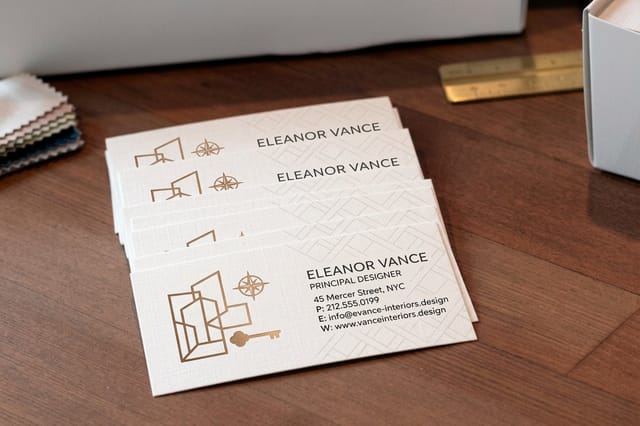 Interior Design Business Cards 100 for $17.57 Hand your finished mark to a client on a card that matches the work.
 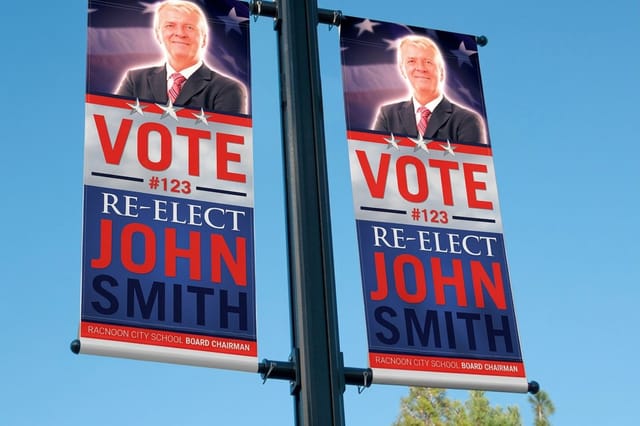 2 Sided Blockout Banners $108.75 each Blow the same logo up to trade show scale with no show through.
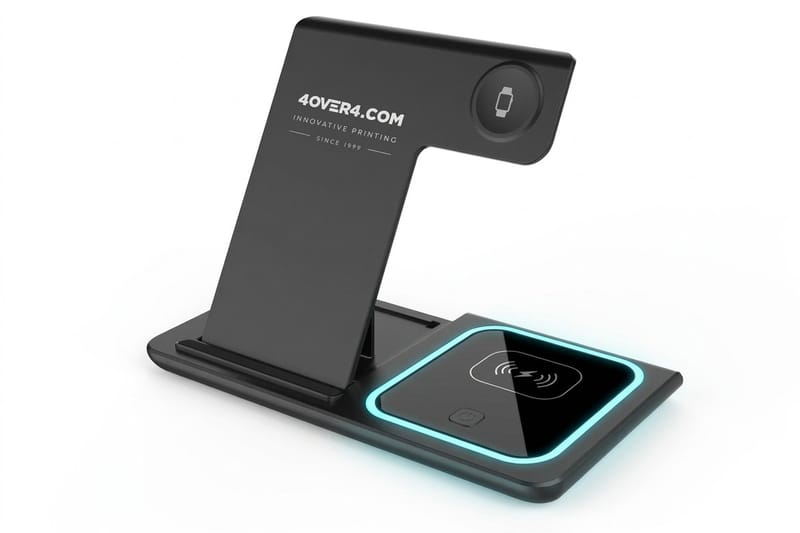
 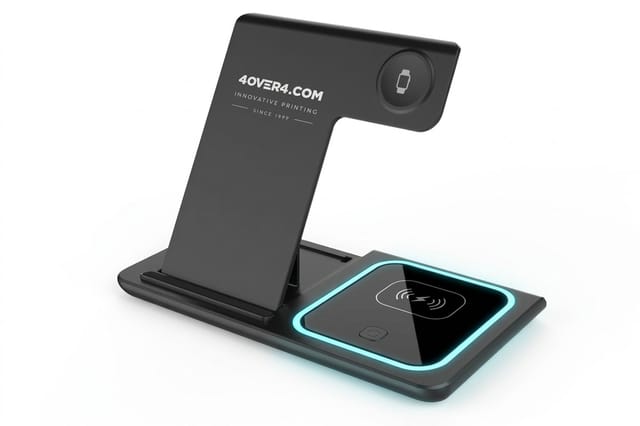 3 in 1 Foldable Wireless Charger $15.00 each A ready-made desk gift people keep on the desk all day.
 Where Logo Apps Help and Where They Quietly Cost You
The upside is real. You move from idea to a usable identity in one sitting, you see your name set in type before you commit, and you can iterate without scheduling a call. For a business that needs to open its doors this month, that speed is worth more than a perfect mark delivered in six weeks.
The limits are less advertised, and they are almost always about files and rights rather than aesthetics. Three traps catch people repeatedly, and every one of them shows up at the moment you try to print.
- The watermark trap. Free previews often carry a mark or a deliberately low resolution render, so the file you saved to your desktop is a demo, not the asset.
- The format trap. A 500 pixel PNG looks perfect on screen and falls apart on a card, because print wants vector art or at minimum 300 DPI at final size.
- The license trap. Some tools grant limited use on the free tier, reserve trademark filing rights for paid plans, or place the icon under a shared library license you cannot register.
- The uniqueness question. Icon libraries are shared, so a stock symbol can appear in three logos in your city. Heavy editing and original type choices reduce that risk.
- The single version problem. Many exports ship one full color lockup. Real branding needs a one color version, a reversed version, and a compact icon for small sizes.
How We Tested and Scored Each Logo Maker
We ran the same brief through every tool, a fictional interior design studio with a two word name, a preference for restrained type, and a need for the mark on cards, a banner, and a small run of desk swag. Same brief, same hour, same expectations, so the comparison was about the tool rather than the prompt.
Then we took each output through the part most reviews skip. We opened the exported files, checked what was actually inside them, converted to CMYK, placed the logo at business card scale and at banner scale, and looked at the edges. A logo maker earns its ranking on what survives that trip, not on how the preview looked.
- Export honesty. Does the free tier deliver a real file, or a watermarked preview dressed up as a download?
- Vector availability. Is SVG, EPS, or vector PDF included, and at which tier?
- Lockup coverage. Do you get horizontal, stacked, icon only, one color, and reversed versions?
- Editing depth. Can you control spacing, scale, and type independently, or only swap presets?
- License clarity. Are commercial use and trademark rights spelled out on the pricing page?
- Print behavior. Do the edges stay clean at 300 DPI and does color hold up when converted for press?
One rule decided every close call. If a tool could not produce a file we would send to press without rebuilding it, it lost, no matter how good the on screen preview was.
Compare finishes
Popular business cards, side by side
Stock, finish, size, quantity, turnaround, and price, lined up so you can pick with your logo in mind.
 free business cards |  Standard Business Cards |  3D Lenticular Business Cards | 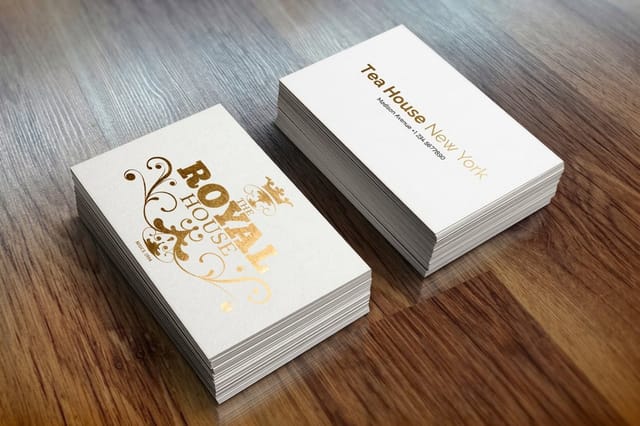 Metallic Foil Business Cards | |
|---|---|---|---|---|
| Min price | Free | $17.57 | $690.88 | $222.13 |
| Paper / stock | 14pt Gloss Cover | 14pt Gloss Cover | 31pt Lenticular Lens | 16 Point Silk Laminated |
| Finish | - | Standard Finish | - | - |
| Size | 2" x 3.5" | 2" x 3.5" | 2" x 3.5" - Vertical | 2" x 3.5" |
| Default qty | 200 | 100 | 500 | 500 |
| Turnaround | 5 business days | 3 business days | 22 business days | 7 business days |
| Rating | ||||
| View & customize | View & customize | View & customize | View & customize |
The Best Free Logo Makers Worth Your Time
Free tools fall into two camps. Some are genuinely free design editors that happen to include logo templates, and some are paid generators with a free preview. The first camp is where you should spend your time, because the second camp will ask for money at the exact moment you need the file. The test is the export: a free editor gives you an SVG or PDF you can print on a 3.5 x 2 inch card or a 2 x 3 foot banner, while a paid generator's free preview gives a low resolution PNG, often watermarked.
Canva sits at the top of the free group because the free plan exports real files, the editor gives you honest control over type and spacing, and you can build the rest of the brand around the mark in the same place. Adobe Express is close behind and pairs well with anyone already living in Adobe tools. Hatchful from Shopify is the fastest path to a clean, if familiar, mark for a small retail brand, and LogoMakr suits people who want to assemble a logo from shapes by hand rather than accept a generated grid.
- Canva Logo Maker. Deep free editor, strong type library, and the same file feeds your cards, socials, and signage. Check the template license before using stock elements in a trademark filing.
- Adobe Express. Solid free tier with excellent fonts and clean exports, and a short hop to Illustrator when you want to refine curves properly.
- Hatchful by Shopify. Free, fast, and aimed at small commerce brands. Expect familiar shapes, so edit the type to make it yours.
- LogoMakr. Manual, shape by shape building with a low friction editor. Best when you already know what you want and just need to draw it.
- Figma with a community kit. Not a logo maker, but free, fully vector, and the right answer if you are comfortable pushing points around.
Whatever you choose from this group, do the export test on day one. Save the file, reopen it, scale it to banner size, and see whether the edges stay crisp. If they blur, you have a picture of a logo rather than a logo.
Quantity and price
Business card pricing and specs
Real configurator numbers, so you can see what a first print run of your logo costs.
| Quantity | Price Per Unit | Total |
|---|---|---|
| 100 | 17.6¢ | $17.57 |
| 200 | 11.5¢ | $23.07 |
| 300 | 9.15¢ | $27.46 |
| 400 | 7.96¢ | $31.86 |
| 500 | 7.25¢ | $36.26 |
| 600 | 6.77¢ | $40.64 |

The Best Paid Logo Apps and What the Money Buys
Paying converts a preview into an asset pack. The typical paid tier unlocks vector files, removes any watermark, adds the alternate lockups, and hands over a small brand guide with your color values and font names. If you are going to print anything at all, that pack is the thing you are actually buying.
Looka is the most complete of the generators, since it moves from logo into a full brand kit and keeps the files organized for you. Brandmark is the pick for people who care about type craft, because its output tends to need less cleanup. Tailor Brands leans into the business side and bundles filing and web tools around the mark. Wix Logo Maker makes sense mainly if your site already lives on Wix and you want one login for everything.
- Looka. Strong generated variety, clean vector output, and a brand kit that covers social, letterhead, and favicon in one purchase.
- Brandmark. The most considered typography of the group, with palettes that hold up when converted for press.
- Tailor Brands. Logo plus business scaffolding, useful when you are forming the company and building the brand in the same week.
- Wix Logo Maker. Convenient inside the Wix ecosystem, and it does release vector files on the paid tier.
- Affinity Designer. A one time purchase and a real vector application. Steeper to learn, but nothing you make in it will ever fail a print check.
Pricing across these tools changes often and varies by promotion, so read the current tier table on the tool's own site before you buy. The question that matters is not the number. It is whether vector export and unrestricted commercial use are included at the tier you are paying for.
Large format
2 sided blockout banners
An opaque core layer stops the back print from ghosting through, so your logo stays clean on both faces.

What to Check Before You Export Your Logo
Brand it further
Logo on everyday desk tech
Once the vector file is final, the same mark can go on merchandise people keep and use every day.
This is the checklist that separates a logo you can use from a logo you will have to redo. Run it inside the app while you can still change things, because once you have downloaded a flattened image and canceled your subscription, every fix costs more than the original.
Print is unforgiving in a way screens are not. A hairline that reads beautifully at 1200 pixels wide can disappear entirely on a business card, and a gradient that glows on a monitor can turn muddy in CMYK. Catch it here.
- Get the vector. Download SVG, EPS, or vector PDF. A PNG is a companion file, never the master.
- Test it small. Shrink the logo to one inch wide. If the tagline vanishes or the icon fills in, simplify before you export.
- Make a one color version. Solid black on white with no gradients. Embroidery, foil, engraving, and screen printing all need it.
- Make a reversed version. White on a dark field, checked for anything that disappears against the background.
- Convert and check color. Move to CMYK and record the values, plus a Pantone reference if brand color consistency matters to you.
- Convert type to outlines. Outlined text prints identically everywhere, with no font substitution surprises at the printer.
- Set resolution at final size. If you must use raster, build at 300 DPI at the size it will actually print, not at the size it looks fine on screen.
- Save the license. Screenshot or download the commercial use terms and keep them with the files.
Keep all of it in one folder with a plain name like brand-assets, and put the vector master at the top. Every printer, apparel shop, and sign maker you work with for the next five years will ask for exactly that folder.
Turn Your New Logo Into Something You Can Hold
A logo does nothing sitting in a downloads folder. The moment it becomes a brand is the moment somebody takes a card out of your hand, walks past your banner, or picks up a piece of your swag and notices the mark on it. That is the test the file was built for.
Start with the smallest and the largest applications, because they expose different flaws. Print it on a business card first to see how the mark holds at an inch wide, then place it on a banner to see whether the shapes still balance at ten feet. If it passes both, everything in between will be fine. Our Free Online Designer lets you drop your vector file straight into a real product layout with the correct bleed and safe area already in place, so what you see is what the press produces.
Match the product to the moment
- First impressions. A well printed card carries the logo at the exact size that punishes weak detail.
- Events and storefronts. Large format tests the mark at distance, where contrast and shape matter more than fine lines.
- Everyday reminders. Branded desk items keep the logo in view long after the meeting ends.
- Consistency. Use the same vector master everywhere so color and proportion never drift between pieces.
Start fast
Card templates and print-ready blanks
Free layouts plus exact-size blanks so your logo lands inside the safe area on the first try.
Wally helps you pick the right logo maker
The right app, then the right file to print it from
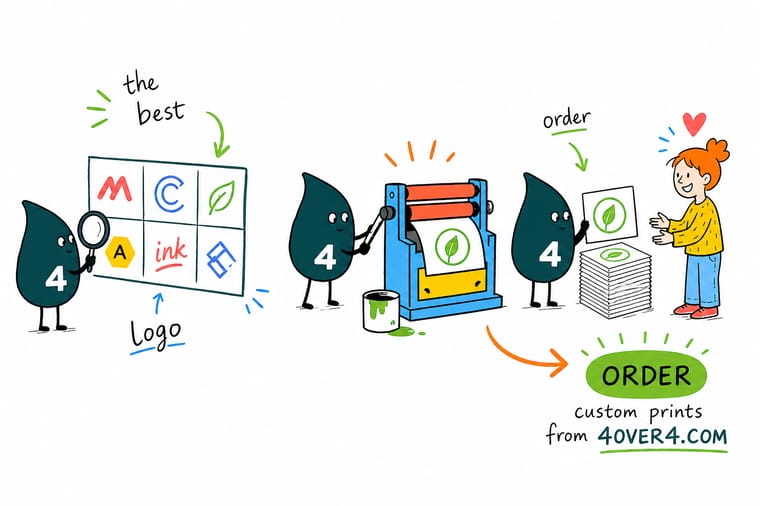
Not sure which logo maker to trust? Judge them on the export, not the preview. Confirm vector files are included at your tier, confirm the license covers commercial use, then build the one color and reversed versions before you close the app. When the vector master is saved, upload it to a product and print your logo at real size to see whether it holds.
Print your logo on business cards →By the numbers
What we see on press every day
The context behind our export advice, drawn from decades of printing customer logos.
- 10B+ Cards and print products, printed since 1999.
- 150,000+ Businesses served, across every industry.
- 300 DPI Minimum print resolution, at final printed size.
- 99.8% On-time delivery, tracked orders.
Logo App Takeaways Before You Commit
Keep Reading Before You Design
Guide How to Design a Logo The complete walkthrough from first sketch to final file. Guide 6 Key Principles of Logo Design The rules that keep a mark legible at every size. Guide Best Practices for Logo Design What separates a durable identity from a trend. Guide Logos With a Tagline How to lock up type and mark without crowding either. Explore more
More on logos, branding, and getting them printed
How to design a logo step by step, six principles of logo design, tagline lockups, logo facts, and the card and banner that put the mark in print.
 Guide How to Design a Logo Start to finish, the full logo design walkthrough.
  Guide 6 Key Principles of Logo Design The fundamentals every strong mark obeys.
  Guide Logo Design Best Practices Habits that keep an identity working for years.
  Guide Logo and Tagline Lockups Pair the mark and the words without crowding.
  Article Custom Logo Design When a bespoke mark beats a generated one.
  Article Logo Design Inspiration Where to look before you open any app.
  Article 10 Ways to Use Logo Stickers Put the finished mark to work in the real world.
  Article 15 Facts About Logos The stories behind marks you see every day. Product Interior Design Business Cards The first place your new logo gets handed over. Product 2 Sided Blockout Banners Test the mark at trade show scale, both sides. Product 3 in 1 Foldable Wireless Charger A ready-made desk gift that stays in use all day.
  Articles All Printing Articles Design, branding, and print advice in one place.
 Print the logo on 100 cards before you buy the brand kit
Export the vector master, run the small size test, then upload it to a product and let our press show you exactly how the mark holds at true scale.
Logo Maker App Questions, Answered
What is a logo maker app?
A logo maker app is a guided design tool that turns a short brief about your business into finished logo options you can edit in a browser. You enter your name, industry, and a few style preferences, and the app pairs vector icons or generated shapes with curated typefaces and palettes, then lets you adjust scale, spacing, color, and the lockup. The good ones finish by exporting a brand kit with alternate versions and a vector master file. For the design thinking behind the mark itself, read our complete logo design guide.
How do I choose the right logo maker app?
Choose on file rights rather than on the preview grid. Confirm three things before you spend anything: that vector export in SVG, EPS, or PDF is included at the tier you plan to buy, that the license grants unrestricted commercial use and does not reserve trademark rights for a higher plan, and that the editor lets you control type and spacing rather than only swapping presets. If a tool clears all three, pick whichever produces marks you actually like, since taste is the only remaining variable.
What does a logo maker app cost and how is pricing set?
Most logo apps use a freemium structure. Generating and previewing costs nothing, and payment unlocks the download. Pricing is usually tiered around what comes in the pack, with the lowest paid tier covering a high resolution logo and the next tier adding vector files, alternate lockups, and a brand style sheet. Some tools charge once per logo while others bill as a subscription that bundles website or social tools. Rates change with promotions, so read the current tier table on the tool site and check specifically where vector export sits.
What file formats and resolution does my logo need for print?
Send vector art whenever you can. SVG, EPS, and vector PDF store the logo as math rather than pixels, so the same file prints identically on a business card and on a banner. If you only have a raster file, it must be at least 300 DPI at the final printed size, not at screen size, and it should have a transparent background. Also convert type to outlines, save a CMYK version with the color values recorded, and keep a solid one color version for foil, embroidery, and screen printing.
How long does it take to print and ship items with my new logo?
Turnaround depends on the product and the finish you pick, and every option shows its own production time on the product page before you check out. Small format items like business cards move through production fastest, while large format banners and specialty finishes take longer because of coating and curing steps. Production time is counted separately from transit time, so add shipping to the printing estimate when you are working toward an event date. If a deadline is tight, choose the fastest turnaround at configuration and upload a press ready vector file to avoid a proofing delay.
