
Free File Check and Proofing on Every Print Order


Emma is our prepress and print production voice, built from the knowledge of our production team, with over 20 years in printing.
The difference between the design on your screen and the print in your hands is decided before the press runs. Our free file check reviews every upload for the problems that ruin print jobs, and the proof puts final approval in your hands. This page covers what prepress looks for and what you approve.
File check and proofing is the prepress stage of every 4OVER4.COM order: a free technical review of your file's dimensions, bleed, safe zones, image resolution, fonts, and color mode, followed by a proof you approve before production. Clean files pass straight through; problem files come back with a specific note and a fix while it still costs minutes instead of a reprint. Digital proofs are standard, and printed proofs on the actual stock are available for color-critical work.
Start here
File check and proofing in one paragraph
Before any 4OVER4.COM order prints, prepress reviews the file for free, dimensions, bleed, safe zones, resolution, fonts, and color mode, and you approve a proof of the exact reviewed file. The check catches the five problems behind most print disappointments while they cost minutes to fix, and the proof makes sure what prints is what you intend. Digital proofs run on every order; printed proofs on the actual stock settle color-critical decisions before a large run commits.
Why a file check stands between you and a bad box of print

Every disappointing print job tells the same story backwards: the box arrives, the logo sits too close to the edge, the photo is soft, the brand blue leans purple, and someone says the file looked fine on screen. It did. Screens are forgiving and presses are not, and the gap between them is exactly what a prepress file check exists to close.
At 4OVER4.COM the check is free and universal: every uploaded file, for every product from brochures to business cards, is reviewed against the physical requirements of the press before production. Dimensions, bleed, safe zones, resolution, fonts, and color mode, verified by people who read files for a living.
The proofing step then closes the other gap, the one between your intent and the file's content. You approve the exact reviewed file, so a typo or a wrong crop gets caught while it is still a click to fix. Together the two steps are why reprints are rare here, and why the box that arrives matches the design that left.
What the file check actually verifies

Six things, in order of how often they save an order. Dimensions: the file matches the product's trim size, a 4 x 6 postcard file for a 4 x 6 postcard order. Bleed: backgrounds extend 1/8 inch past the trim so the cutter never exposes white paper. Safe zone: text and logos sit at least 1/8 inch inside the trim, clear of the blade's tolerance.
Resolution: images measure near 300 DPI at their printed size, the difference between a crisp photo and a soft one. Fonts: embedded or outlined, so the type that prints is the type you chose, not a substitute. Color mode: artwork built for CMYK inks, or flagged for conversion where RGB would shift, brand colors are where this matters most.
Files that pass move straight to proofing. Files that need work come back with a specific note, not a rejection: what is wrong, what it would look like printed, and the fix, which for small issues our team can often apply with your OK. The vocabulary on the note, bleed, trim, safe zone, is decoded in the printing terms glossary.
Digital proofs and printed proofs: what each answers

A digital proof is the standard on every order: the final file, after prepress review, rendered for your approval. It answers the content questions with certainty, spelling, layout, crops, placement, and the color questions approximately, since every screen shows color its own way. For routine orders and reorders, it is fast, free, and sufficient.
A printed proof answers what screens cannot. Ink on the actual stock shows true color, real contrast on coated versus uncoated paper, and the physical presence of the piece, weight, stiffness, finish. For a first large run, a rebrand, a color-critical brand piece, or premium finishes, the printed sample converts a guess into a decision before the full quantity commits.
The practical rule: approve digitally when the design is proven, print a proof when something new is at stake. And keep a free samples kit on hand, feeling the stocks before you design for them answers half the questions before they are asked. For multi-page work like booklets, the digital proof also confirms page order and pagination.
The five file problems that cause most reprints

Missing bleed leads the list. A background that stops exactly at the trim line meets the physical reality that cutting has a tolerance, and the result is a hairline of white paper flashing at the edge of an otherwise perfect piece. The fix costs nothing at design time: run the background 1/8 inch past the trim on all sides.
Low resolution is the quiet one. An image pulled from a website looks sharp on screen at 72 DPI and prints soft at four times the pixel density. RGB color is the brand killer: presses print in CMYK inks, and the conversion shifts saturated screen colors, oranges dull, blues drift, unless the artwork was built for print from the start. Unembedded fonts substitute silently and reflow every line they touch. The guide on why your colors look dull in print, RGB vs CMYK explained shows the color shift side by side.
Wrong dimensions round out the five, a letter-size design uploaded for a half-page flyer. If you are unsure what a half page measures, the size guide lists it. Every one of these is a routine catch for the file check, and every one is a wasted run if it reaches the press unchecked. Our printing guides cover the prevention side; the check covers whatever slips through.
How to prepare a file that passes the first time
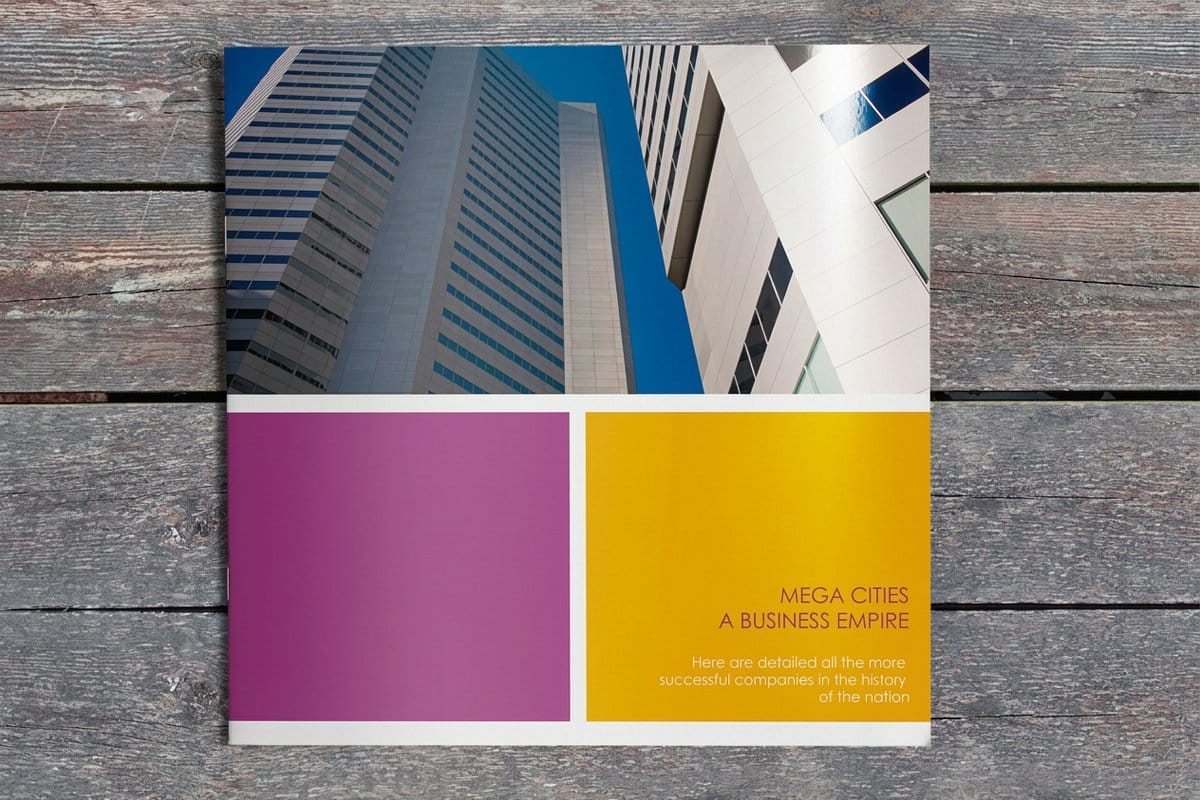
Start the document at the product's trim size with 1/8 inch bleed configured, before any design happens, retrofitting bleed onto a finished layout is the single most tedious fix in print. Design with the safe zone in mind: nothing that matters within 1/8 inch of the trim. Place images at or near 300 DPI at the size they will print, and build color in CMYK, or at least check how your reds and blues convert.
Export a print-ready PDF with fonts embedded, it freezes the design exactly as you approved it, immune to font substitution and version drift. Name the file for the product and size, and give it one final zoomed-in pass at the corners and edges, where trim problems live. Multi-page pieces deserve a page-order check before export; the proof will confirm it, but catching it yourself is faster.
If you would rather inherit all of this than manage it, design inside the system: the free online designer and the 10,000+ templates produce compliant files by construction, and our design services team builds to spec when the piece warrants a professional. Files from any other tool are equally welcome, the check treats every upload the same.
Color accuracy: from screen promise to press reality
Color is where trust in a printer is won or lost, because it is the one property the customer cannot verify until the box opens. The screen shows a backlit RGB promise; the press delivers a reflective CMYK fact, and the distance between them depends on calibration, stock, and how the file was built. Managing that distance is a core part of the proofing service.
Our presses run calibrated, so the same file prints the same way on reorder, which is what makes a brand color a brand color rather than a range of moods. Coated stocks print color denser and brighter; uncoated stocks absorb ink and soften it, the same file reads differently on each, which is why stock choice is a color decision, not just a texture one.
For color-critical work the sequence is: build the file in CMYK, approve the digital proof for content, and order the printed sample on the chosen stock for the color verdict. Three cheap steps against one expensive mistake. The design services page covers building brand color into the file from the start.
What file check and proofing cost and how to use them
The file check is free on every order, and the digital proof is part of the standard flow, neither appears on the invoice. Printed proofs and samples are priced modestly per piece, and the free samples kit covers general stock questions at no cost. In economic terms, prepress is the cheapest insurance in printing: the check costs nothing and a reprint costs the whole run.
Using the service well is mostly timing. Upload early rather than at the deadline, so a file note is a same-day fix instead of a schedule slip. Read the proof like a stranger: out loud, corners first, phone numbers dialed, addresses checked against a map. Approve when it is right, not when it is close, the press prints your approval exactly.
The flow from here is simple: configure the product, upload the file, and the check and proof happen inside the order. The specs and pricing panel below shows a live example on a product where prepress earns its keep, and the full services range covers everything that happens after the file prints clean, from folding to finishing.
Compare the options
The three layers of print assurance
The file check, the digital proof, and the printed proof each answer a different question. On a brochure order page they appear as three proof choices: Straight To Production, Free Online Proof and Next Day Hardcopy Proof. Here is what each does and when to lean on it.
| Layer | What it does | Best for |
|---|---|---|
| Free file check | Prepress reviews every uploaded file for bleed, resolution, color mode, fonts, and dimensions, and flags anything that would print badly. | Every order, automatically, it is the safety net under the whole catalog. |
| Digital proof | A screen-accurate rendering of the final file after prepress, sent for your approval before production. | Confirming layout, spelling, crops, and content on routine orders, fast and free. |
| Printed proof / sample | A physical piece on the actual stock, showing true color, weight, and finish in your hands before the full run. | Brand-color-critical work, premium finishes, and large runs where certainty is worth a short wait. |

Infographic
What prepress checks before the press runs
From upload to approved artwork, here is what happens to every file before it earns its place on the press: dimensions, bleed of 1/8 inch past the trim, safe zones, resolution, fonts and color mode, checked in that review.
The press prints your approval exactly, which is the whole discipline of proofing: catch problems where they cost minutes, approve when it is right, and let the run commit with confidence.
Specs and pricing
What the print costs when the file check is free
The file check and digital proof are free on every order; the printing prices out live in the configurator. Brochures are a product where prepress earns its keep: six sizes from 5.5 by 8.5 to 11 by 25.5 inches, gloss, silk or uncoated text or 14pt cover, flat or half fold, with 3 business days of production. Here are their specs and price-per-unit, straight from 4OVER4.COM.

| Quantity | Price Per Unit | Total |
|---|---|---|
| 50 | $1.14 | $57.11 |
| 100 | 82.4¢ | $82.38 |
| 200 | 53.3¢ | $106.55 |
| 300 | 41.0¢ | $123.02 |
| 400 | 34.9¢ | $139.49 |
| 500 | 31.2¢ | $155.97 |
| 600 | 26.7¢ | $160.36 |
| 700 | 23.5¢ | $164.75 |
Proof these
Products where the file check matters most
Each of these has a setup rule the check confirms: the fold and panel size on brochures, a page count in multiples of four from 8 to 60 pages on booklets, and text kept inside the safe zone on a 2 by 3.5 inch business card.


Wally explains file check & proofing
Catch it on screen, not in the box.
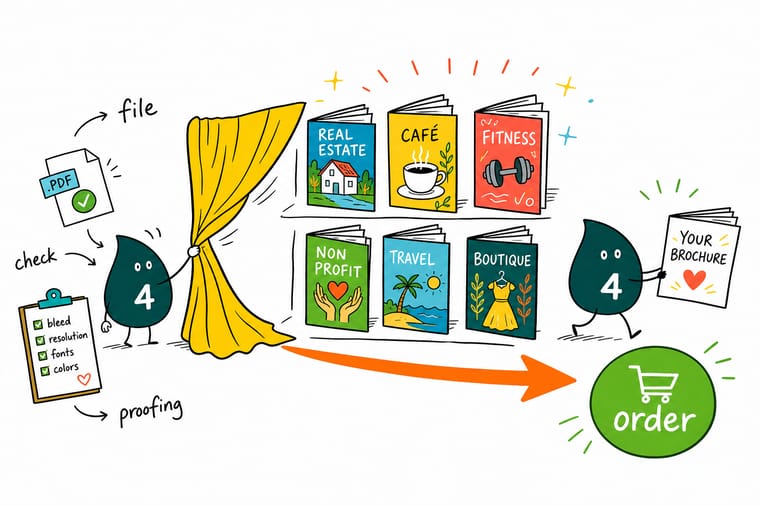
Wally reads a file the way prepress does: edges first, where missing bleed hides, then the photos at print size, then the brand blue that RGB would betray. Anything off comes back as a note while the fix is still a click. Then the proof gets one honest read, out loud, corners first, and only a right file earns the stamp. The press prints the approval exactly, and the box that arrives is the design that left.
Start a proofed project →
Get Started
Ready to print with a safety net?
Upload your file and let the free prepress check and proof stand between your design and the press. Configure your piece and watch the price update live.
Explore more
Where to go next


By the numbers
Every stock and product a file check covers
Common Questions
Common questions about file check and proofing
What does the free file check cover?
Prepress reviews every uploaded file against the specs of the product it will print on: correct dimensions for the trim size, bleed extending past the trim line, critical content inside the safe zone, image resolution near 300 DPI at final size, fonts embedded or outlined, and color built for CMYK printing. Files that pass move to proofing; files with problems come back to you with a clear note about what to fix, or a fix we can apply with your OK, before anything prints.
What is the difference between a file check and a proof?
The file check is a technical review by prepress: does this file meet the physical requirements of the press and the product? The proof is your approval step: the exact post-review file, rendered for sign-off, so you confirm the content, layout, spelling, and crops are what you intend. The check protects the print quality; the proof protects your intent. Every order gets both, and production starts only after your approval.
What are the most common file problems you catch?
Five account for most of them. Missing bleed, the background stops at the trim line, risking white slivers at the edges. Low-resolution images, sharp on screen at 72 DPI, soft in print at 300. RGB color, which shifts when converted to the CMYK inks presses use, brand oranges and blues drift most. Unembedded fonts, which substitute silently and reflow text. And wrong dimensions, a file built for a different size than the product ordered. All five are routine catches for prepress and expensive surprises in a finished box.
Should I order a digital proof or a printed proof?
A digital proof answers most questions: layout, text, image placement, and general color intent, and it is fast and free on every order. A printed proof or sample answers the questions a screen physically cannot: exact color on the chosen stock, the feel of the paper weight, and how finishes like foil or spot UV land. For a first large run, a rebrand, or any piece where the brand color must be exact, the printed sample is the honest answer. Order stocks in advance through the free samples kit.
How do I set up bleed, and how much do I need?
Extend any background color or image 1/8 inch (0.125 in) past the final trim size on every side, and keep text and logos at least 1/8 inch inside the trim line, that inner zone is the safe area. In practice: a 4 x 6 postcard uploads as 4.25 x 6.25 with the margins built in. Files from our online designer and templates include this automatically. Designing elsewhere, set the document bleed before you start, retrofitting it later is the painful version.
What file format should I upload?
A print-ready PDF with embedded fonts and bleed included is the standard and prints most predictably. High-resolution flattened images (TIFF, PNG, JPG at 300 DPI at final size) also work well for single-panel pieces. Native working files vary by application, so exporting to PDF before upload removes the variables. Whatever you send, the file check reviews it the same way, and the note that comes back tells you if anything needs attention.
Does the file check slow my order down?
No, it runs inside the normal production flow, and it prevents the real delays: a reprint after a bad run costs days, a file fix before press costs minutes. Clean files pass straight through to proofing the same day. When a file needs a correction, the note reaches you quickly, and small fixes, adding bleed, converting color, are often things our team can apply with your approval so the order keeps moving.
Legal Disclaimer
Gold Standard guarantees apply to all standard orders placed through 4over4.com. Price match requires verifiable proof of a competitor's published price for an equivalent product with matching specifications and turnaround time. Satisfaction guarantee covers manufacturing defects and print quality issues. Contact support with order number and documentation.
