
Free Printable Concert Ticket Templates and the Specs Behind Them


Tobias is our voice for cutting, binding and large format, built from the knowledge of our production team, with over 20 years in printing.
A free concert ticket template is worth exactly as much as the guide lines drawn in it. One size is worth building to, the tear belongs in one place, and there is a zone to leave clear for the number.
A concert ticket template is a print ready file at the finished ticket size with the bleed, trim, safe area and perforation already drawn, so you only have to drop artwork in. Build it at 5.5 by 2 inches, which becomes a 5.75 by 2.25 inch document once you add an eighth of an inch of bleed on every side. Put the tear 1.5 inches from one end, keep type an eighth of an inch clear of it, and leave a light patch on both halves for the sequential number, which prints in black ink on press.
Quick answer
Four guide lines, one document size, and a clear patch for the number
A ticket template is a correctly sized file with bleed, trim, safe area and the perforation already marked. Concert tickets print at 5.5 by 2 inches, so the document is 5.75 by 2.25 inches with an eighth of an inch of bleed on every side. The tear sits 1.5 inches from one end. Type stays an eighth of an inch clear of the trim and of the perforation, and both halves keep a light patch free for the sequential number, which is added on press in black ink. The diagram below shows all four lines on one ticket.
What a Free Concert Ticket Template Actually Contains
Open a proper ticket template and there is almost nothing in it. That is the point. A template is a correctly sized document carrying four guide lines, and those lines are the whole reason it beats starting from a blank artboard.
The trim line is where the blade lands, 5.5 inches by 2 inches for a concert ticket. The bleed line sits an eighth of an inch outside it, and any background color or photo has to reach that far or the cut edge comes back with a white sliver. The safe line sits an eighth of an inch inside the trim, and every word, number and logo belongs inside it. The perforation line marks where the stub tears away.
Two habits make a downloaded template pay off. Put your artwork on its own layer beneath the guide layer, so you never accidentally move a guide while dragging a headline. Then hide or delete the guide layer before exporting the PDF, because guides that ship to press get printed like anything else in the file.
Grab the file from our blank template library, which holds the same trim, bleed and safe setup for every product we run. If you would rather lay the ticket out in a browser and skip the desktop software entirely, the online design templates start from artwork that is already the right size.
Concert Ticket Dimensions, and the Document Size Behind Them
Every ticket has two sizes, and mixing them up is what produces a file the press has to send back. The finished size is what the guest holds. The document size is that plus bleed on all four sides, which is the number you type into the new document dialog.
| Ticket | Finished size | Document with bleed | What it holds |
|---|---|---|---|
| Concert and general admission | 5.5 x 2 in | 5.75 x 2.25 in | Act, date, doors, venue, price, plus a 1.5 in stub. The size we print. |
| Long festival ticket | 8.5 x 2.75 in | 8.75 x 3 in | A set time schedule, a sponsor row, or a site map on the reverse. |
| Premium gala ticket | 8.5 x 3.5 in | 8.75 x 3.75 in | Table and seat numbers, a menu line, heavier stock, fewer per sheet. |
| Raffle strip | 6 x 2 in | 6.25 x 2.25 in | A number, one line of text, a stub. Built for volume, not for reading. |
Read the last column before the first. Almost every organiser who upsizes does it because the ticket felt cramped in the layout, not because anyone at the door needed the extra information, and the larger sheet costs more per piece across a run of a thousand. At 4OVER4.COM the trim is fixed at 5.5 by 2 inches on both event tickets and square event tickets (see the square event tickets story), which sounds restrictive until you notice that it is the size printed on every ticket anyone remembers keeping.
The word square in that second product describes the corners, cut at a right angle instead of rounded. It catches people out weekly. Both run the same materials, the same optional numbering and the same optional perforation. If a different footprint really is the answer, our breakdown of the most used ticket sizes weighs each format against what it can carry.
Here is what you order at the 5.5 by 2 inch concert and event ticket size, and what to upload for it.
| Option | What you choose |
|---|---|
| Stock | 14pt or 16pt gloss cover, 14pt or 18pt uncoated, 14pt white linen, 18pt premium white linen, metallic pearl or synthetic. |
| Printing | Full color on the front only, black on the back, or full color both sides. |
| Numbering and tear | Sequential numbering in black ink, and a perforation, each as an option. |
| Quantity and time | 50 to 5,000 tickets, from $25.27 for 50, with 5 business days of standard production. |
| File to upload | A CMYK PDF at 5.75 by 2.25 inches with the bleed included and the guide layer removed. |
Where the Perforation Goes, and What It Costs You in Layout
Put the tear 1.5 inches from one end of a 5.5 inch ticket. That ratio is not decoration. It gives the gate a stub large enough to hold between two fingers, write a table number on and drop in a box, and it leaves the guest four inches of ticket that still reads as a ticket rather than a scrap.
The layout cost is real, and it is the part most templates never explain. A perforation is a row of tiny cuts, and paper tears along the path of least resistance rather than along a ruled line. Expect the tear to wander by a millimetre or so in either direction. Keep type, logos, barcodes and QR codes at least an eighth of an inch clear on both sides, and treat the strip either side of the perf as margin rather than as design space.
Then design the two halves as two pieces, because that is what they become the moment the door touches them. The keeper needs the act, the date and the venue. The stub needs the number and enough branding to be recognisable in a cash box at 1am. A background image that only makes sense across the full ticket is a design that gets destroyed at the gate.
Stock matters here too. Paper stocks tear cleanly along a perf, and the waterproof synthetic ones do not, which is why a multi day outdoor pass is better scanned or clipped than torn. Our guide to ticket paper and stock options lists which materials behave at the tear line, and event ticket formats covers when to skip perforation altogether.
Leaving Room for Sequential Numbering
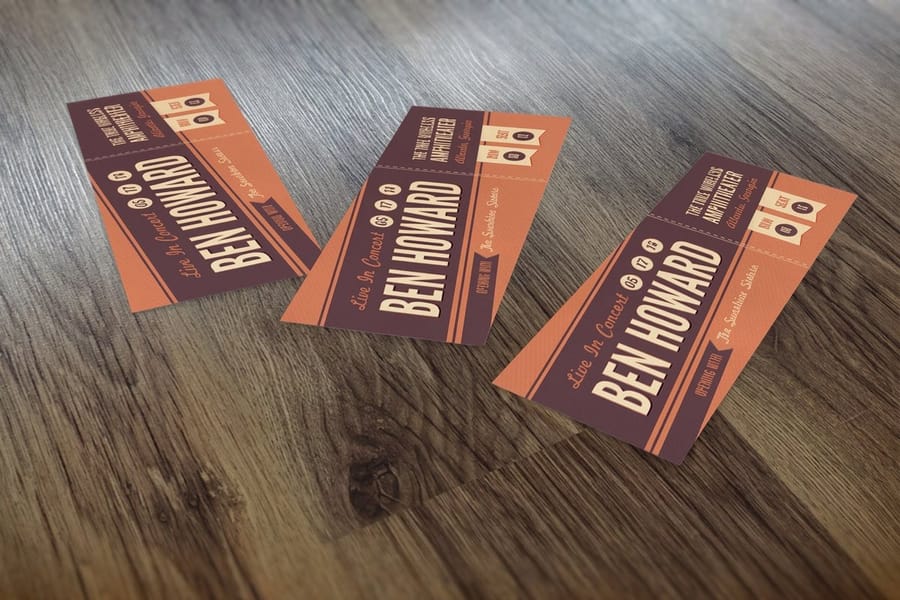
Numbering is what turns a stack of printed card into a box office. The press adds a running number to each ticket in black ink, and it prints on both sides of the perforation so the stub the door keeps matches the ticket in someone else's pocket. Without it you cannot reconcile sold against attended, spot a duplicate, or draw a raffle against anything.
Because the number is added on press rather than drawn in your file, the file has to leave somewhere for it to land. Reserve a clean, light patch on each half, roughly three quarters of an inch by a quarter of an inch, and keep it off dark photography and off busy pattern. A four digit number sitting on a black gradient is invisible under a phone torch at the door, and the door is exactly where it gets read.
The other trap is the sequence across orders. Numbering runs straight through a single run, so 500 tickets come back 0001 to 0500. A second batch of 500 ordered a fortnight later starts at 0001 again unless you say otherwise, and now two people hold ticket 0007. Tell us the start number when you reorder, and write down which range went to which gate or price tier.
Raffles push the same feature harder, since the whole mechanism depends on the two halves staying matched. The setup in our guide to making raffle tickets applies directly to a numbered concert run, and printing custom tickets walks the same job from file to delivered box. When the layout is ready, order the custom tickets with numbering switched on.
Getting the Template Out of Your Software in One Piece

The template is only half the job. The export is where good ticket files usually die, and each program fails in its own way.
- Illustrator and InDesign. Set the document to 5.5 by 2 inches with 0.125 inch bleed, work in CMYK, convert type to outlines, and export as PDF with the bleed included. This is the path the template was drawn for.
- Photoshop. Build at 300 dpi at the bleed size, 5.75 by 2.25 inches, and keep type as live text until the final flatten so it stays crisp. Small type set in a raster file at 150 dpi looks soft on a ticket in a way it never does on a poster.
- Canva. Workable. Set custom dimensions to the bleed size, then export as PDF Print with crop marks and bleed switched on. Skip that checkbox and the file arrives at trim size with nothing to cut into.
- Word and Google Docs. No bleed, no CMYK, no crop marks. Colors shift on conversion and the background stops dead at the page edge. Rebuild from the print template instead.
Whatever you export from, check three things before you upload: the artboard measures 5.75 by 2.25 inches, nothing important sits within an eighth of an inch of the trim, and the guide layer is gone. Every ticket order at 4OVER4.COM runs through a free file check before it goes on press, so a file with the perf line crossing the headline gets flagged rather than printed a thousand times.
Tickets rarely travel alone either. The same artwork usually ends up on a promo piece, which is why organisers pair a ticket run with club flyers for the street (the club flyers story shows them in use) and posters for the venue window. Sizing and paper for those sit in the nightclub flyer design guide.
Wally explains the ticket template
Four lines, and a clean patch for the number
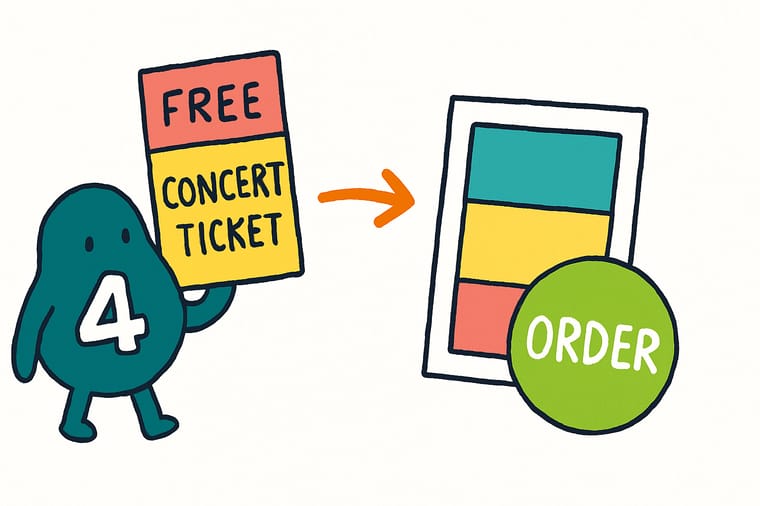
Wally opens the blank ticket file and finds four lines waiting. The outer one is bleed, so the background runs past it. The next one is the cut. The inner one is safe, so every word lives inside it. The dashed one down the left is the tear, 1.5 inches in, and he keeps the headline well clear because paper never rips in a straight line. Last he leaves a pale patch on both halves, because the number prints in black on press and nobody can read black on black at the door.
Order numbered concert tickets →%22%2F%3E%3Ccircle%20cx%3D%2242%22%20cy%3D%2245%22%20r%3D%2227%22%20fill%3D%22%23f59e0b%22%20opacity%3D%220.15%22%2F%3E%3Ccircle%20cx%3D%2280%22%20cy%3D%2262%22%20r%3D%2226%22%20fill%3D%22%23f59e0b%22%20opacity%3D%220.1%22%2F%3E%3Crect%20x%3D%2272%22%20y%3D%2221%22%20width%3D%2227%22%20height%3D%2232%22%20rx%3D%224%22%20fill%3D%22%23f59e0b%22%20opacity%3D%220.08%22%20transform%3D%22rotate(7%2080%2030)%22%2F%3E%3C%2Fsvg%3E)
Specs and pricing
Ticket options, materials and starting prices
Set the stock, the quantity, the perforation and the numbering, and watch the price move. Both ticket panels share the 5.5 by 2 inch trim and run from 50 to 5,000 pieces, while club flyers come in 14 sizes from 2.5 by 2.5 to 6 by 11 inches. Event Tickets start at $25.27 and Club Flyers at $16.48, so a ticket run plus street promo is one small budget line rather than two.


Print it
Print the tickets and the promo in one order
Tickets take 5 business days and start at 50. Posters for the venue window start at 50 for $108.75, from 11 by 17 to 22 by 28 inches, also in 5 business days, so one order date covers both.


Explore more
Where to go next
Compare four ticket sizes, choose between plain, perforated and numbered formats, pick a stock that tears clean, follow a ticket from file to box, and size the club flyer that fills the room. The last card prices every ticket option.


By the numbers
The shop that prints your tickets, counted
Common Questions
Your concert ticket template questions, answered
Where can I download a free concert ticket template?
The blank template library at 4OVER4.COM holds print ready files with the trim, bleed and safe area already drawn, and event tickets are in it. Download the ticket file, open it in Illustrator, InDesign, Photoshop or Affinity, put your artwork on a layer underneath the guide layer, then delete or hide the guides before you export the PDF. The guides exist to be looked at, not printed, and leaving them switched on is the single most common reason a ticket comes back with a magenta rectangle around the edge.
What size is a concert ticket?
The classic concert and general admission ticket is 2 by 5.5 inches, and that is the trim we print at on both Event Tickets and Square Event Tickets. With an eighth of an inch of bleed on every side the artboard becomes 5.75 by 2.25 inches. Longer formats such as 2.75 by 8.5 and 3.5 by 8.5 inches exist for festivals and galas that need to carry a schedule or a seat map, and the guide to the most used ticket sizes compares what each one actually holds.
Does the template include the perforation line?
Ours marks it, and you should treat that line as a wall rather than a suggestion. Perforation is an option you choose in the configurator, so the file needs the tear position planned even though the perf itself is added on press. Keep type, logos and barcodes at least an eighth of an inch clear on both sides of it. A tear never follows the cuts perfectly, and a headline that runs across the perforation loses a letter on roughly every ticket in the box.
Can I use a Word or Canva template to print tickets?
Canva can work if you export as PDF Print with crop marks and bleed switched on, which puts the extra eighth of an inch where the cutter needs it. Word cannot. It has no bleed setting and no CMYK, so a Word ticket has to be built oversized and trimmed by hand, and the colors shift when the RGB file converts on press. If the design is already in Word, rebuild it from the print template rather than fighting the export.
Do I really need bleed on a ticket that small?
More than on anything else, because a ticket is small enough that a slip shows immediately. Tickets are cut from a stacked sheet, and a stack that shifts by half a millimetre still produces tickets. What it does not produce is tickets with a clean colored edge, unless your background runs an eighth of an inch past the trim on all four sides. On a 2 inch tall ticket, a white sliver along one edge is a tenth of the height and reads as a printing mistake.
How does numbering work if I order the same ticket twice?
The sequence runs straight through one order, so a run of 500 gives you 0001 to 0500. Order a second 500 later and it starts at 0001 again unless you tell us where to begin, which is how events end up with two guests holding ticket 0007. Tell us the start number for the second batch, and keep a written note of which range went to which price tier or which gate. That turns the reconciliation at the end of the night into arithmetic.
Get Started
50 event tickets cost $25.27, or 51 cents a door
Pick your stock, add the perforation and the sequential numbering, upload the file built from the template, and we print tickets that tear where you drew the line.
Legal Disclaimer
Gold Standard guarantees apply to all standard orders placed through 4over4.com. Price match requires verifiable proof of a competitor's published price for an equivalent product with matching specifications and turnaround time. Satisfaction guarantee covers manufacturing defects and print quality issues. Contact support with order number and documentation.
