
What is Proofing in Printing?


Nadia is our customer education voice, built from the knowledge of our production team, with over 20 years in printing.
A proof is the preview you approve before the press commits. Get it right and every piece comes out the way you intended. Here is what a print proof is, how soft and hard proofs differ, and exactly how to review one.
A proof in printing is a preview of your job that shows how the finished piece will look before the full run is printed. It lets you catch typos, color shifts, low-resolution images, and layout problems while they are still free to fix. Proofs come in two forms: a soft proof, a digital file you review on screen, and a hard proof, a physical sample printed on the actual stock. Approving the proof is your sign-off that the file is correct and ready to run.
Start here
Proofing in one paragraph
Proofing is the review step where you approve a preview of your print job before the full run is produced. That preview, the proof, comes as a soft proof you check on screen or a hard proof printed on real stock. On flyers, postcards and business cards the configurator lists three choices, straight to production, a free online proof, or a next day hardcopy proof, while 30mil plastic cards offer the first two. It is the last point where fixing a typo, a color shift, or a layout slip costs nothing, which makes it the most valuable few minutes in the whole process. The infographic further down maps the entire proof workflow at a glance.
Watch it printed
See 30mil white plastic cards on the press, in 113 seconds
Why proofing decides whether your print run is right the first time
Printing is unforgiving in one specific way: it commits. The moment a run starts, every sheet, card, or banner comes out identical, and there is no undo. If a phone number is wrong on the file, it is wrong on all five thousand pieces, or on all 250 plastic cards of a first run that takes 15 business days to reprint. That single fact is why proofing exists, and why the few minutes it takes are the most valuable minutes in the whole job.
A proof is the preview you approve before the press is allowed to commit. It is the gap between your file and your finished order, and it is deliberately placed there so that mistakes stay cheap. A typo caught on a proof costs a keystroke. The same typo caught after printing costs a reprint, a missed deadline, and sometimes a client's trust.
This guide walks through what a proof actually is, how soft proofs and hard proofs differ, the step-by-step proof process, and exactly how to review one so nothing slips through. If you would rather see the stock in your hands before you approve anything, you can order free paper samples first, then upload your file with the online designer.
What is a proof in printing?

A proof in printing is a preview of your job that shows how the finished piece will look before the full quantity is produced. It is a controlled sample, either digital or physical, that stands in for the final print so you can inspect it and either approve it or ask for changes. Nothing runs at full volume until the proof is signed off. On a 30mil white plastic card order the proof shows one 2.125 by 3.375 inch card with its UV gloss or silk laminated finish, and any foil, magnetic stripe, signature panel or numbering you added, so you check each option you paid for.
Think of it as a contract you can see. When you approve a proof, you are stating that the words are right, the layout is right, the color is acceptable, and the specs match what you ordered. That is why the proof is the single most important checkpoint in the process: it is the last point where fixing something is free, and the moment your intentions become the shop's instructions.
Proofs apply to everything a press touches. The same review protects a run of 30mil white plastic cards, a set of booklets, or a wall-sized banner. The stakes rise with the quantity and the price of the stock, which is exactly why premium jobs almost always deserve a closer look. If a term on your proof is unfamiliar, the printing terms glossary keeps a plain-English definition on hand.
Soft proof vs hard proof: screen versus paper

Proofs come in two forms, and knowing which one to ask for is half the skill. A soft proof is a digital preview, usually a PDF or an on-screen render, that you review on your monitor. It is fast, free, and perfect for confirming the things that live in the file itself: spelling, sizing, image placement, page order, and whether your bleed and margins are set up correctly.
A hard proof is a physical sample, printed on or very close to the actual press, on the actual stock your job will use. It is the only honest way to judge the things a screen cannot show you: exact color, the effect of a coating, how a heavy card feels in the hand, and how ink sits on a specific paper. Because it has to be printed and shipped, a hard proof takes longer and may cost a little, but on color-critical or premium work it is worth every hour.
The reason both exist comes down to a simple mismatch: your screen emits light in RGB, while a press lays down ink in CMYK, so a color that glows on your monitor can print duller or shift on paper. A soft proof will never fully settle that question. Our guide on CMYK vs RGB color modes explains why, and a hard proof or a set of free samples is how you close the gap for real.
The types of print proofs, from PDF to press check
Soft and hard are the two families, but the proof you are offered usually goes by a more specific name. A PDF proof is the everyday soft proof: a flattened file at final size that shows position, bleed and copy, and it is the one included with almost every 4OVER4 order. A digital hard proof is a single inkjet print made on a color-managed proofer to simulate the press, close enough for most brand colors and much cheaper than stopping a press. A contract proof is the same thing with a signature, the color reference the shop agrees to match.
A press proof is printed on the actual press and the actual stock, and a press check is the appointment where you stand at the machine and approve the first sheets as they come off. Both are reserved for large, color-critical runs because the press waits on your yes. Outside commercial printing, the words shift: in fine art editions a printer's proof is an impression kept by the printer outside the numbered run. For the file check that runs before any of these, see what preflight is in printing.
Hard proofing vs normal printing
Hard proofing means printing one physical sample of your job on the same stock the full run will use, holding it in your hand, and only then releasing the rest to the press. Normal printing skips that sample: you approve the digital soft proof on screen and the whole quantity prints in a single pass. The artwork is identical either way, so the real difference is who sees ink on paper first, you or your customer.
| Factor | Hard proofing | Normal printing |
|---|---|---|
| Cost | A paid extra, one printed sample charged on top of the run | Nothing extra, the soft proof is typically included with your order |
| Added lead time | A day or two, because the sample has to be printed and shipped to you | None worth counting, the soft proof usually lands the same business day |
| Color accuracy | Judged on the real stock in real light, so ink density, paper shade and the effect of a coating are all visible before the run | Judged on a monitor that emits RGB light while the press lays down CMYK ink, so a color shift stays hidden until delivery |
| When to use it | Brand colors that have to match, premium or coated stock, large quantities, and any job where a reprint would blow the budget or the deadline | Text-led jobs, reorders of a file you have printed before, and tight schedules where content, not color, is the only real risk |
The honest rule: hard proofing buys certainty with time and a small amount of money, normal printing buys speed and takes the color on trust. If the piece carries a logo in a specific brand color, prints on a heavy or coated stock, or runs in the thousands, pay for the sample. If it is a straight reorder or a black-on-white text job, the free soft proof plus a set of free samples already tells you everything the press will do.
The print proof process, step by step

Every well-run print job moves through the same short sequence, and the proof sits right in the middle of it. Knowing the order tells you where your file is at any moment and what to expect next.
- Upload your artwork. You submit a print-ready file, ideally built to the correct size with bleed included. Starting from a design template gets the dimensions right from the start.
- Preflight runs automatically. The file is scanned for technical problems: color mode, resolution, missing fonts, and bleed. This is the machine's check, not yours.
- You receive a soft proof. A digital preview is generated so you can review content and layout on screen.
- Order a hard proof if it matters. On color-critical or high-value runs, request a physical sample before you commit.
- Review, mark up, and request changes. If anything is off, you send corrections and get a fresh proof. Repeat until it is clean.
- Approve to print. Your approval locks the file and releases the job to the press.
- The full run prints. Every piece now matches the proof you signed off on.
The loop between steps three and five is where quality is won. There is no limit on how carefully you look, and a second proof cycle is far cheaper than a second print run.
Step four is the one people skip and later regret, because it is the only step that changes the cost and the calendar. If you are weighing it up, the side-by-side breakdown of hard proofing vs normal printing lays out what the printed sample adds in money and days, and what you give up by approving on screen alone.
What a good proof catches before it costs you

A proof is only as useful as the problems it lets you catch, and the same handful of issues account for almost every reprint. Knowing them in advance turns a vague once-over into a targeted inspection.
The most expensive errors are the ones in the copy: a wrong phone number, a misspelled name, a price with a missing digit, an out-of-date address. Design software will happily print a typo forever, so read every word as words, not as shapes you have seen a hundred times. Close behind are color surprises, where a brand blue prints purple because the file was left in RGB, and image problems, where a logo pulled from a website turns soft and pixelated at print size. Our guide on image resolution for printing covers how to avoid that one.
Then come the structural issues: text or logos too close to the trim, a fold landing in the wrong place, pages out of order, or a background that stops short of the edge and leaves a white sliver. These are why bleed and trim matter, and why the proof is the moment to confirm your artwork survives the cut. On complex pieces like 3D lenticular business cards, a proof is where you verify the effect reads the way you intended.
How to review a proof like a professional
The trick to reviewing a proof is to stop trying to see everything at once. Trained print buyers work in passes, each one hunting a single class of error, because that is how you notice what a quick glance skims right over.
- Pass one, the words. Read every character out loud if you can: headlines, body copy, phone numbers, emails, prices, and the legal fine print. Names and numbers first, always.
- Pass two, the layout. Check alignment, consistent margins, page and panel order, and that nothing important sits inside the trim or fold zone.
- Pass three, the visuals. Confirm images are sharp, logos are the right version, and the color matches your intent, ideally against a hard proof or samples.
- Pass four, the specs. Compare the proof to your order: size, number of sides, stock, coating, and quantity. A perfect design on the wrong paper is still wrong.
Give it fresh eyes rather than tired ones, and where you can, have a second person read it too, since we all go blind to our own copy. When every pass comes back clean, and only then, you approve. If you want a workflow that keeps all of this organized instead of buried in email, the roundup of online proofing software is a good place to start.
Proofing, preflight, and prepress: how the pieces fit
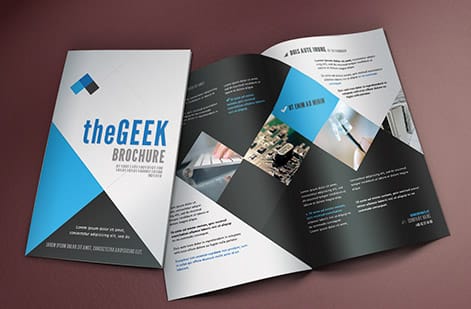
Proofing does not happen in isolation. It is one stage in prepress, the umbrella term for everything that happens to your file between the moment you upload it and the moment ink meets paper. Getting the vocabulary straight makes the whole process easier to follow.
Prepress is the full preparation phase: file intake, color conversion, imposition, plate or digital setup, and quality control. Preflight is the first checkpoint inside prepress, an automated scan that flags technical faults such as low resolution, missing fonts, wrong color space, or absent bleed. It answers a narrow question: can this file be printed at all. Our guide to what preflight is in printing walks through each flag and how to clear it before you upload. Proofing is the checkpoint that follows, and it answers a broader one: is this the piece you actually want. The color conversion sitting between the two is its own craft, and color management in prepress explains how a file is moved into CMYK so the proof you approve and the sheets that come off the press describe the same color.
The order matters. Preflight catches the problems a machine can measure, then proofing catches the ones only a human can judge, like whether the tone feels right or the hierarchy reads clearly. Together they form the quality-control backbone of any print shop worth trusting. When you order a run of 2 sided blockout banners or a stack of postcards at 4OVER4.COM, both stages run before your job is ever committed to the press.
What proofing costs and how it fits your timeline

Proofing is the rare step where the cheap option and the safe option are almost the same thing. A soft proof is typically included with your order and turns around quickly, often the same business day, because it is just a digital file. It adds minutes to your schedule, not days, which makes it the best-value insurance in the entire print process.
A hard proof is the paid, slower cousin. It has to be physically printed and shipped, so it costs a little and adds a day or two, but on a large or color-critical run it can save many times its price by catching a color shift before you print thousands. The math is simple: weigh the cost of one sample against the cost of reprinting the whole job, and on premium stock the sample almost always wins. A run of 30mil white plastic cards starts around $226, and confirming the color on a proof first is far cheaper than reordering the box.
Put the three levels side by side and the trade is easy to see. A soft proof is included with your order, arrives the same business day, and adds no production days at all, because nothing is printed. A hard proof on your actual stock is a paid sample and adds a day or two, one day to print and image it, plus transit to your door, and it is the only level that shows real color on real paper. A press check, where you or your printer stands at the machine and approves the first sheets as they come off, adds scheduling time on top of that and is reserved for the largest and most color-critical runs, since the press sits waiting on the approval.
Build the proof into your timeline instead of treating it as a delay. Give yourself a buffer to review carefully, request one round of changes, and still make your in-hand date. Work backwards from the date you need the boxes in hand: subtract shipping, subtract production, subtract a day or two if you are ordering a hard proof, and subtract one more for the round of changes that a careful review usually turns up. Against a run of 30mil white plastic cards starting around $226, one sample and one extra day is the cheapest part of the whole schedule. When you are ready, watch the price update live as you set size, stock, and finish in the configurator, and order free paper samples if you want to feel the stock before you approve.
Wally explains proofing
The proof is the moment mistakes are still free
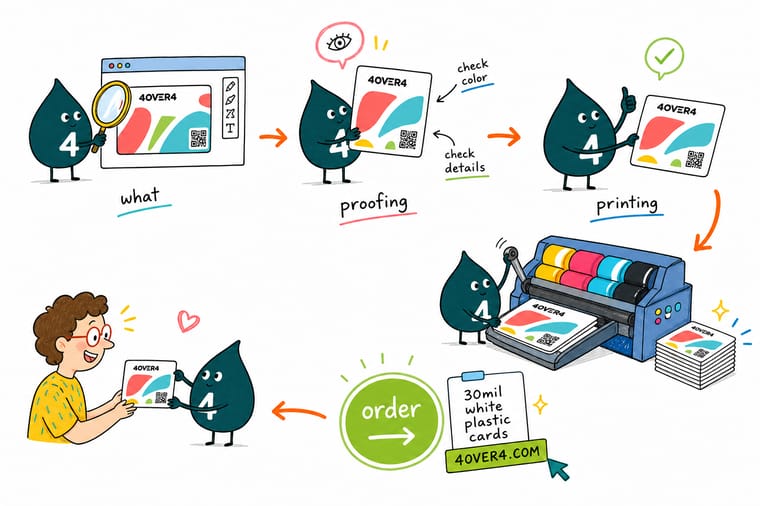
Wally treats every proof like a final walk-through: read the words first, then the layout, then the color, then the specs against the order. Catch a slip here and it costs a keystroke. Miss it and it costs a reprint. Approve only when all four passes come back clean, then let 4OVER4 print the run exactly as you signed it off.
Upload your file and print →
Infographic
The print proof process at a glance
Eight steps sit between your file and the press: upload, preflight, soft proof, optional hard proof, review, request changes, approve and print. The hardcopy proof adds a day where it is offered, and the production clock starts only at approval.
Preflight catches what a machine can measure, the proof catches what only a person can judge, and your approval is the gate the press cannot pass until it is clean.
Specs and pricing
See the specs before you proof
Half of a good proof is confirming your specs match your order. Here are the live options and price-per-unit for 30mil white plastic cards at 4OVER4.COM, straight from the configurator.

| Quantity | Price Per Unit | Total |
|---|---|---|
| 250 | 90.4¢ | $226.11 |
| 500 | 55.3¢ | $276.63 |
| 1,000 | 37.8¢ | $377.68 |
| 2,000 | 34.7¢ | $693.46 |
| 2,500 | 35.3¢ | $882.94 |
| 3,000 | 33.6¢ | $1,009.25 |
| 3,500 | 32.4¢ | $1,135.55 |
| 4,000 | 31.5¢ | $1,261.87 |
Print it
Jobs where a proof pays for itself
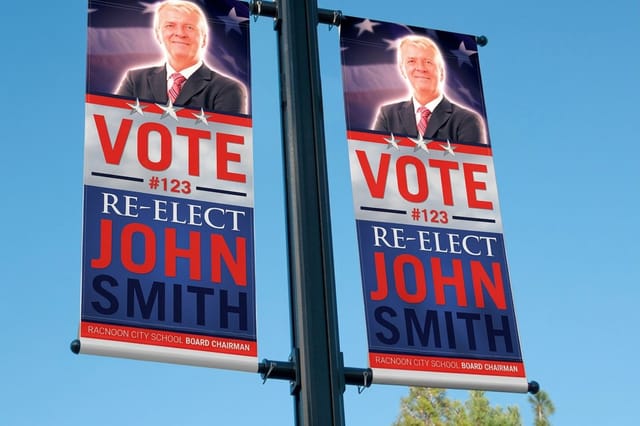
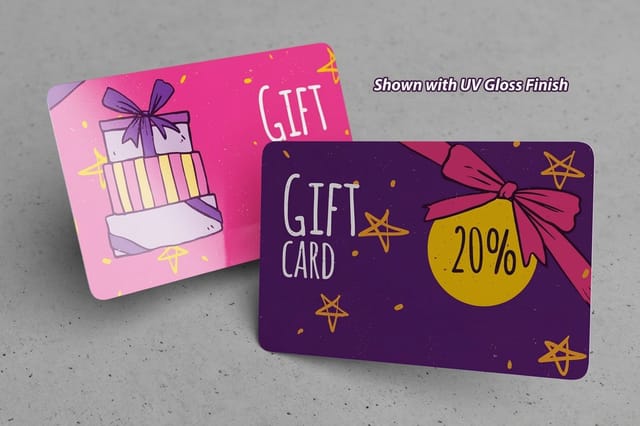
Proofing matters most on premium and complex runs, where the stock is expensive and a color shift is costly. These are exactly the pieces worth a closer look before you approve.


Explore more
Where to go next



By the numbers
A proof step across 1,000+ products
Common Questions
Common questions about proofing in printing
What is a PDF proof?
A PDF proof is a soft proof delivered as a flattened PDF at the finished size, showing the trim, the bleed and every element in position. You open it on screen and check spelling, layout, page order and margins, and it is typically included free with your order and turns around the same business day. It cannot show true color on paper, which is what a hard proof is for.
Is a printer's proof more valuable?
In fine art printmaking, yes, sometimes. A printer's proof, marked P/P, is an impression pulled outside the numbered edition and kept by the printer, so there are only a few and collectors may pay a little more for the rarity. In commercial printing a proof is a checking copy with no resale value, and its worth is the reprint it saves.
What is a press check?
A press check is a proof you approve at the press itself. You or your printer stands at the machine, compares the first sheets against the contract proof, adjusts ink density if needed, and signs off before the full run continues. It adds scheduling time and is reserved for large or color-critical jobs, since the press sits idle until you approve.
What is a proof in printing?
A proof in printing is a preview of your job that shows how the finished piece will look before the full run is printed. It exists so you can catch typos, color shifts, low-resolution images, and layout problems while they are still free to fix. A proof comes in two forms: a soft proof, which is a digital file you review on screen, and a hard proof, which is a physical sample printed on the actual stock. Approving the proof is your sign-off that the file is correct and ready to run.
What is the difference between a soft proof and a hard proof?
A soft proof is a digital preview, usually a PDF or an on-screen image, that you check for content and layout: spelling, sizing, placement, and page order. A hard proof is a real printed sample produced on or close to the press, on the actual paper or plastic your job will use. Soft proofs are fast and free, so they are ideal for confirming the words and the layout. Hard proofs are the only reliable way to judge exact color, coating, and how a stock feels in the hand, which matters most on color-critical or premium work.
Why is proofing important in printing?
Printing is a committed process: once a run starts, every sheet is the same, and fixing an error means reprinting from scratch on your time and your budget. Proofing is the checkpoint that stops small mistakes from multiplying across thousands of pieces. It protects your money, your deadline, and your brand, because a proof you approved is a proof you can hold the print shop and yourself accountable to.
What is the difference between proofing and preflight?
Preflight is an automated check that inspects your file for technical problems before anything is proofed: missing fonts, low-resolution images, wrong color mode, missing bleed, and incorrect dimensions. Proofing is the human review that comes after, where a person looks at the actual content and appearance and decides whether it is right. Preflight asks is this file printable, proofing asks is this the piece I want. A solid prepress workflow does both, in that order.
What does a printing proof cost and how long does it take?
A soft proof is typically included with your order and turns around fast, often the same business day, because it is a digital file. A hard proof takes longer and may carry a fee, since it has to be physically printed and shipped, but it can save far more than it costs on a large or color-critical run. At 4OVER4.COM you can order free paper samples to feel the stock before you commit, and review a digital proof of your file before you approve it to print.
How do I review a print proof properly?
Work through it in passes rather than all at once. First read every word, including headlines, phone numbers, and prices, because those are the errors that hurt most. Next check the layout: alignment, margins, page order, and that nothing important sits in the trim or fold. Then confirm the images are sharp and the color looks right, ideally against a hard proof. Finally check the specs against your order: size, sides, stock, and finish. Only approve when all four passes are clean.
Can I skip the proof to save time?
You can, but it is the most expensive way to save a day. Skipping the proof means the first time anyone sees the printed result is when the whole run arrives, and any mistake in the file is now a mistake in every copy. A soft proof adds only minutes to your timeline and is the cheapest insurance in the entire process. On anything you cannot afford to reprint, review the proof.
What is hard proofing in printing?
Hard proofing is printing one physical sample of your job on or very close to the press that will run it, on the same stock, and approving that sample before the rest of the quantity prints. It is the only check that shows exact color, the effect of a coating, and how a heavy card feels in the hand, because your screen emits RGB light while the press lays down CMYK ink.
Is a hard proof worth the extra day or two?
On color-critical, premium or high-volume work, yes. The sample adds a day or two and costs a little, while getting the color wrong costs the entire run a second time. A run of 30mil white plastic cards starts around $226, so a single sample is the cheaper half of that decision. On a straight reorder of a file you have printed before, or a text-led job with no brand color to match, the included soft proof is usually enough.
Is the free digital proof the same as a hard proof?
No. The free soft proof is a PDF or on-screen render, it turns around the same business day, and it settles everything that lives in the file: spelling, sizing, image placement, page order, bleed and margins. It cannot settle color on paper, coating, or stock weight. For those, order a hard proof or request free paper samples first.
Get Started
Ready to proof and print with confidence?
Upload your file to 4OVER4.COM, review your proof, and print on the size, stock, and finish you choose. Adjust every option and watch your price update live.
Legal Disclaimer
Gold Standard guarantees apply to all standard orders placed through 4over4.com. Price match requires verifiable proof of a competitor's published price for an equivalent product with matching specifications and turnaround time. Satisfaction guarantee covers manufacturing defects and print quality issues. Contact support with order number and documentation.
