
Types of Printers, Presses, and Equipment Used in Printing


Sofia is our design and templates voice, built from the knowledge of our production team, with over 20 years in printing.
Offset and digital presses run the industry, flexo and screen handle the special jobs, and a chain of bindery, finishing, and cutting machines turns a flat sheet into a finished piece. Here is the whole production floor in plain English.
The main types of printing presses are offset and digital, supported by flexography, screen printing, and letterpress. Offset uses plates for high-volume, color-precise runs, while digital images the sheet directly for fast, short, and personalized jobs. Around the press sit bindery machines (folders, stitchers, binders), finishing machines (laminators, UV coaters, foil stampers), and cutting equipment (guillotines, die-cutters, slitters) that shape every printed piece.

Quick tips
Quick guide to matching a press to your job
Pick the press by the run, not the name. Large quantities with strict brand color belong on an offset press, while short runs, quick turnarounds, and personalized pieces belong on a digital press. A few hundred pieces or fewer usually favors digital; a few thousand and up favors offset. Packaging and labels go to flexography, and heavy ink on fabric or plastic goes to screen printing. After the press, bindery folds and binds, finishing laminates and coats, and cutting trims to size. Order the finished product at 4OVER4.COM and every one of those machine decisions is made for you.
Watch it printed
See standard flyers on the press, in 140 seconds
Why the press behind your print actually matters
Most people order a stack of flyers or a run of business cards without ever thinking about the machine that makes them. That is fine, until the day two things surprise you: why a thousand pieces can cost less per unit than a hundred, and why one printer nails your brand color while another drifts a shade off. Both answers come down to the press. At 4OVER4.COM, 100 standard 4.25" x 5.5" flyers on 100# gloss text cost $57.11, about 57 cents each, while 1,000 of the same flyer cost $126.32, about 13 cents each.
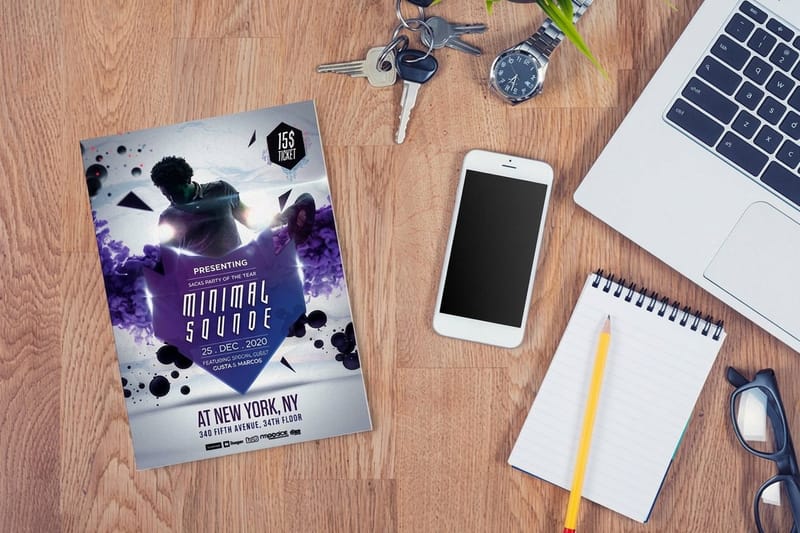
Understanding the main types of printing presses does not make you a press operator. It makes you a smarter buyer. You will know when a job belongs on an offset press and when digital is the faster, cheaper call, and you will set your files up so the finished piece looks exactly the way you pictured it. If you want a preview of what a modern press produces, browse the 4OVER4.COM flyer printing showcase before you spec your own run.
This guide walks the whole production floor: the printer varieties, the press types, the bindery and finishing machines, and the cutters that give every job its final edge. Along the way you will find links to deeper pieces on choosing a color mode for print and the paper stocks that ride through these machines.
Exploring printer varieties, from desktop to production floor
Before the presses, it helps to place them on a spectrum. On one end sits the inkjet or laser printer on your desk, built for a page or two at a time. On the other end sits a production press the size of a car that runs sheets by the thousand. Between them is a whole family of machines, and the job decides which one you need. For scale, the flyer configurator on 4OVER4.COM runs from 4.25" x 5.5" up to 11" x 25.5", on seven stocks from 70# uncoated text to 14pt cover, in runs from 50 to 25,000 pieces.
Inkjet printers spray microscopic droplets and shine on photos and wide-format work like posters and banners. Laser and toner printers fuse powder to the page and are fast and crisp for text. Production digital presses scale that same toner or inkjet idea up to commercial speed and volume. And plate-based presses, led by offset, are the heavy machinery behind the bulk of professional print. Each variety trades away something to be great at one thing, which is exactly why print shops keep several under one roof.
The takeaway is simple: there is no single best printer, only the best printer for your quantity, substrate, and deadline. Our product explainer guides break this down product by product if you want to go deeper.
Press types explained: offset, digital, flexo, screen and more
This is the heart of it. Five press types cover almost everything you will ever order, and knowing what each does best takes the guesswork out of buying print.
takes the guesswork out of buying print.| Press type | How it images | Economical run size | Setup cost | Turnaround | Best for |
|---|---|---|---|---|---|
| Offset lithography | Etched metal plate to rubber blanket to paper | Thousands of pieces and up | High, one plate per color plus makeready | Days, plates and color matching come first | Catalogs, brochures, large business card and flyer runs |
| Digital toner | Charged drum fuses powder to the sheet and heat sets it | One piece to a few hundred | None, the file goes straight to the press | Same day to a few days | Short runs, reprints, proofs, text-heavy work |
| Digital inkjet | Droplets sprayed directly onto the surface | One piece up, including one-off wide format | None | Same day to a few days | Posters, banners, photo-heavy art, mailers that change every copy |
| Flexography | Flexible relief plate on a cylinder, fast-drying ink | Very long roll runs | High, a plate per color plus roll setup | Long lead time, then very fast running | Labels, film, bags, corrugated packaging |
| Screen printing | Thick ink pushed through a mesh stencil | A handful to a few hundred | Medium, one screen burned per color | Days, screens made before the first print | Fabric, plastic, metal, opaque ink on dark surfaces |
| Letterpress | Raised design pressed into the stock | Small runs | High, a die or plate per color | Days, hand-fed and deliberately slow | Thick cotton cards, invitations, tactile premium pieces |
| Gravure | Image engraved into a metal cylinder that holds the ink | Extremely long runs | Very high, engraved cylinders per color | Weeks of prep, then continuous running | National-scale magazines, catalogs, packaging |
Read the table left to right and one pattern runs through it: the more a press charges you before the first good sheet comes off, the more pieces you have to print for it to be the cheaper choice. That single trade-off decides most print orders.
Offset lithography is the industry standard for volume. Ink moves from an etched plate to a rubber blanket and then rolls onto the paper, a two-step handoff that lays color down evenly on every single sheet. The setup takes time and plates cost money, so offset gets cheaper per piece the more you print. It is the press behind most brochures, catalogs, and big business-card orders.
Digital printing images the sheet directly with toner or inkjet, no plates involved. That means near-zero setup, instant proofs, and the ability to change every copy in the run, which is how personalized mailers happen. For short runs and quick turnarounds it wins outright. Our own flyer printing leans on digital and offset depending on the quantity you choose.
Flexography uses flexible relief plates and fast-drying ink to print on packaging, labels, and film at high speed. Screen printing pushes thick ink through a mesh stencil, so it thrives on fabric, plastic, and any surface a flat press cannot handle. Letterpress, the oldest of the group, presses a raised design into thick stock for a tactile, premium feel, and pairs beautifully with foil stamping. Gravure rounds things out for extremely long magazine and packaging runs.
Pad, sublimation, UV and large format presses, the four the table leaves out
Four more machines show up in a full list of press types, each built around a surface a flat press cannot handle. Pad printing picks up ink from an etched plate with a soft silicone pad and presses it onto a curved or uneven object, which is how a logo lands on a pen, a golf ball or a bottle cap. Dye sublimation prints the design onto transfer paper with a solid dye, then heat turns the dye to gas and drives it into polyester fabric or a coated surface, so the image is in the material rather than on it, which is why sublimated banners and mugs do not crack or peel.
A UV press is any inkjet or offset unit that cures ink instantly with ultraviolet light instead of letting it dry, so it prints on plastic, metal, glass and rigid board with raised, glossy detail. Large format presses are wide inkjets, roll-fed for banners and vinyl or flatbed for boards, and they are what produce a poster, a sign or a wall graphic in one pass. At 4OVER4 the press behind a job follows the product you order, so a stack of flyers runs offset or digital while a rigid sign goes to the UV flatbed, and you never have to choose the machine yourself.
Printing equipment essentials beyond the press itself
A press is the star, but it cannot work alone. A row of supporting equipment gets a file ready and keeps the color honest, and this is the part buyers rarely see.
- The RIP (raster image processor) translates your PDF into the exact dot pattern the press will lay down. It is where your CMYK color values become physical ink.
- Platesetters and CTP (computer-to-plate) machines burn your artwork onto the metal plates that offset presses need, replacing the old film-and-camera step entirely.
- Densitometers and spectrophotometers measure ink on the sheet so an operator can hold color to a standard across a long run.
- Ink and coating systems mix and meter precise ink films, which is why a professional shop matches a brand color a desktop printer never could.
You never touch this gear, but it is the reason a professional print job looks consistent from the first sheet to the last. If you want your file to sail through it cleanly, our file setup guides cover bleed, resolution, and export settings.
The parts of a printing press, from feeder to delivery
Every sheet-fed offset press is built from the same six stations, and knowing them explains most of the vocabulary a print shop uses. The feeder lifts one sheet at a time off the pile with air and suction and registers it against side and front guides, which is where accurate trim starts. The plate cylinder carries the thin aluminum plate that holds the image. The inking unit, an ink fountain and a train of rollers, meters a film of ink onto the plate, while the dampening unit wets the non-image areas so ink sticks only where it should.
The blanket cylinder takes the inked image from the plate onto a rubber blanket, and the impression cylinder presses the paper against that blanket to make the print, which is the offset in offset printing. One set of these stations is one printing unit, and a four-color press is four units in a row, one each for cyan, magenta, yellow and black. The delivery stacks the finished sheets, often under a dryer or a coating unit. Digital presses replace the plate, ink and blanket with an imaging drum or inkjet heads, but the feeder, registration and delivery do the same job. Our guide on how an offset printer works walks the path of one sheet through them.
What is bindery equipment in printing?
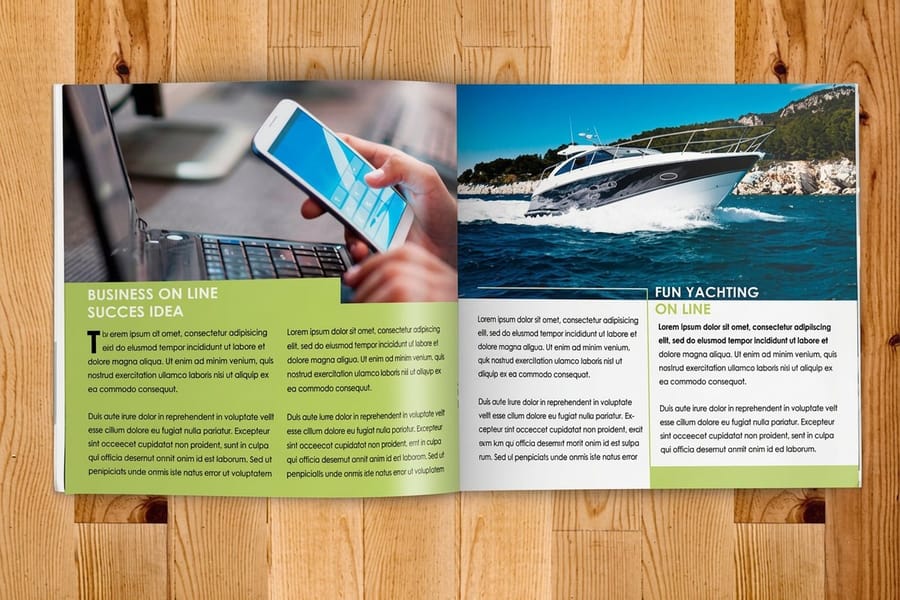
Bindery is where flat sheets become a finished object. Once the ink is dry, a different set of machines folds, gathers, and fastens the print into its final form. This is the stage that turns a pile of printed pages into a booklet or catalog.
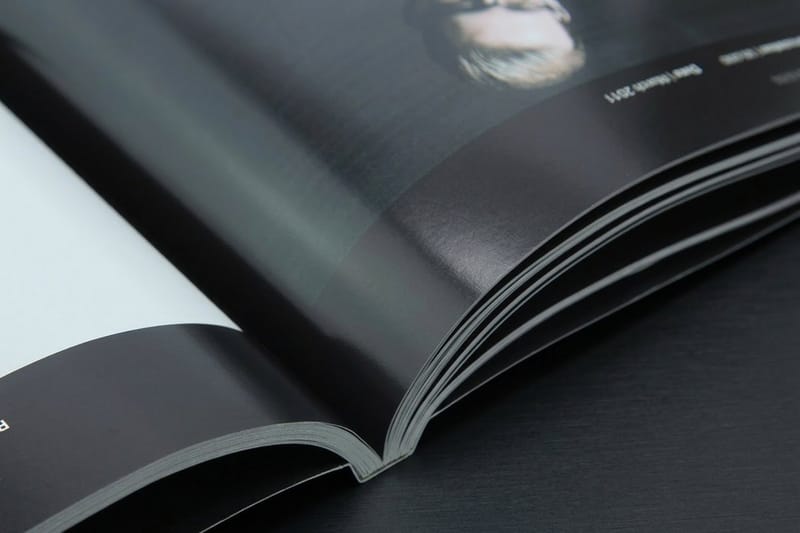
Folding machines crease sheets into brochures and mailers. If you have ever wondered how a single sheet becomes a neat tri-fold, this is the machine, and our brochure folding guide shows the eight common folds. Saddle stitchers staple pages through the spine for thinner booklets, while perfect binders glue thicker catalogs into a squared-off spine you can print on. The choice between them is worth understanding, and our binding types guide compares perfect binding against saddle stitch in plain terms.
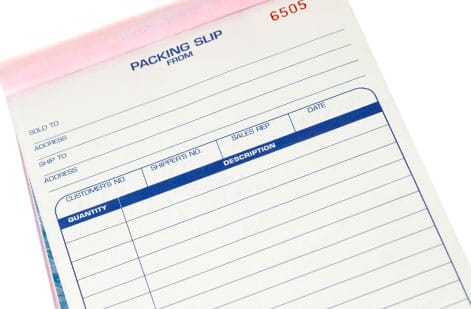
Collators gather multi-page sets in the right order, which matters for anything from a booklet to a multi-part form. Bindery is quiet, unglamorous, and completely decides whether your finished piece feels professional or homemade.
The finishing machines that give print its surface
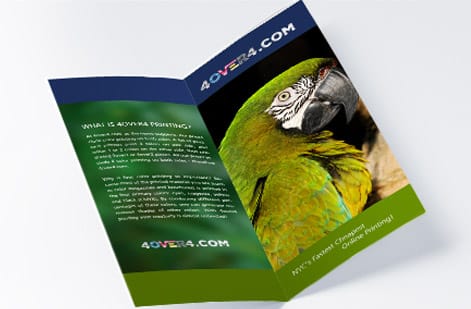
Finishing is the difference between a flat printed card and one that catches the light and feels solid in the hand. These machines run after the press and after bindery, adding protection and effect.
Laminators bond a thin film to the sheet, matte for a soft, glare-free look or gloss for punch and durability. If you are torn between the two, our matte vs gloss comparison lays out the trade-offs. UV coaters flood or spot a liquid coating that cures instantly under ultraviolet light, giving you that raised, wet-looking gloss on selected areas of a design.
Foil stamping presses use heat and a metal die to press a thin metallic film into the stock, the technique behind gold and silver accents. Embossing and debossing dies push part of the design up off the sheet or down into it for a purely tactile effect. Explore the range of surface treatments in our printing finishes guide, then see the effect for real in the brochure printing showcase.
Cutting and trimming machines explained
Almost nothing prints at its final size. Sheets run large through the press and get cut down afterward, so cutting equipment is what defines the finished edge of every job.
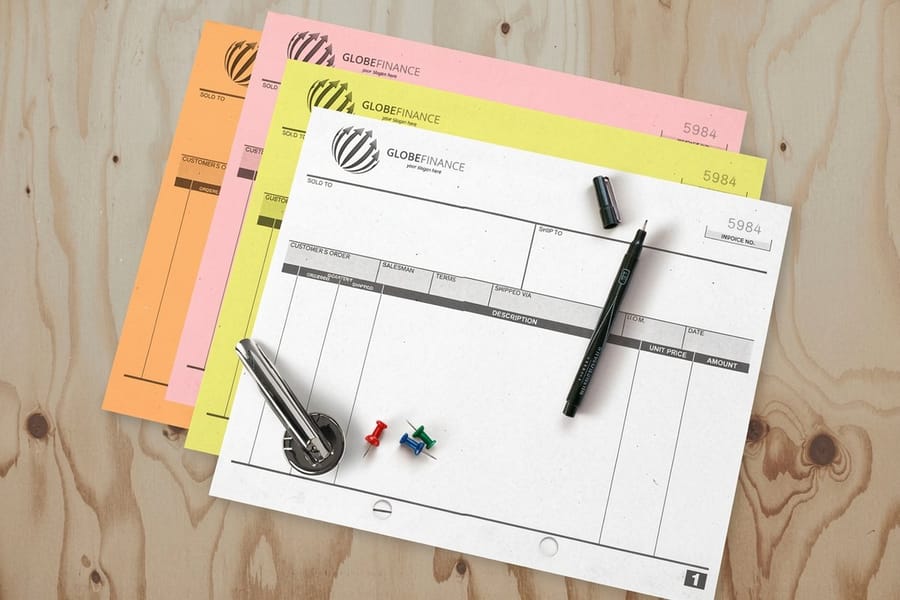
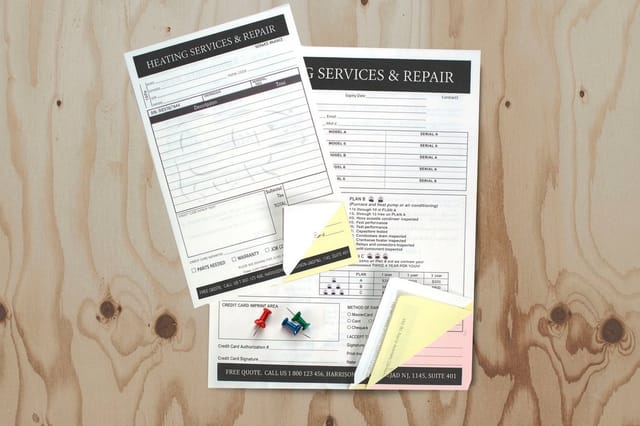
The guillotine cutter is the workhorse, a single heavy blade that squares stacks of paper to an exact dimension with a clamp holding everything dead still. Die-cutters use a custom steel-rule die, shaped like a cookie cutter, to punch out rounded corners, windows, and fully custom shapes such as our carbonless forms and shaped marketing pieces. Slitters and slitter-scorers cut and crease large sheets or rolls in a single pass. Tap through our short story on carbonless forms to see the 2, 3 and 4 part sets.
Here is why this matters for your file. Because these blades trim into the printed area, your artwork needs a small margin of extra color, called bleed, past the trim line. Skip it and you risk thin white slivers on the edge. Our bleed and trim guide shows exactly how much to add and where the safe zone sits, so what you designed is what you get.
How to choose the right press for your project
You will rarely pick a press by name. Instead you answer four practical questions and the right machine falls out of the answers.
- How many? A few hundred pieces or fewer usually favors digital. A few thousand and up favors offset, where the per-piece price keeps dropping.
- How exact does the color need to be? Strict brand-color matching across a large run points to offset. Everyday color on a short run is a job for digital.
- What are you printing on? Standard paper suits offset and digital, packaging and film suit flexo, and fabric or plastic suit screen printing.
- How fast? A tight deadline usually means digital, because there are no plates to make and no long makeready.
The good news is you do not have to run this checklist alone. When you order from 4OVER4.COM you choose the product, quantity, stock, and finish, and the job is routed to the press and finishing line built for it. Compare stocks in our paper types guide or start from a ready design in the design templates library, and the equipment decision is handled for you.
What printing presses cost and how print is priced
The machines themselves cost a fortune, which is the whole reason a market for commercial printing exists. A production offset press is a capital purchase in the six or seven figures once you add prepress and bindery, and even a commercial digital press runs deep into the tens of thousands. That is before ink, plates, maintenance, and the floor space to house it all. On an order you pay for choices instead: on a flyer, 14pt gloss cover adds 60 percent over 100# gloss text, printing both sides adds 35 percent, and a High Gloss UV coating adds another 35 percent.
None of that is what you pay for a print job, though. Your price is set by the run, not the machine. The big levers are quantity, paper stock, size, ink coverage, and finishing. Setup-heavy offset spreads its fixed cost across the whole run, so unit prices fall sharply as quantities climb, which is why doubling your order rarely doubles the price. Digital stays flat and affordable at the low end because there is almost no setup to amortize.
For the real numbers on your project, the live specs and price tables below pull straight from the configurator, and the printing industry data page puts the wider market in context. When you are ready to weigh options against paper weight, our paper weight guide explains how stock choice moves the price.
Wally explains the press floor
You buy the print, not the machine
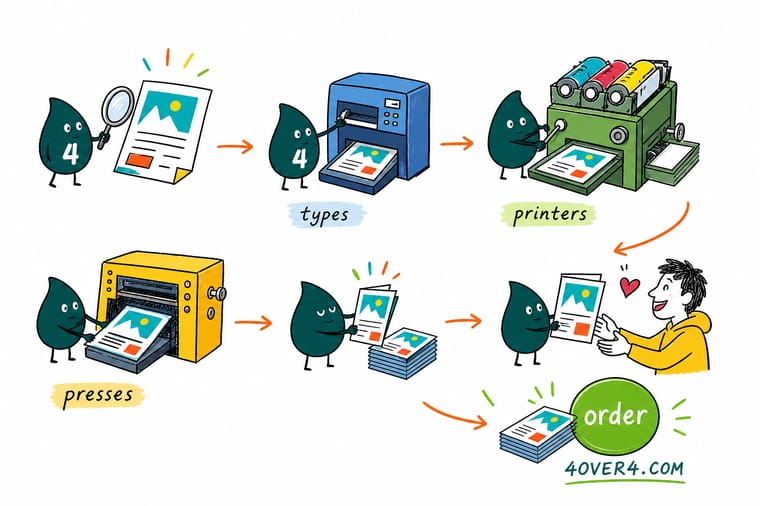
Wally sees a print shop as a relay race: prepress hands off to the press, the press hands off to bindery, then finishing, then the cutter. Each machine costs a fortune and does one thing brilliantly, which is exactly why you rent the whole team by the job instead of buying it. Tell 4OVER4 what you want printed and we run it down the right line, so you skip the six-figure machinery and just get sharp, on-color print.
Order flyers →
Specs and pricing
Live flyer specs and pricing off the press
Rather than buy a press, you buy the result. Here is what a full-color flyer run gives you at 4OVER4.COM, with live specs and price-per-unit pulled straight from the configurator so you can see how quantity moves the number.

| Quantity | Price Per Unit | Total |
|---|---|---|
| 50 | 79.1¢ | $39.54 |
| 100 | 57.1¢ | $57.11 |
| 200 | 37.3¢ | $74.69 |
| 300 | 28.6¢ | $85.68 |
| 400 | 24.4¢ | $97.76 |
| 500 | 21.8¢ | $108.75 |
| 600 | 18.7¢ | $112.03 |
| 700 | 16.5¢ | $115.33 |
Print it
Order print built on the right press

See it in use
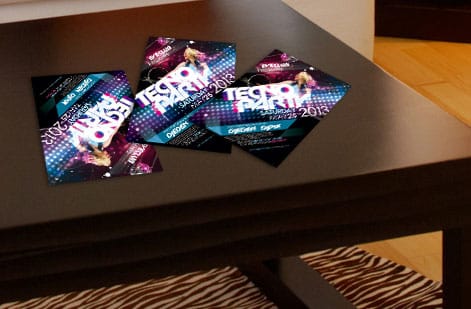
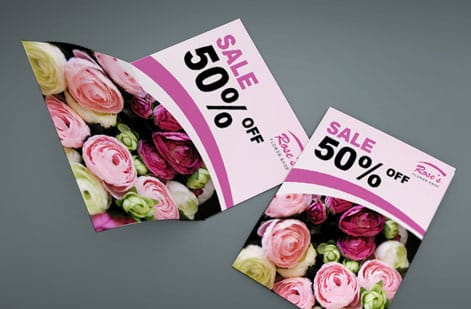
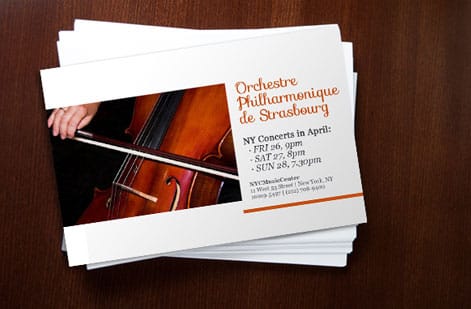
Work that came off the presses on this page


%22%2F%3E%3Ccircle%20cx%3D%2244%22%20cy%3D%221%22%20r%3D%2219%22%20fill%3D%22%23a78bfa%22%20opacity%3D%220.15%22%2F%3E%3Ccircle%20cx%3D%2240%22%20cy%3D%2250%22%20r%3D%225%22%20fill%3D%22%23a78bfa%22%20opacity%3D%220.1%22%2F%3E%3Crect%20x%3D%2274%22%20y%3D%22-7%22%20width%3D%2229%22%20height%3D%2210%22%20rx%3D%224%22%20fill%3D%22%23a78bfa%22%20opacity%3D%220.08%22%20transform%3D%22rotate(9%2080%2030)%22%2F%3E%3C%2Fsvg%3E)
Explore more
Where to go next


By the numbers
The 4OVER4 print floor you can count on
Common Questions
Common questions about printing presses and equipment
What are the top 10 printing presses in the world?
Ranked by how much of the world's print they produce, the list is offset lithography, digital toner, digital inkjet, flexography, rotogravure, screen printing, letterpress, pad printing, dye sublimation and UV or large format inkjet. The first two handle almost everything a business orders, flexo and gravure own packaging and long magazine runs, and the rest each serve a surface or a finish the big two cannot.
What are the 8 most common types of printing methods?
Offset, digital, flexographic, gravure, screen, letterpress, pad and dye sublimation printing. Offset and digital cover paper products from business cards to catalogs, flexo and gravure cover packaging and labels, screen and pad handle fabric, plastic and shaped objects, letterpress gives a pressed impression on thick stock, and sublimation puts the image inside polyester and coated goods.
What is a rotogravure press used for?
Very long runs where the setup cost of engraving a cylinder per color is spread over millions of impressions: national magazines, catalogs, flexible packaging, wallpaper and gift wrap. The image is etched as tiny cells into a chrome-plated cylinder that carries the ink directly to the paper or film, which gives smooth tones and consistent color over an entire run but makes it the wrong press for anything short.
What are the main types of printing presses?
The two workhorses are offset lithographic presses and digital presses. Offset transfers ink from a plate to a rubber blanket and then to paper, which is why it holds color so precisely across long runs. Digital presses skip plates entirely and image the sheet directly, so they are faster to set up and cost-effective for short runs and variable data. Beyond those two, flexography prints packaging and labels, screen printing lays down thick ink on textured or non-paper surfaces, and letterpress and gravure serve niche premium and high-volume roles.
What is the difference between offset and digital printing?
Offset uses metal plates and a wet ink process, so there is a fixed setup cost that gets cheaper per piece as the quantity climbs. It is the standard for thousands of business cards, brochures, or catalogs where color has to be identical on every sheet. Digital has almost no setup, prints one piece as easily as one thousand, and handles personalized runs where each copy is different. As a rule of thumb, low quantities and quick turnarounds lean digital, while large quantities and exacting color lean offset.
What is bindery equipment in printing?
Bindery is everything that happens after ink hits paper to turn flat sheets into a finished piece. Folding machines crease brochures, saddle stitchers staple booklets through the spine, and perfect binders glue thick catalogs into a squared-off block. Collators gather pages in order and three-knife trimmers square the final edges. If you have ever wondered how a stack of printed sheets becomes a bound booklet, bindery equipment is the answer.
What finishing machines are used in printing?
Finishing adds the surface effects and protection. Laminators bond a matte or gloss film to the sheet, UV coaters flood or spot a glossy layer that pops against the paper, and foil stampers press metallic film into the stock under heat. Embossing and debossing dies raise or recess part of the design for a tactile feel. These steps happen after the press and are how a plain card becomes a soft-touch, foil-accented one.
What machines cut and trim printed sheets?
The guillotine cutter is the backbone: a single precise blade that squares stacks of paper to the exact finished size. Die-cutters use a custom steel-rule die to punch shapes, rounded corners, and windows. Slitters and slitter-scorers cut and crease rolls or large sheets in one pass. Because these machines trim into the printed area, your artwork needs a bleed margin so no white slivers appear at the edge.
How do I choose the right type of printing press for my project?
Start with four questions: how many pieces, how tight does the color need to be, what are you printing on, and how fast do you need it. High quantities with strict color favor offset, short or personalized runs favor digital, packaging and labels favor flexo, and heavy ink on fabric or plastic favors screen. You do not have to make this call yourself. At 4OVER4.COM you choose the product and options, and the order is routed to the press and finishing line that fit it best.
How much do printing presses cost and how is print priced?
A production offset press is a six or seven figure capital machine, and a commercial digital press runs well into the tens of thousands, which is exactly why most businesses buy prints rather than presses. What you actually pay for a job is driven by quantity, paper stock, size, color, and finishing, not by the machine itself. Setup-heavy offset spreads its cost across the run, so unit prices drop sharply as quantities rise, while digital stays flat and affordable at low volumes.
Who invented the printing press?
Johannes Gutenberg, working in Mainz around 1440, is the name attached to it in Europe, and what he invented was really a whole system rather than a single machine: metal type cast one letter at a time in a hand mould, an oil-based ink that would cling to that metal, and a screw press adapted from the sort used for pressing wine. Movable type itself was older. Bi Sheng made it in ceramic in China around 1040, and it was cast in metal in Korea, where the Jikji was printed in 1377. Gutenberg was the one who got all the parts working together at commercial speed, and every press described on this page, offset and digital included, descends from that arrangement.
Which printing press is used for business cards?
It depends on quantity and finish. Small and mid-size orders run digital, because there are no plates to make, the file goes straight to the press, and the cost per card stays flat at low volumes. Large orders move to offset, where the plate and makeready cost is spread across the run, which is why a thousand cards can cost less each than a hundred. Premium cards on thick stock go on a letterpress for a pressed impression you can feel, or through a foil stamper after printing. At 4OVER4.COM you pick the stock, size and finish, and the order is routed to the press that fits it.
Get Started
Ready to put a real press to work?
Pick your product, quantity, and finish, and we route it to the press and finishing line built for the job. You get sharp, on-color print without owning a single machine.
Legal Disclaimer
Gold Standard guarantees apply to all standard orders placed through 4over4.com. Price match requires verifiable proof of a competitor's published price for an equivalent product with matching specifications and turnaround time. Satisfaction guarantee covers manufacturing defects and print quality issues. Contact support with order number and documentation.
