
Best Tech Promotional Products and Swag Ideas That People Actually Keep


Jordan is our labels, packaging and sustainability voice, built from the knowledge of our production team, with over 20 years in printing.
The tech swag people keep is whatever earns a spot on the desk they use every day: a printed mousepad, a sticker sheet for the laptop lid, a notebook beside the keyboard. Gadgets give you an imprint patch the size of a stamp, so buy the gadget for its usefulness and put the brand on the box, the card and the stickers around it.
Tech swag budget tiers at a glance
| Budget tier | What it buys | What the print carries | Where it lands | Product at 4OVER4 |
|---|---|---|---|---|
| Under $5 a head | Sticker sheet, notebook, thank-you card | Logo plus one line, no gadget | Conference tables, mass handout | Premium stickers, plus a ready-made deluxe spiral notebook |
| $5 to $15 a head | Printed mousepad plus a sticker sheet | Full-bleed artwork, brand mark in a corner | Desk kits, new hire welcome | Standard mousepads |
| $15 to $40 a head | Cable kit or hub, boxed with an insert card | Setup instructions and a QR on the card | Customer onboarding, partner gifts | Flat thank-you cards, custom mailer boxes |
| $40 to $100 a head | Headphones, power bank, keyboard accessory | Small imprint on the item, brand on the box | Executive gifts, closed deals | Custom mailer boxes, die-cut stickers |
| Over $100 a head | Named gadget in a printed presentation box | Recipient name on the insert card | Speakers, top accounts, retention | Custom mailer boxes, plus ready-made leather journals |
Tiers are per recipient, print plus gadget. Under $5 buys print only, a premium sticker and a flat card from a 25 pack at $19.77. The $13.17 mousepad opens the $5 to $15 tier, and above $25 the gadget needs a printed mailer box, which runs 250 boxes for $711.78. Count heads before you shop, because most kits fail on freight and assembly rather than on the item itself. You can order printed mousepads in full color straight from the configurator.
Why tech swag works when the rest gets binned
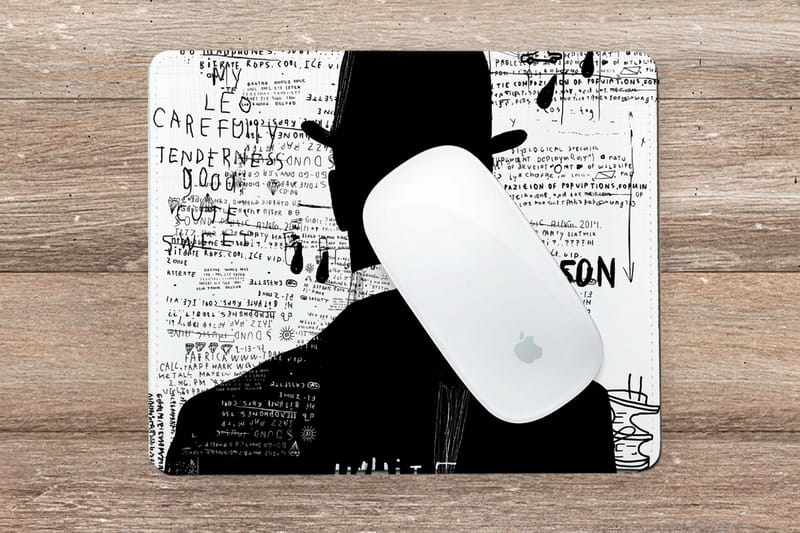
Tech swag survives the walk to the car because it earns a place on a desk somebody sits at every working day. A branded mousepad, a sticker on a laptop lid, a notebook next to the keyboard: each one is seen during work, not during a spring clean. Compare that with a pen or a stress ball, which are handled once and then compete for space in a drawer.
The catch is that gadgets are terrible advertising surfaces. A power bank gives you a printable patch smaller than a business card, usually in one color on dark plastic, and the manufacturer logo is often molded in next to yours. If the gadget is the whole plan, you are paying gadget money for a logo nobody can read across a room.
So split the budget. Buy the gadget for its usefulness and put the brand on the flat printed surfaces around it: the box it arrives in, the sticker sheet inside, the card that explains what it does. Our guide to branded merch that works walks the same split across apparel and desk items.
What people keep and what they leave behind
Desk items get kept. Bag items get kept if the bag is good. Anything that duplicates something the person already owns, such as a fourth charging cable or a generic wireless mouse, gets left on the table at the end of the day. Walk any conference floor an hour after close and the leftovers are always the same categories.
The other reliable failure is anything an employer will not let through the door. Plenty of companies block unknown USB drives at the policy level, so a preloaded drive full of your product deck is a gift that gets confiscated by IT. Put the deck behind a QR code on a printed card instead, and the person can open it on the device they already trust.
The imprint area problem, in plain numbers
Measure the flat printable patch on a gadget before you commit. On most power banks and earbud cases it is a rectangle a couple of inches wide, curved at the edges, and the print method is pad print or laser etch rather than full color. Detailed logos with thin strokes or gradients do not survive that.
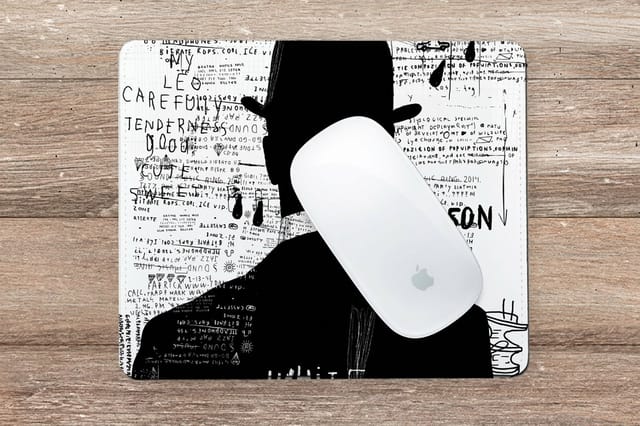
A printed mousepad gives you the whole surface in full color, edge to edge. That is the honest reason mousepads keep showing up in tech kits while branded cables quietly disappear from them.
The tech swag categories worth your budget
Five categories carry almost every tech kit worth handing out. They are ordered here by how reliably they get used, not by price, because a used item is the only item that advertises anything.
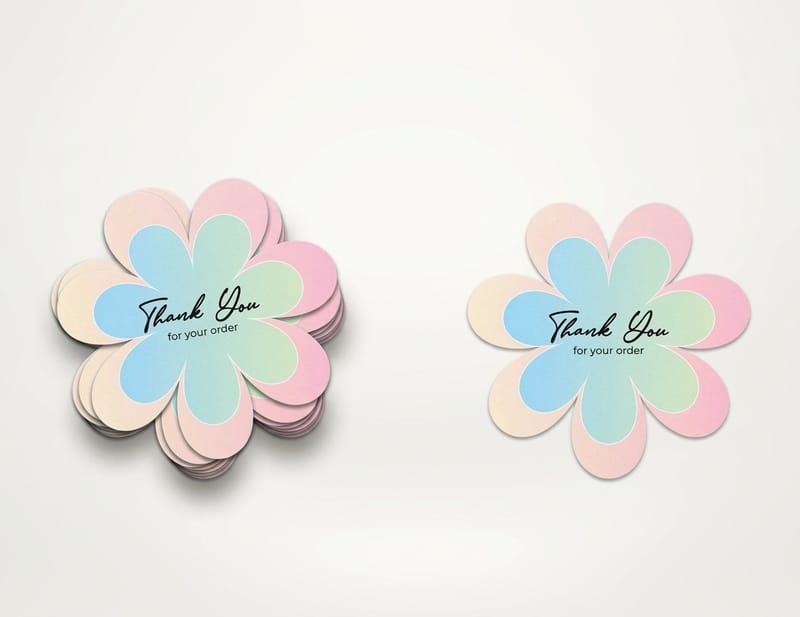
Two of them are printed pieces we make: die-cut stickers from $93.37 and standard mousepads from $13.17. The rest come from a promo distributor and arrive at your door blank, ready to be packed with the printed side of the kit.
Desk surface: mousepads, coasters, laptop stickers
This is the category with the longest dwell time and the lowest unit cost. A mousepad is in view for the whole working day, and a laptop sticker travels to every meeting the laptop attends. Developers in particular treat laptop lids as a collection, which is why software companies print sticker sheets rather than pens.
Cut the shape to the logo rather than to a rectangle. A die-cut sticker reads as a designed object; a rectangle with white margin around a logo reads as a label. Vinyl with a laminate is what survives a laptop lid going in and out of a bag, and our sticker material guide covers which face stock to pick.
Power, audio, input and the ones to skip
Power banks and chargers. Useful, but they carry lithium cells, which makes them dangerous goods for shipping. Airlines cap them at 100 watt-hours in carry-on and do not allow them in checked baggage, so a giveaway at an international conference sends part of your audience to the bin at security. Check the watt-hour rating printed on the unit before you order a pallet.
Audio. Earbuds and small speakers get used, and the case is the only real brand surface. Buy a case with a flat panel or accept that the brand lives on the box.
Input and stands. Laptop stands, hubs and webcam covers get kept because they solve a daily annoyance. A webcam cover is cheap enough for mass handout and lives on a screen the recipient stares at every day.
Skip. Generic cables, unbranded mice, USB flash drives, and anything with a battery you cannot get a spec sheet for. Those four account for most of the abandoned swag on any conference table.
The printed pieces that turn a gadget into a gift
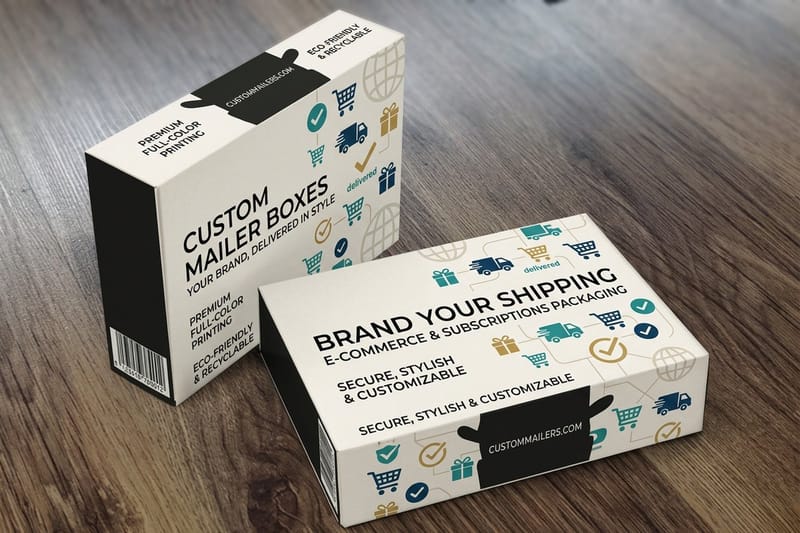
A gadget in a poly bag is a shipment. The same gadget in a printed box with a card and a sticker sheet is a gift, and the difference in cost per unit is usually a few dollars. This is the part of the kit we print, and it is the part that decides whether anyone photographs it.
Three pieces do the work. The outer box carries the brand at full size. The insert card explains what the thing is and where to get help, which is the single most useful piece of paper in the box. The sticker sheet is the piece that leaves the box and goes onto a laptop, where it keeps working for a year.
Order the box to the gadget, not the other way around. Measure the item with its retail packaging on, add room for the card and any filler, then set the box size. Our guide to boxes with inserts covers how to hold a gadget still in transit without a molded tray. Every box style sits in our packaging printing collection.
The insert card does more than say thank you
Put three things on it: what the item is, how to set it up or claim a warranty, and one QR that goes somewhere worth scanning. A code that lands on a homepage teaches people not to scan your codes. A code that lands on a two minute setup video gets scanned, and gets remembered.
Flat thank-you cards start at $19.77 and print on both sides, so the front carries the brand and the back carries the instructions. It is the cheapest line item in the kit and the one recipients keep longest, because it is the thing they go back to when the gadget will not pair.
Sticker sheets, sized for a laptop lid
Sheets beat singles. Give people a choice of three or four shapes and they apply one and pass the rest along, which puts your mark on machines you never met. Keep the largest sticker under about three inches on the long edge, because anything bigger crowds a laptop lid and gets left on the sheet.
Premium stickers start at $29.16, which makes a sheet the cheapest way to add perceived value to a box. For the shapes that follow a logo outline rather than a rectangle, see our sticker printing range.
| Printed piece | Sizes | Stock or material | Starts at |
|---|---|---|---|
| Standard mousepads | 7.75" x 9.25", 1/4" thick | Full color over the whole top surface | 1 for $13.17 |
| Premium stickers | 3" x 5" to 5" x 7", or any size | White vinyl, clear vinyl, gloss or uncoated label | From $29.16 |
| Die-cut stickers | 2" x 2" to 11" x 11" | White vinyl permanent or repositionable, clear label | 25 for $93.37 |
| Deluxe spiral notebook | 4.25" x 5.5" or 5" x 7" | Ready-made black cover, spiral bound, no logo | 1 for $5.00 |
| Flat thank-you cards | 4.25" x 5.5", 5" x 7" or 6" x 6" | 14pt to 24pt cover, full color on both sides | 25 for $19.77 |
| Custom mailer boxes | 5" x 7" x 1.7" or 5.5" x 5.5" x 2.625" | Printed box board | 250 for $711.78 |
Send one print ready PDF per piece, with bleed past the trim, or start from a free template. The mailer box is the only piece with a run minimum, so size it last, once you know how many kits you are packing.
Budget tiers for a tech giveaway
Set the per person number first, then fill the tier from the table at the top. The mousepad anchors the $5 to $15 tier: one 7.75" x 9.25" pad, 1/4" thick and printed full color, costs $13.17, and two cost $26.34, so you order the exact head count with no minimum to round up to. Add a $5.00 deluxe spiral notebook and the desk kit comes to $18.17 a head, still under the $25 line where cables and hubs start. The table below is the live configurator's pricing for the pad.
Quantity and price
Mousepad pricing and specs
Live run pricing, from 25 stickers up to a 250 box of custom mailers.
| Quantity | Price Per Unit | Total |
|---|---|---|
| 1 | $13.17 | $13.17 |
| 2 | $13.17 | $26.34 |
| 3 | $13.17 | $39.51 |
| 4 | $13.17 | $52.68 |
| 5 | $13.17 | $65.85 |
| 6 | $13.17 | $79.01 |
You can also earn coins on every order and redeem them for future printing discounts, which stretches a giveaway budget across one more event.
Where to source and brand the kit
Two suppliers, one assembly. The electronics come from a promotional distributor and arrive blank in bulk cartons. The printed pieces come from a printer, which is where the brand lives: the box, the insert card, the sticker sheet, the mousepad and the notebook. Measure the gadget in its retail pack against our two mailer sizes, 5" x 7" x 1.7" for flat items and 5.5" x 5.5" x 2.625" for deeper ones, then pick a 4.25" x 5.5" card that lies flat on top. Keeping the suppliers separate means you can rerun the printed side for a new campaign without buying the hardware twice. For the swag outside the gadget box, our list of company swag people keep covers stickers, notebooks, totes and shirts for staff and clients.
Print it
Mousepads, ready for the desk
Full color across the whole surface, the largest brand area in any tech kit.
Stock and finish decide how the kit feels in the hand. Gloss lifts photography and color, matte cuts glare and reads calmer next to a screen, and a laminate takes the abrasion instead of the ink, which is what keeps a sticker looking new on a laptop lid that goes in and out of a bag. If a client would rather open a boxed paper gift than a gadget, these corporate gift ideas made from paper fit the same box. For sourcing the gadget half of the kit, our guide to choosing a corporate gift supplier covers lead times and minimums, and swag bag ideas attendees actually want lists what clears a conference table.
Picking the kit by business type
Different teams give for different reasons, so here is a quick breakdown by business type.
- SaaS and developer tools. Sticker sheets and mousepads, every time. Developers curate laptop lids, and a well drawn mascot sticker travels further than any gadget you can afford to give away at scale.
- Hardware and electronics. Spend on the box. Your product already is the tech, so the printed mailer box and insert card are what separate a review unit from a memorable one.
- Agencies and consultancies. A ready-made leather journal or spiral notebook, boxed with a printed card. Clients keep notebooks through a whole engagement and use them at every meeting.
- Conferences and events. Low unit cost, high volume: stickers, notebooks and webcam covers. Nothing with a battery, because attendees fly home and security bins it.
- Recruiters and HR teams. A desk kit that arrives before day one: mousepad, notebook, sticker sheet, and a card with the first week schedule. It beats a lanyard on a desk on the first morning.
Sticker blanks cut to the shape you drew
Die-cut stickers come in sixteen sizes from 2" x 2" to 11" x 11", on white vinyl, clear label or hi-gloss label, and 25 cost $93.37 while 100 cost $99.95, so a sheet for every attendee barely moves the total. Draw the outline on a separate layer and keep text clear of it; our blanks mark the cut line and bleed for each size. Grab a print ready blank from the blank template library with bleed and trim already marked, and see what else belongs in the kit in must-have print products for trade show booths.
Start fast
Sticker blanks cut to the shape you drew
Sticker design templates and exact size blanks so your artwork lands inside the cut line.


Wally packs the kit that gets kept
Put the brand where the printer can hold detail
Buy the gadget for what it does, then spend the print budget on the flat surfaces: a full color mousepad, a die-cut sticker sheet with the largest shape under three inches, an insert card with setup steps and one QR worth scanning, and a mailer box sized to the item with its retail packaging on. 4OVER4.COM prints all five on premium stock with free proofs.
Order printed mousepads →What survives a desk and a carry-on
Design tips that work at every budget
- Brand the flat surface, not the curve. Full color on a mousepad or a box beats a one color pad print on molded plastic. Put the detail where the printer can hold it.
- Design the sticker to be cut, not framed. Give the die line a clean outline with a small even margin. A logo floating inside a rectangle reads as a label instead of a designed object.
- Make the QR earn the scan. Point it at a setup video, a warranty claim or a template library. Homepage codes train people to ignore every code you print afterwards.
- Check the watt-hour rating before you buy power. Anything with a lithium cell has a rating printed on it and a shipping class attached. Confirm both before the purchase order, not after the pallet lands.
- Pack the kit once by hand first. Build one complete box, close it, weigh it, open it as a recipient would. Filler, card position and box depth all reveal themselves in the first assembly.
Explore more
More ways to print and promote
Mousepads run 1 for $13.17 and a deluxe spiral notebook 1 for $5.00, both buyable as a single unit.
Product Mousepads Full color edge to edge, the largest brand surface on any desk. Product Die-Cut Stickers Cut to your logo outline instead of a rectangle. Product Custom Mailer Boxes Printed outside and in, so the kit arrives as a gift. 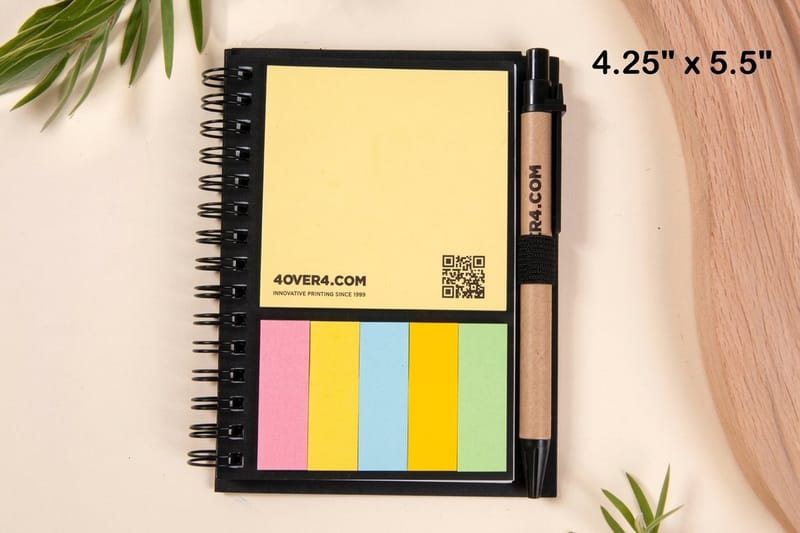 Product Deluxe Spiral Notebook A ready-made notebook that sits beside the keyboard all quarter.
 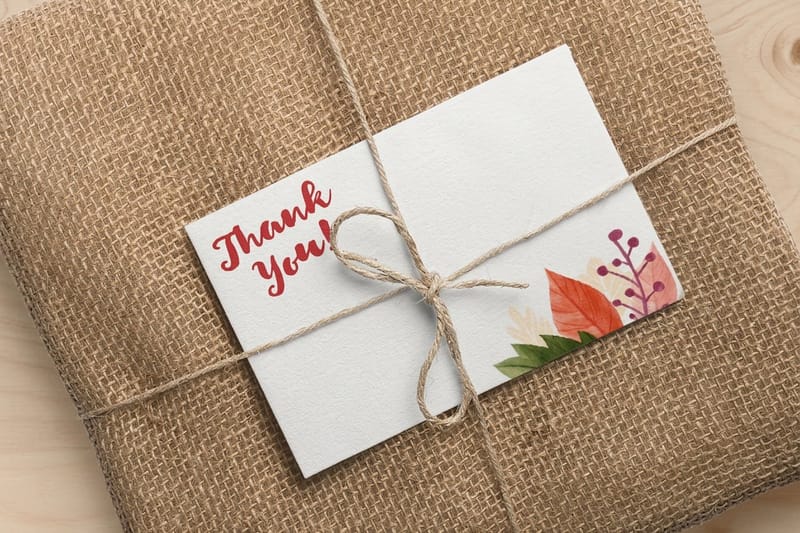 Product Flat Thank-You Cards The insert card that carries setup steps and a QR.
 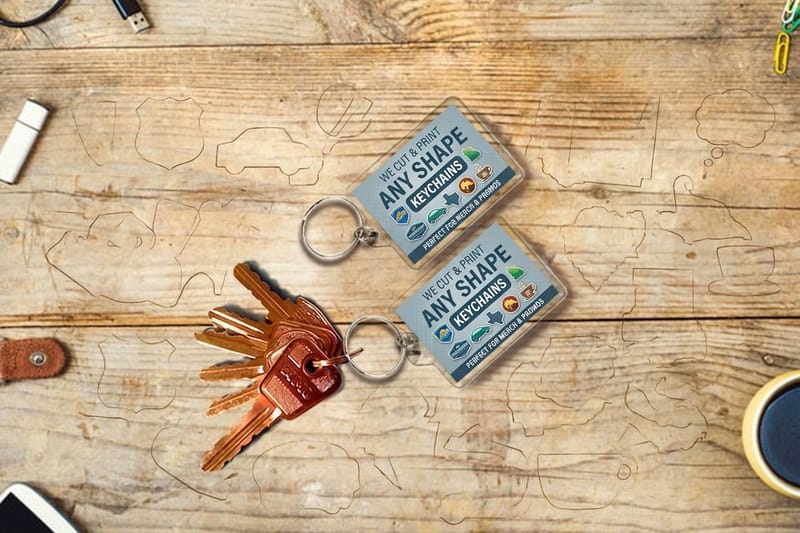 Category Promotional Products Printing Every branded piece we print, in one place.
 Ready to print the kit?
Pick your pieces, drop in your design or a free template, and 4OVER4.COM prints them sharp on premium stock, as fast as your event date needs.
Common questions about tech swag
What is the best tech promotional product for a conference giveaway?
A sticker sheet paired with a webcam cover or a mousepad, because both clear airport security and both stay in daily view afterwards. Avoid anything with a lithium cell at a fly-in event: airlines cap power banks at 100 watt-hours in carry-on and refuse them in checked baggage, so a share of your audience will leave the gift at the security tray. Stickers also travel flat, which keeps freight to the venue cheap. Premium stickers at 4OVER4.COM start at $29.16 and die-cut shapes start at $93.37 a run.
Should I put my logo on the gadget or on the packaging?
On the packaging, in almost every case. The printable patch on a power bank, an earbud case or a hub is a small flat rectangle, usually decorated by pad print or laser etch in one color, and the manufacturer mark is often molded in beside yours. A printed mailer box gives you full color across every panel, and the insert card and sticker sheet inside give you two more surfaces. Buy the gadget for what it does and let the print carry the brand.
Are branded USB drives still worth giving out?
Rarely. Many companies block unrecognised USB devices at the policy level, so a preloaded drive is a gift the recipient cannot open on a work machine. Storage is also cheap enough now that a low capacity drive reads as a downgrade rather than a gift. If the point is to hand over files, print a card with a QR that opens the material in a browser, which works on the device the person already trusts. Flat thank-you cards start at $19.77.
How much should I budget per person for a tech swag kit?
Set the tier first and pick items to fit, rather than picking an item and hoping the total works. Under $5 a head buys a print-only kit: a sticker sheet, a notebook and a card, which still lands better than a cheap gadget nobody wanted. Between $5 and $15 you can add a printed mousepad. Above $25 you are into cables, hubs and audio, and that is where a printed mailer box starts to matter, because an unboxed gadget at that price looks like an accident.
Can 4OVER4.COM print the gadgets themselves?
No, and it is worth being straight about that. We print the paper, vinyl and board side of a tech kit: the mailer box, the insert card, the sticker sheet, the mousepad and the notebook. The electronics come from a promotional distributor and arrive blank. Most teams order the gadget from one supplier and the printed kit from us, then pack them together, which also lets you reprint the printed pieces for a new campaign without reordering the hardware.
