
What to Put on Church Connection Cards So First Time Guests Come Back


Jordan is our labels, packaging and sustainability voice, built from the knowledge of our production team, with over 20 years in printing.
Name, contact, visit status, a next step, a prayer request, and one QR code. That is the whole card. This guide walks each field, shows a layout that fits a standard card size, and covers the stocks that hold up to a ballpoint pen on a Sunday morning.
A church connection card should carry six things: a name line, one contact method, the date, a visit status row of checkboxes reading first time, second visit, or regular, a short list of next step boxes such as a pastor call or a small group, and four to five ruled lines for a prayer request. Print service times, the address, and one QR code on the back. Use uncoated or matte stock so pen ink holds. Leave every other field off.
Start here
What a guest will actually fill in
A church connection card works when it asks for the least it can get away with. Print a name line, an email line, a mobile line, and a date. Add three checkboxes for visit status so Monday sorting takes minutes instead of an hour. Add four to six next step boxes written in plain words. Give prayer requests real ruled space and a privacy checkbox with a promise you keep. Put service times, the address, and a single QR code on the back. Choose an uncoated or matte stock so a ballpoint pen actually writes, and reprint quarterly so the details stay current.
Why the connection card is the only follow up tool most guests will touch
A first time guest walks in, sits near the back, sings a little, listens, and leaves through the side door. Nothing you say from the platform captures who they are. The connection card is the one moment in ninety minutes when that person can hand you their name on purpose, and it lasts about forty seconds.
That is why the card deserves the same care as the sermon slide deck. Every field you print is a small request, and every unnecessary request lowers the chance the card comes back. A well built card feels like a courtesy. A bloated one feels like a form at the DMV, and people put it down.
The good news is that this is a solved design problem. The fields that work have been tested by thousands of congregations, and a card that carries them prints cheaply on a standard church business card or a wallet sized stock. Get the fields right first, then worry about the artwork.
What a church connection card actually is

A connection card, sometimes called a welcome card, communication card, or guest card, is a small printed card that collects three things at once. It tells you who was there, how to reach them, and what they want to happen next. Some churches add giving details or a tear off tab, but those three jobs are the core.
It is not a visitor registry and it is not a survey. A registry only tells you a name. A survey asks for opinions nobody in the pew wants to give on a Sunday. The connection card sits between them, gathering the minimum information a follow up team needs to make one warm phone call or send one honest email during the week.
Because it is a response device, the format matters. Cards get written on with whatever pen is nearby, in low light, resting on a knee or a hymnal. That practical reality drives the size, the stock, and the line spacing more than any aesthetic preference. Browse the church printing collection to see the formats that hold up to that treatment.
The fields every connection card needs

Start with the shortest possible list and defend it. Name comes first, on its own line, with room for a full first and last name in adult handwriting. Email and mobile number come next, and you only truly need one of them, so print both but never mark both required.
Then add date, either as a blank or as a preprinted month if you order quarterly runs. Date is the field people forget to include and the field your database needs most, because it tells you which service someone attended and how long a card has been sitting in a tray.
- Name on a full width line, never split into two tiny boxes
- Email with generous character width, since addresses run long
- Mobile with a note that you will text rather than call, if that is your practice
- Date and, for multi service churches, a service time checkbox
- Visit status as three checkboxes, covered in the next section
Street address is optional and increasingly ignored. Ask for it only if you actually mail something, such as a welcome letter or a printed invite. If your team never mails, delete the field and give the space to the prayer request lines instead.
Visit status and next step, the two questions that sort your follow up

Visit status is the single highest value field on the card. Three checkboxes reading first time guest, second visit, and regular attender let one volunteer split a Monday stack into three piles in under two minutes. Each pile gets a different message, and that difference is what makes follow up feel personal instead of automated.
The next step block is where you stop guessing. Print four to six checkboxes covering the real paths in your church: a call from a pastor, information about small groups, baptism, membership class, serving on a team, and a simple line for anything else. People will happily tick a box they would never write out in a sentence.
Keep the checkbox labels short and literal. Nobody outside the building knows what a connect group, a life track, or a next steps pathway is. Write what the thing does, not what your ministry calendar calls it, and your response rate on those boxes climbs immediately.
Prayer requests, how much space to give and what to promise
Most connection cards fail this section. Two thin lines squeezed at the bottom tell the reader you do not really want to know. If prayer matters to your church, give the request four or five ruled lines with at least a quarter inch of leading, because people write larger than designers expect.
Add a small confidentiality control right next to the lines. A single checkbox reading keep this private between me and a pastor changes what people are willing to write. Print one short sentence naming who reads the cards, and honor it without exception. That sentence is the most trust building line of copy on the whole card.
If your church shares requests in a weekly prayer list, say so on the card and offer the opt in. It is far better to ask on a printed line than to apologize later. Uncoated stock matters here more than anywhere else, because a gloss coating turns a ballpoint pen into a smear and the request becomes unreadable.
QR codes, one scan and one destination
A QR code belongs on a connection card, but only one. When a card carries a code for giving, a code for the app, and a code for the event calendar, all three lose. Pick the single action you most want a guest to take and let the code carry it, usually a short online version of the same card or a giving page.
Print the code at a minimum of three quarters of an inch square with a quiet margin around it, in solid dark ink on a light background. Add four or five words of instruction directly beneath it so people know what happens when they scan. A naked code with no label gets skipped by everyone over forty.
Use a code that points to a redirect you control rather than a raw campaign link. Cards live in glove boxes and Bibles for months, and the ability to repoint the destination without reprinting is worth the five minutes it takes to set up. If you are handing cards out beyond the building, review the rules in our guide on leaving cards in mailboxes before your team goes door to door.
What to put on the back of the card

The front collects, the back informs. Print service times, the street address, the church website, and one phone number on the back. That single change turns a response card into something a guest keeps in a car door pocket, and it costs almost nothing since you are already printing two sides on most stocks.
Add one short welcome line in the church voice, no more than two sentences, telling a guest what happens after they hand the card in. Something as plain as a note that someone will reach out this week, and that there is no obligation attached, removes the quiet fear that a card means a knock on the door.
Leave the back free of clutter. No mission statement paragraph, no staff directory, no fine print. If you need a heavier information piece for the welcome desk, print a separate rack card and let the connection card stay light. A larger card format is a better home for that content, as our rack card comparison lays out.
A ready to print layout that fits a standard card
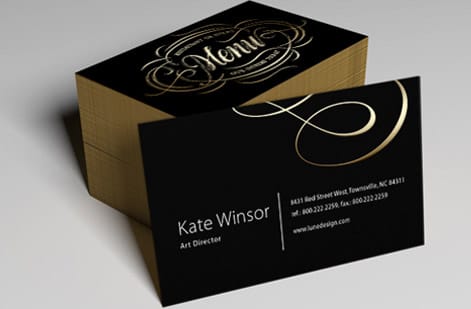
On a 3.5 by 2 inch card, work top to bottom in five bands. Band one carries the church name and a one line invitation. Band two holds name and date. Band three holds email and mobile. Band four is the visit status row. Band five is the next step checkboxes. Prayer requests move to the back on this size.
On a 4 by 6 card you get room for everything on one side. Keep the same top to bottom order, then give the bottom third entirely to prayer lines. That larger size is the right call for churches where prayer response is the main use of the card, and it is easier to write on when it rests on a knee.
Whichever size you choose, set your fields at least an eighth of an inch inside the trim so nothing important sits near the cut. Our design templates come with bleed, trim, and safe margins already positioned, which removes the single most common reason a card file comes back from prepress.
Sizes, stocks and finishes that survive a Sunday
Uncoated card stock is the default for anything people write on. It grips ballpoint and gel ink, dries fast, and does not glare under sanctuary lighting. Matte finish is the acceptable compromise when you want a slightly richer print on the back, since a pen still holds on a matte surface where it slides on gloss.
Weight matters for handling. A card too light curls when a hundred of them sit in a basket, and a card too heavy costs more than the run needs. A midweight card stock sits in the sweet spot for weekly use, and you can feel the difference before you commit by ordering free paper samples.
Plastic is a different tool for a different job. A 30mil clear plastic card or a 30mil frosted plastic card is not for writing on. It is for the card a member keeps permanently, such as a serving team credential, a giving reference card, or a membership card handed out at the end of a class.
How to print connection cards and what they cost
Order in the rhythm your church actually uses. A quarterly run keeps the card fresh enough to update service times or a seasonal campaign without stranding boxes of outdated stock in a closet. Count your average weekly attendance, allow one card per adult per service, and add a comfortable margin for special services.
Pricing scales with quantity, size, stock, and how many sides print. Church business cards start at $17.57 for a small run, which is enough to test a layout with your welcome team before you commit to a year of supply. Durable plastic cards start at $529.26, reflecting the material and the production run behind them.
Proof the first run in your own hands, not on screen. Print one, hand it to three people who have never seen it, and watch where they hesitate. The field they pause over is the field to rewrite. Then use the specs and live pricing below to lock the order, and see how the same card compares against other printers in our Jukebox business cards comparison.
Wally explains the connection card
Every field you add is a reason to put the card down
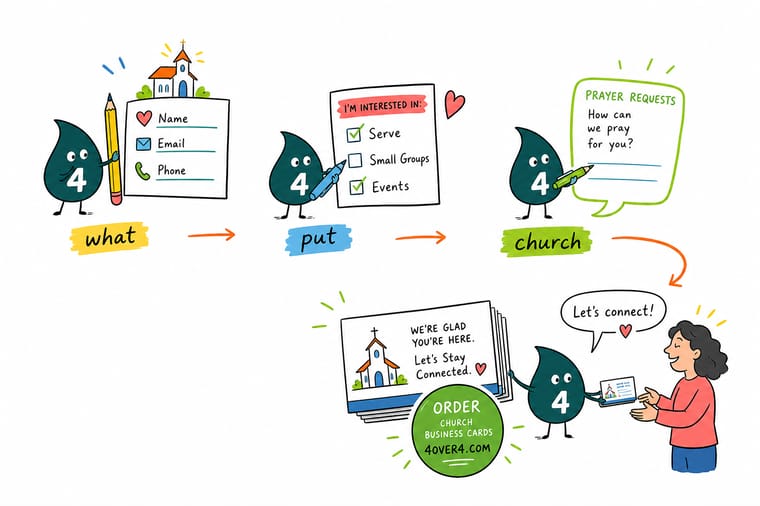
Wally has a simple test for connection cards. Cover the card with your hand, then reveal one field at a time and ask whether a stranger in the back row would answer it in ten seconds. Name passes. Email passes. Visit status passes. A question about which ministry areas interest you most usually does not. Cut what fails the test, then give that space back to the prayer lines, because that is the field people actually want to fill in.
Design and print connection cards →
Infographic
The 7 fields of a church connection card
One frame, seven fields: name and date, email or mobile, visit status, next step, prayer request, one QR code and the card back, laid out for a 3.5 by 2 inch card or a 4 by 6 card with fields an eighth of an inch inside the trim. Print it, hand it to your welcome team, and use it as the checklist before your next card run goes to press.
Seven fields, front and back. If a field you want to add does not replace one of these, it probably belongs on the welcome desk handout rather than on the connection card.
Specs and pricing
Church card specs and live pricing
When the fields are settled, the printing decisions are short: size, stock, sides, and quantity. Here are the live options and prices for the card format most churches land on.
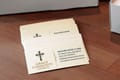
| Quantity | Price Per Unit | Total |
|---|---|---|
| 100 | 17.6¢ | $17.57 |
| 200 | 11.5¢ | $23.07 |
| 300 | 9.15¢ | $27.46 |
| 400 | 7.96¢ | $31.86 |
| 500 | 7.25¢ | $36.26 |
| 600 | 6.77¢ | $40.64 |
| 700 | 6.43¢ | $45.04 |
| 800 | 6.18¢ | $49.43 |
Print it
Cards for the welcome desk, the pew, and the wallet
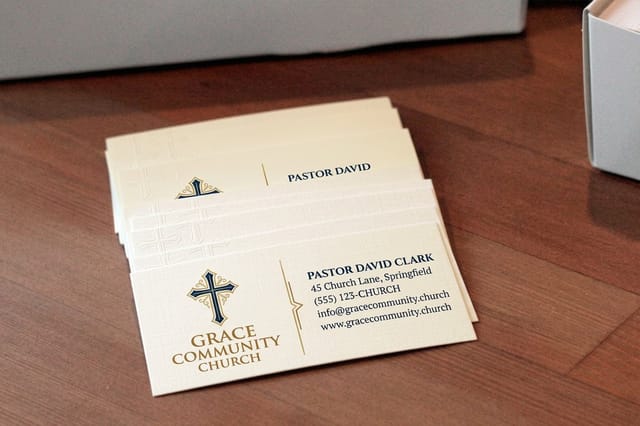
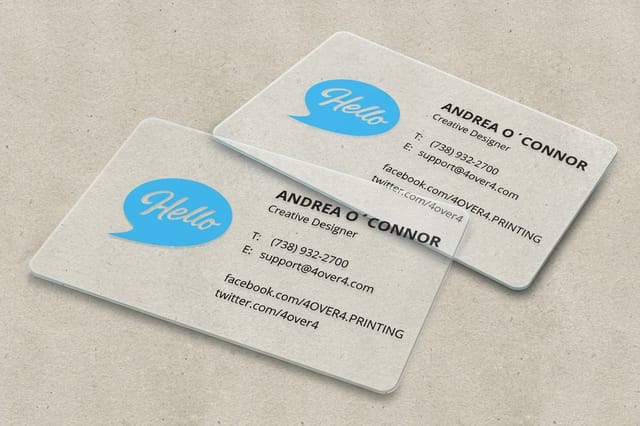
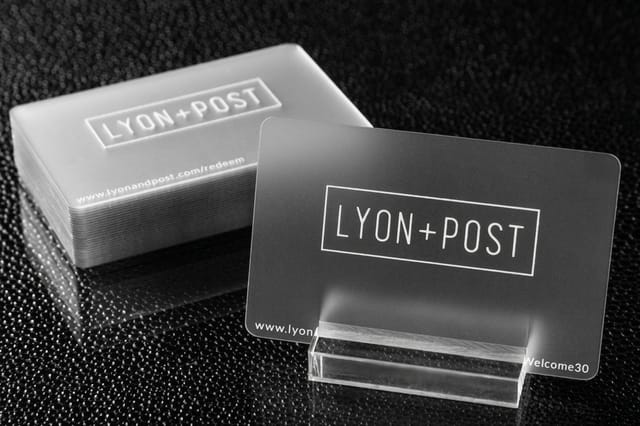
See it in use
Real card printing, produced in house


Explore more
Where to go next



By the numbers
Printing your ministry team can count on
Common Questions
Common questions about church connection cards
What is a church connection card?
A church connection card is a small printed card, usually handed out during the service or tucked into a bulletin, that invites guests and members to leave their name, a way to reach them, and a note about what they need next. It is the bridge between a Sunday visit and a real conversation. Most churches collect them in the offering, at a welcome desk, or in a drop box by the exit.
What should you put on a church connection card?
Start with name, one contact method, and a visit status row. Add a short checkbox list of next steps such as a phone call, a small group, baptism, or a membership class. Give four or five ruled lines for a prayer request, print service times and the church address on the back, and add one QR code that points to a single online destination. Everything else is optional.
Should the card be paper or plastic?
Match the card to how it will be used. If ushers hand them out weekly and they get written on once, a printed card stock is right. If you want a durable card people keep in a wallet for months, plastic works better. Then check how many you need per month, whether you write on them with pen, and whether the back needs to carry service times.
What does printing church connection cards cost and how are prices set?
Price is set by quantity, size, paper or plastic stock, how many sides print, and how fast you need them. Church business cards start at $17.57, which covers a small run for a welcome team. Plastic cards such as the 30mil clear or frosted options start at $529.26 because the material and the run size are different. Larger quantities lower the cost per card sharply.
What sizes, stocks and finishes are available for church connection cards?
The standard 3.5 x 2 inch card fits a wallet and a bulletin, while a 4 x 6 postcard size gives far more room for prayer lines. Uncoated and matte stocks accept pen ink and are the safe default for any card people write on. Gloss and UV coatings look sharp but repel ballpoint ink, so keep them on the back panel or on cards that are read rather than filled in.
How long does printing church connection cards take to ship?
Turnaround starts once your artwork passes prepress, then production and shipping are added on top. Standard runs of printed cards move quickly, and faster production options are available when a launch Sunday or a special service is fixed on the calendar. Build in a buffer week for the first order so you can proof the card and adjust the fields before you print a full year of supply.
Should the connection card be part of the bulletin or a separate card?
A separate card almost always wins. A perforated tear off in the bulletin means people have to find it, tear it, and hunt for a pen while the service moves on. A card already in the seat back or already in hand removes two steps, and a stack of loose cards is far easier for the follow up team to sort on Monday.
Get Started
Church business cards run 100 for $17.57, or 18 cents each
Bring your layout to 4OVER4.COM and print connection cards on stock that takes a pen, in the quantity your Sunday actually needs, with the fields your follow up team can work from on Monday.
Legal Disclaimer
Gold Standard guarantees apply to all standard orders placed through 4over4.com. Price match requires verifiable proof of a competitor's published price for an equivalent product with matching specifications and turnaround time. Satisfaction guarantee covers manufacturing defects and print quality issues. Contact support with order number and documentation.
