
What Is Collated Printing and When Your Job Needs It


Emma is our prepress and print production voice, built from the knowledge of our production team, with over 20 years in printing.
Collated, uncollated, sets, stacks. One checkbox at order time decides whether your multi page job arrives as finished documents or as piles you still have to assemble by hand. The difference is simple, and the file setup that makes it work is simpler still.
Collated printing produces complete sets. Each set holds one copy of every page, arranged in reading order, and the sequence repeats for every set you ordered. Uncollated printing groups by page instead, so all the page ones sit in one stack and all the page twos in the next. Choose collated for booklets, handouts, manuals, and anything that gets bound. Choose uncollated for forms, pads, and pages that get distributed separately.

Start here
Sets in order against stacks of the same page
Collated printing assembles your job into complete sets rather than page stacks. Each set contains one copy of every page in the document, in reading order, and production repeats that sequence for every set in your quantity. Uncollated printing does the opposite, grouping all copies of page one together, then all copies of page two. The sheet count is identical either way. What changes is whether the box holds finished documents or raw material that still needs sorting.
Why one checkbox decides whether your printed sets are usable

Two hundred handouts arrive the morning of a training session. If they were printed collated, a volunteer picks up a stack and puts one complete packet on every chair. If they were printed uncollated, that same volunteer is on the floor with twelve piles, building each packet by hand while the room fills up. The files were identical. The output setting was not.
Collation sounds like a finishing detail, but it decides the shape of the delivery you unbox. It also decides how much labor sits between the box and the person who is supposed to read the document. Getting it right takes one decision at order time and one careful look at your page order before you upload.
This guide defines both options, shows the difference in a single diagram, and walks through the file setup, the quantity math, and the finishing rules that follow from the choice. There is a visual comparison below you can keep on hand, and a set of common questions at the end.
What collated printing actually means on the production floor

To collate is to gather things into their proper order. In printing, a collated job produces complete sets: one copy of page one, then page two, then page three, through the last page, and then the sequence starts again for the next set. Ask for fifty collated sets of an eight page document and you receive fifty finished documents.
Modern presses and finishing equipment do this automatically. Digital devices image the pages in sequence and drop each finished set into a bin or under a stapler. Offset work is collated at the bindery, where gathered signatures are assembled in order before trimming. Either way the output arrives grouped the way a reader consumes it.
The practical test is simple. Pick up the top item in the box. If it is a whole document that someone could read start to finish, the job was collated. If it is one page repeated many times, it was not.
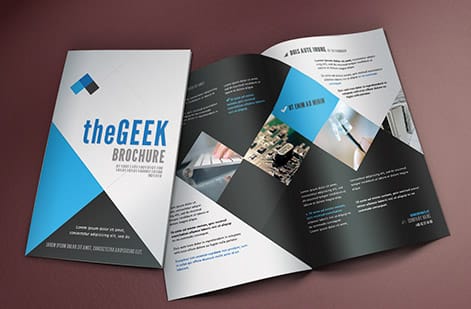
At 4OVER4.COM, two products arrive collated by design. A saddle-stitched booklet is a collated set stapled at the spine: 8 to 60 pages in steps of four, at 5.5 by 8.5, 8.5 by 11 or 11 by 11 inches, from 25 copies with 7 business days of production. Carbonless forms come as collated sets of 2, 3 or 4 parts in white, canary, pink and goldenrod, at 5.5 by 8.5, 8.5 by 11 or 8.5 by 14 inches, from 100 sets. For both, you upload one PDF in reading order, as the file setup section below explains.
What uncollated printing means and when it is the better answer

An uncollated run groups by page instead of by set. Every copy of page one comes off together, then every copy of page two, and so on. For a four page piece at one hundred quantity you receive four neat stacks of one hundred sheets rather than one hundred four page documents.
That is exactly what some jobs want. Order forms replenished one page at a time, tear off pads built from a single sheet, restaurant inserts swapped seasonally, and event stations where each table hands out a different sheet all move faster as page stacks. So does any workflow where you intend to interleave the pages with material from somewhere else.
Uncollated also makes sense when the pages are genuinely independent pieces that happened to be produced together, such as a run of one page flyers with different offers on each version. Nothing about them is a set, so nothing is gained by assembling them into one.
A stacked job is an uncollated one: every copy of each page arrives together. The table sets the options side by side with a product that ships each way.
| How it arrives | What is in the box | Product that ships this way | Sizes and smallest run |
|---|---|---|---|
| Collated sets | One copy of every page, in reading order, per set | Saddle-stitched booklets | 5.5 by 8.5, 8.5 by 11 or 11 by 11 inches, from 25 |
| Collated multipart sets | Each form with its 2, 3 or 4 colored parts together | Carbonless forms | 5.5 by 8.5, 8.5 by 11 or 8.5 by 14 inches, from 100 |
| Stacked (uncollated) pads | One page repeated, in pads of 50 or 100 sheets | Notepads | 4.25 by 5.5 to 8.5 by 11 inches, from 25 pads |
| Stacked (uncollated) sheets | One design counted into a stack, with an optional bundling choice | Letterhead | 8.5 by 11 inches, from 50 sheets |
How to choose in four questions
Run the job through these four questions before you place the order.
- Who receives it? One person receiving the whole document means collated. Different people receiving different pages means uncollated.
- Does it get bound? Staples, coil, wire, and perfect binding all require a complete set in sequence, so the answer is collated.
- Will you sort it yourself? If you plan a custom sequence, personalized inserts, or a merge with another document, page stacks are easier to work with.
- How is it stored? Front desk refills and countertop dispensers usually want page stacks. Boxed packets for a meeting or a mailing want finished sets.
When two answers conflict, follow the one that describes the moment the piece reaches a reader. That is the moment that costs labor if you get it wrong.
Setting up your file so the page order survives the press

Collation follows your file. The press does not guess at the intended sequence, so the PDF you upload has to state it plainly. Export one multi page PDF with the pages in final reading order, as single pages rather than reader spreads, because a spread export merges two pages into one sheet and quietly breaks the count.
Keep every page at the same trim size with bleed on any edge carrying ink or color to the trim. Place blank pages on purpose instead of leaving holes in the sequence, since a missing page shifts everything after it. If your binding method requires a page count in multiples of four, add the blanks yourself rather than leaving that decision to production.
Before you upload, open the exported file and count the pages. Check that page one is the cover you expect, that no page repeats, and that any inside back cover sits where it belongs. If you supply separate files instead of one PDF, name them with leading zeros so the sort order matches the reading order.
How collation ties into stapling, folding, and binding

Every bound product is collated by definition. A saddle stitcher gathers folded signatures, closes staples through the spine fold, and trims the face. A coil or wire binder punches a complete set and threads the spine. A perfect binder glues the spine of a gathered block. None of those machines can operate on a stack of identical pages.
Folded work adds a wrinkle worth knowing. On a folded piece the page order in your file is not the order the pages land on the sheet, because imposition rearranges them so they read correctly after folding. That rearranging is production work, not something you should do in your layout file. Supply reading order and let imposition handle the rest.
Loose collated sets are also an option when you do not want binding at all. They arrive assembled in order and are typically banded or wrapped in set quantities so the sequence survives shipping and handling.
Counting sets, not sheets, when you order

The single most common ordering mistake on multi page work is confusing sets with pages. Quantity on a collated job counts finished sets. Ordering one hundred sets of a twelve page booklet means twelve hundred printed pages, which is also why the price sits well above a one hundred quantity flyer run.
Two more numbers matter. Sheets are not pages: a booklet printed on both sides uses one sheet for every two pages, so a twelve page booklet is six sheets before the cover. And on saddle stitched work the total page count including covers usually needs to divide by four, because each folded sheet contributes four pages.
Do this arithmetic before you configure the order, then confirm it against the live price. If the number of pages in your PDF and the page count in the configuration disagree, stop and reconcile them. That mismatch is the cheapest problem to fix while the job is still a quote.
Collation mistakes that show up after the job ships

The expensive errors are all upstream of the press. Exporting reader spreads instead of single pages is the classic one, and it produces a document that looks fine on screen and prints two pages per side. Dropping the intentional blanks is the second, since it shifts every page after the gap by one position.
Mixed trim sizes inside one PDF cause trouble too, because the set has to trim as a block. So does a cover supplied as a separate file with no clear position in the sequence. And uploading a version that was never re-exported after the last round of edits produces a perfectly collated set of the wrong content.
The defense is a two minute review. Page through the final PDF once from cover to back cover, count the pages, confirm the sequence, and only then upload. If the run is large or the deadline is tight, order a small quantity first and check a physical set before releasing the full volume.
What collated work costs and what actually moves the price

Six variables set the number: how many pages the document has, how many sets you need, which paper stock the pages and cover print on, whether pages print in color on one side or both, which binding or finishing you choose, and how quickly you need it in hand. Page count and set count multiply against each other, so they dominate. On a saddle-stitched booklet, 25 copies cost $240.55 and 50 cost $302.06, and every step up in page count, from 8 to 12 to 16 and on in fours, raises the number again.
On bound products the collation is built into production rather than billed as an extra line. Where collation does add cost is on unusual assembly, such as sets combining different stocks, hand inserted components, or a sequence that machinery cannot handle without manual intervention.
Live pricing is the fastest way to test a decision. Change the quantity, the stock, or the turnaround and watch the number move, then pick the combination that fits the budget. That is the same configuration flow used across every product at 4OVER4.COM, including a large format piece like 2 Sided Blockout Banners.
Ordering a collated print job step by step

Follow this order of operations and the job goes to press clean.
- Finalize the content first. Late text edits are what break page counts and force a reprint.
- Export one multi page PDF in reading order, single pages, correct trim size, bleed where needed, blanks included.
- Count the pages in the exported file and write the number down. This is the number you configure against.
- Configure the product, entering sets as your quantity, then choosing stock, color, binding, and turnaround while watching the live price.
- Upload and review the preview, confirming page one is the cover and the sequence runs clean to the end.
- Check the ship date against the day you actually need the sets in the room, not the day of the event.
If you are unsure how a stock will feel in a bound set, request free paper samples before committing a large run, and use a ready made layout from design templates to keep the trim size and margins correct from the start.
Wally explains collated versus uncollated
Sets on one side, stacks on the other
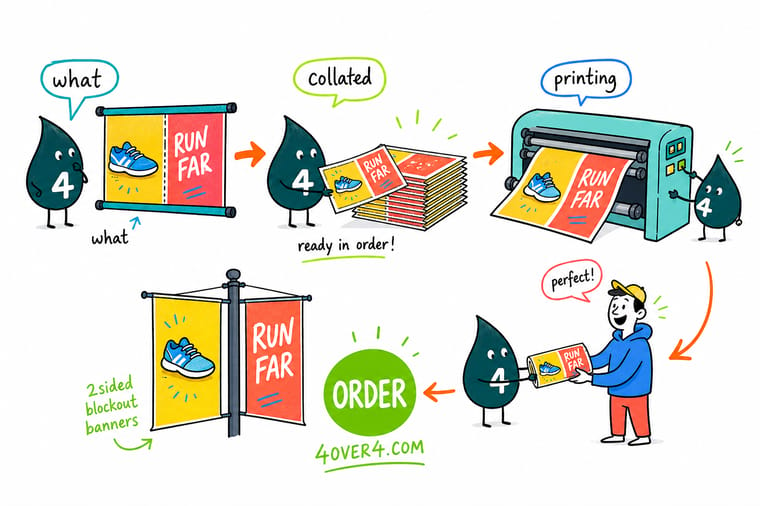
Wally reads the order the way the room will use it. If one person gets the whole document, he orders collated sets and lets the bindery close them in sequence. If ten people each get one page, he orders uncollated stacks and saves everyone the sorting. Before he uploads, he counts the pages in the PDF once, checks that page one is the cover, and confirms the quantity is counted in sets.
Start your print order →
Diagram
Collated and uncollated, side by side
Three copies of a three page document make nine sheets either way. Collated, you get three sets that each read pages 1, 2 and 3 in order; uncollated, you get three stacks of three identical pages.
The sheet count is the same on both sides of this diagram. Only the assembly changes, and with it the amount of work waiting for you when the box arrives.
Specs and pricing
Live specs and pricing, the same tools you configure a job with
Every product at 4OVER4.COM carries the specs panel and live price table you will use when you set quantity, stock, and turnaround. That flow runs the same way on 2 Sided Blockout Banners.

| Quantity | Price Per Unit | Total |
|---|---|---|
| 1 | $108.75 | $108.75 |
| 2 | $108.74 | $217.47 |
| 3 | $108.74 | $326.22 |
| 4 | $97.76 | $391.02 |
| 5 | $97.76 | $488.78 |
| 6 | $97.76 | $586.53 |
| 7 | $89.28 | $624.98 |
| 8 | $86.77 | $694.18 |
Print it
Products to configure while your files are ready


See it in use
Finished work from our own production floor









Explore more
Where to go next




By the numbers
The catalog and stock list behind a collated set
Common Questions
Common questions about collated printing
What is printing collated?
Printing collated means the press and finishing line assemble complete sets. Each set contains one copy of every page in the document, stacked in reading order from the first page to the last, and the machine repeats that whole sequence for every set you ordered. Ten collated sets of a six page report come off the line as ten finished reports, ready to staple, bind, or hand to a person without any sorting on your end.
What is the difference between collated and uncollated printing?
Collated groups by set, uncollated groups by page. A collated run of a four page handout gives you pages 1, 2, 3, 4 together, then another 1, 2, 3, 4, and so on. An uncollated run of the same job gives you every copy of page 1 in one stack, every copy of page 2 in the next stack, and so on. Same total sheets, completely different pile.
When should I choose uncollated printing?
Choose uncollated when the pages live separate lives. Order forms that get refilled one page at a time, tear off pads, station handouts where each table gives out a different sheet, and inserts that get merged into another document all work better as page stacks. It is also the practical choice when you plan to sort into a custom sequence yourself.
How do I set up my file so it prints collated correctly?
Export one multi page PDF with the pages in final reading order, as single pages rather than reader spreads, at the exact trim size with bleed on every edge that carries ink. Include blank pages deliberately instead of leaving gaps in the sequence, keep the page count consistent with your binding method, and check the page count in the exported file before you upload.
Does one person get the whole document, or one page each?
Start from how the piece gets used. If a single person receives the whole document, order collated sets and let the finishing department bind them. If different people receive different pages, order uncollated stacks. If the piece gets bound at all, collated is the only workable answer, since a binder closes on a complete set in sequence.
What does collated printing cost and how are prices set?
Price follows page count, number of sets, paper stock, whether pages print in color on one or both sides, the binding or finishing you pick, and how fast you need it. On bound products the collation is part of the production process rather than a separate charge. Every product page at 4OVER4.COM prices those choices live before you commit.
How long does a collated print job take to print and ship?
Multi page work runs on a production schedule plus a shipping window, and both are shown on the product page while you configure the job. Turnaround options appear next to the live price, so you can see the difference between a standard schedule and a faster one before checkout, then add transit time for your delivery address.
Get Started
Order collated sets in the document configurator
Count your pages, export one PDF in reading order, and configure the job with live pricing. Order free paper samples first if you want to feel the stock.
Legal Disclaimer
Gold Standard guarantees apply to all standard orders placed through 4over4.com. Price match requires verifiable proof of a competitor's published price for an equivalent product with matching specifications and turnaround time. Satisfaction guarantee covers manufacturing defects and print quality issues. Contact support with order number and documentation.
