
Landscape vs Portrait Size Explained for Every Print Format


Emma is our prepress and print production voice, built from the knowledge of our production team, with over 20 years in printing.
Landscape is wider than it is tall. Portrait is taller than it is wide. Everything else follows from that one pair of numbers, including how your file is built, what fits in the space, and which product you should be ordering in the first place.
Landscape size means the width is greater than the height, and portrait size means the height is greater than the width. Print dimensions are always written width first, so 6 x 4 inches is landscape and 4 x 6 inches is portrait on the same piece of paper. Choose the orientation from the space the piece will occupy and the content it has to carry, then build the design file at that exact size rather than rotating a finished export.
Start here
What changes when you turn the page sideways
Landscape size is any print dimension where the width is greater than the height, and portrait size is where the height is greater than the width. Because print sizes are written width first, the order of the numbers is the orientation: 11 x 8.5 inches is a wide sheet and 8.5 x 11 inches is a tall one, cut from identical stock. Pick the orientation from the space and the content, build the artboard at that exact size with bleed on all four sides, and never rotate a finished export to correct it.
Why orientation decides more of your layout than you think
Most reprints do not come from a bad idea. They come from a file built at 8.5 by 11 when the order said 11 by 8.5, so the design arrives at prepress a quarter turn away from the sheet it was bought for. The words are the same, the images are the same, and nothing fits. Orientation is the cheapest thing to get right and one of the most expensive to get wrong.
Landscape and portrait are not settings you flip at the end. They are the shape of the canvas, and every decision after that inherits them: column width, how many words fit on a line, where a photograph can breathe, whether a headline reads in one beat or three. A custom die cut sheet and a double sided blockout banner both start from that one choice, and both punish a late reversal. This guide fixes the vocabulary, gives you a dimensions table you can read at a glance, and shows an orientation diagram you can keep next to your artboard.
What landscape size and portrait size actually mean

Landscape size means the width is greater than the height. The sheet is wider than it is tall, the eye travels sideways, and horizontal photography sits naturally inside the frame. Portrait size means the height is greater than the width. The sheet stands upright, lines of text stack, and the reader scans downward.
The terms are borrowed from painting, where wide canvases held scenery and tall canvases held people. Print kept the words but attached them to something stricter: a pair of measurements in a fixed order. Nothing about the paper changes between the two. A 6 by 4 inch postcard and a 4 by 6 inch postcard are cut from the same rectangle. Only the order of the numbers, and therefore the shape of your working area, is different. Landscape printing is the same job run on a sheet set up wide: you order the size, then upload artwork built at that width and height, such as an 11 x 8.5 inch sell sheet or a 3 x 2 foot banner.
Square sizes sit outside the pair entirely. When width and height match, there is no orientation to declare, which is why square formats travel so well between social crops and printed pieces. Everything else, from a 3.5 by 2 inch business card to a banner measured in feet, is one or the other.
Width first, height second, every single time

The single rule that removes most confusion is the reading order. On every 4OVER4 product page, template and cut sheet, dimensions are written as width by height. The first number runs left to right across the page. The second runs top to bottom. Read the pair in that order and the orientation is already decided before you open a design application.
So 11 x 17 is a tall poster and 17 x 11 is a wide one. 8.5 x 3.5 is a slim horizontal buckslip built to be read in a single glance. 2 x 3.5 is a business card standing upright, which is a deliberate design decision rather than a mistake, and it changes where the logo, the name and the phone number can sit.
Where this trips people up is software defaults. Page setup dialogs offer a landscape button, which swaps the two numbers for you and is fine for office documents. Design applications do not work that way. In a print file the artboard dimensions are the truth, and there is no orientation flag for prepress to read. Type the width you ordered into the width field, the height into the height field, and add bleed on all four sides.
Common print sizes and the orientation each one usually ships in

The table below covers the formats people ask about most often, from a 3.5 x 2 inch business card to a 72 x 36 inch vinyl banner. The default column is what the format is normally ordered as, not a restriction. Nearly every size can be flipped, and custom die cut paper accepts dimensions that are not on any standard list at all.
| Product | Dimensions as ordered | Default orientation | Why it works that way |
|---|---|---|---|
| Business card | 3.5 x 2 in | Landscape | Fits a wallet slot and a card holder without turning. |
| Vertical business card | 2 x 3.5 in | Portrait | Stands out in a stack and suits a stacked logo lockup. |
| Postcard | 6 x 4 in | Landscape | Mail panel and address block sit side by side. |
| Rack card | 4 x 9 in | Portrait | Built for the slot depth of a countertop rack. |
| Flyer | 8.5 x 11 in | Portrait | Matches letter stock and reads as a document. |
| Sell sheet | 11 x 8.5 in | Landscape | Holds a comparison table or a wide product shot. |
| Buckslip | 8.5 x 3.5 in | Landscape | One offer, one line, read in a single pass. |
| Poster | 18 x 24 in | Portrait | Fits standard frames and narrow wall bays. |
| Wide poster | 24 x 18 in | Landscape | Suits group photos and horizontal event artwork. |
| Vinyl banner | 72 x 36 in | Landscape | Spans a fence line or a table front at reading height. |
| Retractable banner | 33 x 80 in | Portrait | Hardware width is fixed, so height carries the message. |
| Custom die cut sheet | Your dimensions | Either | The cut path defines the shape, so you set the pair. |
Note the pairs that appear twice. Postcards, posters and letter sized sheets are the formats where an orientation mix up costs the most, because both versions are legitimate products and neither one looks obviously wrong on a screen. Confirm the order of the numbers against your order, not against your memory. The complete postcard sizes guide lists the mail panel rules that come with each one.
How to choose the right orientation for your piece
Work backwards from where the piece lives. Measure the actual space first. A fence panel, a table front, a countertop rack, a mailbox, a window pane and a frame you already own all impose a shape before design begins, and the piece that fits the space beats the piece that looked better in the file.
Then look at the content. Landscape earns its place when you have a wide photograph, a comparison table, a timeline, a map, a before and after pair, or a headline that should land in one line rather than three. Portrait earns its place when the reader holds the piece and works down through paragraphs, a price list, a menu or a set of steps.
Reading distance is the third test. Something read while walking past, at speed, wants width, because the eye sweeps horizontally and a wide line of large type is caught in a single pass. Something read at arm's length wants height, because a narrower measure keeps line length comfortable and the reader can move down the page without losing their place.
When both work, pick the one your audience already expects for that format, then break the expectation only on purpose. A vertical business card is a design statement, and lenticular cards show how far the format can be pushed once you commit to it; the 3D lenticular business cards video shows the cards in motion. Etiquette matters too, and card etiquette around the world covers how the piece is presented and received.
Setting up the file so the orientation survives prepress
Create the document at the ordered size, in that order, before you place a single element. This is the whole discipline. If the order says 11 x 8.5, the artboard is 11 inches wide and 8.5 inches tall, plus bleed on all four sides and a safety margin inside the trim.
Never rotate a finished export to fix the orientation. A rotated PDF carries its original trim box and bleed geometry, and prepress reads those boxes rather than the visual appearance. The result is artwork that sits off center on the sheet, or type that falls under the cut. Go back to the source file, build a new artboard at the correct width and height, move the elements across and export again.
Two more checks save most of the remaining problems. Confirm bleed extends past the trim on all four edges, including the two edges that changed when you switched orientation, because artwork that bled correctly in portrait often falls short once the sheet is wide. And check image resolution at the final printed size, since stretching a photograph across a wider frame lowers effective resolution even though the file has not changed.
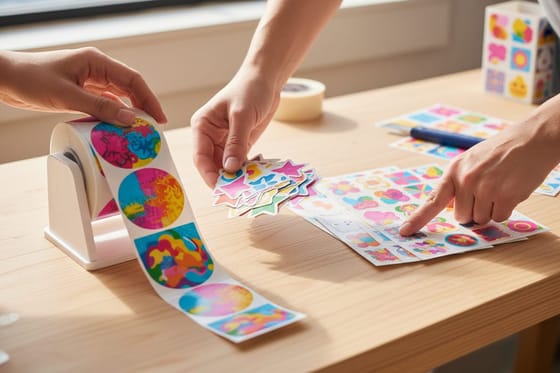
Multi-piece campaigns need one more decision. Keep the orientation consistent across the set, or vary it deliberately for contrast. Mixed orientations that happen by accident read as a mistake. Format families make this easier to plan, and the guide to rolled, cut to size and sheet stickers shows how the delivery format itself constrains the pair of numbers.
Large format is where orientation is least forgiving
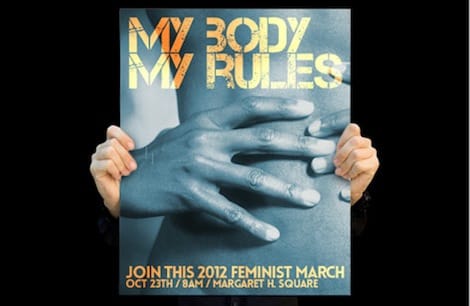
Small formats tolerate a change of mind because reprinting a box of cards is cheap. Large format does not. The install location, the hardware and the hem and grommet placement are all decided by the orientation, and none of them adapt after the fact.
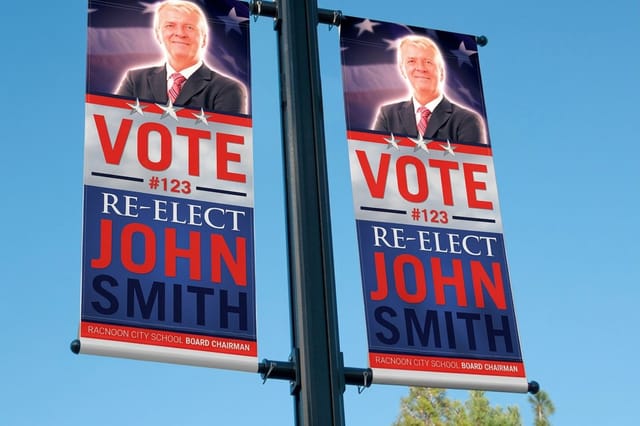
Fence lines, building fronts, trade show table skirts and overhead spans are horizontal spaces, so banners for those are landscape by default. A 2 Sided Blockout Banner starting at $108.75 carries an opaque blockout layer between the two printed faces, which is what lets a double sided banner hang in a walkway without the reverse artwork ghosting through. Both faces share one orientation, so plan them together.
Retractable stands are the opposite case. The cassette fixes the width, so the message runs vertically and the portrait layout is not negotiable. Put the logo and the headline in the upper third, above standing eye level, and leave the lower third quiet because it is often blocked by a table or a crowd.
Copy scales differently in each direction too. Wide banners can carry a long line of large type comfortably. Tall banners force short stacked lines, which means fewer words and a harder edit. Decide the orientation before writing the copy, not after. Posters show the choice most clearly: they print at 11 x 17, 12 x 18, 14 x 22, 16 x 20, 18 x 24 and 22 x 28 inches on stocks from 70# uncoated text to 15pt synthetic plastic, and each size hangs tall as a portrait poster or wide as a landscape one, depending on how you build the artboard. Fifty posters start at $108.75 with 5 business days of production. If your poster size is not on a standard list, custom posters in every size covers the wider and taller options.
Formats where the orientation is chosen for you
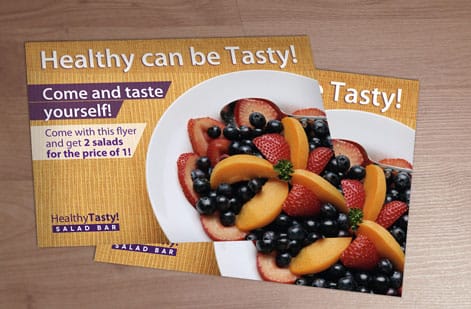
Some pieces do not offer a choice, and knowing which ones saves a wasted layout. Promotional products carry a fixed imprint area set by the object rather than by your file. A wide promotional panel that is wider than it is tall makes the artwork landscape whether or not the logo prefers it. Stacked lockups get cramped in that space, and a horizontal version of the same mark usually looks intentional instead of squeezed.
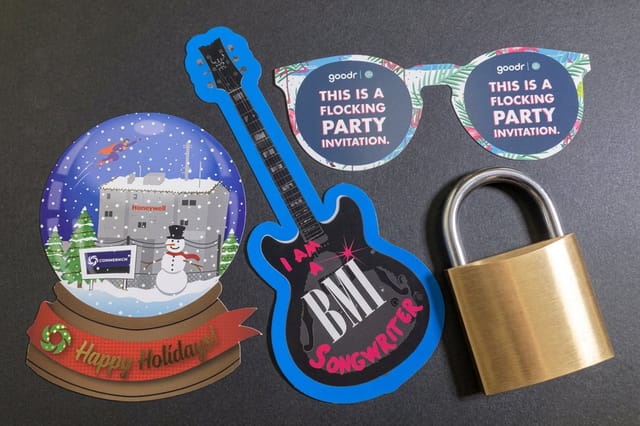
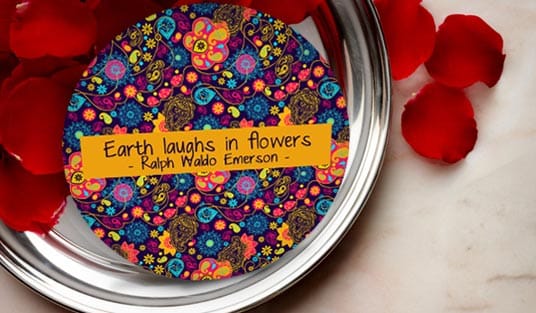
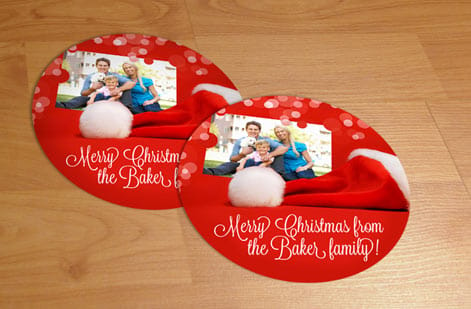
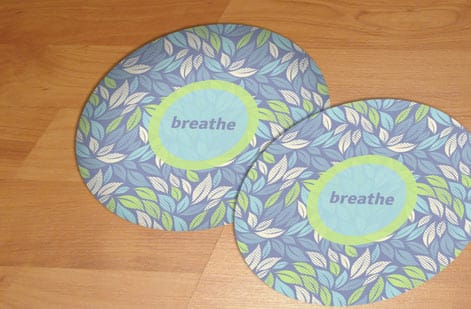
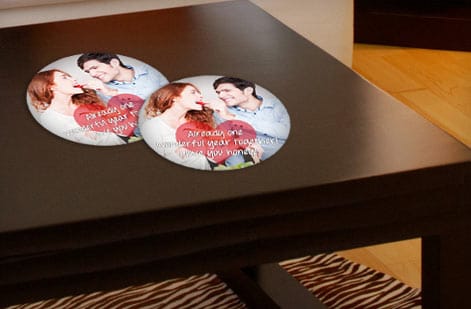
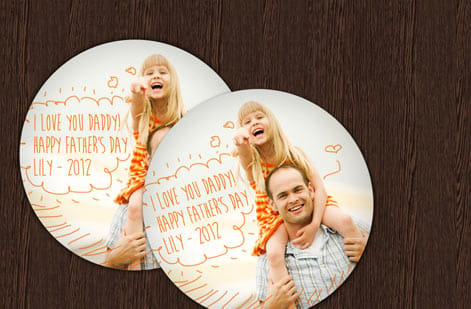
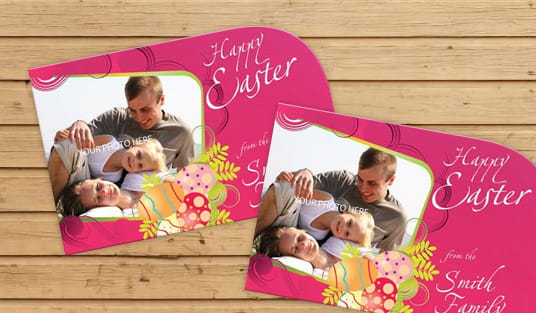
Die cut work inverts the rule. With Any Shape Size Paper Die-Cut from $87.00, the cut path defines the piece and the bounding box follows the shape, so you set the pair of numbers rather than choosing from a list. That freedom comes with responsibility: the cut line, the bleed beyond it and the safety margin inside it all have to be drawn correctly on whichever pair you pick.
Applied graphics take their orientation from the surface. A bumper is a horizontal strip, so bumper stickers are landscape by necessity, which is exactly why the format has such a recognisable voice, as ten reasons bumper stickers are awesome lays out. Window decals, door graphics and floor markers follow the same logic. Measure the surface, then set the artboard.
The orientation mistakes that cost a reprint
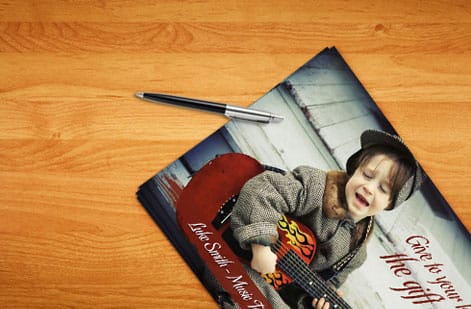
The first is trusting a screen. A design viewed at fit to window looks correct in either orientation because the application scales it to the frame. Check the artboard dimensions in the document panel rather than the appearance on screen, and read the numbers back against the order.
The second is reading dimensions in the wrong order. Under time pressure it is easy to read 4 x 6 as a wide postcard because that is the one you print most often. Slow down on the two formats that exist in both versions and confirm which one is on the order.
The third is late rotation, already covered above and worth repeating because it is the most common of all: rebuild the artboard, do not rotate the export. The fourth is forgetting the back. A double sided piece has to match, and flipping only the front produces a card that reads correctly one way and upside down the other. The fifth is folding. A fold turns one sheet into panels with their own orientation, and a wide flat sheet can produce tall panels, so plan the layout on the folded panel rather than the flat sheet.
Every one of these is caught by the same thirty second habit. Before exporting, open the document setup, read the width and the height aloud in that order, and compare them to the order confirmation. If your artwork also needs a design check, print a copy at final size and hold it in the space it will live in.
Ordering the right orientation and what it costs
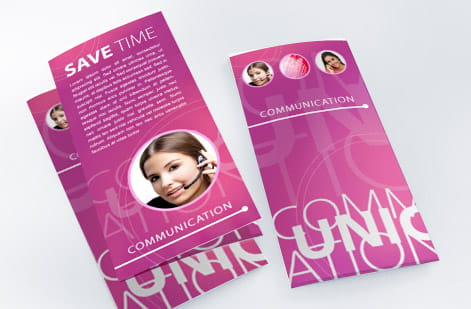
Pricing does not care which way round the piece is. Cost follows total square inches, quantity, stock weight, whether you print one side or both, coating and turnaround. A 6 by 4 postcard and a 4 by 6 postcard land on the same line of the price table, so the orientation decision is purely a design and placement decision. Sizing up in either direction is what moves the number, because the sheet count per press form changes.
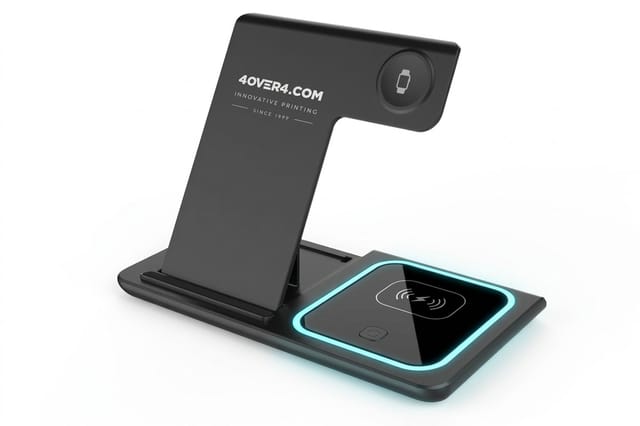
When your dimensions sit outside the standard grid, Any Shape Size Paper Die-Cut starts at $87.00 and lets you set both numbers plus the cut path, and the Any Shape Size Paper Die-Cut story shows it slide by slide. For horizontal outdoor and event work, 2 Sided Blockout Banners start at $108.75 with both printed faces separated by an opaque core. For single sided vinyl, the vinyl banners video shows the product before you order, and the guide to food truck flyers vs vinyl banners vs die-cut stickers ranks the three by what each one sells. On merchandise with a fixed landscape imprint area, the object dictates the artwork shape; a ready-made gift such as the 3 in 1 Foldable Wireless Charger at $15.00 skips the question, since it ships with no logo. Use the live price table below to see how quantity and stock move the total before you commit, and order free paper samples if the stock choice is still open.
The sizes, stocks and first steps below are the ones to check when you order a piece in portrait or landscape. Each size prints either way round; the artboard you upload sets the orientation.
| Product | Sizes you can order | Stock | First step | Production |
|---|---|---|---|---|
| Posters | 6 sizes, 11 x 17 to 22 x 28 in | 70# uncoated text to 15pt synthetic plastic | 50 for $108.75 | 5 business days |
| Flyers | 9 sizes, 4.25 x 5.5 to 11 x 25.5 in | 70# uncoated text to 14pt cover | 50 for $39.54 | 3 business days |
| Postcards | 14 sizes, 2.5 x 2.5 to 6 x 11 in | 13pt uncoated to 26pt metallic pearl | 50 for $16.48 | 3 business days |
| 2 Sided Blockout Banners | 13 sizes, 2 x 3 ft to 4 x 10 ft | 15oz blackout vinyl | 1 for $108.75 | 4 business days |
| Any Shape Size Paper Die-Cut | 16 sizes, 2 x 2 to 11 x 11 in | Gloss, uncoated, kraft and vinyl stocks | 50 for $87.00 | 5 business days |
Upload a PDF built at the ordered width and height with bleed on all four sides, and choose the free online proof in the configurator if you want to see the orientation on screen before the press runs.
Wally explains orientation
Read the numbers in order and the shape is already decided
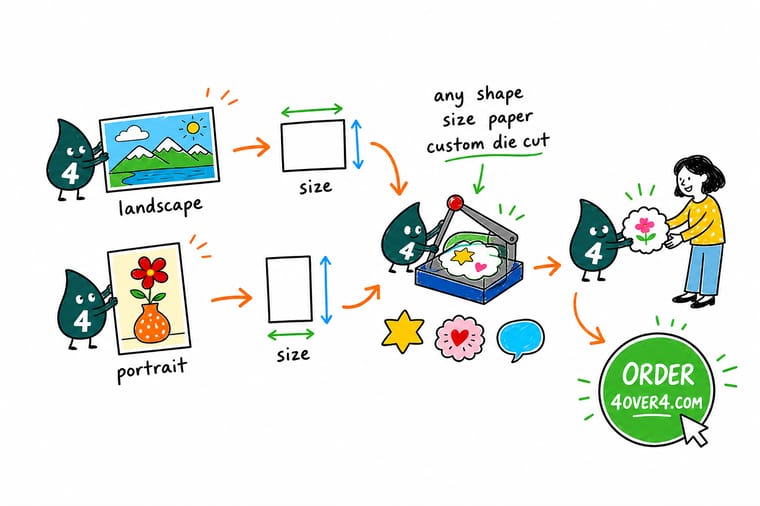
Wally reads every size the same way: the first number goes across, the second goes down. If the first number is bigger the piece is landscape, and if the second is bigger it is portrait. He builds the artboard at that exact size before placing anything, adds bleed on all four edges, and checks the back panel matches the front. Thirty seconds of reading beats a reprint every time.
Order your custom size →
Infographic
Orientation at a glance, from a business card to a banner
One frame shows landscape, portrait and square side by side, then three formats with their usual default: a 3.5 x 2 inch business card, a 6 x 4 inch postcard and an 18 x 24 inch poster. Save it, print it, or keep it open beside the artboard while you set up the document.
The orientation is set by the pair of numbers, not by a button in your page setup. Read the width first, build the artboard at that exact size, and the rest of the layout falls into place.
Specs and pricing
Custom die cut specs and live pricing
When the orientation is settled, the size is the next decision. These are the live specs and prices for custom die cut paper, where you set both the width and the height yourself.

| Quantity | Price Per Unit | Total |
|---|---|---|
| 50 | $1.74 | $87.00 |
| 100 | 91.0¢ | $91.00 |
| 200 | 51.2¢ | $102.50 |
| 300 | 37.7¢ | $113.00 |
| 400 | 30.9¢ | $123.50 |
| 500 | 26.6¢ | $133.00 |
| 600 | 24.0¢ | $144.00 |
| 700 | 22.1¢ | $155.00 |
Print it
Products for each orientation at 4OVER4
See it in use
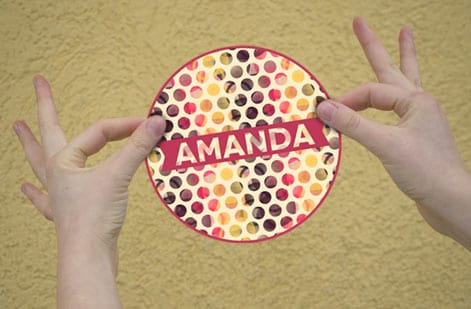
Die cut work that is neither portrait nor landscape


%22%2F%3E%3Ccircle%20cx%3D%2242%22%20cy%3D%2249%22%20r%3D%2227%22%20fill%3D%22%23f59e0b%22%20opacity%3D%220.15%22%2F%3E%3Ccircle%20cx%3D%2278%22%20cy%3D%2258%22%20r%3D%2214%22%20fill%3D%22%23f59e0b%22%20opacity%3D%220.1%22%2F%3E%3Crect%20x%3D%2272%22%20y%3D%2229%22%20width%3D%2227%22%20height%3D%2234%22%20rx%3D%224%22%20fill%3D%22%23f59e0b%22%20opacity%3D%220.08%22%20transform%3D%22rotate(37%2080%2030)%22%2F%3E%3C%2Fsvg%3E)
Explore more
Where to go next


By the numbers
Sixty paper types, portrait or landscape
Common Questions
Common questions about landscape and portrait size
What is landscape size?
Landscape size is any print dimension where the width is greater than the height, so the sheet is wider than it is tall. A 6 by 4 inch postcard, an 11 by 8.5 inch sell sheet and a 6 foot by 3 foot banner are all landscape. The name comes from painting, where wide canvases suited scenery. In print files the orientation is set by the document dimensions themselves, not by a page setup checkbox, so the artboard has to be built wide from the start.
What is the difference between landscape and portrait size?
The two orientations use the same pair of numbers in a different order. Portrait puts the larger number in the height position, so the piece is taller than it is wide, which suits paragraphs, menus, rack cards and posters hung in a narrow space. Landscape puts the larger number in the width position, which suits horizontal photography, wide headlines, tables, timelines and anything read while walking past it.
What should I measure before picking a landscape size?
Start from where the piece will be seen. Measure the real space, whether that is a fence panel, a table front, a mailbox or a wall bay, and pick a width that fills it without crowding the edges. Then check the content: wide images, comparison tables and long headlines all want landscape. If the piece is handed to a reader and holds several paragraphs, portrait usually wins.
What does landscape size cost and how are prices set?
Price follows total square inches, quantity, stock and finishing rather than orientation, so a 6 by 4 piece and a 4 by 6 piece cost the same. Custom die cut paper starts at $87.00, and 2 Sided Blockout Banners start at $108.75. Larger sheets, heavier stock, double sided printing, coating and rush turnaround each move the number. The live price table on this page updates as you change the configuration.
What sizes, stocks and finishes are available for landscape pieces?
Standard landscape sizes run from a 3.5 by 2 inch business card through 6 by 4 and 8.5 by 5.5 inch mailers up to 11 by 17 inch sheets and banners measured in feet. Custom die cut paper accepts sizes outside the standard grid. Stocks range from lightweight text weight through 16pt and 18pt cover, with gloss, matte, soft touch and uncoated finishes. Banner material is a blockout vinyl built for double sided printing.
How long does landscape printing take to print and ship?
Turnaround is quoted in business days and starts after the file passes prepress, not at checkout. Standard paper products move through production in a few business days, with a 1 business day option on many items. Large format banners need finishing time for hems and grommets. Transit is added on top of production, so pick the shipping speed at the same time as the turnaround.
Should I rotate my file if I picked the wrong orientation?
No. Rebuild the document at the correct ordered size instead. Rotating an exported PDF keeps the original trim box and bleed geometry, which is what prepress reads, so the artwork can arrive off center or with type sitting under the cut. Open the source file, set a new artboard at the width and height you ordered, then move the elements into it and re-export with bleed on all four sides.
Get Started
Order 50 die-cut sheets from $87.00
Set your width and height, upload the file built at that exact size, and let our prepress team confirm the trim before anything goes on press.
Legal Disclaimer
Gold Standard guarantees apply to all standard orders placed through 4over4.com. Price match requires verifiable proof of a competitor's published price for an equivalent product with matching specifications and turnaround time. Satisfaction guarantee covers manufacturing defects and print quality issues. Contact support with order number and documentation.
