
How to Print Your Own Poster From File Setup to Finished Print


Tobias is our voice for cutting, binding and large format, built from the knowledge of our production team, with over 20 years in printing.
Your artwork, our press. This guide walks the whole path from choosing a finished size and building a file with proper bleed to picking paper, adding a coating, proofing the layout, and hanging the finished sheet so it stays flat and straight.
To print your own poster, set the finished size first, build the file at that size in CMYK with an eighth inch of bleed and a quarter inch safe margin, keep images at 150 DPI or better at final size, choose a cover stock and a gloss or matte coating, export a print-ready PDF, and order display hardware sized to match the width. A commercial press handles the full-bleed color and the large sheet your desktop printer cannot. Start from a blank poster template so the bleed and safe margin are already set. Choosing the product is the last step of how to print your own poster, and every size and stock sits in the poster range.
Start here
Size, file, paper, finish, mount
Printing your own poster means you own the design and a commercial press owns the production. You choose the finished size from where it will hang, build the artwork at that exact size with bleed past every edge and a safe margin inside the trim, work in CMYK at 150 DPI or better, pick a paper weight and coating that suit the lighting and the lifespan, export a flattened PDF, and finish the job with hardware that holds the sheet flat.
Why a press beats the printer on your desk

Office printers were engineered for letter-size paperwork, so a poster pushed through one arrives with a white border nobody designed, visible banding across large fields of color, and toner that lifts the first time someone tapes it to a wall. The paper tray also caps you at a size most posters outgrow immediately.
A commercial press prints past the edge of the sheet, lays flat solid color across two or three feet, and runs on cover stocks heavy enough to hang without curling. Printing your own poster in the professional sense means you keep full control of the artwork and hand the physical production to equipment built for it, which is exactly how posters for street displays and retail windows are made.
Pick the finished size before you design anything

Size is the decision every other decision hangs off. Set it first and your type scale, your image requirements, and your stock weight all fall out of it. Set it last and you end up rescaling a layout that was never built for the wall it is going on.
Use viewing distance as the rule. A poster read from ten feet needs a headline of roughly two inches or more, which pushes you toward 24 by 36. Something read from arm's length at a counter works fine at 11 by 17. For framed work, measure the frame opening rather than the frame itself, and check the standard poster sizes before inventing a custom dimension that no off-the-shelf frame will hold.
If the poster has to live in an existing display case or rail system, get that measurement in writing first. A sheet that is half an inch too wide is a reprint, not an adjustment.
Build the file with bleed, trim, and a safe margin
Set your document to the exact finished size, then add an eighth of an inch of bleed on all four sides. Any background color, photo, or texture that should reach the edge must extend into that bleed area, because the trim blade has a small tolerance and a background that stops precisely at the trim line will show a hairline of white.
Then pull every piece of text and your logo at least a quarter inch inside the trim. That safe margin is what keeps a phone number from being sliced in half. Rules, borders, and thin frames close to the edge are the riskiest elements in poster design, so either commit them fully to bleed or move them well inside.
Working from a prepared layout removes most of this work. Our free poster templates already carry the bleed box, the trim line, and the safe zone, so you design inside the guides and export.
Get color and resolution right for a large sheet

Presses print in CMYK, while screens display in RGB. The vivid electric blues and neon greens that glow on a monitor sit outside what four-color ink can reach, so convert your document to CMYK early and judge the color there rather than being surprised at delivery. Deep blacks look better as a rich black mix than as a flat single-channel black across a large area.
Resolution follows viewing distance too. Artwork at 150 DPI at final size is genuinely enough for a poster people read from several feet away, while a piece someone will stand nose-close to deserves 300. What matters is DPI at the printed size, not the pixel count of the original file. A photo that looks sharp on screen at 25 percent zoom can be soft when it is enlarged to two feet wide.
Vector logos and type scale without penalty, so keep them as vectors and outline the fonts on export if you are unsure whether they will embed correctly.
Choose paper that matches how long the poster lives

Paper weight determines whether your poster hangs straight or ripples. A lighter text weight is right for a short-run promo that gets taped up for a weekend and recycled. Cover weight holds its own shape on a wall, survives being rolled and unrolled, and reads as a finished piece rather than a printout.
The choice also affects color. Coated stocks hold ink on the surface, which keeps photographs saturated and detail crisp. Uncoated stocks absorb more ink, which softens the image slightly but gives a warm, tactile surface that takes handwriting, ideal for a menu board or a signup sheet.
When you are deciding between two candidates, order free paper samples and hold them under the actual lighting the poster will hang in. Retail spotlights, office fluorescents, and daylight treat the same sheet very differently.
Add a finish that protects the surface

A coating is a thin protective layer applied after printing. Gloss pushes contrast and makes photography snap, which is why product and event posters lean on it. The trade-off is reflection, so a gloss poster hung directly opposite a window or under a spotlight can become hard to read from certain angles.
Matte coating scatters light instead of bouncing it. Text-heavy posters, informational signage, and anything hung in an office read more comfortably with a matte finish, and fingerprints show far less on it. Uncoated leaves the paper bare, which is the right call only when you need to write on the poster or want a deliberately raw, editorial look.
Whatever you choose, a coating extends the life of the piece. It is the difference between a poster that still looks new after three months on a busy wall and one that scuffs in the first week.
Proof it once more, then upload a print-ready PDF

Export a single flattened PDF at the finished size with bleed included, crop marks on, and fonts embedded. Then read the poster out loud, slowly. Dates, times, addresses, and phone numbers are where errors hide, and they are the errors nobody notices until the whole box has been delivered.
Zoom to 100 percent and scan every placed image for softness, then confirm no live text is sitting inside the bleed area. If the poster is going to a client or a venue rather than to you, set up blind shipping so the package arrives with your branding instead of ours.
A file that clears preflight on the first attempt keeps your turnaround intact. A file that needs correction restarts production while the revision goes back and forth, which is usually the real reason a poster misses its deadline.
What printing your own poster actually costs

Poster pricing moves on five levers: finished size, paper weight, coating, quantity, and turnaround. Size and weight set the raw material cost across nine stocks from 100# gloss text to 14pt cover, the High Gloss UV coating adds a finishing pass, and turnaround buys you position in the production queue, with five business days as the standard on standard posters. Quantity is the lever that moves the price most, because press setup is shared across the whole run: 50 posters start at $108.75, about $2.18 each, and 200 of the same design come to $202.11, close to $1.01 each.
A custom poster order comes down to four products. Pick the row that matches where the sheet will live, then upload one flattened PDF at the finished size with an eighth inch of bleed.
| Product | Sizes | Stock and finish | From | Standard time |
|---|---|---|---|---|
| Standard Posters | 11 by 17 up to 22 by 28, custom in between | Nine stocks, 100# gloss text to 14pt cover plus 8 mil and 15pt synthetic, optional High Gloss UV | $108.75 per 50 | 5 business days |
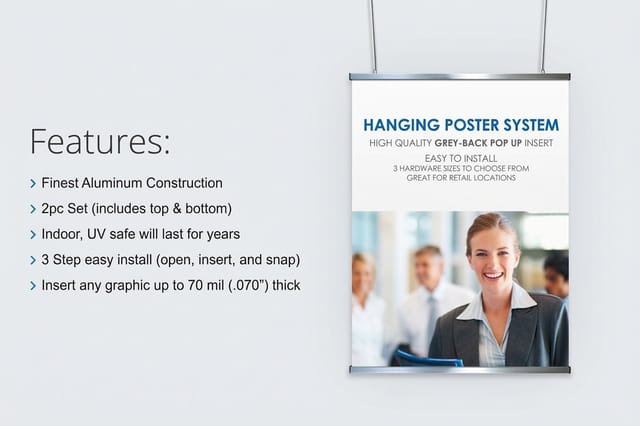
| Hanging Poster Displays | 24, 36 or 48 inches wide, 18 to 100 inches tall | 9 mil polypropylene film, 2.5 mil matte lamination, two piece hanging set | $53.83 | 4 business days |
| Standing Poster Displays | 22 by 28 sign in a 22 by 60 black metal frame | 1/8 inch white PVC, printed on both sides | $130.72 | 4 business days |
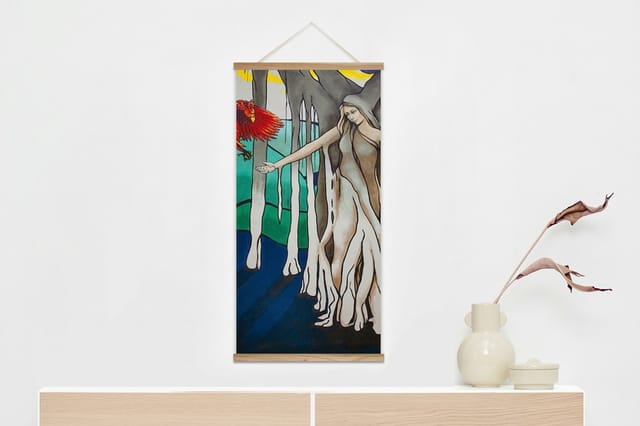
| Wood Poster Hanger Frame | 18 by 24 or 18 by 36 | Semi gloss canvas | $32.75 | 4 business days |
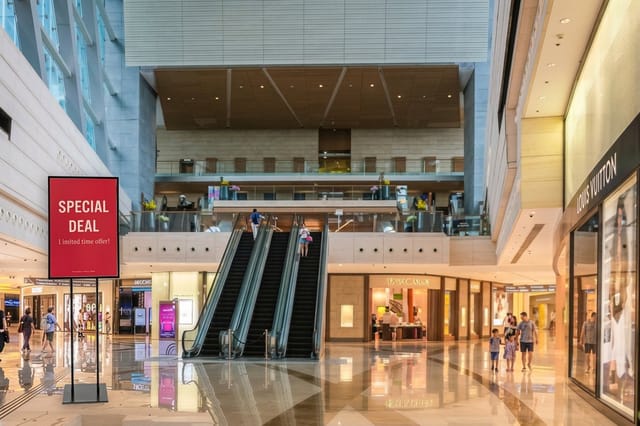
High resolution posters for retail displays follow the close viewing rule: shoppers stand within arm's length, so build the art at 300 DPI at the finished size, choose 14pt gloss cover or add the High Gloss UV coating to keep photography saturated under store lighting, and mount the sheet on a hanging or standing display so it reads as signage rather than a printout.
That structure is why a single retail poster can cost more per unit than ten of the same design. If you know you will need replacements, or the same layout will go to more than one location, print them together in one run rather than reordering one at a time.
Comparing shops is worth the ten minutes. See how the numbers stack up against a Staples poster printing alternative and against Vistaprint poster sizes, paying attention to what each price includes rather than the headline figure alone.
Hang it properly, because mounting is part of the print job
A well-printed poster taped at the corners still looks like a printout. Display hardware is what turns a sheet into a finished piece, and it is worth budgeting for at the same moment you budget for the printing.
For wall work, Hanging Poster Displays start at $53.83 and grip the top and bottom edges so the sheet stays flat and square with no tape and no pinholes. If you need the poster to stand on its own at an event, in a lobby, or on a trade show floor, Standing Poster Displays start at $130.72 and hold the piece upright at reading height without touching a wall. For a warmer, retail-friendly look at home or in a boutique, the Wood Poster Hanger Frame starts at $32.75 and gives the poster a finished top and bottom rail in real wood. Watch the hanging poster displays and wood poster hanger frame videos to see each rail holding a printed sheet before you pick one.
Match the hardware to the poster width before you order. Hardware sized for a 24-inch sheet will not hold a 36-inch one, and a rail that is too wide leaves the poster hanging off-center.
A short checklist before you send the file
Run through it in order. Finished size locked to the wall or frame. Bleed added on all four sides. Text and logo a quarter inch inside the trim. Document converted to CMYK. Images at 150 DPI or better at final size. Stock and coating chosen for the lighting and the lifespan. Every date, price, and phone number read aloud and confirmed. Display hardware ordered to match the width.
If the concept itself still needs sharpening, browse creative poster ideas for structure and hierarchy you can borrow, or look at seasonal poster and flyer ideas to see how a single strong image plus one short headline carries a whole sheet.
Wally explains poster printing
Get the size and the bleed right and the rest is easy
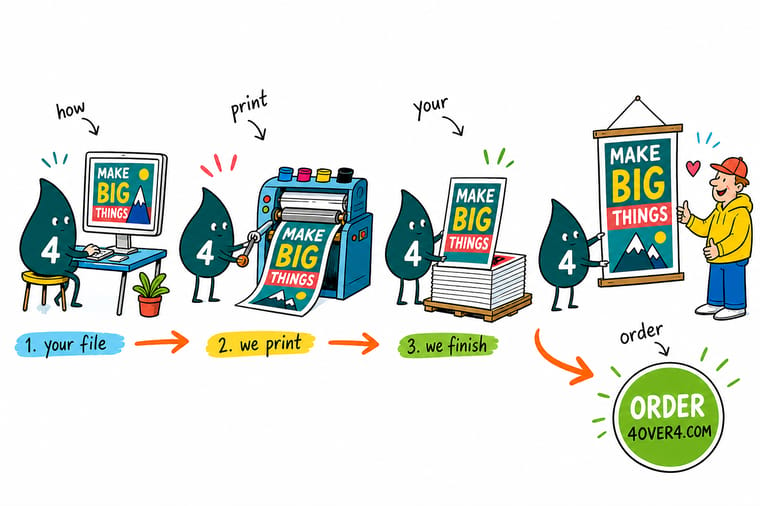
Wally has watched more posters get reprinted over an eighth of an inch than over anything else. His routine never changes: measure the wall, set the document to that exact size, drag the background past all four edges, keep the words a quarter inch inside, then check every date out loud before the file goes to press. Do that and the poster arrives right the first time.
Print and display your poster →
Infographic
Printing your own poster, step by step
One frame, seven steps: pick the size from the wall and the viewing distance, add an eighth inch of bleed, convert to CMYK at 150 DPI or better, choose the stock, add a gloss or matte finish, proof and send a flattened PDF, then hang it on hardware sized to the width. Keep it beside you while you set up the file, and check off each one before you place the order.
The steps are sequential for a reason. Size drives the file, the file drives the resolution, and the stock and hardware you pick at the end have to match the width you chose at the start.
Specs and pricing
Hanging poster display specs and live pricing
Once the artwork is ready, the display decides how it reads on the wall. Check the exact dimensions and materials here, and watch the price update as you change size and quantity.

| Quantity | Price Per Unit | Total |
|---|---|---|
| 1 | $53.83 | $53.83 |
| 2 | $53.82 | $107.64 |
| 3 | $53.82 | $161.47 |
| 4 | $49.16 | $196.62 |
| 5 | $49.43 | $247.15 |
| 6 | $49.25 | $295.47 |
| 7 | $49.43 | $345.99 |
| 8 | $49.29 | $394.33 |
Print it
Print your poster and hang it properly

Explore more
Where to go next


By the numbers
What a hanging poster display can print on
Common Questions
Common questions about printing your own poster
What does it mean to print your own poster?
It means you supply the artwork and a commercial press does the printing, rather than running the job through a home or office printer. You control the design, the size, the paper, and the finish, and the press handles full-bleed color, large-format sheets, and even ink coverage. The result is a poster with no white border, no banding across solid areas, and a surface that survives handling and hanging.
How far away will people stand?
Work backward from where it hangs and how far away people stand. A retail window or trade show wall reads best at 24 by 36 inches, an indoor announcement works at 18 by 24, and a desk or counter piece can sit at 11 by 17. Measure the wall or frame first, leave breathing room around the sheet, then confirm your headline is legible from the real viewing distance before you commit.
What does poster printing cost and how are prices set?
Price is driven by the finished size, the paper weight, the coating, the quantity, and the turnaround you pick. Larger sheets use more stock, heavier cover costs more than text weight, and gloss or matte coating adds a small step. Quantity is where the biggest savings live, because the press setup is shared across the run. Live pricing on the product page updates as you change each option.
What sizes, stocks, and finishes are available for posters?
Common sizes run from 11 by 17 up to 24 by 36 and larger, with custom dimensions available on many stocks. Paper choices range from a smooth text weight for short-lived promos to heavy gloss and matte cover for pieces that stay up for months. Finishes include gloss coating for saturated color, matte for glare-free reading under office lighting, and uncoated for a natural paper feel that takes pen and marker.
How long does poster printing take to print and ship?
Standard production runs a few business days once your file passes preflight, with faster turnaround options available on most poster stocks. Shipping time is added on top and depends on your address. The fastest way to protect your deadline is to upload a print-ready PDF with bleed on the first try, because a file that needs a fix restarts the clock while the proof goes back and forth.
Can I print a poster from a Word or Canva file?
Yes, as long as you export a high-resolution PDF at the finished size with bleed included and fonts embedded. Design apps built for screens default to RGB color and 72 DPI, so set the document to the real poster dimensions from the start and export at print quality. If the layout was built at a small size and scaled up, the type will stay crisp but placed photos will not.
Should I print one poster or a batch?
One poster is perfectly normal for an office announcement, a gift, or an event sign. Batches make sense the moment the same design goes to several locations, because the per-piece price drops sharply after the first few copies. If you plan to reuse the layout with different dates or venues, print the shared run now and treat the variable versions as their own small orders later.
Get Started
Order a standing poster display from $130.72
Upload your artwork, pick the size, stock, and coating, and add the hardware that keeps it flat. Your file, printed on a real press and shipped to your door.
Legal Disclaimer
Gold Standard guarantees apply to all standard orders placed through 4over4.com. Price match requires verifiable proof of a competitor's published price for an equivalent product with matching specifications and turnaround time. Satisfaction guarantee covers manufacturing defects and print quality issues. Contact support with order number and documentation.
