
Printing Address Labels From a Spreadsheet Without Reformatting Every Row


Three steps take a mailing list from a spreadsheet to a stack of printed labels: split the data into fields, size the label from the envelope, and proof one sheet before the batch runs.
Put every part of the address in its own column, choose a label size that suits the envelope and the longest address on the list, then print one proof sheet at actual size and check the bottom row. Those three steps remove the retyping. The one decision to make first is whether the labels are identical, which a print run handles cheaply, or different on every piece, which is variable data and needs either a quote or your own printer.
Quick answer
Columns, size, proof, in that order
The retyping comes from the data, not the printer. Give each part of the address its own column so a merge can place it, keep the ZIP column formatted as text so leading zeros survive, and size the label from the envelope and the longest address rather than the average one. Then print a single proof at 100 percent and read the bottom row, because scaling errors stack down the sheet. Decide early whether every label carries the same artwork or a different address, since only the first is a straightforward print run.
Step One: Fix the Spreadsheet Once, Not Row by Row
The reformatting that eats an afternoon is caused by one thing: the address is stored the way a person reads it instead of the way a merge reads it. Split it into columns and you never touch an individual row again.
You want seven columns: Name, Company, Address 1, Address 2, City, State, ZIP. Address 2 holds the suite or apartment. State holds the two letter abbreviation, nothing else. If your list arrived with "418 Grand St, Hoboken NJ 07030" sitting in a single cell, split it before you do anything else, because a merge cannot decide where the street ends and the city begins.
Three fixes catch most of the damage. Format the ZIP column as text before you type or paste, or the sheet reads 07030 as the number 7030 and drops the zero on every north eastern address. Run a trim on the name and street columns, since copied data carries trailing spaces that push type off centre inside the label. And set the merge to suppress an empty Address 2, otherwise every recipient without a suite prints a blank line and the city sits one row lower than everyone else.
Then dedupe. A mailing list assembled from two sources almost always holds the same household twice under slightly different spellings, and you pay for that twice in labels and again in postage.
Running the merge in Word, Google Sheets or Apple Contacts
The spreadsheet is fixed, so the merge is the easy part. In Microsoft Word the whole job is one dialog.
- Open a blank document, go to Mailings, then Start Mail Merge, then Labels.
- Pick the label vendor and product number that matches the sheet in your hand, for example the 30 per sheet 2.625 by 1 inch layout, and the page fills with an empty grid.
- Choose Select Recipients, then Use an Existing List, and point it at the spreadsheet.
- Click Address Block, check the preview, then Update Labels so every cell carries the field.
- Preview Results, scroll to the last row, then Finish and Merge to a new document and print at 100 percent.
Google Docs has no label engine of its own, so a list in Google Sheets needs a labels add-on from the Workspace marketplace, which reads the same seven columns. On a Mac, Apple Contacts prints mailing labels directly: select the contacts, choose File then Print, set the style to Mailing Labels, and pick the layout that matches the sheet. It works from a group, so build the group first and the merge is one print job.
Step Two: Pick the Size From the Envelope, Then the Longest Address
Size is decided by two things in order. What is the label going on, and how long is the longest address in the list. Choose from the envelope first, then check the worst case row before you commit.
| Label size | Per letter sheet | Lines it holds | Where it belongs |
|---|---|---|---|
| 2.625 x 1 in | 30 | 4 at 10 point | The default for #10 business envelopes and A7 invitation envelopes. |
| 4 x 2 in | 10 | 6 to 7 at 12 point | Catalog envelopes, padded mailers, boxes, and long international addresses. |
| 1.75 x 0.5 in | 80 | 3 at 8 point | Return addresses only. Too small for a recipient block. |
| Roll format | n/a | Set by the die | Packing stations and applicators running hundreds a day. |
The line count is the part people skip. On a 2.625 by 1 inch label at 10 point, four lines fit inside the 0.125 inch safe margin. Recipient, street, city with state and ZIP is three, which leaves exactly one spare line for a suite or a company. Add both and the ZIP row lands on the die. Sort the list by address length, look at the longest one, and size for that row rather than the average.
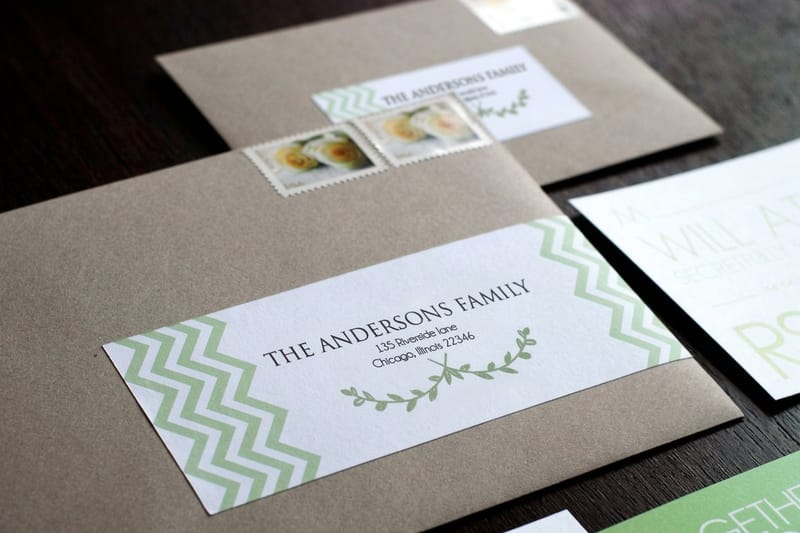
Material matters as much as dimensions. Standard address labels start at $23.88 with a matte face you can still write on by hand. Premium address labels start at $29.16 and carry a heavier, coated face that shrugs off rain and handling, which is the right call for anything going in a parcel stream. The full range sits in address labels printing.
Matching a template to the sheet you bought
Every blank label sheet carries a product number, and that number is the template. The 2.625 by 1 inch label at 30 per sheet is the 5160 layout and its store-brand equivalents, the 4 by 2 inch at 10 per sheet is the 5163 layout, and the 1.75 by 0.5 inch return label at 80 per sheet is the 5167 layout. Word, Pages and most design tools list them by that number, so you never draw the grid yourself.
Download a free template only when the software does not carry the number. Set it up as a table with the exact cell size, a 0.125 inch safe margin inside each cell, and the page margins the box prints. Then save it as your own file, because the next mailing uses the same sheet.
If you order printed labels instead, the template step disappears: standard address labels and premium address labels arrive die cut in the size you chose, with the artwork already placed.
Step Three: Proof One Sheet Before You Run the Batch
Print one page on plain paper, hold it against a blank label sheet up at a window, and look at the bottom row. Not the top row. The top row is fine on jobs that end up in the bin.
The reason is print scaling. If the dialog is set to Fit to page or Shrink oversized pages, the sheet images at roughly 96 to 98 percent, and the shortfall accumulates as the rows go down. Row one looks perfect, row five is a millimetre high, row ten prints across the die line. Set scaling to Actual size or 100 percent, switch off borderless, and reprint the proof. It is a thirty second check that saves a whole sheet of stock.
Two more habits worth keeping. Feed coated label sheets one at a time rather than stacking them in the tray, because the face stock is slicker than paper and doubles up. And run a full sheet before a partial one: pulling a sheet that has had labels peeled off it back through a printer is how adhesive ends up on the fuser roller, and that is a service call rather than a wasted sheet.
If you are printing on your own laser rather than ordering, our notes on color laser printing online cover how toner behaves on coated stock, and how online printing works walks through the same proofing logic on a commercial press.
The Decision That Actually Saves the Afternoon
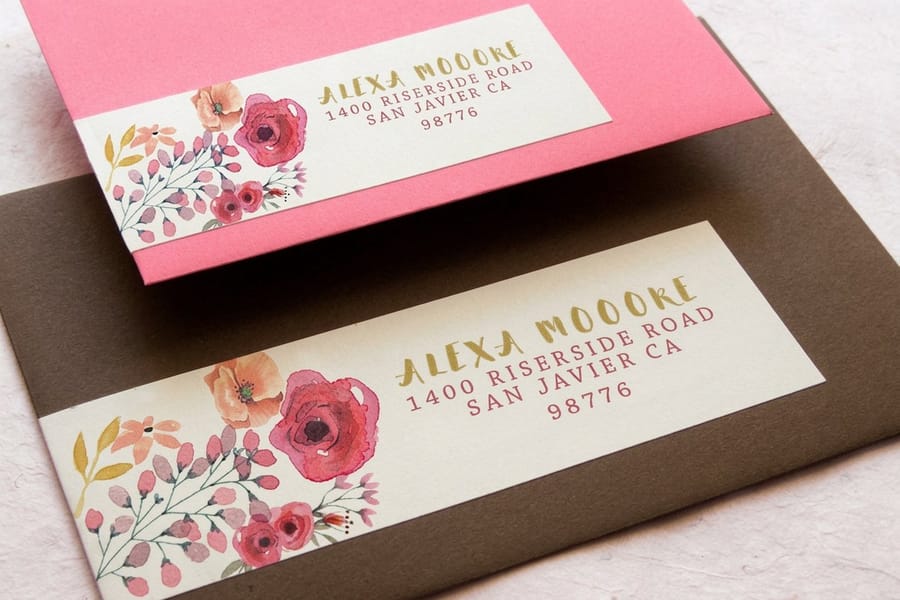
Here is the trade off nobody spells out. A commercial print run images one artwork and repeats it across every label. That is ideal when the label is the same every time, which is exactly what a return address is. Order return address labels once and you have a year of peel and stick with no printer involved.
Recipient addresses are the opposite. Every label is different, which makes it a variable data job, and a standard run cannot do it from a spreadsheet. You have two honest routes. Send the list in and ask for a variable data quote, which pays off above a few hundred pieces and gets you print quality on coated stock. Or order blank stock and merge on your own printer, which is right for a list of eighty that changes every month.
Volume moves the answer again. Roll address labels start at $322.98 because rolls exist for applicators and packing stations, not for a desk. Order rolls only when a machine is feeding them, and specify core size and wind direction, because the wrong wind means every label comes off the machine upside down. If the label is going on a truck door or a piece of equipment instead of an envelope, magnet labels at $19.68 are a different product doing a different job.
Still weighing where to print? Local print shop versus online printing compares the two on turnaround and short runs, and if labels are one line of a bigger project the beer label range shows what the same presses do with a shaped die.
Wally explains address labels
Columns first, size second, proof third
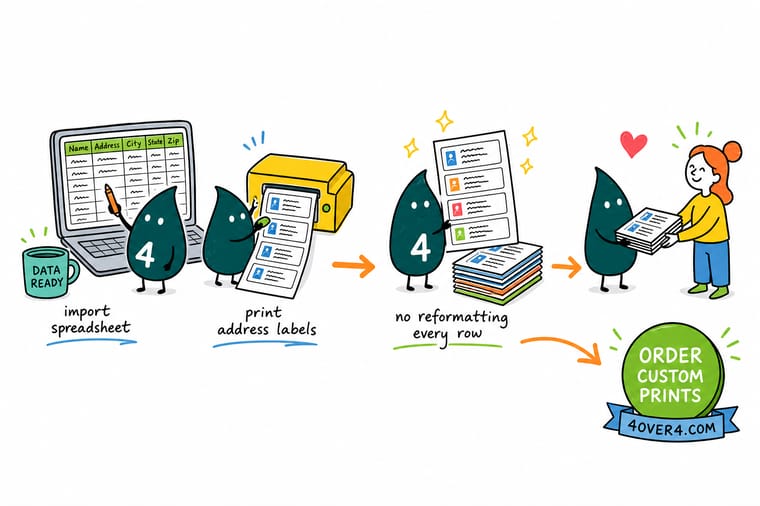
Wally takes the list apart before he prints anything. Name, company, street, suite, city, state and ZIP each get their own column, and the ZIP column is set to text so 07030 keeps its zero. Then he holds a label against the envelope, counts the lines in the longest address, and sizes for that one. Last, he runs a single proof at actual size and checks the bottom row, because a sheet printed at 96 percent looks perfect at the top and lands on the die line at the bottom.
Order standard address labels →Specs and pricing
Label sizes, quantities and starting prices
Compare sheet and roll address labels side by side, with live configuration choices and starting prices straight from the 4OVER4.COM configurator.

Print it
Order labels that peel clean and print sharp
Explore more
Where to go next


By the numbers
Three steps, and the catalog behind them
Common Questions
Your address label questions, answered
How do I print address labels from my printer?
Buy blank label sheets sized for the envelope, merge the address list into the matching template in Word or Apple Contacts, and print one proof on plain paper first. Hold the proof against a label sheet at a window and check the bottom row. Then set scaling to 100 percent, feed the label sheets one at a time, and run the batch.
Can you print address labels on a regular printer?
Yes. Any inkjet or laser printer with a manual feed slot prints sheet labels, as long as the sheet is made for that printer type. Use laser sheets in a laser printer, since inkjet sheets can melt on the fuser, and feed one sheet at a time so the slick face stock does not double up. For a few hundred pieces a month a desk printer is fine. Above that, or for coated stock, a printed run is cheaper per label.
How do I print address labels in Word?
Go to Mailings, then Start Mail Merge, then Labels, and pick the product number on the label box. Choose Select Recipients and point Word at your spreadsheet, insert an Address Block, then click Update Labels so every cell fills. Preview the results, finish the merge to a new document, and print at actual size with scaling off.
Is there a program to print address labels?
Word, Pages and LibreOffice all merge a spreadsheet into a label template. Apple Contacts prints mailing labels straight from a contact group. Google Sheets needs a labels add-on. For labels that are the same on every piece, such as a return address, the simplest program is none at all: upload one artwork and order return address labels printed.
Can a printer put a different address on every label?
Only as a variable data job, which has to be set up that way from the start. A normal print run images one artwork and repeats it across the sheet, so all 500 labels come back identical. That suits a return address perfectly. For 500 different recipients you either supply the list for a variable data quote or you order blank stock and run the merge on your own printer. Deciding this before you place the order saves the most time of anything on this page.
What label size fits a #10 business envelope?
The 2.625 by 1 inch label, 30 to a letter sheet, is the standard choice and it sits comfortably on the 4.125 by 9.5 inch face of a #10. A 4 by 2 inch label physically fits, but it covers a large part of the envelope and reads as a parcel label rather than a letter. Save the 4 by 2 for 6 by 9 catalog envelopes, padded mailers and boxes, where the bigger type is easier to scan on a loading dock.
Why do my labels drift down the page as the sheet prints?
Almost always print scaling. If the dialog is set to Fit to page or Shrink oversized pages, the sheet comes out at roughly 96 to 98 percent, and because the error is cumulative the first row looks fine while the tenth row prints half on the die line. Set scaling to Actual size or 100 percent, turn off any borderless option, and proof the bottom row. The second cause is a printer whose margins force a small offset, which you correct once in the label template rather than per row.
How many lines of type actually fit on a small address label?
On a 2.625 by 1 inch label at 10 point with standard leading, four lines fit inside the 0.125 inch safe margin. Recipient name, street, and city with state and ZIP is three, so you have one spare for a suite number or a company. Push to five lines and either the type drops onto the die line or you shrink to 8 point, which carriers and sorting equipment read less reliably. If the list genuinely has long addresses, move up a size rather than shrink the type.
Should the address be in all capitals with no punctuation?
For anything going through automated postal sorting, yes. The USPS addressing standards ask for uppercase, a simple sans serif face, no commas or periods in the address block, and the standard two letter state abbreviation. It is not decorative, it is what the optical readers were tuned for. For a hand delivered invitation or a gift, mixed case looks better and nothing is lost, since no sorter has to read it.
Can I write on a glossy address label with a pen?
No, and it catches people out. A gloss or laminated face resists water and scuffing, which is why it holds up on a shipping box, but ballpoint and most rollerball inks bead on the surface and smear. If anyone has to add a note, an apartment number or a batch code by hand, order an uncoated or matte face. Choose gloss when the label has to survive a journey, matte when a human still has to write on it.
Is a roll of labels cheaper than sheets?
Per label it can be, but rolls start at 322.98 dollars at 4OVER4.COM because they are made for volume. A roll also has to match your applicator: core size and wind direction are both specified when you order, and the wrong wind means the labels feed upside down through the machine. Rolls make sense at a packing station peeling hundreds a day. Below that, sheets are simpler and you are not buying a quantity you will never finish.
Get Started
Ready to get the mailing out?
Pick a size that fits your envelopes, choose a matte face you can write on or a coated face that survives the parcel stream, and we print labels that peel clean off the backing.
Legal Disclaimer
Gold Standard guarantees apply to all standard orders placed through 4over4.com. Price match requires verifiable proof of a competitor's published price for an equivalent product with matching specifications and turnaround time. Satisfaction guarantee covers manufacturing defects and print quality issues. Contact support with order number and documentation. On-time delivery rate based on tracked orders 1999 to 2026. Individual results may vary based on shipping carrier performance.
