
How to Customize Printed File Folders, From Size to Die Line


Emma is our prepress and print production voice, built from the knowledge of our production team, with over 20 years in printing.
Sizes for both kinds of folder, the tab cuts that matter, the die line template to design on, and the options that move the price once you start customizing.
Customizing a printed folder means picking the size first, then the pocket and tab configuration, then the finish, and building the artwork on the die line template for that exact combination. A letter manila filing folder is 11.75 by 9.5 inches with a cut tab and takes a one or two color imprint. A printed presentation folder is 9 by 12 inches closed, 9 by 14.5 for legal, and takes full color edge to edge on every visible face.
Quick answer
Size, pockets, finish, then the die line
Decide what goes inside the folder before anything else. Letter contents point to a 9 by 12 presentation folder, legal contracts to the 9 by 14.5, and a drawer full of records to a manila filing folder at 11.75 by 9.5 with a cut tab. From there you choose pockets, stock weight and coating, then download the die line for that exact folder and build the artwork on top of it. The single most common error is putting a logo in the bottom 4 inches of an inside panel, where the glued pocket covers it for good.
Die cut
Folder design around the die cut, in five moves
Design the folder on its die line, never next to it. Download the die line for the exact size, 9 x 12 or 9 x 14.5 inches, and pocket style you are ordering. Lock it on the top layer and build the design underneath. Keep every logo above the pocket line, since the pocket glues flat over the bottom 4 inches. Run the bleed a quarter inch past every cut edge, and size any card slit for a standard 3.5 x 2 inch card. Then hide the die line and export the PDF.
File Folder and Presentation Folder Are Two Different Products
Search for file folder printing and you get two products fighting for the same name. Sorting them out first saves a reprint later.
A manila filing folder is a stock office item. It is cut from heavy kraft, scored at the bottom for about three quarters of an inch of expansion, and has a tab along the top edge so it can be read from above in a drawer. It is built to be filed, not handed over. What a printer can add to one is an imprint: a name, a department, a case number, in one or two colors on an uncoated surface that soaks up ink.
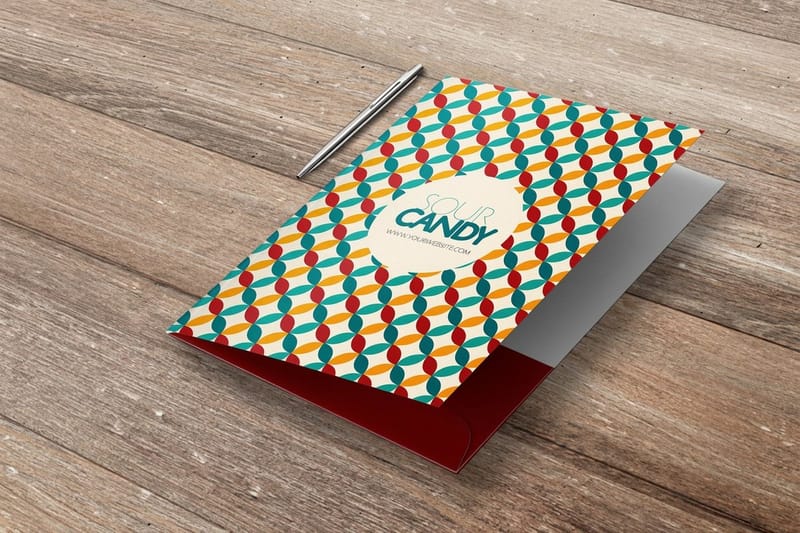
A presentation folder is a printed piece from the start. It runs flat through the press as one sheet, gets die cut, scored and glued into shape, and carries full color on every visible surface including the pocket faces. That is the folder you hand across a table with a proposal in it, and it is what the whole presentation folder range covers.
| Folder | Size | What fits | What can be printed |
|---|---|---|---|
| Letter manila file folder | 11.75 x 9.5 in, tab on the long edge | 8.5 x 11 sheets, roughly 0.75 in of expansion | One or two color imprint on stock kraft |
| Legal manila file folder | 14.75 x 9.5 in | 8.5 x 14 legal sheets | One or two color imprint on stock kraft |
| Letter presentation folder | 9 x 12 in closed | Letter sheets plus a business card | Full color both sides, edge to edge, any finish |
| Legal presentation folder | 9 x 14.5 in closed | Legal contracts, closing packets, plans | Full color both sides, edge to edge, any finish |
Read the last column before you fall in love with a design. If the brief involves a photograph, a logo bleeding off the edge, or a laminate, the answer is a presentation folder and the size question becomes letter or legal. Legal presentation folders exist for one reason: folding a legal sheet to fit a letter folder puts a crease through a signature page, and clients notice.
Tab Cuts, and Why They Only Matter on One of Them
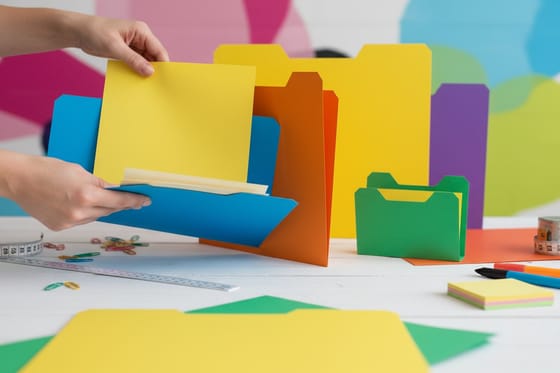
The tab is the part of a filing folder people mean when they say customize. It is the strip that sticks up above the drawer, and its position across the top edge is described as a cut.
- Straight cut. The tab runs the full width. Maximum label space, no staggering, best for a small drawer you scan by color rather than by reading.
- Half cut. Two positions, left and right. Simple to alternate, easy to keep tidy when a folder is refiled by someone in a hurry.
- Third cut. Three positions. The default in most offices because three tabs in a row read cleanly without the label text shrinking.
- Fifth cut. Five positions. Dense filing for high volume records, and the point at which the label type gets small enough that people stop reading it and start counting positions instead.
Presentation folders have no tab at all, which surprises people who come from the filing side. The equivalent decision is the spine. A flat folder with no spine sits neatly in a stack; a folder with a quarter inch scored spine gains capacity and can carry a printed spine label so it can be read on a shelf. If a client is going to keep your folder on a shelf next to a competitor, a printed spine is the cheapest advantage on the sheet.
One habit carries across from filing to print. Whatever you write on the tab or the spine, keep it short enough to read at arm's length, and set it in a weight that survives being printed on textured stock. Our folder design guide covers the type and layout decisions in more detail.
Build on the Die Line Template, Not a Blank Artboard
A folder is not a rectangle. It is a flat sheet with pocket shapes, glue flaps, score lines and sometimes a card slit cut into it, and every one of those is a position your artwork has to respect. That is why the template is a die line, and why designing without one produces a folder with a logo half hidden behind a pocket.
Three things go wrong most often. The first is artwork placed in the bottom 4 inches of an inside panel, which is exactly where the pocket glues flat and covers it. The second is ink on the glue flaps: adhesive does not bond well to a heavy ink film and it bonds badly to laminate, so flaps are left clear or the pocket peels open in the box. The third is missing bleed on the pocket edges, which shows as a white sliver along the top of the pocket once the piece is trimmed and folded.
The working method is simple. Download the die line for the exact size and pocket style you are ordering from the blank template library, put it on a locked top layer, build your design underneath it, run the bleed a quarter inch past every cut edge, then hide the die line before exporting a print ready PDF. If bleed and trim are still fuzzy concepts, bleed and trim explained covers it briefly, and how online printing works covers the handoff from file to press.
| Die cut presentation folder | What you choose |
|---|---|
| Size | 9 x 12 in for letter contents or 9 x 14.5 in for legal |
| Stock and finish | 14pt or 16pt gloss cover, 14pt uncoated or 14pt white linen, with High Gloss UV as an option |
| Card slits | None, right pocket, left pocket or both |
| Runs and production | From 250 folders on 7 business days standard, or short runs from 10 |
| What to upload | A PDF built on the die line, bleed a quarter inch past each cut edge, die line hidden |
The Custom Options That Actually Change the Price
Once size and layout are settled, customizing a folder is four levers, and they do not cost the same.
Quantity is the big one. Folders are a finishing heavy product: die cut, score, glue, then pack. Splitting that setup over 250 pieces is a completely different number from splitting it over 5,000. Short run presentation folders start at $108.75 and exist for the pitch next week, while a standard production run of pocket folders starts at $844.54 and is the right call when folders are going out all year.
Stock is the second. 14pt card is fine for a folder holding five or six sheets. 16pt is what you want when the folder stays loaded, travels, and has to still look square after a week in a bag. The difference is obvious the moment somebody picks up a full folder by one corner.
Coating changes how it ages, not just how it looks. Gloss laminate hides handling. Matte reads as more considered and shows scuffs on dark solid coverage. Gloss presentation folders are the low risk choice for anything that gets carried around. The gloss presentation folders story shows finished folders.
Decoration is the last and the most visible. Foil and raised finishes sit on top of the coating and give the cover a tactile edge. Where it does not pay is on a folder destined for a mailing that gets skimmed and binned. Spend it on the folders you hand over in person and keep the mailed ones plain.
Wally explains folder customizing
Size first, die line second, foil last
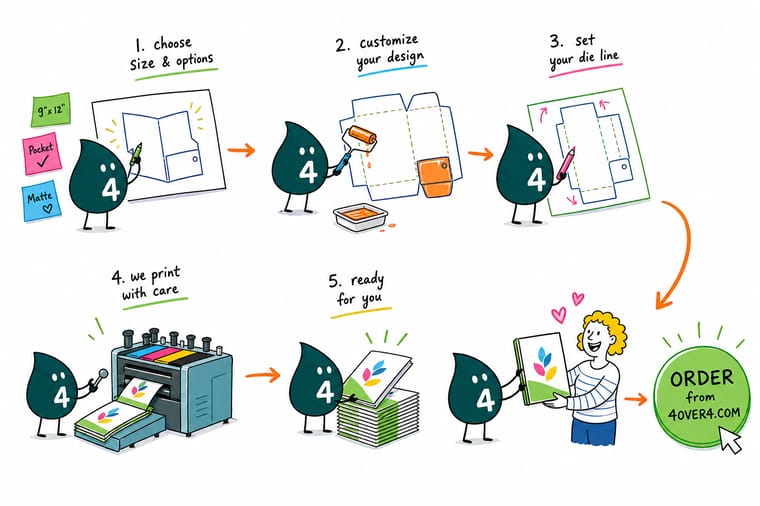
Wally measures what goes inside before he draws anything. Letter sheets get a 9 by 12 folder, legal contracts get the 9 by 14.5, and records that live in a drawer get a manila folder with a cut tab. Then he pulls the die line for that exact folder, locks it on top, and keeps every logo above the pocket line, because the pocket glues flat over the bottom 4 inches and swallows whatever is behind it. Foil and laminate come last, once the layout is right.
Configure pocket folders →
Specs and pricing
Folder sizes, stocks and starting prices
Short run folders start at $108.75 for 10 and gloss presentation folders at $844.54 for 250, with pocket styles set on each product page.


Print it
Order a folder built around what goes inside it
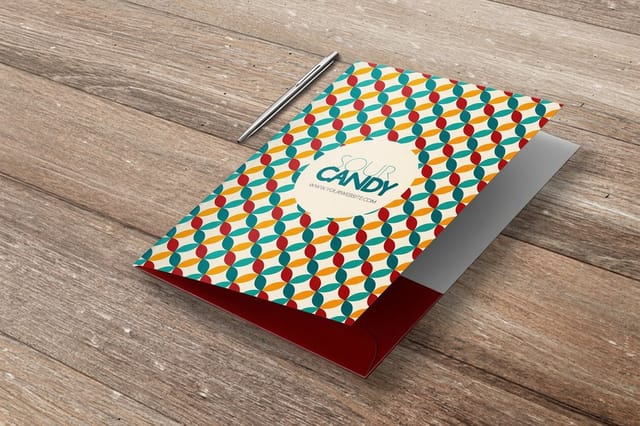
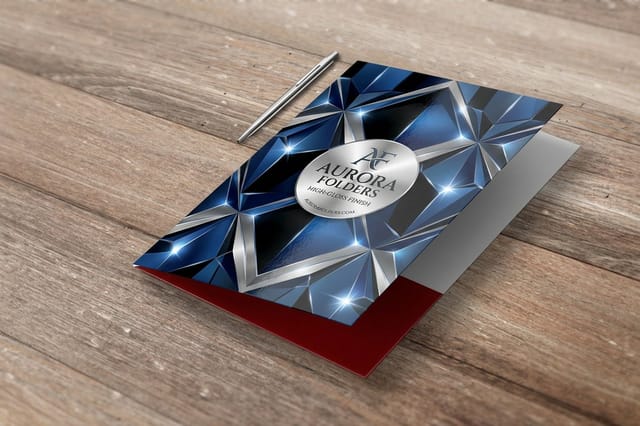
Pocket folders and gloss presentation folders from 250 in 9 x 12 or 9 x 14.5 inches with optional card slits on either pocket, and short run folders at 9 x 12 inches on 14pt gloss from 10 for next week's pitch.

Explore more
Where to go next
Five guides and the folder range: pocket folder stocks and slits, what fits a legal folder, every standard folder size, layouts that survive the die cut, bleed on folder edges, and every folder we print.

By the numbers
Folders die cut to the pocket style you pick
Common Questions
Your folder questions, answered
What size is a standard file folder?
It depends which folder you mean. A letter size manila filing folder measures 11.75 inches wide by 9.5 inches high with a cut tab along the top edge, and the legal version is 14.75 by 9.5. A printed presentation folder is measured closed and the standard is 9 by 12 inches, which holds an 8.5 by 11 sheet with enough clearance to slide it in and out without creasing the corner. The legal presentation folder is 9 by 14.5 closed. Get this decision right first, because every template, price and pocket option downstream is tied to it.
Is there a file folder template I can download?
Yes, and you should never lay out a folder without one. The template is a die line that shows the pocket shapes, the glue flaps, the spine score and the business card slit as separate cut and fold positions, not as artwork. Pick the exact size and pocket style you are ordering, drop your design on a layer beneath the die line, then hide the die line layer before you export. Our blank template library carries the folder die lines alongside the rest of the catalog.
Can I print full color on a manila file folder?
Not the way most people picture it. Manila filing folders are a stock office product made from heavy kraft, and imprinting on them is a one or two color job on a rough uncoated surface, usually a name or a case number rather than a design. If you want a folder with a photograph on the cover, a solid color running to the edge, or a laminate finish, you are asking for a printed presentation folder, which is printed flat on card stock, then die cut, scored and glued into shape.
How much does a presentation folder hold?
A 4 inch pocket on 14pt card holds a stack roughly a quarter of an inch thick before the pocket starts to gape and the contents lean out. Two pockets on 16pt stock will carry a proposal, a price list, a spec sheet and a business card comfortably. If your kit is thicker than that, ask for a scored spine, which adds capacity by letting the folder expand rather than forcing the pockets to stretch.
Do folders come with a business card slit?
They can, and it is worth asking for. The die cuts a diagonal slit in the right hand pocket sized for a standard 3.5 by 2 inch card. If your cards are square, rounded, oversized or die cut into a shape, the standard slit will not hold them and the card slides out in transit, so either order a standard rectangular card for the folder or skip the slit and use the pocket.
Gloss or matte laminate on a folder?
Folders get handled far more than a flyer ever does, and that changes the answer. A dark solid color under matte laminate looks superb in the studio and shows every fingernail scuff by the third meeting. Gloss laminate on the same design hides handling much better and is the safer choice for anything that travels in a bag. Matte earns its place on lighter designs, or when you are adding a raised foil or spot UV element that needs a flat surface to contrast against.
Get Started
Order 10 short run folders from $108.75
Pick letter or legal, choose your stock and coating, and we die cut, score and glue folders that still look square after a week in a bag.
Legal Disclaimer
Gold Standard guarantees apply to all standard orders placed through 4over4.com. Price match requires verifiable proof of a competitor's published price for an equivalent product with matching specifications and turnaround time. Satisfaction guarantee covers manufacturing defects and print quality issues. Contact support with order number and documentation.
