
Free Gift Card Templates Guide


Skip the blank page. Start from a free gift card template with the size and safe zones already set, learn the sizing and bleed rules, then upload to order real plastic gift cards and holders.
The standard gift card is CR80: 3.375 by 2.125 inches, 85.6 by 54 mm, or 1013 by 638 pixels at 300 DPI, with rounded corners. Start from a free template built to that size. Add 0.125 inch of bleed, keep your logo and value 0.125 inch inside the trim, design around any magnetic stripe or signature panel, set the file to CMYK at 300 DPI, then upload to order printed plastic gift cards and matching holders.

Start here
Built to credit card dimensions
Begin with a free template at the CR80 gift card size, 3.375 by 2.125 inches. Add your logo and value inside a 0.125 inch safe margin, extend background art 0.125 inch past the trim for bleed, and keep art clear of the rounded corners and any magnetic stripe or signature panel. Set the file to CMYK at 300 DPI, then upload to order real plastic gift cards and matching holders. The layout below maps the size and safe zones.
Grab a free gift card template

Designing a gift card from a blank page is where most people trip: wrong size, no bleed, art too close to the edge. A free template removes all of that by handing you the correct dimensions and safe zones already set, so your only job is to add your brand and the value.
The fastest free starting points are the layouts inside our online designer and our design templates library. Both open at the standard gift card size with the guides in place, and both keep your file print-ready as you work, with no software to install.
Think of the template as scaffolding. It guarantees the card will fit a wallet, a holder, and a card reader, and that nothing important gets clipped. From there you make it yours, then turn it into printed plastic gift cards rather than just a file on your desktop.
Sizing and bleed for gift cards
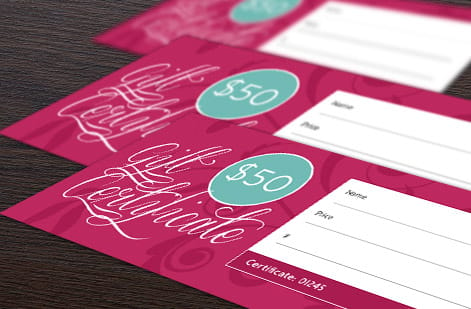
The standard gift card is a CR80 card, 3.375 by 2.125 inches, the exact size of a credit card, with rounded corners. Building at that size is what lets the finished card slip into a wallet, a holder, or a point-of-sale reader without any trouble.
The same three lines that govern all print apply here. Extend any background art 0.125 inch past the trim as bleed, so a slight shift in the die-cut never leaves a white sliver. Keep logos, the value, and any text 0.125 inch inside the trim as a safe margin, and pull them even further from the rounded corners.
The whole file setup as numbers, in every unit you might be working in.
| Measurement | Inches | Millimeters | Centimeters | Pixels at 300 DPI |
|---|---|---|---|---|
| CR80 trim size | 3.375 x 2.125 in | 85.6 x 54 mm | 8.56 x 5.4 cm | 1013 x 638 px |
| Bleed size, art extends to here | 3.625 x 2.375 in | 92.1 x 60.3 mm | 9.21 x 6.03 cm | 1088 x 713 px |
| Safe zone, keep text inside | 3.125 x 1.875 in | 79.4 x 47.6 mm | 7.94 x 4.76 cm | 938 x 563 px |
| Corner radius | 0.125 in | 3.18 mm | 0.318 cm | 38 px |
| Magnetic stripe, top edge of the band | 0.223 in from the top edge on the back | 5.66 mm from the top edge | 0.566 cm from the top edge | 67 px from the top edge |
| Magnetic stripe, band height | 0.394 in | 10 mm | 1 cm | 118 px |
Our dedicated guide on bleed and trim shows exactly how to set these lines. Get them right and your card prints edge to edge, clean, with nothing important close enough to the blade to get clipped. When the file is ready, order plastic gift cards, step up to holographic gift cards, or add matching gift card holders.
Digital gift card sizes
A gift card program almost always ships a digital version alongside the printed one, and the digital sizes have nothing to do with CR80. They are set by where the card appears: an email, a social post, or a wallet screen. Design the printed card first, then re-crop the same artwork into these frames rather than stretching the card layout to fit.
| Placement | Pixel size | Aspect ratio | What it is for |
|---|---|---|---|
| Email header image | 600 x 300 px | 2:1 | The banner at the top of the delivery email. 600 px is the safe width for email clients, so anything wider gets scaled down. |
| Email card image | 600 x 378 px | 1.59:1 | The card itself rendered in the email body, matching the CR80 proportion so the digital card looks like the plastic one. |
| Social post, square | 1080 x 1080 px | 1:1 | Instagram and Facebook feed posts announcing the gift card. |
| Social story | 1080 x 1920 px | 9:16 | Stories and Reels covers, with the card art centered and the top and bottom left clear of interface elements. |
| In-app card face | 1013 x 638 px | 1.59:1 | The card as it appears in an app or wallet screen, the same pixel dimensions as the 300 DPI print file. |
| In-app card face, retina | 2026 x 1276 px | 1.59:1 | Double density for high resolution phone screens, so the logo and value stay sharp when zoomed. |
Two rules carry across all of them. Keep the value and any code out of the outer ten percent, because email clients and app frames crop unpredictably. And export in RGB for anything on a screen, even though the printed card is CMYK, so the colors do not shift when the file is displayed.
Designing around the functional zones
A gift card often carries features that a poster never does, and each one needs clear space. If the card is swiped, a magnetic stripe runs across the back, and critical art or text under it will be covered. Leave that band clear from the start.
A signature panel, a printed card number, or a scannable barcode each claim their own real estate too. Plan those zones before you place your design, not after, so your logo and value sit comfortably in the open areas rather than fighting the functional ones.
If you want sequential numbering or a barcode for redemption tracking, note it while you design so the layout reserves room. Building around the features from the outset is far easier than squeezing them in once the art is finished.
Design tips that make a gift card sell
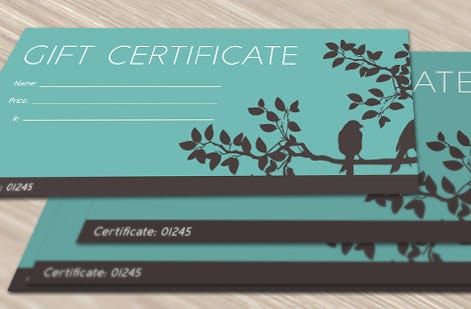
A gift card is a tiny billboard for your brand, so keep it bold and uncluttered. Lead with your logo, use your brand colors, and give the value or the words gift card room to breathe. A card that tries to say everything ends up saying nothing at wallet size.
Set your file to CMYK and place any images at 300 DPI at final size so logos and gradients stay crisp on plastic. Reserve fine detail for smooth stocks, and consider a specialty finish, since a holographic or foil card feels premium and stands out on a counter display.
Do not forget the back. A short line on how to redeem, a website, and any terms keep the card useful, while a scratch-off panel can turn redemption into a moment. Our article on gift card scratch-off printing shows how that works.
Upload and order cards and holders

The whole point of starting from a template is to finish with real cards, not a file. Once your design is set, upload it to print durable plastic gift cards at the CR80 size, then add matching gift card holders so the card presents beautifully at the register or in a gift.
Choose your stock and finish, decide whether you need a magnetic stripe, signature panel, or numbering, and set the quantity. The per-card price drops as the run grows, so order the volume your season or program calls for in one go.
Use the live specs and pricing below to see the exact stocks, finishes, and price tiers for plastic gift cards at 4OVER4.COM. Build the design from a free template, then send it to print.
Wally builds on the template, not a blank page
The size and safe zones come pre-set
Wally starts every gift card from a CR80 template so the size, bleed, and safe margins are already correct. He drops in the logo and value inside the safe area, keeps art clear of the rounded corners and any magnetic stripe, sets the file to CMYK at full resolution, then turns the design into real plastic cards and matching holders. Build it once, print it right.
Design your gift card now →Quick reference
The gift card file setup, at a glance
Match these settings and your gift card design is ready to print on durable plastic.
| Setting | Get it to | Why it matters |
|---|---|---|
| Trim size | 3.375 x 2.125 in (CR80) | The standard gift and credit card size, so cards fit wallets, holders, and readers. |
| Bleed | 0.125 in past every edge | Extra art beyond the trim means no white slivers if the cut shifts slightly. |
| Safe margin | 0.125 in inside the trim | Keeps your logo, value, and text clear of the blade and the rounded corners. |
| Corners | Rounded, about 1/8 in radius | Plastic cards are die-cut with rounded corners, so avoid sharp-corner artwork at the edge. |
| Magnetic stripe | Reserve a clear band | If the card is swiped, leave the stripe area free of critical art on the back. |
| Color and resolution | CMYK, 300 DPI | Print color and full-resolution art keep logos and gradients crisp on plastic. |
Step by step
From template to printed gift card in 7 steps
- Grab a free template Open a gift card layout in the free 4OVER4 designer or start from a ready template so the CR80 size and safe zones are already in place.
- Set your brand and value Add your logo, brand colors, and any fixed denomination or a blank line for a written amount, keeping everything inside the safe margin.
- Mind the functional zones If the card carries a magnetic stripe, signature panel, or printed number, design around those areas so nothing important is covered.
- Add bleed and check corners Extend background art 0.125 inch past the trim and keep logos clear of the rounded corners, since plastic cards are die-cut round.
- Convert color and resolution Set the file to CMYK and place any images at 300 DPI at final size so the card prints sharp and true.
- Design the matching holder If you want a presentation piece, lay out a gift card holder or sleeve using the same brand and colors for a finished look.
- Upload and order Send your design to print as real plastic gift cards and holders, set the quantity, and the price updates live before checkout.
Specs and pricing
Plastic gift card specs and live pricing
Once your design is set, stock, finish and quantity are what is left. Plastic gift cards run 250 for $226.11, which is $0.90 each on 30mil White Plastic.
| Quantity | Price Per Unit | Total |
|---|---|---|
| 250 | 90.4¢ | $226.11 |
| 500 | 55.3¢ | $276.63 |
| 1,000 | 37.8¢ | $377.68 |
| 2,000 | 34.7¢ | $693.46 |
| 2,500 | 35.3¢ | $882.94 |
| 3,000 | 33.6¢ | $1,009.25 |
| 3,500 | 32.4¢ | $1,135.55 |
| 4,000 | 31.5¢ | $1,261.87 |
Print it
Bring your gift card design to 4OVER4

See it in use
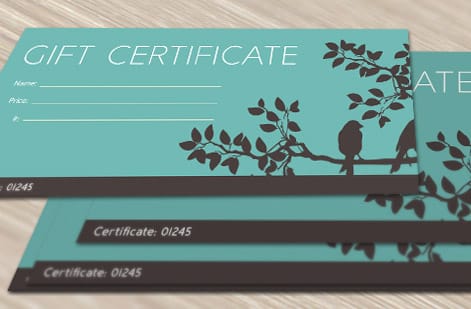
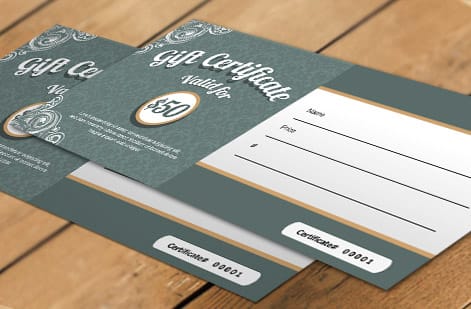
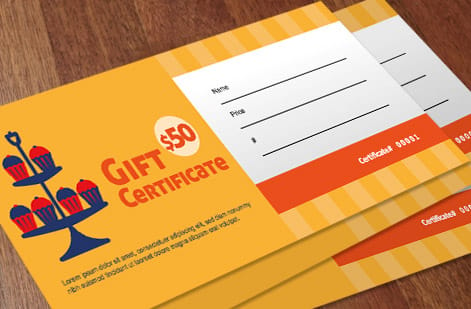
Gift card work from customer orders



Explore more
Where to go next


By the numbers
Gift card stocks and the record behind a card run
Common Questions
Common questions about gift card templates
What size is a standard gift card in mm?
A standard gift card is 85.6 by 54 mm, which is the CR80 card size, the same as a credit card. In inches that is 3.375 by 2.125, and at 300 DPI the print file works out to 1013 by 638 pixels. The corners are rounded to a 3.18 mm radius. Build your artwork to 92.1 by 60.3 mm to include 3.18 mm of bleed on every edge, and keep your logo, the value, and any text inside 79.4 by 47.6 mm so nothing lands close enough to the die to get clipped. Order printed cards at that size on the plastic gift cards page.
What is a gift card template?
A gift card template is a preset layout sized to the standard gift card dimensions, with the trim, bleed, and safe margins already marked so you only add your brand, colors, and value. It saves you from building a file from scratch and from guessing at the size. Templates come in the standard CR80 plastic card size of 3.375 by 2.125 inches, and the good ones account for rounded corners and functional zones like a magnetic stripe or signature panel. Starting from a template is the fastest way to get a print-ready gift card design that will not be clipped or misaligned when it prints.
Do I need a magnetic stripe or just a code?
Pick a template that matches the card you plan to print. For a durable, wallet-ready card, choose a CR80 plastic gift card layout at 3.375 by 2.125 inches with rounded corners built in. Decide whether your card needs functional features, since a magnetic stripe, a signature panel, or a printed number each require reserved space that the template should already show. Then match the style to your brand and consider a specialty finish like holographic or foil. Once the layout fits your card type and features, you only add your logo and value inside the safe margins.
What does a gift card template cost and how are prices set?
Using a template and designing your card is free in the 4OVER4 online designer. The cost comes when you print, and it scales with a few levers: quantity, where larger runs lower the per-card price, plus the card stock and any specialty finish such as holographic, foil, or a magnetic stripe. Matching holders are priced separately by quantity and stock. You set the options in the configurator and the price updates live, so you can see exactly how a bigger run or a premium finish changes the number before you order.
What sizes, stocks, and finishes are available for gift cards?
The standard is the CR80 plastic card at 3.375 by 2.125 inches, the same size as a credit card, with rounded corners. Stocks range from durable 30 mil plastic in white, frosted, or clear to specialty options, and finishes include gloss, matte, holographic, and foil, plus functional add-ons like a magnetic stripe, signature panel, or sequential numbering. Paper gift certificates and matching holders are also available when you want a printed presentation piece. Choosing the stock and finish together lets you balance durability, look, and cost for how the card will be used.
How long do gift cards take to print and ship?
Gift cards are made to order, so the timeline covers printing, die-cutting, and any specialty finishing before the order ships, and it depends on the stock, finish, and quantity you choose. The live product page at 4OVER4.COM shows the current production and shipping estimate for your selected options, and specialty finishes such as holographic, foil, or a magnetic stripe can add a little time. You always see the estimate before checkout, which makes it easy to plan a launch or a holiday date.
Get Started
Order 250 holographic gift cards at $0.90 each
Start from a free template, add your brand and value, and print durable plastic gift cards with matching holders at 4OVER4.COM. Gift card holders run 25 for $170.03, which is $6.80 each.
Legal Disclaimer
Gold Standard guarantees apply to all standard orders placed through 4over4.com. Price match requires verifiable proof of a competitor's published price for an equivalent product with matching specifications and turnaround time. Satisfaction guarantee covers manufacturing defects and print quality issues. Contact support with order number and documentation. On-time delivery rate based on tracked orders 1999 to 2026. Individual results may vary based on shipping carrier performance.
