
How to Design Company Folders That Close Deals


Emma is our prepress and print production voice, built from the knowledge of our production team, with over 20 years in printing.
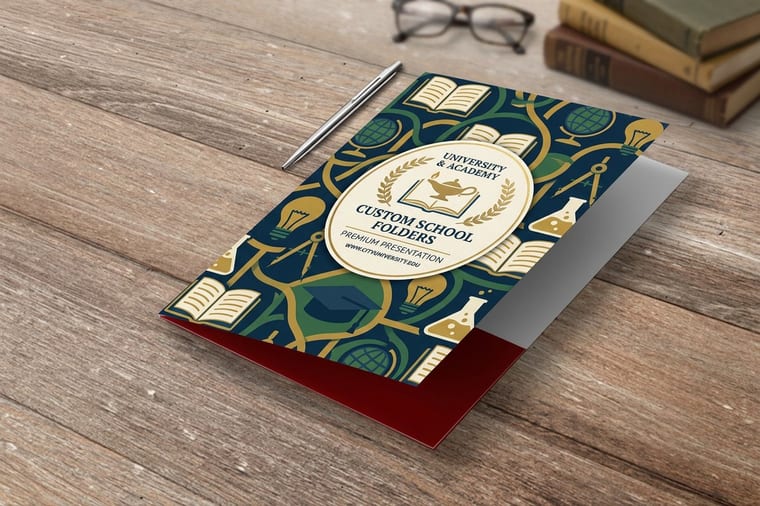
A company folder is a 9 by 12 inch presentation folder with your brand on the cover and your documents in its pockets. This guide covers dielines, cover layout, pocket design, paper stock, embossing, foil, and press ready files, everything it takes to turn a flat printed sheet into the folder your proposal arrives in, explained by the team that prints them.
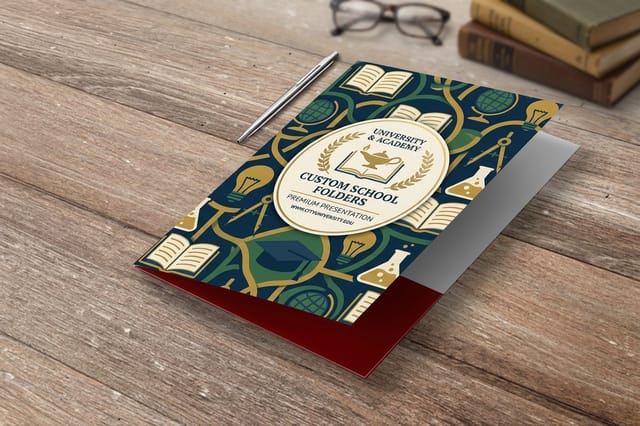
To design a company folder, start on the printer supplied dieline at full size, not on a blank page. Lay out the cover with your logo and one line of positioning, keep artwork off scores and glue tabs, extend bleed an eighth of an inch past every cut, and use the pocket faces for proof points that stay visible when documents are loaded. Choose 14pt or 16pt cover stock, add embossing or foil only over a quiet cover, then export a CMYK press ready PDF with the dieline on its own layer. If you came looking for a company folders printer, we print them in-house: short run presentation folders start at 10 pieces, education presentation folders at 250 in 9 by 12 or 9 by 14.5 inches, and embossed folders with raised gold foil at 50.
Start here
What goes inside decides the folder
A company folder is a branded cover that holds your documents and carries your name while someone reads them. You design it on a flat dieline that gets printed, die cut, scored, and glued, which means the cover, the pockets, and the glue tabs all need different treatment. Keep the cover to a logo and one clear line, put proof points low on the pocket faces where paper will not cover them, pick a 14pt or 16pt stock so the piece holds its shape, and add foil or embossing only when the cover is quiet enough to carry it.
Why a company folder does more work than the pages inside it
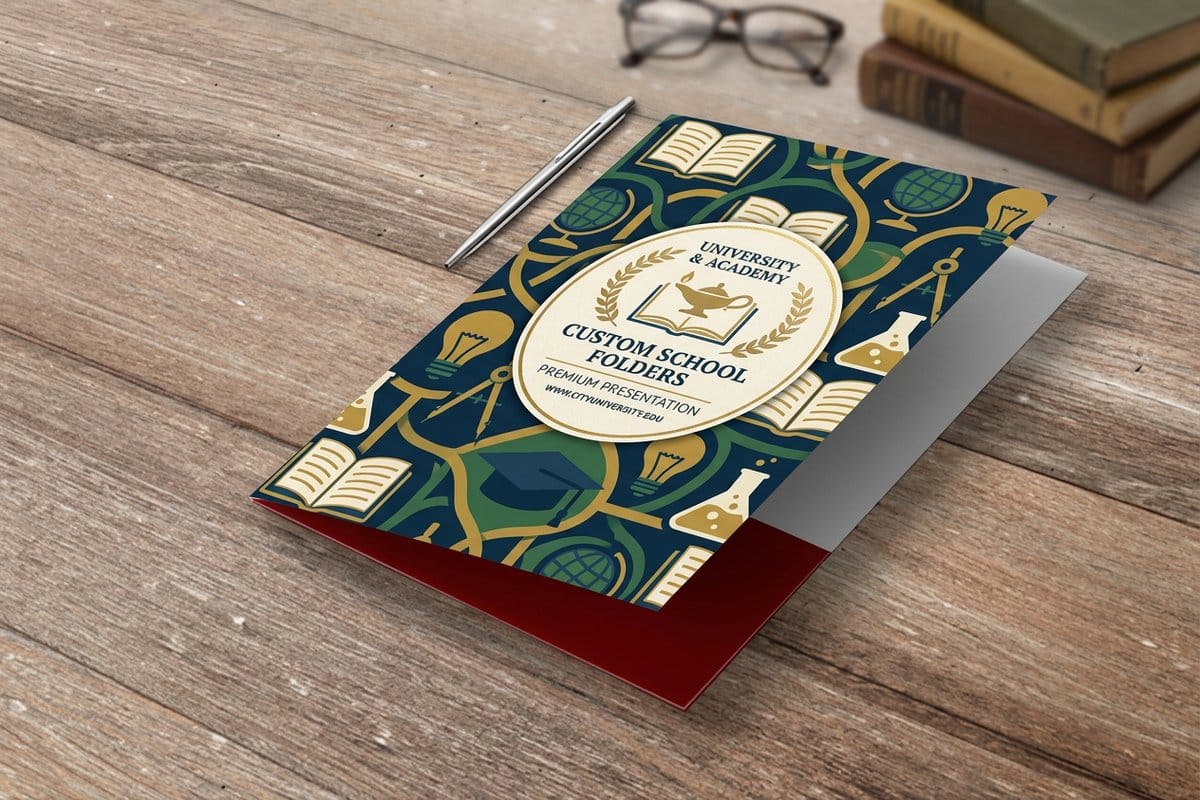
A company folder is the only piece of your marketing that someone holds while deciding whether to work with you. The proposal inside gets skimmed. The folder gets picked up, turned over, opened, closed, and carried out of the room. It sets the weight and the temperature of the whole conversation before a single number is read.
That is why folder design is not decoration. It is packaging for your argument. A clean cover with a confident mark tells a prospect that the company behind it is organized, and a flimsy folder with a stretched logo quietly undermines the strongest pricing sheet you will ever write. The good news is that folders are forgiving to design once you understand the structure you are designing on.
This guide walks the whole build, from the flat dieline through cover and pocket layout, paper stock, finishing, and the file you hand the press. If you are also refreshing the mark that will sit on the cover, our notes on custom logo design for your company brand are the right place to start, because a folder magnifies every flaw in a logo at nine by twelve inches.
Know the anatomy before you open a design file

A finished folder looks like a book, but it starts life as one flat sheet. Printing happens first, then the sheet is die cut to shape, scored where it needs to bend, folded, and glued at the pocket tabs. Every design decision you make has to survive those four steps.
The parts you are designing are the front cover, the back cover, the spine or score line between them, the pocket faces, the glue tabs behind the pockets, and any card slit cut into a pocket. The pockets and tabs are the tricky ones, because a tab that gets glued down is invisible in the finished piece, and a pocket face is partly covered as soon as documents go in.
Treat the folder as three visible zones. The cover is what people see closed. The interior panels are what they see open. The pocket faces are what stays visible with paper loaded. Design each zone for the state it is actually seen in, and the folder will read well at every moment of the handoff.
Pick the size and pocket configuration first

The default company folder is nine by twelve inches, which holds letter size pages with a comfortable margin so nothing catches on the edge as it slides in. That size is the safe answer for proposals, media kits, enrollment packets, and onboarding paperwork.
Configuration is the more interesting decision. A single deep pocket suits a thin, focused handout. Two pockets let you separate the pitch from the paperwork, which is useful when one half of the contents leaves with the client and the other half comes back signed. A business card slit on the right pocket keeps a card attached to the packet instead of loose in a bag.
Think about thickness too. A folder built for six sheets looks tidy and a folder built for six sheets stuffed with thirty gapes open at the top. If your packets vary, choose a heavier stock and a slightly taller pocket so the piece still closes flat when it is full.
Design on the dieline, never on a blank page

The single most common folder mistake is designing a nice nine by twelve cover and hoping the rest works out. It never does. Download the dieline for the product you are ordering and build the artwork directly on it, at full size, in one document.
Put the dieline on its own locked layer. Extend background color and imagery a full eighth of an inch past every cut line so the trim cannot expose a white sliver. Keep text and logos at least a quarter inch inside the trim, and further from any score, because a fold that lands on a word makes the word look like a mistake.
Watch the glue tabs specifically. Anything printed on a tab disappears under adhesive, and heavy ink coverage on a glue area can weaken the bond. Leave those zones clean. If you would rather not wrestle with the geometry, our free online designer and professional design help can set the file up correctly the first time.
Give the cover one message and a lot of room

A folder cover is not a brochure cover. It is seen closed, at arm length, usually on a table next to a laptop and a coffee cup. The design has about one second to communicate who you are, and it has to keep doing that from six feet away.
The formula that works almost every time is simple. Logo, one line of positioning, and generous space around both. Drop the address block, the service list, and the stock photography. If you want visual interest, get it from the material rather than from more elements, using a deep flood color, a subtle pattern at low contrast, or a spot gloss shape over a matte field.
Scale the logo deliberately. A mark that sits comfortably on a business card often looks timid on a nine by twelve panel, and the same mark blown up too far starts to look like a billboard. Print a test at actual size, tape it to a wall, and step back before you approve anything. Browsing graphic design portfolio examples is a fast way to calibrate how restrained a strong cover can be.
Make the pockets earn their space
Open a folder and you have two panels of prime real estate that most companies leave blank. You do not have to fill them, but you should decide about them on purpose rather than by default.
The reliable moves are short. Three or four capability lines on the left pocket. A client list, a certification, or a single testimonial on the right. Contact details and a QR code low on a pocket face where documents will not bury them. Whatever you place there, keep the top two inches of each pocket clear, because that band is covered the moment paper goes in.
Also plan what the folder holds. The inserts are part of the design, and a folder full of mismatched handouts undoes the impression the cover just made. If your inserts need a rebuild, the layouts in our roundup of company brochure examples pair naturally with a printed folder and keep the whole packet reading as one piece.
Choose stock and finish for how the folder feels in the hand
Weight is the first thing a hand registers. A 14pt cover stock is the practical baseline for company folders, and 16pt gives you a noticeably stiffer piece that keeps its shape while it is passed around a table. Anything lighter starts to buckle once documents load the pockets.
Coating changes the personality. Gloss laminate is bright, durable, and forgiving on photography. Matte reads calmer and more premium, and it photographs beautifully in a proposal shot. Soft touch laminate has a suede feel that people comment on out loud, which is a rare thing for a piece of printed paper to achieve.
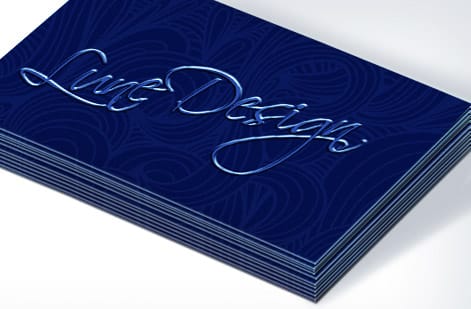
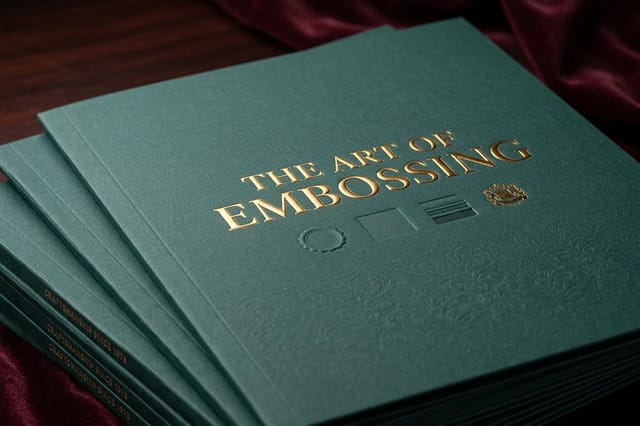
Specialty finishing is where a folder stops competing on layout. Both work best over a quiet cover with one focal element. For a wider view of how texture and metallic effects are being used right now, our look at notable packaging design trends transfers almost directly to folder covers.
Keep the folder inside your wider brand system
A folder rarely travels alone. It goes out with letterhead, a proposal, a business card, and often a follow up mailer. When those pieces share a color, a typeface, and a margin logic, the packet feels designed. When they do not, the folder just looks like a nicer wrapper around inconsistent paper.
Set three rules and apply them everywhere. One brand color at full strength plus one supporting neutral. One typeface family with a defined heading and body weight. One margin value that repeats across every piece. Those three constraints do more for perceived quality than any single clever layout.
Stationery is the piece most often out of step, because it usually predates the current identity by a few years. If yours needs to catch up, start with custom company letterhead printing so the pages inside the folder speak the same visual language as the cover. A branded seal on the closed folder is another low cost consistency win, and our list of ways to use logo stickers for promotion covers that trick and several others.
Prepare a file the press can run without questions
Most folder delays are file problems, not press problems. Build in CMYK from the start so nobody is surprised when a screen bright blue prints a shade duller. Place images at 300 dpi at their final printed size, not at 300 dpi scaled up 400 percent. Convert or outline fonts before you export.
Keep bleed at 0.125 inches on every cut edge including the pocket profiles, and keep a 0.25 inch safety margin for anything you cannot afford to lose. Delete unused swatches and hidden layers so no stray spot color rides along into plating. Export one press ready PDF with the dieline on a separate layer, clearly labeled, so production can switch it off.
Then check the proof like it is the finished piece. Read every word out loud, dial the phone number, scan the QR code, and confirm the logo is the current version and not a file someone found in an old folder on a shared drive. Approving a proof is the last cheap moment in the process.
What company folders cost and how to order yours
Folder pricing follows the same logic as any large format sheet job. Quantity, sheet size, paper weight, printed sides, coating, and specialty finishing set the number, and the per unit cost drops quickly as the run grows because the expensive part of the job is setup rather than paper.
At 4OVER4.COM, Education Presentation Folders start at $844.54, which is the practical starting point for a clean printed folder in volume.
The most cost effective approach is to finalize one design you are happy to live with for a year, order the full quantity in a single run, and store the surplus flat and dry. Request free paper samples before you commit, because the difference between a 14pt gloss and a 16pt soft touch is something you decide with your hands, not on a screen.
Wally explains company folders
It is one flat sheet until the very last step
Wally likes folders because they are honest. Everything you get wrong on the flat sheet shows up the moment it is cut and glued, and everything you get right feels expensive the second someone picks it up. His rule is short. Design on the dieline, leave the glue tabs bare, keep the cover to one idea, and let the paper do the bragging.
Design and print company folders →
Infographic
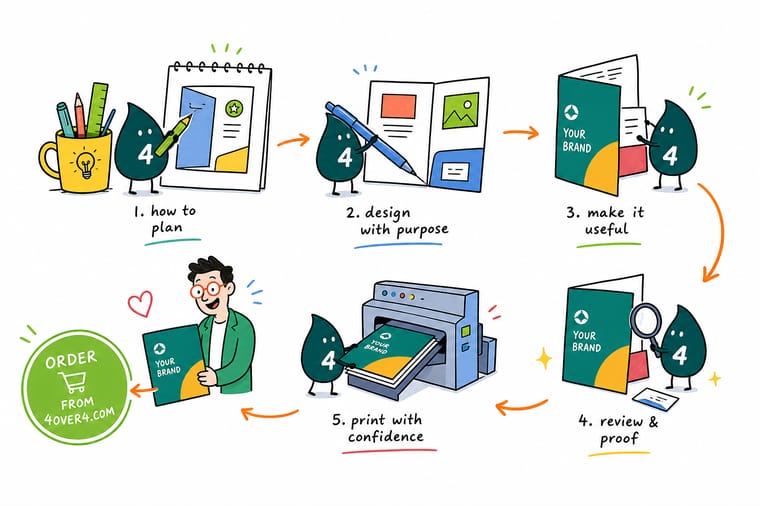
The 7 steps of a company folder design
One frame, seven steps, from the flat dieline to the finished folder on a client desk: dieline, cover, pockets, stock, finish, files and proof. On a 9 by 12 inch folder that means 0.125 inch bleed past every cut, 14pt or 16pt cover stock, and a CMYK PDF with the dieline on its own layer. Save it, share it with your designer, or keep it open while you build the file.
The seven steps run in order for a reason. A cover approved before the dieline is checked usually has to be rebuilt, and a finish chosen before the stock is settled often cannot be applied at all.
Specs and pricing
Presentation folder specs and live pricing
When the artwork is ready, the rest is configuration. Check the available sizes, stocks, and finishing options, then watch the price move as you change quantity and turnaround.

| Quantity | Price Per Unit | Total |
|---|---|---|
| 250 | $3.38 | $844.54 |
| 300 | $3.09 | $925.50 |
| 400 | $2.52 | $1,006.44 |
| 500 | $2.17 | $1,086.18 |
| 600 | $1.93 | $1,158.67 |
| 700 | $1.76 | $1,231.16 |
| 800 | $1.63 | $1,303.65 |
| 900 | $1.53 | $1,376.15 |
Print it
Company folders printed and finished at 4OVER4

Explore more
Where to go next

By the numbers
Folder printing measured in stocks and delivery
Common Questions
Common questions about company folders
What is a company folder?
A company folder is a printed presentation folder that carries your brand on the outside and holds loose documents on the inside. It is usually a single flat sheet of heavy cover stock, printed, die cut, scored, and glued into one or two interior pockets. Sales teams use it for proposals and pricing sheets, recruiters use it for onboarding packets, and schools use it for enrollment kits. It is the folder your name sits on while someone reads everything inside it.
Two pocket, card slit or embossed cover, and what decides it?
Start with what goes inside. If you hand over four or five letter size pages, a standard two pocket folder in 14pt gloss cover is enough. If you deliver contracts, a spec sheet, and a business card, add a card slit and a slightly deeper pocket. If the folder is the first thing a prospect touches, move to embossing or foil so the cover reads as premium before it is opened. Volume matters too, because a folder you reprint quarterly should stay simple enough to reorder without redesign.
What do company folders cost and how are prices set?
Price is driven by quantity, sheet size, paper weight, the number of printed sides, coating, and any specialty finishing. Education Presentation Folders start at $844.54, and Embossed Presentation Folders and Foil Presentation Folders both start at $1,037.97, which reflects the extra tooling those finishes require. Because folders print on large sheets, the cost per unit drops sharply as the run grows, so ordering a year of stock at once is usually cheaper than four small reprints.
What sizes, stocks, and finishes are available for company folders?
The standard company folder is 9 inches by 12 inches, sized to hold letter pages with a small margin. Cover stocks generally run from 14pt to 16pt so the folder holds its shape when it is full. Finishes include gloss, matte, and soft touch laminate, spot gloss over a matte field, blind or foil stamped embossing, and metallic foil in gold, silver, or a color match. Business card slits, rounded corners, and second pockets are the most common structural add ons.
How long does it take to print and ship company folders?
Plain printed folders move fastest because they only need printing, cutting, scoring, and gluing. Add embossing or foil and the job needs a die or a stamping plate made first, which adds production time before the press even runs. The safest approach is to approve your proof early, order in one run rather than in pieces, and keep a reserve on the shelf so a trade show date never depends on a rush.
Should the inside of a company folder be printed?
It depends on how the folder is used. If a client opens it in front of you and pulls pages out immediately, an unprinted interior in a solid brand color looks clean and costs less. If the folder sits on a desk for weeks, printed pockets earn their keep with a short capability list, a QR code, or contact details that survive after the inserts are filed away.
What file setup do printers need for a folder?
Build the artwork on the supplied dieline at full size, keep 0.125 inches of bleed past every cut edge, and pull live text at least 0.25 inches inside the trim. Use CMYK color, place images at 300 dpi at final size, and keep the dieline on its own layer set to overprint so it can be switched off before plating. Flatten or outline fonts, then export a single press ready PDF.
Get Started
Order 50 embossed folders from $1,037.97
Bring your dieline ready artwork to 4OVER4.COM and print company folders on heavy cover stock, with embossing, foil, and coating options finished in our own facility.
Legal Disclaimer
Gold Standard guarantees apply to all standard orders placed through 4over4.com. Price match requires verifiable proof of a competitor's published price for an equivalent product with matching specifications and turnaround time. Satisfaction guarantee covers manufacturing defects and print quality issues. Contact support with order number and documentation.
