
DVD Cover Size Dimensions and Print Specs


Emma is our prepress and print production voice, built from the knowledge of our production team, with over 20 years in printing.
A standard DVD cover is one full wrap that prints at 10.75 x 7.2 inches. Here is the exact size, spine width, bleed, and resolution that make a DVD cover print clean the first time.
A standard DVD case cover is a full wrap that prints at 10.75 x 7.2 inches (273 x 183 mm) trim. It is built from a 5.08 inch back panel, a 0.55 inch (14 mm) spine, and a 5.08 inch front panel on one continuous sheet. Add 1/8 inch bleed on every edge, keep art at 300 DPI in CMYK, and hold text 1/8 inch inside the trim for a print-ready DVD cover.

Quick tips
Quick tips for sizing a DVD cover
Build the full wrap as one 10.75 x 7.2 inch sheet, then split it into a back panel, a spine, and a front panel. Measure the case to set the spine width, add 1/8 inch bleed on every edge, keep text 1/8 inch inside the trim, and export at 300 DPI in CMYK. 4OVER4.COM customers who prep the file this way get a clean, ready-to-shelf DVD cover on the first run.
Case sizes
DVD case dimensions, standard, slim and Blu-ray
Before you size the printed wrap, size the shell it wraps. Height and width barely move between DVD case types, but the depth does, and that depth is the spine. Here are the four cases you are most likely to be packaging.
| Case type | Inches (H x W x D) | Millimeters | Spine thickness |
|---|---|---|---|
| Standard DVD case | 7.48 x 5.31 x 0.55 in | 190 x 135 x 14 mm | 0.55 in / 14 mm |
| Slim DVD case | 7.48 x 5.31 x 0.28 in | 190 x 135 x 7 mm | 0.28 in / 7 mm |
| Multi-disc DVD case | 7.5 x 5.25 x 1.54 in | 191 x 133 x 39 mm | 1.54 in / 39 mm |
| Blu-ray case | 6.69 x 5.31 x 0.47 in | 170 x 135 x 12 mm | 0.47 in / 12 mm |
Read the spine column first. It is the only number that changes the printed wrap, because the front and back panels stay the same while the middle strip grows or shrinks. A multi-disc case needs a spine more than five times wider than a slim case, so a template built for one will never fit the other. Measure your empty case with calipers or a ruler if you are unsure, then build the spine column to match before any artwork goes down.
To order, upload one PDF of the whole wrap at the case's size with 1/8 inch of bleed, which is 11 by 7.45 inches for a standard case, at 300 DPI in CMYK with fonts outlined. For a CD jewel case, our CD covers print on 100# gloss text in a 4.75 inch square panel or a booklet of up to four panels, from 25 covers in 5 business days.
What DVD cover size actually means

When people search for DVD cover size, they usually mean one of two things: the outer wrap that slides under the clear plastic on the front of the case, or the finished dimensions of the case itself. This guide covers both, but the number you build your file around is the full wrap, because that is the piece you send to print.
A standard DVD case measures about 7.48 x 5.35 x 0.55 inches (190 x 135 x 14 mm). The printed cover that wraps it is a single continuous sheet, not three separate panels, and it prints at 10.75 x 7.2 inches (273 x 183 mm) at trim. Get that wrap right and the artwork lines up on the front, the spine, and the back in one clean pass.
If you want to see how finished covers look in the real world before you build anything, browse the 4OVER4.COM CD and DVD cover designs for layout ideas, then come back and set up your own file.
Standard DVD cover dimensions

10.75 x 7.2 inches flat (273 x 183 mm), with an 0.55 inch spine and two 5.08 inch panels. That is the standard DVD cover, one rectangle split into three regions by the spine. The diagram below shows how the panels sit inside the trim, with bleed extending past the outer edge.
The plain numbers, for a standard 14 mm case:
- Full wrap trim: 10.75 x 7.2 inches (273 x 183 mm).
- Front panel: about 5.08 x 7.2 inches (129 x 183 mm).
- Spine: 0.55 inch (14 mm) wide.
- Back panel: about 5.08 x 7.2 inches (129 x 183 mm).
- Bleed: add 1/8 inch on every outside edge, so the file you export is roughly 11 x 7.45 inches.
- Upload: one PDF of the whole wrap, printed full color on one side, with a free online proof before the run.
Keep the document at 300 DPI in CMYK and you have a print-ready wrap. When you order cd covers at 4OVER4.COM, the product page lists the exact template so you never have to guess.
DVD cover dimensions in inches, mm and pixels
Every number you need on one card. Pixel sizes are at 300 DPI, the resolution a printed cover needs, so a standard wrap starts as a 3300 by 2235 pixel canvas with bleed and its spine guides sit 165 pixels apart, or 84 on a slim case.
| Item | Inches | Millimeters | Pixels at 300 DPI |
|---|---|---|---|
| Full cover wrap, trim | 10.75 x 7.2 | 273 x 183 | 3225 x 2160 |
| Full cover wrap, with 1/8 in bleed | 11 x 7.45 | 279 x 189 | 3300 x 2235 |
| Front panel only | 5.08 x 7.2 | 129 x 183 | 1524 x 2160 |
| Spine, standard 14 mm case | 0.55 x 7.2 | 14 x 183 | 165 x 2160 |
| Spine, slim 7 mm case | 0.28 x 7.2 | 7 x 183 | 84 x 2160 |
| Standard DVD case, outside | 7.5 x 5.3 x 0.55 | 190 x 135 x 14 | n/a |
| The disc | 4.7 diameter | 120 diameter | n/a |
The front, spine, and back explained

Each region of the wrap does a different job, so plan the art for all three at once.
The front panel is the face of the package. This is where the title, main artwork, and any logo live. Keep the most important elements centered and away from the outer trim so nothing gets clipped.
The spine is narrow but it is the part shelved and seen first in a rack. Set the title in a clean, readable weight and center it vertically. Because the spine is only 0.55 inch wide on a standard case, avoid tiny type and busy backgrounds here.
The back panel carries the description, track or chapter list, barcode, and legal text. Give the barcode a clear, light background so scanners read it every time. If you are packaging a whole product line, our marketing materials printing keeps the back-panel branding consistent with the rest of your print.
Spine width: standard case versus slim case

The single most common sizing mistake is guessing the spine. The spine width is set entirely by the thickness of the case you are packaging, so measure the empty case before you design.
- Standard DVD case (14 mm): spine is 0.55 inch (14 mm). This is the classic Amaray-style case most movies ship in.
- Slim DVD case (7 mm): spine drops to about 0.28 inch (7 mm), which changes the total wrap width, so do not reuse a standard template on a slim case.
- Double or multi-disc cases: these run thicker, so measure and rebuild the spine column to match.
If your title only lives in the spine on the standard case, rebuild it for slim cases rather than shrinking the whole layout. When the case type is unclear, order a proof or grab free paper samples from 4OVER4.COM first.
Bleed, safe zone, resolution, and color
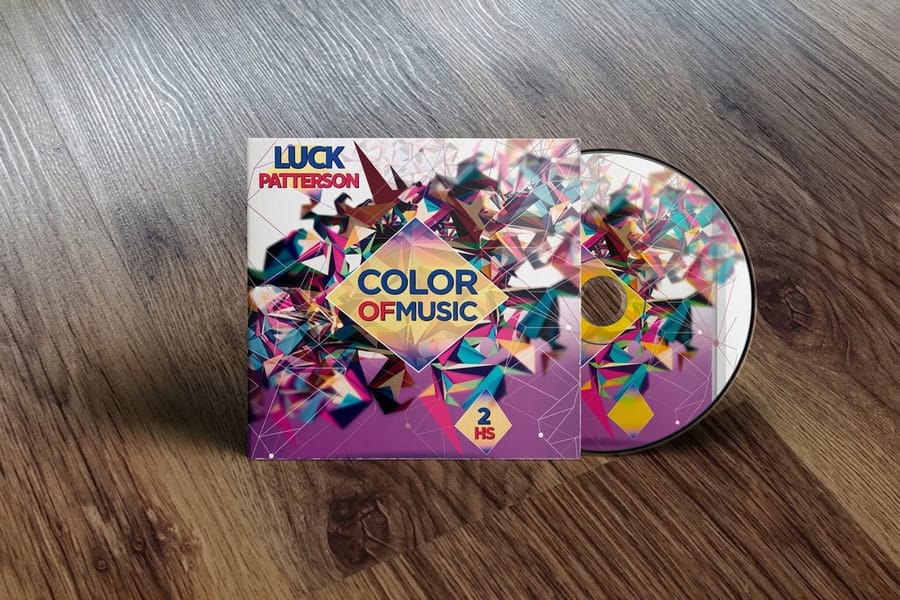
These four settings are what separate a clean cover from a reprint. None of them are optional.
Bleed. Extend any background color or image 1/8 inch (0.125 inch) past every trim edge. Cutting is precise but not perfect, and bleed guarantees no thin white line shows on the finished cover.
Safe zone. Hold text, logos, and barcodes at least 1/8 inch inside the trim, and keep them off the spine folds. Anything closer risks getting trimmed or wrapping onto the side of the case.
Resolution. Build at 300 DPI at final size. Web images at 72 DPI look sharp on screen but print soft and pixelated. In pixels, a standard full wrap at 300 DPI is 3225 x 2160 px at trim and 3300 x 2235 px once you add the 1/8 inch bleed. The front and back panels are 1524 x 2160 px each, the 0.55 inch standard spine is 165 px wide, and a slim 0.28 inch spine is 84 px. If your canvas is smaller than 3225 px across, the file is not full resolution.
Color. Set the document to CMYK, not RGB. A CMYK file prints the colors you approve, while RGB can shift toward duller tones on press. Our free Online Designer handles bleed and color for you if you would rather not wrestle with a template.
Setting up your DVD cover file, step by step

Follow this order and the file comes together in a few minutes.
- Measure the case spine and confirm whether it is a standard 14 mm or slim 7 mm case.
- Create a new document at 10.75 x 7.2 inches for a standard wrap, set to 300 DPI and CMYK.
- Add 1/8 inch bleed on all four sides in your document setup.
- Draw guides to mark the spine column and separate the back and front panels.
- Place your artwork, keeping titles and logos inside the safe zone and out of the spine.
- Export a print-ready PDF with bleed included and fonts embedded or outlined.
Prefer a starting point? The cd covers product page provides the exact template, and if you are also building folded inserts, our brochure folding guide shows how panels and folds line up.
Paper stocks and finishes for DVD covers
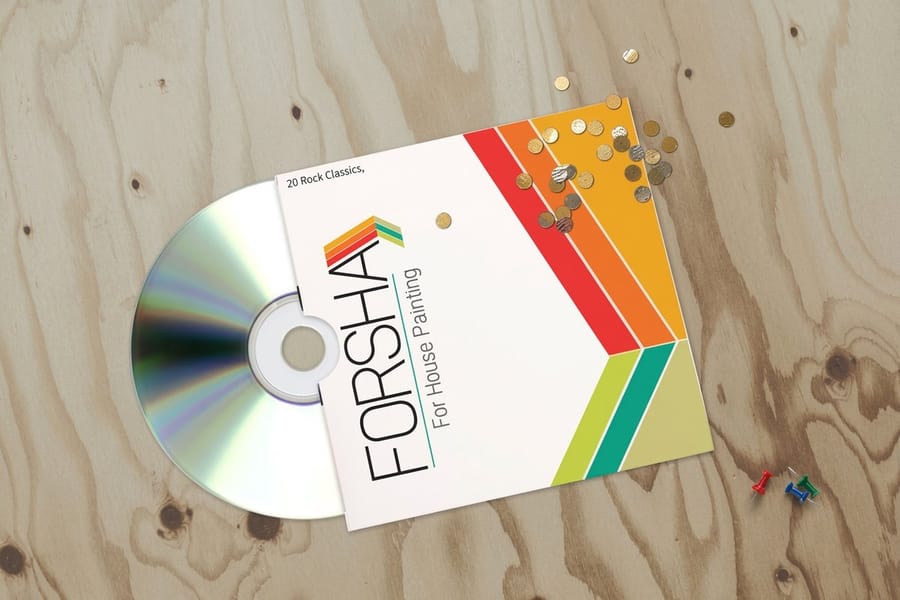
Size gets the file right, but stock and finish decide how the cover feels in hand. 4OVER4.COM prints covers on a range of weights, from lighter text stocks for booklet inserts to heavier cover papers for wraps that hold their shape: CD covers on 100# gloss text with a high gloss UV coating as an option, and CD sleeves on seven stocks from 80# gloss cover to 16pt gloss and 14pt white linen.
Gloss gives the brightest, most saturated color and makes disc artwork pop, which suits movies, music, and vivid photography. Matte reduces glare and reads as more premium and editorial. Soft-touch adds a velvety feel that stands out the moment someone picks it up.
If your DVD is part of a larger kit, printing the wrap on a stock that matches your booklets and inserts keeps the whole package feeling like one brand. Not sure which stock reads best for your art? Request free samples and hold them under your own lighting before ordering.
DVD cover size versus CD cover size

CD and DVD covers are close cousins but they are not the same size, so do not swap templates.
A DVD full wrap is 10.75 x 7.2 inches for a standard case, sized to the taller, wider Amaray-style shell. A CD front insert for a jewel case is a smaller square, about 4.75 x 4.75 inches, and CD booklets and tray cards follow their own dimensions again.
The rules that carry across both are identical: build the full wrap or insert as one piece, add 1/8 inch bleed, hold a 1/8 inch safe zone, and export at 300 DPI in CMYK. Whether you are packaging a film or an album, 4OVER4.COM prints cd covers and cd sleeves to the exact size your case needs. The cd covers and cd sleeves web stories tap through the build options.
Common DVD cover sizing mistakes to avoid

Even careful designers trip on the same few things. Avoid these and your cover prints right the first time.
Guessing the spine width. Always measure the case. A standard-case spine on a slim case throws off the entire wrap.
Skipping bleed. A background that stops at the trim line leaves white slivers after cutting. Extend it 1/8 inch.
Placing text on the spine folds. Type that crosses a fold wraps onto the side of the case and looks broken. Keep it centered in the spine column.
Uploading RGB at 72 DPI. Web-ready art prints soft and off-color. Convert to CMYK and rebuild at 300 DPI.
Designing panels separately. Build the wrap as one piece so the art flows across front, spine, and back without seams. For more file-prep help, our guide hub covers setup for envelopes, magnets, and more.
Wally explains DVD cover size
One wrap, three panels, zero guesswork
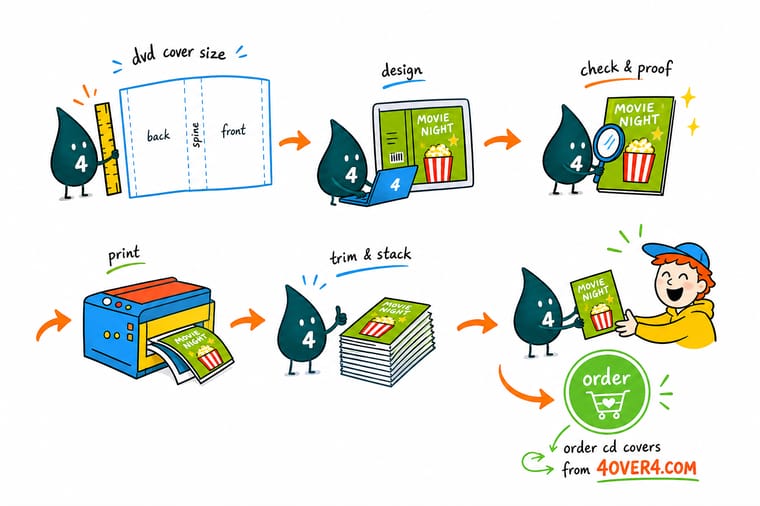
Wally treats a DVD cover like a single map: a 10.75 by 7.2 inch sheet folded into a back, a spine, and a front. Measure the case to set the spine, add an eighth-inch of bleed all around, keep the titles off the folds, and export at 300 DPI in CMYK. Get those four things right and the cover slides into the case and reads sharp on the shelf. When your file is ready, print it on the exact stock and finish your project deserves at 4OVER4.
Order cd covers →
Specs and pricing
Custom cd and DVD cover specs and pricing
Once your file is sized right, here is what a made-to-order cover gives you at 4OVER4.COM, with live specs and price-per-unit straight from the configurator.

| Quantity | Price Per Unit | Total |
|---|---|---|
| 25 | $3.03 | $75.80 |
| 50 | $1.67 | $83.48 |
| 100 | 91.2¢ | $91.18 |
| 150 | 65.9¢ | $98.86 |
| 200 | 53.3¢ | $106.55 |
| 250 | 45.7¢ | $114.24 |
| 300 | 41.7¢ | $125.22 |
| 400 | 34.0¢ | $136.20 |
Print it
Order covers, sleeves, and inserts at 4OVER4


See it in use
Covers and inserts we printed and folded









Explore more
Where to go next






By the numbers
Cover stock from a catalog of sixty
Common Questions
Common questions about DVD cover size
What is the standard size of a DVD?
The disc itself is 120 mm across, 4.7 inches, and 1.2 mm thick, the same footprint as a CD. The case around it is 190 x 135 x 14 mm, 7.5 x 5.3 x 0.55 inches, for the standard keep case.
What is the average size of a DVD case?
A standard keep case measures 7.5 x 5.3 inches with a 0.55 inch spine, 190 x 135 x 14 mm. A slim case keeps the same face and drops the spine to about 0.28 inch, 7 mm. Multi-disc cases grow the spine, so measure it before you set up a wrap.
What are the dimensions of a standard DVD cover photo?
The front panel alone is 5.08 x 7.2 inches, 1524 x 2160 pixels at 300 DPI. If the photo runs across the whole wrap, work at 10.75 x 7.2 inches, 3225 x 2160 pixels, and add 1/8 inch of bleed on the outside edges.
What is the standard DVD cover size?
A standard DVD case cover is a full wrap that prints at 10.75 x 7.2 inches (273 x 183 mm) at trim. That single sheet holds a 5.08 inch back panel, a 0.55 inch spine for a 14 mm case, and a 5.08 inch front panel. Add 1/8 inch of bleed on every outside edge and your finished art measures 11 x 7.45 inches before trimming.
How do I choose the right DVD cover size?
Start with the case. Measure the spine thickness of your empty case first, because that single number decides everything: a full 14 mm case takes a 0.55 inch spine, and a slim case takes roughly 0.28 inch (7 mm). Then pick the insert style you actually need, whether that is a full wrap, a folded booklet, or a paper sleeve. When in doubt, order a physical proof or free paper samples before you commit to a full run.
What does a DVD cover cost and how is the price set?
Pricing on cd covers at 4OVER4.COM is driven by the size, the paper stock, the finish, and the quantity you order, and the price per unit drops as the run grows. The live configurator on the product page shows the exact total the moment you pick your options, so there are no surprises at checkout. Larger runs and standard stocks are the most economical.
What sizes, stocks, and finishes are available for DVD covers?
Beyond the standard full wrap, 4OVER4.COM prints cd sleeves, paper wallets, and folded booklet inserts, so you can match the exact case you are packaging. Cover stock ranges from bright text weights to heavier cover papers, and finishes include gloss, matte, and soft-touch coatings. Gloss makes disc artwork pop, while matte and soft-touch give a more premium, low-glare feel in hand.
How long does DVD cover printing take to ship?
Turnaround depends on the stock, finish, and quantity you select, and the estimated production time appears in the configurator as you build your order. 4OVER4.COM runs on a 99.8 percent on-time delivery record, so the ship date you see is the ship date you get. For tight launch deadlines, choose an in-stock paper and standard finish to keep production moving.
Do I need to add bleed to a DVD cover file?
Yes. Extend your background art 1/8 inch (0.125 inch) past every trim edge so that no thin white slivers appear after cutting. At the same time, hold all text, logos, and barcodes at least 1/8 inch inside the trim, and keep them clear of the spine so nothing wraps awkwardly onto the side of the case.
What resolution and color mode should a DVD cover use?
Build the artwork at 300 DPI at final size and set the document to CMYK color, not RGB. RGB files can shift toward duller tones once they hit a press, while a properly prepared CMYK file at 300 DPI keeps titles sharp and skin tones and brand colors accurate on the finished cover.
What are the dimensions of a standard DVD case?
A standard DVD case measures 7.48 x 5.31 x 0.55 inches (190 x 135 x 14 mm). That 0.55 inch depth is the spine, and it is the number that sets the width of the spine column in your printed wrap. A multi-disc case runs about 7.5 x 5.25 x 1.54 inches, and a Blu-ray case is shorter at 6.69 x 5.31 x 0.47 inches (170 x 135 x 12 mm), so check which shell you are packaging before you build the file.
How thick is a slim DVD case?
A slim DVD case is 0.28 inch thick (7 mm), exactly half the depth of a standard 14 mm case. The height and width stay the same at 7.48 x 5.31 inches, so only the spine column changes. Rebuild the wrap with a 0.28 inch spine rather than shrinking a standard template, or the front and back panels land off center.
Get Started
Ready to print your DVD cover?
Set your size, pick your stock and finish, and we print a crisp, shelf-ready cover that fits the case perfectly.
Legal Disclaimer
Gold Standard guarantees apply to all standard orders placed through 4over4.com. Price match requires verifiable proof of a competitor's published price for an equivalent product with matching specifications and turnaround time. Satisfaction guarantee covers manufacturing defects and print quality issues. Contact support with order number and documentation.
