- Home
- content hub
- Unlocking Networking with QR Code Business Cards
 Share and earn
Unlocking Networking with QR Code Business Cards

Jan 21, 202695 views
Jan 21, 202695 views
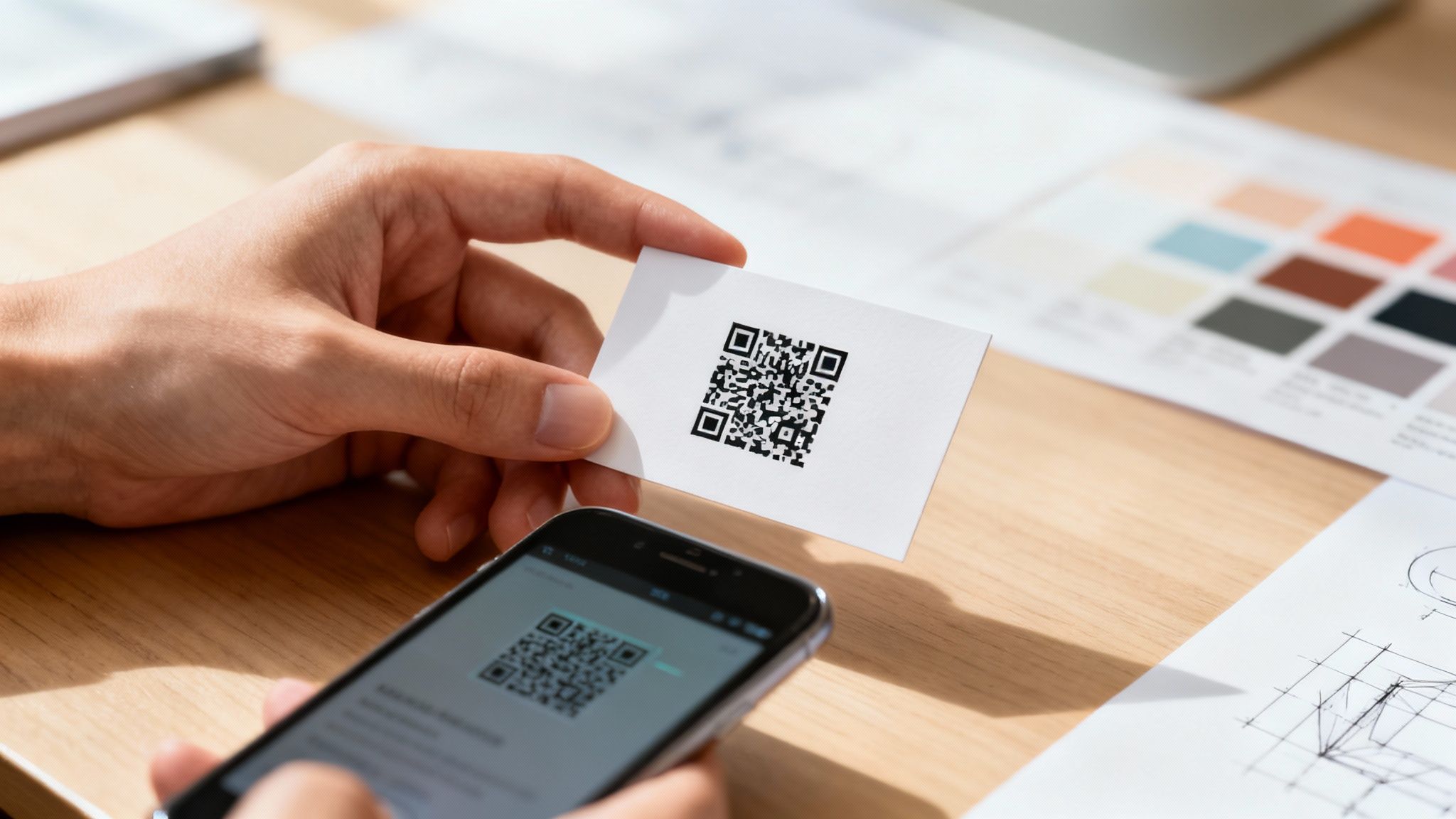
A QR code business card does more than just share your name and number; it cleverly merges your physical card with your digital world. Think of it as a direct bridge from a handshake to your website, portfolio, or social media, making it incredibly easy for new connections to engage with you right away.
Your Quick Guide To QR Code Business Cards
Putting a QR code on a business card isn't just about slapping a pixelated square onto the design. It’s about creating a functional, interactive networking tool that actually gets used. A great QR code card invites people to scan it and makes it effortless for them to learn more about you. The whole process involves a few key decisions, from picking the right kind of QR code to making sure the final print is perfect.
This guide will walk you through the five essential actions you need to get right. Each one is crucial for turning a simple piece of cardstock into an experience that grabs attention and delivers real results. Follow these steps, and you'll have a card that’s not just visually appealing but also a reliable gateway to your online presence.
And remember, beyond the tech, your business card is a cornerstone of your professional image. To really understand how it fits into your broader strategy, it’s worth exploring resources on creating a compelling brand identity. After all, it's one of the most powerful business marketing materials you'll ever have.
Key Takeaway: A well-executed QR code business card does more than share contact info—it starts a conversation and provides an immediate, measurable call to action for every person you meet.
To give you a clear roadmap, let's break down the core actions for making your QR code card effective.
Core Actions For An Effective QR Code Card
The table below summarizes the essential steps we'll be diving into. Think of this as your high-level checklist for planning, designing, and printing your next card.
| Focus Area | Key Action |
|---|---|
| Strategy | Choose between a static or dynamic QR code based on your goals. |
| Design | Ensure proper sizing, placement, and contrast for easy scanning. |
| Engagement | Include a clear and compelling call-to-action (CTA) near the code. |
| Printing | Prepare print-ready files with correct bleed and color specs. |
| Validation | Test the QR code thoroughly with multiple devices before printing. |
Getting these five areas right is the difference between a card that gets tossed and one that gets scanned, saved, and remembered.
Choosing Between Static and Dynamic QR Codes
When you’re creating a business card with a QR code, one of the first calls you'll have to make is whether to go with a static or dynamic code. This isn’t just some minor technical detail—it completely changes what your card can do for you long after you’ve handed it over. The two types are fundamentally different, and the right choice really comes down to what you want to achieve with your networking.
Static Codes: Set It and Forget It
A static QR code is the simplest of the two. It directly embeds information—like a URL or your contact details—right into the black-and-white pattern. Think of it like printing text directly on the card; once it’s printed, it’s permanent. You can't change it. This makes it a super reliable, no-fuss option for information that’s not going to change.
Maybe you’re a local baker who just wants to link people to your shop's location on Google Maps or a permanent "About Us" page. A static code is perfect for that. It’s free to generate, works forever, and requires zero ongoing management. You make it once, print it, and you're done.
Dynamic Codes: The Flexible Powerhouse
This is where things get interesting. A dynamic QR code is much more flexible. Instead of locking in your final destination, it encodes a short, unique URL that redirects to the content you want people to see. The magic is that you can change where that redirect points at any time, even after your cards are printed and in people's wallets.
Imagine you're a sales professional. This quarter, your QR code can point to a digital brochure for a specific product you're promoting. Next quarter, when you’re pushing a new service, you just log into your QR code provider and update the link. No need to trash a whole box of business cards.
This flexibility transforms your business card from a static piece of paper into a living document that adapts to your career, your marketing campaigns, or your latest project launch.
Expert Insight: Dynamic QR codes turn a business card from a simple information exchange into an active marketing channel. Being able to update the content and track who's scanning gives you invaluable data for measuring your networking ROI.
It's this adaptability that has caused QR code usage to explode. Global usage shot up by about 323% between 2021 and 2025, with dynamic codes grabbing 65% of the market share in 2024. This trend shows a clear move toward more interactive and measurable tools. You can dive deeper into these trends with these QR code statistics.
If you’re still on the fence, this decision tree can help you visualize the choice.
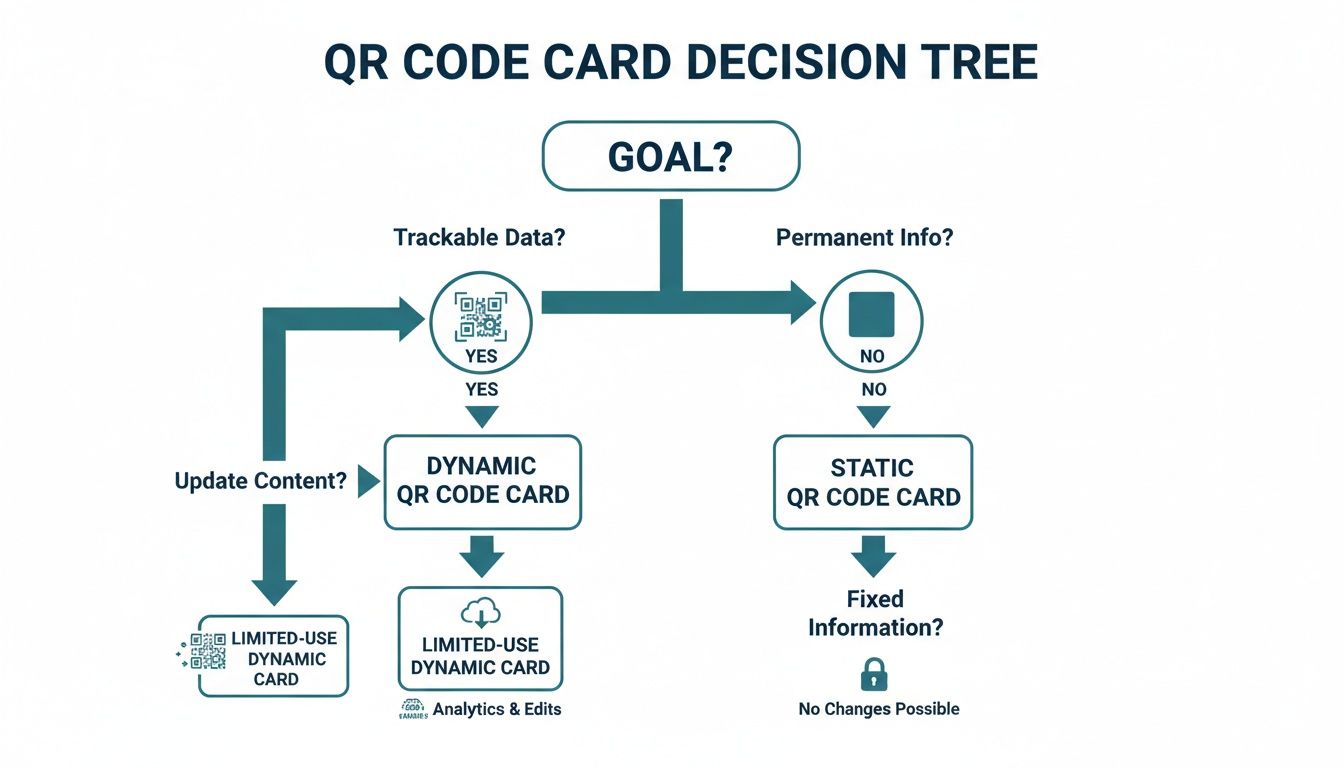
As you can see, if you need to track your scans or think you'll ever want to update the destination link, dynamic is the only way to go. Otherwise, a static code offers straightforward, permanent simplicity.
To break it down even further, here’s a quick side-by-side comparison.
Static vs Dynamic QR Codes At A Glance
| Feature | Static QR Code | Dynamic QR Code |
|---|---|---|
| Link Editing | No. The destination is permanent. | Yes. You can change the destination URL anytime. |
| Scan Tracking | No tracking or analytics available. | Yes. Tracks scans, location, time, and device. |
| Cost | Typically free to generate. | Usually requires a subscription fee. |
| Lifespan | Works forever as long as the link is live. | Requires an active subscription to function. |
| Best For | Permanent info like a website homepage or vCard. | Marketing campaigns, portfolios, special offers. |
Ultimately, a dynamic QR code gives you control and insight that a static code just can't match.
Track Engagement and See What’s Working
The killer feature of dynamic QR codes is the ability to track analytics. Because every scan goes through that short redirect link, the service provider can collect incredibly useful data. You can see things like:
- How many people scanned your card: A clear metric of engagement.
- Where they scanned it: Find out if that conference in Chicago was more effective than the one in Miami.
- When they scanned it: Learn if people are checking out your info right away or days later.
- What device they used: See if your audience prefers iPhone or Android.
For anyone serious about networking, this data is gold. It tells you which events are actually generating leads and which messages are landing with your audience. For marketers, it’s a must-have, providing clear metrics to justify the investment in print materials.
As you think about your own design, take a look at some of the best business card ideas to see how others are blending sharp design with smart functionality.
Designing Your Card For a Perfect Scan
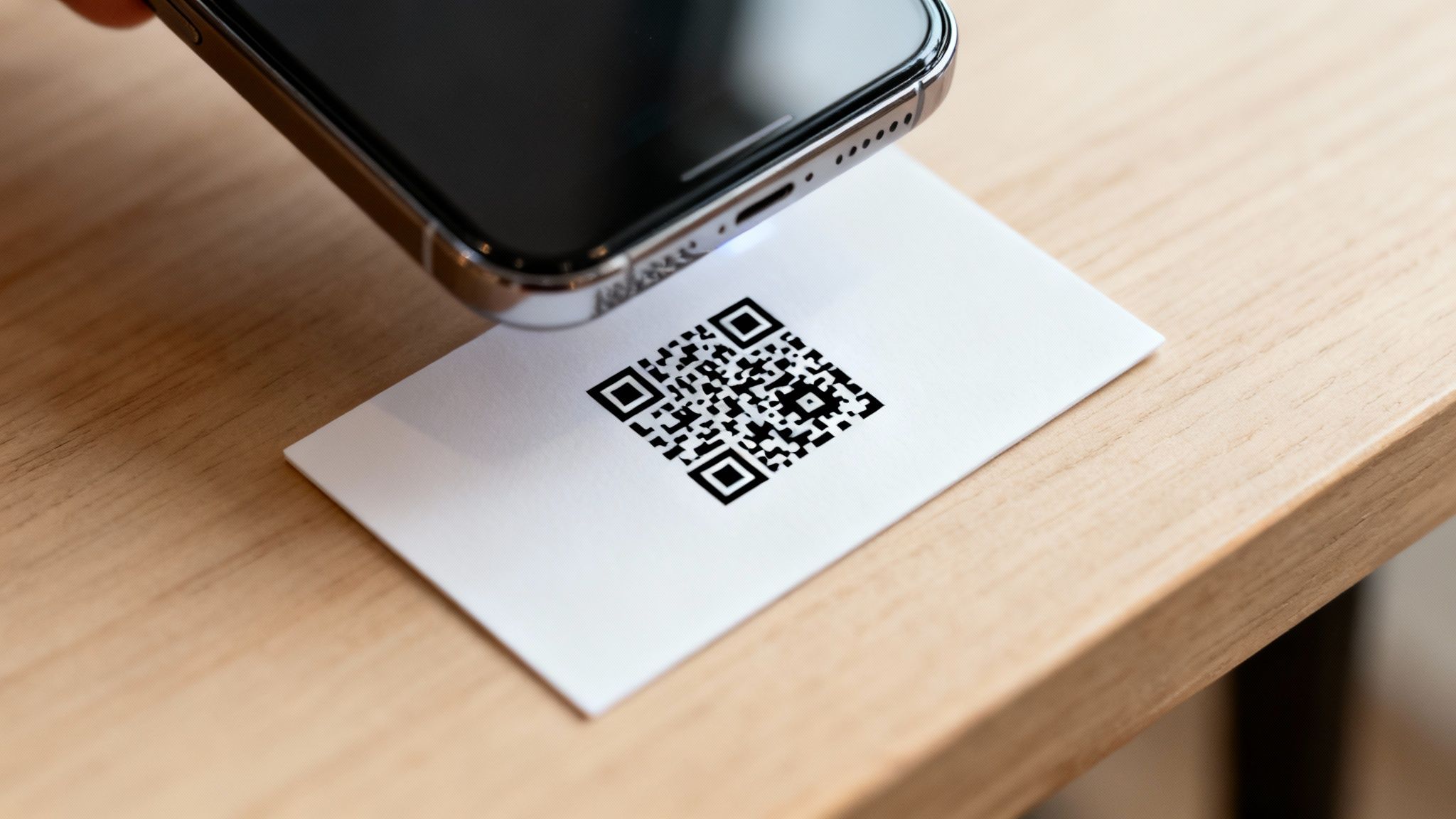
Let's be honest: a QR code that won't scan is just a useless, pixelated box. All that effort you put into choosing a dynamic code and a killer call-to-action is completely wasted if a phone camera can't actually read it. To make your qr code business cards work in the real world, the design has to put scannability first.
This all comes down to the practical stuff—size, placement, and contrast. It's easy to overlook these details, but a small mistake can make your code fail when someone tries to scan it on the fly in a dimly lit conference hall. Let’s get into the core design rules that will guarantee a perfect scan, every single time.
The Non-Negotiable Rules of Size and Space
When it comes to QR codes, size really does matter. If the code is too small, a phone's camera will just see a blurry mess it can't focus on. There’s a bit of wiggle room, but our print experts have landed on a reliable minimum to prevent scanning failures.
On a standard business card, your QR code should be at least 0.8 x 0.8 inches (which is about 2 x 2 cm). This gives smartphone cameras enough visual data to lock on and read the code quickly. You can always go bigger, but shrinking it down is asking for trouble.
Just as crucial is the empty space around the code. This buffer is called the quiet zone, and it stops other design elements—like text or logos—from confusing the scanner. The camera needs to clearly see the code's boundaries.
Pro Tip: A safe quiet zone is a margin equal to at least four of the tiny squares (or modules) that make up your QR code. When in doubt, a buffer of roughly a quarter-inch of clear space around the entire code is a solid rule of thumb.
Ignoring the quiet zone is probably the #1 reason QR codes fail to scan. It might feel like wasted real estate, but that little buffer is essential for performance.
Contrast Is King
There's a reason the classic black-and-white QR code is so common: it works. Scanners depend on high contrast between the dark squares and the light background to process the information. You can absolutely use brand colors, but you have to maintain a very strong contrast.
A light gray code on a white background? It’ll probably fail. A dark blue code on a black background? Definitely won't work. The scanner needs a crisp, clear difference to read the pattern.
Here’s how to use color without breaking your code:
- Always pair a dark color for the QR code itself with a much lighter color for the background.
- Avoid placing highly reflective or glossy finishes directly over the code. Glare is the enemy of scannability.
- Print a test copy and try scanning it with a few different phones in different lighting before you commit to a full print run.
A good benchmark is to aim for a contrast ratio of at least 4:1. If you're not sure your color combo will work, sticking with a black or dark-colored code on a white or pale background is always the safest bet.
Smart Placement On Your Business Card
Where you put the QR code is just as important as how it looks. You need it to be prominent enough to get noticed without wrecking your card's overall design. Tucking it away in a tiny corner is a surefire way to get zero scans.
Think about these placement strategies:
- Dedicate the back of the card. This gives the code maximum space and lets you pair it with a bold, clear call-to-action like, "Scan to see my work."
- Group it with other digital links. Placing the QR code near your website or social media handles creates a natural, intuitive flow. We have a whole guide on how to best arrange business cards with social media icons that can give you some ideas.
- Make it the star of the show. For a minimalist design, a well-placed QR code can serve as the primary visual element, immediately drawing the eye.
Whatever you do, don't place the code too close to the edge of the card. Print trimming isn't always perfect down to the micrometer, and even a tiny shift could slice into the quiet zone and render the code unscannable.
Using Special Finishes Without Ruining the Scan
Premium finishes like foil stamping or raised spot UV can make a business card feel incredible. But applying them directly on top of a QR code is a terrible idea. Shiny foil creates glare that blinds scanners, and the texture from raised UV can distort the flat pattern a camera needs to see.
So, do you have to pick between a fancy card and a functional one? Not at all.
The trick is to apply the finish around the code, not on it. Frame the QR code with a foil border. Add a spot UV gloss to your logo on the other side of the card. This way, you get that premium touch without sacrificing the scannability of your most powerful interactive tool. By following these design rules, you’ll end up with a card that’s both beautiful and brilliantly effective.
Getting Your Files Ready for the Presses at 4OVER4
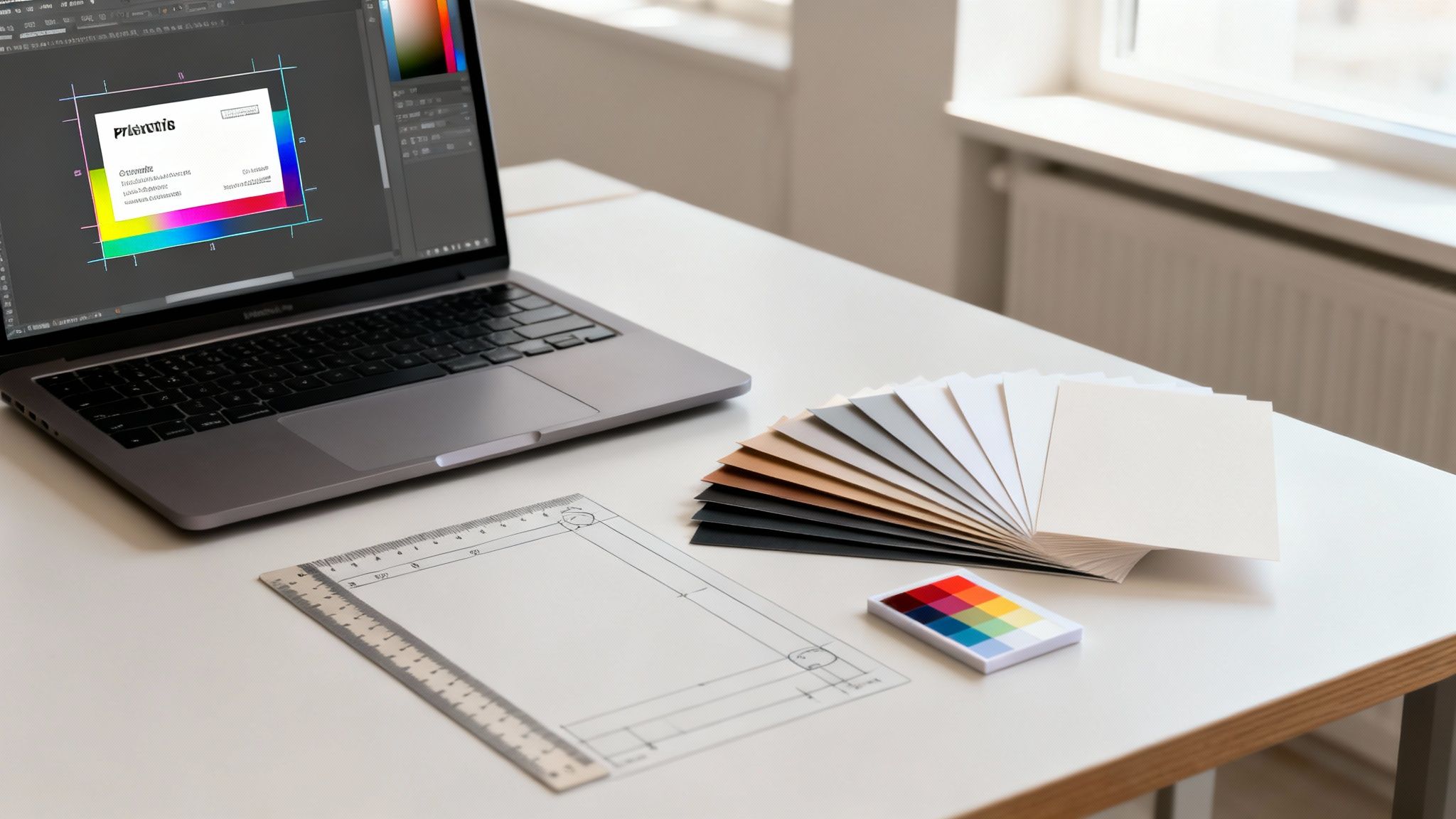
Alright, you’ve nailed the design and your QR code is scanning perfectly. The last hurdle is turning that digital file into a stack of crisp, professional business cards. This is where a lot of great concepts can fall flat—without the right file setup, colors might look off, or worse, important details get trimmed away.
Don’t worry, though. Getting your files print-ready isn't nearly as complicated as it sounds. We’ll walk through the essentials of bleed, color, and resolution so your printed qr code business cards look exactly like they do on your screen.
Mastering Bleed and the Safe Zone
Ever gotten a print job back with a weird, thin white sliver along one edge? That’s what happens when a design file is missing a bleed. Paper can shift ever so slightly during the high-speed cutting process, and a bleed is your insurance against those annoying imperfections.
Think of it as an extra margin of your background color or image that extends past the final trim line. For a standard 3.5" x 2" business card, you’ll want to add a 0.125-inch bleed on all four sides. This way, even if the cut is a hair off, the color still goes right to the very edge.
Just as important is the safe zone. This is an inner margin where you need to keep all the important stuff—your name, your contact info, and especially your QR code. Keeping everything at least 0.125 inches inside the trim line guarantees nothing critical gets accidentally sliced off.
Your Print-Ready Checklist:
- Bleed: Make sure your background extends 0.125 inches beyond the final card dimensions.
- Safe Zone: Keep all text, logos, and the QR code at least 0.125 inches inside the final trim line.
- File Format: Save your final design as a high-resolution PDF, JPG, or TIFF. It’s the best way to lock everything in place.
The Right Stuff: Color Mode and Resolution
Here’s a classic print mistake: designing in the wrong color mode. Your screen displays color using RGB (Red, Green, Blue) light, but our professional presses print with CMYK (Cyan, Magenta, Yellow, Key/Black) ink. If you send us an RGB file, the automatic conversion can make your vibrant colors look dull and muddy.
To keep your colors true, always design and export your files in CMYK color mode from the very beginning.
Resolution is the other piece of the puzzle. For a print to be sharp and clear, your file needs to be 300 DPI (dots per inch) at its final size. Anything lower will result in a blurry, pixelated card that just looks unprofessional. If you need a hand setting this up, our guide to business card dimensions in Photoshop breaks it down step-by-step.
Choosing Your Paper and Finish
The way a business card feels in someone's hand is just as crucial as how it looks. The paper stock and finish you choose says a lot about your brand, and at 4OVER4, we’ve got options for every vibe.
- Matte Finish: This is a classic for a reason. It’s non-reflective, easy to write on, and gives off a sophisticated, clean feel.
- Glossy Finish: Want your colors to pop? Glossy is your go-to. It's shiny, modern, and adds a high-impact look that grabs attention.
- Uncoated Stock: If your brand is more organic, crafty, or down-to-earth, the natural, textured feel of uncoated paper is a perfect match.
This is also a great time to think about sustainability. Did you know that over 8 billion business cards are printed each year, and a staggering 88% of them are thrown out in under a week? That’s a mountain of waste.
QR code cards are already a step in the right direction, and pairing them with our eco-friendly paper options sends an even stronger message.
Once your files are prepped and you’ve picked your stock, uploading to 4OVER4 is a breeze. Our system gives you an instant price quote and lets you choose options like same-day shipping, so you can get your new networking tools in hand and ready to go.
Getting Your QR Code Performance Just Right
Before you send your design off for a full print run, you have to be 100% sure that QR code works perfectly. Trust me, nothing kills a networking opportunity faster than a failed scan in front of a potential client. It just looks unprofessional. The best way to dodge this bullet is with a solid, real-world testing plan.
This isn't just about a quick scan with your own phone. To really know if it's ready, you need to mimic all the different ways people will actually scan your card out in the wild. This step ensures your QR code is tough, reliable, and ready to make connections.
The Real-World Testing Protocol
To properly vet your QR code, you've got to think like your audience. They're using different phones, standing in different rooms, and have varying levels of tech comfort. Your job is to make scanning your card a seamless, no-brainer experience for every single person.
Here’s a practical checklist I use:
- Test Across Multiple Devices: Don't just rely on your own phone. Grab an iPhone and an Android—ideally one newer model and one that’s a few years old—to cover your bases on compatibility.
- Vary the Scanning Apps: While most modern phones have a built-in camera scanner, some people still use third-party QR reader apps. It's smart to test with a couple of popular ones from the app store, just to be safe.
- Check Different Lighting Conditions: Scan a test print everywhere you can think of. Try it in bright, direct light, under normal office lighting, and even in a dimly lit space like a restaurant or conference hall. Glare and shadows are the biggest enemies of scannability.
- Scan from Different Angles and Distances: People won't always hold the card perfectly flat or at the ideal distance. Try scanning it from a slight angle, up close, and from a bit further away to see how forgiving it is.
Key Insight: The most common point of failure for QR codes isn't the code itself, but the context in which it's scanned. Testing for lighting, distance, and device variability is what separates a good QR code from a great one.
Unlocking Performance with Dynamic QR Codes
If you went with a dynamic QR code, testing is just the starting line. The real magic comes from optimizing its performance using the analytics your provider offers. This data turns your business card from a simple piece of paper into a powerful feedback tool.
You can find some serious insights by connecting this data to your other business systems. Many dynamic QR code platforms let you integrate with tools like Google Analytics. This lets you see not just that someone scanned your card, but what they did on your website after they scanned it. Did they check out your portfolio? Fill out your contact form? This is invaluable for measuring your networking ROI.
Troubleshooting Common Scanning Failures
If your QR code sputters out during testing, don't panic. The fix is usually pretty simple and falls into one of a few common categories. Running through these troubleshooting steps will solve the problem over 90% of the time.
One critical factor that often gets missed is the resolution of the QR code image itself. A low-resolution, pixelated code is going to have a hard time scanning cleanly. For a deeper dive on how this impacts your final print, you can learn more about what print resolution is and why it's so important for sharp, scannable results.
Here are the usual suspects and how to fix them:
- Low Contrast: The colors of your code and its background are too similar. You need to increase the contrast. A dark code on a light background is always the safest bet.
- Insufficient Quiet Zone: Text or other design elements are creeping too close to the code. Add more empty space around all four sides of the QR code to give it some breathing room.
- Code is Too Small: The physical size of the printed code is smaller than the recommended minimum of 0.8 x 0.8 inches. Make it larger in your design file.
- Complex Code: You've packed too much data into the code (this is especially an issue with static codes), making the pattern dense and hard for cameras to read. Simplify your destination URL or, better yet, switch to a dynamic code.
By systematically testing and troubleshooting, you ensure every card you hand out is a perfect reflection of your brand's quality and attention to detail.
Putting QR Codes to Work: Real-World Examples
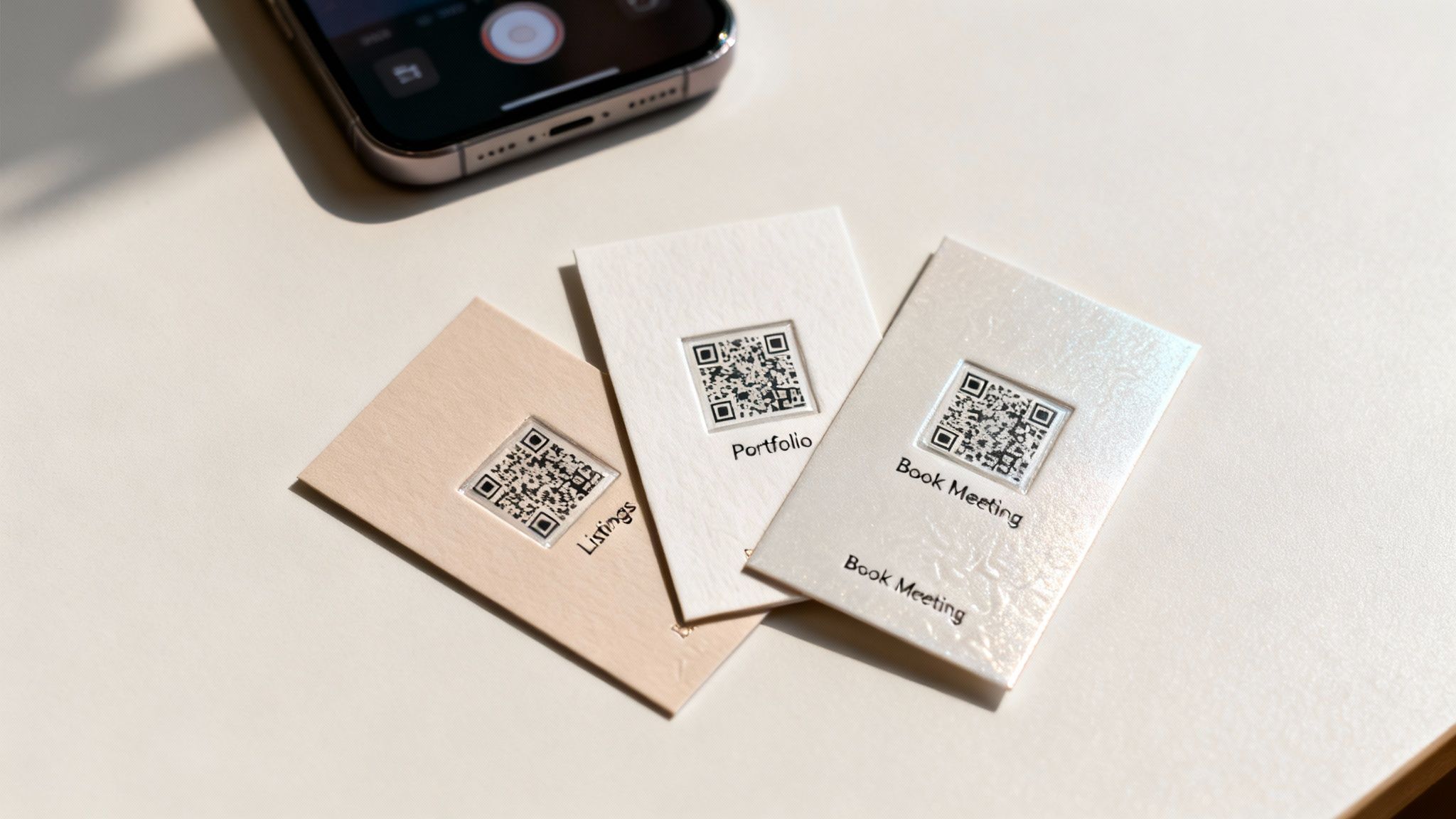
Theory is one thing, but the real magic happens when you see how professionals are actually using QR code business cards to get results. These aren't just a gimmick; they are practical tools that solve real problems, from drumming up new leads to making client onboarding a breeze.
Let's look past the "what ifs" and dive into a few scenarios where a quick scan turns a simple handshake into a genuine business opportunity. These examples show just how adaptable this technology is across different industries.
The numbers don't lie, either. The global market for digital business cards, which heavily relies on QR codes, was valued at $159.4 million in 2022. It's expected to balloon to $505.2 million by 2032, growing at a steady clip of 12.6% annually. That kind of growth only happens when something truly works.
The Always-Current Real Estate Agent
Picture a real estate agent holding a busy open house. Instead of passing out a standard card that’s outdated the moment a property sells, she hands out one with a dynamic QR code. The call to action is simple: "Scan to See My Latest Listings."
A potential buyer scans it and instantly lands on a mobile-friendly page with all her active properties. The next week, when one house is sold and another hits the market, she just updates the link in her QR code dashboard. Every card she's already handed out now points to fresh, relevant content—no reprints needed.
The Photographer’s Living Portfolio
A freelance photographer uses their business card as a direct gateway to their portfolio. When they're at a networking event or meeting a potential client, a scan of the QR code takes people straight to a gallery of their latest work.
This is a game-changer for a few reasons:
- Instant Proof: Clients see the quality of their work on the spot. No need to follow up with a link later.
- Always Fresh: They can swap out the destination URL anytime to showcase a recent project or a specific style relevant to the conversation.
- Drives Website Traffic: It funnels interested, high-value visitors directly to their online portfolio, boosting engagement.
The card is no longer just a piece of paper; it’s an interactive showcase.
A smart QR code strategy eliminates the friction between meeting someone and having them experience what you do. It closes the gap from "nice to meet you" to "wow, I need to hire you."
The Consultant Who Books Meetings Instantly
For a busy consultant, time is everything. Their QR code business card is designed to save it. When they meet a promising lead, a quick scan takes that person directly to their Calendly or booking page.
No more back-and-forth emails trying to nail down a meeting time. The prospect sees the consultant's availability and can book a discovery call right then and there. This simple function removes a major hurdle, making it incredibly easy for an interested person to take that next step.
If you're looking for the right places to make these connections, your QR code business card can be a powerful tool at the top private members clubs for networking in Dubai. As you can see, with a bit of foresight, a simple QR code can turn your business card into your most effective marketing asset.
Got Questions About QR Code Business Cards?
Even though QR code business cards are everywhere now, we still get a ton of questions from people figuring them out for the first time. Let's tackle some of the most common ones so you can feel completely confident before you send your design to print.
A lot of people ask how these really differ from a classic business card. Think of it this way: a standard card tells people who you are, but a QR code card shows them. It’s no longer a passive piece of paper; it’s an active, digital handshake that invites people to connect with you on the spot.
Can I Update The Link After My Cards Are Printed?
This is a huge one, and the answer is a definite yes—but with a catch. You have to use a dynamic QR code.
Like we touched on earlier, dynamic codes are brilliant because they use a special redirect link that you control. That means you can change where the QR code on your printed card points anytime you want. A year from now, that same card could send people to a new portfolio, a special offer, or your latest project.
Just remember, if you opt for a static QR code, that link is baked in forever. No changes allowed.
The Bottom Line: For total flexibility, always go with a dynamic QR code. It transforms your business card from a static object into a living marketing tool that can change as your business does.
How Do I Make Sure My Code Actually Scans Every Time?
A QR code that doesn't scan is worse than no QR code at all. It's a dead end for a potential connection.
Fortunately, ensuring your code works perfectly is simple if you stick to three core rules:
- Make It Big Enough: Your code needs to be at least 0.8 x 0.8 inches. Anything smaller is a gamble.
- Contrast is Key: Always place a dark code on a light, non-shiny background. Aim for a contrast ratio of at least 4:1 to be safe. Black on white is the gold standard for a reason.
- Give It Some Space: Don't crowd your code. Leave a clear, empty margin—what we call a "quiet zone"—of at least a quarter-inch around all four sides.
Nail these three things, and you'll sidestep the most common scanning fails. You'll give every new contact a smooth, professional experience from the very first scan.
Ready to create a business card that does more than just share your name? The expert team at 4OVER4 can help you print flawless QR code business cards that make a lasting impression. Design and order your cards today!
More from qr code business cards

23
Believe it or not, figuring out how to make a card in Word is surprisingly easy. You can knock out everything from slick, professional busines
Emma Davis
Jan 24, 2026

38
Printing on packaging takes a simple container and turns it into one of your most powerful marketing tools. It’s the very first physical int
Emma Davis
Jan 23, 2026

118
When you're getting ready to print a flyer, one of the first questions you'll face is, "What size should it be?" The most co
Emma Davis
Jan 22, 2026

166
How Our Free Business Cards Program Works (Quick Overview) Free business cards are available through two different
Emma Davis
Jan 22, 2026

91
In a world saturated with digital noise, the simple, tangible act of handing someone a beautifully printed piece can make your brand unforgett
Emma Davis
Jan 20, 2026

92
A pop up banner is a portable, free-standing display sign that’s an absolute workhorse for visual marketing. Think of it as your brand's
Emma Davis
Jan 19, 2026

119
Foam board printing is a fantastic way to get high-quality images and text onto a board that’s both lightweight and surprisingly rigid. It�
Emma Davis
Jan 18, 2026

102
Custom product label printing is all about creating unique, branded labels that turn your products from generic items into something instantly
Emma Davis
Jan 17, 2026