Table of Contents
- Home
- content hub
- Pro Guide to Business Cards with Social Media Icons
 Share and earn
Pro Guide to Business Cards with Social Media Icons

Sep 6, 20252328 views
Sep 6, 20252328 views
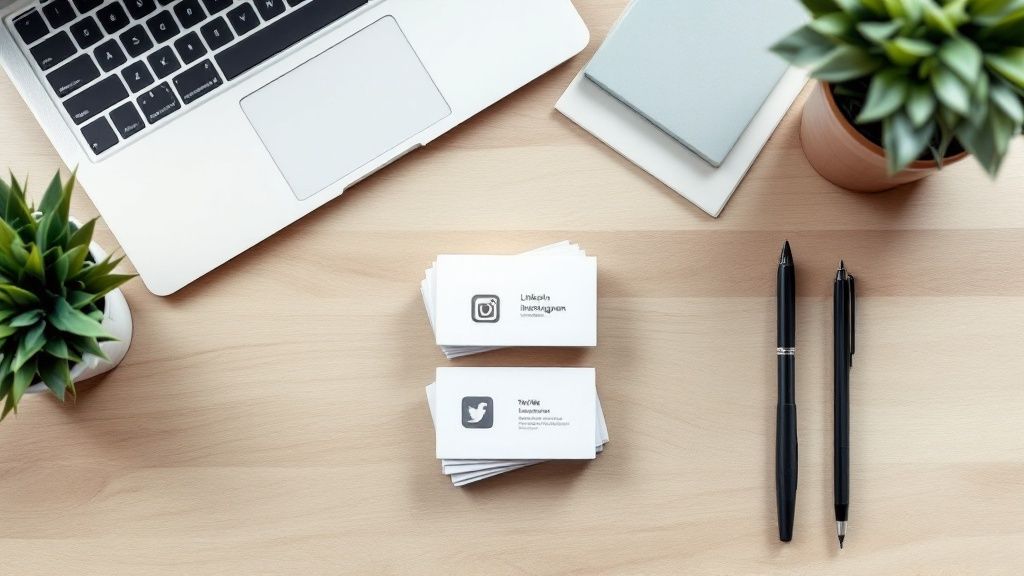
Think of your business card as a handshake. Now, think of social media icons on that card as the conversation that follows. Adding them transforms a simple piece of paper into a direct link to your digital world, letting new connections see who you are and what you're about long after you've parted ways. It’s the simplest way to make sure that first impression sticks.
Why Social Media Icons Belong on Your Business Card
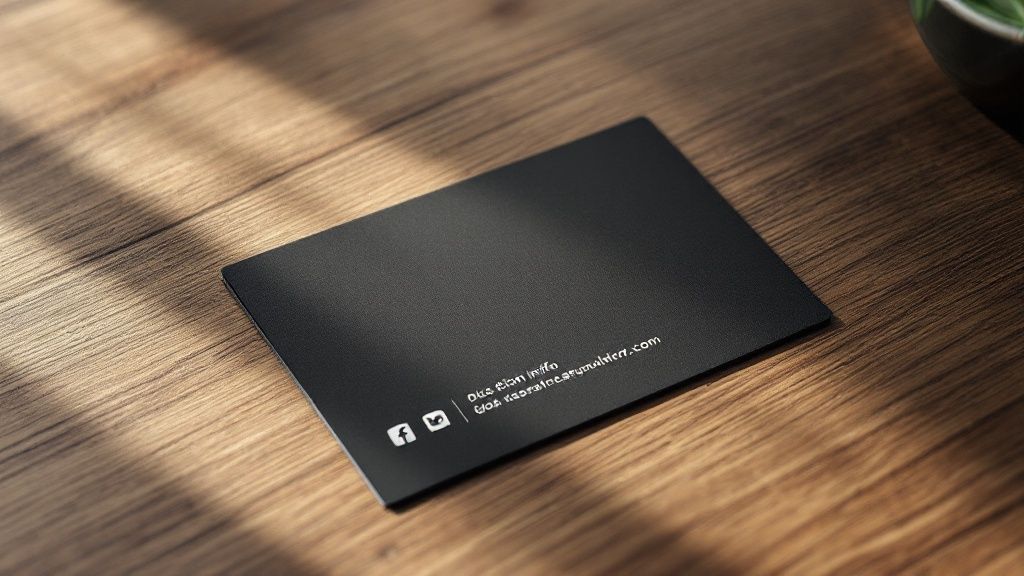
Let's be honest, in a world where your online presence pretty much validates your business's existence, a business card without social links feels like a missed opportunity. Your card gets the door open, but your social profiles are what invite people in. They act as a living, breathing portfolio of your work, your company’s vibe, and how you connect with your customers.
This is a huge deal, especially when you consider how quickly business cards are forgotten. A shocking 88% of business cards are tossed out within a week. That’s a tiny window to make an impact. By adding those little icons, you give people an instant, no-fuss way to connect with you online, turning a brief meeting into a relationship that can actually grow.
Extend Your Network and Build Credibility
Putting business cards with social media icons on the table does more than just share your handles—it builds instant trust. A solid, active social profile is your modern-day portfolio and a goldmine of social proof. Potential clients can see your posts, read what others are saying, and get a real feel for your brand’s personality. It just makes you seem more real and approachable.
This strategy also blows the doors wide open on your networking reach. That one person who follows you after getting your card? They can expose your brand to their entire network every time they like, share, or comment on your content. It’s a powerful ripple effect that a traditional card just can't create on its own. This isn't just a trend; it's a core part of modern branding. For a deeper dive into making this work for you, check out a complete guide to social media strategy.
By connecting the physical and digital, your business card stops being just a piece of contact info. It becomes an active marketing tool that invites people into your brand's ongoing story.
Selecting the Right Icons for Maximum Impact
It’s tempting to cram every social media profile you have onto your business card, but trust me on this one: a cluttered card is a forgotten card. The key is to think strategically, not exhaustively. Less is always more here.
So, how do you choose? Focus on the platforms that actually move the needle for your business—where your ideal clients hang out and where you shine the brightest.
Prioritize Your Platforms
Think about it from a potential client's perspective. If you're a wedding photographer, your Instagram and Pinterest are your visual portfolios. Slapping a rarely-used X (formerly Twitter) handle on there just adds noise. On the other hand, a B2B consultant should absolutely be pointing people to their LinkedIn profile to showcase their expertise and connections.
Your goal isn't to prove you're on every platform. It's to guide new contacts to the 2-3 places where they can see the best of what you do.
This isn't just a design preference; it has a real impact. Research has shown that 72% of people judge a company based on the quality of its business card. A clean, focused design with the right social icons makes a powerful first impression. It tells people you're intentional and you value their time.
The data backs this up. Take a look at which platforms professionals are featuring most often on their cards.
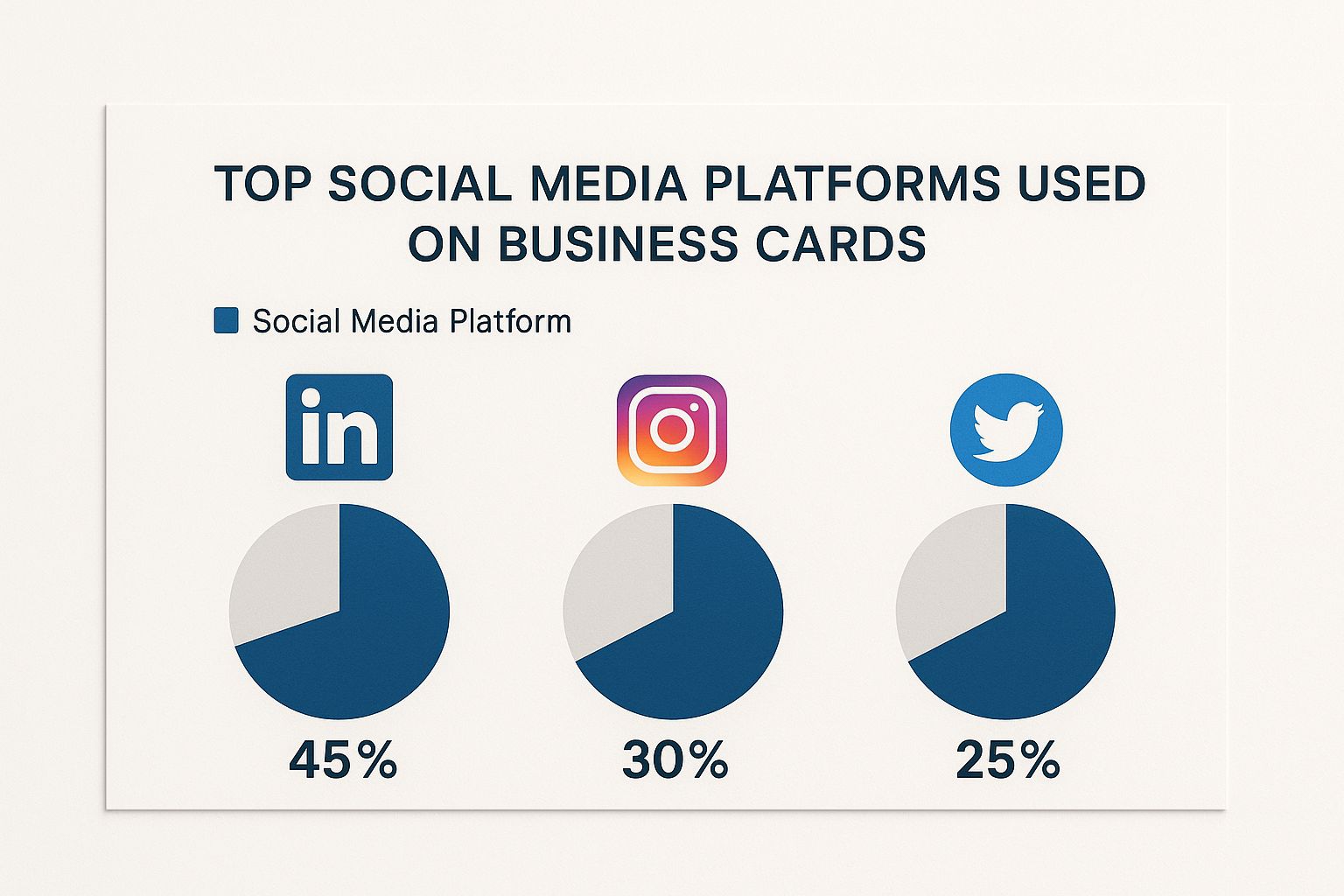
It’s no surprise LinkedIn is king for professional networking, with visual-heavy platforms like Instagram right behind. This just reinforces the need to align your choices with your specific industry and goals.
By being selective, you transform your business card from a simple contact list into a powerful tool that directs people to your best online assets.
This kind of intentional design is what makes printed materials so effective. If you're looking to create a cohesive brand image, explore our full range of professional marketing materials to see how every piece can work together.
Getting Icon Design and Placement Just Right
The little details are what take a business card with social media icons from just okay to genuinely impressive. When you nail the design and placement, you’re creating a clean, professional look that naturally guides the eye and makes it dead simple for someone to connect with you.
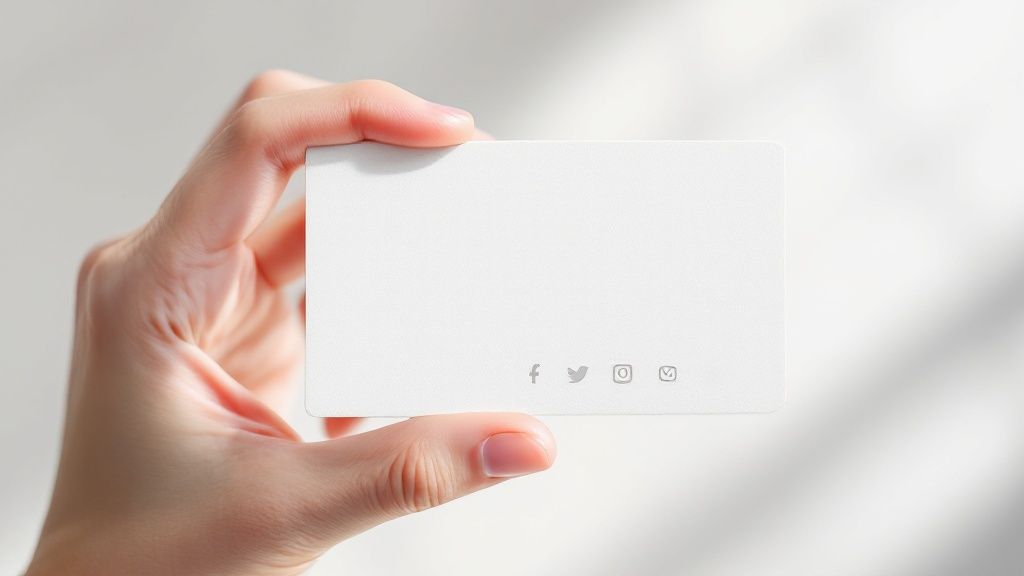
One of the first things you'll decide is the color. Do you go with the classic, full-color versions or opt for a monochrome look? Full-color icons can inject a bit of energy if your brand is on the playful side. But if you’re aiming for a sleeker, more sophisticated vibe, monochrome icons in black, white, or a single brand color are often the better move. They blend in beautifully without fighting for attention with your logo.
Next up is size. Your icons need to be big enough for someone to recognize at a glance, but not so big that they overpower the card. I’ve found a good rule of thumb is to keep them slightly smaller than the font size of your contact info. This way, they’re noticeable but still play a supporting role to the main event: your name and title.
Strategic Layouts That Actually Work
Where you put the icons is just as important as how they look. Throwing them on the card randomly just creates visual clutter. What you want is a clear path for the person holding your card to follow.
- The Horizontal Line: This is the classic for a reason. Lining up your icons in a neat row, usually along the bottom, creates a clean footer for your social links. It just works.
- The Vertical Stack: For a more modern or minimalist design, stacking icons vertically down one side can be a really stylish choice. It’s a great way to balance out the negative space on the card.
No matter which layout you land on, there’s one rule you can't break: always put your username or handle right next to the icon. An icon by itself is basically useless. It forces people to guess or search for you online, and let's be honest, they probably won't. Make it foolproof.
Paying attention to these details is what turns your card into a powerhouse networking tool. And if you really want to make a memorable impression, think about the texture and feel. Exploring options from a specialty printing collection can add that extra tactile quality that makes your card—and your brand—truly unforgettable.
Using QR Codes to Bridge Print and Digital
While a row of well-placed social media icons looks sharp, sometimes you need to direct people to more than just a single profile. That’s where a QR code becomes your secret weapon. It transforms your business card from a simple piece of cardstock into an interactive bridge, connecting your physical and digital presence in a single, elegant step.
Instead of trying to cram three or four different social media handles onto a tiny card, you can use one QR code to point people toward a central hub. This could be a Linktree profile, a personal portfolio website, or a dedicated landing page that neatly organizes all your important links. This approach keeps your design looking clean and uncluttered while still offering a ton of value.
The Power of a Single Scan
The magic of a QR code on your business cards with social media icons goes way beyond just saving space. One of the biggest wins is trackability. If you use a dynamic QR code, you can actually see how many people are scanning your card. This gives you instant, real-world feedback on how effective your networking is. Are people at that last conference actually engaging? Now you’ll know.
Flexibility is another huge advantage. Let's say you rebrand or decide to focus on a different social platform next year. Without a QR code, you'd be stuck with hundreds of outdated cards. With a dynamic QR code, you just update the destination URL online. Your existing cards will instantly redirect to the new link, saving you a ton of time, money, and hassle.
A QR code turns your business card from a static introduction into a measurable, ongoing marketing campaign. It’s the perfect link between a great first impression and genuine digital engagement.
This isn’t just a neat trick; it’s becoming standard practice for a reason. Recent data shows that including a QR code can boost user interaction by a whopping 20%. That's a serious lift in engagement from one small design choice. You can dig into this trend and other stats by exploring insights on digital business card usage.
To make your QR code work even harder, don't just leave it as a generic black-and-white box. Brand it! Many QR code generators let you pop your logo in the center or change the color to match your card's design aesthetic. You could even get creative and print the QR code as a separate, fun element. Imagine handing out a card and adding a cool, custom sticker with your QR code on it—it’s memorable and interactive.
Common Design Mistakes You Need to Avoid
It's one thing to add social icons to your business card; it's another thing to do it right. A few common slip-ups can take your card from professional to amateur in a heartbeat. The most frequent one I see? Using low-resolution icons that end up looking blurry or pixelated once they're printed.
Always—and I mean always—source high-quality vector files for your icons. This ensures they’ll be perfectly crisp and clean, no matter the size.
Another classic blunder is making the icons too small. Sure, you don't want to clutter your design, but an icon so tiny it's barely recognizable is just wasted space. They need to be big enough for someone to identify at a glance without overpowering your name and contact info. It’s all about maintaining a clear visual hierarchy.
The One Mistake You Can't Afford to Make
There's one error that completely defeats the purpose of adding social media info in the first place: forgetting your username. An icon by itself is a dead end. It forces people to go searching for you, and let’s be honest, most won't bother. Don't make them work for it—place your handle or username right next to the corresponding icon.
Just as bad is linking to a profile that's dormant, incomplete, or just plain unprofessional. Think of your social media presence as an extension of your brand. If a potential client follows the link on your card and finds an account full of outdated content or party photos, it does more harm than good. Only feature accounts you actively maintain and are genuinely proud to share.
A business card is a promise of professionalism. Linking to an inactive or messy social profile breaks that promise before the relationship even begins.
Finally, don’t let the card material itself let you down. Even the most brilliant design feels cheap on flimsy, low-quality card stock. If you want a card that not only looks premium but also holds up over time, consider exploring options like modern plastic business cards. This choice ensures your card—and its all-important social links—can withstand wear and tear while leaving a lasting, high-quality impression.
Answering Your Top Questions About Social Media Icons
As you're putting the finishing touches on your design, a few common questions always seem to surface. I've been there. Getting these details right is the difference between a card that looks professional and one that just looks… off. Let’s walk through the most common sticking points so you can finalize your design with confidence.
Can I Really Use Their Logos?
This is probably the #1 question I get. Do you need to ask for permission to use the official Instagram or LinkedIn icons?
The short answer is no, not for this kind of thing. Social media platforms want you to promote your profiles, so they're generally fine with you using their logos on marketing materials like business cards.
But there's a catch: you have to follow their brand guidelines. This isn't a suggestion; it's a rule. You can't just do whatever you want with their logos.
- Don’t change the colors. The Facebook blue is that blue for a reason.
- Don’t rotate or warp the logo.
- Don’t add weird effects or merge it with other graphics.
The whole point is instant recognition. Sticking to the official, unaltered icon is the safest—and frankly, most effective—way to go.
How Should I Format My Handles? And What About QR Codes?
Another thing that trips people up is how to actually write out their username. Full URL? Just the handle?
Keep it simple. For a clean, modern look, just put your handle right next to the icon. Think @yourbrand or /your-company-profile. Everyone knows what that means, and it saves a ton of precious real estate on your card.
So, when does it make sense to ditch the individual icons and use a QR code instead? I generally recommend a QR code in a few specific scenarios.
You're on more than three platforms. If you try to cram icons for LinkedIn, Instagram, X, Facebook, and TikTok onto a tiny card, it's just going to look cluttered and chaotic. A single QR code that links to a landing page (like a Linktree) is a much more elegant solution.
You want to track who's actually scanning your card. A dynamic QR code can give you real data on how many people are engaging with your card. This is a game-changer for seeing if your networking efforts are paying off.
You're going for a super minimalist vibe. A single, clean QR code can consolidate your entire online presence into one scannable square, keeping your design sleek and uncluttered.
The choice really boils down to your main goal. If you want to drive traffic to one or two key platforms, icons are perfect. If you want to offer a gateway to your entire digital world without the visual noise, a QR code is definitely the way to go.
By sorting out these common issues, you can move forward knowing your card is polished, professional, and ready to make a great first impression.
Ready to create a business card that truly connects? 4OVER4 has a super intuitive online design tool and thousands of templates to help you get started. Design your perfect business cards with social media icons today.
More from

12
At its core, 10 pt cardstock is a versatile, lightweight paper perfect for a huge range of professional printing projects. Th
 Emma Davis
Apr 1, 2026

34
Picking the right type of paper can feel like a secret language, full of strange terms like GSM, cover, and coated. It's
Emma Davis
Mar 31, 2026

56
A printing cost calculator is an online tool that gives you instant, real-time price quotes for custom print jobs. It takes all the guesswork
Emma Davis
Mar 30, 2026

181
Getting your flyer design from a digital concept into a customer's hands involves a few key stages. You’ll need to nail the design with
Emma Davis
Mar 29, 2026

58
A quick free label template download is often the single fastest way to get professional-looking packaging without needing to
Emma Davis
Mar 28, 2026

70
Eco-friendly packaging isn't some fringe trend anymore. It’s a core part of how smart businesses build their brand and earn customer loy
Emma Davis
Mar 27, 2026

63
So you need a custom banner printed. The first question that pops into your head is probably, "Where do I even go for this?" You’v
Emma Davis
Mar 26, 2026

142
Ever wondered what are carbonless forms and how they create perfect copies without that messy blue paper? Think of them as th
Emma Davis
Mar 25, 2026