
Printing a Newsletter That Gets Noticed

    user icon

    Emma Davis

    Content Writer

    Sep 8, 2025526 views

    Sep 8, 2025526 views

    Printing a Newsletter That Gets Noticed

    Printing a newsletter is a fantastic way to cut through all that digital noise and forge a real, tangible connection with your audience. When you get the design and print choices right, you end up with a memorable marketing tool people actually hold onto—making a much deeper impression than an email they'll forget in five minutes.

    Why Print Newsletters Still Win

    Image

    Let's face it, we're all drowning in digital content. A physical newsletter, though? That’s a refreshing change of pace. Unlike an email you can delete with a single click, a printed piece has serious staying power. It can live on a coffee table, get pinned to a bulletin board, or even be passed along to a friend, stretching its reach far beyond the original mailbox.

    This physical quality creates a much stronger sensory connection. The feel of the paper, the vibrancy of the ink, and the simple act of sitting down to read it makes your message feel more significant and memorable. It’s no wonder so many organizations, from local shops to major nonprofits, continue to see the value in them.

    Building Deeper Connections

    A well-made print newsletter does more than just share information; it builds a genuine sense of community and loyalty. Think of it as a curated experience delivered right into your audience’s hands.

    For a real estate agent, it’s a brilliant way to become a familiar face in a target neighborhood. For a charity, it’s a heartfelt report that shows donors the real-world impact of their contributions.

    These tangible touchpoints are absolute gold for brand building. Here’s why:

    • They Establish Credibility: A professionally printed piece shows you're invested and serious about your message.
    • They Enhance Engagement: People simply spend more time with physical media than they do with fleeting digital ads.
    • They Drive Action: With QR codes and clear calls-to-action, you can easily bridge the gap between your printed piece and your online presence.

    A printed newsletter isn't just another marketing tool; it's a physical artifact of your brand's story. It demonstrates a level of care and consideration that digital communications often lack, fostering a deeper sense of trust and connection with your audience.

    Even with the digital boom, print media is still a financial heavyweight for many publishers. Print circulation and advertising revenues make up just under 45% of total revenue for media companies, proving its lasting power in keeping readers engaged.

    To get a better handle on the bigger picture your newsletter fits into, check out this comprehensive content marketing guide. And while newsletters are a cornerstone, they work even better alongside other materials. It’s worth learning a bit about designing impactful brochures to really round out your strategy.

    Nail Your Newsletter File Setup for Flawless Printing

    Image

    Here’s a little secret from the world of print: the success of your newsletter is decided long before it ever hits the press. Getting the file setup right from the get-go is the foundation for a professional, impressive final product. Think of this as your pre-flight checklist—it’s what prevents those costly reprints and ensures your digital vision translates perfectly to paper.

    Before you even launch your design software, take a moment to clarify your goals. What's this newsletter for? Is it a vibrant sales tool for a local boutique, meant to drive foot traffic with eye-catching visuals? Or maybe it's a content-heavy update for a non-profit, where readability and a professional tone are the top priorities. Your objective will steer every single design choice you make.

    Essential Technical Specs

    Once you have a clear goal, it's time to get the technical details ironed out. Trust me, overlooking these settings is one of the most common reasons people are disappointed with their print run.

    Here are the absolute non-negotiables:

    • Color Mode: Your design file must be set to CMYK (Cyan, Magenta, Yellow, Black). Screens use RGB (Red, Green, Blue), and if you design in that mode, you’ll see some pretty dramatic color shifts when it’s printed.
    • Resolution: Ensure all your images and graphics are at least 300 DPI (dots per inch). Anything lower will come out looking blurry or pixelated. No exceptions.
    • Bleed: You'll need to add a 0.125-inch bleed on all sides of your document. This is a small margin of extra space for any colors or images that run to the very edge of the page. It’s what prevents those awkward white slivers from appearing after the final trim.

    Setting up your file correctly from the start is the single most effective way to save yourself time and money. It completely cuts out the frustrating back-and-forth with your printer and ensures the final product lands in your hands looking exactly as you imagined—no expensive do-overs required.

    While the email newsletter market is massive—expected to reach 4.73 billion users by 2026—the tangible, physical nature of a printed piece gives you a unique edge. A perfectly prepared file ensures your newsletter makes a professional impression that truly stands out in a digital world.

    Ultimately, a flawless file is the first step toward a successful print run. Getting these details right from the start paves the way for a smooth process, whether you're ordering a small batch for a local event or exploring large-scale digital printing options for your campaign.

    Choosing the Right Print Options for Your Brand

    Once your design file is ready, you get to the fun part: bringing your newsletter to life in print. This is the moment your brand's personality jumps off the screen and becomes a tangible object your customers can hold. The choices you make here—from the paper to the fold—define the entire experience.

    Think of it like this: if you’re a small business owner using a platform like 4OVER4 for the first time, you’ll see a menu of options. You've got size, paper, and finish to consider. The classic 8.5" x 11" is the go-to for a reason. It's familiar, easy to handle, and typically the most budget-friendly option.

    Paper Stock and Finish Matter

    The paper you choose is a silent ambassador for your brand. A glossy finish, for example, is perfect for a real estate agency's newsletter. Those vibrant property photos will absolutely pop off the page. On the other hand, a local farm might go for a thicker, uncoated paper to give off a more rustic and down-to-earth vibe. The texture itself becomes part of your message.

    Image

    This quick breakdown shows that you don't need a massive budget to get a professional result; quality paper stock is more accessible than you might think.

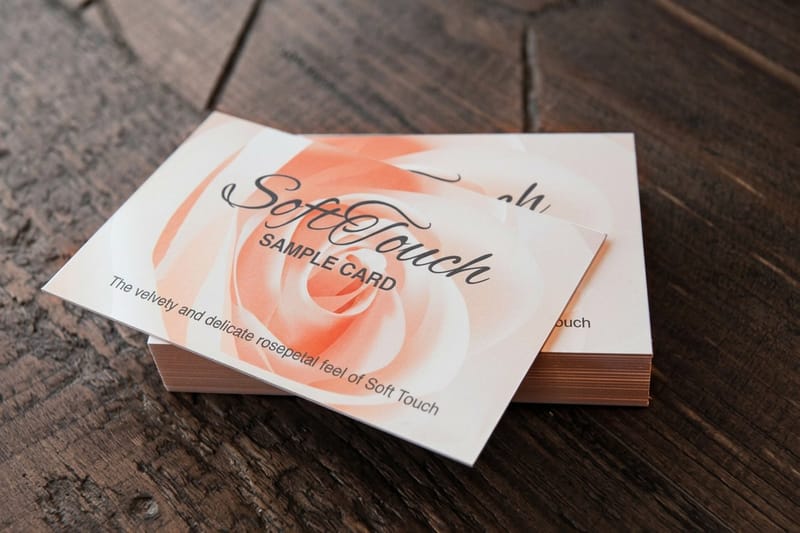
    Don't feel limited to the basics, though. If your brand is all about that high-end, premium feel, you can dive into more unique textures. Exploring specialty printing collections can uncover some incredible options like linen or soft-touch finishes that add a memorable, tactile quality.

    Folds That Fit Your Format

    How your newsletter is folded completely changes how someone reads it and how you should structure your content. Each fold style creates a different "reveal" as the reader opens it up.

    • Bifold (Half-Fold): This is your classic four-panel layout (front cover, inside left, inside right, back cover). It’s straightforward and works beautifully for designs that are heavy on images.
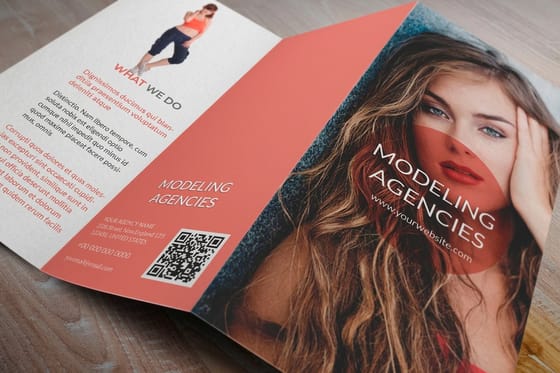
    • Trifold: This fold gives you six distinct panels, making it perfect for organizing a lot of information into digestible chunks. If your newsletter is text-heavy, a trifold breaks it up so it feels less intimidating.

    Your print choices are a direct extension of your brand identity. A sleek, glossy finish might be perfect for a modern tech company, while a textured, matte paper better suits an artisanal bakery. Don't just pick what's standard; pick what tells your story.

    The 4OVER4 platform lays out all these configuration options in a clean, step-by-step format, so you know exactly what you're choosing.

    Image

    What's really helpful is the instant pricing calculator. It adjusts in real-time as you click through different options, giving you total control over your budget while you customize the perfect newsletter.

    Mastering the Artwork Upload and Proofing Process

    Image

    This is it—the final, critical step before your newsletter hits the presses. Uploading your artwork is where your design meets the real world of professional printing. Getting this part right is what separates a flawless final product from a frustrating reprint.

    Before you even think about hitting that "upload" button, give your design file one last, thorough check. Your safest bet, and the undisputed industry standard, is to save your final version as a print-ready PDF. This format locks in your fonts and images, preventing any nasty surprises when we open the file on our end.

    Your Final File Checklist

    Run through these non-negotiables one last time. Trust me, it’s worth it.

    • Image Resolution: Is every single image a crisp 300 DPI? This is the number one culprit behind blurry, amateur-looking print jobs. Don't let it be yours.
    • Font Embedding: Make sure all the fonts you used are either embedded in the file or converted to outlines. This stops our printers from swapping in a default font if they don’t have your specific one installed.
    • Color Mode: Your document absolutely must be in CMYK, not RGB. This prevents disappointing and unexpected color shifts when your digital design is translated to ink on paper.

    Even as digital channels explode—one email platform reported a jump from 402 million emails sent in 2021-2022 to an incredible 15.6 billion in 2024—the demand for high-quality, physical media hasn't gone away. If anything, the intense competition for attention makes a professional print job more important than ever. You can dig deeper into the state of modern newsletters on the Beehiiv blog.

    Never Skip the Proofing Stage

    Once your file is uploaded, you’ll get a digital proof back from us. This is your last chance to catch any mistakes before it's too late. Review it with an eagle eye.

    The digital proof is your final safety net. Think of it as the definitive version of what will be printed. If you approve a proof with an error, you are approving that error to be printed.

    Check for everything. I'm talking tiny typos, grammatical errors, weird color variations, or alignment issues that might have crept in.

    If your project is highly color-sensitive or you're ordering a very large run, ordering a hard copy proof is a smart investment. It lets you see and feel exactly what the final newsletter will look like, giving you total confidence before you commit to the full print order.

    Getting Your Newsletter Into the Right Hands

    A stunning stack of newsletters won't do much good sitting in a box. The real magic happens when you get your printed piece into the hands of your audience, turning your investment into a powerful marketing tool.

    Think beyond simply leaving them on a counter. An e-commerce business can tuck a newsletter into every outgoing product shipment, adding a personal touch that enhances the unboxing experience. A local café could use them as high-value takeaways at the register, giving customers something tangible to remember them by. This physical presence creates a lasting impression.

    Bridge the Print and Digital Worlds

    One of the smartest strategies I've seen for newsletters today is integrating digital touchpoints directly onto the page. You can easily connect your physical and online worlds with a simple addition.

    • QR Codes for Special Offers: Add a QR code that links directly to an exclusive discount or a special landing page. This is a fantastic way to track engagement and reward loyal readers.
    • Links to Social Media: Encourage readers to follow your journey by including a QR code that opens your Instagram or Facebook page.

    Your printed newsletter isn't just a static document; it's an active gateway to your entire brand ecosystem. By making it easy for readers to jump from the page to your website or social channels, you create a seamless and interactive brand experience.

    If you're looking for a more targeted outreach campaign, you're not just limited to in-person distribution. You can explore professional direct mail services to send your newsletters directly to potential customers in specific neighborhoods, creating a memorable first impression that cuts through all the digital noise.

    Got Questions About Printing Your Newsletter? Let's Talk.

    When you're ready to take your newsletter from a digital file to a physical product, a few questions always pop up. It's totally normal. Getting the answers sorted out before you hit "print" can save you a ton of headaches and make sure the final piece is something you're proud of.

    Let's dive into some of the most common things people ask when they're getting ready to print.

    Avoiding Rookie Mistakes

    By far, the biggest and most expensive mistake we see is using low-resolution images. I get it—a photo looks perfectly fine on your monitor, which displays everything at 72 DPI. But print is a different ballgame.

    For your newsletter to look sharp and professional, every single image you use needs to be at least 300 DPI. Anything less, and you'll end up with fuzzy, pixelated photos that cheapen the whole look.

    Paper Finish, Budgeting, and Getting it Mailed

    Another hot topic is the paper finish. If your newsletter is packed with vibrant photos, a glossy coat is your best friend. It makes colors leap off the page and gives everything a high-energy feel. On the other hand, if your design is more text-heavy and you're aiming for a classic, sophisticated vibe, a matte finish is the way to go. It cuts down on glare and feels great to the touch.

    And of course, everyone wants to know if they can save money. The answer is a huge yes—printing in bulk is always cheaper. The per-piece price drops significantly when you order larger quantities because the setup cost gets spread out. If you know you'll need newsletters for a few months, ordering a larger run upfront is the smartest move for your budget.

    A great newsletter design is only half the battle; you also have to get it to your readers. Don't forget to think about how you'll mail them. The size and paper weight can affect your postage costs, so it's a good idea to also order custom, branded envelopes for your newsletters to create a truly professional mailer.


    Ready to bring your newsletter to life? At 4OVER4, we make printing a newsletter simple and affordable. Explore our options and get an instant quote today!

    More from printing a newsletter

    The Definitive Guide to Table Tent Specs for Perfect Printing
    story
    The Definitive Guide to Table Tent Specs for Perfect Printing

    10

    When you hear "table tent specs," what we're really talking about are the foundational details for printing them correctly: the

    author avatarEmma Davis

    Jan 27, 2026

    Your Ultimate Guide to poster sizes inches: Standard Poster Sizes Explained
    story
    Your Ultimate Guide to poster sizes inches: Standard Poster Sizes Explained

    61

    When you're ready to print a poster, one of the first questions you'll face is, "What size should it be?" The industry has a

    author avatarEmma Davis

    Jan 26, 2026

    45+ Creative Ideas for the Back of a Business Card
    story
    45+ Creative Ideas for the Back of a Business Card

    88

    Picture this: you're at a networking event, and someone hands you their business card. You do the usual glance—name, title, company—an

    author avatarEmma Davis

    Jan 25, 2026

    How to Make a Card in Word for Pro Results
    story
    How to Make a Card in Word for Pro Results

    104

    Believe it or not, figuring out how to make a card in Word is surprisingly easy. You can knock out everything from slick, professional busines

    author avatarEmma Davis

    Jan 24, 2026

    Your Guide to Printing on Packaging That Captivates Customers
    story
    Your Guide to Printing on Packaging That Captivates Customers

    104

    Printing on packaging takes a simple container and turns it into one of your most powerful marketing tools. It’s the very first physical int

    author avatarEmma Davis

    Jan 23, 2026

    A Complete Guide to Flyer Size Dimensions for Perfect Printing
    story
    A Complete Guide to Flyer Size Dimensions for Perfect Printing

    326

    When you're getting ready to print a flyer, one of the first questions you'll face is, "What size should it be?" The most co

    author avatarEmma Davis

    Jan 22, 2026

    How Free Business Cards Actually Work (Updated for 2026)
    story
    How Free Business Cards Actually Work (Updated for 2026)

    332

    How Our Free Business Cards Program Works (Quick Overview) Free business cards are available through two different

    author avatarEmma Davis

    Jan 22, 2026

    Unlocking Networking with QR Code Business Cards
    story
    Unlocking Networking with QR Code Business Cards

    179

    A QR code business card does more than just share your name and number; it cleverly merges your physical card with your digit

    author avatarEmma Davis

    Jan 21, 2026

    Home
    Products
    Cart
    Account
