Table of Contents
- Home
- content hub
- A Complete Guide to Flyer Size Dimensions for Perfect Printing
 Share and earn
A Complete Guide to Flyer Size Dimensions for Perfect Printing

Jan 22, 20261516 views
Jan 22, 20261516 views
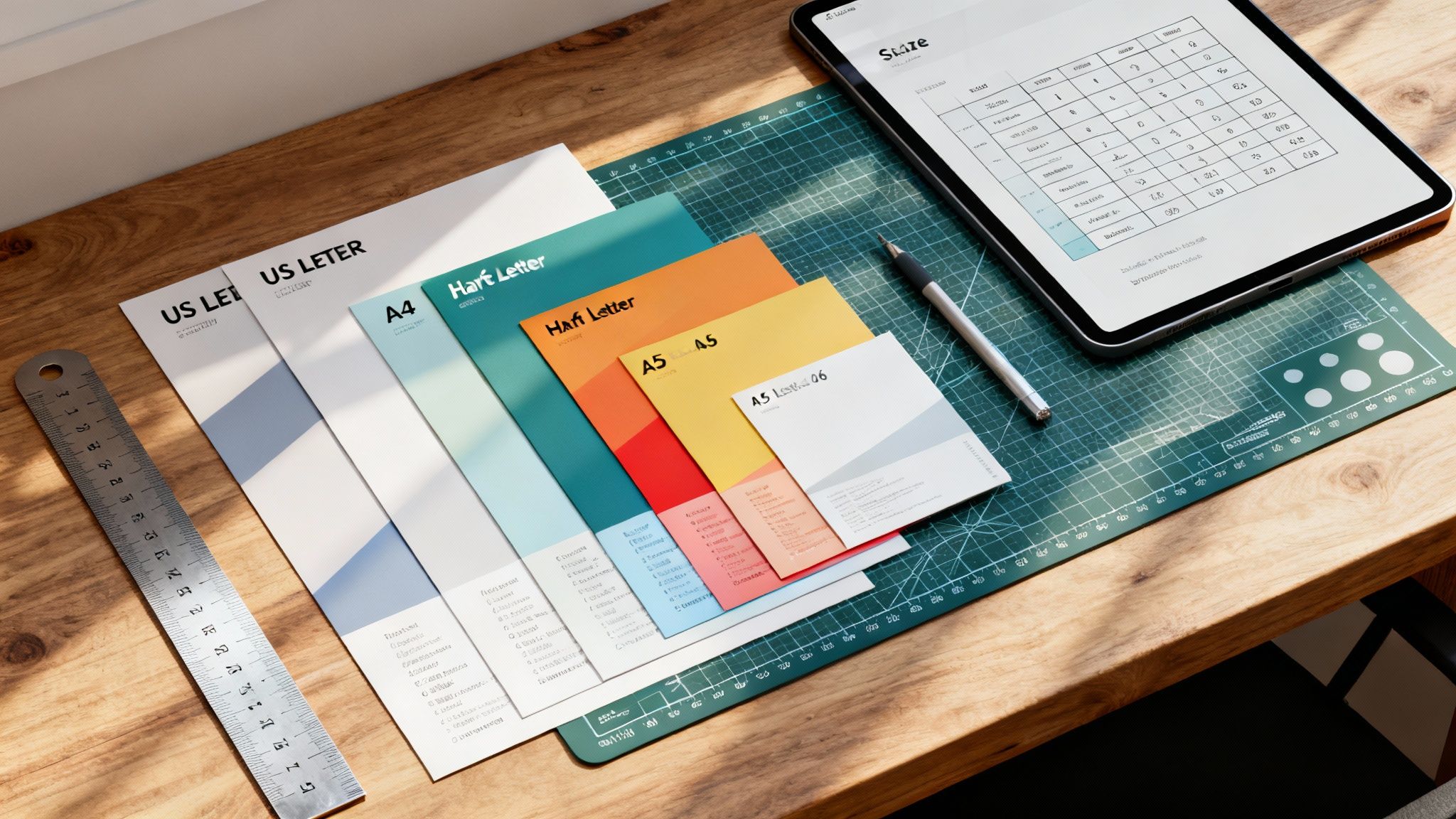
When you're getting ready to print a flyer, one of the first questions you'll face is, "What size should it be?" The most common choices are US Letter (8.5 x 11 inches) in North America and A4 (8.27 x 11.7 inches) pretty much everywhere else. These two workhorses cover a huge range of marketing needs, from event promotions to detailed informational handouts. Getting a handle on these standard sizes is your first step toward creating print materials that really work.
Quick Reference for Standard Flyer Sizes
Picking the right flyer size dimensions is a bigger deal than you might think. It directly impacts your design, budget, and even how you'll get them into people's hands. Are you passing them out at a trade show, dropping them in the mail, or pinning them to a community bulletin board? Each scenario might call for a different size to best get your message across. This section is your cheat sheet, giving you an at-a-glance look at the most popular US and international flyer sizes to help you make a smart choice fast.
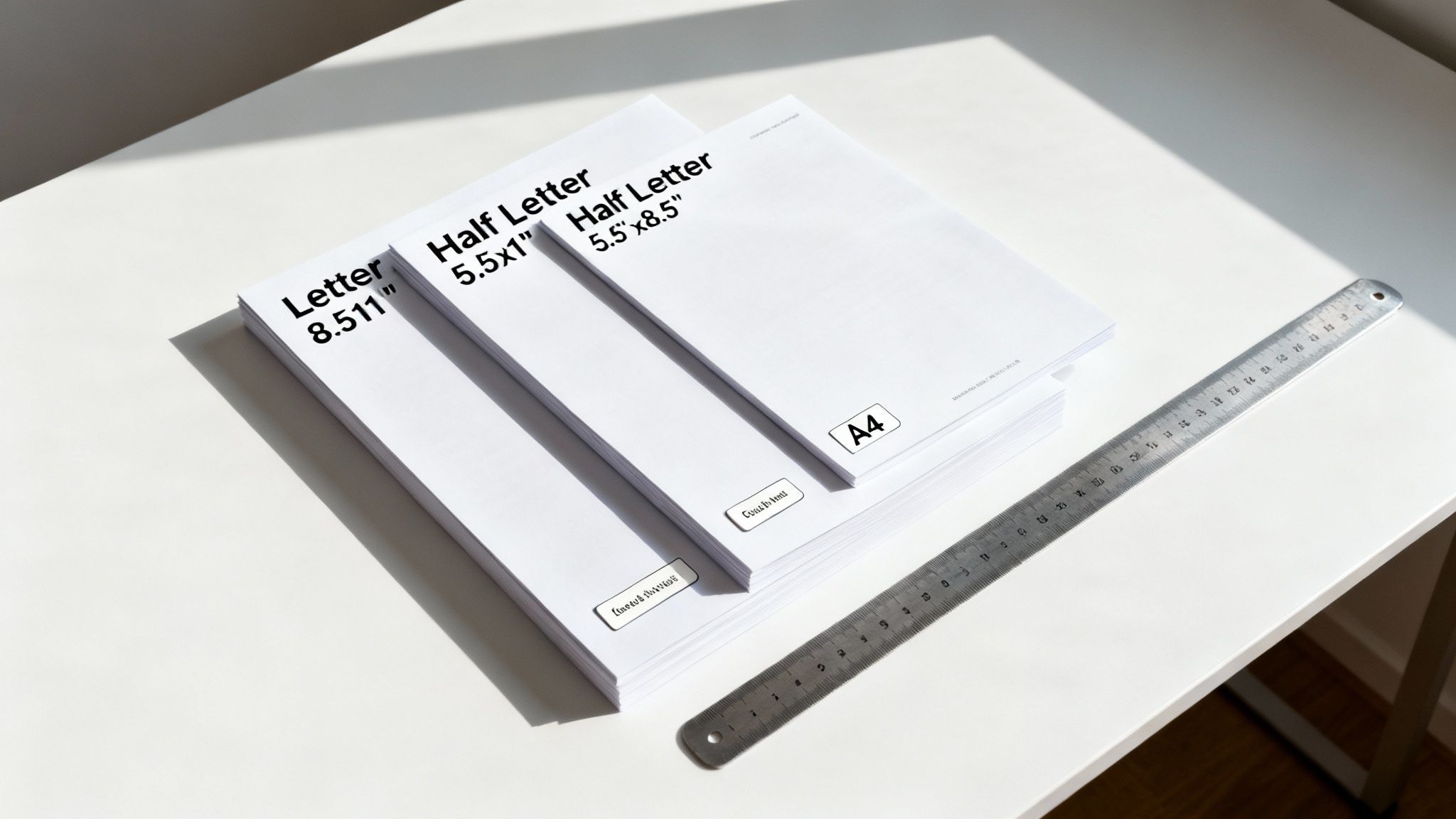
Before we jump into the technical stuff like file setup and folded formats, it’s important to know your basic options. Each size has its own strengths. A big format is perfect for a detailed infographic that needs room to breathe, while a smaller, pocket-friendly flyer is better for a simple coupon or event reminder. While people often use the terms interchangeably, it's worth exploring the differences between flyers and brochures to see which format really fits your goals.
To make things even easier, here’s a quick table comparing the most common flyer sizes you'll encounter.
Standard Flyer Sizes at a Glance (US vs International)
| Flyer Name | Dimensions (Inches) | Dimensions (Millimeters) | Best For |
|---|---|---|---|
| Letter (US) | 8.5" x 11" | 215.9mm x 279.4mm | Corporate handouts, event promos, menus, real estate listings |
| Half Letter (US) | 5.5" x 8.5" | 139.7mm x 215.9mm | Program notes, event invites, coupons, direct mail inserts |
| A4 (International) | 8.27" x 11.7" | 210mm x 297mm | Business correspondence, formal documents, magazine-style flyers |
| A5 (International) | 5.83" x 8.27" | 148mm x 210mm | Booklets, direct mail, notepads, informational handouts |
| A6 (International) | 4.13" x 5.83" | 105mm x 148mm | Postcards, pocket guides, simple announcements, coupons |
This table should give you a solid starting point for deciding which direction to go, whether your audience is local or global.
Common US Flyer Sizes
Here in the United States, our flyer dimensions are based on standard imperial paper measurements. The most common options you'll see are:
- Letter (8.5" x 11"): This is the undisputed champion. It's perfect for just about anything—corporate handouts, detailed service lists, school announcements, you name it. Its familiarity and the fact that it fits in every office printer make it the go-to choice for many.
- Half Letter (5.5" x 8.5"): A more compact and budget-friendly option. This size is great for event invitations, program notes, and promotional offers where you don't need to overwhelm the reader with too much information.
International A-Series Flyer Sizes
Once you leave North America, the world runs on the ISO 216 standard, better known as the A-series. The system is brilliantly simple: each size is exactly half of the one before it.
- A4 (210mm x 297mm): The international counterpart to our US Letter size. A4 is the standard for business letters, official documents, and slick, magazine-style flyers.
- A5 (148mm x 210mm): Exactly half the size of an A4 sheet. The A5 is a very popular choice for booklets, notepads, and flyers sent through the mail.
- A6 (105mm x 148mm): This small, postcard-like size is ideal for things you can stick in your pocket, like event announcements, coupons, or mini guides. For those looking for design ideas, many resources that offer free church graphics templates provide layouts already set up for these standard dimensions.
Understanding North American Flyer Dimensions
Here in the US and Canada, a few specific flyer sizes really run the show. This isn't by accident; these dimensions have a long history and offer some very practical perks for businesses. They’re designed to be perfectly compatible with standard office equipment and mailing requirements, which makes them a go-to, cost-effective choice for marketers. Getting a handle on these sizes is your first step to creating print materials that really connect with a North American audience.
You’ll constantly run into US Letter, Half Letter, and Legal sizes. Each one has its own sweet spot and unique advantages. Because they're so common, everything from the presets in your design software to the display stands in a retail shop is built around them. This simplifies the whole process, from the first design draft to getting your flyers into people's hands.
This section will walk you through the options you'll find for flyer printing on the 4OVER4 platform.
As you can see, businesses have plenty of standard sizes to work with, each one built for a different marketing job.
The Standard US Letter Size (8.5" x 11")
US Letter is, without a doubt, the king of flyer dimensions in North America. Measuring 8.5" x 11", it's so versatile that it has become the default for an enormous range of projects. This size gives you plenty of room for eye-catching images and detailed text without making your design feel cluttered.
Its biggest selling point is its universal compatibility. Every office printer is set up to handle this size. That means small businesses and startups can easily print out mockups or small batches on their own before they decide to go all-in on a professional print run.
You’ll see it used for things like:
- Corporate Handouts: Perfect for sharing company info or service details at trade shows.
- Restaurant Menus: The ideal canvas for single-page menus or takeout lists.
- Event Promotions: Great for tacking onto bulletin boards or handing out directly to people.
- Real Estate Listings: Provides just enough space for property photos and all the important details.
Half Letter and Legal Dimensions
While Letter size gets most of the attention, two other key sizes fill more specific roles. Half Letter (5.5" x 8.5") is exactly what it sounds like—a standard letter sheet cut perfectly in half. Its compact size is easier to carry and a bit friendlier on the wallet, making it a fantastic choice for mass distribution.
Pro Tip: Use Half Letter flyers for things like direct mail inserts, coupons, or event programs. Their smaller size makes them cheaper to print and mail, which really helps stretch your marketing budget.
On the other end of the spectrum, Legal size (8.5" x 14") gives you extra vertical real estate for designs that are heavy on content. It’s often the go-to for detailed price lists, menus with a lot of options, or informational flyers that just can't fit all their text on a standard letter sheet.
The history behind these slightly odd dimensions is pretty interesting. The US Letter size actually goes back to 17th-century Dutch paper molds, which were cut into eight 8.5" x 11" pieces to get the most out of each sheet. This standard was locked in during the 1930s. Today, data from printing associations shows that a massive 85% of promotional flyers in the US and Canada are based on Letter or Legal sizes, cementing their role as the compatible, cost-effective choice. If you're curious, you can dive deeper into the origins of US paper sizes from this detailed explanation.
A Look at International A-Series Flyer Dimensions
If you’re doing business outside of North America, you’ll quickly discover the world runs on a different paper system. From Europe to Asia and just about everywhere in between, the global standard is ISO 216, better known as the A-series. Understanding these flyer size dimensions is non-negotiable for any brand with an international footprint. It's a brilliantly logical system that ensures your marketing materials look consistent, no matter where they end up.
The real beauty of the A-series is its clever mathematical foundation. Every size shares the same aspect ratio—the square root of 2 (about 1:1.414). What does that mean in practice? When you cut any sheet in half along its longest side, you get two perfectly proportioned sheets of the next size down. Cut an A3, and you get two A4s. Cut an A4, and you get two A5s. This process continues all the way down the line with zero paper waste from trimming.
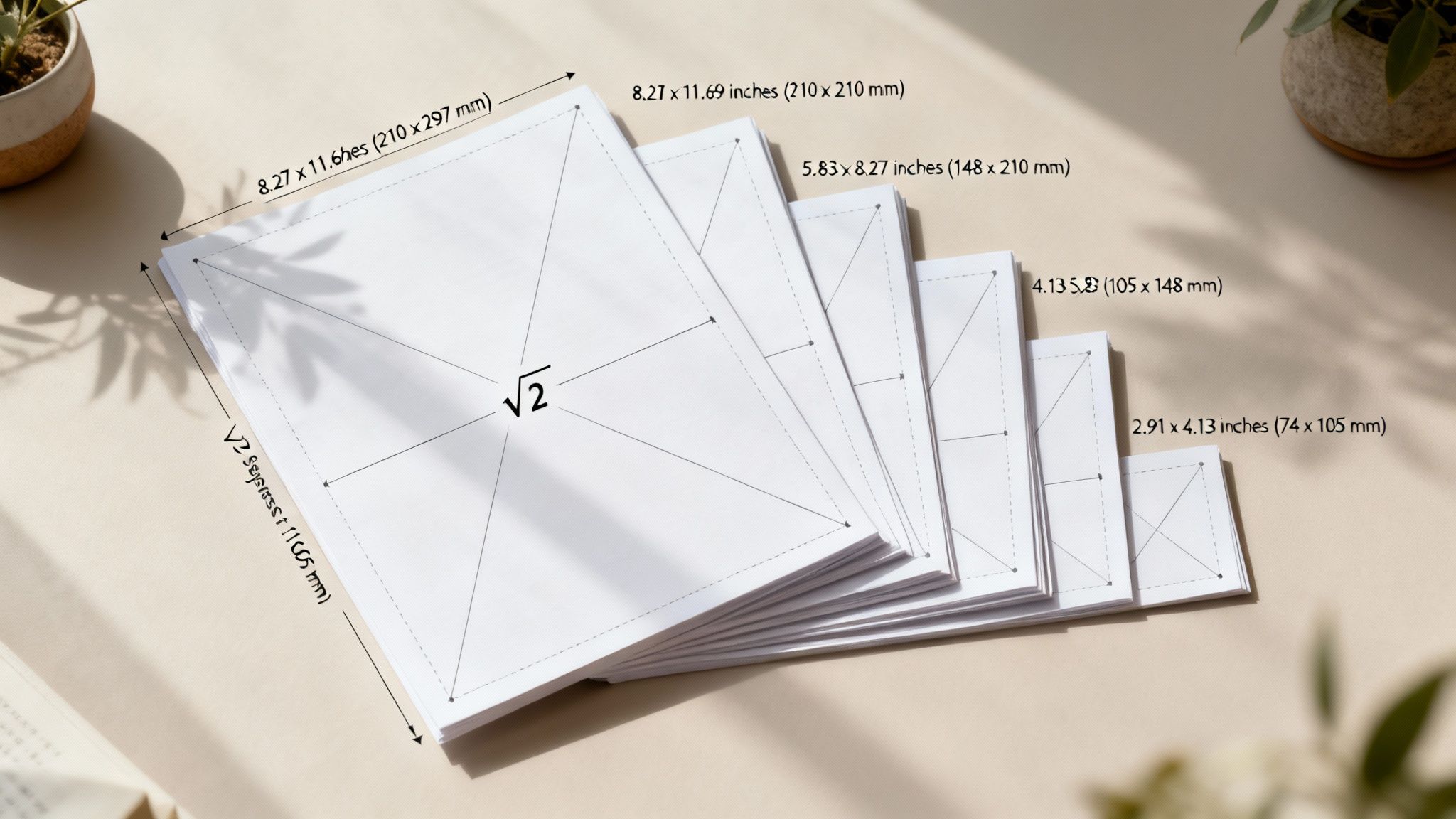
This incredibly efficient concept dates back to a 1786 observation by German scientist Georg Christoph Lichtenberg. It was officially adopted in Germany in 1922 and became the international ISO 216 standard by 1975. Today, it’s used in over 95% of countries. In fact, A4 flyers are used in 70% of European print runs, making it an absolute powerhouse in global marketing.
Common A-Series Flyer Dimensions and Uses
Getting familiar with the most popular A-series sizes is key to creating marketing collateral that works anywhere in the world. Each one has its own ideal role.
- A4 (210 x 297 mm or 8.27" x 11.7"): This is the global cousin to the US Letter size and the undisputed champion of versatility. It’s the go-to for corporate brochures, official documents, detailed sell sheets, and any flyer that needs plenty of room for both compelling text and sharp visuals.
- A5 (148 x 210 mm or 5.83" x 8.27"): Exactly half the size of an A4, the A5 is a crowd-pleaser for event invitations, small booklets, and promotional handouts. It’s compact enough to be convenient but still feels substantial in hand, making it easy to distribute and for people to carry.
- A6 (105 x 148 mm or 4.13" x 5.83"): A quarter of an A4, the A6 is essentially a postcard. It’s perfect for pocket-sized promos, discount coupons, and quick announcements where you need to get straight to the point.
The A-series system scales up, too. The largest size, A0, has an area of precisely one square meter, creating a clean, scalable foundation for every other dimension. This consistency is also crucial for bigger jobs; if you’re curious, our guide on standard print poster sizes dives into larger formats.
Ultimately, picking the right A-series flyer size comes down to your content and how you plan to get it into people's hands. An A4 is your best bet for a trade show where you need to showcase detailed product specs. An A6, on the other hand, is perfect for a street team handing out coupons. When you match the flyer size to its job, you make sure your message hits home with a global audience.
Choosing the Right Folded Flyer Dimensions
While a flat flyer is great for getting a single, direct message across, folded flyers open up a whole new playbook for organizing your information. When you pick the right flyer size dimensions for a folded piece, you can guide your audience through a story, reveal details step-by-step, and fit a surprising amount of content into a neat, compact format. It's the difference between a simple handout and an interactive experience.
The process always starts with a standard flat sheet, like a US Letter (8.5" x 11") or an international A4 (210mm x 297mm), which gets folded to create separate panels. Knowing how these base dimensions translate into the final folded size is absolutely critical for setting up your design files correctly. Each fold serves a different purpose, so you’ll want to match the format to your content and what you’re trying to achieve.
Bi-Fold or Half-Fold Flyers
The Bi-Fold, which you’ll also hear called a Half-Fold, is the most straightforward and popular folded format out there. It’s simply a single sheet of paper folded neatly in half, creating four distinct panels: a front cover, a back cover, and two inside panels. This gives you that familiar booklet-style layout that’s super easy for people to open and read.
- Base Sheet (US Letter): An 8.5" x 11" sheet becomes a 5.5" x 8.5" flyer when folded.
- Base Sheet (A4): A 210mm x 297mm sheet folds into an A5-sized flyer, measuring 148mm x 210mm.
This format is a go-to for things like event programs, simple product spec sheets, and presentation handouts where you want a clean break between an introduction (the cover) and the main content (inside).
Tri-Fold and Z-Fold Flyers
Both Tri-Folds and Z-Folds divide a sheet into three sections, giving you six panels to work with (three on the front, three on the back). Although they start with the same base paper size, how they're folded—and the resulting panel sizes—are slightly different. This is a small but crucial detail for any designer.
A standard Tri-Fold (often called a letter fold) has one panel that tucks inside the others. To make sure it closes smoothly, that inside panel has to be just a tiny bit narrower than the other two. For an 8.5" x 11" sheet, this usually means two panels are 3.6875" wide, while the one that folds in is 3.625".
A Z-Fold, on the other hand, folds like an accordion. Since no panel has to tuck inside another, all three panels can be the exact same width.
Folded Flyer Formats and Panel Dimensions
To make things clearer, here’s a quick breakdown of how these common folds work out with standard paper sizes. Each format offers a unique way to present information, whether you're creating a compact brochure or a detailed menu.
| Fold Type | Base Paper Size (US) | Base Paper Size (ISO) | Final Panel Dimensions (Approx.) |
|---|---|---|---|
| Bi-Fold | 8.5" x 11" | A4 (210 x 297mm) | 5.5" x 8.5" (each panel) |
| Tri-Fold | 8.5" x 11" | A4 (210 x 297mm) | 3.66" x 8.5" (uneven panels) |
| Z-Fold | 8.5" x 11" | A4 (210 x 297mm) | 3.66" x 8.5" (equal panels) |
These formats are perfect for informational brochures, restaurant menus, and direct mail campaigns where you need to break down information into easy-to-digest sections. Getting the panel layout right is key, so if you need more help, check out our guide on using a folded cards template to nail your print-ready design.
Essential Print-Ready File Specifications
Picking the perfect flyer size is a great first step, but how you prepare your design file is what truly makes or breaks the final product. To sidestep the common—and often costly—printing errors I’ve seen over the years, you have to get familiar with three core concepts every professional printer lives by: bleed, trim line, and the safe margin.
Getting these specifications right ensures your design looks exactly like it did on your screen, with no awkward white borders or chopped-off text. Think of them as the technical blueprint for your flyer. Honestly, failing to set them up correctly is one of the top reasons print jobs get delayed or end in disappointment.
This quick visual guide shows how a single sheet transforms into common folded flyer styles.
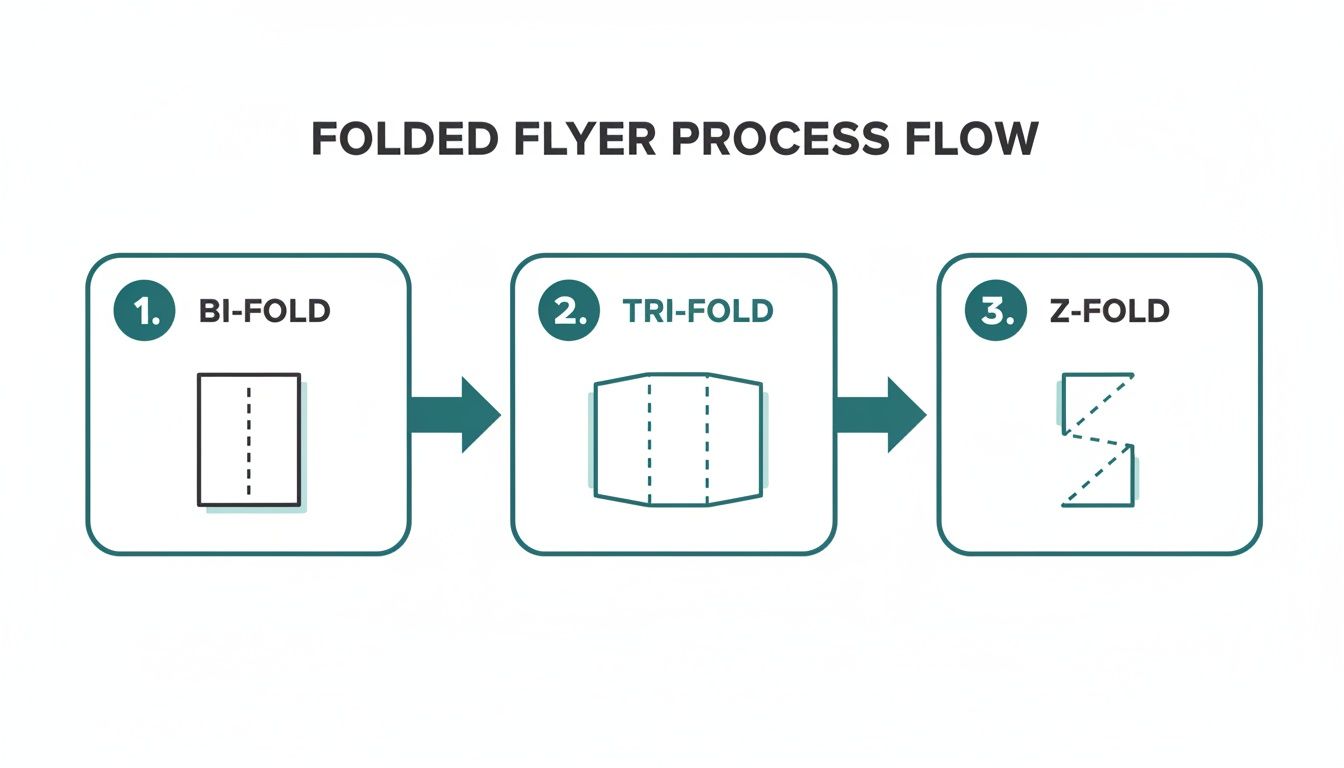
Whether it's a Bi-Fold, Tri-Fold, or Z-Fold, each one turns that flat sheet into a structured, multi-panel piece, which makes nailing these print specs even more critical.
Understanding Bleed, Trim, and Safe Margins
These three elements are designed to work together, creating a buffer zone that accounts for the tiny mechanical variations in the cutting process. No cutting machine is perfect down to the micrometer, so these guides build in a little wiggle room.
- Bleed: This is the part of your design that extends past the final cut edge. The industry-standard requirement is an extra 0.125 inches (or about 3mm) on all four sides. If you have a background color or an image that's supposed to go right to the very edge, it must extend all the way into this bleed area. This is how you prevent those ugly white slivers from showing up after the flyer is trimmed.
- Trim Line: Simple enough—this is the exact line where the machine will cut your flyer to its final intended size. For an 8.5" x 11" flyer, the trim lines are set at precisely those measurements.
- Safe Margin: Also known as the "safety line," this is an inner boundary set 0.125 inches inside the trim line. You need to keep all your critical information—think text, logos, and key graphic elements—within this margin. This guarantees nothing important gets accidentally sliced off during trimming.
By setting up these guides in your design software, you're giving the printing press a necessary margin for error. Trust me, it’s the single most important step for getting that clean, professional, edge-to-edge finish on your flyers.
Resolution and File Format Requirements
Beyond the layout margins, the technical quality of the file itself is a huge deal. Handing over a file with the wrong specs can lead to fuzzy images and off-brand colors, completely undermining all your hard design work.
For sharp, professional-looking results, your artwork must have a resolution of 300 DPI (Dots Per Inch). This is the gold standard for high-quality printing. A common mistake is pulling images from the web, which are often at 72 DPI for faster loading. Those will look pixelated and blurry in print.
Finally, the file format you submit is absolutely essential. The universally preferred format is a high-quality PDF. A well-made PDF embeds all your fonts, images, and layout details into one self-contained, reliable file that any printer can work with. For a detailed walkthrough, our guide on how to create a print-ready PDF has you covered. While some printers might accept native files from Adobe Illustrator (AI) or Photoshop (PSD), a properly prepared PDF is always your safest bet.
Selecting Paper and Finishes for Maximum Impact
While your flyer's size sets the canvas, the paper and finish you choose are what control how your brand feels in a customer's hands. Get this right, and a simple piece of paper becomes a memorable brand experience. It’s all about adding a sense of quality and professionalism that visuals alone just can’t replicate.
Understanding Paper Weight (Stock)
The weight of the paper, what printers call paper stock, is one of the first things you’ll decide. It’s not about how heavy a single sheet is, but more about its thickness and sturdiness. We measure this in pounds (lb) for standard paper or points (pt) for thicker cardstock.
- 100lb Gloss Text: This is a fantastic, versatile choice for many projects. It's noticeably thicker than regular office paper, so it has enough durability for mailers and handouts while staying flexible. The glossy sheen really makes colors pop.
- 16pt Cardstock: Step up to this, and you're in premium territory. It’s significantly thicker and more rigid, giving it a substantial, high-quality feel. This stock is perfect for flyers that need to double as small signs or high-end promotional cards that you want people to keep.
Choosing a Finish That Fits Your Message
The finish is the coating applied after printing, and it has a massive impact on the final look and feel. Each one serves a different purpose, so you’ll want to match your choice to your brand’s personality and what the flyer is trying to accomplish.
A glossy finish is designed to grab attention immediately. Its high-shine coating makes colors look incredibly vibrant and saturated—perfect for flyers loaded with photos or promoting an exciting event. That reflective surface is great for catching the light and standing out in a pile of mail.
On the other hand, a matte finish offers a much more subtle and sophisticated look. It has a smooth, non-reflective surface that cuts down on glare, which makes flyers with a lot of text much easier to read. It’s an elegant option for corporate handouts or brands going for a modern, upscale vibe.
Key Takeaway: Don't forget about uncoated stock. It gives you a natural, textured feel. Since there's no coating, the paper is porous and super easy to write on, making it the go-to choice for flyers that include appointment reminders, feedback forms, or fillable coupons.
Choosing the best paper for flyers is a balancing act between your design, your budget, and how the flyer will be used. A thick, matte-finished flyer sends a completely different message than a thin, glossy one. When you carefully select the right paper and finish, you add another powerful layer of communication to your marketing.
Frequently Asked Questions About Flyer Dimensions
Even with a solid grasp of the basics, there are always a few specific questions that pop up about flyer dimensions. Let’s dive into some of the most common ones we hear from designers, marketers, and business owners.
Think of this as a final check-in to clear up any confusion before you send your project to print. We'll cover everything from international sizes to the best picks for specific marketing goals, making sure you have all the info you need.
What Is the Most Common Flyer Size?
That really depends on where you are in the world. In the United States and Canada, the clear winner is US Letter, measuring 8.5" x 11". It's the go-to for just about everything, from corporate handouts to community bulletin board posts, because it's perfectly compatible with any standard office printer.
Once you go international, though, the A4 size (210mm x 297mm) is king. If you’re running a global campaign, it’s a smart move to have designs ready for both Letter and A4 to keep your branding consistent across different markets.
Can I Use the Same Design for US Letter and A4 Flyers?
While they're close, you really shouldn't use the exact same file for both US Letter and A4 without making some tweaks. A4 is a bit taller and narrower than US Letter, and just resizing your design will likely lead to awkward cropping or unbalanced white space.
Best Practice: Create two versions of your design. Start with one, then duplicate it and adjust the layout to fit the other dimension perfectly. This extra step ensures all your text and images are properly aligned within the safe margins for each size, preventing any nasty surprises at the printer.
Which Flyer Size Is Best for Direct Mail Campaigns?
For direct mail, smaller and more compact sizes are usually your best bet—they're effective and much friendlier on your budget. The Half Letter (5.5" x 8.5") is a fantastic choice in the US because it slips right into standard business envelopes without needing an extra fold.
For international mailings, A5 (148mm x 210mm) and A6 (105mm x 148mm) are excellent options. Their postcard-like feel makes them easy for postal services to handle and process, which helps keep your printing and postage costs down while still making a solid impact in the mailbox.
Does Flyer Size Affect Printing Costs?
Absolutely. The flyer size you choose directly impacts your final printing bill. It’s pretty straightforward: larger flyers use more paper and more ink, which drives up the price for each piece.
There's a bit more to it, though. How efficiently your chosen size fits onto a large press sheet—a process called nesting—also plays a huge role. The old divide between US Letter and international A4 sizes is a perfect example of this. A standard press sheet can fit 8 US Letter flyers but often only 6 or 7 A4 flyers. This difference alone can bump up the cost for A4 jobs by 10-15% in print shops that serve mixed markets. If you want to dive deeper, you can discover more insights about the global adoption and specifics of paper sizes to understand these little details. Sticking to standard sizes like Letter, A4, or A5 is almost always more cost-effective than a custom dimension that creates more paper waste.
Ready to bring your perfect flyer to life? With a massive library of templates and an intuitive online designer, 4OVER4 makes it easy to create stunning, print-ready flyers in any standard or custom size. Start designing your custom flyers today!
More from

3
Tear-off flyers are a classic for a reason. They’re a tangible marketing tool, designed with perforated, removable tabs at the bottom. Each
 Emma Davis
Mar 11, 2026

21
Printing stickers at home is a seriously fun and rewarding project. It boils down to four main parts: designing your image, picking the right
Emma Davis
Mar 10, 2026

42
Ever seen a logo that seems to float right on the glass of a jar or bottle? That’s the work of transparent label stickers.
Emma Davis
Mar 9, 2026

43
Picture this: your product’s beautiful label gets smudged and runny during shipping, or a gorgeous event banner fades to nothing after just
Emma Davis
Mar 8, 2026

49
In a sea of options, your product's packaging and labeling are its first, and often only, chance to make a real connectio
Emma Davis
Mar 7, 2026

75
Ever tried to print a hundred high-quality flyers on your home office printer? You probably ran out of ink, dealt with paper jams, and ended u
Emma Davis
Mar 6, 2026

70
So, what exactly is typography in graphic design? Put simply, it’s the art of arranging letters and text in a way that is clear, legible, an
Emma Davis
Mar 5, 2026

753
The fundamental difference between traditional and digital marketing really boils down to one thing: traditional marketing casts a wid
Emma Davis
Mar 4, 2026