





- Home
- content hub
- Mastering the Folded Cards Template
Mastering the Folded Cards Template
Emma Davis
Content Writer
Oct 5, 2025264 views

A folded card template is essentially the digital blueprint for your physical card. It maps out all the correct dimensions, fold lines, and safe zones needed for a flawless print run. Starting with a professionally designed template is the best way to make sure your final product looks sharp and avoids common pitfalls, like text getting awkwardly cut off or images wandering too close to the edge.
It’s your secret weapon for creating everything from a simple thank-you note to an elaborate wedding invitation.
Choosing the Right Folded Cards Template
The foundation of a truly great card isn't just the design—it's the template you build it on. Picking the right format comes down to your end goal. For example, a classic bi-fold template is a fantastic choice for corporate holiday greetings, giving you a simple yet elegant canvas. But if you’re planning an event invitation, you might need more real estate. That's where a tri-fold or gate-fold comes in handy, letting you neatly separate information like the venue, agenda, and RSVP details into their own panels.
You also have to think about how the card will feel in someone's hands. A heavy cardstock with a matte finish feels premium and is super easy to write on, which is perfect for thank-you notes. On the other hand, a glossy finish makes vibrant colors pop, making it a go-to for a promotional mailer designed to grab attention.
This initial choice can elevate a simple piece of paper into a powerful marketing tool. The physical experience is just as crucial as the visuals.

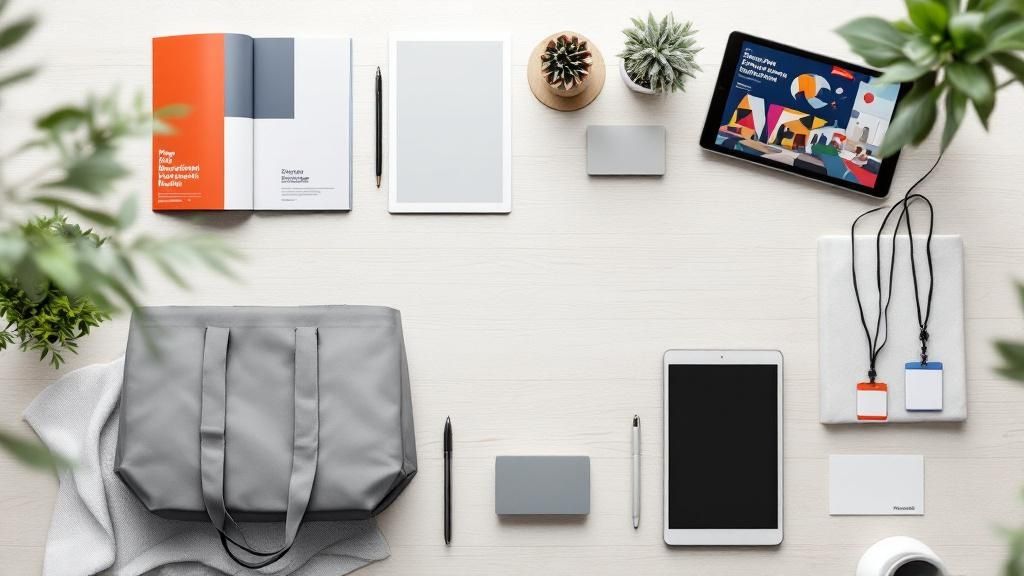
As you can see, using a template doesn't just prevent errors; it massively streamlines the entire creation process.
Aligning Template with Purpose
There's a reason physical cards have stuck around for so long—they work. The global greeting cards market, which is built on these very templates, was valued at a whopping USD 19.25 billion in 2022 and is still on the rise. What's more, offline sales continue to dominate the market, proving that tangible cards are still the preferred way to share a meaningful message.
Pro Tip: Let your message dictate the fold. A Z-fold is brilliant for telling a story or showing a timeline, as each panel reveals something new. For heartfelt, personal notes, you can't go wrong with a classic half-fold. Your template choice is what guides the reader's journey.
To help you decide, here’s a quick-reference table to match common project needs with the right template features.
Folded Card Template Feature Comparison
| Feature | Best For | Design Considerations |
|---|---|---|
| Half-Fold (Bi-Fold) | Greeting cards, thank-you notes, simple invitations | Classic and versatile. Offers a large, uninterrupted interior space for messages or photos. |
| Tri-Fold | Brochures, event programs, detailed invitations | Divides content into three distinct panels. Great for organizing lots of information without looking cluttered. |
| Gate-Fold | High-end invitations, product announcements, reveals | Creates a dramatic opening effect. The center panel is perfect for showcasing a key image or message. |
| Z-Fold | Step-by-step guides, timelines, storytelling content | Unfolds like an accordion, guiding the reader through a sequence of information in a logical flow. |
Choosing the right template is about visualizing the final product before you even start designing. It sets the stage for a card that not only looks great but also delivers your message effectively.
Ready for some inspiration? Check out the extensive folded collection at 4OVER4 to explore a huge variety of options and find the perfect match for your next project.
Bringing Your Design to Life Online
Alright, you've picked your folded card template. Now for the fun part: turning that blank slate into a finished piece you can be proud of. Using online design tools is way more intuitive than most people think, and it all starts with your core brand elements.
First thing's first: upload your high-resolution logo. From there, pull in any other key brand assets you use, like custom icons or signature patterns. Getting these foundational pieces in place sets the stage for everything else.
Next up is typography. The fonts you choose do more than just spell out words; they really set the mood. A clean, modern sans-serif like Helvetica or Arial is a solid bet for corporate announcements—it feels professional and clear. But if you're designing something more personal, like an invitation, a script font can add that perfect touch of elegance and warmth. A pro tip is to pair a more decorative font for headlines with a simple, easy-to-read font for the main text.

Creating a Balanced Composition
A good layout isn't just about looking pretty; it's about guiding the reader's eye and making your message easy to absorb. Most online design tools come with layout grids and alignment features that are your best friend here. Think of them as invisible scaffolding that keeps all your text boxes, images, and other bits and pieces neatly organized.
Resist the urge to cram every inch of space with something. White space is your friend. It gives your content room to breathe and makes everything instantly more readable.
Color is another massive piece of the puzzle. It directly influences how people feel when they look at your card. Learning to discover effective color palettes is a game-changer for creating visual appeal. For instance, blues are great for business communications because they often signal trust and stability. On the flip side, warm colors like yellow and orange can create a burst of energy and excitement, which is perfect for promoting an event.
Key Takeaway: I see this all the time—people use low-resolution images. Always, always make sure your photos are at least 300 DPI (dots per inch) at the size they'll be printed. If you don't, you'll end up with a blurry, pixelated mess. Your final card will only ever look as good as the assets you start with.
When you bring together strong assets, thoughtful typography, and a balanced layout, your folded card becomes more than just paper—it becomes a powerful communication tool. It’s a creative journey that ends with a design that's both beautiful and effective.
And if you're working on something really special, you might want to explore custom invitation printing. You can find all sorts of unique formats and finishes that will make your design truly pop.
Using Pro Finishes to Elevate Your Design
Once your design is locked in, the real magic begins. The right finish can transform a standard folded card from something people simply look at into something they experience and remember.
It's kind of like the difference between a standard car and one with a killer custom paint job. Both get you there, but one definitely leaves a more lasting impression.
These professional finishes add texture, shine, and unique shapes that are impossible to ignore. A subtle touch of metallic foil on your company logo, for example, can instantly signal premium quality on a corporate holiday card. Or, a spot UV coating can create a striking contrast, making specific elements like a product image or headline literally pop off the page.
Choosing the Right Finish for Your Project
The key is to use these effects strategically. Going overboard can make a design look busy and chaotic, but a single, well-placed accent makes it unforgettable. A custom die-cut, for instance, can turn a simple event invitation into a keepsake by creating a shape that reflects the event's theme—think a delicate snowflake shape for a winter gala.
Consider these options to add that "wow" factor:
- Metallic Foils: Perfect for adding a touch of luxury. Use it on logos, names, or key dates to draw the eye. Gold, silver, and rose gold are always popular, but plenty of other colors are available to match your brand.
- Spot UV Coating: This is a clear, glossy layer applied to specific parts of your design. It creates a beautiful tactile contrast against a matte paper stock, adding both visual and physical depth.
- Custom Die-Cuts: Break free from the standard rectangle. Die-cutting lets you create cards in virtually any shape you can imagine, making your design truly one-of-a-kind.
These advanced options are part of a massive industry. The global folding carton packaging market—which includes these types of custom cards—was valued at around USD 141.1 billion and continues to grow, driven by the demand for unique and appealing designs.
Insider Tip: Always consider your paper stock when choosing a finish. An uncoated paper will absorb foil differently than a glossy one. To get the best results, it's always a good idea to request a sample pack or chat with your printer to see how different finishes interact with various papers before you commit to a full run.
Ready to see what’s possible for your next project? You can check out a wide variety of fantastic finishes at 4OVER4 to get inspired.
Getting Your Proof Just Right Before You Print
This is it—the final checkpoint. Before your design goes to press, you get a chance to see exactly what you've created. Getting this step right is the key to avoiding those gut-wrenching moments when you spot a typo on a box of 500 freshly printed cards. Let's make sure what's in your head is what ends up in your hands.
Your first decision is what kind of proof to get. You've got two main options: digital or hard-copy.
A digital proof is a PDF file we send over. It's fast, usually landing in your inbox within a few hours. This is your go-to for catching last-minute errors in spelling, making sure all your text is aligned correctly, and just giving everything a final once-over.
Then there's the hard-copy proof. This is a single, physical copy of your card, printed on the exact paper you chose, with all the finishes applied. There is simply no substitute for this if color is critical to your brand. Seeing how that specific shade of blue looks on matte cardstock versus a glossy finish can be a game-changer. If you're invested in getting the color and feel perfect, the hard-copy proof is a must.

Your Final Proofing Checklist
Once that proof is in your hands (or on your screen), it's time to get meticulous. Don't just give it a quick scan. My best advice? Grab a coworker or friend to look at it with you. It’s amazing what a fresh set of eyes can catch—studies have shown that two reviewers catch significantly more errors than a single person flying solo.
Here’s a quick checklist to run through before you give the final thumbs-up:
- Typos & Text: Read every single word out loud. It feels silly, but it works. Double-check phone numbers, email addresses, and website URLs.
- Image Quality: Zoom in on your logos and photos. Are they sharp? Or are they looking a little fuzzy or pixelated?
- Color Check (for hard-copy proofs): Hold it under good light. Does it match your brand's official colors? Is it what you envisioned?
- Margins & Folds: Make sure no important text or design elements are getting too close to the edge or, critically, sitting right on a fold line.
Once you're happy with the proof, you'll confirm your quantity and shipping details. Don't forget that print economics often favor larger quantities, bringing your cost-per-card down. For big runs, it's worth looking into professional digital printing services that are built for both quality and scale. Taking a little extra care at this stage means you can approve your order with total confidence.
Get Creative With Your Folded Card Template

A folded card template is so much more than a simple greeting. With a little imagination, it becomes an incredibly versatile canvas. For businesses, this format can be easily transformed into compact, powerful marketing materials that people actually want to keep.
Think about it. A classic bi-fold card can become a mini-brochure to hand out at trade shows, perfectly sized to slip into a pocket or bag. A high-end restaurant could use a beautifully printed gate-fold card as a specialty cocktail menu, giving guests an exclusive, premium experience from the moment they sit down. Even a simple half-fold is perfect for a customer loyalty punch card.
More Than Just Business Cards
The creative possibilities extend far beyond the office. For personal projects, a folded card template can become a cherished keepsake or a genuinely useful tool. Imagine creating a set of custom recipe cards as a thoughtful gift for a friend's bridal shower, complete with a family photo on the front.
If you're an Etsy seller, including a professionally printed thank-you note with each order is a small touch that reinforces your brand and makes customers feel valued. You could even design a series of mini art prints to sell or share, using a heavyweight cardstock to give them a premium gallery feel. The opportunities are really only limited by your imagination.
The right template can transform a simple piece of paper into a multi-purpose creative asset. This is especially true for major life events. A well-designed folded card for a wedding can serve as an invitation, a map to the venue, and an itinerary all in one. For more specialized ideas, you can explore our complete wedding collection.
This adaptability is a big reason why the broader folding cartons market—which includes custom cards—is so strong. The market size hit USD 177.73 billion and is projected to climb to nearly USD 276.01 billion by 2034. A huge part of that growth is driven by how versatile formats like these meet modern demands for unique and effective packaging. You can see the full breakdown of the growth of the folding cartons market on precedenceresearch.com.
Got Questions About Folded Card Templates? Let's Talk Print.
Getting the technical side of printing right can feel like a bit of a hurdle, but trust me, a few key pointers are all you need to make sure your folded card templates look just as good on paper as they do on your screen. Let's break down the most common issues we see and how to nail them from the start.
One of the biggest culprits of a disappointing print job? Pixelated images. For a crisp, professional look, your artwork and any photos you use absolutely must be at least 300 DPI (dots per inch) at their final print size. It's so tempting to just grab an image off the web, but those are almost always low-resolution and will come out looking blurry. My advice: always, always start with the highest quality graphics you can get your hands on.
Getting Your Colors and Finishes Just Right
"Why do my printed colors look different from what I saw on my monitor?" This is probably the number one question we get, and it's a great one. It all comes down to how screens and printers handle color. Your screen uses an RGB (Red, Green, Blue) light-based model, while commercial printers use a CMYK (Cyan, Magenta, Yellow, Black) ink-based model. They're just fundamentally different.
To get the truest color match, you really want to design your files in CMYK mode from the get-go. If your brand colors have to be exact—and for many businesses, they do—ordering a hard-copy proof is the only surefire way to see the final color before you commit to the full run.
Finally, let's think about how the card will actually be used. Will people be writing on it? This simple question has a huge impact on what paper finish you should choose.
- Glossy or UV-Coated: These finishes look fantastic, but their slick surface is terrible for writing. Most pen inks will just sit on top and smudge easily.
- Uncoated or Matte: Perfect for writing. These stocks have a more porous surface that absorbs ink beautifully, giving you a clean, smudge-free message every time.
If your project involves personal messages—like our custom greeting cards, where a handwritten note is the whole point—going with an uncoated or matte stock is a no-brainer. Making these small technical decisions upfront is the secret to a flawless outcome every single time.
More from folded cards template
10
When you hear "table tent specs," what we're really talking about are the foundational details for printing them correctly: the
Emma Davis
Jan 27, 2026
61
When you're ready to print a poster, one of the first questions you'll face is, "What size should it be?" The industry has a
Emma Davis
Jan 26, 2026
88
Picture this: you're at a networking event, and someone hands you their business card. You do the usual glance—name, title, company—an
Emma Davis
Jan 25, 2026
104
Believe it or not, figuring out how to make a card in Word is surprisingly easy. You can knock out everything from slick, professional busines
Emma Davis
Jan 24, 2026
104
Printing on packaging takes a simple container and turns it into one of your most powerful marketing tools. It’s the very first physical int
Emma Davis
Jan 23, 2026
326
When you're getting ready to print a flyer, one of the first questions you'll face is, "What size should it be?" The most co
Emma Davis
Jan 22, 2026
332
How Our Free Business Cards Program Works (Quick Overview) Free business cards are available through two different
Emma Davis
Jan 22, 2026
179
A QR code business card does more than just share your name and number; it cleverly merges your physical card with your digit
Emma Davis
Jan 21, 2026