Table of Contents
- Home
- content hub
- Address Envelopes Properly A Complete Guide for 2026
 Share and earn
Address Envelopes Properly A Complete Guide for 2026

Mar 21, 20266 views
Mar 21, 20266 views
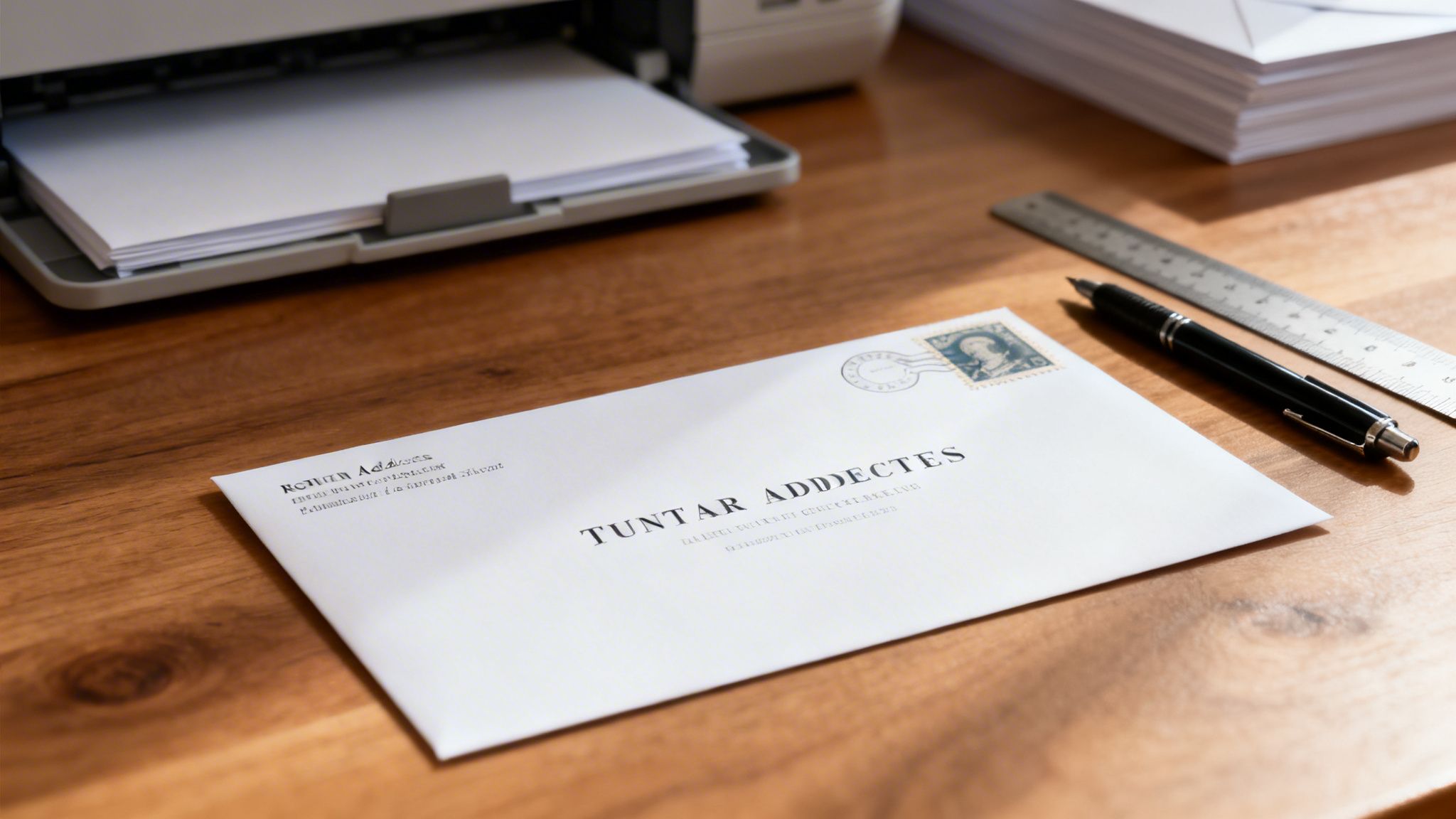
You might think sending an email or a text is all that matters these days, but don't underestimate the power of physical mail. It carries a unique weight and professionalism that digital messages just can't match.
Whether you're sending out wedding invitations, shipping an e-commerce order, or running a direct mail services campaign, getting the address right is everything. It's the one thing that decides if your mail lands in the right hands or gets lost somewhere along the way.
Why Proper Envelope Addressing Still Matters

It’s easy to overlook a small mistake—a switched number in a ZIP code or a forgotten apartment number—but these tiny errors can have big consequences. For a friend, it might just mean a birthday card comes back to you. For a business, the stakes are much, much higher.
Getting the address right is your first step to a successful delivery. Before we dive into the nitty-gritty, here’s a quick-glance table to cover the absolute basics for domestic mail.
Quick Guide for Perfect Envelope Addressing
This table breaks down the essentials so you can get it right every time.
| Element | Placement & Format | Pro Tip |
|---|---|---|
| Return Address | Top-left corner. | Always include it! This is how the post office can return the mail to you if it’s undeliverable. |
| Postage | Top-right corner. | Make sure you have enough postage for the weight and size, especially for non-standard envelopes. |
| Delivery Address | Center of the envelope. | Use ALL CAPS for best results with automated mail sorters. Start with the recipient's name on the first line. |
| Address Lines | Street address, then City, State, ZIP Code on separate lines. | Avoid all punctuation except the hyphen in the ZIP+4 code. |
Think of this as your cheat sheet for making sure your mail gets where it needs to go without a hitch.
The Real Cost of a Bad Address
Undeliverable mail isn't just annoying; it's a real hit to your bottom line. Every returned envelope is a waste of postage, printing, and the time someone spent preparing it. Even worse, it’s a missed connection—a lost sale or a client who feels forgotten.
Imagine a small business running a big promotion. If just 2% of a 10,000-piece mailer fails because of bad addresses, that's 200 pieces that never even get a chance to convert. That's not just wasted printing; it's lost revenue.
The scale of this problem is staggering. The USPS reported that over 5 billion pieces of mail were undeliverable in 2022 because of incorrect addresses. It’s a massive inefficiency, and for businesses, it's a completely avoidable cost.
A correctly addressed envelope does more than just give directions. It signals professionalism and shows you respect the recipient’s time. It builds your credibility before they even open it.
Guaranteeing Your Message Hits Its Target
Taking a moment to get the address right is a fundamental skill that pays off every single time. It ensures all your hard work, whether it’s a personal note or a huge marketing campaign, doesn’t go to waste.
The benefits go far beyond just avoiding the "return to sender" pile:
- Faster Delivery: Clean, correct addresses fly through the USPS automated sorting machines.
- A Professional Look: An accurate, well-formatted label makes a great first impression.
- Better ROI: For businesses, deliverability is everything. More mail reaching its destination means a better return on your campaign investment.
- Less Waste: Fewer returned mailers mean you're saving paper, ink, and postage.
In the end, that little bit of extra attention to the address protects your investment of time and money. It's the small detail that makes sure your message completes its journey successfully.
The Anatomy of a Perfectly Addressed Envelope
To get your envelopes delivered on time, you have to think like a postal service sorting machine. These high-speed scanners are incredibly efficient, but they don't do well with guesswork. They’re programmed to look for specific information in very specific zones on the envelope. Getting this anatomy right is the single most important factor for fast, accurate delivery.
Let's move beyond the vague advice of just "putting the address in the middle." The front of an envelope is actually divided into distinct zones, and each has its own job. The delivery address belongs in the optical character reader (OCR) read area—that large block in the center. Your return address goes in the top-left corner, and postage is placed in the top-right.
The most critical, yet often overlooked, part of the envelope is the barcode clear zone. This is a specific space at the bottom of the envelope, measuring about 4-3/4 inches long and 5/8 inches high, that starts from the bottom-left edge. This area must be kept completely blank. Postal machines print a special barcode here that corresponds to the delivery address, which is how mail gets sorted at lightning speed. Any writing, stickers, or even stray marks in this zone can cause the machine to reject it, leading to manual sorting and serious delays.
Formatting the Delivery Address for Machines
Once you understand the zones, the next step is formatting the address for maximum readability. While your best cursive might look elegant, it’s a total nightmare for an automated scanner. The gold standard for addressing mail is to use all capital letters and a simple, block-style font like Arial or Helvetica.
For font size, you’ll want to aim for a readable 10 to 12-point font. Anything smaller is tough for both machines and people to read, while anything too large can throw off the standardized formatting the scanners expect.
The goal is to create a clean, uniform block of text. Here’s how the lines should be structured:
- Line 1: Recipient's Full Name (e.g., JANE DOE)
- Line 2: Street Address (e.g., 123 MAIN ST APT 4B)
- Line 3: City, State, and ZIP Code (e.g., ANYTOWN NY 12345-6789)
You'll notice the lack of punctuation. Commas and periods can easily be misread by scanners, so it’s best practice to leave them out entirely. Always use standard postal abbreviations for street types (ST, AVE, BLVD) and the two-letter state code. These formatting rules apply not just to paper mail but also to other packaging, like sturdy mailing bags, which also need clear, machine-readable labels for efficient delivery.
The Return Address and Special Cases
Your return address is just as important. It follows the exact same formatting rules—all caps, no punctuation—but you’ll place it in the top-left corner. If your mail can't be delivered for any reason, a properly formatted return address is what ensures it gets back to you quickly. You can explore a wide variety of professionally printed options on the 4OVER4 envelopes page that already have your return address perfectly placed.
Pro Tip: Always include your return address. It's your mail's "get out of jail free" card. Without it, an undeliverable letter can end up in the Mail Recovery Center—a place from which it will likely never return.
Handling unique addresses, like military mail, requires extra precision. APO (Army Post Office), FPO (Fleet Post Office), and DPO (Diplomatic Post Office) addresses have their own specific format. The city is always "APO," "FPO," or "DPO," and the "state" is a two-letter regional code like "AE" (Armed Forces Europe), "AA" (Armed Forces Americas), or "AP" (Armed Forces Pacific).
Here is a correct example for a military address:
SGT JOHN DOE UNIT 2050 BOX 4190 APO AP 96278-2050
Never include the city or country where the military base is located in the address. This is a common mistake that can cause the mail to get routed through a foreign postal system, leading to massive delays or even loss. Following this official blueprint ensures your mail is delay-proof and gets where it needs to go, whether that's across town or to a service member overseas.
Handling Business and International Mail
Things get a little more complicated when you're sending mail to a client overseas or trying to reach a specific department in a huge company. The rules aren't quite the same, and one tiny mistake can mean your mail gets delayed or, worse, sent right back to you.
Getting these details right from the start not only makes you look professional but also saves you from some serious headaches. It all comes down to knowing the subtle but crucial differences between a standard domestic address and one headed for a corporate office or another country.
Before we dive into the specifics, let's look at the basic layout. No matter where it's going, every envelope follows the same fundamental logic.

As you can see, the basic zones for the return address, delivery address, and stamp are universal. It's the information within those zones that changes.
Mastering International Address Formats
When you're addressing an envelope for an international destination, a couple of rules are non-negotiable. The most important one? The country name. It must be the very last line of the address, written by itself in ALL CAPS. Never abbreviate it.
Here’s what a correctly formatted address for a client in London would look like:
MS. CHLOE DAVIDSON 82 WARWICK WAY LONDON SW1V 1QE UNITED KINGDOM
You'll notice there's no "USA" or other country of origin listed. The postal service in your country already knows where it's coming from.
Also, keep in mind that postal code formats are all over the map. Some are purely numeric like in the U.S., but others, like in the UK and Canada, are a mix of letters and numbers. Always double-check the recipient's full, correct address to make sure your mail doesn't get stalled in a foreign postal system.
Business Mail and Attention Lines
In a corporate setting, your mail often needs to find its way to a specific person or department inside a much larger organization. That’s what the "Attention" (ATTN) line is for. But where you put it is absolutely critical for automated mail sorters.
The ATTN line should always be placed above the company's name. This tells the sorting machines to get the envelope to the right building first, and then human hands can direct it to the right person or team internally.
An incorrectly placed ATTN line is one of the top reasons business mail gets delayed. Putting it below the street address can confuse sorting machines into thinking it's part of the location, leading to delivery errors.
This is the correct structure:
ATTN FINANCE DEPARTMENT 4OVER4 COMPANY 123 PRINTING WAY NEW YORK NY 10001
This format ensures the mail is first routed to the main "4OVER4 COMPANY" address before being handed off to the "FINANCE DEPARTMENT."
Window envelopes are another common sight in business mail. To make sure the address shows through perfectly, your text block has to be positioned just right in your document. For a consistently clean and professional look, using custom shipping and mailing labels can give you more control over placement and branding.
Taking the time to master these details really does pay off. When international address formats were standardized in 2008, it cut global misdelivery by 25%. For businesses trying to tap into the growing envelope market—projected to hit US$3.6 billion by 2033—getting the address right is essential. In fact, small businesses that nail these best practices can see a direct mail ROI as high as 29:1, turning a simple printed envelope into a surprisingly powerful tool. You can find out more about these trends in the envelope market at EIN Presswire.
Common Addressing Mistakes and How to Fix Them
We’ve all been there. You spend time and money sending something out, only to have it show up back on your doorstep stamped "Return to Sender." It’s frustrating. Often, the culprit is a tiny, seemingly innocent mistake in how the envelope was addressed.
These little errors might look harmless—a comma here, a lowercase letter there—but they can completely derail the high-speed sorting machines that postal services depend on. Understanding what trips up the system is the key to making sure every piece of mail gets where it’s going without a hitch.
Forgetting the ZIP+4 Code
A huge, and very common, mistake is only using the basic five-digit ZIP code. Sure, it’ll probably get your mail to the right city, but that’s where the easy journey ends. For truly efficient delivery, you need the ZIP+4.
Those extra four digits are like a VIP pass for your mail. They tell the sorting machines the exact delivery route, sometimes narrowing it down to a specific side of a street, a single high-rise building, or even a department within a large office. Using the full nine-digit code lets automated systems do their job with incredible accuracy, which means a much faster trip for your mail.
Pro Tip: Before you write a single thing, pop the address into the official USPS ZIP Code Lookup tool. It’s free, it’s fast, and it gives you the complete, verified ZIP+4 code. No more guessing, no more returned mail.
Using Punctuation and Lowercase Letters
This one feels counterintuitive because it goes against everything we learned in English class. We naturally want to put a comma between the city and state or use periods after abbreviations. But when you’re addressing an envelope for a machine to read, good grammar is bad practice.
Automated Optical Character Recognition (OCR) scanners work best with clean, simple blocks of text. Punctuation marks can confuse them and cause a misread. Similarly, using all capital letters makes the text uniform and much easier for the scanner to process quickly and correctly.
Take a look at the difference. It might feel a bit like you’re shouting, but the machines will thank you.
| Incorrect Format (Avoid) | Correct Format (Use) |
|---|---|
| St. Louis, MO 63101 | SAINT LOUIS MO 63101 |
| 123 N. Main St. | 123 N MAIN ST |
Getting into the habit of dropping punctuation and going all-caps is one of the simplest and most effective ways to prevent delivery errors.
Placing the Address Incorrectly
Where you put the address on the envelope isn't just a matter of style—it's a critical requirement for automated sorting. The delivery address needs to be right in the sweet spot: centered both horizontally and vertically.
If the address is too low, it gets in the way of the barcode area at the bottom of the envelope. If it’s too high or pushed off to one side, the scanner might just miss it completely. A classic mistake is tucking the address into the bottom-right corner, which is a surefire way to confuse the sorting equipment and cause a delay.
- Mistake: Writing the address in any corner or too close to an edge.
- Fix: Always aim for the center of the envelope. Think of it as the prime real estate.
- Mistake: Putting the "Attention" line below the company name.
- Fix: The ATTN line always goes above the company name. This ensures the mail is first sorted to the right building, then to the right person.
For businesses sending mail in batches, wrestling with placement on every single envelope is a huge time-sink. This is where professionally printed address labels from 4OVER4 can be a game-changer, guaranteeing perfect formatting and placement every single time.
Printing Perfectly Addressed Envelopes at Scale
When you're sending out wedding invitations, a direct mail campaign, or invoices to hundreds of clients, handwriting each address is out of the question. The sheer volume calls for a smarter, more efficient way to get things done. This is where knowing how to properly prep your address data for a professional printer becomes an absolute game-changer.

Trust me, with any big mailing, a tiny error in your data can multiply into a huge, expensive headache. A single messy column in a spreadsheet could easily lead to hundreds of undeliverable envelopes, wasting both your budget and your opportunity. Think of this as your pre-flight checklist for a flawless, large-scale mailing.
Preparing Your Mailing List for Printing
The bedrock of any bulk mailing project is a clean, perfectly organized spreadsheet. This digital list is exactly what a printing service uses to populate each individual envelope, so getting it right is non-negotiable. Your first move is to open your address list in a program like Microsoft Excel or Google Sheets.
The most critical step here is to separate every single part of the address into its own column. This is the golden rule for successful printing.
A properly structured list will look something like this:
- Column A: Full Name (e.g., "Jane Doe")
- Column B: Company Name (Optional, e.g., "Innovate Corp")
- Column C: Street Address (e.g., "456 Oak Ave")
- Column D: Apartment/Suite (Optional, e.g., "Ste 101")
- Column E: City (e.g., "Springfield")
- Column F: State (e.g., "IL")
- Column G: ZIP Code (e.g., "62704")
This clean separation is what lets the printing software map each piece of information to the right spot on the envelope. A common mistake I see is people merging fields—like putting the street address and apartment number in the same column. This almost always causes printing and delivery failures.
Cleaning Your Data for Flawless Execution
Once your columns are set up, it's time to "clean" the data. This means scanning your list for any inconsistencies or errors that might trip up the postal service's automated sorting machines. It’s a detailed process, but it pays off big time in deliverability.
Keep an eye out for these common slip-ups:
- Punctuation: Get rid of all periods and commas in the address fields. "456 Oak Ave.," should become "456 OAK AVE".
- Case Consistency: Convert all address info to UPPERCASE. This is the USPS standard and helps their machines read everything flawlessly.
- Standardized Abbreviations: Use the official USPS abbreviations. That means "ST" for Street, "AVE" for Avenue, "CA" for California, and "FL" for Florida.
- Blank Rows: Delete any totally empty rows in your spreadsheet. They can throw a wrench in the works during the data import process.
A clean mailing list is the engine of a successful direct mail campaign. Taking the time to standardize and verify your data beforehand can improve your delivery rate significantly, ensuring your investment reaches its intended audience.
After you’ve tidied up your spreadsheet, save the file. A .csv (Comma Separated Values) or .xlsx (Excel Workbook) format is your best bet, as these are universally accepted by professional printers.
Leveraging Variable Data Printing
With a clean data file in hand, you're ready to tap into the real power of professional printing. This is where a service like variable data printing (VDP) becomes your best friend. VDP is a digital printing method that lets a printer change out specific information—like names and addresses—from one envelope to the next without ever stopping the press.
To get a better sense of how it all works, you can see how 4OVER4's variable data printing works and automates these large-scale projects. All you do is upload your perfectly prepared spreadsheet, and the VDP system automatically creates a unique, correctly addressed envelope for every single name on your list.
This approach gives you some serious advantages:
- Accuracy: It completely removes the risk of human error during the addressing phase.
- Speed: Thousands of envelopes can be addressed in a tiny fraction of the time it would take to do it by hand.
- Professionalism: Every single envelope comes out with clean, consistent formatting that makes your brand look sharp.
Choosing the Right Envelope for the Job
Finally, don't overlook the envelope itself. The size and style need to fit what you're sending and the impression you want to make. A bulky catalog needs a very different envelope than a simple business letter.
When you're working with a printing partner, you'll have a whole catalog of options to choose from. Here are a few of the most common choices and what they're great for:
| Envelope Type | Common Size | Best For |
|---|---|---|
| #10 Business | 4.125" x 9.5" | Standard letters, invoices, checks |
| A7 Invitation | 5.25" x 7.25" | Invitations, greeting cards, announcements |
| 6x9 Booklet | 6" x 9" | Small booklets, catalogs, promotional materials |
| 9x12 Catalog | 9" x 12" | Full-sized documents, magazines, reports |
Picking the right size ensures your materials arrive looking crisp and professional, not bent or crammed into a too-small space. When you combine a pristine mailing list with the right envelope and the power of VDP, you can execute your big mailings with total confidence.
Your Printable Envelope Addressing Checklist
We've covered a lot of ground, and remembering every single rule can feel like a tall order, especially when you're in a hurry. That's why we’ve boiled it all down into a simple, printable checklist.
Think of it as your pre-flight check before your mail takes off. Pin it up by your desk or keep it with your stationery. It’s the perfect way to make sure every envelope you send is set up for a smooth, speedy journey.
What's Inside the Checklist
We’ve organized the checklist to walk you through the process, just like we did in this guide. You'll find quick-check items for:
- The Return Address: All the essentials for placement and formatting, so lost mail can find its way home to you.
- The Delivery Address: A quick scan to verify you’ve used the right format, capitalization, and placement that the postal scanners love.
- The Final Review: This is your last look. We’ll remind you to double-check postage, make sure the address is accurate, and avoid common slip-ups, like using a swirly font that a machine can’t read.
For instance, you’ll see a reminder to put the country name on its own line for international mail—a small detail that makes a huge difference.
This checklist is your final quality control. It’s that last glance over your work that turns a good mailing into a perfect one, guaranteeing every piece is ready for the postal system.
Frequently Asked Questions About Addressing Mail
Even after you've mastered the basics of addressing an envelope, a few tricky situations always seem to pop up. We get it. These details can make the difference between a letter arriving on time or getting lost in the mail system.
Let's clear up some of the most common questions we hear so you can address your mail with confidence every time.
Can I Use Punctuation When I Address Envelopes?
It’s best to skip the punctuation. The USPS uses incredibly fast automated sorting equipment, and those machines prefer addresses without any commas or periods in the main address block. Punctuation can sometimes confuse them.
For example, write SAINT LOUIS MO instead of "St. Louis, MO." and 123 N MAIN ST instead of "123 N. Main St." Leaving out the punctuation gives your mail the best shot at being processed quickly and accurately.
What Is the Best Font to Use for Printing Addresses?
When you’re printing addresses, clarity is king. Stick with a simple, clean sans-serif font like Arial, Helvetica, or Calibri. Avoid anything too fancy—script, decorative, or overly stylized fonts are a nightmare for the optical character recognition (OCR) scanners to read.
For both readability and machine processing, the sweet spot for font size is between 10 and 12 points. Always print with black or dark blue ink on a white or light-colored background for the best possible contrast.
How Do I Format an Address With a C/O or Attention Line?
This is a common point of confusion, but the rule is simple. The "In Care Of" (C/O) or "Attention" (ATTN) line always goes directly above the company name. If you're sending it to a person at a residential address without a company, it goes right above the street address.
Placing it here allows the automated sorting machines to get the mail to the right building first. From there, it can be internally routed to the correct person or department.
Here’s how it should look:
- ATTN MARKETING DEPARTMENT
- 4OVER4 COMPANY
- 123 PRINTING WAY
- NEW YORK NY 10001
This keeps the main delivery address block clean and simple, which is exactly what the postal scanners need to see.
Does My Return Address Have to Be in the Top-Left Corner?
Yes, absolutely. The top-left corner is the official, designated spot for the return address. Putting it anywhere else is asking for trouble with the sorting machines.
These machines are programmed to look for the delivery address in the center of the envelope and the return address in that top-left quadrant. If it finds an address somewhere else, your mail could get delayed or, in a worst-case scenario, sent right back to you.
Ready to create perfectly printed mailings without the hassle? With over 20 years of experience, 4OVER4 provides high-quality, custom-printed envelopes, labels, and direct mail services that ensure every piece you send looks professional. Explore our printing solutions today at https://4over4.com and make your next campaign a success.
More from

22
Picture this: your business has a silent, tireless salesperson working for you 24/7 on the busiest street in town. That’s t
 Emma Davis
Mar 20, 2026

38
Printing on ribbon is the art of transferring your custom design, logo, or text onto a roll of fabric. It’s what transforms a simple decorat
Emma Davis
Mar 19, 2026

127
If you've ever wondered about the standard gift card dimensions, there’s one number you need to know: CR80
Emma Davis
Mar 17, 2026

57
When you’re launching a product, your bottle label is often the first thing a customer sees. Think of it as your silent salesperson
Emma Davis
Mar 16, 2026

169
When you're brainstorming ideas for landscaping business cards, it helps to think beyond just contact information. Your c
Emma Davis
Mar 15, 2026

256
When you think of a yard sign, the classic 18"x24" is probably what comes to mind. It’s the industry workhorse fo
Emma Davis
Mar 14, 2026

199
When you’re ready to invest in an A-frame sign, the first question you'll ask is, "What size do I need?" It usually comes down
Emma Davis
Mar 13, 2026

2166
The real secret to mastering your direct mail budget isn't complicated. It comes down to one simple fact: a standard 4" x 6&q
Emma Davis
Mar 12, 2026