





- Home
- content hub
- How to Create Custom Labels That Convert
How to Create Custom Labels That Convert
Emma Davis
Content Writer
Sep 27, 2025294 views

Ready to create your own custom labels? It’s a process that starts long before you pick a font. We’ll walk through how to pin down your label’s real job, choose the right materials, nail the design using online tools, and get it all printed professionally. Taking a moment to plan ensures your label doesn't just look great—it works perfectly for your brand and product.
First, Pinpoint Your Label's Purpose and Audience

Before you even think about design, you need a solid strategy. Start by asking one simple question: what is this label’s main job?
Is it meant to give a boutique candle a high-end feel? Or does it need to display critical FDA-required information on a food package? The answer to that question will steer every single design choice you make from here on out.
For instance, a label for an organic skincare product would likely succeed with earthy colors and a clean, minimalist design to attract customers who value natural ingredients. On the flip side, a label for a kids' snack needs to be bright, fun, and eye-catching to appeal to a totally different audience.
The Upfront Work: Gather Your Must-Have Content
Knowing your label's function makes it much easier to pull together all the necessary information before you start designing. Trust me, this little bit of prep work saves you from scrambling at the last minute.
Your content checklist should include:
- Your Logo: This is the non-negotiable anchor of your brand's look.
- Essential Text: Think product name, net weight, ingredient lists, instructions, or any legal jargon that has to be there.
- Codes: Do you need a UPC barcode for retail scanning or a QR code to send customers to your website?
This initial planning isn't just busywork. It's about creating a compelling brand identity that truly connects with people and makes them want to buy your product.
A well-defined strategy prevents your label from becoming just a pretty sticker. It transforms it into a hardworking tool that communicates your brand's value and connects with your specific customer base.
This kind of attention to detail is exactly why the demand for custom labels has exploded. The global market is expected to jump from USD 76.7 billion in 2025 to a massive USD 121.5 billion by 2035. This growth is all about brands needing unique packaging and clearer supply chain info.
Before you dive into the design tools, use this quick checklist to get your thoughts organized. It helps clarify exactly what you need your label to accomplish.
Custom Label Planning Checklist
Use this checklist to define your label's core requirements before jumping into the design phase.
| Planning Step | Key Question to Answer | Example |
|---|---|---|
| Primary Goal | What's the #1 job of this label? | "To make my cold brew bottle look premium on a crowded shelf." |
| Target Audience | Who am I trying to reach? | "Health-conscious millennials, ages 25-40, who shop at local markets." |
| Product Environment | Where will this label live? | "It needs to withstand refrigeration and condensation without peeling or smudging." |
| Key Information | What text must be on the label? | "Logo, product name, net weight, ingredients, 'keep refrigerated'." |
| Brand Vibe | What feeling should it evoke? | "Minimalist, modern, and trustworthy." |
Having clear answers to these questions makes the rest of the process—from material selection to final design—infinitely smoother.
Choosing the Right Materials and Finishes

The material of your label sends a powerful message about your product's quality long before anyone reads a single word. Think of it as your brand's handshake—it can feel flimsy and cheap, or it can feel sturdy and premium. This choice has a huge impact on both your label's look and its ability to survive in the real world.
For anything that's going to deal with moisture, condensation, or oil, you'll want to go with BOPP (Biaxially Oriented Polypropylene). It’s a durable, plastic-based stock that’s waterproof and tear-resistant. I always recommend it for products like beverage bottles, bath items, or anything that lives in a fridge.
Classic paper labels, on the other hand, are a fantastic, cost-effective choice for dry goods. They work perfectly for coffee bags, product boxes, or anything that won't be exposed to tough conditions. They also lend a natural, organic feel that a lot of brands are going for these days.
Selecting the Perfect Material for Your Product
Getting the material right is about more than just aesthetics; it's about performance. Nothing tanks a customer's perception of quality faster than seeing a soggy, peeling paper label on a cold brew bottle. It's a classic rookie mistake, but it's completely avoidable.
Here’s a quick breakdown I use to help clients make the right call:
- Waterproof BOPP: This is your workhorse for anything that will be refrigerated, get wet, or be handled a lot. Think shower gels, beer bottles, and cleaning supplies.
- Classic Paper: An excellent, budget-friendly option for products that stay dry. It's perfect for product boxes, candle jars, and artisanal food packaging.
- Textured Estate Paper: If you want your product to scream "luxury," this is it. The subtle texture gives it a tactile, high-end feel that’s ideal for wine bottles, gourmet foods, or premium cosmetics.
Remember, the material isn't just a spec on an order form—it's a core part of the customer's experience. The right texture and durability can elevate a simple product into something that feels special and well-crafted.
The Finishing Touch: Gloss vs. Matte
After you've locked in your material, the finish is what brings your label's personality to life. This single choice can dramatically alter how your colors look and how the label feels to the touch.
A high-gloss finish is going to make your colors pop with incredible vibrancy. It also adds a protective layer that helps resist scuffs and moisture, which is great for creating a bold, eye-catching look that stands out on a crowded shelf.
On the flip side, a matte finish gives you a smooth, non-reflective surface for a more subtle and elegant aesthetic. It has a modern, sophisticated vibe and is often seen as more luxurious. Ultimately, your choice here should loop back to the brand identity you've been building, making sure everything feels cohesive.
Bringing Your Label to Life with an Online Designer
Alright, this is where the planning phase ends and the fun begins. You're about to see your label design come to life, and you don't need a graphic design degree to do it. Using a good online design tool, like the one from 4OVER4, is all about making smart choices that reflect your brand, not wrestling with complicated software.
The first thing you’ll likely do is pick your label's shape and size. Think about your actual product. A tall, skinny bottle? A wraparound label might be your best bet. A small, squat jar? A simple circle or square could be perfect. This decision is your foundation—it sets the stage for everything else.
Mastering Your Layout and Typography
A well-balanced layout is your secret weapon. It guides your customer’s eye right where you want it to go. Think in terms of a visual hierarchy: your product name and logo should be the stars of the show. You can make them pop with size, color, or just by giving them prime real estate on the label. Remember, white space is your friend. Avoid the temptation to fill every inch; what you leave out is often as powerful as what you put in.
Fonts essentially give your brand a voice. A classic serif font (think Times New Roman) can suggest tradition and reliability, which is great for a heritage brand. On the other hand, a clean sans-serif font (like Helvetica) feels modern and direct, a perfect match for a new tech gadget or a minimalist wellness line.
Here's a pro tip that's easy to miss: always respect the safe zone. It's a small margin just inside the trim line of your label. Keeping all your key text and logos within this area ensures nothing important gets chopped off during printing. Trust me, it's a simple step that prevents a lot of headaches.
If you want to go deeper, exploring the fundamentals of creative design and branding can make a huge difference. It helps you move from creating a label that just informs to one that truly connects and sells.
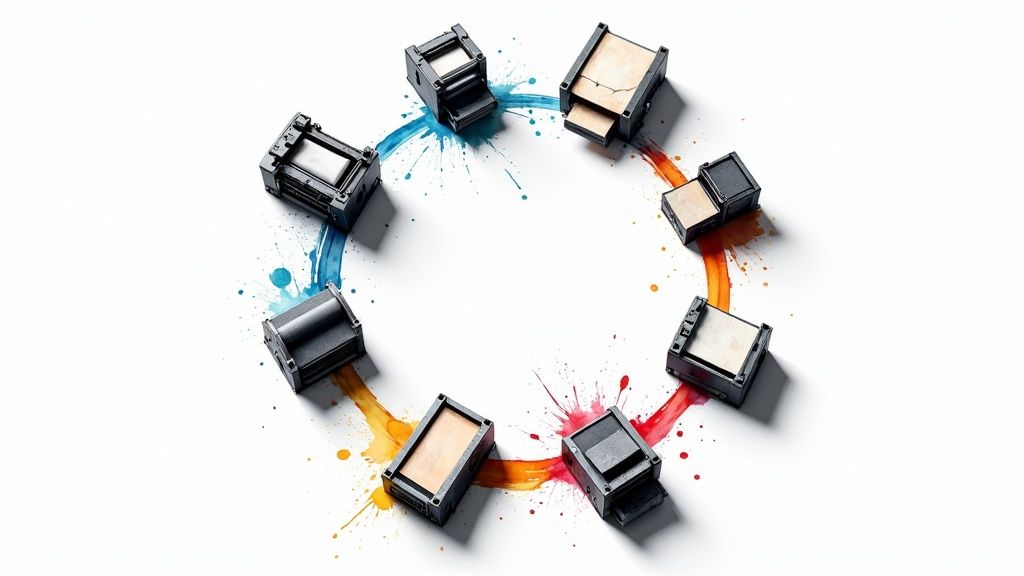
The process in most online tools is pretty intuitive, just like this graphic shows.

It’s really a simple flow: you set up the basics, dive into the details, and end up with a file that’s ready for the press.
The Non-Negotiable Rule of High-Resolution Graphics
Finally, let's talk about image quality. If there's one area where you absolutely cannot cut corners, this is it. Uploading a low-resolution logo or image will give you a blurry, pixelated print that makes your entire product look amateurish.
For a sharp, professional finish, make sure every graphic you upload is a 300 DPI (dots per inch) file. This is the gold standard for quality printing. Whether it's your main logo, a background pattern, or a small icon, high resolution is non-negotiable. It’s what makes the final product look as good in person as it does in your head.
Finalizing Your Design and Placing the Order

Alright, your design is looking sharp. You’re in the home stretch, but don’t rush to that “order” button just yet. A few careful checks right now will make sure what shows up at your door is exactly what you’ve been picturing.
First things first: proofread everything. Seriously. Then, grab a coworker and have them proofread it, too. After you’ve stared at a design for a while, your brain starts to auto-correct, and you can easily miss a tiny typo that a fresh pair of eyes will spot in seconds. This simple step can save you a world of frustration.
Configuring Your Order Specifications
Once you're absolutely sure the design is perfect, it’s time to dial in the specs for your print run. This is where you tell us exactly how you want your labels made. Your choices here really depend on how you'll be using them.
Quantity: How many do you actually need? It's tempting to order a huge batch to get a lower per-label cost, but I always advise a smaller test run first. You can always order more later.
Format: Are you going with rolls or sheets? If you're using a machine to apply thousands of labels, rolls are a no-brainer. They're also great for fast hand application. For smaller projects or when you’re just labeling a few items at a time, sheets are far easier to manage.
Think of the final checkout as your last quality control checkpoint. This isn't just a transaction. Triple-check every single detail—your material, finish, quantity, and format—to ensure your vision for how to create custom labels translates perfectly to the final product.
Finally, take a close look at the production turnaround time and your shipping options. You need to build these timelines into your own schedule, especially if you have a product launch or an event coming up. Last-minute stress is something we all want to avoid.
Getting these final details right is a huge deal. It’s no surprise that the global labelling services market was valued at USD 5.27 billion in 2024 and is projected to hit USD 8.11 billion by 2030. This just goes to show how essential this final step is for businesses trying to stand out. You can learn more about the growth in the labelling services market and see why nailing your label game matters so much.
Here is the rewritten section, designed to sound like it was written by an experienced human expert.
Expert Tips for Labels That Truly Stand Out
Getting the basics right is one thing, but making a label that people actually remember? That's where the real magic happens. A great label doesn't just inform; it acts as a silent salesperson on a crowded shelf.
Let's talk about the finishing touches that can make your product impossible to overlook.
Add a Touch of Luxury and Texture
Special finishes are my go-to recommendation for elevating a design from good to premium. Think about adding a flash of metallic foil stamping—it catches the eye instantly and just screams quality. Imagine a gold foil logo on a dark bottle; it’s a classic for a reason.
Another powerful technique is adding physical texture. You can use embossing to raise elements of your design or debossing to press them in. When a customer picks up your product and can literally feel the logo or a pattern, it creates a tactile connection that they won't forget. It’s a subtle detail that makes a huge difference.
Connect Your Label to Your Online World
Your label is a physical object, but it can be a powerful bridge to your digital presence. This is where a simple QR code comes in handy. It’s no longer just a weird-looking box; customers know exactly what to do with them.
A quick scan can do so much more than just take them to your homepage. Try using it to:
- Tell your brand's story on a dedicated landing page.
- Unlock an exclusive discount code for a future purchase.
- Show a video of your product in action.
Suddenly, that static label becomes an interactive starting point for a deeper relationship with your customer.
It's no surprise that custom labels are dominating the market right now. In 2024, they represent the biggest slice of the labeling services pie. Why? Because brands know that unique labels are key to standing out and earning customer trust. You can dig into the numbers in this labeling services market analysis.
One last piece of advice: always consider the container. I've seen gorgeous label designs fall flat because they were slapped onto a bottle or jar without any thought for its shape. Make sure your design works with the container's curves and lines, not against them. A cohesive look feels deliberate, professional, and ultimately, more appealing.
A Few Technical Questions We Hear All the Time
When you're diving into designing your own labels, a few technical questions always pop up. Getting these right from the start is the key to making sure what you see on your screen is exactly what you get in your hands.
What’s the Best File Format for My Label Design?
This is probably the number one question we get, and for good reason. For the absolute best, razor-sharp print quality, you want to use a vector file. Think formats like PDF, AI (Adobe Illustrator), or EPS. These files are built with math, not pixels, so we can scale them up or down without them getting blurry.
If you don't have a vector file, a high-quality image file like a JPG or PNG can work. Just make sure it’s saved at 300 DPI (dots per inch) at the final print size. Anything less, and you risk a fuzzy, pixelated look.
Can You Explain Print Bleed?
Absolutely. "Bleed" sounds a bit strange, but it's a simple and crucial concept. Imagine your design has a solid color background that goes right to the very edge of the label. A bleed is just an extra bit of that background—usually 1/8th of an inch—that extends beyond the label's final cut line.
Why does this matter? It gives the cutting machine a little margin for error. Without it, even a microscopic shift during trimming could leave an ugly, unprofessional white sliver along the edge of your finished label. It’s a small step that makes a huge difference.
Should I Get My Labels on a Roll or on Sheets?
This really comes down to how you plan on using them. Neither is better than the other; they just serve different purposes.
- Roll Labels: If you're applying a lot of labels, especially with a label applicator machine, rolls are your best friend. They're designed for speed and efficiency in high-volume situations.
- Sheet Labels: These are perfect for smaller runs or when you're giving them away as part of a promotional package. They're also great if you need to write on them before peeling them off, like for name tags or product samples.
Getting a handle on these technical points before you order is a game-changer. It smooths out the whole process of creating custom labels, saves you from headaches, and ensures you get a professional result you'll be proud of.
Ready to turn that design into a reality? At 4OVER4, we've made it incredibly simple to upload your artwork, pick the perfect materials, and get stunning custom labels printed and shipped. Start your custom label order today!
More from how to create custom labels
10
When you hear "table tent specs," what we're really talking about are the foundational details for printing them correctly: the
Emma Davis
Jan 27, 2026
61
When you're ready to print a poster, one of the first questions you'll face is, "What size should it be?" The industry has a
Emma Davis
Jan 26, 2026
88
Picture this: you're at a networking event, and someone hands you their business card. You do the usual glance—name, title, company—an
Emma Davis
Jan 25, 2026
104
Believe it or not, figuring out how to make a card in Word is surprisingly easy. You can knock out everything from slick, professional busines
Emma Davis
Jan 24, 2026
104
Printing on packaging takes a simple container and turns it into one of your most powerful marketing tools. It’s the very first physical int
Emma Davis
Jan 23, 2026
326
When you're getting ready to print a flyer, one of the first questions you'll face is, "What size should it be?" The most co
Emma Davis
Jan 22, 2026
332
How Our Free Business Cards Program Works (Quick Overview) Free business cards are available through two different
Emma Davis
Jan 22, 2026
179
A QR code business card does more than just share your name and number; it cleverly merges your physical card with your digit
Emma Davis
Jan 21, 2026