






all

    Fold Card Template: fold card template Mastery for Folds, Dielines, and Print

    user icon

    Emma Davis

    Content Writer

    Dec 17, 202557 views

    Dec 17, 202557 views

    Fold Card Template: fold card template Mastery for Folds, Dielines, and Print

    A fold card template is really just a digital blueprint. It gives you the correct layout, dimensions, and—most importantly—the fold lines for print projects like brochures, invitations, or greeting cards. Working with a template from the get-go is one of the best ways to make sure your design lines up perfectly after it's printed and folded. It saves a ton of time and helps you dodge expensive mistakes.

    Choosing the Right Fold to Tell Your Story

    The type of fold you pick is so much more than a technical choice; it's the very first way someone will interact with your message. The physical act of opening the card needs to match the story you’re telling. In a way, the fold starts communicating before a single word is even read.

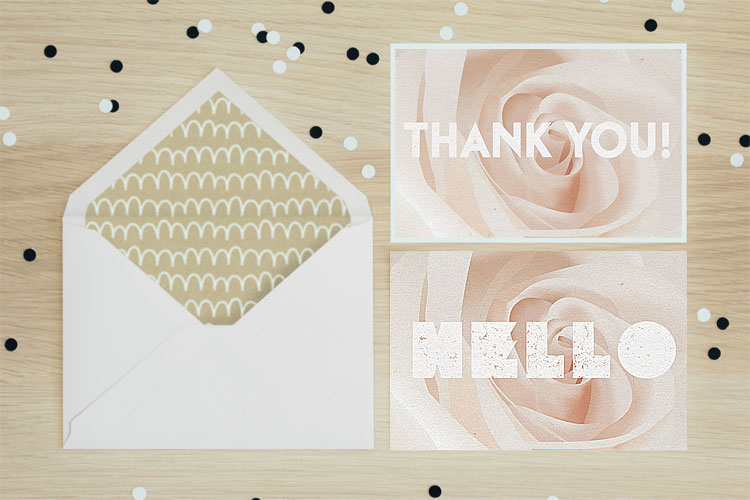
    A simple bi-fold creates an intimate, book-like reveal that feels personal, making it perfect for a thank you card or a heartfelt note. It's no surprise that the greeting card industry, which is projected to hit a market value of $20,102 million in 2025, leans so heavily on this classic format. North America alone is expected to make up a $7,658.86 million slice of that pie, which just goes to show the lasting power of a simple, effective fold.

    Matching Folds to Project Goals

    When your story is a bit more complex, a tri-fold is a fantastic option. It naturally guides the reader through a sequence of information, which is ideal for marketing brochures, event programs, or menus where you can build a narrative across three distinct panels.

    On the other hand, if you need to make a dramatic first impression, the gatefold is your go-to. Its two front panels open from the center like a set of double doors, creating a grand reveal. This makes it a stellar choice for a wedding invitation, a new product launch, or an exclusive event announcement. Each fold type really does serve a different purpose and shapes how the user experiences your design.

    To help you visualize which fold might be right for your next project, here's a quick reference table.

    Matching Your Fold Type to Your Project

    Fold Type Number of Panels Best Used For Key Consideration
    Bi-Fold 4 (2 front, 2 back) Greeting cards, invitations, simple announcements, menus A classic, book-like opening. Straightforward and familiar.
    Tri-Fold 6 (3 front, 3 back) Brochures, event programs, detailed product info Guides the reader through information in a sequential flow.
    Gatefold 6 (3 front, 3 back) High-impact invitations, product reveals, luxury marketing Creates a dramatic, theatrical reveal when opened from the center.

    Ultimately, your choice directs how your audience receives your message and sets the tone for everything that follows.

    Key Takeaway: Think of the fold as the first chapter of your story. A bi-fold is a direct statement, a tri-fold is a short story, and a gatefold is a theatrical prologue.

    Real-World Fold Applications

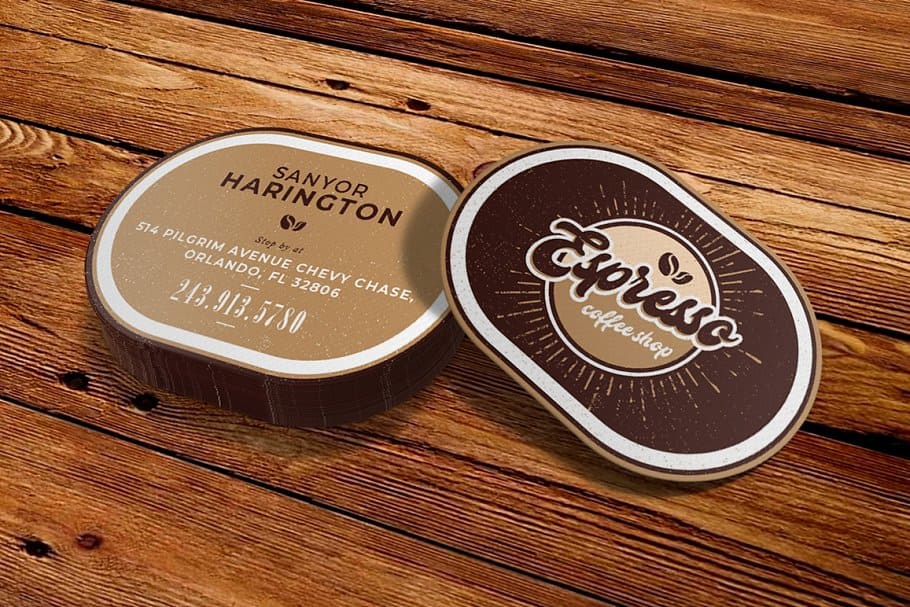
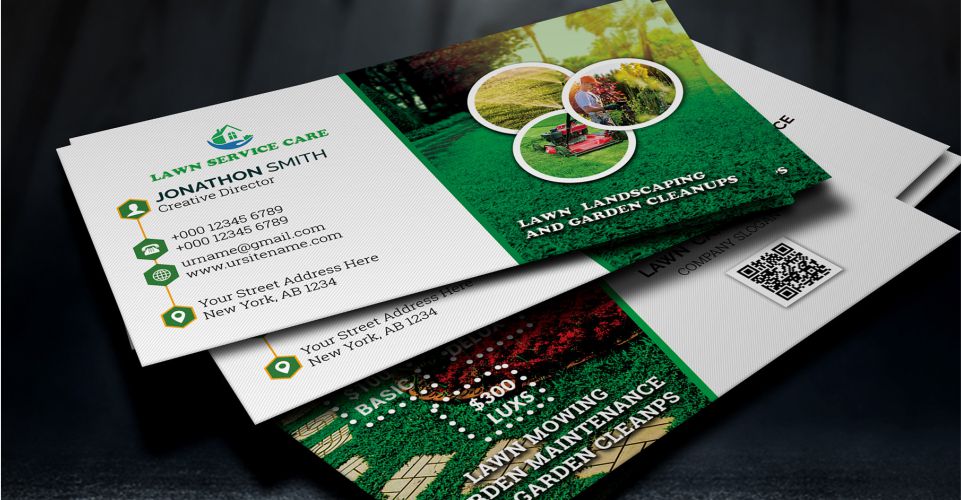
    Let's put this into practice. Imagine you're a real estate agent. A bi-fold business card instantly doubles your real estate. You can put your headshot and contact info on the outside, then use the inside panels for current property listings or your personal mission statement. It’s a practical choice that makes the most of a small format.

    Here’s a great example of how 4OVER4's folded business cards keep information clean and effective.

    The image showcases how even a simple fold can add dimension and a touch of professionalism.

    A local restaurant might use a Z-fold brochure to lay out their menu—appetizers on the first panel, entrees on the second, and desserts on the third, creating a logical flow for diners. In the same vein, an art gallery could use a gatefold invitation for an exhibition opening, building anticipation before revealing the featured artwork inside.

    Exploring 4OVER4's folded collection can spark even more ideas on how to apply these concepts to your own projects.

    Getting Your Dielines, Safe Zones, and Bleeds Right

    Let's be honest, technical print terms like 'dielines,' 'safe zones,' and 'bleeds' can sound a bit intimidating at first. But trust me, these are the concepts that separate a crisp, professional folded card from one that just looks… off. Getting these right is the secret to making sure what you see on your screen is exactly what you get in your hands.

    Think of the dieline as the invisible blueprint for your card. It's a set of lines in your design file that tells our machines exactly where to cut and where to fold. If this blueprint is even slightly inaccurate, your panels won't line up, and the whole card can look skewed. These lines are absolutely crucial, especially for more intricate designs. If you're ever venturing into more complex shapes, you'll see just how precise these guides need to be with things like custom die cutting.

    Respecting the Safe Zone

    Inside those dielines, you have what we call the safe zone. This is a small margin running along the inside edge of your card's final trim size. Think of it as a protective bubble for all your important stuff.

    Any critical text, your logo, or key parts of an image absolutely must stay inside this zone. Why? Because the cutting process, while incredibly precise, can have minuscule variations. Pushing your company’s phone number right to the edge is a gamble you just don't want to take.

    For a typical 8.5" x 11" tri-fold, the safe zone is usually 0.125 inches inside the final trim line on all sides. It's a small buffer that makes a huge difference.

    Infographic illustrating three types of card folds: Bi-Fold, Tri-Fold, and Gatefold, with icons.

    As you can see, each type of fold creates unique panels that have to be perfectly measured and defined by the dielines to work together.

    The Importance of a Full Bleed

    Now, let’s talk about the area outside the trim line—the bleed. This is your secret weapon for preventing ugly white slivers from showing up on the edges of your finished card. It's physically impossible for a cutting blade to hit the exact same spot thousands of times in a row, so a tiny margin of error is built into the process.

    To get around this, you simply extend your background color or image past the final trim line. The industry standard for bleed is 0.125 inches (or 1/8th of an inch) on every side.

    Here’s a real-world example. Imagine you're designing a gatefold invitation with a rich, navy blue background that's supposed to cover the entire card.

    • What Not to Do: You design the navy background to stop exactly at the card's final dimensions. If the cutting blade shifts even a fraction of a millimeter, a thin, jarring white line from the unprinted paper will appear on the edge.
    • The Right Way: You extend that navy background a full 0.125 inches past the trim line on all four sides. Now, even with a tiny cutting shift, the blade only cuts through the navy ink, giving you a perfect, seamless edge.

    Pro Tip: Don't just assume your background is white. Even if your design has a white background, you should still extend a white box into the bleed area. This guarantees a clean, crisp edge, especially since the paper stock itself might have a slightly different shade of white.

    By paying close attention to the dielines, safe zones, and bleeds in your template, you're not just following rules—you're taking control of the final output. It's the best way to guarantee a high-quality, professional result every single time.

    Getting Your Design Ready for a Flawless Print Run

    What looks great on your screen doesn't always translate perfectly to paper. I've seen it happen countless times. To make sure your digital masterpiece becomes a physical reality without any hitches, there are a few non-negotiable rules you need to follow. Think of this as your final pre-flight checklist. Getting these details right is the difference between a professional-looking final product and a disappointing surprise when you open the box.

    A hand-drawn checklist with icons for print design specifications: CMYK swatch, 300 DPI, outline fonts, and export PDF.

    Color Mode: Start and End with CMYK

    This is probably the most common mistake I see new designers make: they design everything in RGB (Red, Green, Blue). Your monitor uses RGB light to create colors, which is why they look so vibrant on screen. But professional printers don't use light; they use ink—specifically CMYK ink (Cyan, Magenta, Yellow, Key/Black).

    If you send us an RGB file, our systems have to convert it to CMYK, and that automatic conversion can lead to some seriously dull, muddy colors. The best practice? Always start your fold card template design in CMYK mode from the very beginning. This way, the colors you see on a properly calibrated screen will be a much more accurate preview of the final print.

    Resolution: Don’t Settle for Less Than 300 DPI

    For print, image quality is everything. The industry standard is 300 DPI (dots per inch), and it’s a hard rule for a reason. This resolution ensures that every photo, graphic, and piece of text on your card comes out looking crisp and sharp. If you grab an image from a website (which is often just 72 DPI), it’s going to look blurry and pixelated when printed. Trust me on this.

    Check the resolution of every image before you place it into your design. Trying to upscale a low-res image just doesn't work; you can't create pixels that aren't there. You have to start with a high-quality source file to get a high-quality print. It's this commitment to detail that underpins our high-quality digital printing services.

    Pro Tip: It’s not just about the images. Make sure your entire document is set to export at 300 DPI. This preserves the sharpness of vector elements and text, not just your photos.

    Typography: Outline Your Fonts to Lock Them In

    Here’s another critical step that’s easy to forget: outlining your fonts. When you send a file with live text, our printing system might not have the exact same font you used. If it doesn't, it will substitute it with a default font, which can completely throw off your entire design.

    The solution is simple. By converting your text to outlines (or "curves" in some programs), you essentially turn the letters into vector shapes. This permanently locks in their appearance. What you send is exactly what gets printed, no font substitutions, no surprises.

    Imagine a beautifully designed business card that folds open to reveal more contact info—it’s a great way to make an impression. With roughly 273 million business cards printed daily worldwide, a unique fold helps you stand out. In fact, cards with innovative folds printed on premium stock have a 25% higher retention rate because people associate quality with value.

    Once you’ve checked everything off the list, the final step is to export your design as a high-quality or press-quality PDF. This file format is the universal standard for a reason. It embeds all your images, color profiles, and outlined fonts into a single, reliable package that’s ready for the press.

    Selecting Paper and Finishes That Elevate Your Design

    The way your folded card feels in someone's hands is just as powerful as how it looks. This is something I've learned time and again over the years. That tactile experience, created by your choice of paper stock and finish, can turn a good design into a truly memorable one.

    It’s about adding a layer of professionalism and perceived value that a purely digital design just can't match.

    Hand-drawn guide showing two card thickness options, 16pt and 14pt, and three finishes: Gloss, Matte, and Spot UV.

    It really all starts with the paper's weight, which we measure in points (pt). A standard 14pt cardstock is a solid, reliable choice for plenty of projects. It's sturdy enough for things like business cards or postcards without feeling overly rigid. A great all-rounder.

    But if you want to signal a higher level of quality, stepping up to a 16pt cardstock is the way to go. That extra thickness provides more substance and durability, making a much stronger first impression. Think premium invitations or high-end marketing materials. It’s a subtle upgrade, but it tells your audience you invested in the details.

    Choosing the Right Finish for Your Fold Card Template

    Once you've picked your paper weight, the finish is what really brings your visuals to life. This coating doesn't just protect the ink; it dramatically affects the mood and style of your design. Each finish has a specific job, so matching it to your project's goals is essential.

    Here’s a breakdown of the most common options:

    • Glossy Finish: This high-shine coating makes colors pop like you wouldn't believe. It’s an excellent choice for photo-heavy designs because it makes images feel vibrant and grabs attention immediately. Perfect for event flyers or promo cards where you need maximum visual impact.
    • Matte Finish: For a more understated and modern feel, matte is your best bet. It gives you a smooth, non-reflective surface that just exudes elegance. This finish is ideal for text-heavy designs, as it cuts down on glare and improves readability—think informational brochures or sophisticated business cards.

    Expert Insight: I always recommend a matte finish for designs that use dark, solid colors. A glossy finish on a dark background is a magnet for fingerprints, while matte keeps things looking clean and refined.

    Adding a Premium Touch with Specialty Finishes

    Beyond the standard gloss and matte, you can explore some really cool premium options that add a tactile dimension to your fold card template. One of my absolute favorites is Spot UV.

    This technique applies a high-gloss coating to specific areas of your design—like a logo, a headline, or a graphic element—while the rest of the card stays matte.

    This contrast creates a subtle, textured effect that just invites people to touch it. It’s a fantastic way to highlight the most important parts of your design and create a lasting, multi-sensory impression.

    For those looking to make a serious impact, exploring the full range of fantastic finishes available at 4OVER4 can provide even more inspiration. Your paper and finish choices are truly the final, crucial steps in bringing your design from the screen into reality.

    You've poured your heart into the design and wrestled with the print-ready file until it was perfect. So, what's next? Let's walk through those final steps on a real-world platform like 4OVER4, turning your digital file into a stack of beautifully printed folded cards. This last stage is all about making sure you and the printer are on the same page.

    First things first, you'll land on the product page where you need to lock in your project details. This is where you'll select the final size, confirm the fold type (like that bi-fold or tri-fold we talked about), and choose the exact paper stock and finish you decided on. As you make each selection, you'll see the instant price calculator update in real-time, which is great for keeping your budget in check. No surprises here.

    Uploading Your Fold Card Template

    Once you've configured your product, it's time for the main event: uploading your file. 4OVER4’s uploader is pretty straightforward and accepts standard formats like PDF—which is absolutely the best choice for keeping your fonts, colors, and layout perfectly intact.

    Maybe you don't have a design ready to go. No problem. This is also the point where you can jump into their Online Designer tool. It’s a browser-based tool that gives you a solid alternative, complete with templates that already have the correct dimensions and safe zones built right in.

    Whichever path you take, the next step is easily the most important part of this entire journey: proofing.

    The Critical Importance of the Digital Proof

    After your file is uploaded and processed, you'll get a digital proof. Think of this as your last line of defense against any mistakes that could cost you time and money. It's a final preview showing exactly how your project will look once printed, complete with trim marks and fold lines. You absolutely have to give it your full attention.

    Here’s a quick mental checklist I run through every single time:

    • Fold Line Accuracy: Are the score lines precisely where they need to be? For something like a tri-fold, I double-check that the panels are sized correctly to nest inside each other without buckling.
    • Safe Zone Check: Is all my important stuff—text, logos, contact info—comfortably inside the safe zone? I look especially close at anything near the edges.
    • Bleed Confirmation: Does the background art or color stretch all the way to the outer edge of the bleed line? This is non-negotiable if you want to avoid those dreaded white slivers after trimming.
    • Color and Content: Do the colors look right? And for the love of print, proofread everything one last time. It's amazing what a fresh pair of eyes can catch.

    My Pro Tip: I always zoom in to at least 200% when I'm reviewing a proof. This trick makes it so much easier to spot tiny alignment issues, fuzzy images, or typos that are completely invisible at normal viewing size.

    With around 27 million business cards printed and passed around the globe every day, folded versions with unique styles are a massive advantage. The trends for 2025 are pointing toward artistic cards, maybe with retro vibes or even AI-generated aesthetics, perfect for a clever reveal inside a fold. Nailing the proof is how you ensure that cool design actually makes the impact you're hoping for. If you're curious, you can discover more insights about what makes business cards memorable.

    Only when you are 100% satisfied with that digital proof should you click "approve." That final click is what sends your job to the presses. Taking a few extra minutes to be a hawk at this stage is the difference between getting a box of perfect folded cards and a box of expensive disappointments.

    Answering Your Top Questions About Folded Card Templates

    Even with the most detailed template, a few questions always seem to pop up right when you’re about to finalize your design. It's totally normal. Let's walk through some of the most common issues we see designers run into.

    Getting these details sorted out can be the difference between a smooth print run and a frustrating setback. Once you get the hang of them, the whole process feels much more intuitive.

    What Is the Difference Between a Z-Fold and a Letter Fold?

    At first glance, a Z-Fold and a Letter Fold (often called a C-Fold) look pretty similar. They're both tri-folds, giving you six panels to work with. But the real difference is in how they unfold and tell a story.

    • A Letter Fold is like a classic business letter, with one panel tucked neatly inside the others. This creates a natural sequence: a front cover, an "opener" panel, and then the main interior spread. It’s perfect when you want to guide someone through information step-by-step or build a little suspense before the big reveal.

    • A Z-Fold, on the other hand, opens up like an accordion in a "Z" shape. When you pull it open, all three interior panels are visible at once. This makes it a fantastic choice for designs that need to flow across the entire width, like a panoramic photo, a timeline, or a side-by-side product comparison.

    So, which one is right for you? It really just comes down to the story your content is trying to tell.

    Why Do My Printed Colors Look Different From My Screen?

    Ah, the classic print design headache. This is one of the most common surprises for people new to printing, and it all comes down to the science of color. Your computer screen and a printing press speak two different color languages.

    Your monitor uses the RGB (Red, Green, Blue) color model. It creates colors by projecting light, which is why those bright, electric blues and greens look so vibrant on screen. Printers, however, use the CMYK (Cyan, Magenta, Yellow, Key/Black) model, which works by layering ink on paper to absorb light.

    Since the RGB color spectrum (or "gamut") is much wider than CMYK's, some of those super-bright screen colors simply can't be reproduced with ink. To avoid disappointment, the best practice is to design your file in CMYK mode from the very beginning. That way, what you see on your screen is a much closer representation of the final printed piece.

    What Is Scoring and Why Does It Matter for Folded Cards?

    Scoring is the process of creating a clean, crisp indentation in the paper right where it needs to be folded. Think of it as a guide for the fold. For any paper stock thicker than a flimsy sheet of copy paper—especially heavy cardstocks—this step is non-negotiable.

    If you try to fold thick paper without scoring it first, the paper fibers along the fold will stretch and crack. The result is a messy, jagged edge that looks unprofessional. A proper score line ensures that every single fold is perfectly sharp and clean, giving your project that polished, high-end feel. Any quality printer will automatically score your folded cards to prevent this from ever being an issue.

    Key Insight: Think of scoring as creating a designated "path" for the paper to follow. It relieves the stress on the paper fibers, allowing for a perfect fold without any cracking or damage, which is especially important for custom greeting cards on thick, premium stock.

    Do I Need to Submit a Separate File for Each Side?

    Good news—no, you don't. In fact, printers almost always prefer getting a single, multi-page file that contains the entire design. It keeps things organized and reduces the chance of error.

    For a simple bi-fold card, for example, your final file should be a two-page PDF. Page 1 would be the outside of the card (containing both the front and back cover panels). Page 2 would be the inside spread. Your printer’s fold card template is your best friend here—it will show you exactly how to orient each panel within your design file so everything prints correctly.


    Ready to bring your perfectly designed folded card to life? With an extensive range of paper stocks, finishes, and fold types, 4OVER4 has everything you need to create a stunning final product. Explore our options and start your print project today at https://4over4.com.

    More from fold card template

    Finding the Ideal Size of a Poster in Pixels
    story
    Finding the Ideal Size of a Poster in Pixels

    9

    If you're designing a standard 18x24 inch poster, you’ll want a file that’s 5400 x 7200 pixels to ge

    author avatarEmma Davis

    Jan 11, 2026

    Create Outlines in Illustrator A Guide to Flawless Print-Ready Files
    story
    Create Outlines in Illustrator A Guide to Flawless Print-Ready Files

    48

    When you hear a designer talk about "creating outlines in Illustrator," they're referring to one of two things: converting live

    author avatarEmma Davis

    Jan 10, 2026

    The Difference Between Matte and Glossy Print Finishes
    story
    The Difference Between Matte and Glossy Print Finishes

    27

    The real difference between matte and glossy boils down to a single element: light. How does the paper's surface interact

    author avatarEmma Davis

    Jan 9, 2026

    Screen Print Vs Vinyl A Guide to the Best Printing Method
    story
    Screen Print Vs Vinyl A Guide to the Best Printing Method

    22

    When you're trying to decide between screen printing and vinyl, the choice really boils down to two things: volume and design. If you'

    author avatarEmma Davis

    Jan 8, 2026

    How to Print Business Cards That Actually Get Noticed
    story
    How to Print Business Cards That Actually Get Noticed

    42

    Printing a business card might seem straightforward, but a handful of small details are what separate a truly memorable card from one that get

    author avatarEmma Davis

    Jan 7, 2026

    Finding the Best Font for Flyers to Elevate Your Design
    story
    Finding the Best Font for Flyers to Elevate Your Design

    47

    When you need to make an impact fast, your font choice is everything. For flyers, you can't go wrong with timeless, readable options like

    author avatarEmma Davis

    Jan 6, 2026

    A Practical Guide to Business Card Design Online
    story
    A Practical Guide to Business Card Design Online

    51

    In a world drowning in digital pings and overflowing inboxes, the humble business card is more powerful than ever. It's a real handshake,

    author avatarEmma Davis

    Jan 5, 2026

    Your Ultimate Guide to Typical Banner Sizes
    story
    Your Ultimate Guide to Typical Banner Sizes

    45

    It's a classic question we get all the time: "What's a typical banner size?" The honest answer? There really isn't one u

    author avatarEmma Davis

    Jan 4, 2026

    Home
    Products
    Favorites
    Cart
    Account