Table of Contents
- Home
- content hub
- What Is the Average Size of a Business Card? A Complete Guide
 Share and earn
What Is the Average Size of a Business Card? A Complete Guide

Feb 2, 2026458 views
Feb 2, 2026458 views
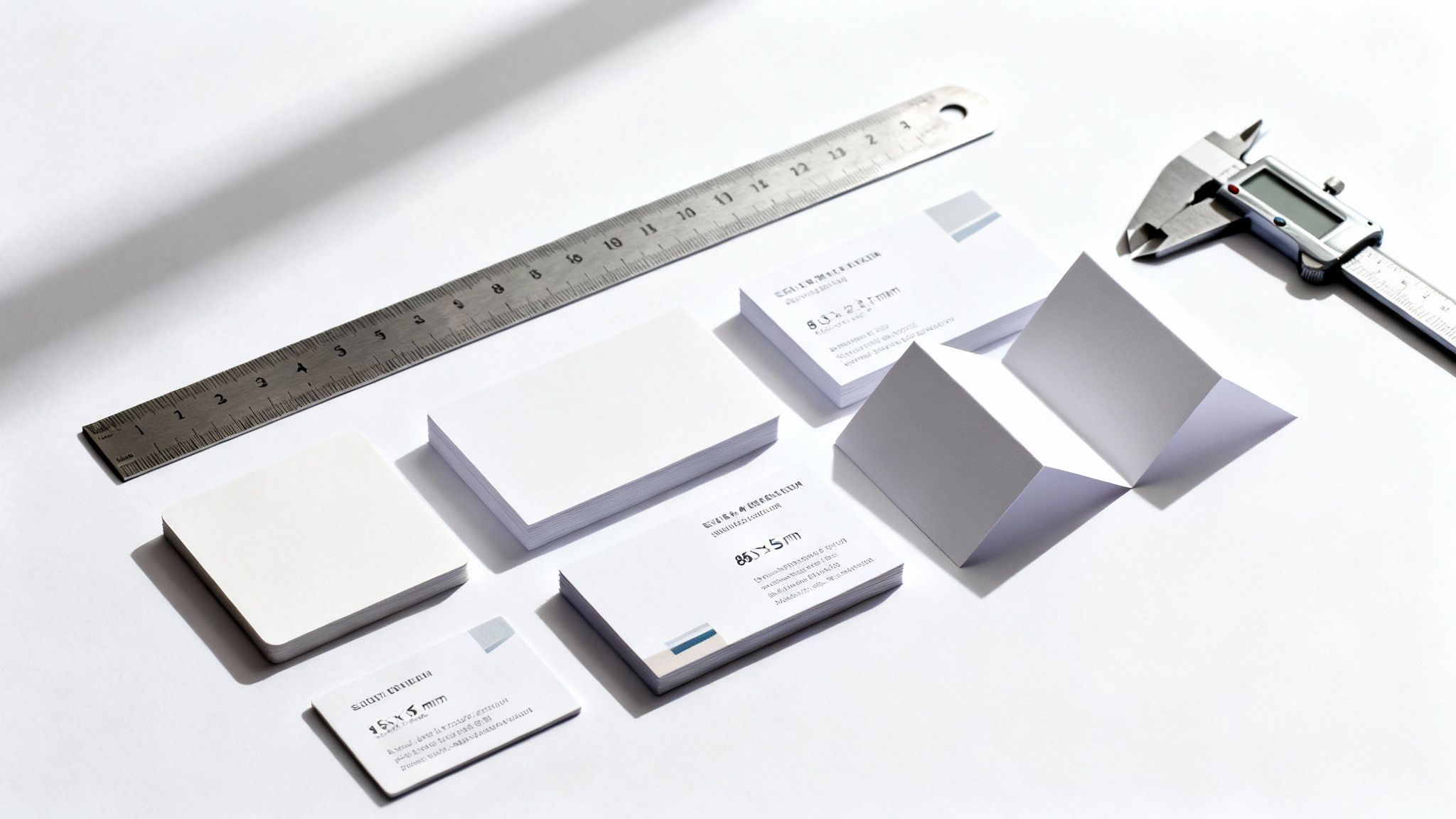
Even though we live in a digital world, the humble business card is still a powerhouse networking tool. But here's something most people don't think about until it's too late: not all business cards are created equal. In fact, their sizes can vary quite a bit depending on where you are in the world.
Think of it like this: a business card needs to fit comfortably in a wallet. Since wallets are designed to hold credit cards, the average size of a business card is right in that ballpark. In North America, that means a classic 3.5 x 2 inches. Travel across the pond, and you'll find the international standard is a slightly different 85 x 55 millimeters.
This might seem like a tiny detail, but getting it right is your first step to making a great impression, whether you're at a local trade show or an international conference.
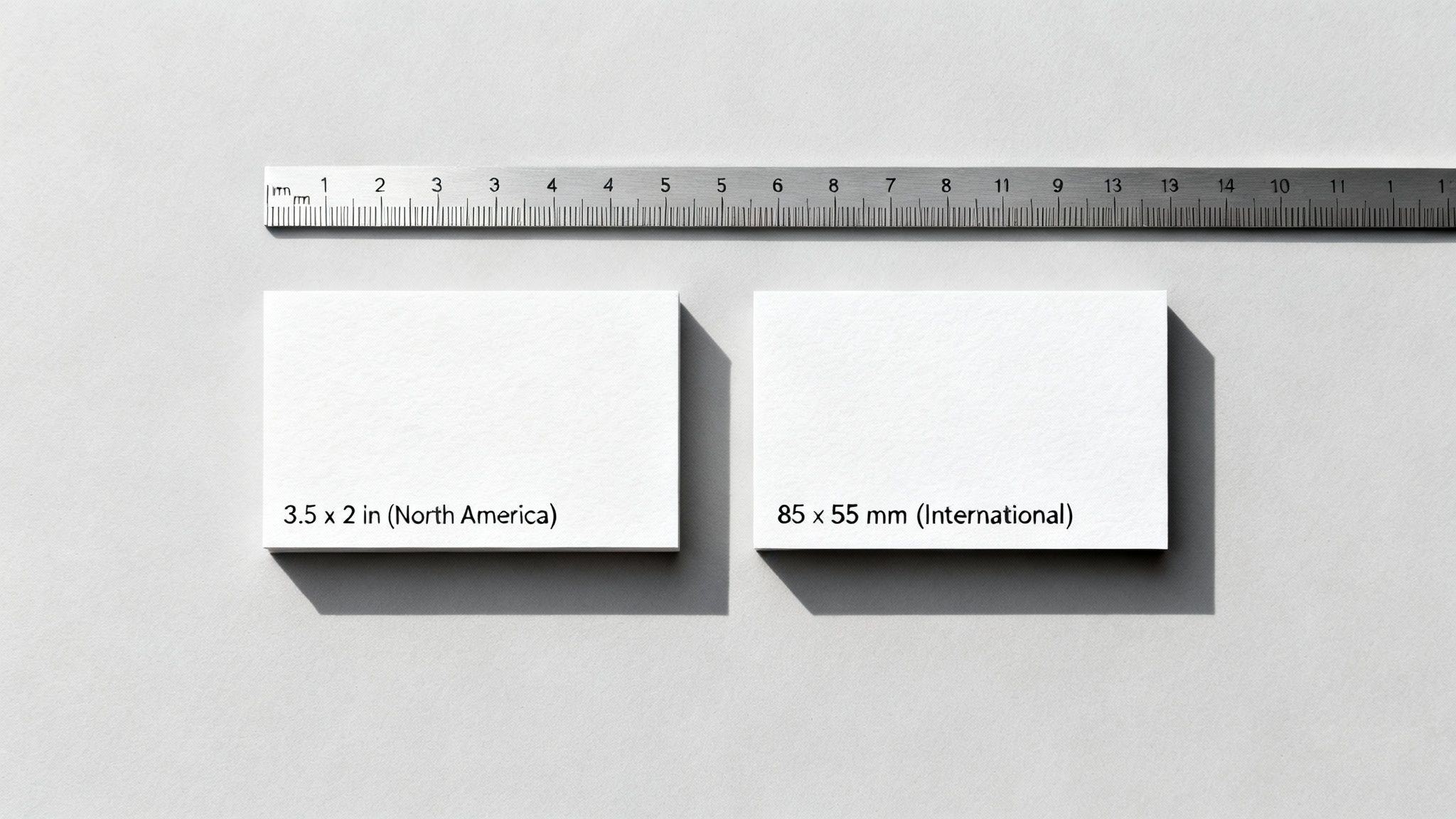
A Tale of Two Standards
So, why the difference? It boils down to history and practicality. Just like electrical outlets are different from country to country, business card dimensions evolved to fit local customs and printing standards. The main goal has always been convenience—a card that slides effortlessly into a wallet is a card that gets kept.
The U.S. standard of 3.5" x 2" has been around for decades, its proportions rooted in early 20th-century printing traditions. It just became the size everyone was used to. Meanwhile, much of the world adopted a metric-based system, aligning with international banking card standards (ISO 7810). This created a slightly narrower, taller card that's become the norm in Europe and many other regions.
A global analysis in 2024 showed that while sizes vary, it's usually by no more than 5-7%. The weighted average across all major markets hovers around 87 x 53 mm. This reflects the huge print volumes in Europe (45% share) and Asia (30%), compared to the US (25%), where the traditional 89 x 51 mm size remains king.
Business Card Size Quick Reference by Region
To make things simple, here’s a quick breakdown of the most common business card sizes you'll encounter around the globe.
| Region | Standard Size (Inches) | Standard Size (Millimeters) |
|---|---|---|
| North America (USA & Canada) | 3.5" x 2" | 89 x 51 mm |
| Europe & UK | 3.35" x 2.17" | 85 x 55 mm |
| Japan ("Meishi") | 3.58" x 2.17" | 91 x 55 mm |
| Australia & New Zealand | 3.54" x 2.17" | 90 x 55 mm |
As you can see, the differences are subtle but important. A North American card might stick out of a European cardholder, and vice versa. It’s a small thing, but in business, the small things matter.
Pro Tip: If you're traveling for work, do yourself a favor and print a small batch of cards in the local standard size. It's an incredibly thoughtful gesture that shows you've done your homework and respect local customs. Plus, your card won't be the odd one out!
Choosing the right standard ensures your card isn't just a piece of paper but a smooth, effective networking tool. Ready to find the perfect fit? You can explore a huge variety of options in our standard collection business cards.
Why North America Uses the 3.5 x 2 Inch Standard
If you've ever collected business cards at a networking event in the U.S. or Canada, you’ve probably noticed they all feel comfortably familiar in your hand. This is no accident. The standard 3.5 x 2 inch dimension is so deeply ingrained in North American business culture that it almost feels like the only size a card should be.
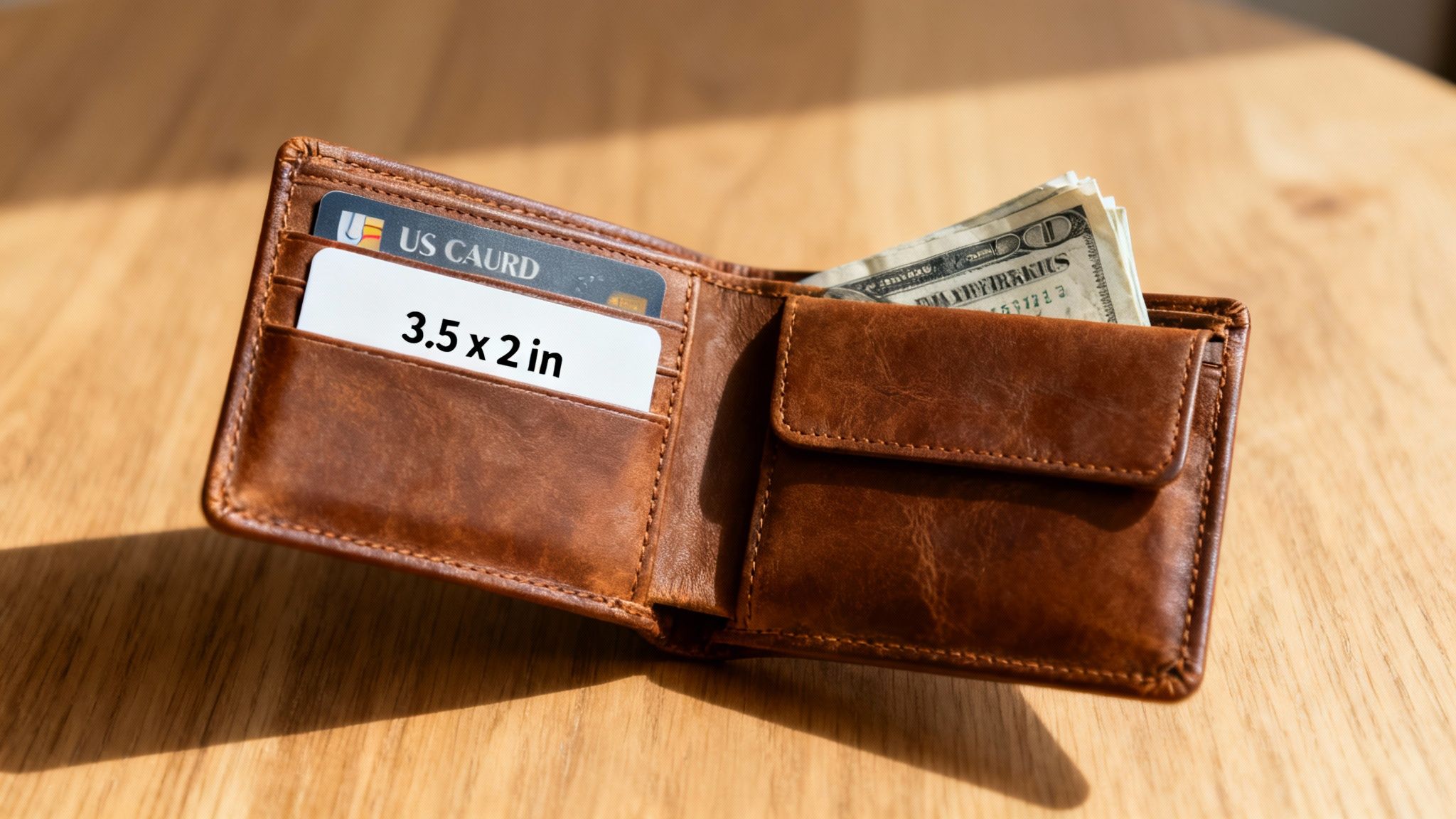
This uniformity isn’t just about printing convenience; it’s a smart design choice with deep historical roots. The 3.5 x 2 inch card was originally engineered to fit perfectly inside the wallets of the mid-20th century, designed to sit neatly alongside folded cash and early ID cards. Its size was a deliberate act of practicality.
Because of this legacy, the average size of a business card in this region has stayed the same for generations. This has created a powerful, unspoken standard that influences everything from wallet design to the automated card scanners you see at trade shows.
The Strategic Advantage of the Wider Format
Beyond just fitting into a wallet, the North American standard offers a clear design advantage. Its aspect ratio of 1.75 makes it feel wider and a bit shorter than its European counterpart. Think of it as the difference between a widescreen movie theater and a classic TV screen.
This extra horizontal space is a designer's dream for a few key reasons:
- Prominent Logos: It gives you plenty of room for a bold, impactful logo without squeezing out other essential information.
- Clearer Typography: Contact details can be laid out in a clean, linear way, which makes them much easier to read.
- Horizontal Layouts: The format is a natural fit for landscape-oriented designs, which often feel more balanced and professional.
- Modern Additions: It’s a great spot for QR codes, which need a certain amount of space to be scannable. A code that’s too small is just a useless decoration.
This wider canvas is a huge plus for startups and small businesses needing to make a strong first impression. In the U.S. and Canada, the 3.5 x 2 inch (89 x 51 mm) size commands an incredible 92% market dominance, all because it was made to be compatible with wallets. This format gives you 12% more horizontal space than the European 85 x 55 mm card, perfect for the bold logos and QR codes that are so crucial for the 75 million SMBs relying on that memorable first handshake.
A business card is your brand’s handshake. The North American standard size is designed to feel firm, familiar, and confident, ensuring it fits perfectly into the business ecosystem it was created for.
Making the Standard Work for You
Sticking to the 3.5 x 2 inch standard in North America isn't about being boring—it's about being smart. It ensures your card is instantly compatible with the tools and habits of your target audience. You won't be the person whose oddly shaped card gets left on the table because it doesn’t fit in a standard cardholder.
To make the most of this classic format, here are a few practical tips:
- Embrace the Width: Don't be shy about using that horizontal space. A strong, left-aligned logo with contact info flowing to the right is a timeless and effective layout.
- Mind Your QR Code: If you add a QR code, make sure it’s at least 0.8 x 0.8 inches so any smartphone can scan it easily. The North American card size gives you plenty of room to do this without messing up your design.
- Prioritize Readability: The goal is connection, not a design puzzle. Use clean fonts and a clear hierarchy to guide the recipient's eye to the most important info first: your name, your company, and what you do.
By understanding the "why" behind this specific size, you can make design choices that work with the standard, not against it. That simple piece of cardstock becomes a powerful tool for seamless networking. For those just getting started, our business basics collection has fantastic templates perfectly optimized for this classic dimension.
International Business Card Dimensions in Europe and Asia
Step outside North America, and you'll quickly realize the familiar 3.5 x 2 inch business card isn't the only player in the game. In fact, across Europe, the UK, and most of Asia, a different standard is king—one that feels just as natural to billions of people.
The global favorite is the 85 x 55 mm card. This isn't just a random measurement; it was smartly designed to match the ISO 7810 ID-1 standard, the official size for bank cards. This simple alignment makes it a perfect fit for the wallets and cardholders used by nearly everyone in these regions.
Think of it as a small but powerful act of conforming to a global language of convenience. A card that slides neatly next to a credit card is a card that gets kept, stays organized, and is easy to find.
The Power of a Universal Standard
Choosing this size is about more than just fitting in; it's about global compatibility. When you're networking, a business card that feels "right" in London, Berlin, or Singapore gives you a subtle but significant edge. It removes that tiny bit of friction that might cause your card to be tucked away somewhere else or, even worse, tossed out.
This is why the 85 x 55 mm (3.35 x 2.17 inches) card dominates in over 70% of global markets outside North America. It became the unofficial international norm back in the 1980s when credit card standardization started influencing everything else we carry. For more history and insights on business card dimensions, check out the resources at 4OVER4.
A business card that matches the local standard is more than just a piece of paper; it's a non-verbal cue that you understand and respect international business etiquette. It shows you’ve done your homework.
Regional Nuances and Why They Matter
While 85 x 55 mm is the heavyweight champion, you'll still find important regional variations. These differences often have deep cultural roots, especially in Asia, where exchanging business cards is a respected ritual.
Japan is a perfect example. The Japanese business card, or "meishi," is a bit wider than its European counterpart, measuring 91 x 55 mm (3.58 x 2.17 inches). This isn't just a size difference; it’s woven into a formal ceremony of respect.
- The Japanese "Meishi": The wider format of the meishi is treated with incredible care. When exchanged, it's presented with two hands so the recipient can read it, and it's received with the same level of attention. It’s then placed on the table for the rest of the meeting, never just stuffed into a pocket.
- Other Asian Variations: In countries like China, Hong Kong, and Singapore, you'll often see cards measuring 90 x 54 mm. The differences are subtle, but in a business context, these details matter.
Why Sizing Matters for International Business
If you have international clients or ambitions, adapting your business card to the local standard is a small investment that pays off big. It's a powerful gesture of cultural awareness and professionalism that doesn't go unnoticed.
Picture yourself at a conference in Germany. When you hand someone a card that fits perfectly into their wallet, it shows you've considered their customs. It keeps your card from being the oversized "American" one that sticks out and doesn't file neatly with the rest. This small detail can subtly shift perceptions, positioning you as a thoughtful, globally-minded professional. It's a must-know for anyone looking to make a lasting impression on the world stage.
Getting Your Design File Ready for a Flawless Print
Picking the perfect business card size is a great first step, but it’s only half the battle. Now comes the critical part: making sure the design on your screen translates into a sharp, professional card in your hand. Getting your design file "print-ready" just means you're speaking the same language as the printing press.
Think of it like preparing a pizza. You can’t just toss toppings anywhere and hope for the best. You have to know where the crust will be cut to make sure all the good stuff stays safely in the middle. The same logic applies to your business card, and getting it right is the secret to avoiding any nasty printing surprises.
This infographic shows just how much cultural context shapes the purpose and design of business cards around the world.
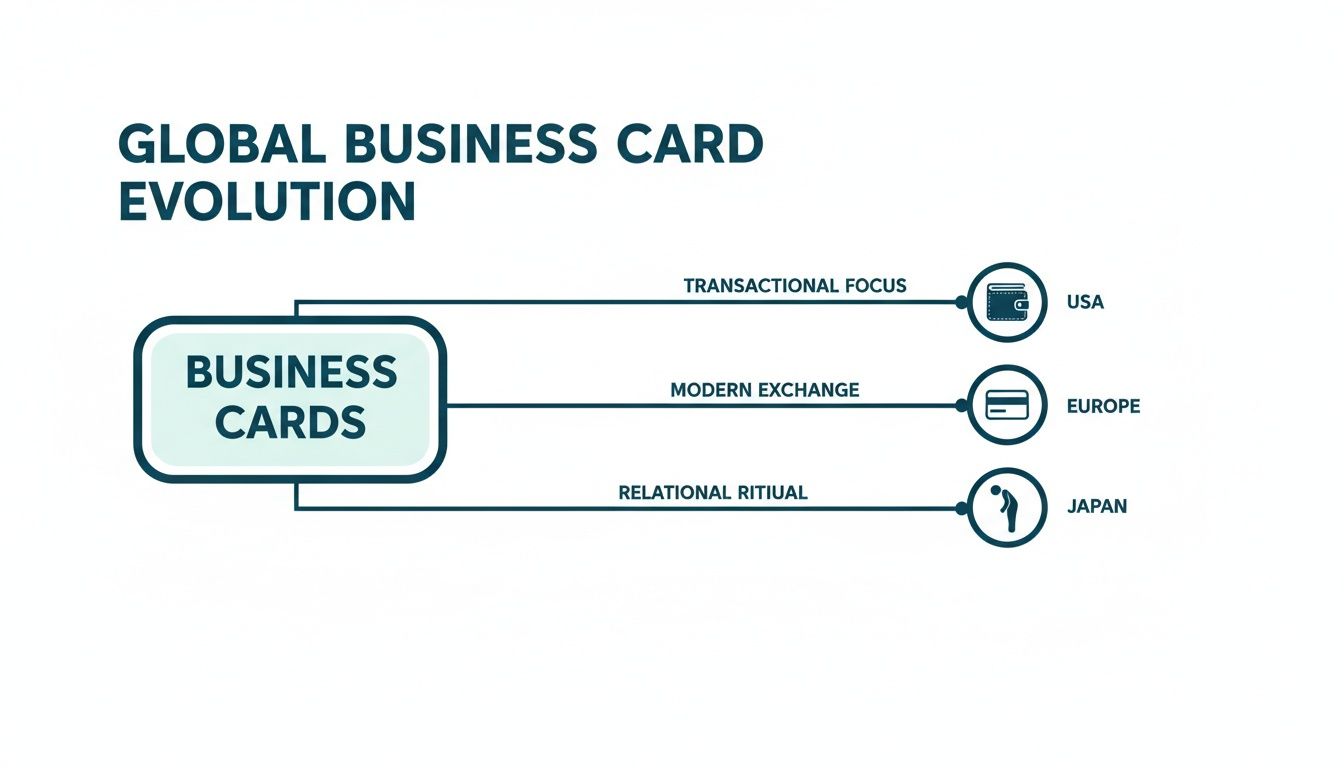
From the wallet-friendly practicality in the USA to the credit-card alignment in Europe and the ceremonial exchange in Japan, the card's purpose directly influences its design and standard dimensions.
A Crash Course in Printer Lingo
To avoid common headaches like blurry text or your phone number getting chopped off, you need to get comfortable with three key terms: bleed, trim line, and safe area. Let's stick with our pizza analogy—it makes this super simple.
Bleed Area (The Sauce): Imagine the tomato sauce on your pizza. You want it to spread all the way to the edge of the dough, so when it's sliced, there are no weird white gaps. The bleed is just extra background color or imagery that extends beyond your card's final size. For a standard US business card, you'll need to add a 0.125-inch bleed on all four sides.
Trim Line (The Cut): This is the final, finished size of your business card after it's been cut from the larger sheet. It’s where the pizza cutter slices the dough. For a standard US card, this line is at 3.5 x 2 inches.
Safe Area (The Toppings): This is where you put all your most important ingredients—your name, logo, phone number, and email. You'd never put pepperoni right on the edge of the pizza where it could get sliced off. The safe area is an inner margin, typically 0.125 inches inside the trim line, that guarantees no critical content gets accidentally trimmed away.
The rule is simple: Backgrounds must touch the bleed line, but text and logos must stay within the safe area. This simple discipline is the secret to a perfectly printed card every time.
The Non-Negotiable Tech Specs
Beyond the physical layout, two technical settings are absolutely essential for a high-quality print job. Getting these wrong is the most common reason for disappointing results, but luckily, they're easy to get right from the very start.
First up is resolution. Your design file must be set to 300 DPI (Dots Per Inch). This is the gold standard for professional printing and ensures your text and images look crisp and clear, not fuzzy. Web images are often only 72 DPI, which looks fine on a screen but will appear blurry and pixelated in print. Always start your project at 300 DPI.
Second is the color mode. Your file has to be set to CMYK (Cyan, Magenta, Yellow, Key/Black). This is the four-color model that physical printing presses use to mix colors with ink. Your computer screen uses RGB (Red, Green, Blue), which can display brighter, more vibrant colors that simply can't be replicated on paper. Designing in CMYK from the beginning ensures the colors on your final card will actually match what you saw on your screen.
Ready to explore how different finishes and techniques can make those colors pop? Check out the advanced options available with our digital printing services.
Choosing the Right File Format
Finally, how you save your file really matters. While printers might accept several formats, some are far better than others for locking in the quality of your design.
For the best results, stick with one of these:
- PDF (Portable Document Format): This is the gold standard for a reason. A high-quality PDF embeds all your fonts, images, and graphics into a single, self-contained file. Nothing will shift or change when we open it on our end.
- AI (Adobe Illustrator): If you built your card in Illustrator, a native AI file is a fantastic option. It preserves all the vector information, meaning your logo and text will be infinitely sharp, no matter what.
- PSD (Adobe Photoshop): A layered PSD file works too, but you have to be careful. Make sure it’s saved at 300 DPI and includes the full bleed dimensions. It's also a good idea to convert text layers to shapes to avoid any font issues.
To make it even easier, here's a quick checklist to run through before you send your file off to print.
Print-Ready File Checklist for a Standard US Business Card
| Specification | Required Setting | Why It Matters |
|---|---|---|
| Document Dimensions | 3.75 x 2.25 inches | This includes the standard 3.5" x 2" card size plus a 0.125" bleed on all four sides. |
| Resolution | 300 DPI | Ensures all text, logos, and images are sharp and clear, preventing a blurry or pixelated result. |
| Color Mode | CMYK | Matches the four-color ink process of commercial printers, ensuring your colors print as expected. |
| Safe Area Margin | 0.125 inches | Creates an inner boundary at 3.25" x 1.75" to protect all critical text and logos from being trimmed off. |
| File Format | PDF (High Quality) | Embeds all assets (fonts, images) into a universal format, locking your design in place for printing. |
By following these guidelines, you're taking control of the process. You're not just hoping for a good result—you're guaranteeing one. This empowers you to submit flawless artwork and get professional, impressive business cards back every single time.
Creative Business Card Sizes That Stand Out
While the standard 3.5 x 2 inch card is a tried-and-true choice for networking, sometimes the best way to be remembered is to break the mold. Choosing a creative business card size isn't just about being different—it's a strategic move that can instantly telegraph your brand's personality before a single word is even read.
Think about it: in a sea of familiar rectangles, an unconventional shape or size acts as an immediate conversation starter. It signals confidence, creativity, and a keen eye for detail. This approach is especially powerful for professionals in visual fields like graphic design, photography, or fashion, where a unique presentation is part of the professional promise.
Exploring the Mighty Mini Business Card
Mini business cards, often measuring around 2.75 x 1.1 inches, are a slim, stylish alternative to the standard format. Their small stature makes them incredibly memorable and easy to tuck into a wallet, but they demand a minimalist design.
The key to a great mini card is ruthless editing. With such limited space, only the most critical information can make the cut. We're talking a name, one primary contact method (like a website or social handle), and a logo. They work exceptionally well as product tags, appointment reminders, or simple networking tools for creatives who let their online portfolio do the heavy lifting.
The Power of the Square Business Card
Square business cards, commonly printed at 2.5 x 2.5 inches, offer a modern, balanced, and visually striking format. The symmetrical shape is naturally pleasing to the eye and provides a fantastic canvas for brands with strong, simple logos or iconic imagery.
This format has become a favorite among a wide range of professionals for a few key reasons:
- Artists and Photographers: The square shape echoes the look of popular social media platforms like Instagram, making it a natural fit for showcasing visual work.
- Tech Startups: A square card feels clean, contemporary, and forward-thinking, aligning perfectly with the innovative spirit of the tech industry.
- Boutique Shops and Cafes: The unique shape helps a small business feel more artisanal and curated, setting it apart from larger competitors.
A square card doesn't just hold your contact information; it frames it. This deliberate choice creates a sense of balance and modernity that makes your brand feel intentional and well-designed.
Doubling Your Space with Folded Business Cards
When you have more to say than a standard card allows, a folded business card is the perfect solution. Printed as a 3.5 x 4 inch sheet and folded down to the standard 3.5 x 2 inch size, it literally doubles your available real estate.
This extra space opens up a world of possibilities without creating a card that's too large or awkward to handle. It transforms a simple contact card into a mini-brochure, making it an invaluable tool for any service-based business.
For example, a folded card can be used to:
- List a menu of services for a salon or spa.
- Display a small portfolio of work for a photographer or interior designer.
- Include appointment reminder details for medical or consulting practices.
- Provide a map to a physical location or upcoming event.
Unleashing Creativity with Die-Cut and Custom Shapes
For the ultimate statement piece, die-cut business cards offer limitless creative potential. This process uses a custom-made cutting die to produce cards in any shape you can dream up, allowing you to create something that powerfully reinforces your brand identity.
Imagine a coffee shop handing out cards shaped like a coffee cup, a real estate agent with cards shaped like a key, or a pet groomer with cards shaped like a paw print. The tactile and visual impact of a custom shape is simply unmatched. It turns your business card from a piece of contact information into a memorable keepsake. While it's more of an investment, a well-executed die-cut card ensures you won't be forgotten.
And for those needing something just as distinctive but with added durability, exploring options like our plastic business card printing can offer a sleek, modern, and long-lasting alternative.
Choosing Your Perfect Business Card
Picking the right business card is about more than just slapping your name and number on a piece of paper. It’s a series of smart, intentional choices that bring your brand to life. The journey from a simple idea to a perfectly printed card is all about matching who you are with the right materials and dimensions.
The first big decision is size. As we've covered, the average size of a business card isn't the same everywhere. If most of your networking happens in North America, the standard 3.5 x 2 inch card is a reliable and effective choice. But if you're jetting off to an international conference in Europe, using the 85 x 55 mm standard shows you've done your homework and ensures your card will actually fit in local cardholders.
Matching Form to Function
Once you've landed on a size, think about how the card's format can amplify your message. Could a unique shape help your brand pop?
- Standard Cards: These are your go-to for traditional industries. They guarantee compatibility and project a classic, professional feel.
- Square or Mini Cards: Perfect for creatives, designers, and modern brands that want to make a memorable first impression. They just feel different in your hand.
- Folded Cards: A super practical choice for service-based businesses that need more real estate for menus, appointment slots, or even a mini-portfolio.
The card's material says a lot about your brand’s quality before you even say a word. A thick, premium paper stock can communicate luxury and permanence, while a sleek, modern finish might be a better fit for a tech startup. When looking at finishes, think about how a high-quality surface can make your design shine. You can get a better feel for this with our guide to laminating options and techniques.
Your business card is a physical extension of your brand identity. Every element—from its dimensions and paper weight to the finish—should work together to tell a cohesive story about who you are and the quality you represent.
Finally, before you hit "print," it's absolutely crucial to make sure your chosen business name is legally cleared. Guides on the NUANS name search stress this point before you rush to print business cards. This final check ensures all your branding efforts are built on solid ground. By thoughtfully weighing your market, message, and materials, you can create a business card that does more than just share your details—it makes a lasting, positive impact.
A Few Final Questions on Business Card Sizes
Getting into the nitty-gritty of business card design can bring up a few last-minute questions. Think of this as your final checklist—the small details that take a great idea and turn it into a flawless printed card. Here are some quick, clear answers to the most common queries we hear.
What Is the Best Resolution for a Business Card Design?
The one number you need to remember for any print file is 300 DPI (dots per inch). This is the non-negotiable industry standard, and for good reason. It’s what ensures every letter, logo, and photo on your card comes out sharp, crisp, and professional.
If you’ve ever seen a blurry, pixelated business card, it was almost certainly designed at a lower resolution, like the 72 DPI used for web images. To avoid that amateur look, always start your design in a program like Adobe Photoshop or Illustrator with your canvas set to 300 DPI right from the get-go.
Should I Use CMYK or RGB for My Business Card?
Always, always, always design and save your final print file in CMYK color mode. CMYK stands for Cyan, Magenta, Yellow, and Key (Black)—the four actual ink colors that printing presses use to mix and create every color on the page.
Your computer screen uses the RGB (Red, Green, Blue) model, which is based on light, not ink. This means screens can display super-vibrant colors that are physically impossible to recreate with ink. If you design in RGB, those bright colors you fell in love with on screen will likely look dull or shift dramatically when printed. Starting in CMYK ensures what you see is much closer to what you’ll get.
Key Takeaway: Designing in CMYK at 300 DPI is the golden rule of professional printing. Get these two settings right from the start, and you'll sidestep over 90% of the most common print quality problems. It's the simplest way to make sure your vision translates perfectly to paper.
Can I Put Important Information in the Bleed Area?
Absolutely not. You should never place any critical text or logos inside the bleed area. The bleed is the outer 0.125-inch margin of your design that’s destined to be trimmed off after printing.
Its only job is to make sure your background color or image goes all the way to the edge, preventing any ugly white slivers if the cutting isn't micron-perfect. All your vital content—names, numbers, logos—must stay tucked safely inside the "safe area," which is another 0.125 inches inside the final trim line. This guarantees nothing important gets chopped off, leaving you with a perfectly framed, professional card.
And as you're finalizing your design, remember that the psychology of colors can play a huge role in how your brand is perceived. Choosing the right palette is just as important as getting the technical specs right.
Ready to create a business card that makes a lasting impression? At 4OVER4, we offer a vast selection of sizes, premium paper stocks, and unique finishes to bring your vision to life. Design your perfect card today at https://4over4.com.
More from

17
Printing on ribbon is the art of transferring your custom design, logo, or text onto a roll of fabric. It’s what transforms a simple decorat
 Emma Davis
Mar 19, 2026

76
If you've ever wondered about the standard gift card dimensions, there’s one number you need to know: CR80
Emma Davis
Mar 17, 2026

43
When you’re launching a product, your bottle label is often the first thing a customer sees. Think of it as your silent salesperson
Emma Davis
Mar 16, 2026

110
When you're brainstorming ideas for landscaping business cards, it helps to think beyond just contact information. Your c
Emma Davis
Mar 15, 2026

240
When you think of a yard sign, the classic 18"x24" is probably what comes to mind. It’s the industry workhorse fo
Emma Davis
Mar 14, 2026

142
When you’re ready to invest in an A-frame sign, the first question you'll ask is, "What size do I need?" It usually comes down
Emma Davis
Mar 13, 2026

1525
The real secret to mastering your direct mail budget isn't complicated. It comes down to one simple fact: a standard 4" x 6&q
Emma Davis
Mar 12, 2026

171
Tear-off flyers are a classic for a reason. They’re a tangible marketing tool, designed with perforated, removable tabs at the bottom. Each
Emma Davis
Mar 11, 2026