Design a Packaging Box The Right Way

    user icon

    Emma Davis

    Content Writer

    Aug 4, 2025630 views

    Aug 4, 2025630 views

    Design a Packaging Box The Right Way

    When you start thinking about designing a packaging box, you’re not just making a container. You’re crafting the very first physical handshake between your brand and your customer. It’s that initial, tangible moment that truly sets the stage for what’s inside. A well-thought-out plan is what makes this moment memorable for all the right reasons.

    Your Blueprint for Brilliant Box Design

    Image Think of your box as your silent salesperson. Whether it's sitting on a crowded retail shelf or landing on a customer's doorstep, it has mere seconds to scream value, quality, and brand identity. That’s why winging it just won't cut it. Rushing the process often leads to costly mistakes—think poor material choices, graphics that don’t line up, or a box that completely fails to protect its contents.

    A solid blueprint, however, changes everything. It’s your roadmap from a simple idea to a finished piece that’s both protective and beautiful.

    Before diving headfirst into design software, it's crucial to lay the groundwork. I've found that every successful packaging project, big or small, rests on a few core pillars. Getting these right from the start saves a world of headaches later.

    Here's a quick breakdown of what you need to have locked down before you even think about colors or fonts:

    Pillar Key Focus Why It Matters
    Product-Centric Protection Product weight, fragility, and dimensions. The box's #1 job is to keep the product safe. A delicate glass candle needs a much different structure than a durable t-shirt.
    Brand Storytelling Colors, fonts, imagery, and texture. Your packaging is a powerful narrative tool. It should instantly tell your brand’s story—are you minimalist and eco-friendly, or vibrant and playful?
    Audience Appeal Target customer preferences and expectations. A design for luxury consumers looks completely different from one for budget-conscious families. Know who you're talking to.

    Nailing these three elements—protection, branding, and audience appeal—is what separates a basic box from an unforgettable unboxing experience.

    A great box design isn't just about looking pretty. It's a strategic blend of protection, branding, and customer experience that turns a simple purchase into a moment that builds real loyalty.

    The global demand for effective packaging shows just how important this is. In 2023, the Asia-Pacific region dominated the market, making up a massive 46.3% of total consumption. In terms of materials, paper and board accounted for 15.2% of the market, which tells you how popular it is for custom jobs. This data just hammers home the need to balance protective features with brand experience if you want to stand out.

    Ultimately, a strong blueprint is what helps you navigate both the creative and technical sides of box design. By planning ahead, you can explore a whole world of custom box printing options with confidence, knowing your final product will be functional, memorable, and ready to make an impact.

    Choosing the Right Materials and Finishes

    When you're designing a box, the material you pick is more than just a functional choice—it's the very foundation of how a customer physically experiences your brand. It’s the canvas for your art, the armor for your product, and a powerful messenger of your quality. This decision goes far beyond "just picking cardboard." It shapes everything from the vibrancy of your print to the perceived value of what's inside.

    The material speaks volumes before a single word is read. A thick, textured box holding a high-end watch whispers luxury. A simple, recycled paperboard for an organic soap quietly communicates eco-consciousness. Your choice is an immediate, tactile signal of what your brand stands for.

    Matching Materials to Your Product and Purpose

    First, let's get practical: what does your product actually need? A heavy glass candle requires a much different level of protection than a lightweight scarf. Think about the entire journey your box will take. Is it built for the rough-and-tumble world of e-commerce shipping, or will it sit pretty on a curated retail shelf?

    Here’s a look at some of the most common materials and where they really shine:

    • Corrugated Cardboard: This is the undisputed workhorse of the shipping world. Its fluted interior layer offers fantastic cushioning, making it a no-brainer for protecting fragile or heavy items during transit. While it's cost-effective and tough, it doesn’t always scream "premium" for primary retail packaging on its own.
    • Paperboard (or Cardstock): Sleek, smooth, and a dream to print on, paperboard is perfect for the retail spotlight. Think of the boxes you see for cosmetics, gourmet foods, or small electronics. It provides a clean, professional look and holds vibrant colors and crisp details beautifully.
    • Rigid Box (or Chipboard): For a true luxury experience, rigid boxes are the gold standard. Made from thick, condensed paperboard, they are non-collapsible and just feel substantial and permanent. These are what you'll find housing high-end gifts, smartphones, and top-tier subscription boxes.

    Always consider your product's weight. A thin paperboard might buckle under a heavy item, instantly undermining your brand’s image. On the flip side, over-engineering a box with thick corrugated material for a feather-light product leads to unnecessary shipping costs and waste. It’s all about finding that sweet spot.

    Elevating Your Design with Finishes

    Once your material is locked in, finishes are how you take your packaging from standard to absolutely stunning. These are the special treatments applied after printing that add texture, shine, and a memorable tactile quality. They guide the eye and invite touch, making the unboxing experience that much more engaging.

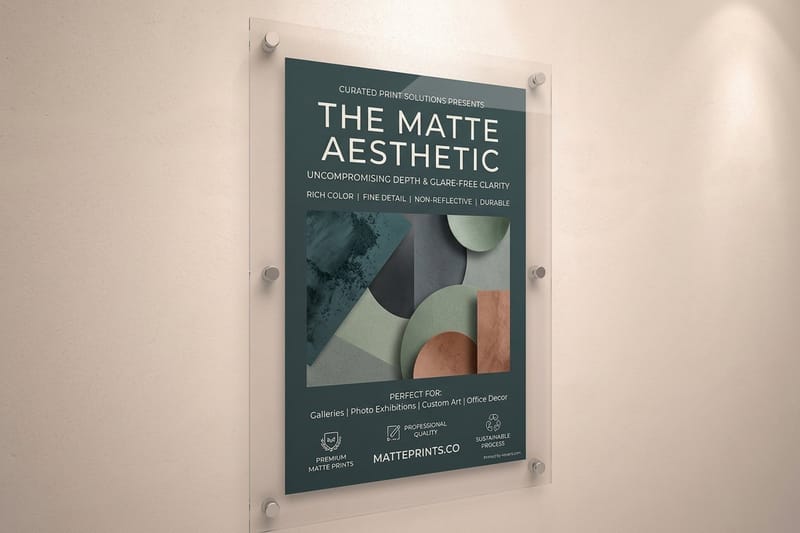
    Even a simple matte or gloss lamination can completely change the mood. Matte gives a soft, sophisticated feel, while gloss creates a vibrant, eye-catching shine that makes colors pop. But that's just the beginning.

    The right finish isn't just a decorative touch; it's a strategic tool. It can highlight your logo, create a focal point, and add a layer of perceived value that makes your product feel more special.

    Imagine a box with a velvety matte finish, where only your logo is raised and glossy (Spot UV). That contrast immediately draws attention and adds a touch of class. Or consider embossing, where a design element is physically raised from the surface, creating a 3D effect you can actually feel. And you can never go wrong with foil stamping, which applies a thin layer of metallic foil to add a flash of gold, silver, or even holographic shimmer for that premium look.

    Diving into these treatments is a crucial part of the creative process. To get a real sense of how different effects can transform your packaging, it helps to explore a full range of fantastic finishes and visualize how they might work with your design. Making an informed choice here ensures your final product perfectly aligns with your budget, brand identity, and goals, turning a simple container into a powerful marketing tool.

    Getting Your Artwork and Dielines Ready for Print

    Alright, you’ve picked out your box material and maybe even some killer finishes. Now comes the part where your design idea gets real—prepping the artwork file. This is where creative vision shakes hands with technical reality, and the whole thing hinges on one critical file: the dieline.

    Think of a dieline as the sewing pattern for your box. It's a flat, 2D vector file that shows the printer exactly where to cut, crease, and fold the paperboard. Get this part wrong, and you could end up with a logo chopped in half, text landing on a fold, or a box that just won't close. It is the absolute source of truth for the production machinery.

    What Exactly Is a Dieline?

    Getting a dieline is usually pretty simple. For standard box styles, you can just ask your printer for a template based on the length, width, and height you need. They'll send you a file (typically for a program like Adobe Illustrator) that’s ready for your design.

    When you open it up, you'll see a map of colored lines. Each one has a specific job:

    • Cut Lines: A solid line showing where the machine will physically slice through the board.
    • Crease/Fold Lines: A dashed or dotted line indicating where the box will be scored to create clean folds.
    • Perforation Lines: These show where tear-off sections will be partially cut for easy removal.

    Your job is to lay your artwork perfectly over this template. The key is to keep the dieline itself on a separate, non-printing layer. That way, only your gorgeous design makes it to the final box, not the structural guides.

    Image

    As you can see, choosing the right material is the first step. It's the foundation of your dieline and directly impacts how your final box will look, feel, and perform—especially if you're aiming for an eco-friendly vibe.

    Flawless Artwork: The Non-Negotiable Rules

    Once you have that dieline, setting up your artwork correctly isn't just a suggestion; it's a must. A few common mistakes can ruin an entire print run, but thankfully, they're easy to sidestep once you know what to watch for.

    First up is the bleed. This is the part of your design that extends past the cut lines, usually by about 1/8th of an inch (0.125"). Why does this matter so much? Print and cutting machines are incredibly precise, but they aren't perfect. Without a bleed, even a microscopic shift during cutting can leave a nasty white sliver on the edge of your box. By extending your background colors and graphics into the bleed area, you guarantee full, edge-to-edge color.

    Next, you have to respect the safe zone. Think of this as an internal buffer, also about 0.125" inside the cut lines. Every critical element—your logo, main text, QR codes—needs to live comfortably inside this area. Anything pushed too close to the edge is at risk of getting trimmed off.

    A fantastic design can be completely undermined by a simple technical slip-up. Always put your dieline on its own layer, push your artwork to the bleed line, and keep all your important content inside the safe zone.

    Imagine you're designing a box for a fancy coffee brand. You decide to place the compelling brand story right on a fold line. When the box is assembled, that text becomes a distorted, unreadable mess. This is a classic rookie mistake that a quick check against the dieline's crease lines would have easily caught.

    Finally, double-check your color mode. The designs you create on-screen are in RGB (Red, Green, Blue), a color model based on light. Professional printing presses, however, run on CMYK (Cyan, Magenta, Yellow, Key/Black), which is based on ink. If you design in RGB and convert at the last minute, you’re in for a surprise. Vibrant blues can turn dull, and bright greens often look muddy. Always set your design file to CMYK from the very beginning to ensure the colors you print are the colors you expect.

    By truly understanding your dieline and sticking to these fundamental setup rules, you close the gap between your digital concept and the final physical product. It’s this level of detail that professional die-cutting services depend on to deliver perfectly constructed packaging every single time.

    Using Online Tools for Your Box Design

    The days when you needed a graphic design degree and a pricey software subscription just to create a packaging box are long gone. Thank goodness.

    Today, powerful and intuitive online design tools have completely leveled the playing field. This shift puts professional-grade capabilities right in your browser, empowering startups, small businesses, and makers to create stunning, print-ready packaging without the intimidating learning curve or financial drain.

    These web-based platforms are all about accessibility. They turn the otherwise complex process of arranging graphics on a flat dieline into a simple, visual experience. Instead of wrestling with vector paths and print layers in some beast of a program, you can just upload your assets, drag things where you want them, and see your design come to life in real-time.

    Navigating the Online Design Interface

    The real magic of a great online tool is its ability to hide all the technical stuff. At 4OVER4, our free online designer is built to guide you through the process, not throw you into the deep end.

    It all starts with selecting your box type and dimensions, which automatically generates the correct dieline for you. This one feature alone eliminates the huge headache—and potential for costly errors—of finding or creating your own template.

    From there, it’s pretty straightforward:

    • Upload Your Assets: Place your logo, product photos, and other brand graphics directly onto the 2D dieline.
    • Arrange Text and Information: Add product names, ingredients, instructions, or your brand story using a library of fonts.
    • Apply Brand Colors: Use precise HEX or CMYK color codes to ensure your packaging perfectly matches your brand identity.

    This streamlined workflow means you can focus on being creative without getting bogged down by the technical nitty-gritty. For some great practical advice on using digital platforms, exploring resources that offer 5 tips to designing beautiful and effective packaging online can give you a fantastic starting point.

    Key Features That Make a Difference

    Beyond the basics, the best online tools offer features designed to give you total confidence in your final product. One of the most impactful is the real-time 3D preview. This function lets you instantly see your flat 2D design as a fully assembled box.

    Here’s a look at our online designer in action. You can see the 2D dieline on the left and the interactive 3D preview on the right.

    This interactive preview is a complete game-changer. You can spin the box around, zoom in on tiny details, and check how your graphics line up across different panels. It ensures there are no awkward gaps or misplaced logos before you even think about hitting "print."

    The ability to see your box in 3D before it exists is invaluable. It bridges the gap between a digital concept and a physical reality, letting you catch design flaws that are nearly impossible to spot on a flat template.

    The packaging industry is constantly evolving, with a huge push towards digital integration and sustainability. In fact, the global internet of packaging market, valued at USD 21.57 billion in 2024, is projected to climb to over USD 23.66 billion in 2025. This growth just underscores how technologies like online design tools are becoming essential for creating efficient and engaging packaging. You can dive deeper into these influential packaging industry trends on startus-insights.com.

    By embracing these accessible tools, you aren’t just making your life easier. You’re tapping into a modern, smarter approach to product presentation. You gain the power to design a box that’s not only visually compelling but also perfectly engineered for production, giving your brand the professional edge it deserves.

    Your Final Pre-Press Checklist

    Image That moment just before you hit "send" on a design file is your last chance to catch any gremlins hiding in the details. This final review, what we call a pre-press check in the industry, is your safety net. It's the professional discipline that separates a smooth print run from a costly, frustrating reprint.

    Think of it as the final inspection that guarantees the box you get is the exact box you designed. This isn't about second-guessing your creative vision; it's about nailing the technical execution. A tiny oversight—like a low-res logo or a missing font—can throw the whole project off track.

    Verifying Image and Color Accuracy

    First things first, let's talk images and color. What looks sharp on your screen can be deceiving. Print demands much higher fidelity. Every single image in your artwork needs a resolution of 300 DPI (dots per inch) at its final print size. Anything less will look blurry and pixelated, a dead giveaway of an amateur job.

    Your color mode is just as critical. Your design file must be in CMYK (Cyan, Magenta, Yellow, Key/Black). Sending an RGB file to a commercial printer is a classic mistake. The printer's automatic conversion can make your vibrant on-screen colors look disappointingly dull in real life. Double-checking this one setting ensures your colors print as expected.

    A common pitfall I see is designers using a great-looking image they found online. Web images are almost always 72 DPI to load quickly. For print, you have to go back to the original, high-resolution source file.

    Securing Fonts and Artwork Components

    Next up, you need to lock down every element of your design. This prevents anything from shifting or breaking when the file gets to the printer. Font outlining is non-negotiable here.

    If you send a file with live text, the printer’s computer might not have your specific fonts. When that happens, it substitutes a default font, and your beautiful typography is ruined. The fix? Convert all text to outlines (or curves). This turns the text into a fixed vector shape, so it will look exactly as you designed it, no matter what.

    You also need to make sure all your images and graphics are embedded directly into the file, not just linked. Linked files are a recipe for disaster; they can easily get lost or broken during file transfer, leaving you with big, empty white boxes on your final print. Embedding bundles everything into one self-contained, foolproof package.

    A Final Dieline Inspection

    Finally, give that dieline one last, careful look. It's the literal blueprint for your box, and its accuracy is everything.

    Here’s what to look for:

    • Layer Separation: The dieline itself should be on its own separate, non-printing layer. This ensures the cut and fold guides don't actually get printed on your box.
    • Line Definitions: Make sure your cut lines are solid and your crease lines are dashed, following the printer's specific guidelines.
    • Bleed and Safe Zones: Confirm that your background artwork extends all the way to the outer bleed line. Just as important, check that all your critical text and logos are sitting comfortably inside the safe area.

    Print-Ready File Checklist

    This quick table is your final go-to reference. Run your file against these checks, and you can send it off to print with total confidence.

    Check Item Requirement Reason
    Color Mode CMYK Ensures color accuracy for professional printing.
    Image Resolution 300 DPI at print size Prevents blurry or pixelated images.
    Fonts Converted to Outlines/Curves Stops font substitution issues at the printer.
    Images/Graphics Embedded, not linked Prevents missing or broken image links.
    Dieline Layer Separate, non-printing layer Keeps guide lines from printing on the final product.
    Bleed Artwork extends to bleed line Avoids white edges after trimming.
    Safe Zone Key elements are inside Protects text/logos from being cut off.

    This meticulous final review is what it takes to design a packaging box like a pro. By catching these technical details before they hit the press, you're saving yourself a world of headaches, time, and money.

    From Digital Design to Physical Product

    Once your design files get the green light, you're on the final leg of the journey: turning that digital vision into something your customers can actually hold. This is where all that meticulous planning really pays off. You're about to transform pixels on a screen into a tangible object that protects your product and makes a killer first impression.

    How long will it take? Well, that depends. A straightforward run of standard paperboard boxes might only take a few days. But if you’ve opted for something more complex, like rigid boxes with special finishes like foil stamping or embossing, you’ll need to factor in more time. Your printing partner will give you a clear estimate, but it's always smart to build a small buffer into your launch schedule. Just in case.

    The Importance of Proofing

    Before the full production run kicks off, you'll get a proof. This is your absolute last chance to catch any mistakes. There are two main types, and each serves a different, crucial purpose.

    A digital proof is usually a PDF that shows how your final artwork looks all laid out. It’s perfect for that one last check of spelling, graphic placement, and content. On the other hand, a physical proof (or hard-copy proof) is a single, fully assembled sample of your box. This is invaluable for large or high-stakes orders, as it lets you feel the material, see the true color vibrancy, and test the structural integrity firsthand.

    A digital proof confirms what you designed. A physical proof confirms what you’ll get. While it might seem like overkill for small runs, a physical sample offers complete peace of mind.

    This final step is what connects your initial idea to the real-world unboxing experience you've worked so hard to create. Seeing your box come to life is a powerful reminder of how effective packaging is as a marketing tool. It’s a huge industry for a reason—the global packaging market was valued at around USD 1,080.13 billion in 2024 and is still growing. You can find more details on these packaging market trends on fortunebusinessinsights.com. This growth just goes to show the increasing demand for thoughtfully designed packaging in every sector.

    Ultimately, when you design a box, you're creating more than just a container. You’re building a brand ambassador that protects your product, tells your story, and creates a memorable first impression. To take that experience even further, think about adding custom packaging labels for an extra layer of brand consistency.

    Common Questions About Box Design

    When you're diving into designing a custom box, you're bound to have questions. It's a process with a lot of moving parts, and even seasoned pros pause to double-check the details. Let's walk through some of the most common questions we hear, so you can move forward with total confidence.

    One of the first things on everyone's mind is cost: "So, how much will my custom boxes actually be?" The honest answer is always: it depends. The price isn't a flat rate; it's a mix of a few key things. The material you pick, the exact size of the box, how many you order, and any cool finishes like foil stamping or embossing all add up. The good news? A larger order will almost always bring your per-unit cost down.

    Then comes the timeline question: "How long until I get my boxes?" Just like pricing, this can vary. A straightforward paperboard box might be ready in just a few business days. But if you're looking at a complex rigid box with multiple special finishes, that's going to take a bit longer. The best approach is to chat with your printer early on to get a realistic production schedule and plan your launch around it.

    Navigating Design and Software

    A lot of people worry they need to be a pro with expensive software like Adobe Illustrator. While it's true that professional designers live in that program, you absolutely don't have to be a design wizard. Online 3D design tools are made to simplify everything, letting you upload logos and tweak text on a ready-made template without needing any advanced tech skills.

    This often leads to another critical question: "Can I see a sample before I commit to a huge order?" The answer is a big, emphatic yes—and you definitely should! A physical proof, or hard-copy sample, is the single best way to check the material's feel, see how your colors look in person, and test the box's sturdiness. It makes sure the final product is exactly what you envisioned.

    Think of a physical proof as your ultimate safety net. It lets you hold your creation in your hands, test its strength, and see how the colors pop in real-world light before you go all-in on a full production run.

    What about the environmental side of things? We get this one a lot: "Can I get eco-friendly boxes?" Absolutely. Many printers now offer sustainable options, from materials made with recycled content to papers that are fully recyclable themselves. When you kick off your project, just make sure to ask about the green options available. Choosing sustainable materials can be a really powerful part of your brand’s story.

    Getting all these pieces to fit together perfectly is what it's all about. From picking the right materials to understanding print timelines, every step helps create a successful product launch. For a great overview of what's possible, take a look at the wide range of custom packaging products to get some inspiration and clarity for your own project.


    Ready to bring your vision to life? At 4OVER4, we make it easy to design and print high-quality custom boxes that stand out. Explore our options and start your project today at https://4over4.com.

    More from design a packaging box

    The Definitive Guide to Table Tent Specs for Perfect Printing
    story
    The Definitive Guide to Table Tent Specs for Perfect Printing

    10

    When you hear "table tent specs," what we're really talking about are the foundational details for printing them correctly: the

    author avatarEmma Davis

    Jan 27, 2026

    Your Ultimate Guide to poster sizes inches: Standard Poster Sizes Explained
    story
    Your Ultimate Guide to poster sizes inches: Standard Poster Sizes Explained

    61

    When you're ready to print a poster, one of the first questions you'll face is, "What size should it be?" The industry has a

    author avatarEmma Davis

    Jan 26, 2026

    45+ Creative Ideas for the Back of a Business Card
    story
    45+ Creative Ideas for the Back of a Business Card

    88

    Picture this: you're at a networking event, and someone hands you their business card. You do the usual glance—name, title, company—an

    author avatarEmma Davis

    Jan 25, 2026

    How to Make a Card in Word for Pro Results
    story
    How to Make a Card in Word for Pro Results

    104

    Believe it or not, figuring out how to make a card in Word is surprisingly easy. You can knock out everything from slick, professional busines

    author avatarEmma Davis

    Jan 24, 2026

    Your Guide to Printing on Packaging That Captivates Customers
    story
    Your Guide to Printing on Packaging That Captivates Customers

    104

    Printing on packaging takes a simple container and turns it into one of your most powerful marketing tools. It’s the very first physical int

    author avatarEmma Davis

    Jan 23, 2026

    A Complete Guide to Flyer Size Dimensions for Perfect Printing
    story
    A Complete Guide to Flyer Size Dimensions for Perfect Printing

    326

    When you're getting ready to print a flyer, one of the first questions you'll face is, "What size should it be?" The most co

    author avatarEmma Davis

    Jan 22, 2026

    How Free Business Cards Actually Work (Updated for 2026)
    story
    How Free Business Cards Actually Work (Updated for 2026)

    332

    How Our Free Business Cards Program Works (Quick Overview) Free business cards are available through two different

    author avatarEmma Davis

    Jan 22, 2026

    Unlocking Networking with QR Code Business Cards
    story
    Unlocking Networking with QR Code Business Cards

    179

    A QR code business card does more than just share your name and number; it cleverly merges your physical card with your digit

    author avatarEmma Davis

    Jan 21, 2026

    Home
    Products
    Cart
    Account