





Emma Davis
Content Writer
Nov 9, 2025181 views

Ever wonder how printed materials get those unique, non-rectangular shapes? Think of it like using a cookie cutter on dough, but for paper and cardstock. That’s the basic idea behind die cutting. It's a finishing process that uses a sharp, custom-shaped tool—called a die—to cut materials into specific designs after they've been printed.

At its heart, die cutting is the secret sauce that lets businesses move beyond the standard square or rectangle. Instead of a plain business card, you can hand out one shaped like your company’s logo. Instead of a generic box, you can create custom packaging that perfectly fits your product. It’s the technique that turns an ordinary sheet of paper into something memorable.
This isn't just about looking fancy; it's a smart branding move. A custom shape instantly grabs attention, making your marketing materials pop in a stack of mail or on a crowded shelf. That unique look and feel give off a premium vibe, boosting how people perceive both your products and your brand.
Here’s why it works so well:
The goal is to create a physical experience that a digital ad simply cannot replicate. A uniquely shaped mailer or product tag provides a tactile connection that helps cement a brand in a customer's mind.
Die cutting really took off in the early 20th century with the rise of mass production and the need for more sophisticated packaging. The process allows for incredibly precise cuts, but it can also be used for creases (for folding) and even embossed effects. This versatility is what makes it so valuable for producing distinctive designs efficiently.
To get a better sense of what's possible, take a look at a custom shape die-cut collection to see how other businesses are using it to stand out. Once you understand what die cutting is, you'll start seeing a whole new world of creative opportunities for your own projects.
To help you remember the essentials, here’s a quick rundown of the core concepts.
This table breaks down the main ideas we've covered so you can quickly reference them.
| Concept | Brief Explanation | Common Example |
|---|---|---|
| Die | A custom-made, sharp metal tool used to cut a specific shape into material. | A steel die shaped like a star to cut out star-shaped stickers. |
| Die Cutting | The process of using a die to cut shapes from paper, cardstock, or other materials. | Creating rounded corners on business cards or custom-shaped packaging. |
| Finishing Process | A step that happens after printing to complete the final product. | A printed sheet of invitations is die cut into a unique arch shape. |
| Custom Shape | Any shape that isn't a standard rectangle or square, created by a die. | A product tag shaped like a coffee cup for a local café. |
Wrapping your head around these terms is the first step. From here, you can start imagining all the ways die cutting can bring a unique, tangible flair to your brand's printed materials.

To bring a custom shape from a digital design into the real world, you need some serious hardware. In the printing industry, the two workhorses for this job are flatbed and rotary die cutters. Knowing the difference between them is key to understanding how your project gets made.
Think of a flatbed cutter as a giant, powerful cookie cutter press. A sheet of printed material is laid flat, and the custom die presses down on it, stamping out the shape with incredible force. This method is perfect for detailed, intricate designs, thicker materials, and smaller production runs where getting every detail just right is the top priority.
A rotary die cutter, on the other hand, is more like a high-speed, industrial-strength rolling pin. The die is actually a cylinder, and the paper or other material feeds through it, cutting the shape as it rolls. It's a continuous, lightning-fast process, making it the go-to for high-volume jobs like labels, stickers, and mass-produced packaging where speed is everything.
No matter which machine is used, the real magic happens in the die itself. A steel-rule die is a custom-built tool. It starts with a sturdy base, usually made of wood, where sharp steel blades are carefully bent and set into place to form the exact outline of your design. These are the blades that do all the work—cutting, creasing, or even perforating the material.
The craftsmanship that goes into making the die is what separates an okay result from a great one. A well-made die ensures that every single piece is cut identically, which is crucial for maintaining consistency across a run of thousands of items. While there's an initial setup cost for creating the die, its durability makes it a smart investment for repeat orders.
A precisely crafted die is the difference between a rough, amateurish final product and a sharp, premium-feeling piece. It ensures every edge is clean and every fold is exact, reflecting the quality of your brand.
One of the biggest advantages of die cutting is just how versatile it is. This process isn't just for paper and cardstock. You can shape a whole range of materials to fit your vision, including:
This technology has even expanded beyond traditional printing, with specialized tools like electric fabric die cutters like the Accuquilt Go Big offering incredible precision for all sorts of materials. Driven by the boom in e-commerce and creative packaging, the market for this technology is growing fast. The automatic die-cutting machine market was valued at $1.8 billion in 2024 and is expected to hit $3.1 billion by 2034.
This ability to cut so many different materials opens up a world of creative possibilities far beyond simple shapes, including practical finishes like custom hole drilling for tags and binders.
Ever wonder how a design on your screen becomes a physical, custom-shaped object? It's a journey that moves from a digital concept to a tangible product through a super precise, multi-stage process. And it all starts not with the printer, but with a critical digital blueprint known as a dieline.
Think of a dieline as the architectural plan for your printed piece. It’s a vector file that shows exactly where the machine needs to cut, crease, or perforate the material. This blueprint is the guide for the entire production run, ensuring every detail—from intricate cuts to simple folds—is perfectly placed.
Creating the dieline is the foundational first step. This digital template maps out every single cut and fold needed to bring the final shape to life. We typically build these in design software like Adobe Illustrator, using different line styles to tell the machinery what to do.
Once the dieline is finalized and approved, it’s sent off to manufacture the custom steel-rule die. This is the physical tool, crafted to perfectly match the digital blueprint. The vector lines become sharp steel blades, ready for action. This step is where the digital design truly begins its transition into a physical tool.
With the custom die ready to go, the next stage is printing. We run large sheets of the chosen material—whether it's cardstock, vinyl, or corrugated board—through the press with the artwork. It’s absolutely crucial that the printing aligns perfectly with the dieline to ensure the cuts land exactly where they need to.
To boost durability and appearance, finishes are often applied at this stage. You can learn more about how different coatings can protect your print job by exploring options for laminating printed materials.
After printing and finishing, the sheets are moved to the die cutting machine. Here, the custom die is pressed onto each sheet with immense pressure, stamping out the desired shape with incredible precision. This is the moment the magic happens, as the flat, printed sheet is instantly transformed into a custom-cut piece.
The final stage is what we call 'stripping.' This is the process of removing all the excess waste material from around the cut shapes, leaving behind only the finished, perfectly formed products ready for folding, assembly, or shipping.
This meticulous workflow ensures that what starts as a simple digital file ends up as a high-quality, uniquely shaped product that can capture attention and represent your brand with style.
Die cutting is more than just a fancy finishing touch; it’s a strategic business decision that pays off in real, measurable ways. Let’s be honest, the world is flooded with standard, rectangular marketing materials. A custom shape is one of the most powerful ways to get noticed. It’s what makes your product literally jump off the shelf and your business card the one that doesn’t get tossed.
Breaking out of the boring box immediately tells your customers you care about creativity and pay attention to the little things. This unique presentation automatically boosts the perceived value of whatever you're selling. When people see that you’ve invested in cool, custom-shaped packaging or brochures, they connect that same level of quality to your brand as a whole.
Die cutting transforms a disposable piece of marketing into a memorable physical experience. It’s the difference between being glanced at and being truly seen, creating a tactile connection that digital efforts can't replicate.
This technique is also incredibly practical. Think about custom presentation folders with uniquely cut pockets, hang tags that perfectly mirror a product's silhouette, or intricate box tabs that deliver that oh-so-satisfying unboxing experience. These details don't just look professional—they genuinely improve how customers interact with your brand.
The biggest win with die cutting is its power to build instant brand recognition. A unique shape can become just as iconic as a logo, creating a visual shorthand that helps customers spot your products in a split second. That’s a massive leg up in today's crowded retail spaces.
This infographic breaks down how a digital concept is transformed into a finished, custom-shaped product.

Every step in the process, from creating the initial dieline to making the final cut, is carefully planned to guarantee a perfect result, time after time. What you get is a consistently high-quality product that not only grabs attention but also shows that your brand is committed to excellence. So, what is die cutting in printing at the end of the day? It's a marketing tool that makes your brand unforgettable.

Now that we’ve covered the mechanics, let’s get into the fun stuff—the creative side of die cutting. Moving beyond a simple rectangle is where an ordinary print job transforms into a memorable brand experience. The applications are everywhere, from your marketing materials to product packaging, and are really only limited by your imagination.
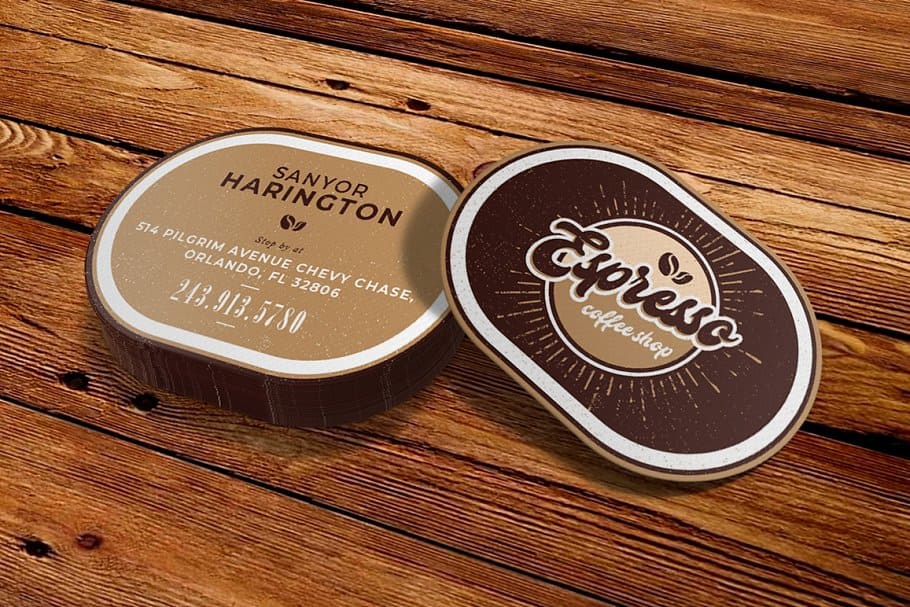
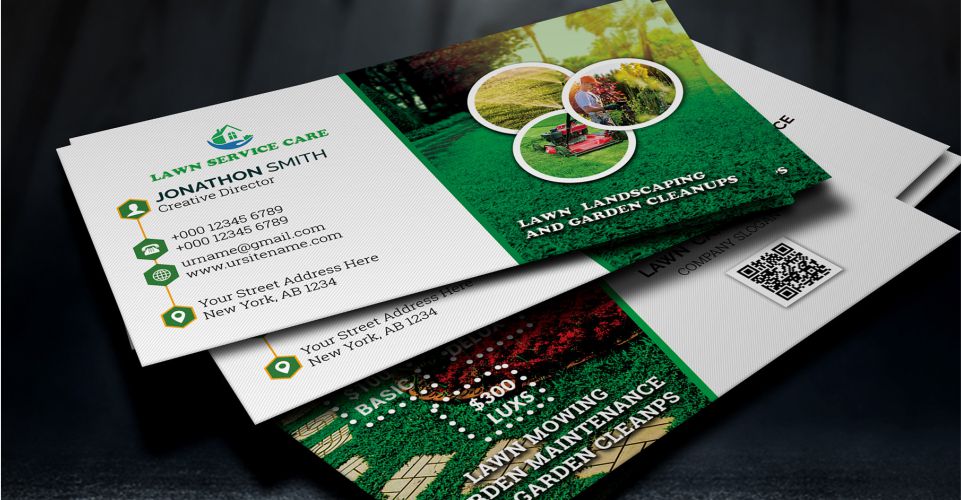
Think about the first impression you want to make. Instead of a standard business card, what if you handed someone a card shaped like your company logo or your best-selling product? That small detail makes your business instantly memorable and ensures your card gets a second look instead of getting lost in a stack.
The same idea works for brochures, flyers, and mailers. A custom silhouette can grab someone's attention long before they’ve even read a single word.
Custom packaging is easily one of the most powerful ways to use die cutting. A uniquely shaped box, a sleeve with a delicate cutout, or a window offering a sneak peek of the product—it all comes together to create an unforgettable unboxing experience. This is a huge deal in e-commerce, where that package is the very first physical interaction a customer has with your brand.
In fact, die cutting is the backbone of die-cut cartons, which are just custom-shaped boxes used in practically every industry you can think of. The global market for these cartons was valued at around USD 39.96 billion in 2024 and is expected to climb to USD 58.01 billion by 2032. That growth really underscores how much brands are relying on unique packaging in sectors from food and beverage to consumer electronics. You can dig into more insights about this expanding market on fortunebusinessinsights.com.
This technique also shines when creating marketing tools that are as practical as they are stylish.
Die cutting isn't just about looking good; it's about building a cohesive brand story. When the shape of your marketing material reinforces your message, it creates a much stronger and more memorable impact on your audience.
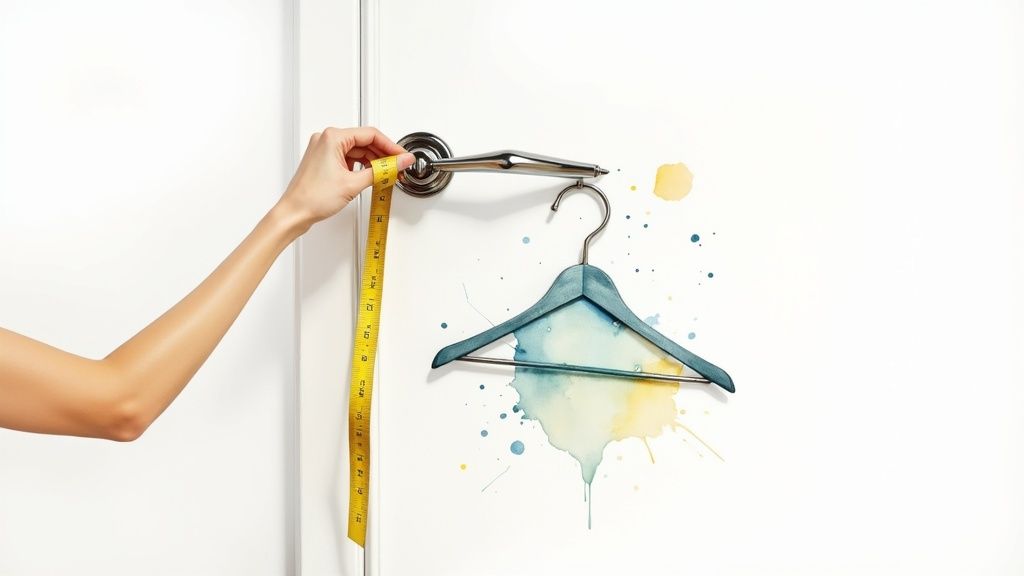
Beyond packaging, die cutting brings that "wow" factor to your everyday marketing materials. A door hanger with a custom shape is way more likely to get noticed than a generic rectangle.
It's the same for product tags. A tag cut into a shape that complements the item itself adds a touch of sophistication and shows you care about the details. If you want to see how this works in practice, explore our guide on creating unique hang tags for your products.
Ultimately, knowing what die cutting can do means seeing its potential to turn a simple piece of paper into a powerful communication tool. By thinking outside the box—literally—you can create materials that don't just inform, but also delight and engage your customers.
A great die-cut project is decided long before the press ever starts running—it all begins with a solid design file. Taking a few extra moments during the design phase is the real secret to avoiding common headaches like tearing or cuts that don't quite line up. It's what makes the difference between "good enough" and something that looks truly professional.
First off, think about durability. While those super intricate, delicate designs might look incredible on screen, they can be a nightmare in real life. Thin little bridges of paper and sharp, narrow points are just asking to tear, either during the cutting process itself or with just a bit of handling. Always design with stability in mind by beefing up any weak spots and avoiding overly complex cuts that push the material to its limits.
Your dieline is literally the blueprint for the cutting machine, so there’s absolutely no room for error here. To guarantee a clean, crisp result, you have to include both a bleed margin and a safety margin in your artwork file.
Think of your dieline as a fence. The bleed is the buffer zone outside the fence, and the safety margin is the safe area inside. Keeping your prized possessions inside that fence is the only way to ensure a perfect finish.
Finally, don't forget to talk to your printer. It's a simple step, but it's crucial. The thickness of the material you choose has a big impact on how well sharp corners and fine details will come out. This is especially true for projects where you're aiming to create a stunning unboxing experience. Clear communication can make all the difference.
To see how these principles play out in the real world, check out our options for custom box printing. It’s a perfect example of how great design prep translates into a flawless final product.
Even after you get the hang of the basics, a few questions always pop up when it's time to apply die cutting to a real-world print project. Let's clear up some of the most common ones so you can feel confident you're making the right call.
Think of it this way: die cutting is like using a metal cookie cutter, while laser cutting is like using an incredibly precise beam of light. Both create custom shapes, but they get there in completely different ways, each with its own strengths.
Die cutting is a physical process. It uses a custom-made steel die to press shapes out of a material like paper or cardstock. Once that die is created, it can stamp out thousands of identical pieces incredibly quickly. This makes it the champion for high-volume jobs where you need speed, consistency, and a great price per piece.
Laser cutting, on the other hand, is entirely digital. It uses a high-powered laser to burn or vaporize the material along a path programmed into a computer. This method is perfect for ridiculously intricate or delicate designs, and it’s a go-to for one-off prototypes since you don't need to create a physical die. The trade-off? It’s much slower and generally more expensive for larger runs.
The bottom line is simple: Die cutting is built for speed and scale, making it the workhorse for most commercial print jobs. Laser cutting offers unmatched detail for custom, low-volume projects.
The main cost driver in a die-cutting project is the creation of the custom die itself. This is a one-time setup fee to manufacture the physical tool that will cut your unique shape.
Because of this initial investment, a small batch of 50 custom-shaped flyers will have a much higher per-unit cost than an order of 5,000. Once the die is made, though, the actual cutting process is super efficient, and the price per piece plummets as your order quantity goes up.
So while die-cut projects are more expensive than standard rectangular printing, the cost becomes far more reasonable at higher volumes.
Yes, almost every printer will have a minimum order quantity (MOQ) for custom die-cut jobs. This is tied directly to the setup costs we just talked about.
The time, materials, and labor involved in making a custom die and getting the machinery calibrated just doesn't make sense for only a handful of items. The MOQ exists to make sure the production run is cost-effective for both you and the printer.
By spreading that initial setup fee across a larger number of pieces, you get a much better value, and the per-item price becomes way more affordable.
Ready to bring your unique vision to life? At 4OVER4, we specialize in creating high-quality, custom-shaped print materials that make your brand stand out. Explore our wide range of die-cutting options and get an instant quote for your project today at https://4over4.com.
9
If you're designing a standard 18x24 inch poster, you’ll want a file that’s 5400 x 7200 pixels to ge
Emma Davis
Jan 11, 2026
48
When you hear a designer talk about "creating outlines in Illustrator," they're referring to one of two things: converting live
Emma Davis
Jan 10, 2026
27
The real difference between matte and glossy boils down to a single element: light. How does the paper's surface interact
Emma Davis
Jan 9, 2026
23
When you're trying to decide between screen printing and vinyl, the choice really boils down to two things: volume and design. If you'
Emma Davis
Jan 8, 2026
42
Printing a business card might seem straightforward, but a handful of small details are what separate a truly memorable card from one that get
Emma Davis
Jan 7, 2026
47
When you need to make an impact fast, your font choice is everything. For flyers, you can't go wrong with timeless, readable options like
Emma Davis
Jan 6, 2026
51
In a world drowning in digital pings and overflowing inboxes, the humble business card is more powerful than ever. It's a real handshake,
Emma Davis
Jan 5, 2026
45
It's a classic question we get all the time: "What's a typical banner size?" The honest answer? There really isn't one u
Emma Davis
Jan 4, 2026