








all

    A Guide to Standard Brochure Dimensions

    user icon

    Emma Davis

    Content Writer

    Nov 5, 2025291 views

    Nov 5, 2025291 views

    A Guide to Standard Brochure Dimensions

    Before you even think about the design, you need to know a crucial piece of inside baseball: standard brochure dimensions change depending on where you are in the world. If you're targeting an audience in North America, Letter size (8.5" x 11") is your go-to. For pretty much everywhere else, it's all about A4 (210mm x 297mm).

    Getting this wrong isn't a small mistake. It can lead to expensive reprints and brochures that simply don't fit into standard display racks.

    Why Your Brochure Size Matters

    Picking the right dimensions for your brochure is like choosing the right tool for a job. A size that’s perfect for a local real estate open house could be a total flop at an international trade show. It’s the first domino to fall—this decision impacts your design layout, printing costs, and, most importantly, how potential customers see your brand.

    Get it right, and your message hits home. Get it wrong, and you risk looking out of touch or just plain unprofessional.

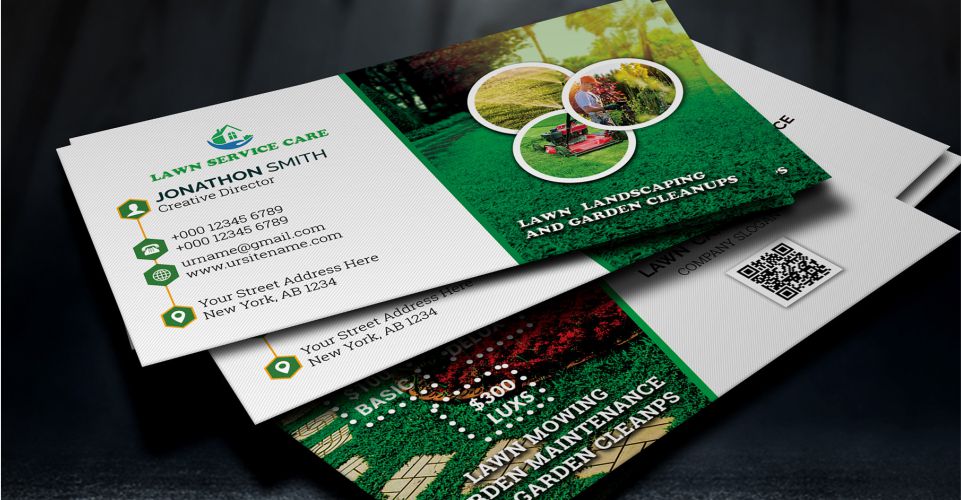
    A stack of professionally printed brochures showing different sizes and folds.

    This split between North America’s Letter size and the global A4 standard is the single most important factor to nail down. The distinction is baked into decades of different regional manufacturing and printing traditions.

    This idea of standardized dimensions is a huge deal in all sorts of industries. While we're talking about paper, the same principle applies to everything from product packaging to global logistics, like the standard container dimensions used for shipping goods worldwide.

    Knowing this difference from the start ensures your marketing materials feel right, look professional, and work practically, no matter who you're trying to reach.

    Quick Guide to Common Brochure Dimensions

    To make things even clearer, let's put the most common brochure sizes side-by-side. Think of this table as your cheat sheet for understanding the playing field. It sets the stage for a deeper dive into picking the perfect option for your next project.

    Brochure Size Flat Dimensions (Inches) Flat Dimensions (Millimeters) Primary Region Common Use
    Letter 8.5" x 11" 216mm x 279mm North America Tri-folds, corporate handouts
    A4 8.27" x 11.69" 210mm x 297mm Europe, Asia, ROW International marketing
    Legal 8.5" x 14" 216mm x 356mm North America Menus, detailed spec sheets
    Tabloid 11" x 17" 279mm x 432mm North America Large format, presentation

    Once you've got a size in mind, you can explore our https://www.4over4.com/printing/category/standard-collection to see these dimensions in action and find the perfect fit.

    Why A4 Is the Global Brochure Standard

    Ever walked into a business meeting in London, Tokyo, or Sydney? You’ll notice the documents on the table, the flyers at the reception desk, and the brochures being passed around all share one thing in common: they’re A4 size. This is no accident. It’s the result of a brilliantly simple system that has become the universal language for paper all over the world.

    The A4 brochure, measuring 210mm x 297mm (8.27 x 11.69 inches), is the absolute cornerstone of international business. Its dominance comes from the ISO 216 paper standard, a system built for pure efficiency. First dreamed up in Germany back in 1922 and adopted internationally in 1975, this standard is now the go-to in over 130 countries. In fact, the International Organization for Standardization reports that A4 accounts for over 80% of all paper used for office and commercial printing in Europe, Asia, and Africa.

    The Ingenious Design of the A-Series

    So, what makes the A4 format so special? The magic is all in its aspect ratio. The entire A-series of paper sizes is based on a single, elegant principle: each size is exactly half of the previous one.

    • You start with a massive A0 sheet.
    • Fold it in half, and you get two A1 sheets.
    • Fold an A1 in half, and you get two A2 sheets.
    • And so on, all the way down the line.

    This clever design means that an A4 sheet, when folded in half, creates two perfectly proportional A5 sheets. For designers and printers, this mathematical precision is a game-changer. It makes it incredibly easy to scale designs up or down without weird distortions or awkward cropping, keeping a brand’s look consistent across all sorts of marketing materials.

    For global brands, this kind of consistency is everything. Using A4 as the standard brochure dimension means a design created in Berlin will print flawlessly in Singapore, maintaining a uniform and professional appearance across every market.

    Practical Advantages for Global Marketing

    Choosing A4 for your international marketing isn't just about following the rules; it's a smart, strategic move with real benefits. Since printers, display racks, and office equipment outside North America are built around the A4 size, designing to this spec from the very beginning saves a ton of time and money.

    You get to skip the costly file conversions and avoid the frustrating printing errors that pop up when you try to force a different size onto standard paper stock.

    At the end of the day, aligning with the A4 standard shows you understand the global marketplace. It ensures your materials fit right into the business environment of your target audience, making a sharp, professional first impression. When you’re ready to create materials for an international audience, exploring brochures printing options designed for A4 dimensions is the most logical next step.

    How Letter Size Became the North American Staple

    While most of the world settled on the A4 standard, North America decided to forge its own path. Here in the United States and Canada, Letter size paper, measuring 8.5 x 11 inches, is the undisputed king of print. This isn't just a casual preference; it's the very foundation of the entire regional printing industry.

    If you’re creating marketing materials for a local audience, getting a feel for this North American staple is crucial. Its history is deeply tangled up in the evolution of manufacturing and early government adoption, cementing its place long before global standards were even on the table.

    A Standard Rooted in History

    The classic Letter size brochure, at 8.5 x 11 inches (216 x 279 mm), is the most common of all standard brochure dimensions you'll find around here. In fact, it's used in over 95% of printed brochures and flyers across the United States and Canada. This format, which is noticeably shorter and wider than A4, became the go-to in the early 20th century, largely driven by historical trade practices. You can discover more insights about brochure sizes on Vistaprint.

    This widespread adoption created a powerful feedback loop. Once businesses and government offices started using it, paper mills and printer manufacturers naturally optimized all their equipment for these specific dimensions.

    The American National Standards Institute (ANSI) made it official by standardizing the Letter size in 1921. Since then, it has become the default for everything from business documents and marketing materials to educational handouts.

    This legacy means that today, pretty much everything—from the humble office printer in a small business to massive commercial presses—is built to handle 8.5" x 11" paper with maximum efficiency. That alone makes it the most practical and cost-effective choice for any business operating locally.

    The Perfect Canvas for Classic Folds

    The slightly wider format of Letter size paper makes it uniquely suited for the classic tri-fold brochure. When you fold it, you get three perfectly proportioned panels that are ideal for telling a story and presenting information in a structured, step-by-step way.

    This makes it a true marketing workhorse for a huge range of industries:

    • Real Estate Agents: Showcasing property features and photos.
    • Local Services: Outlining offerings for plumbers, landscapers, or contractors.
    • Tourist Attractions: Providing maps, schedules, and key highlights.
    • Restaurants: Creating compact and easy-to-read takeout menus.

    Its familiar dimensions also mean it fits perfectly into standard #10 envelopes for direct mail campaigns and slots neatly into display racks you see in lobbies and visitor centers across the continent. This seamless synergy between the paper size, the folding style, and all the existing infrastructure makes it an incredibly powerful tool. The format is so ingrained that many business communications, like those printed on professional letterheads printing, are built around these very dimensions.

    Choosing the Right Fold for Your Brochure

    Beyond just the paper it’s printed on, the fold is where a brochure really comes to life. It’s what turns a flat sheet into an interactive piece, guiding your customer through a story you’ve carefully planned out. The type of fold you choose is just as crucial as the overall standard brochure dimensions because it dictates how information gets revealed and organized.

    Think of the fold as the chapters in your story. A simple Bi-Fold acts like a book cover, opening up to reveal the main content all at once. A Tri-Fold, on the other hand, creates a little journey with a clear beginning, middle, and end. Each style creates a different physical interaction and sets a unique tone.

    This infographic breaks down how the popular US Letter size is the foundation for many common brochure folds in North America.

    Infographic about standard brochure dimensions

    As you can see, that versatile sheet of Letter paper is the starting point for creating the iconic tri-fold, a true staple for businesses across the USA and Canada.

    Let's dig into how different folds divide a standard 8.5" x 11" sheet and what they're best used for.

    Brochure Fold Types and Panel Dimensions

    Fold Type Number of Panels Individual Panel Widths Finished (Folded) Size Best For
    Tri-Fold 6 (3 front, 3 back) 2 panels @ 3.6875", 1 panel @ 3.625" 3.6875" x 8.5" Layering information, step-by-step guides, menus.
    Bi-Fold 4 (2 front, 2 back) 2 panels @ 5.5" 5.5" x 8.5" Product comparisons, event programs, impactful visuals.
    Z-Fold 6 (3 front, 3 back) 3 panels @ ~3.66" 3.66" x 8.5" Storytelling, timelines, panoramic images.

    This table gives you a quick snapshot, but the real magic is in understanding the nuance of each fold and how it shapes the reader's experience.

    The Classic Tri-Fold Brochure

    The tri-fold is hands down the most recognized brochure format out there. It's made by folding a Letter size sheet into three sections, giving you six distinct panels—three on the front and three on the back—to pack with content. This structure is perfect for giving a comprehensive overview of your business, product, or service.

    But here's a crucial design detail that often gets missed: the panels aren't all the same width.

    To get that crisp, professional finish, the inside panel (the one that tucks in) has to be slightly narrower than the other two. A common setup for an 8.5" x 11" sheet is making the outer panels 3.6875 inches wide and the inside panel just 3.625 inches.

    This tiny adjustment is a game-changer. It stops the paper from buckling and makes sure the brochure lies perfectly flat when it's all closed up.

    The Simple and Direct Bi-Fold

    The Bi-Fold, or half-fold, is simplicity at its best. You just fold a single sheet of paper in half, creating a four-panel layout that feels like a small booklet. This format is your go-to when you need to present information in two clear, distinct sections or when you have larger graphics or charts that would be ruined by a fold line down the middle.

    This fold is excellent for:

    • Product Comparisons: Dedicate one side to Product A and the other to Product B.
    • Event Programs: Put the schedule on the inside panels with a bold cover.
    • Company Overviews: Use the front for branding and the inside for your mission and services.

    Because it only has one fold, the Bi-Fold gives you a much larger, uninterrupted canvas on the inside, making it a powerful choice for visually-driven designs.

    The Sequential Z-Fold

    The Z-Fold gets its name from its accordion-style shape. Like the tri-fold, it divides a sheet into three sections, but it unfolds like a "Z," revealing content in a sequential, almost panoramic fashion. When you open it up, it can display a single, wide image or a flowing timeline that stretches across all three panels.

    This makes the Z-Fold a fantastic option for storytelling or step-by-step guides. A restaurant could use it for a menu that unfolds naturally, or a tech company could illustrate a three-step process. Each panel builds on the last, creating an engaging flow for the reader.

    When you're ready to bring these designs to print, exploring a diverse folded collection can help you find the perfect paper and finish for any folding style.

    Setting Up Your File for Flawless Printing

    Nailing your standard brochure dimensions is a fantastic first step, but the job isn't done yet. Now comes the technical part: preparing your design file so it can survive the physical printing and cutting process. This is the step that separates amateur-looking brochures from polished, professional marketing materials.

    A diagram showing the relationship between bleed, trim, and safety margin lines on a print design.

    Think of it like framing a picture you just painted. The trim line is the visible edge of the final, framed artwork. The bleed is the extra bit of paint that extends beyond the frame's edge, making sure no unpainted canvas shows. And the safety margin is the safe zone inside the frame where you keep all the important stuff, far away from the edges where it might get covered up.

    This exact logic applies to your brochure design. It’s a simple way to sidestep common and frustrating printing mistakes.

    Understanding Bleed, Trim, and Safety Margins

    To get a perfect print every time, your file needs three distinct zones. Commercial printing is incredibly precise, but it’s not magic—paper can shift just a tiny bit as it goes through the cutting machine. These zones are your insurance policy against that slight movement.

    Let's break them down:

    • Trim Line: This is the finish line. It's the exact, final edge where your brochure will be cut. For a standard Letter size brochure, this would be the 8.5" x 11" perimeter.
    • Bleed Area: This is a small, extra border of your background color or image that extends past the trim line. If the cutting blade lands just a fraction of a millimeter off, the bleed ensures there isn't an ugly white sliver along the edge. It's a non-negotiable for a professional look.
    • Safety Margin: This is an inner boundary, a "safe zone" set just inside the trim line. All your must-have content—think logos, text, and phone numbers—needs to stay inside this area to avoid getting accidentally clipped during the final trim.

    The industry standard for a bleed is 0.125 inches (or about 3mm) on all four sides of your document. This means your final design file should be 0.25 inches wider and 0.25 inches taller than the finished brochure size.

    Putting It All Together for Print

    So, what does this look like in practice? For a standard 8.5" x 11" brochure, your actual design document should be set up as 8.75" x 11.25".

    You’d also want to create an internal safety margin of at least 0.125 inches inside the trim line. Your background images and colors need to stretch all the way to the outer edge of the bleed, but your text and logos must stay tucked comfortably inside the safety lines. For anyone creating digital brochures or needing to print content from the web, knowing about webpage to PDF conversion can also be a key part of getting your files ready.

    Getting these margins right is absolutely essential. It’s a foundational step for high-quality digital printing that ensures the piece you hold in your hand looks exactly like the one you designed on your screen. Master these simple rules, and you can send your files to the printer with total confidence.

    Exploring Unique Brochure Sizes to Stand Out

    While A4 and Letter sizes are the reliable workhorses of the brochure world, sticking to them exclusively is like only ever painting with primary colors. Sometimes, your message just needs a different canvas to really pop. Diving into less common brochure dimensions can give your marketing a seriously powerful edge.

    Choosing an unconventional size is a strategic move. It makes your piece more memorable from the moment someone picks it up. Formats like the slender DL, the compact A5, or a trendy square brochure each bring something different to the table, helping you cut through the marketing clutter.

    These specialty sizes aren't just different for the sake of it. They're designed with a specific purpose in mind, whether that's fitting perfectly into an envelope or serving as a handy event guide.

    Sizing Up Your Options

    Let's look at a few powerful alternatives to the typical Letter and A4 formats.

    • DL (Dimension Lengthwise): This tall, slim format (99mm x 210mm) is a direct mail superstar. Its elegant shape slots perfectly into standard business envelopes, making it a go-to for menus, vouchers, and promotional flyers.
    • A5 Size: At 148mm x 210mm, the A5 is exactly half the size of an A4 sheet. This compact, portable dimension is perfect for event programs, product inserts, and spec sheets that people need to easily carry or file away.
    • Square Brochures: Coming in various sizes like 150mm x 150mm or 210mm x 210mm, square brochures just feel modern and creative. They're a fantastic choice for visually-driven brands in fields like photography, design, or fashion.

    The DL size is particularly brilliant from a production standpoint. You can cut three DL brochures from a single A4 page with almost no waste, which makes it a really cost-effective choice for mass mailings.

    The DL format is huge in Europe, where it makes up over 30% of all direct mail marketing materials. Its design is purpose-built for efficient envelope stuffing, a detail you can learn more about in these insights on brochure paper sizes. This kind of thoughtful design shows how the right dimensions can streamline your entire campaign.

    Common Questions We Hear All The Time

    Even after you've nailed down the perfect design, a few practical questions always seem to surface right before you hit "print." Let's walk through some of the most common ones we get about standard brochure dimensions and print files, so you can finalize your project with total confidence.

    What Is the Most Common Tri-Fold Brochure Size?

    That classic tri-fold brochure you see everywhere starts life as a standard US Letter sheet, measuring 8.5 x 11 inches. Once it’s folded down into its three neat panels, the final, handy size comes out to about 8.5 x 3.69 inches.

    This size is a crowd-favorite for a reason. It slips perfectly into a standard #10 business envelope for mailings and fits snugly in those clear display racks you find in hotel lobbies and welcome centers.

    How Much Bleed Should I Add to My Brochure Design?

    This one is non-negotiable in the printing world: you need a 0.125-inch (or about 3mm) bleed on all four sides of your design. Think of it as a small safety margin that makes a huge difference.

    When you add this bleed, your design file actually becomes a little bigger than the final brochure. An 8.5" x 11" brochure file should be set up as 8.75" x 11.25". That extra bit ensures that when the printer trims the paper, your background colors or images go all the way to the very edge, leaving no awkward white slivers.

    Can I Use an A4 Design for Printing in the US?

    While you technically can, you'll probably regret it. Printing a design formatted for A4 paper in the US is a recipe for headaches unless you make some serious changes first.

    A4 paper is a bit taller and narrower than the US Letter standard, so the proportions are just off. If you try to print an A4 layout on Letter paper, the printer will either chop off parts of your design or leave frustrating white borders around the edges. For a truly professional look, it's always best to reformat your layout to match the local standard paper size.


    Ready to bring your perfectly designed brochure to life? At 4OVER4, we offer a wide range of paper stocks, finishes, and folding options to make your project stand out. Explore our high-quality printing services today and let's create something amazing together.

    More from standard brochure dimensions

    Finding the Ideal Size of a Poster in Pixels
    story
    Finding the Ideal Size of a Poster in Pixels

    9

    If you're designing a standard 18x24 inch poster, you’ll want a file that’s 5400 x 7200 pixels to ge

    author avatarEmma Davis

    Jan 11, 2026

    Create Outlines in Illustrator A Guide to Flawless Print-Ready Files
    story
    Create Outlines in Illustrator A Guide to Flawless Print-Ready Files

    48

    When you hear a designer talk about "creating outlines in Illustrator," they're referring to one of two things: converting live

    author avatarEmma Davis

    Jan 10, 2026

    The Difference Between Matte and Glossy Print Finishes
    story
    The Difference Between Matte and Glossy Print Finishes

    27

    The real difference between matte and glossy boils down to a single element: light. How does the paper's surface interact

    author avatarEmma Davis

    Jan 9, 2026

    Screen Print Vs Vinyl A Guide to the Best Printing Method
    story
    Screen Print Vs Vinyl A Guide to the Best Printing Method

    22

    When you're trying to decide between screen printing and vinyl, the choice really boils down to two things: volume and design. If you'

    author avatarEmma Davis

    Jan 8, 2026

    How to Print Business Cards That Actually Get Noticed
    story
    How to Print Business Cards That Actually Get Noticed

    42

    Printing a business card might seem straightforward, but a handful of small details are what separate a truly memorable card from one that get

    author avatarEmma Davis

    Jan 7, 2026

    Finding the Best Font for Flyers to Elevate Your Design
    story
    Finding the Best Font for Flyers to Elevate Your Design

    47

    When you need to make an impact fast, your font choice is everything. For flyers, you can't go wrong with timeless, readable options like

    author avatarEmma Davis

    Jan 6, 2026

    A Practical Guide to Business Card Design Online
    story
    A Practical Guide to Business Card Design Online

    51

    In a world drowning in digital pings and overflowing inboxes, the humble business card is more powerful than ever. It's a real handshake,

    author avatarEmma Davis

    Jan 5, 2026

    Your Ultimate Guide to Typical Banner Sizes
    story
    Your Ultimate Guide to Typical Banner Sizes

    45

    It's a classic question we get all the time: "What's a typical banner size?" The honest answer? There really isn't one u

    author avatarEmma Davis

    Jan 4, 2026

    Home
    Products
    Favorites
    Cart
    Account