






TABLE OF CONTENTS
- ‌
- ‌
- ‌
- ‌
- ‌
- ‌
- ‌
- ‌
- Home
- content hub
- Same Day Business Card Printing Your Guide to Fast Quality Cards
Same Day Business Card Printing Your Guide to Fast Quality Cards
Emma Davis
Content Writer
Dec 26, 2025395 views

TABLE OF CONTENTS
- ‌
- ‌
- ‌
- ‌
- ‌
- ‌
- ‌
- ‌
Absolutely, you can get professionally printed business cards the same day you order them. This service is a genuine lifesaver for last-minute meetings, surprise networking events, or those times you just plain run out. The trick is finding a printer that offers same day business card printing and getting your print-ready file submitted before their daily cutoff time.
Why Same Day Business Cards Are a Lifesaver
We've all been there. A sudden flight for a client meeting, an unexpected invitation to a can't-miss industry conference, or a rebrand that goes live way faster than you planned. In those moments, being without a business card feels like showing up to a race without running shoes. It’s not just about having your contact info ready; it’s about projecting preparedness and professionalism.

Same-day printing services are designed to bridge that gap between opportunity and readiness. They’re built for the speed of modern business, where plans can change in an instant.
Seizing Unexpected Opportunities
Imagine a startup founder who lands a last-minute spot at a major tech conference. Their old cards are completely outdated, showing off a business model they pivoted from months ago. Hours before the flight, they finalize a new design, upload it, and grab a fresh stack of 500 cards on the way to the airport.
At the event, they bump into a key investor. The crisp, professional card they hand over makes an incredible first impression, reflecting their agility and seriousness. That single interaction, made possible by a quick print run, leads to a follow-up meeting and, eventually, a crucial partnership. This isn't just about convenience; it’s a strategic tool.
Having a high-quality card in hand does more than just share your details—it provides a psychological advantage. It boosts your confidence, allowing you to focus on the conversation and connection, not on apologizing for being unprepared.
Beyond the Emergency Scenario
While emergency printing is a huge driver, the benefits go much further. Sometimes, you just need a small, specialized batch of cards for a very specific purpose.
Think about these situations:
- Event-Specific Cards: Creating cards with a unique QR code for a trade show to track lead generation.
- Testing New Designs: Printing a small run of a new brand identity before you commit to a massive order.
- Temporary Contact Info: Making cards for a contractor or temporary team member hired for a single project.
In every case, same-day service gives you the flexibility to act fast without the commitment of a huge bulk order. It allows you to be nimble and responsive to immediate business needs. When you need to explore various options, you can browse a wide selection of business cards printing choices to find the perfect fit for any situation.
Ultimately, this service transforms the business card from a static piece of collateral into a dynamic asset you can deploy on demand.
Choosing the Right Paper and Finish Under Pressure
A great design gets your business card noticed, but the feel of the card is what makes someone remember you. When you’re in a rush for same-day business cards, it’s easy to think your options are limited. But making a quick, smart choice on paper and finish is critical—it’s a direct reflection of your brand's quality, even when you're short on time.
The material you pick sends a powerful, non-verbal message. Think about it: a sleek tech startup might go for a sturdy 16pt matte stock. It feels modern, clean, and confident. On the flip side, a graphic designer or artist would probably lean toward a high-gloss finish to make their vibrant, colorful portfolio pop right off the card.

Decoding Your Finish Options
When speed is the name of the game, your main choices will boil down to gloss, matte, or uncoated stocks. Each one has a distinct personality that can either align with your brand or work against it.
Gloss Finish: This is your shiny, reflective option. It makes colors look deeper and more saturated, so it’s a killer choice for designs that are heavy on photos or graphics. It also offers a bit of protection from smudges and moisture.
Matte Finish: A matte card has a smooth, glare-free surface that feels modern and sophisticated. It’s perfect for minimalist designs where the focus is on typography and clean lines. Big practical plus: you can easily write on it.
Uncoated Stock: This paper feels natural and slightly textured because it has no extra coating. Ink soaks into it a bit more, giving colors a softer, more muted look. It’s the go-to for brands aiming for an organic, classic, or rustic vibe.
The demand for on-demand printing is exploding, with the custom printing market expected to hit $33.84 billion. A huge driver is the understanding that a premium card stock isn't just a cost—it’s an investment. Quality cards can boost retention by 25% because they signal value and professionalism from the first handshake.
Making the Right Choice Quickly
To sidestep decision paralysis, just ask yourself one question: what is my brand’s core identity? Is it slick and modern, or is it warm and traditional? Your card stock should be a natural extension of that.
If you want to add an extra touch of durability and a more premium feel, it's also worth seeing what laminating and coating options are available for a rush job. They can elevate the final product significantly.
To make things even easier, here’s a quick-glance table to help you choose the best paper and finish for your urgent business card needs.
Same-Day Business Card Stock and Finish Comparison
| Material/Finish | Best For | Feel & Appearance | Same-Day Availability |
|---|---|---|---|
| 14pt Gloss Coated | Vibrant, photo-heavy designs | Slick, shiny, and smooth | Very High |
| 16pt Matte Coated | Minimalist or text-focused brands | Non-reflective, modern, and elegant | High |
| 14pt Uncoated | Eco-friendly or classic brands | Natural, porous, and writable | Moderate to High |
| High Gloss UV | Maximum color pop and durability | Extremely shiny, thick, and protective | High |
Ultimately, picking the paper for your same-day business cards is more of a strategic move than an aesthetic one. By quickly aligning the material with your brand’s message, you ensure your last-minute cards still make a powerful and memorable impact.
Getting Your Design File Print-Ready
Nothing kills the momentum of a same-day business card printing order faster than a file error. When you're in a rush, the last thing you want is a rejection email that brings everything to a grinding halt. That's why prepping your artwork correctly is the single most important thing you can do to make sure the process is smooth and lightning-fast.
Don't worry, you don't need to be a design guru. It's really just about knowing a few technical specs that all printers need to get a sharp, professional-looking card out the door without a hitch.
The Make-or-Break Print Checklist
Before you even think about hitting that "upload" button, take a minute to run through this list. Getting these three things right will solve 90% of the most common printing headaches and save you from that dreaded "file on hold" email.
- Resolution: Lock it in at 300 DPI. DPI means "dots per inch." A 300 DPI file guarantees your text and images look crisp and clean. Anything lower—like the 72 DPI standard for web images—is going to come out looking blurry and pixelated.
- Color Mode: It has to be CMYK. Your computer screen shows colors in RGB (Red, Green, Blue), but professional printing presses run on CMYK (Cyan, Magenta, Yellow, Black). If you send an RGB file, the printer's software will convert it, often leading to weird color shifts. Convert it to CMYK yourself to avoid any surprises.
- Bleed: Add a 0.125" buffer. A "bleed" is a little extra image area that goes past the final trim line of your card. Paper can shift ever so slightly during the cutting process. That bleed ensures that if the cut is off by a hair, you won't get an ugly white sliver along the edge.
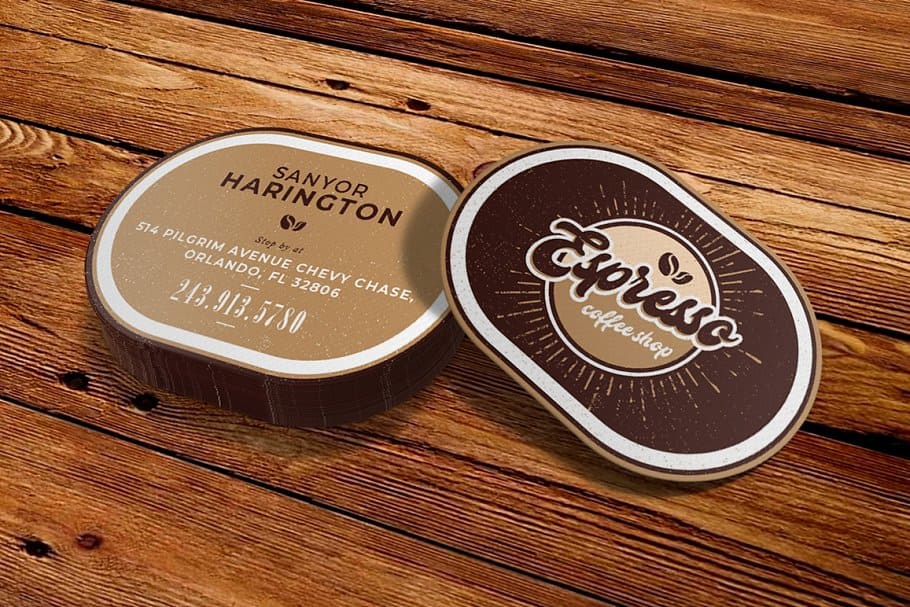
If you're using an online design tool, you'll often see built-in templates like this one. They automatically set up the bleed and safe zones for you, taking out all the guesswork and helping you keep important info away from the edges.
Common Mistakes That Can Stall Your Order
Beyond the big three technical specs, a couple of simple design oversights can trip you up. Keep an eye out for these common slip-ups—they're easy to fix before you submit your file.
First, don’t cram important details like names, phone numbers, or email addresses right up against the edge. You need to respect the "safe zone," which is usually 0.125 inches inside the final trim line. This keeps anything critical from getting chopped off during trimming.
Another classic mistake is using a low-resolution logo, often one you've just pulled from a website. For a sharp, professional look, always use the original vector file (like an .AI or .EPS) or, at the very least, a high-DPI raster file (.PNG or .JPG).
A flawless print file is your ticket to the fast lane. Printers' automated systems are designed to process perfect files instantly. An error-free submission gets your job on the press faster, keeping your same-day promise on track.
The rise of on-demand services is directly linked to the booming custom printing industry, where small and medium businesses now hold a 53.8% market share. This accessibility is reflected in pricing; for example, a run of 500 cards on durable 14pt stock can cost as little as 18¢ per card, making professional quality highly attainable.
Finally, remember that these principles apply to more than just business cards. If you're curious, you can check out this handy guide to flawless printing on various materials to learn more. And for those moments when you're relying on modern presses for a rush job, understanding the ins and outs of professional digital printing can help you get the absolute best results.
Navigating Cutoff Times, Pickup, and Delivery
When you’re in a pinch and need same-day business card printing, the design is only half the story. The real challenge? Beating the clock. Every printer has a daily cutoff time, and it’s the most critical piece of the puzzle.
Think of it as the last call for the day's print run. If the cutoff is 10 AM, getting your file in at 10:01 AM means you've missed your shot for that day. Your order will automatically get bumped to the next day's production schedule. Printers are incredibly strict about this because their entire workflow is a tightly choreographed dance of hundreds of jobs, and one late file can throw everything off.
Pickup or Delivery: Which is Faster?
Once your file is approved and in the queue, you have to decide how you’ll get your cards. You’ve got two choices: local pickup or delivery.
For pure, unadulterated speed, local pickup is almost always the winner. If you’re close enough to the print shop, you can often swing by in the late afternoon and grab your cards fresh off the press. This completely sidesteps any potential shipping hiccups.
This is a lifesaver when you’re grabbing cards on your way to a conference or a last-minute networking event. Having a solid strategy for your event marketing business cards in these moments can be a game-changer.
Delivery is your best bet if you can't make it to a physical location. Just be sure to plan for it. Even with same-day production, the cards still need to be packaged and handed off to a courier. In most cases, this means they’ll arrive the next business day, so always double-check the estimated delivery date before you hit "confirm."
A clean, print-ready file is your golden ticket to meeting the cutoff. Flawless files sail through automated checks instantly. Files with problems? They get flagged for manual review, and that eats up precious minutes you just don’t have.
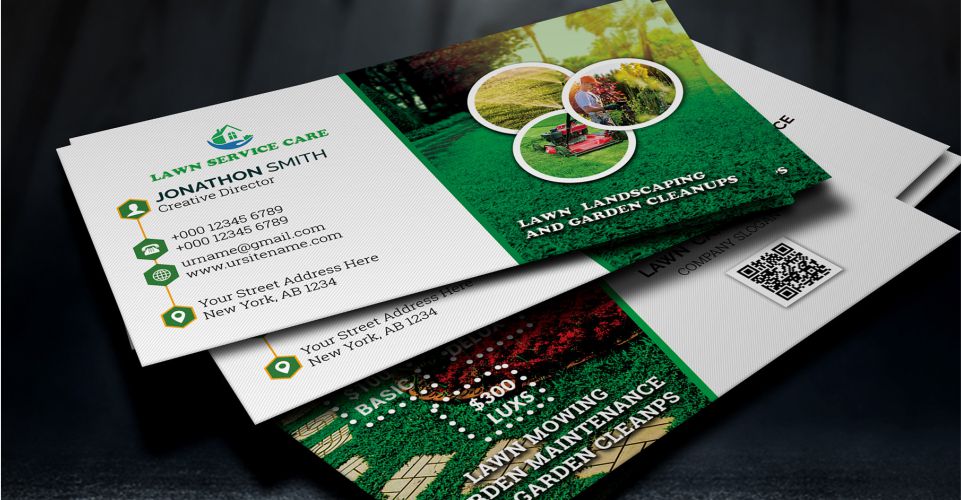
This diagram shows you exactly what a perfect print file looks like, so you can avoid those last-second headaches.

Making sure your design has proper bleed, respects the safe zone, and is in CMYK color mode is non-negotiable for a fast, smooth process.
So, You Missed the Deadline. Now What?
It happens. You missed the cutoff. The first thing to do is take a breath. Your order isn't gone; it just gets rolled over to the next business day's print run. Most online printers will update your estimated completion time automatically. You'll still get your cards fast—just not quite same-day fast.
Here’s a quick rundown of your options to help you choose wisely:
| Option | Speed & Reliability | Best For | What to Keep in Mind |
|---|---|---|---|
| Local Pickup | Highest | True emergencies when you’re located near the printer. | Always confirm the pickup hours and location address. |
| Courier Delivery | Moderate | Convenience when you can’t get to the print shop yourself. | Make sure next-day delivery is available for your zip code. |
Once you get the hang of these logistics, you'll be able to navigate the rush printing process like a seasoned pro and get your cards exactly when you need them.
Breaking Down the Cost of Same-Day Service
Let's be real: speed costs money. But it doesn't have to be a confusing line item on your invoice. When you opt for same-day business card printing, you're essentially buying a VIP pass to the front of the print queue. That rush fee is built into the price you see, but a few other choices you make will also nudge the final total up or down.
The biggest factor, as you might guess, is quantity. It's a classic economy of scale situation. While ordering more cards brings down the price per card, a bigger print run will always have a higher total cost. For example, a quick batch of 50 cards might run you about $30, but bumping that up to 500 cards could land closer to $90. The savings per card is obvious, so it’s always smart to think ahead and order as many as you’ll realistically need.
Your choice of paper stock also plays a role. A solid, standard 14pt cardstock is going to be your most budget-friendly option. Stepping up to a thicker, more premium 16pt stock will feel more substantial in hand, but it will also add a few dollars to your order. It all adds up.
How Finishes and Features Affect Your Budget
This is where the costs can start to climb a bit more. A simple gloss or matte coating is often a low-cost add-on or even included, but the more specialized options will definitely impact your bottom line.
- UV Coating: This gives your cards a super high-gloss, durable finish that really makes colors pop. But, it's an extra step in the production process, adding time and material costs.
- Double-Sided Printing: Using both sides of the card is a no-brainer for maximizing your real estate. Just remember, it requires a second run through the press, which naturally increases the price.
The price gap between a basic, single-sided card on standard stock and a premium, double-sided card with a special finish can be pretty wide. Your best friend here is the instant online price calculator—play around with the options and watch how they affect the total in real-time before you lock anything in.
Think of it this way: ordering 500 cards on standard 14pt stock with a gloss finish is your baseline. If you upgrade to a heftier 16pt matte stock and add printing to the back, you could see the cost jump by 20-30%. If you want to add a touch of class without going all-out on a rush order, you can explore some other fantastic finishes that make a big impression.
By making small, informed choices on these details, you can easily control your budget. It’s totally possible to get a professional-looking card, fast, without any surprise expenses.
Your Questions on Same Day Printing, Answered
When you’re in a tight spot, you need answers, not guesswork. The world of same day business card printing can feel like a maze, especially when the clock is your enemy. Let's cut through the noise and tackle the most common questions you probably have right now.
Can I Really Get Business Cards the Same Day I Order Them?
You absolutely can, but it all comes down to timing. The single most critical piece of the puzzle is getting your print-ready file submitted before the printer's daily cutoff. This is usually sometime mid-morning.
Make that deadline, and your order gets bumped to the front of the line, ready for pickup later that afternoon. Miss it by even a few minutes, and your job will almost certainly get pushed to the next business day. Always, always double-check the cutoff time before you start.
What’s the Best File Format for a Rush Job?
Hands down, a high-resolution PDF is the gold standard. When time is of the essence, you want a file format that sails through the pre-press checks without any hiccups. A properly set-up PDF is your best bet to avoid getting your job flagged for a manual review, which is a guaranteed delay.
To keep things moving smoothly, make sure your PDF checks these three boxes:
- Resolution: Your file should be saved at 300 DPI to keep text and images looking sharp.
- Bleed: Don't forget to include a 0.125" bleed on all four sides. This is what prevents those ugly white slivers at the edge of your cards after trimming.
- Color Mode: Make sure you're working in CMYK. Submitting an RGB file will lead to color shifts when it's converted for print.
Does "Same Day" Mean I'm Sacrificing Quality?
Not even a little bit. A reputable printer uses the exact same professional-grade digital presses, premium card stocks, and quality checks for rush orders as they do for standard jobs. You’re not getting a watered-down product.
You’re paying a premium to jump the production queue, not for them to cut corners. You should expect the same crisp, vibrant, and professional quality you need to make a solid first impression.
What Happens If I Miss the Cutoff Time?
Don't sweat it. If you miss the same-day window, your order simply rolls over into the next available production slot. In most cases, this just means it will be printed the following business day and ready for pickup or shipping that afternoon.
Most online ordering systems are smart enough to update your estimated completion date in real-time before you even checkout. That way, you know exactly when your cards will be ready, even if you were a little late to the party.
Ready to get started? 4OVER4 offers fast, reliable same day business card printing to help you seize every opportunity. Design your cards now and get them when you need them.
More from
729
Full bleed printing is a simple but game-changing technique. It's how you get your artwork—whether it’s a photo, a background color, o
Emma Davis
Feb 3, 2026
336
Even though we live in a digital world, the humble business card is still a powerhouse networking tool. But here's something most people d
Emma Davis
Feb 2, 2026
1307
Staring at a wall of banner dimensions can feel a little overwhelming. But while there's no single "typical banner size" that wo
Emma Davis
Feb 1, 2026
397
Stretching your marketing budget doesn't mean you have to settle for flimsy, forgettable brochures. The real secret to low cost br
Emma Davis
Jan 31, 2026
387
Advertising magnets are one of those marketing tools that are so simple, you might overlook their power. They’re tangible, they last for age
Emma Davis
Jan 30, 2026
198
Tired of fighting with torn paper and sticky residue? We’ve all been there. The best way to get labels off bottles is often a simple soak in
Emma Davis
Jan 29, 2026
352
Want to know the real secret to getting a poster to stick to a wall without it peeling off in the middle of the night? It's all about what
Emma Davis
Jan 28, 2026
320
When you hear "table tent specs," what we're really talking about are the foundational details for printing them correctly: the
Emma Davis
Jan 27, 2026