






Emma Davis
Content Writer
Nov 15, 202591 views

Before you even think about picking out colors or fonts, let's talk strategy. I've seen countless beautiful door hangers fall flat because they skipped this crucial first step. A solid plan is truly the difference between a door hanger that gets tossed and one that gets results.

It’s tempting to jump right into the creative side of things, but trust me, a little time spent on strategy now will pay off big time later. A gorgeous design is only half the battle; it has to speak to the right person with the right message to actually do its job. We're not just making something that looks nice—we're building a tool that works for your business.
This initial planning makes sure every single element, from your headline down to the fine print, has a purpose. Without it, you’re just throwing spaghetti at the wall and hoping something sticks, which usually just ends up in the recycling bin.
First things first: who, exactly, are you trying to reach? Nailing this down is the most important part of the whole process. A message for new homeowners will feel completely different from one aimed at college students, and your design needs to reflect that.
Let’s run through a few examples:
Knowing who you're talking to will shape everything—the tone of your copy, the images you choose, and the offer you make.
This is where a lot of people go wrong. They try to make their door hanger do everything at once. Do you want them to visit your website? Call for a free quote? Scan a QR code for a coupon? Pick one primary action and make it the star of the show.
A door hanger with a single, clear objective is far more powerful than one with multiple competing messages. Your goal is to eliminate friction and make it incredibly easy for the recipient to take the desired next step.
This focus is also key for measuring success. If your goal is to get 20 new leads, you can track the calls or form fills that come directly from the campaign. For campaigns that have broader goals, you can explore more comprehensive direct mail services to see what else is possible.
And a good strategy really does work. Industry data shows that the average response rate for door hanger marketing is anywhere from 1% to 5%. I remember one pest-control company that hit a 3.1% response rate from 10,000 door hangers—that brought in 312 responses and 128 new service plans. It all came down to a clear offer and a targeted design. When strategy and creative click, even a small piece of paper can drive serious growth.

You get about three seconds. That's the tiny window you have to grab someone's attention with your door hanger. In that flash, your visual layout has to do all the heavy lifting, telling the eye exactly where to look. This isn't just about making something look nice; it’s about strategically creating a path from a quick glance to a genuine action.
The secret sauce here is visual hierarchy. Think of it as a roadmap for the eyes. Your most important message—like a bold headline or a can't-miss offer—needs to be the biggest, loudest thing on the hanger. Everything else is just there to support that main point, not fight it for the spotlight.
A truly effective door hanger is intentionally simple. When someone picks it up, their eyes should jump right to your headline, flow down to a key image or offer, and land squarely on your call to action. You can pull this off with just a few core design principles.
These elements work in tandem to create an uncluttered, professional design that communicates its value in an instant.
Your color palette has a dual job: it needs to reflect your brand's personality and stand out against a typical front door. Most doors are neutral shades—brown, white, black, or grey—which means vibrant colors like rich blues, greens, and even punchy oranges can be incredibly effective.
When it comes to fonts, readability is everything. Go for a clean, bold sans-serif font for your headline, something that’s easy to scan from a few feet away. For the smaller body text, a simple serif or sans-serif font is fine, but keep it at a readable size (at least 12pt).
It's worth noting the global market for general hangers was valued at a whopping $1,944 million in 2021. This just goes to show how much people care about well-designed items in and around their homes. That trend puts the pressure on your door hanger to be both functional and visually appealing, meeting a high standard for quality design.
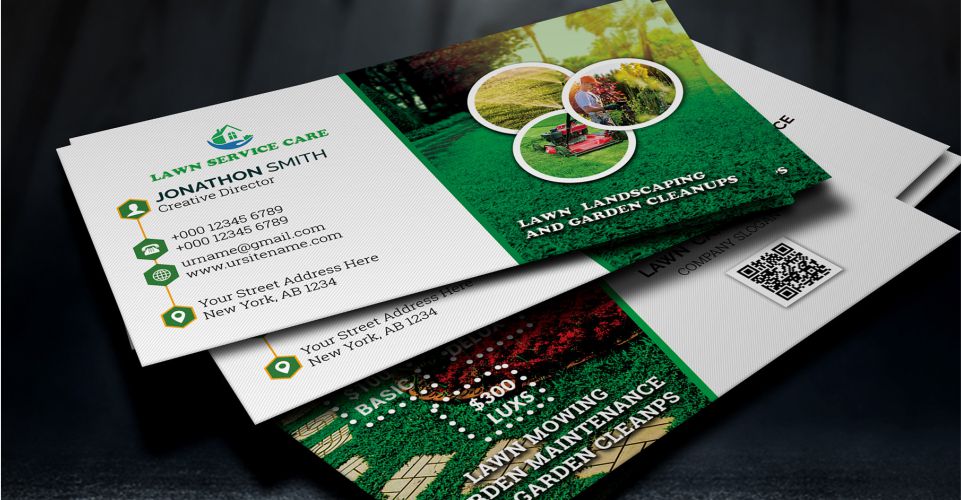
A single, high-quality image can say more than a whole paragraph of text ever could. If you run a landscaping company, a stunning photo of a perfectly manicured lawn will do the trick. A local restaurant? Show off a mouth-watering picture of your signature dish.
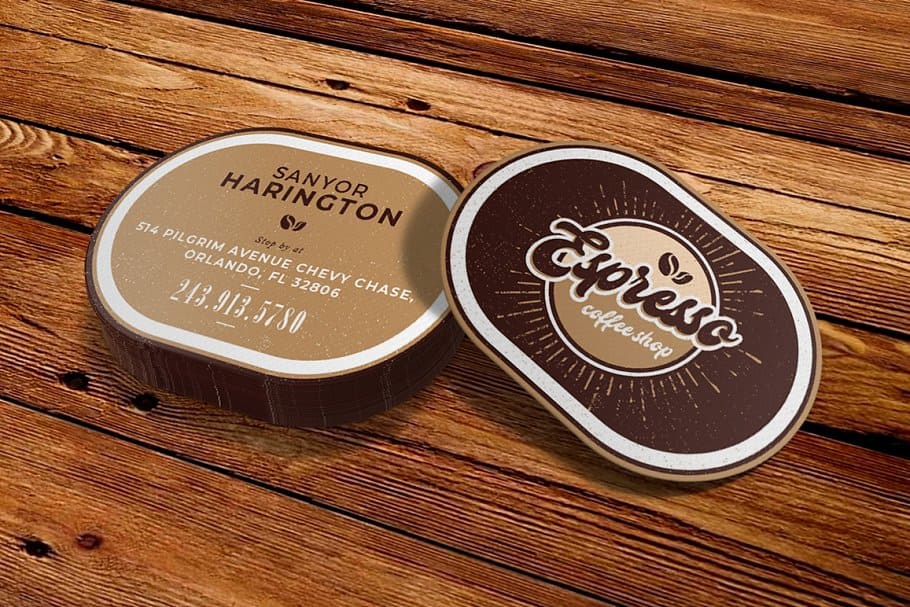
And don't feel trapped by the standard rectangular shape. A unique cut can make your door hanger impossible to ignore. A local coffee shop, for example, could design a hanger shaped like a coffee cup. You can explore how custom die-cutting services bring creative ideas like this to life, adding a memorable touch that makes you stand out. That small investment in a unique shape can make a massive difference in how many people notice—and remember—your brand.
Okay, you’ve got your strategy and a solid visual direction. Now for the fun part: turning that concept into an actual, physical door hanger. This is where your plan comes together, and with the right tools, it’s much more straightforward than you might expect. Let’s walk through how to use 4OVER4’s design platform to get your ideas print-ready.
The best part about a good online designer is that it handles the heavy lifting. You don't need a degree in graphic design to create something that looks sharp and professional. The whole process is designed to guide you from a blank slate to a finished product without the technical headaches.
When you first jump into the design tool, you'll see a library of pre-made templates. These are a great place to start if you need a little inspiration or just a solid layout to customize. For this guide, though, we’ll start from scratch to build your unique vision.
The interface is clean and simple. Your design canvas is front and center, with your toolbars on the side. This is where you’ll upload your logo, product photos, or any other graphics you've prepared. Just drag and drop your files right onto the canvas to get started.
This screenshot shows what you see when you first select your product on 4OVER4, letting you lock in your specs before you even start designing.
Notice the clear options for size, paper stock, and quantity. It’s smart to lock in these physical details first so your design fits the final product perfectly.
Once your logo and images are uploaded, arranging them is incredibly easy. As you move elements around, alignment guides will pop up automatically, helping you snap your headline to the center or perfectly line up a text box with your logo. This feature is a lifesaver for creating a balanced, professional layout without any guesswork.
Now, one of the most critical things to watch for is the ‘safe zone’. You’ll see it as a dotted line running along the inside edge of your design canvas.
The safe zone is your best friend in the design process. Keeping all essential text and imagery within this boundary guarantees that nothing important will be accidentally trimmed off during production. Trust me, ignoring it is a common and heartbreaking mistake.
As you place your text and images, make sure they stay comfortably inside those lines. It’s a simple step, but it’s absolutely non-negotiable if you want a flawless final print. A great door hanger design respects these technical boundaries from the get-go.
Thinking about a more personal touch? You can even customize each door hanger for different neighborhoods or customer groups. By learning about services like variable data printing, you can add unique names, addresses, or coupon codes to each piece. This simple tweak can transform a generic mailer into a personal invitation, boosting its impact dramatically.
Finally, before you move on, take a moment to step back and look at the whole picture. Does the headline really grab attention? Is the call-to-action crystal clear? Use the zoom tools to hunt for any stray typos or alignment issues. This last check ensures the vision in your head is what ends up on the screen, ready for printing.
You’ve poured all that effort into your strategy and layout, and now you’re at the home stretch. The final step is making sure your digital file translates flawlessly into a physical product. Getting your design ready for the press is a critical pre-flight check, and it’s where a lot of people stumble.
This stage is all about demystifying the technical side of printing to help you avoid common—and costly—errors that can sink an otherwise brilliant campaign.
Think of your digital design as a blueprint. For that blueprint to be built correctly, it needs to follow some specific rules. Professional printers use incredibly precise machinery, but your file still has to account for the tiny mechanical variations that happen during the cutting process.
This simple workflow shows the journey from a digital concept to a printed door hanger you can hold in your hand.

As you can see, choosing a template, customizing it, and sending it to print are three distinct but connected phases. Each one is essential for a successful outcome.
These three terms are non-negotiable in the world of print. Honestly, ignoring them is the fastest way to get a door hanger back from the printer with awkward white edges or, even worse, chopped-off text.
Think of the safe area as your design’s "no-fly zone." Anything crucial to your message must stay safely inside these lines. It’s a simple rule that saves a world of printing headaches.
Another common pitfall is the disconnect between how colors look on your screen versus how they look on paper. Your computer monitor uses an RGB (Red, Green, Blue) color model, which is additive and light-based. Printers, on the other hand, run on a CMYK (Cyan, Magenta, Yellow, Black) model, which is subtractive and ink-based.
If you submit an RGB file for printing, you’re likely to get some unexpected and dull color shifts. You should always convert your file to CMYK before you upload it.
Image resolution is equally important. For a crisp, professional look, all images in your door hanger design file must have a resolution of 300 DPI (dots per inch). Anything lower will come out looking blurry or pixelated when it’s printed.
This attention to detail is becoming more important than ever. The global doors market, valued at $124.4 billion in 2021, is projected to hit $206.6 billion by 2031. This reflects a growing consumer interest in high-quality home features. As people invest more in their homes, they expect marketing materials like door hangers to meet a much higher standard.
To really protect that quality, consider exploring finishes like high-quality laminating services to make your final product more durable and impressive.
Before you hit that "upload" button, it’s always a good idea to run through a final checklist. This quick table summarizes the key technical points we’ve covered to ensure your file is ready for a perfect print run.
| Checklist Item | Requirement | Why It Matters |
|---|---|---|
| Color Mode | CMYK | Prevents unexpected color shifts and ensures colors print accurately. |
| Image Resolution | 300 DPI minimum | Guarantees images are sharp and clear, not blurry or pixelated. |
| Bleed | Extend design 0.125" past trim | Avoids white edges by giving the cutter a margin for error. |
| Safe Area | Keep text/logos 0.125" inside trim | Protects critical elements from being accidentally cut off. |
| File Format | PDF, AI, PSD, or EPS | These formats preserve quality and are universally accepted by printers. |
Taking a few minutes to double-check these requirements can save you from a costly reprint and ensure the door hangers you receive look exactly like the ones you designed. It’s the final, crucial step to a successful campaign.

How your door hanger feels in someone's hand is just as impactful as how it looks. This is the part of the design process people often forget, but that tactile experience is powerful. The weight and texture of the paper send an instant message about your brand’s quality before a single word is even read.
Think about it. A flimsy, thin piece of paper feels cheap and disposable. On the other hand, a heavier, more substantial cardstock conveys durability and professionalism. It’s a subtle signal to the recipient that what they're holding is valuable, making them much less likely to just toss it aside.
Your door hanger is going on a journey. It needs to be sturdy enough to hang on a doorknob without tearing and tough enough to withstand a bit of wind or morning dew. The paper's weight, measured in points (pt), is your best indicator of thickness and durability.
A heavier stock doesn't just feel better; it also allows colors and finishes to appear richer and more vibrant. It's a small upgrade that can seriously elevate the final product.
The material you choose is an extension of your brand identity. A premium paper stock doesn't just make your door hanger more durable; it silently communicates that your business values quality in everything it does.
The final touch that truly brings your design to life is the finish. This thin coating does more than just protect the ink from the elements; it dramatically changes the visual and tactile appeal of your door hanger. Each option creates a distinct mood and serves a practical purpose.
Here's a quick rundown of the most common choices:
| Finish Type | Best For | Key Benefit |
|---|---|---|
| High-Gloss UV | Vibrant, eye-catching designs | Makes colors pop and offers excellent protection from moisture and fading. |
| Smooth Matte | Elegant, modern, and sophisticated brands | Provides a non-reflective, soft finish that feels luxurious to the touch. |
| Uncoated | Rustic, organic, or writable surfaces | Offers a natural, textured feel that is easy to write on with a pen or pencil. |
Choosing the right finish is a critical decision. A high-gloss coating is perfect for a restaurant showcasing colorful food photography, while a smooth matte finish might be better suited for a boutique spa promoting a serene, relaxing experience.
To get a better sense of the possibilities, you can explore a gallery of fantastic finishes that add a professional touch and see which one aligns best with your brand's message. Ultimately, the right combination of paper and finish ensures your door hanger not only grabs attention but also feels impressive enough to keep.
Of course, even with the best-laid plans, a few questions always seem to pop up during the design phase. It's totally normal to get stuck on the small details when you're putting together a door hanger design. Honestly, getting these things right can be the difference between a campaign that works and one that falls flat.
Let’s run through some of the questions I hear all the time. Think of this as your quick-reference guide to nail those final decisions and make sure your design is polished, practical, and ready to get results.
While you can go completely custom, most door hangers fall into a few standard sizes. Sticking to these is not only cost-effective but also ensures they'll actually fit on a doorknob.
The most common sizes you’ll see are:
So, how do you choose? It really comes down to your message. If you’ve got a bold, graphic-heavy design, a larger size might be the way to go. For a quick discount code and a logo, the smaller option works beautifully.
This is a big one, and probably the most important question here. The golden rule for door hanger copy is that less is always more.
You have to assume your design will only be looked at for a few seconds. If it’s jam-packed with dense paragraphs, it’s going straight into the recycling bin. I've seen it happen too many times.
Aim for a powerful headline of 5-7 words, a very brief sub-headline or a few bullet points spelling out the offer, and a crystal-clear call to action. That's it. Your goal is to spark curiosity, not to tell your entire brand story on a single piece of paper.
After looking at thousands of door hanger designs over the years, I've seen the same handful of mistakes pop up again and again. If you can just avoid these simple pitfalls, your project will immediately be in the top tier of designs.
Just by sidestepping these common blunders, you’re already on your way to creating a door hanger that not only looks fantastic but actually does its job.
Ready to bring your professional design to life? At 4OVER4, we offer a huge range of sizes, premium paper stocks, and vibrant finishes to make your door hanger unforgettable. Start creating your custom door hangers today!
9
If you're designing a standard 18x24 inch poster, you’ll want a file that’s 5400 x 7200 pixels to ge
Emma Davis
Jan 11, 2026
48
When you hear a designer talk about "creating outlines in Illustrator," they're referring to one of two things: converting live
Emma Davis
Jan 10, 2026
27
The real difference between matte and glossy boils down to a single element: light. How does the paper's surface interact
Emma Davis
Jan 9, 2026
23
When you're trying to decide between screen printing and vinyl, the choice really boils down to two things: volume and design. If you'
Emma Davis
Jan 8, 2026
42
Printing a business card might seem straightforward, but a handful of small details are what separate a truly memorable card from one that get
Emma Davis
Jan 7, 2026
47
When you need to make an impact fast, your font choice is everything. For flyers, you can't go wrong with timeless, readable options like
Emma Davis
Jan 6, 2026
51
In a world drowning in digital pings and overflowing inboxes, the humble business card is more powerful than ever. It's a real handshake,
Emma Davis
Jan 5, 2026
45
It's a classic question we get all the time: "What's a typical banner size?" The honest answer? There really isn't one u
Emma Davis
Jan 4, 2026