Company Brochure Design Examples That Drive Results in 2026

Company brochure design examples are the fastest way to understand what works - and what doesn't - before you spend a dime on printing. A strong brochure design grabs attention in under three seconds, communicates your brand story, and gives the reader a clear reason to act. 4OVER4.COM has printed over 10 billion+ cards and print products for 150,000+ businesses, and brochures remain one of the most requested formats for trade shows, sales meetings, and direct mail campaigns.
In a world flooded with digital ads, a physical brochure still carries weight. Literally. It's a tangible piece of your brand that someone can hold, flip through, and keep on their desk. But not all brochures are created equal. The difference between a brochure that ends up in the recycling bin and one that generates callbacks? Strategic design, purposeful layout, and paper stock that feels right in the hand.
This guide breaks down real company brochure design examples - the kind you can study, steal ideas from, and adapt for your own business. We'll cover layout strategies, typography choices, fold types, and the design principles that separate forgettable pamphlets from brochures people actually read. Whether you're a startup designing your first piece of collateral or a marketing director refreshing an existing campaign, you'll walk away with concrete ideas you can put into production today.
If you're looking for visual inspiration from real printed projects, check out the Showcase gallery to see what other businesses have created. And when you're ready to start designing, the 4OVER4.COM/design-templates/brochures library gives you professionally designed starting points you can customize in minutes.
Why Printed Brochures Still Outperform Digital-Only Marketing
Here's something most marketers overlook. Print materials have a staying power that digital content simply can't match. A brochure sits on a desk, gets passed between colleagues, and shows up again weeks after a trade show. A digital ad disappears the moment someone scrolls past it.
The tactile experience matters more than most people realize. When a prospect picks up a brochure printed on thick, textured stock with a soft-touch finish, they're forming an impression of your company before they read a single word. That weight in their hand communicates quality, stability, and attention to detail.
"We handed out tri-fold brochures at a regional healthcare conference and got more follow-up calls from those than from our entire email campaign that month. People kept them in their bags and called us weeks later."
- Rachel K., Marketing Director
Company brochure design examples from successful campaigns share a few common traits. They use white space intentionally. They lead with benefits, not features. And they always include a clear next step for the reader - whether that's a phone number, QR code, or URL. The best brochures don't try to say everything. They say the right things.
For businesses that also use flyers and single-sheet handouts, 4OVER4.COM offers professional flyer and brochure printing with the same premium paper options and fast turnaround.
Breaking Down the Best Company Brochure Layouts
Layout is where most brochure designs succeed or fail. A beautiful photo means nothing if the reader's eye doesn't know where to go next. The strongest company brochure design examples follow a visual hierarchy that guides the reader from headline to supporting copy to call-to-action without confusion.
The Tri-Fold: Still the Workhorse
The tri-fold brochure remains the most popular format for a reason. It fits in a standard #10 envelope, works perfectly in brochure racks, and gives you six distinct panels to work with. The front panel is your hook - treat it like a billboard. One strong image, a compelling headline, and your logo. That's it.
Inside panels should flow logically. Left panel introduces the problem or opportunity. Center panel presents your solution with supporting details. Right panel (the first thing readers see when they open) should carry your strongest selling point or most impressive visual.
The back panel? Don't waste it. Include your contact information, a QR code linking to your website, and a brief credibility statement. Many businesses leave the back panel almost blank. That's wasted real estate.
Bi-Fold Brochures for Premium Presentations
When you need more space for large images or detailed information, the bi-fold (also called a half-fold) gives you four large panels. This format works especially well for real estate listings, product catalogs, and corporate overviews where visual impact matters more than portability.
Bi-fold brochures printed on heavier stock - think 100lb gloss or 14pt cardstock - feel more like a presentation piece than a handout. They're what you bring to a client meeting, not what you leave in a lobby rack. The extra panel space lets you use larger photographs and more generous margins, which creates a luxury feel that tri-folds can't always achieve.
Gate-Fold and Z-Fold for Creative Impact
Gate-fold brochures create a dramatic reveal moment. The two outer panels swing open like doors to expose a wide interior spread. This format is perfect for product launches, event invitations, and any campaign where you want to build anticipation.
Z-fold brochures (accordion style) work well for step-by-step content, timelines, and process explanations. Each panel can stand alone as a distinct section while still connecting to the overall narrative when fully unfolded. If your company brochure design examples need to walk someone through a multi-step service, this is your format.
Looking for design ideas beyond brochures? You might find inspiration in Graphic Design Portfolio Examples that showcase layout principles applicable to any print format.
Typography and Color Choices That Make Brochures Convert
Typography in brochure design isn't about picking a font you like. It's about readability, hierarchy, and brand consistency. The best company brochure design examples use no more than two to three typefaces. One for headlines, one for body copy, and occasionally a third for accents like pull quotes or callout boxes.
Font Pairing Strategies
Pair a bold sans-serif headline font with a clean serif body font for a classic, professional look. Or go all sans-serif for a modern, tech-forward feel. The key is contrast between heading and body text. If your headline and paragraph text look too similar, readers can't scan the page quickly - and scanning is exactly how most people read brochures.
Body text should never go below 9pt for print. Aim for 10-11pt with generous line spacing. Remember, your audience might be reading this under fluorescent trade show lighting or in a car after a meeting. Make it easy on their eyes.
Color Psychology in Brochure Design
Color does heavy lifting in brochure design. Blue builds trust (financial services, healthcare). Green signals growth and sustainability. Red creates urgency. Black and white with a single accent color screams sophistication.
Don't use more than three or four colors total. Your brand's primary and secondary colors plus one accent for CTAs is usually the sweet spot. And always design in CMYK color mode - not RGB. What looks vivid on your screen can print flat and muddy if you don't account for the difference between screen and print color spaces.
If you're also working on business cards to match your brochure campaign, take a look at Classy Business Card Design Inspiration for ideas on maintaining visual consistency across all your print materials.
Real-World Company Brochure Design Examples by Industry
The best way to learn brochure design is to study what's working right now for real businesses. Here are industry-specific approaches that consistently produce results.
Real Estate Brochures
Real estate brochures live and die by photography. Full-bleed images of properties, neighborhood shots, and lifestyle photography should dominate. The copy is secondary - keep it to essential details like square footage, pricing, and agent contact info. A bi-fold format on glossy stock gives properties the visual space they deserve.
The most effective real estate brochures include a neighborhood map on one panel and a floor plan on another. These practical elements give the brochure utility beyond just looking pretty, which means prospects keep it longer.
Healthcare and Wellness Brochures
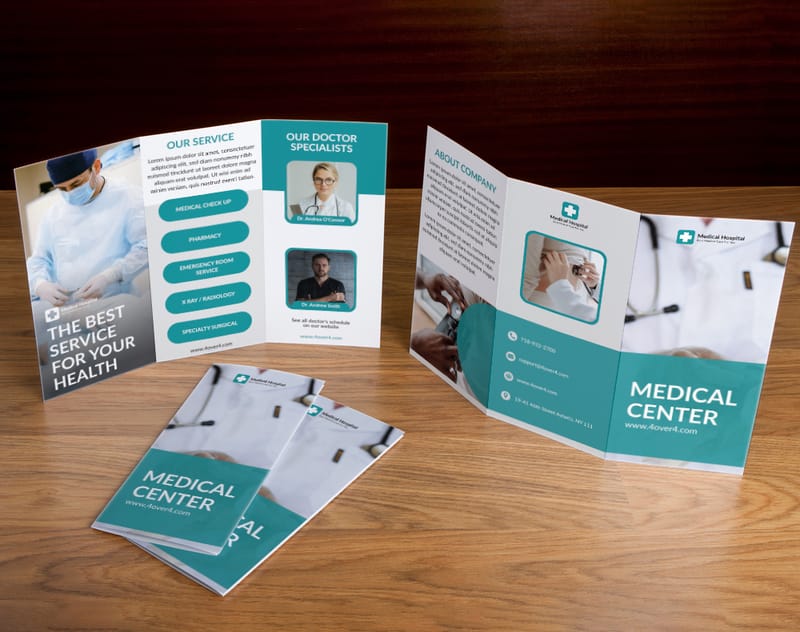
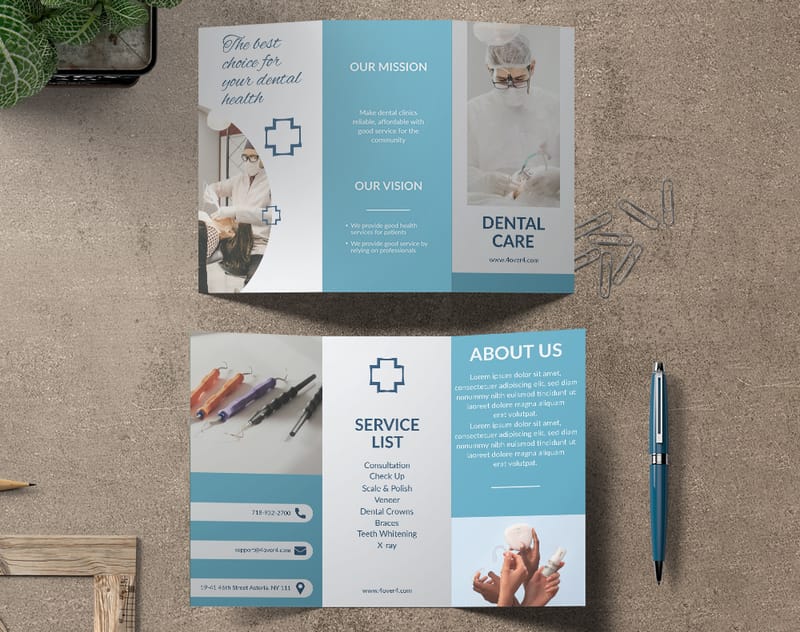
Healthcare brochures need to balance professionalism with approachability. Clean layouts with plenty of white space, calming color palettes (soft blues, greens, whites), and clear typography make medical information feel accessible rather than intimidating.
Tri-fold brochures work well here because patients often pick them up in waiting rooms. Each panel can address a different service or condition. Include a panel dedicated to credentials and certifications - patients want reassurance that they're in qualified hands.
Restaurant and Hospitality Brochures
Food photography is everything. If you're a restaurant creating a brochure for catering services or event hosting, invest in professional food photography. Shoot in natural light, style the plates carefully, and use those images at full bleed across your panels.
Matte or soft-touch finishes work beautifully for restaurant brochures. They feel upscale without being slippery - important when someone's handling your brochure at a tasting event. Include your menu highlights, not your entire menu. Curiosity drives visits.
Tech and SaaS Company Brochures
Tech brochures face a unique challenge. The product is often intangible - software, platforms, cloud services. The best company brochure design examples in this space use infographics, data visualizations, and icon-driven layouts to make abstract concepts concrete.
Keep the design minimal and modern. Lots of white space, geometric shapes, and a limited color palette. Use the brochure to highlight outcomes and ROI rather than features. "Cut your onboarding time by 40%" lands harder than "AI-powered workflow automation."
"Our tri-fold brochures printed on uncoated stock gave our SaaS product a grounded, trustworthy feel at conferences. People actually stopped to read them instead of just grabbing and walking."
- David L., Startup Founder
For more creative print marketing approaches, explore Funny Print Ad Examples that show how humor and bold design choices can make any printed piece stand out.
Paper Stock and Finish Options That Change Everything
Here's where many businesses cut corners - and it shows. The paper stock and finish you choose for your brochure communicates as much as the design itself. A flimsy 80lb text stock says "we printed these as cheaply as possible." A sturdy 100lb gloss cover stock says "we take our brand seriously."
Understanding Paper Weight and Thickness
For brochures that will be mailed or distributed in high volumes, 100lb gloss text is a solid middle ground. It's thick enough to feel big but flexible enough to fold cleanly. For premium presentations and leave-behind pieces, step up to 100lb gloss cover or 14pt cardstock.
Uncoated stocks give brochures a natural, earthy feel that works well for organic brands, nonprofits, and creative agencies. The texture invites touch, and the matte surface makes text easier to read under bright lighting.
Finish Options That Add Polish
Gloss coating makes colors pop and photographs look vivid. It's the go-to for image-heavy brochures. Matte coating reduces glare and gives a sophisticated, understated look. Soft-touch (or velvet) lamination creates a velvety texture that people can't stop touching - it's a conversation starter at trade shows.
Spot UV coating lets you add glossy accents to specific elements - your logo, a key image, or a headline - while the rest of the brochure stays matte. This contrast creates visual and tactile interest that makes your brochure feel custom and expensive.
4OVER4.COM offers Custom Brochures with a wide range of paper stocks and finishing options, so you can match your design vision to the right physical materials.
Design Principles Every Brochure Should Follow
Regardless of industry or format, certain design principles apply to every effective company brochure. These aren't subjective opinions - they're patterns that show up consistently in the highest-performing company brochure design examples.
Visual Hierarchy and the F-Pattern
Readers scan brochure panels in an F-pattern - top to bottom, left to right. Place your most important information (headline, key benefit, hero image) in the top-left quadrant of each panel. Supporting details go in the middle. Your CTA goes at the bottom or bottom-right, where the eye naturally lands last.
Use size, color, and weight to create clear levels of importance. Your headline should be the largest text element. Subheadings should be noticeably smaller but still distinct from body copy. Body text should be the smallest - but still legible.
White Space Is Not Wasted Space
One of the biggest mistakes in brochure design is cramming too much content into every panel. White space (or negative space) gives your design room to breathe. It draws attention to the elements that matter and prevents visual overwhelm.
Look at any luxury brand's brochure. They use massive amounts of white space. It communicates confidence - the brand doesn't need to shout. It lets the product and message speak for themselves.
Image Quality Standards
Every image in your brochure should be at least 300 DPI (dots per inch) at the final print size. Pulling images from your website - which are typically 72 DPI - will result in blurry, pixelated prints. This is the single most common mistake businesses make with brochure design, and it's completely avoidable.
Use original photography when possible. Stock photos are fine for supporting visuals, but your hero images should feel authentic to your brand. Custom photography of your team, your products, or your workspace builds trust in ways stock images never can.
How to Use 4OVER4.COM's Brochure Templates as a Starting Point
For businesses that want professional results without hiring a designer, 4OVER4.COM's brochure template library is a practical starting point. The platform bridges the gap between DIY convenience and professional-grade output.
What sets 4OVER4.COM apart is the integrated design-to-print workflow. You pick a template, customize it with your brand colors, logo, images, and copy, then send it straight to print - all from the same platform. No exporting files, no worrying about bleed settings, no back-and-forth with a print shop about file specs.
Template Customization That Goes Deep
The templates aren't just color-swap jobs. You can modify layouts, rearrange panels, change fonts, adjust image placement, and add or remove text blocks. It's a full design tool wrapped in a template-first workflow. This means you get the speed of templates with the flexibility of custom design.
Templates are available for bi-fold, tri-fold, gate-fold, and z-fold formats. Each one is pre-set with proper bleed areas and safe zones, so your design will print exactly as you see it on screen.
From Design to Doorstep
Once your design is finalized, 4OVER4.COM handles the rest. Choose your paper stock, finish, quantity, and turnaround time. Pricing is transparent and available instantly - no waiting for custom quotes. With 99.8% on-time delivery and options for expedited shipping, you can go from concept to printed brochures in days.
For businesses running multi-channel campaigns, pairing brochures with other print materials creates a cohesive brand experience. Consider matching your brochure design to your business cards, postcards, and presentation folders. You can also explore Logo Sticker Design Ideas for creative ways to extend your brand across additional formats.
Common Brochure Design Mistakes (and How to Avoid Them)
Even experienced marketers make these errors. Avoiding them puts your brochure ahead of most competitors' materials.
Mistake 1: Too Much Text
A brochure is not a whitepaper. It's a teaser. Your job is to give enough information to spark interest and drive the next action - a phone call, a website visit, a meeting request. If someone needs to squint or spend more than 60 seconds reading a panel, you've included too much.
Mistake 2: No Clear Call to Action
Every brochure needs a clear, specific CTA. "Contact us" is weak. "Call 555-0123 for a free consultation" is strong. "Scan this QR code to see pricing" is even better. Tell the reader exactly what to do next and make it easy.
Mistake 3: Ignoring the Fold
Design your brochure with the fold in mind. Critical text or images should never land directly on a fold line - they'll be obscured or distorted. Use fold lines as natural transitions between sections, not as interruptions to your content.
Mistake 4: Inconsistent Branding
Your brochure should look like it came from the same company as your website, business cards, and social media. Use the same fonts, colors, logo placement, and tone of voice. Inconsistency confuses prospects and undermines trust.
For more ideas on keeping your print materials cohesive, browse Diy Greeting Card Design Ideas to see how consistent design principles apply across different print formats.
Measuring the Impact of Your Brochure Campaign
Printing brochures without tracking results is like running ads without analytics. You need to know what's working so you can refine future campaigns.
Trackable Elements to Include
Add a unique QR code that links to a dedicated landing page. This lets you track exactly how many people engaged with your brochure. Use a unique phone number or email address on the brochure so you can attribute inquiries directly to the print campaign.
Promo codes work well too. "Mention code BROCHURE25 for 25% off your first order" gives you a clear conversion metric and an incentive for the reader to act.
A/B Testing Your Brochure Design
Print two versions of your brochure with different headlines, images, or CTAs. Distribute them at different events or in different markets. Compare the response rates. This kind of testing is standard practice in digital marketing but rarely applied to print - which means it gives you a competitive edge.
For a broader look at effective print marketing strategies, browse the full collection of Printing Articles on 4OVER4.COM's resource hub. And for visual inspiration from real customer projects, the Showcase gallery is worth bookmarking.
Ready to see some of the best brochure templates available? Here's a curated selection of company brochure designs you can customize right now.
If you prefer to start from scratch with a blank canvas, this option gives you full creative control while still ensuring your file is set up correctly for print.
Blank Templates
Here's what real customers are saying about their brochure printing experience with 4OVER4.COM.
What to Remember About Company Brochure Design
- Format matters as much as content. Choose your fold type - tri-fold, bi-fold, gate-fold, or z-fold - based on how much information you need to present and where the brochure will be distributed.
- Paper stock communicates your brand. Heavier stocks and premium finishes like soft-touch lamination signal quality before a single word is read. 4OVER4.COM offers a wide range of stocks and finishes to match any brand positioning.
- Less text, more impact. The strongest company brochure design examples use concise copy, bold headlines, and generous white space. A brochure is a teaser, not an encyclopedia.
- Always include a trackable CTA. QR codes, unique phone numbers, and promo codes let you measure your brochure's ROI - something most businesses skip entirely.
- Design for the fold. Never place critical content on fold lines. Use each panel as a distinct section with its own purpose in the reader's journey.
- Explore creative print formats. Beyond traditional brochures, consider pairing your campaign with unique formats like 3D Postcards for added visual impact and memorability at events.
| Feature | Practical Benefit for Businesses |
|---|---|
| User-Friendly Online Designer | Empowers non-designers to create professional-quality brochures, saving significant time and agency costs. |
| High-Quality Printing | Ensures brochures have vibrant colors and a premium feel, reinforcing a positive brand image and making a lasting impression. |
| Instant Online Pricing | Provides immediate budget clarity, allowing for quick decision-making and campaign planning without hidden fees. |
| Fast Turnaround Options | With available same-day shipping, businesses can react quickly to market opportunities or prepare for last-minute events. |
| Feature | Details |
|---|---|
| Ease of Use | Excellent. The drag-and-drop interface is highly intuitive for non-designers. |
| Templates | Extensive library categorized by industry, style, and purpose. |
| Customization | High. Users can change colors, fonts, images, and layouts completely. |
| Pricing | Offers a free plan with limited features. Premium and Business plans unlock more templates, brand kits, and download options. |
| Solution | Implementation Complexity 🔄 | Resource Requirements ⚡ | Expected Outcomes 📊 | Ideal Use Cases 💡 | Key Advantages ⭐ |
|---|---|---|---|---|---|
| Brochures Templates (4OVER4.COM) | Moderate - Learning curve for beginners | Requires internet + printing knowledge | High-quality printed brochures with vibrant colors | Businesses needing professional printed brochures quickly | Extensive template variety, online designer, fast same-day shipping |
| Venngage | Low - Intuitive drag-and-drop | Web-based, some premium features | Professional brochures for print & digital | Users without design skills, cross-industry brochures | Easy customization, no experience needed, royalty-free assets |
| Piktochart | Low - User-friendly drag-and-drop | Web-based, free & paid plans | Customizable brochures for print & digital | Beginners seeking cost-effective options | Free templates, simple customization, rich image library |
| Template.net | Moderate - Requires software familiarity | Offline software (Word, InDesign), some subscription | Print-ready professional brochures | Users comfortable with design software | Multiple file formats, professional designs, wide industry coverage |
| Visme | Low - Drag-and-drop with collaboration | Web-based, premium features available | Interactive brochures with multimedia | Teams needing collaboration & interactive content | Interactive elements, collaboration tools, brand alignment |
| Adobe Express | Low - Easy drag-and-drop | Web-based, premium subscription for features | Professional print & digital brochures | All skill levels needing charts & infographics | Extensive templates, charts & infographics, no design experience |
| PhotoADKing | Low - Intuitive drag-and-drop | Web-based, premium features | Professional brochures for print & digital | Users needing quick, easy customization | High customization, print & digital options, royalty-free assets |
- Diverse Template Library: The collection covers a wide spectrum of styles, from minimalist and modern to bold and vibrant, ensuring a starting point for any campaign.
- Multiple Formats: Supports various standard configurations, including bi-fold, tri-fold, gate-fold, and z-fold, allowing businesses to choose the format that best suits their content and distribution strategy.
- Integrated Design-to-Print Workflow: The seamless transition from the online designer to the printing queue eliminates common file preparation errors and streamlines the entire process. This integration is crucial for maintaining brand consistency and meeting tight deadlines.
- Start with a Goal: Before browsing, define the brochure's purpose (e.g., event handout, product showcase, company overview). Use Venngage’s filters to find templates categorized by function.
- Leverage Data Visualization: One of Venngage's standout features is its built-in chart and infographic maker. Use this to transform dense data into compelling visuals that are easy for your audience to digest.
- Maintain Brand Consistency: Use the "My Brand Kit" feature (available in premium plans) to pre-load your company’s logos, color palettes, and fonts. This ensures every brochure you create is perfectly on-brand with just a few clicks.
- Focus on Visual Storytelling: Don't just fill a template with text. Use Piktochart's vast library of icons, illustrations, and charts to represent key points visually. Create a flow that guides the reader's eye from one section to the next.
- Customize for Your Audience: Tailor the tone and visuals to your target demographic. Piktochart's easy color scheme and font customization tools allow you to quickly adapt a single template for different audiences or campaigns.
- Create a Cohesive Marketing Package: Use the platform to design other marketing materials that complement your brochure. For instance, after creating your brochure, you can design matching professional business cards to ensure brand consistency across all touchpoints.
- Filter by Software: Start your search by filtering templates based on the program you intend to use (e.g., Word, InDesign). This ensures you download a file that is perfectly optimized for your chosen editor.
- Check Font Requirements: Before editing, check the template's documentation for any required fonts. Installing these first will ensure your final design looks exactly like the preview.
- Adapt for Other Materials: The design elements from a brochure can be repurposed. For instance, you could adapt the branding and layout to create complementary marketing materials, such as those found in professional postcard printing services.
- Embrace Interactivity: When designing for digital use, embed a product demo video or link directly to your services page. This turns a passive reading experience into an active user journey.
- Utilize Data Widgets: Visme excels at data visualization. Use its library of charts, graphs, and customizable data widgets to present company growth, market statistics, or customer testimonials in a clear and compelling way.
- Collaborate with Your Team: Use the platform’s collaboration features to get real-time feedback from colleagues. Team members can leave comments and make edits directly on the design, streamlining the approval process.
- Explore Template Variations: When you select a brochure template, Adobe Express often suggests different color schemes and layouts. Use these quick-change options to rapidly test what best fits your brand before diving into manual customization.
- Utilize the Asset Library: Take full advantage of the integrated Adobe Stock library. Use the search filters to find high-quality, royalty-free images, icons, and design elements that align perfectly with your message, avoiding generic visuals.
- Brandify Your Content: The premium version allows you to upload your brand kit (logo, colors, fonts). Applying your brand to any template becomes a one-click process, ensuring all your company brochures maintain a consistent and professional look.
- Filter with Precision: Use the platform’s search and filter functions to find templates by industry, style, or brochure type (e.g., bi-fold, tri-fold). This will quickly narrow down the options to the most relevant starting points.
- Integrate Data Visually: The platform supports the creation of simple charts and infographics. Use these tools to present data, statistics, or timelines in a visually engaging format that's easy for your audience to understand.
- Plan for Print and Digital: When designing, consider your final output. PhotoADKing provides options for both, so ensure your fonts are legible and images are high-resolution for print, while digital versions can include clickable links or QR codes.
- Clarity is King: Your primary message and call to action should be instantly recognizable. Avoid clutter and focus on what truly matters to your audience.
- Visual Hierarchy Guides the Eye: Use size, color, and placement to direct your reader's attention through the content in a logical sequence.
- Consistency Builds Trust: Ensure your brochure's design language, from fonts to color palettes, aligns perfectly with your overall brand identity.
- Quality Reflects Quality: The final printed product is a physical representation of your brand. High-quality paper, crisp printing, and vibrant colors signal professionalism and care.
- For beginners and small businesses, platforms like Canva and Adobe Express offer an intuitive drag-and-drop interface and vast libraries of professional templates. They are ideal for creating stunning designs quickly without a steep learning curve.
- For marketers who need data integration, Visme and Piktochart are excellent choices, allowing you to embed charts and infographics seamlessly.
- For designers and agencies seeking maximum control, the Adobe Creative Cloud suite remains the industry standard, offering unparalleled customization and power.
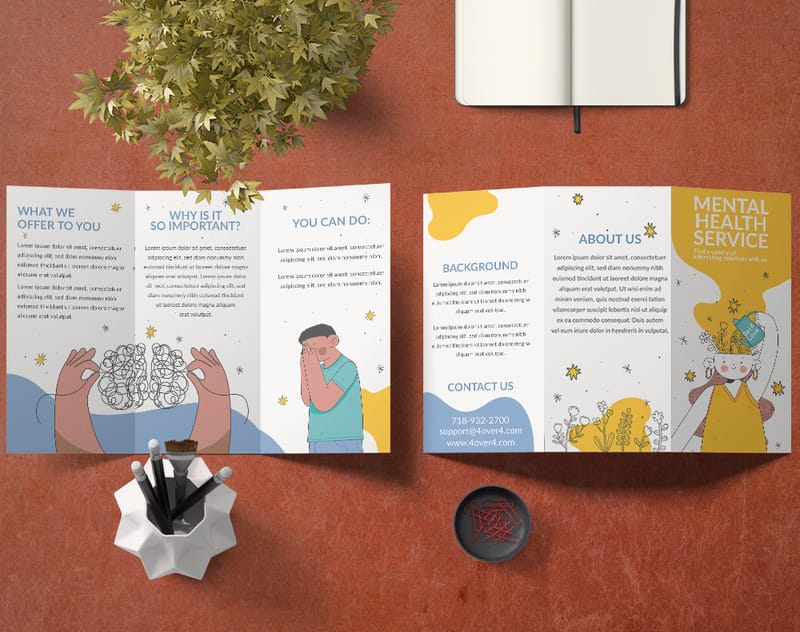
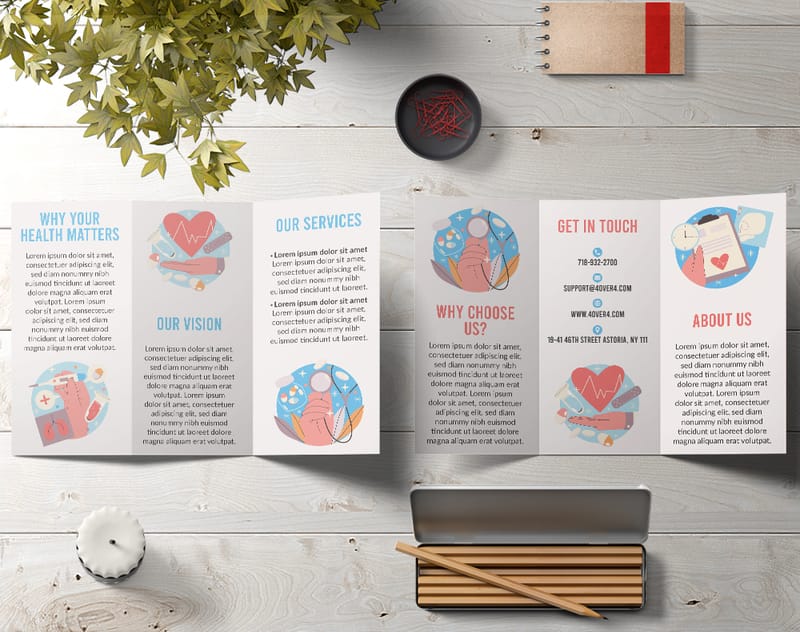
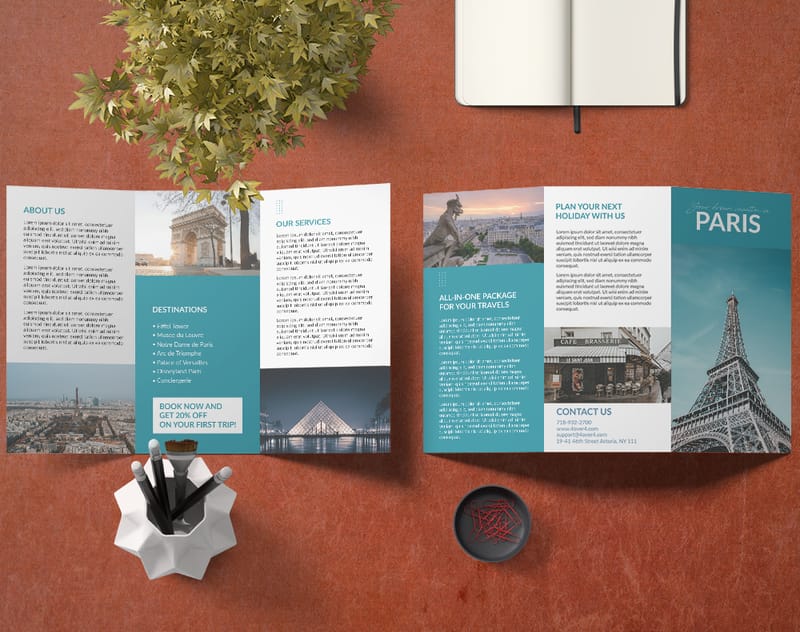
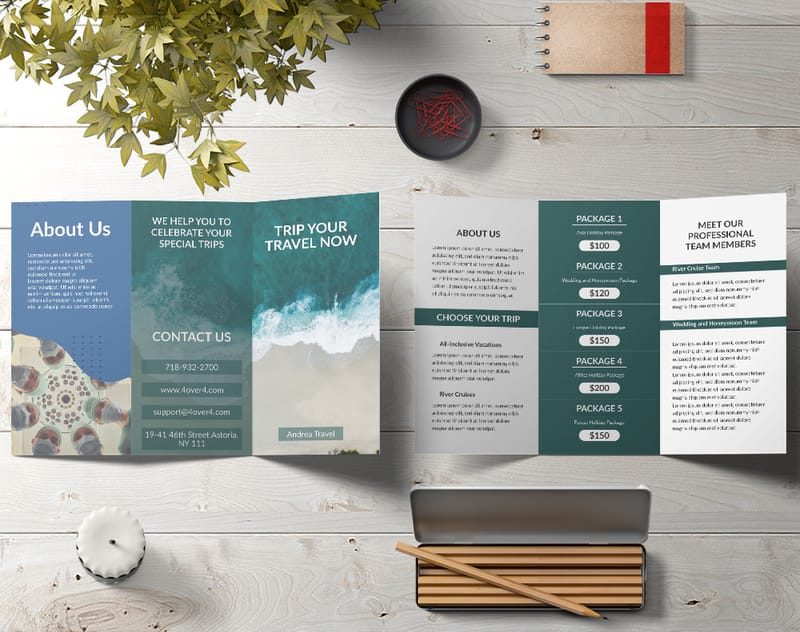
Free Company Brochure Templates
Your Questions About Company Brochure Design, Answered
What are the best practices for company brochure design examples?
Start with a clear visual hierarchy - headline, supporting image, body copy, CTA - on every panel. Use no more than three fonts and four colors. Keep body text at 10pt minimum for readability. Always design in CMYK at 300 DPI, and leave at least 0.125 inches of bleed on all edges. Study company brochure design examples from your industry to identify patterns that connect with your specific audience.
How do I choose the right company brochure design examples for my business?
Match the format to your distribution method. Tri-folds work for brochure racks and mailers. Bi-folds suit premium client presentations. Gate-folds create dramatic reveals for product launches. Consider your content volume too - if you have a lot to say, a z-fold gives you more panels. Look at competitors' brochures and aim to outclass them in paper quality and design clarity. Unique formats like 3D Postcards can complement your brochure strategy.
What makes company brochure design examples effective for marketing?
Effective brochures combine strong visuals with concise, benefit-driven copy and a specific call to action. They use high-quality photography at 300 DPI, strategic white space, and premium paper stocks that feel big in the hand. The physical nature of a brochure creates a sensory experience that digital marketing can't replicate - and that tactile impression directly influences how prospects perceive your brand's credibility.
How much should I budget for company brochure design examples?
Design costs range from free (using 4OVER4.COM's template library) to $500-$2,000 for custom agency work. Printing costs depend on quantity, paper stock, and finish. A run of 500 full-color tri-fold brochures on quality stock typically starts at a very accessible per-unit price. Investing in heavier paper and premium finishes like spot UV adds cost but dramatically improves perceived value. For bold, eye-catching additions to your campaign, pair brochures with Black Postcards for a cohesive multi-piece strategy.