Table of Contents
- Home
- content hub
- Your Guide to the Perfect Design Brief Template
 Share and earn
Your Guide to the Perfect Design Brief Template

Jul 15, 20251049 views
Jul 15, 20251049 views

A design brief is far more than just a piece of paper. Think of it as the foundational blueprint for your entire design project. It’s a structured document that lays out all the crucial details—the objectives, scope, and any constraints—before a single pixel gets pushed. It's the one document that gets everyone, from the client to the design team, on the same page and sharing the same vision.
This simple tool is your best defense against miscommunication, scope creep, and a project that goes completely off the rails.
Why Projects Falter Without a Strong Design Brief

Let’s be honest, we’ve all seen it happen. Project chaos almost always starts with a vague request. A client might say, "We need a new brochure," but offer zero context on who it's for, what the campaign goals are, or what message it needs to deliver. This is where things start to unravel.
When you don't have a solid design brief, your team is left to fill in the blanks themselves. This guesswork is a direct path to endless revision cycles, bloated budgets, and designers who are completely burnt out. It’s a frustrating cycle for everyone, and it's almost entirely avoidable.
The Real Cost of Vague Instructions
Skipping this step has very real consequences. Industry data shows that a staggering 70% of design projects fall short of expectations, and the primary culprit is a lack of clear, comprehensive briefs. On the flip side, using a well-structured design brief can slash project turnaround time by up to 25%, saving everyone time, money, and headaches.
Think about what this looks like in the real world. A designer pours their heart into a concept based on their best guess, only for the client to come back with, "That’s not what I had in mind." Just one sentence like that can set a project back days or even weeks, torching the budget and blowing past deadlines.
A solid brief is the bedrock of any successful creative endeavor. It’s a principle that holds true across industries. For example, a detailed plan is just as critical when mastering home renovation project management as it is in graphic design.
A design brief isn't just administrative busywork—it's the foundational strategy that separates successful projects from frustrating failures. It turns abstract ideas into a concrete, actionable plan.
To really see the difference, let’s compare how a project unfolds with and without this crucial document.
Project Outcomes With vs Without a Design Brief
The table below breaks down the stark contrast in outcomes. It highlights just how much of an impact a clear brief has on every key aspect of a project.
| Project Aspect | With a Clear Design Brief | Without a Design Brief |
|---|---|---|
| Clarity & Alignment | Everyone shares a unified vision from the get-go. | Teams work from assumptions, causing confusion. |
| Revisions | Minimal and focused, based on objective goals. | Constant and subjective, leading to scope creep. |
| Budget & Timeline | Stays on track with predictable costs and deadlines. | Often goes over budget and misses key milestones. |
| Final Outcome | Delivers on strategic goals and meets expectations. | Frequently misses the mark and fails its purpose. |
This side-by-side comparison makes it obvious why taking the time to build a brief is a non-negotiable first step. Whether you're designing a new website or getting new corporate business cards printed, the brief is what steers every decision toward success. It's what ensures the final product doesn't just look good, but actually solves the business problem it was created for.
The Essential Elements of a Powerful Design Brief

So, what actually makes a design brief work? A truly effective design brief template isn't just some checklist you fill out. It’s a strategic document that tells a story. Each piece builds on the last, painting a complete picture that both guides and inspires your creative team.
Let's break down the anatomy of a brief that gets results. Instead of just listing generic stuff, we'll get into the "why" behind each section and how it helps you avoid headaches and get the design you actually want. This structure ensures every creative decision is intentional and laser-focused on the project's real purpose.
Beyond the Basics: The Project Overview
Every brief needs to start somewhere, but "Project Name" just doesn't cut it. This section needs to set the stage by clearly explaining the business context and, most importantly, the problem you need the design to solve.
- Company Background: A quick, punchy summary of who you are, what you do, and where you sit in the market. This gives designers crucial context they probably don't have.
- Project Goal: What is the single, most important thing you need this design to achieve? Is it to boost online sales by 20%? Drive sign-ups for a new service? Get specific and make it measurable.
- The Problem: Spell out the business challenge loud and clear. For example: "Our current packaging gets lost on crowded retail shelves, which is crushing our visibility and sales."
Deep Dive Into Your Target Audience
Just saying your audience is "millennials" is a surefire recipe for bland, generic design. You have to go deeper. A sharply defined audience profile is the difference between design that truly connects and design that gets completely ignored.
Who are you really trying to reach?
Create a mini-persona that feels like a real person. What are their daily frustrations? What gets them excited? Where do they scroll online? Giving designers this level of detail allows them to create something that speaks directly to a human, not a demographic.
A great design brief doesn't just describe the audience; it humanizes them. Ask yourself: What problem does our design solve for this specific person?
Instead of "young professionals," try something like: "Time-crunched project managers, age 28-35, who live by efficiency and use tools like Asana and Slack daily." See? That instantly gives the designer a much clearer target to aim for.
Defining Tone, Voice, and Visuals
This is where you stop brand disasters before they even start. "Tone and Voice" isn't just corporate jargon; it’s the personality of your brand, captured on paper. Are you witty and informal, or are you authoritative and serious?
Give them examples of copy that nails the tone. For visuals, don't just say "modern and clean." That means something different to everyone. Create a mini mood board with images, colors, and fonts that capture the exact aesthetic you’re after. This kind of visual guidance is pure gold for a designer.
Mandatories and Restrictions
Think of this section as your best defense against endless revisions. It’s where you lay down the non-negotiables.
- Mandatories: What absolutely must be included? This could be your logo, a specific tagline, legal fine print, or a call-to-action button.
- Restrictions: What should designers actively avoid? Are there certain colors, words, or images that are off-brand or look too much like a competitor?
Being painfully explicit here will save you and your designer countless hours. Take website design, for example. Companies using a structured brief often see a 15-25% increase in site traffic after launch because the design is so focused.
From websites to a full suite of custom printed marketing materials, a rock-solid brief ensures everything you produce is consistent, effective, and hits the mark every single time.
How to Build Your Brief Collaboratively
A design brief shouldn't be a decree handed down from on high; it's the start of a vital conversation. The days of one person writing a brief in isolation and tossing it over the fence to the design team are long gone. The most successful projects I've been a part of treat the brief as a living, collaborative tool right from the start.
This modern approach reframes the entire process. It’s all about bringing the right people into the room—or the virtual doc—at the right time to build a sense of shared ownership. When designers are involved in the briefing stage, it's not just a courtesy. It's a non-negotiable for success. They can ask the tough questions, poke holes in assumptions, and often suggest creative solutions you hadn't even considered.
Facilitating a Productive Kickoff
The kickoff meeting is where this collaboration really begins. Your goal isn't just to present the brief but to co-create parts of it. Use this time to generate alignment, not confusion.
- Set the Stage: Start by clearly stating the project's purpose and the core problem you're all trying to solve.
- Encourage Input: Open the floor for questions and brainstorming. Every stakeholder should feel like their voice is heard.
- Capture Everything: Use a digital whiteboard or a shared document to capture ideas, questions, and decisions in real time.
This ensures everyone is invested and aligned before a single pixel is pushed. It's about building consensus and a shared vision of what success actually looks like.
This infographic shows how a collaborative design process typically flows, moving from initial research to the final review.
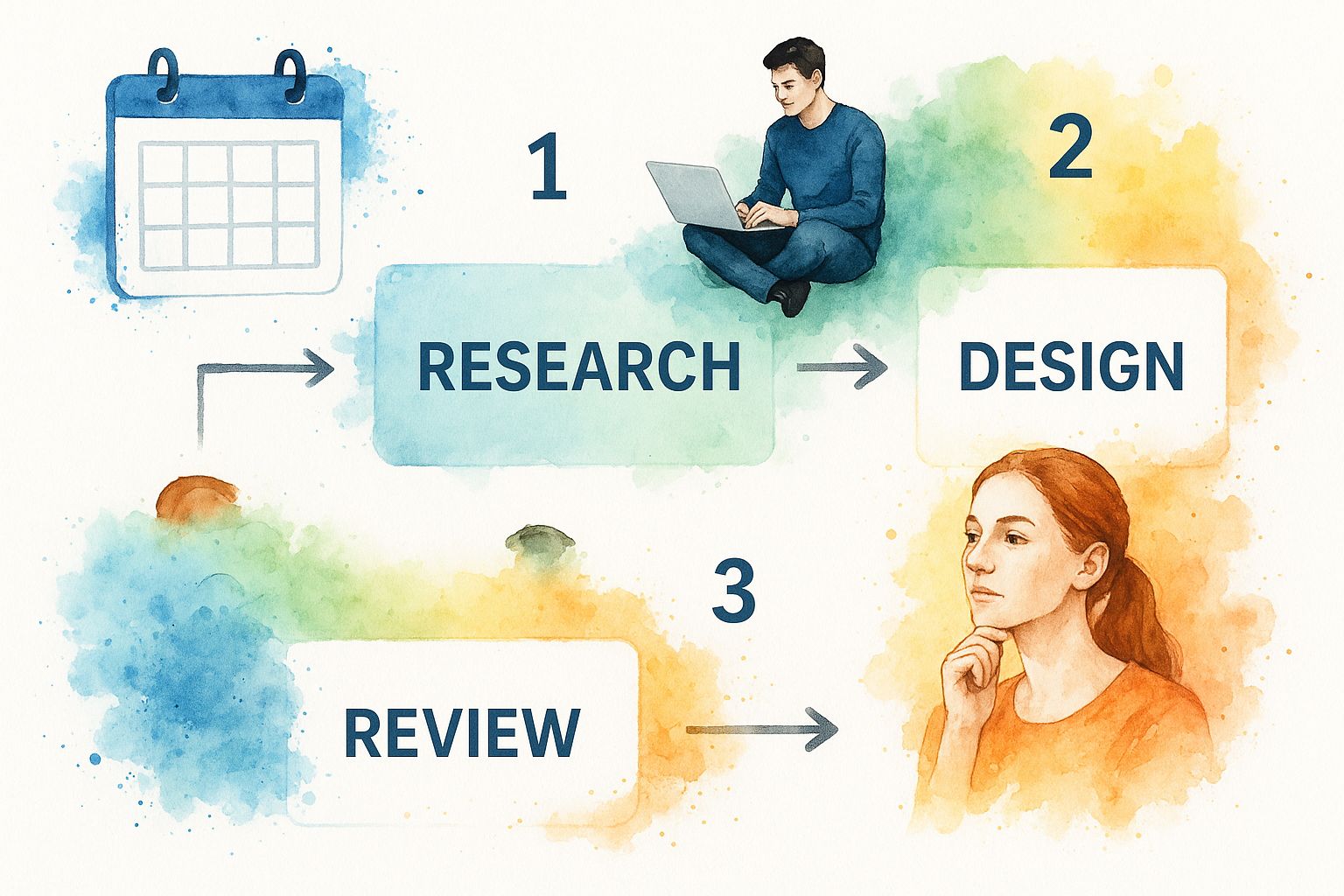
As you can see, each stage builds on the last, creating a connected and continuous workflow.
Using Modern Tools for Real-Time Collaboration
Thankfully, technology makes this whole process easier than ever. A static design brief template in a Word doc can feel restrictive and quickly become outdated. Today's briefs are interactive, living documents.
Tools like FigJam or Miro allow your team to add notes, stickies, images, and comments directly onto the brief, turning it into a dynamic workspace. This approach has been shown to improve project clarity and stakeholder engagement by over 35%. What's more, projects using these collaborative methods often enjoy a 20% higher on-time completion rate.
A collaborative brief becomes the project's "source of truth." It's a reference point that everyone helped build, which makes it a much more powerful tool for keeping the project on track.
Ultimately, whether you're creating a new digital campaign or planning physical presentation materials, the quality of your collaboration will directly impact the quality of the final result. By inviting your key players into the process early, you transform the brief from a simple document into a powerful alignment tool.
Download Your Free, Customizable Design Brief Template
Alright, we’ve covered the why and the what behind a solid design brief. Now it’s time to put all that theory into action. To make things easy, we’ve put together our own battle-tested design brief template—and it's completely free. This is your shortcut to starting your next project with absolute clarity.
This isn't just some fill-in-the-blanks document. It’s a flexible framework built to kickstart better conversations and get you to clearer outcomes, right from the get-go. It’s designed to prompt the right questions and organize everything in a way that gives designers the strategic juice they need to create incredible work.
Your Template, Your Workflow
Every team works differently, and we get that. That's why our template is available in the formats your team probably already lives in. Just grab the one that fits best:
- Google Docs: Perfect for real-time collaboration. Everyone can jump in, leave comments, and share it with a simple link.
- Notion: A fantastic choice for teams who love structured databases and want to plug this brief right into their project management hub.
- PDF: The classic, print-friendly option. Great for offline reviews or when you just need to send a clean, simple document.
Get Your Free Template [Link to Download Page]
A Quick Peek Inside
When you pop open the template, you'll see it’s more than just a list of questions. The layout is intentionally designed to walk you through the key elements we've been talking about. You’ll find sections for:
- Project Goals & The Business Problem: This forces you to nail down what success actually looks like before a single pixel is pushed.
- Deep Audience Insights: It guides you to think beyond vague demographics so you can build a profile of a real human being.
- Tone, Voice & Visual Direction: Clear creative guardrails for the design team to run with.
- Mandatories & Restrictions: This is your best friend for avoiding those soul-crushing, time-wasting revision cycles.
This structure ensures you hit every critical point, turning a simple request into a strategic roadmap that everyone can follow.
Beyond just design briefs, using well-structured documents can make all sorts of creative and business processes run smoother. For more ideas on how to organize your work, you can Explore more templates for different needs.
Common Briefing Mistakes That Derail Projects
Even with the best intentions, a badly written design brief can send a project off the rails before it even gets started. It’s a frustrating scenario that I’ve seen happen way too often, killing creative potential and forcing unnecessary rework. Let’s break down some of the most common pitfalls that turn a helpful document into a project roadblock.
One of the classic blunders is being overly prescriptive. Instead of defining the problem, the brief dictates the solution. For instance, a brief that insists on "a blue banner with our logo on the left" completely ties a designer's hands. It stops them from exploring the best visual approach for the actual business challenge and turns a creative partner into a pixel-pusher.
Another frequent misstep is jumping to a solution before identifying the core problem. A stakeholder might demand a new set of brochures, but the real issue is that their sales team needs more effective leave-behind materials. A good brief would frame the problem—"our sales team needs a compelling asset to share with prospects"—which opens the door for designers to propose a brochure, a digital one-sheet, or something else entirely.
Vague Feedback and Unclear Goals
We’ve all been there. You get feedback like "make it pop" or "give it more wow factor." These phrases are project-killers. They're totally subjective and offer zero actionable direction for a designer. When this kind of language sneaks into a brief, it's a huge red flag for a difficult, frustrating process ahead.
A brief has to be anchored in objective, measurable goals. A vague objective like "increase brand awareness" is impossible to design for effectively. A much better approach is to define something specific and measurable, like, "increase social media engagement on Instagram by 15% in the next quarter." This gives the designer a clear target to aim for and a real benchmark for success.
A great design brief is a compass, not a map. It sets the destination (the goal) and provides guardrails, but it doesn't dictate every single turn on the journey. This empowers designers to find the most creative and effective route.
How to Spot and Fix These Issues
The key is to shift your mindset from giving orders to providing context. A truly great brief inspires and guides; it doesn’t command. Before you send your next brief, it pays to double-check for these common mistakes. A few simple tweaks can transform a frustrating document into a powerful tool that empowers your design team.
I've put together a quick table to help you spot these issues in your own writing and fix them on the spot.
Common Briefing Pitfalls and How to Fix Them
| Common Mistake | Why It's a Problem | How to Fix It |
|---|---|---|
| Dictating the solution | Stifles creativity and almost guarantees a subpar outcome. | Define the problem you're solving, not the design you think you want. |
| Using vague feedback | It's subjective and provides no clear creative direction. | Use descriptive adjectives and provide visual examples or a mood board. |
| Lacking clear goals | The design's success can't be measured against a tangible outcome. | Set specific, measurable goals (e.g., "drive 500 webinar sign-ups"). |
By steering clear of these classic blunders, your design brief template becomes a genuine tool for alignment and inspiration. It paves the way for a smoother process and, ultimately, a far more successful final product.
Putting Your Design Brief Into Action
A brilliant design brief is useless if it just sits in a shared drive collecting digital dust. Its real power is unlocked when you transform it from a static document into the project's living, breathing "north star." This is where the planning stops and the real work begins.
Successful teams don't just write a brief and forget it. They treat their design brief template as an active participant in the creative process. It becomes the ultimate guidepost, making sure every decision—from the initial kickoff to the final delivery—is perfectly aligned with the strategic goals you set out to achieve.
Making the Brief a Daily Tool
The best way to bring your brief to life is to make it a constant reference point. It should be the first thing you look at during critiques and the last thing you check before giving feedback. This simple habit keeps everyone grounded and focused on what truly matters.
For example, when you're looking at different design options, don't just go with your gut. Instead, ask objective questions that tie directly back to the brief:
- Does this concept actually speak to the target audience we defined?
- Is the visual style in line with the mood board and brand voice we all agreed on?
- Does this design solve the core business problem we identified on page one?
This approach takes personal feelings out of the equation and anchors all feedback in shared, pre-approved goals.
Think of your design brief as your project's constitution. When debates pop up, the brief is the unbiased judge that helps you make objective calls, keeping egos and subjective tastes out of the conversation.
Inspiring the Creative Team
Presenting the brief to your designers shouldn't feel like a lecture. It's a chance to tell a story. Walk them through the document, but really lean into the "why" behind each section. Explain the audience's pain points and the business challenges you're trying to overcome. This context is what sparks real inspiration and clever problem-solving.
I've seen projects take off when the brief is presented as a compelling challenge instead of a rigid set of instructions. When a design team gets the full picture, they become invested partners. They don't just follow orders; they innovate. This deep understanding is crucial for any project, especially when you're creating physical assets like high-quality custom brochure printing that need to grab a customer's attention immediately.
At the end of the day, the brief is your single source of truth. By using it consistently to guide discussions, check progress, and inspire your team, you ensure the final design doesn't just look good—it delivers exactly what you set out to achieve.
Frequently Asked Questions About Design Briefs
Even with the best design brief template in your back pocket, you’re bound to run into a few practical questions. Let’s walk through some of the most common ones I hear. Clearing these up will help you put everything you've learned into practice with a lot more confidence.
How Detailed Should a Design Brief Be?
Honestly, finding the right level of detail is a bit of a balancing act. You want the brief to be thorough enough to give the design team clear direction, but not so rigid that it completely stifles their creativity. A good way to think about it is you're providing the "what" and the "why," but you're trusting them with the "how."
My rule of thumb? Be exhaustive about the strategic stuff. I'm talking about the business goals, the target audience's deepest pain points, and the core message you need to land. These are your non-negotiables. But when it comes to the visual direction, aim to inspire, not instruct. Share mood boards and examples, but try to avoid dictating specific layouts or design choices.
The perfect brief is a compass, not a GPS. It sets the destination and provides the essential boundaries, but it trusts the creative team to navigate the best route to get there.
Who Is Responsible for Writing the Design Brief?
In most cases, a project manager or an account manager on the client's side is the one who takes the lead. This person is usually the closest to the project's strategic goals and has the clearest view of the business needs.
But here’s a pro tip: the absolute best briefs come from collaboration. Even if one person "owns" the document, they should be gathering input from everyone with a stake in the project. That means talking to marketing leads, sales teams, and—most importantly—the designers themselves. Getting designers involved early is a game-changer. It ensures the brief is both realistic and genuinely inspiring from a creative perspective.
Can a Design Brief Change After the Project Starts?
Yes, but you need to be careful. While a design brief can be a living document, it’s also the bedrock of your project. Small tweaks and clarifications are perfectly normal as things evolve and you uncover new insights.
However, if a major change is necessary—like suddenly shifting the target audience or changing a core business goal—it calls for a formal sit-down with all stakeholders. The brief needs to be officially updated, and everyone has to agree on how that change will affect the timeline, budget, and any work that’s already been done. This is how you prevent scope creep and keep the whole team aligned and moving forward together.
What Is the Difference Between a Creative Brief and a Design Brief?
This is a great question, and while people often use the terms interchangeably, there's a subtle but important distinction.
- A creative brief is more strategic and high-level. It’s all about the big idea, focusing on the overall campaign or project—the core message, the audience, and the main objectives.
- A design brief is more tactical. It builds on that creative brief, translating those big strategic goals into concrete visual and technical requirements for the designers.
Think of it like this: a creative brief for a new product launch might define the campaign's tone as "energetic and bold." The design brief would then get specific, outlining the exact color palettes, fonts, and imagery needed to bring that "energetic and bold" feeling to life. When you get to the stage of creating detailed print assets, you might find that exploring options for custom printed booklets and catalogs can spark even more ideas on how to turn strategy into a tangible design.
Ready to transform your creative process with a brief that actually works? At 4OVER4, we provide the high-quality printing solutions that bring your perfectly briefed designs to life. From business cards to banners, let's create something amazing together. Start your print project with us today!
More from

22
You have probably had this happen at an event or client meeting. Someone hands you a business card that feels flimsy, the text is cramped, and
 Emma Davis
Apr 9, 2026

40
You’ve probably had this happen already. A happy client tells you their sister needs a cleaner, or a neighbor asks who handled the move-out
Emma Davis
Apr 8, 2026

70
You need a card by today. Maybe it is a client thank-you, a holiday insert for outgoing orders, or a simple folded handout for an event table.
Emma Davis
Apr 7, 2026

314
In a world of fleeting digital ads, a physical brochure can make a lasting impression. But getting that perfect, professional fold isn’t as
Emma Davis
Apr 6, 2026

117
Walk into any stationery store, and you'll see it: the classic 5" x 7" greeting card. It’s the undisputed cha
Emma Davis
Apr 5, 2026

64
Think of your company car or van for what it really is: a billboard on wheels. Every time it hits the road, it's advertising your business
Emma Davis
Apr 4, 2026

72
In a world buzzing with digital property listings and endless social media ads, it’s easy to think the classic 'For sale' sign has g
Emma Davis
Apr 3, 2026

206
Picture this: you need a massive, eye-catching banner for your grand opening next week. Not too long ago, that meant several trips to a local
Emma Davis
Apr 2, 2026