
Emma Davis
Content Writer
Jan 17, 202613 views

Custom product label printing is all about creating unique, branded labels that turn your products from generic items into something instantly recognizable. Think of it less like a sticker and more like your product's first impression. It's the silent salesperson on the shelf, a make-or-break tool for building a brand that customers remember and trust. It’s a small detail that makes a massive impact.
Picture yourself walking down a store aisle. What makes one bottle of cold brew coffee jump out more than another? It's almost never the bottle itself—it's the label. That little piece of paper or vinyl tells a story, signals quality, and has just a few precious seconds to grab a customer's attention. That's the power of custom labels in action.

A great label works around the clock for your brand. It juggles multiple jobs that are vital for any business, whether you're selling handmade candles at a local market or shipping thousands of units from a warehouse. For starters, a quality label instantly boosts the perceived value of whatever you're selling.
Your custom labels are the visual handshake that introduces your product to the world. They're the cornerstone of a cohesive brand identity and an indispensable marketing asset. When designed with care, they hit several key goals:
A label is a silent ambassador for your brand. It must communicate quality, purpose, and personality in a single glance to truly connect with your target audience and stand out on a crowded shelf.
The demand for personalized branding is only getting stronger. The global market for custom printed products is on track to hit USD 12.02 billion by 2032, growing at a steady 5.2% each year. This boom is largely thanks to businesses using custom labels to create unforgettable customer experiences.
Before diving in, it's helpful to see the big picture. Here's a quick look at the main decisions you'll be making as you create your custom labels.
| Decision Point | Common Options | Best For |
|---|---|---|
| Label Format | Sheets, Rolls, Die-Cut | Small batches, high-volume application, unique shapes. |
| Material | Paper, BOPP, Vinyl, Kraft | Cost-effective branding, moisture resistance, durability, rustic appeal. |
| Adhesive | Permanent, Removable, Repositionable | Long-term use, temporary placement, easy adjustments. |
| Finish | Matte, Gloss, High-Gloss UV | A subtle, elegant look; a shiny, vibrant appearance; maximum pop and protection. |
| Special Effects | Foil Stamping, Spot UV, Embossing | Adding metallic shine, highlighting specific areas, creating a 3D texture. |
Each of these choices plays a role in the final look, feel, and function of your label.
This guide will walk you through every step of the custom product label printing process. We’ll cover everything from picking the right materials and finishes to getting your artwork ready for a flawless print run. By the end, you’ll have all the know-how to create labels that not only look fantastic but also fit perfectly into your larger packaging strategy.
Let's be honest, not all labels are created equal. The format you pick—whether it's sheets, rolls, or a custom die-cut—is going to have a huge impact on your application process, your budget, and how your final product looks on the shelf. This is one of the first and most practical decisions you'll make.
Think of it like choosing the right tool for a job. You wouldn't use a tiny paintbrush to cover an entire wall, right? And you definitely wouldn't fire up an industrial paint sprayer for a small art project. The same logic applies here. The scale of your operation really dictates the best format for you.
For small-batch creators—maybe you're a home baker labeling jam jars or a crafter selling handmade soaps at the local market—sheet labels are usually the perfect fit. They come printed on standard-sized sheets (think 8.5" x 11"), which makes them super easy to store and apply by hand. This format is a budget-friendly way to get started with smaller quantities, giving you a professional look without a massive upfront cost.
Once your business starts to take off, applying labels one by one becomes a real bottleneck. That's where roll labels come into the picture. These labels are printed on a long, continuous liner and wound neatly around a cardboard core, built from the ground up for speed and efficiency.
Roll labels are the absolute workhorse for any kind of high-volume production. They’re a must-have for any business using automated or semi-automated labeling machines, which can whip through hundreds or even thousands of labels an hour with perfect precision every time. This makes them the go-to for:
The biggest win with roll labels is scalability. They smoothly bridge the gap between painstakingly applying labels by hand and moving to full-scale automation, letting your production grow without sacrificing speed or consistency.
Switching to roll labels also makes managing your inventory a breeze. A single roll can hold thousands of labels, taking up way less space than stacks of sheets and making it much simpler to see what you have in stock. They are the clear choice for any business with an eye on future growth.
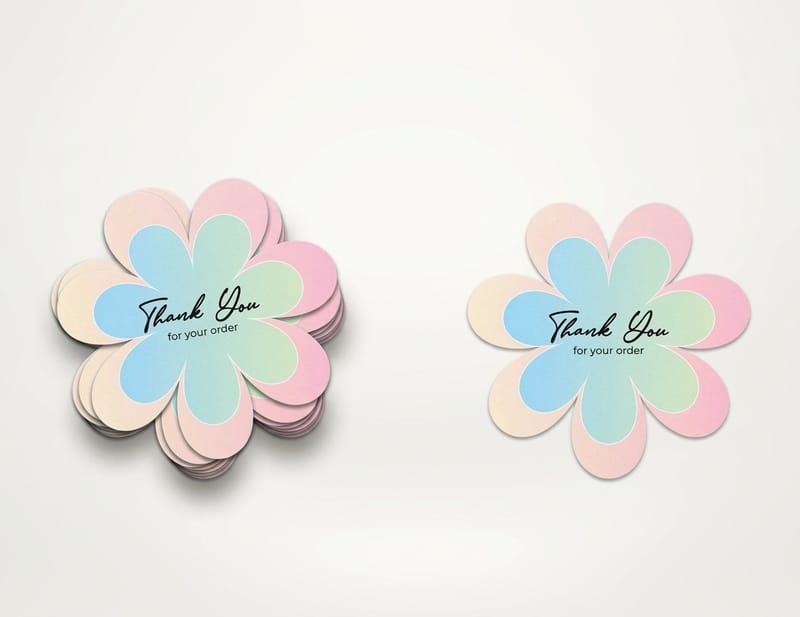
While sheets and rolls are all about how the labels are delivered, die-cut labels are all about the shape. A die is basically a custom-made cookie cutter for paper or vinyl, which means you can create labels in pretty much any shape you can dream up. This format is your secret weapon for making a product completely unforgettable on the shelf.
Instead of a plain old square or circle, imagine a label shaped like a honeycomb for your honey jar, a leaf for your organic tea, or your actual company logo. That unique contour immediately grabs the eye and reinforces your brand identity in a powerful, visual way. Many brands find that exploring custom shapes, like the options available when printing round labels online, gives their products a serious boost in shelf appeal.
Die-cutting isn't just for the outer edge, either. You can use it to create intricate cutouts inside the label itself, adding a cool layer of depth and sophistication to your design. This level of customization ensures your product doesn't just sit on the shelf—it makes a statement. At the end of the day, the right format comes down to your production needs, how you'll be applying the labels, and what you want your brand to say.
The material and adhesive you choose are the unsung heroes of a great product label. More than just a sticker, they define your product’s durability, its texture, and how it feels in a customer's hand. This is where your design becomes a real, tangible experience.
Think of the label material as the outfit your product wears. A high-end wine bottle needs an elegant, textured paper to signal sophistication. A shampoo bottle, on the other hand, needs a durable, waterproof vinyl getup that can survive a daily shower. Your product’s environment is the single most important factor here.
Where will your product live? In a chilly refrigerator, on a sunny shelf, or will it face a bumpy ride during shipping? Answering that question is the first step toward picking a material that not only looks good but performs flawlessly.
Different materials tell different stories and serve different purposes. Getting a handle on the core options helps you match your label's performance with your brand's promise. Let's break down some of the most popular choices in custom product label printing.
The flowchart below offers a simple way to think about your label format based on how many you're printing, which often ties directly into your material choice.

This visual guide helps clarify how your production scale can steer you toward either sheet or roll labels, ensuring you pick the most practical option for your business.
Just as critical as the material is the adhesive that sticks it to your product. The right glue ensures your label stays put through its entire journey, from your workshop to the customer's home. The wrong one? It can lead to peeling, curling edges, or a sticky mess.
There are three main types of adhesives to get familiar with:
The adhesive's strength must be matched to the product's surface. A textured glass jar, a smooth plastic bottle, and a porous cardboard box all require different levels of "tack" to ensure a secure, professional bond.
The growth in this space is undeniable. The print label market is projected to expand by USD 12.47 billion between 2024 and 2029, with self-adhesive labels leading the charge. This just goes to show how critical these material and adhesive decisions are for businesses today.
Once you've nailed down the right material and adhesive, the real fun begins. This is the part where your label goes from being a simple sticker to an unforgettable brand experience. Professional finishes and special effects are the "wow" factors that stop customers in their tracks and communicate quality before they even read a single word.
Think of these effects like the finishing touches on a gourmet meal. The food itself might be perfectly cooked, but it's the artful plating and garnish that make it feel special and worth the price. In the same way, a simple gloss or a pop of foil can elevate your product's perceived value and make it stand out on a crowded shelf.

As you can see, different finishes create entirely different moods—from the bright, clean shine of gloss to the luxurious shimmer of metallic foil.
Lamination is one of the most common and effective ways to finish a label. It’s a thin, transparent film applied over your printed design, and it does two crucial things: it protects the ink from scuffs, moisture, and fading, and it adds a distinct visual texture. Your two main options here are gloss and matte.
A cosmetic brand might choose a matte finish to convey a natural, organic vibe, while a kid's toy might use a high-gloss finish to look bright and playful.
Choosing the right finish can feel overwhelming, but this quick comparison should help you decide which is best for your product's aesthetic and functional needs.
| Finish/Effect | Visual Appeal | Durability | Best For |
|---|---|---|---|
| Gloss Lamination | High-shine, vibrant colors | Excellent moisture & scuff protection | Eye-catching products, food, beverages, toys |
| Matte Lamination | Soft, elegant, no-glare | Good moisture & fingerprint resistance | Luxury goods, cosmetics, wine, high-end foods |
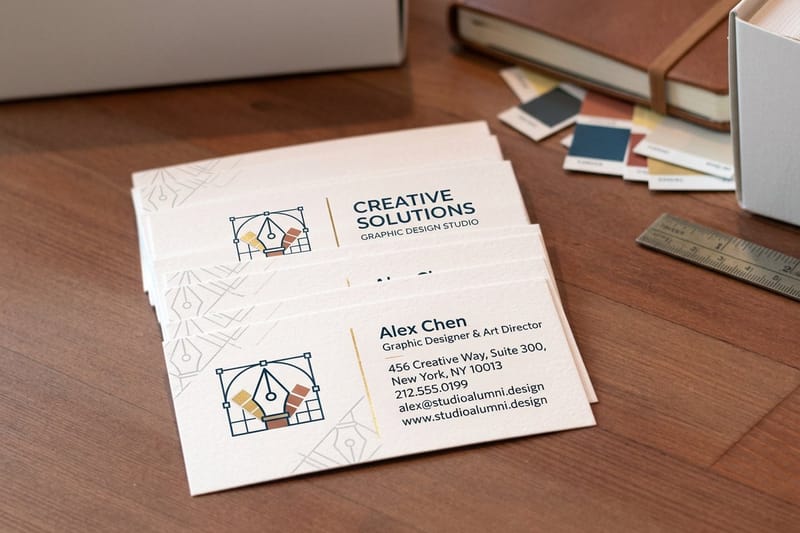
| Foil Stamping | Metallic, reflective, luxurious | Moderate; best on non-scuff areas | Logos, premium branding, special editions |
| Spot Varnish (UV) | High-contrast gloss on matte | Good protection on selected areas | Highlighting logos, patterns, or key text |
Each of these options tells a different story. The key is to pick the one that best aligns with the story you want your brand to tell.
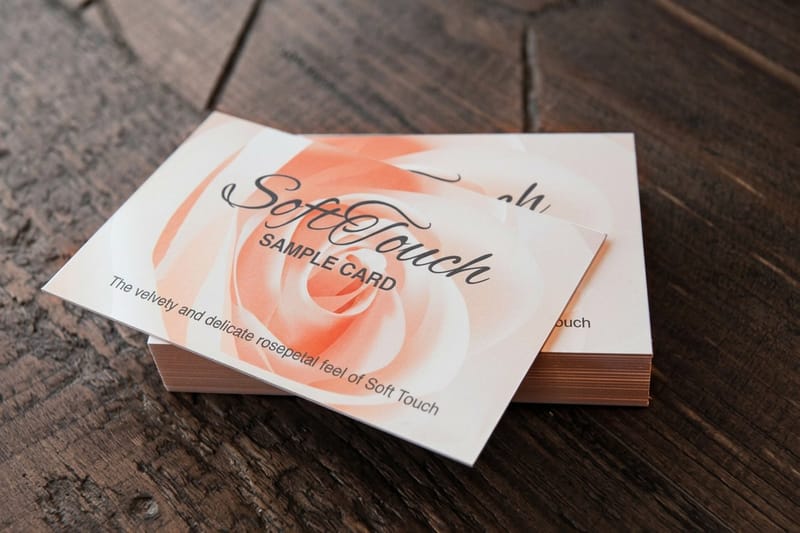
Beyond standard laminations, special effects add layers of texture and visual intrigue that customers can both see and feel. These are the techniques that truly set premium brands apart, creating a memorable tactile experience that deepens the connection with your product.
Two of the most popular effects are foil stamping and varnish.
Foil Stamping is the process of applying a thin layer of metallic or pigmented foil to specific areas of your label using heat and pressure. This creates an eye-catching, high-end shimmer that’s impossible to ignore—perfect for logos, key text, or decorative borders.
Picture a luxury candle with its brand name stamped in brilliant rose gold foil, or a premium chocolate bar with shimmering silver accents. Foil stamping instantly signals quality and can justify a higher price point. It’s a powerful tool in any custom product label printing strategy for high-end goods.
Varnish is a clear liquid coating applied to the label that can be either glossy or matte. While a full-label varnish provides protection, its real power is in selective application, a technique known as spot varnish or Spot UV. This is where you apply a high-gloss varnish to only certain parts of an otherwise matte label.
This contrast creates a subtle, sophisticated effect that catches the light and draws attention to key design elements. For example, a craft beer label with a matte background might use a spot gloss varnish on its logo or an illustration of hops, making them pop with a wet, textured look. It's an invitation for the customer to touch and interact with the packaging. If you want to explore this effect, learning more about spot UV printed products can give you a better idea of how it can elevate your design.
Ultimately, the right finish or effect comes down to your brand's personality. A rustic, artisanal jam might look best on textured paper with no finish at all, while a high-tech gadget could use a sleek matte label with a glossy, embossed logo to signal its modern design. These details aren't just decorative; they are strategic choices that strengthen your brand story.
A brilliant label design is only half the battle. To make sure the vibrant idea on your screen becomes a flawless physical label, you have to prepare your artwork file correctly. This is the single most important step to prevent common—and frustrating—printing errors like blurry images, off-brand colors, or critical information getting sliced off.
Think of your artwork file as the architectural blueprint for your label. If that blueprint has wonky measurements or vague instructions, the final construction is going to have flaws. Proper file prep is your way of telling the printing machines exactly how to bring your design to life, resulting in a professional and polished label every single time.
Nailing this part of the process is non-negotiable for effective custom product label printing. A well-made file saves you time, prevents costly reprints, and guarantees your brand looks as good in your customers' hands as it does in your head.
One of the first technical decisions you'll face is choosing between a vector and a raster file format. They might look the same on your monitor, but they are built in fundamentally different ways, and picking the wrong one is a recipe for pixelated, unprofessional results.
When it comes to logos, text, and illustrations on your labels, vector is almost always the way to go. It's your guarantee that every design element will stay perfectly crisp and sharp, no matter how big or small the final label is.
Another make-or-break step is setting the correct color mode in your design software. Your computer screen creates color using the RGB (Red, Green, Blue) model, which works by combining light. Professional printers, on the other hand, use the CMYK (Cyan, Magenta, Yellow, Key/Black) model, which works by mixing ink on paper.
If you send an RGB file to a printer, the colors will be automatically converted to CMYK. This forced conversion often causes noticeable color shifts, making the bright, vibrant colors on your screen look duller or just different in print. To keep your colors true, always set up your design document in CMYK from the very beginning.
Think of it like this: RGB is for light, and CMYK is for ink. Designing in CMYK ensures that what you see on your screen is a much closer match to what will come off the printing press. No more unwelcome surprises.
To avoid awkward white edges or having your design cut off, every professional print file needs to include bleed, trim, and safety zones. The easiest way to think about it is to imagine your label design as a picture inside a frame.
Setting up these zones correctly is an essential part of professional printing, and it’s especially vital for custom shapes. If you’re planning a unique design, it's a good idea to check out the technical requirements for die-cutting services to get a deeper understanding of how to prepare your files.
Once your artwork is perfected and your labels are printed, don't forget how they'll look online. Using professional product photography strategies for your newly labeled products can make all the difference on e-commerce sites.
Ordering custom product labels shouldn't be a headache. It should be a straightforward, even empowering, part of bringing your brand to life. Modern online ordering systems are designed to put you in the driver's seat, giving you total control over every detail, from the exact quantity to the final cost. Knowing your way around the key variables—order size, pricing, and turnaround times—is the key to making smart decisions that fit your budget and production schedule perfectly.
Think of it like building your perfect meal at a restaurant. You pick what you want (your label specs), how much you need (your quantity), and when you need it by (your lead time). A good online platform lets you play with these factors and see the price update in real-time, so there are absolutely no surprises at checkout.
One of the most powerful concepts in printing is economies of scale. It’s a simple idea: the more labels you order at once, the less you pay for each individual label. This happens because the biggest costs of any print job—setting up the machines, prepping your artwork—are fixed. When you spread that initial setup cost over a bigger order, the price per label drops dramatically.
This principle should guide your ordering strategy:
The goal is to find that sweet spot—an order quantity that lands you a great price per unit without tying up too much of your cash in inventory. The best way to find it? Hop on an instant price calculator and experiment with different numbers. You’ll see the savings for yourself.
Here’s a look at what an online calculator looks like. You can plug in your specs like size, material, and quantity to get an immediate price.
A tool like this lets you see exactly how changing one variable—like jumping the quantity from 500 to 5,000—can seriously impact your cost per label.
Finally, you need to get familiar with lead time. This is the total time it takes from the moment you click "order" to when the labels actually arrive at your door. It’s not just one number; it’s broken down into two distinct phases:
Always check the estimated production time and then add the shipping time to get a realistic delivery date. Having this timeline clear allows you to perfectly plan a product launch or restock your inventory without any of that last-minute panic. This kind of flexibility is a huge reason why digital label printing is projected to grow by USD 2.32 billion by 2028—it lets businesses of all sizes order the exact quantities they need with quick turnarounds. You can read more about the latest label printing industry trends to see how technology is making custom printing more accessible than ever.
Of course. Here is the rewritten section, designed to sound like an experienced human expert, following all your specific instructions and style examples.
Even with the best guide in hand, there are always a few practical questions that pop up when you're ready to print. Think of this as the "what everyone really wants to know" section. Getting these details ironed out ahead of time makes the whole process smoother, so you can order with total confidence.
Let's start with one of the biggest questions we hear: "What's the smallest number of labels I can actually order?" In the past, this was a real barrier, but modern digital printing has completely changed the game. You can often order as few as 50 or 100 labels. This is a lifesaver for startups testing a new product, small businesses creating seasonal goodies, or anyone just trying to keep their budget in check.
Another one we get all the time is about artwork. "What's the best file format to send you?" For the absolute best quality, a vector file (like an .AI, .EPS, or .SVG) is the gold standard. Vector files are built with math, not pixels, which is just a fancy way of saying they can be scaled to any size without getting blurry. Your logo and text will always be perfectly crisp.
If you only have a pixel-based file like a JPEG or PNG, don't worry—just make sure it's high resolution. You're looking for at least 300 DPI (dots per inch) to keep it from looking fuzzy when it's printed.
It's so important to understand the difference between production time and shipping time. Production is how long we need to print, cut, finish, and pack your labels. Shipping is how long the carrier takes to get it to your door. Always add both together to get a real delivery date.
Getting that timing right prevents any last-minute panic and ensures your labels arrive exactly when you need them for a product launch or restock.
Finally, people always ask, "Will I see what it looks like before you print everything?" Absolutely, and you should never skip this step. We'll send you a digital proof, which is a final PDF preview of your label. It shows you precisely where the cut lines will be and how the colors are set up.
Think of it as your last chance to catch a typo or a small alignment error before the presses start rolling. It’s a simple but crucial quality check.
Durability is another hot topic. "How do I make sure my labels are waterproof?" This all comes down to the material you choose. Materials like White Vinyl (BOPP) and Clear BOPP are naturally waterproof and oil-resistant. They're perfect for products that live in the fridge, get used in the shower, or might be exposed to the elements. Just be sure to pick a material that can handle whatever your product goes through.
Ready to create labels that make your brand unforgettable? At 4OVER4, we offer a huge selection of materials, finishes, and custom shapes to bring your vision to life. Design and order your perfect custom labels today!
26
Turning your handwriting into a usable font is a fantastic way to give your projects a truly personal feel. At its core, the process involves
Emma Davis
Jan 16, 2026
109
When you're getting a design ready for print, one of the most critical steps is creating outlines in Adobe Illustrator. This is the proces
Emma Davis
Jan 15, 2026
161
When you’re deciding on a finish for your print project, it boils down to one core question: do you want understated elegance or a high-impa
Emma Davis
Jan 14, 2026
209
Ever held a postcard where a cat actually winks at you? Or a movie poster where the hero seems to leap right off the page? That’s the magic
Emma Davis
Jan 13, 2026
96
Imagine you have two photographs side-by-side. One is a standard matte print, and the other has a selective, high-gloss finish on just the mos
Emma Davis
Jan 12, 2026
285
If you're designing a standard 18x24 inch poster, you’ll want a file that’s 5400 x 7200 pixels to ge
Emma Davis
Jan 11, 2026
544
When you hear a designer talk about "creating outlines in Illustrator," they're referring to one of two things: converting live
Emma Davis
Jan 10, 2026
73
The real difference between matte and glossy boils down to a single element: light. How does the paper's surface interact
Emma Davis
Jan 9, 2026
