
7 Online Proofing Tools Print Shops Actually Use


How printers speed up approvals and cut errors
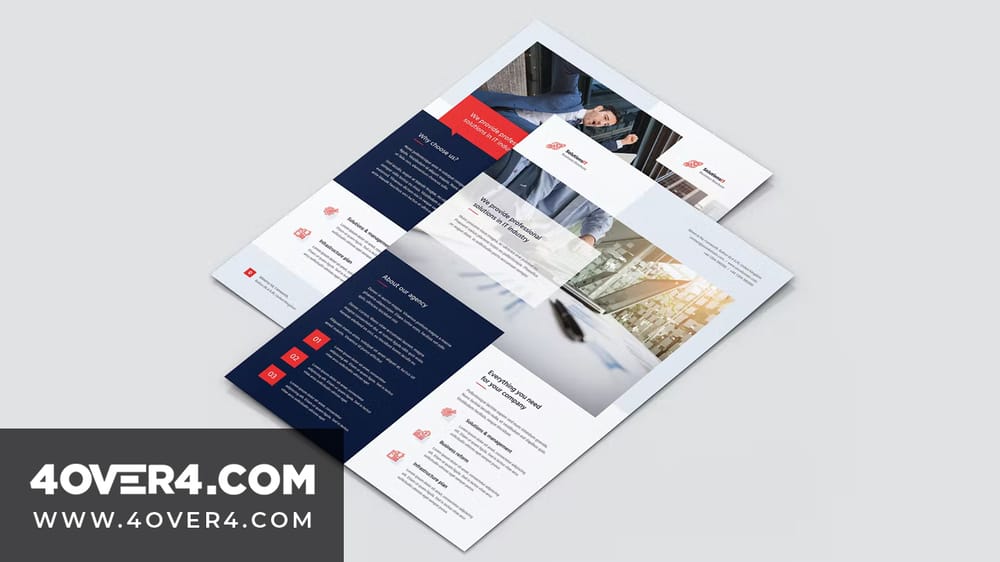
Online proofing software is a digital tool that lets a print shop and its clients review, annotate, and approve files before anything hits the press. Instead of juggling emails, phone calls, and scattered PDFs, everyone works inside one shared space where feedback happens in real time. 4OVER4.COM has printed 10 billion+ cards and served 150,000+ businesses, and a smooth proofing process is a big part of getting those orders right.
If you still email proofs back and forth, mark up printed PDFs by hand, or talk changes through over the phone, you are burning time and money. Print errors from miscommunication do not only waste paper and ink. They chip away at the trust of clients who expected the job to be perfect.
This guide covers what these tools actually do, how to pick the right one, and which platforms are worth your attention. Whether you print business cards, postcards, booklets, or large format signage, the right proofing workflow can shave days off your turnaround. For a look at polished work that came out of a clean proofing process, browse the 4OVER4.COM printing showcase.
What online proofing software is, and why printers need it
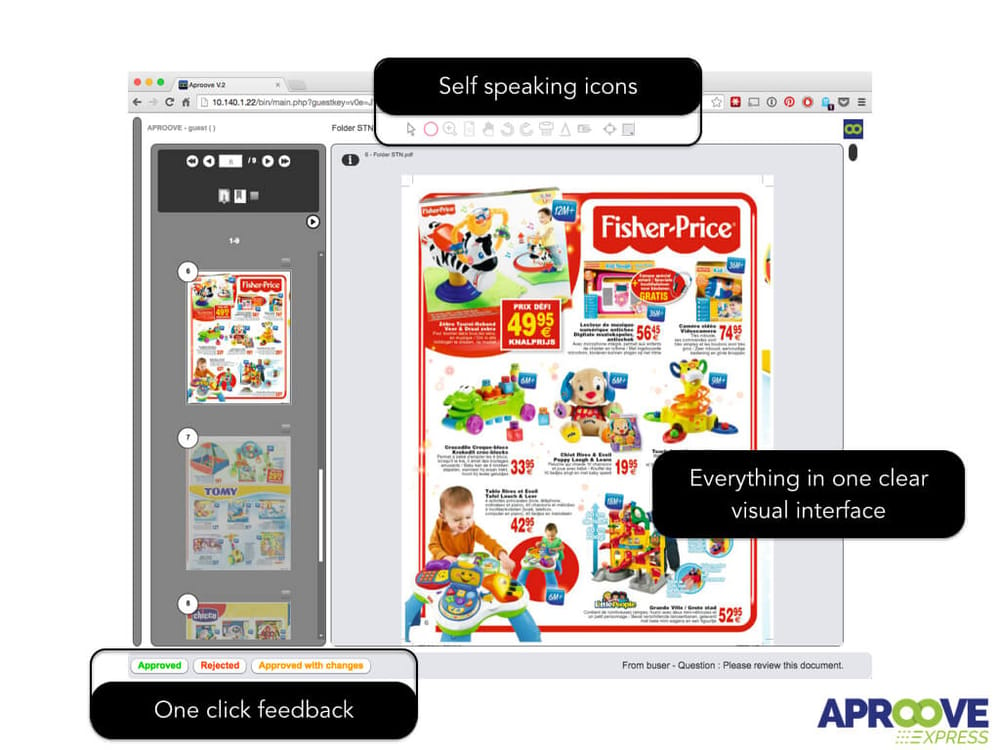
Online proofing software gives a print shop and its clients a shared workspace to review creative files before production. Think of it as a virtual lightbox where everyone sees the same proof, leaves comments right on the design, and approves the final version with one click.
Picture the version without it. A designer emails a PDF proof, the client prints it, scribbles notes in the margin, scans it, and emails it back. The designer misreads the handwriting, a second round starts, and three days later you still are not in production. Sound familiar?
With proofing software that same cycle takes hours, sometimes minutes. Collaborators mark up files on screen, comments pin to a specific area of the design, and version history is tracked automatically. When the client clicks approve, you have a documented sign-off that protects both sides.
The payoff breaks into three clear wins. First, speed, because real-time feedback ends the email wait. Second, accuracy, because a client circling a typo on the proof leaves no room for guessing. Third, accountability, because every comment and approval is logged, so nobody can claim they never approved the job.
For shops that handle complex projects, think multi-page booklets, packaging, or specialty pieces like 3D lenticular postcards, proofing software is practically a requirement. The more moving parts in a job, the more chances something slips through a manual review.
Proof it, then print it
Multi-page jobs live and die on proofing
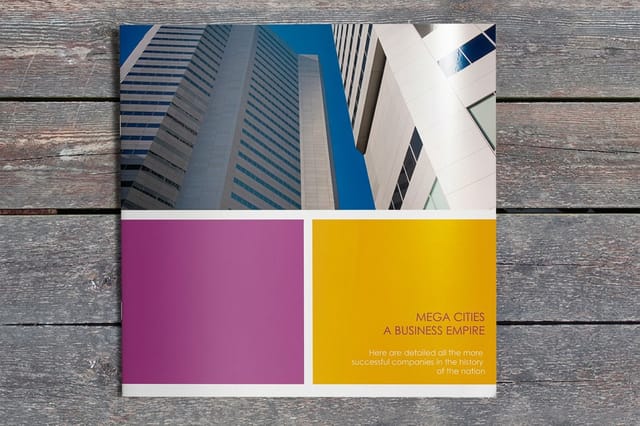
Booklets stack pages, bleeds, and spreads, exactly the kind of job a clean proofing pass protects.

Colour proofing software against approval proofing software
Two different products get called proofing software and they solve two different problems. Buy the wrong one and you will still have the problem you were trying to fix.
Approval proofing is what the rest of this article is about. Ziflow, Filestage, GoProof and the others in that class answer the question did the client sign off. They handle annotation, routing, version history and a logged approval. They do not care whether the red on screen is the red that comes off the press.
Colour proofing answers a different question: will this match on press. GMG ColorProof, the Kodak proofing line and EFI Fiery class RIPs drive a proofing device to simulate the press condition, using ICC profiles to map your file into the colour space of the specific paper and press the job will run on. The output is a contract proof, a physical sheet the customer signs and the pressroom matches to.
A soft proof sits in between: an on-screen simulation of the printed result, viewed on a calibrated display under controlled lighting. It is fast and free, and it is honest about layout, type and imagery. It is only as trustworthy on colour as the monitor calibration behind it, which is why a brand with a critical spot colour still asks for the physical contract proof.
So: if clients are approving late or denying they approved, you need approval proofing. If reprints are happening because the colour came back wrong, you need colour management and a contract proof. Shops with both problems buy both, and connect them so the approval record points at the proof that was approved.
Picking the right proofing platform
.png)
Not every proofing tool is built for print. Some target video teams, others focus on web design. You want one that understands print-specific needs like bleed areas, color accuracy, CMYK rendering, and multi-page document support. These are the features that separate a strong platform from a mediocre one.
Real-time notifications and alerts
A solid notification system keeps everyone in the loop. When a client leaves feedback you should know right away, not whenever you next check your inbox. Look for email alerts, in-app notifications, and ideally Slack or Teams integration. The faster you see feedback, the faster you act on it.
Built-in messaging
Separate email threads create chaos. The best tools put messaging inside the platform, tied to a specific file and version. That keeps every conversation documented and searchable, so you never dig through your inbox for the one email where a client said make the logo bigger.
Version comparison and history
You should be able to set version 1 and version 3 side by side and see exactly what changed. Good version control stops anyone from approving an outdated file, and it gives you a clean audit trail when a client claims they never asked for a change.
Broad file format support
Print work involves PDFs, AI files, PSDs, TIFF images, and sometimes video or HTML for cross-channel campaigns. Your tool needs to handle all of them without asking the reviewer to install anything. Browser-based rendering is the standard now.
Integration with your existing stack
If you already run Asana, Monday, or Trello, your proofing software should plug straight in. The same goes for design tools, cloud storage like Google Drive or Dropbox, and your chat apps. Fewer open tabs means fewer dropped details. For clean starting points, 4OVER4.COM blank templates work with most standard design software.
Security and access controls
When clients, designers, and stakeholders all touch the same platform, you need granular permissions. Not everyone should see every project. Role-based access lets you decide who can view, comment, and approve, which matters even more for sensitive work like campaign materials or unreleased packaging.
A clean, intuitive interface
Your clients are not designers, so they should not need a tutorial to leave feedback. The simpler the interface, the faster the approvals. A tool that needs a 30-minute onboarding call for every new client is adding friction instead of removing it. For a feel of how sharp print work reads before and after proofing, study some classy business card design ideas.
Top online proofing platforms for print
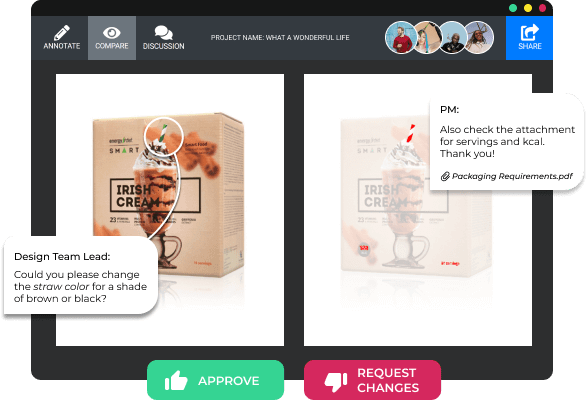
Now for the specific tools. Each one below is measured against the criteria above, with a focus on how well it serves print work. No tool fits everyone, so watch the pros and cons against your own shop size and workflow.
Filestage
Filestage is a content review platform built for marketing teams and creative agencies. Your team and outside partners proof files together, whether it is a business card layout, a product catalog, a postcard mailer, or packaging artwork. Team members view and annotate in real time.
What sets it apart is the approval workflow. You can build multi-step approval chains, so a design moves from the creative team to the account manager to the client, each step documented. When everyone signs off, the file locks and heads to production. The main gap is that there is no dedicated mobile proofing app yet, which can pinch if your clients review on their phones. It shines for high-volume marketing print, like seasonal campaigns with dozens of pieces at once. For playful pieces like those in our logo sticker design ideas article, it keeps the feedback organized.
Ashore
Ashore leans on automated proofing workflows. It routes each proof to the right reviewer based on rules you set, and a tracking dashboard shows exactly where every proof sits in the pipeline, so you can nudge whoever is holding up an approval. The feature set is lighter than some rivals, so deep project-management integrations or advanced annotation may feel limited. It is a strong pick for a smaller shop that wants automation without a steep learning curve.
ProofHQ, now part of Adobe Workfront
ProofHQ has been a heavyweight for years and now lives inside Adobe Workfront, with deep ties to Creative Cloud. For shops that live in InDesign and Illustrator, that link is a big deal. You get powerful annotation, automated routing, side-by-side version comparison, and rock-solid Adobe integration that handles large multi-page catalogs well. The trade-off is enterprise pricing and a steeper learning curve than lighter tools, so a small shop may find it more than they need.
What you'll be proofing
Popular postcards, side by side
Stock, finish, quantity, turnaround, and from-price across our most-ordered postcards.
 Standard Postcards | 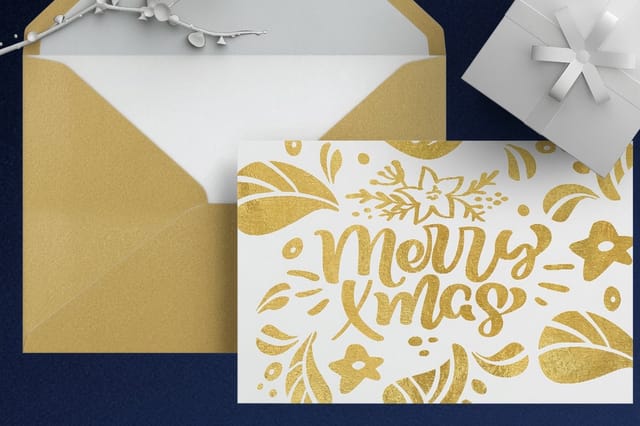 Metallic Foil Postcards | 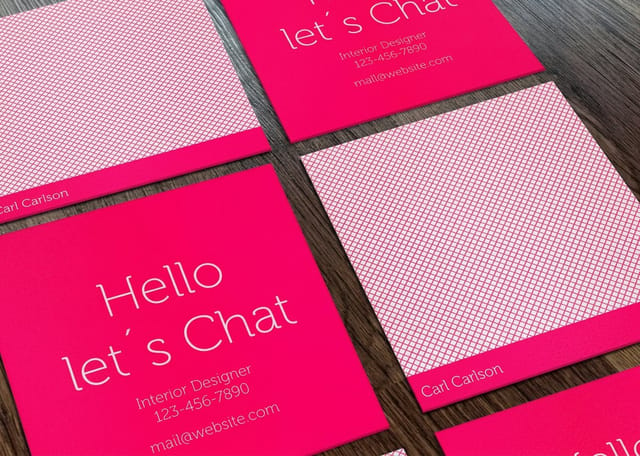 Mini Cards | 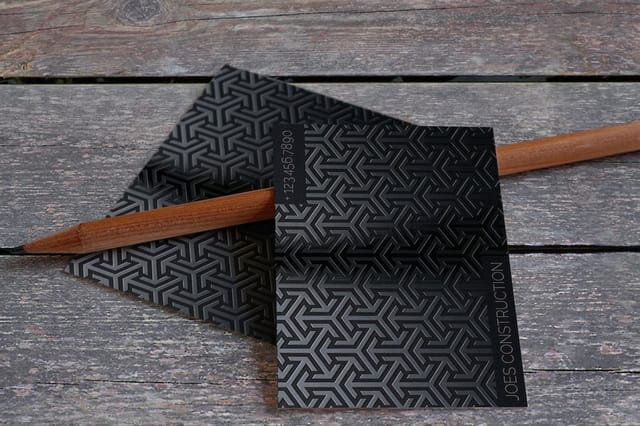 Spot UV Postcards | |
|---|---|---|---|---|
| Min price | $16.48 | $421.91 | $17.57 | $190.02 |
| Paper / stock | 14pt Gloss Cover | 16 Point Silk Laminated | 14pt Gloss Cover | 16pt Gloss Cover |
| Finish | Standard Finish | - | Standard Finish | - |
| Size | 2.5" x 2.5" | 4" x 6" | 2" x 2" | 2" x 6" |
| Default qty | 50 | 500 | 100 | 1,000 |
| Turnaround | 3 business days | 7 business days | 3 business days | 5 business days |
| Rating | ||||
| View & customize | View & customize | View & customize | View & customize |
More proofing platforms worth a look
Beyond the big three, a handful of focused tools cover different budgets and workflows. Match the depth of features to how many stakeholders and file types you juggle on a normal week.
Ziflow
Ziflow markets itself on speed and supports more than 1,200 file types, more than most rivals. The annotation tools let reviewers draw, measure, and comment with precision, which is valuable when exact positioning matters. The comparison view is especially good, since you can overlay versions to catch subtle shifts. A few users wish the notifications were more customizable, and like ProofHQ it is priced for mid-to-large operations.
PageProof
PageProof is a New Zealand tool that has gained traction with print and publishing companies worldwide. It offers unlimited users on every plan, a rarity here, and you pay by project volume rather than per seat, which suits shops with many clients. Its smart comparison highlights differences automatically, and a to-do system turns proof comments into tasks. It carries fewer third-party integrations than Ziflow or ProofHQ, so check compatibility if your workflow leans on a specific project tool.
ReviewStudio
ReviewStudio is a straightforward tool focused on visual content like images, PDFs, video, and HTML. It is popular with agencies and shops that want a no-frills review platform without enterprise complexity. Setup is simple, the annotation is good, and a presentation mode lets you walk a client through proofs live. Workflow automation is limited, so if you need routing or complex permissions you will pair it with a project-management tool.
GoVisually
GoVisually is built for design proofing and strips away the complexity. Upload a proof, share a link, collect feedback, that is the core loop and it does it well. Clients do not need an account to comment, and PDFs render quickly, which is great for non-technical clients who just need to say yes or change this. It stays light on deep integrations and reporting, so treat it as a focused proofing layer rather than a full project system. For more creative ideas that reward a clean proofing pass, see our funny print ad examples and a few DIY greeting card ideas.
Free and budget proofing options for small print shops
Most of the shops asking about this in trade forums are one or two people with no software budget, and the honest answer is that you can get most of the benefit for nothing if you are disciplined about it.
Start with the free tiers. Several of the platforms above run a free or single-user plan that covers one active project at a time. That is enough for a shop running a handful of jobs a week, and it lets you find out whether the annotation workflow actually changes client behaviour before you pay for it.
PDF comment tools you already own. Adobe Acrobat Reader is free and its comment and markup tools pin notes to a location on the page, which is the single feature that matters most. Send the proof as a PDF, ask the client to comment rather than describe, and you have removed the worst part of the email loop at zero cost.
A shared cloud folder with a naming rule. The reason email proofing fails is version confusion, not the lack of software. A shared Drive or Dropbox folder with a strict filename pattern, job number, version number, date, kills most of that on its own. It costs nothing and it takes an afternoon to set up.
What you give up. None of these log a legally clean approval, none of them route a proof to three reviewers in sequence, and none of them stop a client claiming they never saw the file. The moment you have a dispute that costs you a reprint, the paid tier has paid for itself. Until then, free tools plus a naming rule are a defensible choice.
Online print pricing and proofing systems that do both
A separate class of tool merges the quote and the proof into one flow. Web to print suites let a customer configure a job, see the price update as they change quantity, stock or finish, upload the artwork, and approve a proof, all without a single email.
The pitch is that the quote and the approval stop being two conversations. The customer never asks what does 500 cost on 16pt, because the number moved when they changed the dropdown. And because the file was uploaded inside the configured job, the proof that comes back is attached to a spec nobody has to retype.
Our own storefront runs this way, so it is a worked example rather than a hypothetical. Open any product page, for instance standard business cards, and the price per unit updates live as you change quantity, stock, finish and turnaround. Upload artwork inside that same configured job and a free digital proof comes back attached to it. Order free samples and you can check the stock in hand before the proof stage even starts.
For a small shop, the lesson is not to buy an enterprise web to print suite. It is that instant pricing removes more back and forth than proofing software does, because most of the emails in a job are about price, not about the artwork.
How online proofing fits the print production workflow
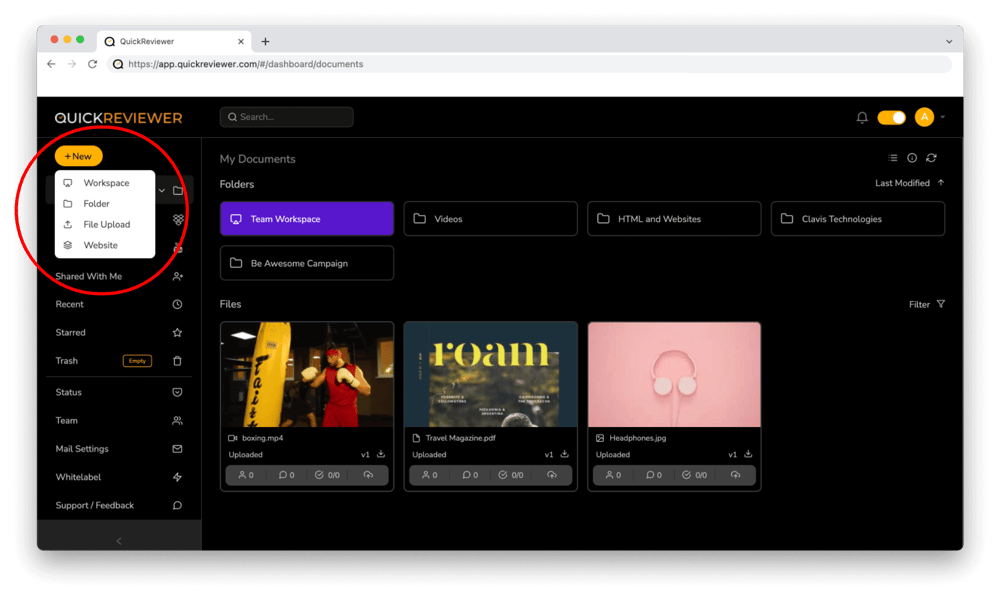
Proofing software does not live in a vacuum. It sits between design and production, and how cleanly it connects to both decides how much time you actually save. Here is a typical run with online proofing in place.
- Design completion, the designer uploads the finished file to the proofing platform straight from their design tool or via cloud storage.
- Automatic routing, the platform sends the proof to the right reviewers by your rules, account manager first, then client.
- Review and annotation, reviewers pin comments to specific areas of the design and resolve questions in threaded replies.
- Revision cycle, the designer uploads a new version, the platform highlights what changed, and reviewers confirm the fixes.
- Final approval, the client clicks approve, the file locks with a timestamp, and production begins.
For a simple job the whole cycle can happen in one afternoon, against the three to five day email chain that manual proofing usually drags out. When speed is everything, 4OVER4.COM even offers same day printing on select products, but that only works if your proofing does not eat the timeline. If postcards are part of the run, our guide on how to make postcards pairs well with a tight proofing loop.
Real configurator numbers
Postcard pricing and specs
The more you order, the lower the per-unit cost drops. Here are live quantities and options.
| Quantity | Price Per Unit | Total |
|---|---|---|
| 50 | 33.0¢ | $16.48 |
| 100 | 24.2¢ | $24.16 |
| 200 | 15.9¢ | $31.86 |
| 300 | 12.8¢ | $38.45 |
| 400 | 11.3¢ | $45.04 |
| 500 | 10.3¢ | $51.62 |

Common mistakes when rolling out proofing software
Buying the software is the easy part. Making it work inside your operation takes more thought. Here are the slip-ups print shops make most often.
Not training your clients
You know the tool and your team knows the tool, but your client is seeing it for the first time. Send a two-minute video walkthrough with their first proof that shows how to comment, compare versions, and approve. A little onboarding pays off in faster turnarounds.
Skipping the approval lock
Some shops collect a verbal yes or an email confirmation instead of the platform approval button. Do not. The digital approval creates a timestamped record that protects you when a client later claims they never signed off.
Overcomplicating the workflow
Just because a tool offers seven-step approval chains does not mean you need them. Start with one reviewer and one approver, then add steps only when a project truly calls for it. Over-engineered workflows slow things down.
Ignoring color accuracy limits
No screen proof matches a printed piece perfectly. Online proofing is excellent for layout, typography, and content, but color matching still needs a calibrated monitor or a physical proof for critical jobs. Tell clients this upfront. If you are building a portfolio that shows off your production quality, our article on graphic design portfolio examples has solid inspiration.
Making the business case for online proofing
If you need to convince a partner or manager that proofing software earns its keep, lead with the numbers.
- Time savings, most shops cut their proof-to-approval cycle by 40 to 60 percent after switching. On a shop running 50 jobs a week, that is hours of reclaimed production time.
- Error reduction, when feedback pins to the design instead of living in an email, misreads drop sharply, and fewer reprints means less wasted material and labor.
- Client satisfaction, a professional proofing process signals that you are organized and invested in getting the job right, which is a big part of how 4OVER4.COM holds a 4.8 out of 5 rating across 10,000+ reviews.
- Scalability, manual proofing survives at 10 jobs a week and breaks at 50 or 100, while software scales with you, since a new client no longer means a new email thread to babysit.
Most platforms range from free, with limited features, to a few hundred dollars a month for a full plan. Set that against the cost of one reprint, counting materials, labor, shipping, and the dented client relationship, and the math is easy. For more on print marketing and design, browse the full library of printing articles, and to see finished work when the proofing goes right, visit the showcase for real customer examples.
Where online proofing is heading next
The proofing space is not standing still. A few shifts are already taking shape.
- AI-powered error detection, some platforms already flag common print errors automatically, from missing bleed to low-resolution images and color space problems, and this should become standard soon.
- Better mobile review, as more decision-makers approve on tablets and phones, the tools that nail mobile review will take share.
- Deeper print MIS integration, proofing tools are starting to connect with print management systems, so an approved proof can trigger scheduling and production automatically.
- Augmented reality previews, imagine a client holding up a phone to see how a postcard looks in hand before it prints, still early but on the horizon for high-end work.
The print industry moves slower than software, so shops that adopt early gain a real edge. If you already speed up design with blank templates, adding proofing software is the logical next step to accelerate the whole workflow.
Start fast
Templates and print-ready blanks
Postcard design templates and exact-size blanks so your artwork lands inside the cut line before it ever reaches a proof.




Wally walks you through the proofing loop
Upload, review, approve, print, no email chaos
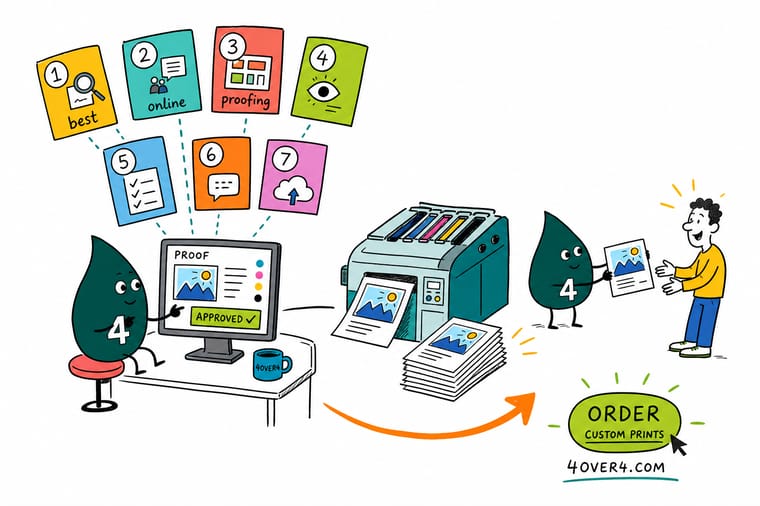
Online proofing turns the slow email back-and-forth into one shared screen. Upload the file, let clients pin comments right on the design, compare versions to catch every change, and lock a timestamped approval before anything prints. Pick a tool that fits your shop, train clients once, and 4OVER4.COM prints the approved job sharp.
Explore postcard printing →What to remember about online proofing software
Explore more
More ways to plan, proof, and print
Related products, hubs, and guides on 4OVER4.COM, one card each, so you can keep exploring print production.
 Article Enterprise Print Management Solutions for Large Teams Enterprise print management solutions explained: central ordering, template control, cost tracking, and multi-
  Article Online vs Local Banner Printing, Which One Actually Serves Your Job Be Online banner printing versus a local print shop compared on price, turnaround, material range, proofing, and Article Where to Print Custom Banners for Retail Campaigns Where to print custom banners for retail promotions: local shops, office stores, and online printers compared
 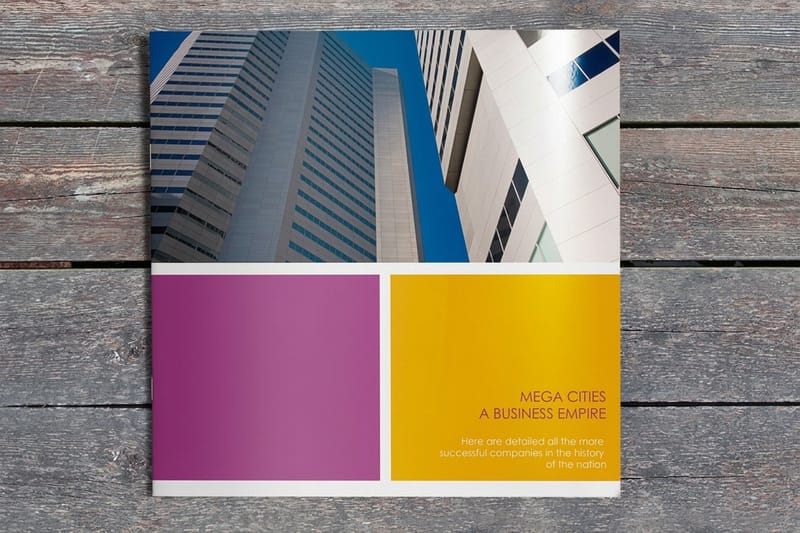 Product Booklet Printing Multi-page booklets, the classic multi-round proofing job.
 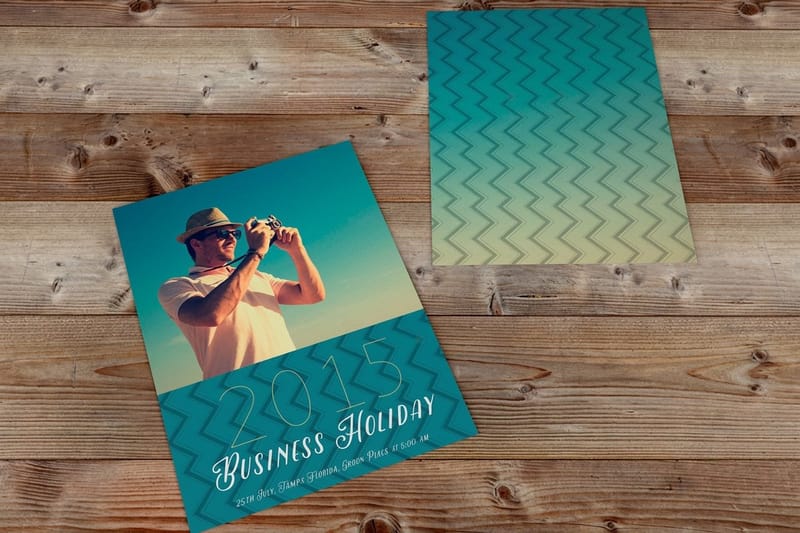 Product Postcard Printing Custom postcards in dozens of sizes and stocks. Hub Booklets & Catalogs The full multi-page print hub in one place.
 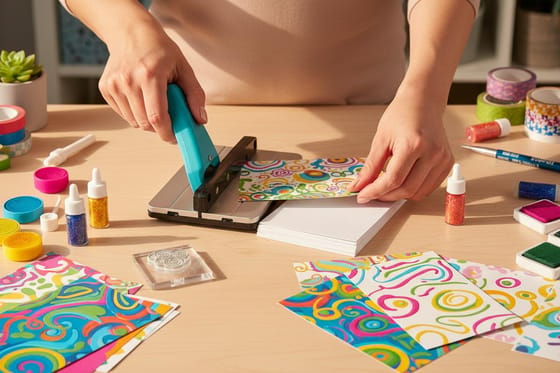 Guide How to Make Postcards Design, print, and mail postcards the right way.
  Guide How to Make Business Cards From layout to finish for a card worth keeping.
  Article Direct Mail Marketing Examples Campaign ideas that reward a tight proofing loop.
  Showcase Booklet Printing Showcase Real customer booklet designs and binding options.
  Article Company Brochure Examples Brochure designs that stay consistent across a campaign.
  Articles Print Design Ideas Creative inspiration for your next print project.
 Ready to speed up your print approvals?
Pick the proofing tool that fits your shop, tighten the workflow, and let 4OVER4.COM print the approved job sharp, as fast as same day.
Common questions about online proofing software
What is colour proofing software?
Colour proofing software drives a proofing device to simulate a specific press condition, so you can see what the job will look like on the paper and press it will actually run on. GMG ColorProof, the Kodak proofing line and EFI Fiery class RIPs sit in this category. They use ICC profiles to map your file into the target colour space and output a contract proof the pressroom matches to. It is a different product from approval proofing software like Ziflow or Filestage, which handles annotation and sign-off and makes no claim about colour accuracy.
What is the difference between a soft proof and a contract proof?
A soft proof is an on-screen simulation of the printed result, viewed on a calibrated display under controlled lighting. It is instant and free, and it is reliable for layout, type, imagery and obvious errors. A contract proof is a physical sheet output on a calibrated proofing device to simulate the press condition, and it is the reference the pressroom matches to. Use a soft proof for everything routine. Use a contract proof when a brand colour, a skin tone or a heavy ink coverage job means a colour miss would mean a reprint.
What are the best practices for online proofing software?
Start with a simple approval chain of one reviewer and one approver. Always use the platform built-in approval button instead of an email confirmation, since it timestamps the sign-off. Train clients with a short walkthrough before their first proof, and set clear deadlines for each feedback round. Remember that a screen proof does not replace a physical proof for color-critical jobs like black postcards, where ink density really matters.
How do I choose the right online proofing software?
Match the tool to your shop volume and complexity. Small shops with straightforward jobs do well with GoVisually or Ashore, mid-size operations benefit from Filestage or Ziflow, and enterprise print businesses tend to lean on ProofHQ or Ziflow for automated routing. Always confirm the platform renders your most common file types, especially multi-page PDFs.
What makes online proofing effective for marketing work?
Marketing campaigns pull in multiple stakeholders, tight deadlines, and frequent revisions. Centralized feedback is the key advantage, because everyone sees the same proof, comments pin to specific design elements, and version history prevents confusion. That matters most on multi-piece campaigns, like coordinating custom booklets, postcards, and flyers that all need to look consistent.
How much should I budget for online proofing software?
Free tiers exist but usually cap users or projects. Paid plans for small teams start around 20 to 50 dollars a month, mid-range platforms like Filestage and Ziflow run 50 to 200 dollars a month, and enterprise tools can pass 500 dollars. Weigh that against the cost of a single reprint caused by a missed proof, and most shops recoup the spend inside the first month.
